3 Best Ceramic Printers for 2027
For 2027, if you’re looking for the best ceramic printers, you’ll want to consider your specific needs carefully.
Whether you’re an artist, a small studio, or someone who values versatility, there’s a perfect option for you. Ceramic printing technology is evolving, offering fine liquid deposition molding, pellet extrusion, and even handheld inkjet solutions for various workflows and post-processing demands.
The TRONXY Moore 2 Pro is ideal if you need fine liquid deposition molding with a 250 × 250 × 260 mm build volume. It’s perfect for artists or small studios focused on detailed ceramic creations.
If versatility is your thing, the AX-P200 kit offers precise layers with direct pellet printing. It works great for both metal and ceramic materials, perfect for those who want flexible pellet extrusion options.
For quick and portable ceramic marking, the 127T1 handheld inkjet is a solid choice. Each of these printers excels in different workflows, so you’ll find something that matches your exact project needs.
| Image | Name | Editor's Rating | Price |
|---|---|---|---|

|
|
||

|
|
||
|
|
TRONXY Moore 2 Pro Clay 3D Printer, Liquid Deposition Molding
- Foldable Ceramic 3D Printer: Building Size: 250*250*260mm. Loosen the bottom retainer, pull up the frame, and tighten the 4 screws to complete the installation.
- Adapted Materials: Clay, Ceramics Slurry, Red Porcelain and various liquid flowing materials. A household microwave can serve as a kiln, can be glazed in 35 minutes
- Major Equip: Dual axis metal guide rail, runs smoothly and stably, easy maintenance. TMC2209, 32 Bit Silent Main board, LDM Extruder for clay 3D printing, resume printing...
- Fast Printing: Replaceable, adjustable synchronous feeding system, faster than the previous 3d printer series with a maximum print speed of 40mm/s.
- No need air compressor: Developed electric putter instead of compressed air to make sure outstanding printing quality and stability for prints.
The TRONXY Moore 2 Pro Clay 3D Printer brings precision and ease to ceramic crafting. Its Liquid Deposition Molding technology enables you to produce detailed pottery pieces ready for kiln firing and glazing. This printer’s foldable frame saves space without sacrificing a generous build volume of 250 × 250 × 260 mm, perfect for a variety of ceramic projects.
Designed to deliver stability, the printer uses dual-axis metal guide rails and an electric actuator. This setup eliminates noisy air compressors and supports smooth, fast printing speeds up to 40 mm/s. The 32-bit mainboard with power resume ensures your work continues seamlessly after power interruptions, reducing frustration during long prints.
Maintenance is straightforward but requires manual frame setup by loosening and tightening screws, which might slow initial assembly. The printer is ideal for liquid-flowing ceramic materials, making it great for artists and hobbyists working with specific clay types. However, firing quality may vary when using a household microwave kiln instead of professional options.
This model excels in combining professional features with user-friendly operation, making it suitable for both beginners and experienced ceramic creators.
Best for: artists, ceramic hobbyists, and small pottery studios seeking a reliable and user-friendly clay 3D printer for detailed ceramic work.
What We Like:
- Foldable frame with large build volume for versatile projects
- Stable dual-axis metal rails and electric actuator for smooth, quiet printing
- 32-bit mainboard with power resume for uninterrupted printing sessions
- Compact design ideal for small studios or home use
Specification:
| Feature | Details |
|---|---|
| Manufacturer | TRONXY |
| Build Volume | 250 × 250 × 260 mm |
| Printing Technology | Liquid Deposition Molding |
| Print Speed | Up to 40 mm/s |
| Frame | Foldable metal frame |
| Control Board | 32-bit mainboard with power resume |
AX-P200 Metal & Ceramic 3D Printer Kit
- Twin-screw pellet extrusion: Counter-rotating, intermeshing screws melt, mix, and extrude compatible pellets without a separate filament-making step.
- Metal and ceramic green parts: Works with compatible binder-containing MIM or CIM pellet feedstocks; material-specific debinding and sintering are required for final...
- Polymer pellet options: PLA, PETG, ABS, PC, and TPU are listed in the product brochure. Suitable recycled and filled-composite feedstocks require appropriate preparation...
- Extruder reference specifications: 15 mm screw diameter per screw, pellet size up to 3 mm, and layer height of 0.1-0.5 mm. These are extruder specifications, not the...
- Assembly required: Includes print head, printer frame, cables, assembly tools, and 100 g PLA material. 200 x 200 x 200 mm build volume; 110 V input; print files loaded by...
The AX-P200 Metal & Ceramic 3D Printer Kit transforms how you create metal and ceramic parts by printing directly from pellets. This eliminates the need for filament production, saving time and simplifying the workflow. Its twin-screw pellet extrusion system efficiently melts and mixes feedstock up to 3 mm, enabling smooth and consistent printing.
Designed for versatility, the printer supports various materials, including MIM and CIM pellets with binders, as well as common polymers like PLA, PETG, and ABS. This flexibility allows you to experiment with recycled and composite pellets, broadening your material choices for different projects.
Maintenance involves post-processing steps such as debinding and sintering to achieve the final quality in metal and ceramic parts. Assembly is required upon delivery, so some technical skill is needed to set up the kit properly. The printer operates on 110 V and uses USB for file loading, making it accessible in many environments.
With a 200 × 200 × 200 mm build volume, the AX-P200 is ideal for creating detailed parts across diverse applications. Its unique pellet-based system offers a practical solution for users seeking direct metal and ceramic 3D printing without filament hassles.
Best for: hobbyists, educators, and small-scale manufacturers aiming to produce metal and ceramic components directly from pellets.
What We Like:
- Prints directly from metal and ceramic pellets, bypassing filament.
- Supports a wide range of materials, including MIM, CIM, and polymers.
- Generous build volume suitable for varied projects.
- Compatible with recycled and composite feedstock.
- Operates on standard 110 V power with USB connectivity.
Specification:
| Feature | Details |
|---|---|
| Manufacturer | AX-P200 |
| Build Volume | 200 × 200 × 200 mm |
| Pellet Size Support | Up to 3 mm |
| Materials Supported | Metal, ceramic, PLA, PETG, ABS, recycled, composite pellets |
| Power Requirement | 110 V |
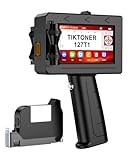
127T1 Portable Handheld Inkjet Printer
- 【Ultra-Portable Handheld Printer for Multi-Scenario Use】 The TIKTONER 127T1 handheld printer portable is your ultimate coding machine, ideal for DIY crafts...
- 【42ml Quick-drying TIKTONER 127T1 Ink】 The TIKTONER 127T1 handheld inkjet printer is equipped with 42ml quick-drying black ink cartridge, which has clear printing...
- 【Printing Height 2-12.7mm & Type-C Charging】 Maximize clarity by holding the handheld inkjet coding machine 2-5mm from object surfaces. Its Type-C connectivity...
- 【Multi-Material Mastery with Waterproof Durability】 The handheld inkjet printer gun prints flawlessly on cardboard, fabric, wood,plastics,metal, ceramic, and even...
- 【Variable Data Printing for Unique Codes】 Unlock "one-item-one-code" traceability with this hand held printer! Automatically generate sequential serial numbers, QR...
The 127T1 Portable Handheld Inkjet Printer offers a compact and practical solution for on-the-go printing needs. Its lightweight, gun-style design makes it easy to handle with one hand, reducing fatigue during extended use. This printer excels in printing on ceramics and various materials, delivering clear text, logos, QR codes, and batch numbers with sharp 600×600 dpi resolution.
Designed for efficiency, the 127T1 features a 4.3-inch touchscreen and USB Type-C connectivity, simplifying operation and data transfer. The quick-drying, waterproof ink ensures durable and smudge-resistant prints, ideal for labeling and traceability in busy environments. Variable data printing enhances inventory management by allowing dynamic information updates.
Maintenance is straightforward but requires attention; if unused for over 15 minutes, the cartridge must be removed and capped to prevent nozzle clogging. The printer uses a 42 ml black ink cartridge, with optional colors available separately, though it supports only monochrome printing by default.
Best for: Small business owners and warehouse managers needing a versatile, lightweight handheld printer for reliable labeling and traceability across multiple surfaces.
What We Like:
- Ergonomic, lightweight handheld design for easy single-hand use
- High-resolution prints with fast-drying, waterproof ink
- Supports variable data printing for enhanced traceability
- Simple touchscreen interface and USB Type-C connectivity
Specification:
| Feature | Details |
|---|---|
| Manufacturer | — |
| Dimensions | — |
| Weight | 1.1 lb (0.5 kg) |
| Print Resolution | 600 x 600 dpi |
| Ink Cartridge | 42 ml black (optional colors) |
| Display | 4.3-inch touchscreen |
| Connectivity | USB Type-C |
Factors to Consider When Choosing a Ceramic Printer
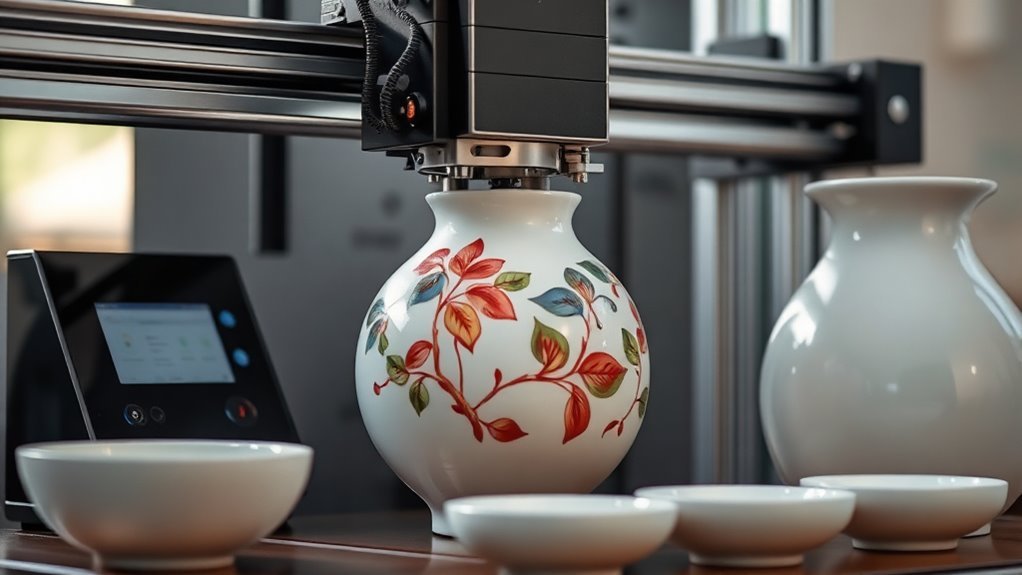
When choosing a ceramic printer, you need to take into account the print technology and how well it handles different materials. Think about the build volume size and the print resolution to match your project needs.
Also, factor in the printer’s speed and efficiency to keep your workflow smooth. It really helps to find one that fits your specific requirements without slowing you down.
Print Technology Types
Although selecting a ceramic printer might seem straightforward, understanding different print technologies is essential. Each method affects your material choices, print speed, resolution, and post-processing requirements.
Liquid deposition molding (LDM) and paste extruders work well with shear-thinning clays. They print at moderate speeds but need formulations that hold shape instantly.
Pellet- or screw-extrusion systems melt or soften ceramic pellets for precise layer heights between 0.1–0.5 mm. This approach offers good control over the final part dimensions.
Binder-jetting deposits binder onto powder beds, achieving high-resolution green parts. However, it demands careful binder and powder selection plus debinding and sintering afterward.
Vat photopolymerization uses ceramic-filled resins cured by light for fine details. It requires compatible resins and extensive post-processing to get the best results.
Keep in mind most methods produce green or brown parts needing kiln cycles for debinding, sintering, and sometimes glazing. So, factor your available equipment into your choice.
Material Compatibility Range
Material compatibility plays a vital role in selecting the right ceramic printer, as it directly impacts print quality and post-processing outcomes. You’ll want to make certain the printer supports both paste/slug and liquid/slurry feedstocks, since ceramic materials vary widely in rheology.
Check that it handles your preferred particle sizes and solids loading; those that accommodate fine powders or high-solid slurries produce denser, lower-shrinkage green bodies. Verify the extrusion system matches your feedstock form—whether syringe, screw, or liquid metering—as this affects flow control, resolution, and clogging.
Also, confirm the printer’s recommended debinding and sintering pathways align with your ceramic formulation to achieve crucial mechanical properties. Finally, look for adjustable flow and shear settings to fine-tune extrusion for various viscosities, making certain consistent surface quality and print reliability.
Build Volume Size
Choosing a ceramic printer means balancing several factors, and one key aspect is the build volume size. You’ll want to match the build volume (X × Y × Z) to the largest object you plan to print, including clearance for supports and trimming.
Desktop units typically range around 200–250 mm per axis. Think about whether your workflow prioritizes many small pieces or fewer large ones. Bigger volumes increase print time per layer, which affects batch throughput.
Larger volumes also demand stiffer frames and robust motion systems. This means you’ll need tighter calibration and slower speeds to maintain accuracy.
Also, check that your kiln and post-processing equipment can handle the print size. Don’t forget material behavior—account for ceramic shrinkage during drying and sintering, especially for larger parts, to avoid warping or defects.
Print Resolution Quality
Print resolution quality plays a critical role when selecting a ceramic printer, as it directly impacts the detail and surface finish of your pieces. You’ll want a printer with a fine layer height—around 0.1 mm—to achieve smooth, intricate vertical details.
Larger layer heights, like 0.3–0.5 mm, produce rough surfaces with visible lines. Pay attention to nozzle diameter too; smaller nozzles enable finer XY details but slow your print.
Consistent extrusion flow is essential since fluctuations cause blobbing or gaps, harming dimensional accuracy. Also, the printer’s motion system must be precise and rigid to place small features accurately, maintaining tight tolerances and surface fidelity.
Finally, remember to factor in post-print shrinkage during slicing, as drying and sintering reduce final size and affect detail resolution. It’s something you definitely don’t want to overlook!
Speed And Efficiency
While speed is tempting, you need to balance it carefully with quality when selecting a ceramic printer. Maximum print speed and recommended operating speeds affect throughput, but pushing top speeds can lead to defects in detailed parts.
Consider the deposition system’s efficiency—continuous extrusion usually saves time over intermittent dosing, which pauses for feeding or compaction. Layer height impacts speed too; thicker layers reduce print time but may sacrifice surface finish and accuracy.
Ease Of Maintenance
Balancing speed and quality means your printer will run longer and need more frequent upkeep. So, choose a printer with easily accessible components like the extruder, nozzle, and feed system. This way, you can clean and unclog parts without having to take everything apart.
Also, go for machines with modular, replaceable wear parts and standard fasteners. That helps reduce downtime and makes it easier to find spare parts when you need them.
Check if the motion system uses sealed or easy-to-lubricate rails and bearings. See if the manufacturer provides grease points or suggests lubrication intervals to keep things running smoothly and prevent wear.
Look for extruders designed for easy cleaning, like removable cartridges or wash-out paths. This is especially important since ceramic slurries tend to harden quickly.
Finally, make sure the controller supports resume-after-power-loss and gives clear error messages. That way, troubleshooting is simpler and you can avoid wasting time on print retries.
Post-Processing Requirements
Since achieving full density and strength requires more than just printing, you’ll need to plan for thorough post-processing steps like drying, debinding, and sintering in a kiln or oven. The sintering temperature and hold times vary depending on your ceramic or clay type.
If your printer uses binder-containing feedstock, chemical or thermal debinding is essential to avoid defects. Layered prints often need surface smoothing to eliminate seams and layer lines, which could trap moisture and cause cracks during drying or firing.
Controlling drying rates, part thickness, and kiln ramp speeds is critical to prevent warping or bloating. Thicker parts require slower, staged cycles to dry and fire properly.
After the initial bisque firing, you’ll typically apply glaze. This usually demands a second firing, though some liquid glazes can be fast-fired in about 30–40 minutes.
Cost And Warranty Coverage
Consider the total cost of ownership when choosing a ceramic printer, not just the upfront price. It’s smart to compare the initial purchase cost against expected throughput and material expenses. This helps you estimate the per-part cost over the printer’s life.
Also, check if the warranty covers essential parts like the extruder, motion system, and electronics. Find out whether it includes labor and shipping or just parts.
Make sure you know the warranty duration and any conditions that might void coverage. For example, using non-approved materials or making DIY modifications could affect your warranty.
Don’t forget to factor in the availability, lead time, and costs of spare parts and consumables. Long downtimes can really hike your expenses.
Finally, think about optional support plans or extended warranties. Weigh their cost against expected uptime improvements and confirm that technical support meets your production needs.
Frequently Asked Questions
How Do Ceramic Printers Compare to Traditional Pottery Techniques?
Ceramic printers speed up your work like lightning, letting you create precise designs quickly. Unlike traditional pottery, which molds your hands’ touch and soul, printers sacrifice some charm for consistency and efficiency.
It’s kind of a trade-off, right? You get speed and accuracy with printers, but you miss out on that personal, handmade feel that traditional pottery offers. Both have their own unique appeal depending on what you’re looking for.
What Are the Environmental Impacts of Ceramic 3D Printing?
You’ll find ceramic 3D printing reduces waste compared to traditional methods, but it still consumes energy and materials.
You should consider sourcing eco-friendly clay and using energy-efficient printers to minimize your environmental impact.
It’s all about making smarter choices that help the planet while still getting the job done.
Can Ceramic Printers Be Used for Medical Applications?
Yes, you can use ceramic printers for medical applications like creating custom implants, prosthetics, and dental devices. They let you produce biocompatible, precise, and durable parts tailored to individual patient needs efficiently.
It’s pretty amazing how these printers can make parts that fit perfectly and last a long time. Plus, the process is faster and more flexible compared to traditional methods. So, if you need something customized for a patient, ceramic printing is definitely worth considering.
What Maintenance Is Required for Ceramic Printers?
You’ll need to regularly clean print heads, check nozzle alignment, and make certain the ceramic slurry stays consistent.
Don’t forget to lubricate moving parts and update software to maintain precision and prevent clogs or print failures.
Keeping up with these steps really helps your printer run smoothly. It’s not hard once you get into the routine!
Are There Specific Software Programs for Ceramic Printer Designs?
You absolutely need specialized software for ceramic printer designs! They’re tailored to handle intricate textures and curves, making your creations flawless.
Programs like Ceramic 3D or specialized CAD tools will revolutionize how you design every masterpiece!
Conclusion
Choosing the right ceramic printer can truly transform your creative projects. With the market expected to grow by 25% annually until 2027, now’s the perfect time to invest.
Whether you pick the precision of the TRONXY Moore 2 Pro, the versatility of the AX-P200, or the convenience of the 127T1 Portable Inkjet, you’ll be stepping into a world of endless possibilities. These printers offer unique features that cater to different needs, making ceramic printing more accessible and exciting than ever.
Don’t wait—your next masterpiece is just a print away. Investing in a top ceramic printer today means unlocking creativity and quality that can elevate your work. So, explore these options and find the perfect ceramic printer for 2027 that fits your style and vision!