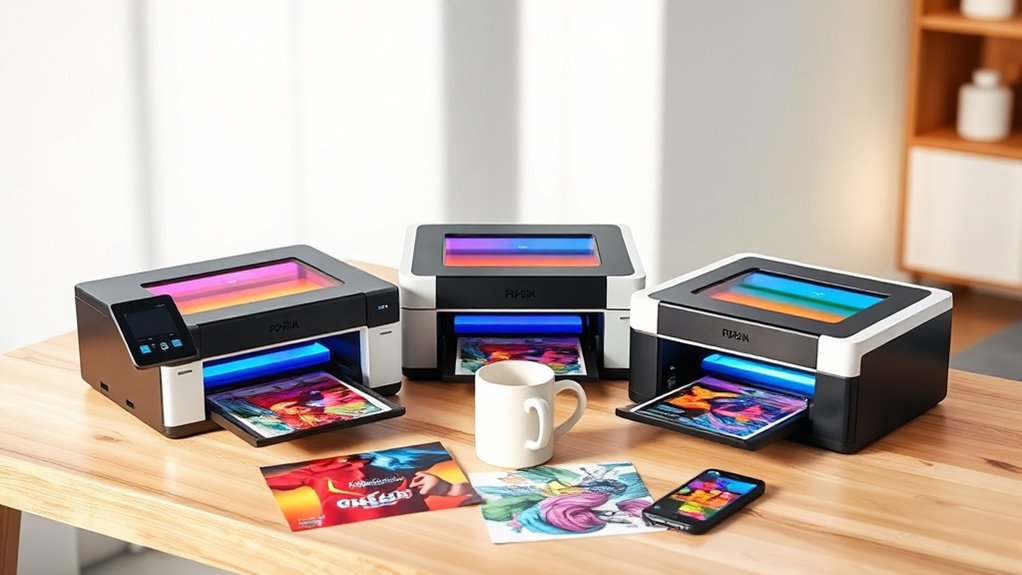
3 Best Budget Printers for Sublimation Printing in 2027
You’ll want to weigh the Epson SureColor F170 for its compact size and mess-free auto-stop ink bottles, ideal for tight spaces. This budget-friendly sublimation printer is perfect if you’re working with limited room but still want quality prints.
The Brother SP-1 Starter Bundle offers speedy prints and versatile Wi-Fi connectivity, making it great for quick projects or on-the-go printing. It’s a solid choice if you need something reliable and fast without breaking the bank.
If you need high resolution and a scanner, the Pinckney Super-Tank Printer delivers sharp images with easy refills. Each of these printers balances affordability with essential features, so exploring their strengths can really help you find the best fit for your sublimation needs.
| Image | Name | Editor's Rating | Price |
|---|---|---|---|

|
|
||

|
|
||

|
|
Epson SureColor F170 Compact Dye-Sublimation Printer
- Confidence - Epson authorized partner. Original Epson Manufactured product delivered in Epson’s factory-sealed packaging with Epson documentation and Epson’s full...
- Genuine Epson Ink Included - Comes with a full set of OEM Epson sublimation inks, certified ECO PASSPORT by OEKO-TEX for safe use on textiles, apparel, mugs, mousepads...
- Astounding Print Quality - Epson's Surecolor F170 Sublimation printer boasts the PrecisionCore printhead which offers Precision Droplet Control for the most outstanding...
- Versatile Media Support - Includes a 150-sheet auto-feed tray for added efficiency. Epson SureColor sublimation printers house the paper in a dust resistant closed tray...
- Compact Reliable Solution - Space-saving design with user-friendly setup for MacOS & Windows. Please note that connection to mobile devices is not supported with this...
The Epson SureColor F170 offers a compact and efficient solution for hobbyists, crafters, and small business owners needing vibrant dye-sublimation prints. Its small footprint fits perfectly in limited workspaces, allowing you to produce high-quality designs on apparel, mugs, and more without clutter.
This dye-sublimation printer uses PrecisionCore technology to deliver sharp and colorful images, ensuring your projects stand out. It supports media up to 8.5 inches wide, so you can work with a variety of substrates easily. The included eco-friendly inks help reduce environmental impact while maintaining consistent output.
Maintenance is straightforward with the auto-stop ink bottles, which prevent mess during refills. The dust-resistant tray holds up to 150 sheets, keeping your materials protected and organized. Connectivity options include USB and Ethernet, providing stable and reliable connections.
While the printer excels in image quality and compact design, it prints at a modest speed of about one page per minute and lacks duplex printing and mobile device connectivity. These factors are important to consider based on your workflow needs.
Best for: small business owners and crafters seeking a reliable, compact dye-sublimation printer for detailed prints on various substrates.
What We Like:
- Compact design with a dust-resistant 150-sheet tray
- Eco-friendly OEM dye-sublimation inks with mess-free refills
- PrecisionCore printhead delivers sharp, vibrant images
- Supports multiple media types suitable for diverse projects
Specification:
| Feature | Details |
|---|---|
| Manufacturer | Epson |
| Dimensions | Compact size (exact dimensions not specified) |
| Media Width | Up to 8.5 inches (21.6 cm) |
| Ink Type | Dye-sublimation, eco-friendly OEM inks |
| Connectivity | USB, Ethernet |
| Tray Capacity | 150 sheets, dust-resistant |
Brother SP-1 Sublimation Printer Starter Bundle
- Brother SP-1 Dye-Sublimation Printer with full set of CMYK inks, 160 sheets sublimation paper, 50 sublimation blanks, heat resistant tape and more
- BUNDLE INCLUDES: Full Set of Sublimation Inks - Black, Cyan, Magenta, Yellow 47ml Each, Prosub 50 Piece Sublimation Blank Set, 500 in SoFontsy Desgins Cards for...
- BUNDLE INCLUDES: 150 Sheets of ProSub 8.5" x 11" Sublimation Paper, 10 Sheets of Brother 8.5" x 11" Sublimation Paper, 4 Rolls of Prosub Heat Resist Tape - .125in, .25in...
- BUNDLE INCLUDES: Artspira Design Software App (digital download), 100 Sublimation Designs, Quick Reference Guide, Wi-Fi & Ethernet Connectivity, Windows, Mac & App...
- Transform your crafting and small business ventures with the Brother SP-1 Sublimation Printer, a compact, high-performance printer designed to bring your imagination to...
The Brother SP-1 Sublimation Printer Starter Bundle transforms how you create personalized products. Its compact design fits small workspaces, making it ideal for crafters and small businesses looking for an efficient dye-sublimation solution. You can print vibrant, professional-quality designs on a range of items such as T-shirts and mugs with ease.
This bundle includes everything needed to start immediately: a dye-sublimation printer with CMYK inks, sublimation paper, and 50 blank items ready for customization. Connectivity is simple and flexible, supporting Wi-Fi and Ethernet, and it works seamlessly with Windows, Mac, and the Artspira mobile app.
Maintenance is straightforward but requires attention to ink levels, as each color cartridge holds 47 ml and may need refilling during high-volume printing. The printer is designed specifically for sublimation materials and does not support duplex printing, which suits users focused on single-sided designs.
By combining print speed, quality, and a comprehensive set of accessories, this bundle enables creative professionals to produce vibrant, full-color products quickly and efficiently. Heat-resistant tape and included design software further streamline the production process.
Best for: Crafters and small business owners needing a compact, all-in-one dye-sublimation printing solution for personalized, vibrant products.
What We Like:
- Complete starter kit with printer, inks, paper, blanks, and design assets
- Versatile connectivity via Wi-Fi and Ethernet, plus multi-platform compatibility
- High-quality 600 x 600 dpi prints at up to 10 pages per minute
- Ready-to-use with included heat-resistant tape and design software
Specification:
| Feature | Details |
|---|---|
| Manufacturer | Brother |
| Printer Type | Dye-sublimation |
| Ink Colors | CMYK (47 ml each) |
| Print Resolution | 600 x 600 dpi |
| Print Speed | Up to 10 pages per minute |
| Connectivity | Wi-Fi, Ethernet |
| Compatible OS | Windows, Mac, Artspira app |
| Included Materials | Sublimation paper, 50 blanks |
Pinckney Cartridge-Free Super-Tank Printer with Scanner
- 【Sublimation Printing】Wireless Super-Tank AIl-in-One Printer with Scanner and Copier. High-capacity ink tanks mean no more ink cartridges.
- 【Sublimation Ink Contents】Black 127mL; Magenta 85mL; Cyan 85mL; Yellow 85mL. Ink may be shipped in a separate package based on logistic optimizations.
- 【Easy to Fill】the auto-fill nozzle fits the printer ink inlet perfectly and allows easily ink fill. No syringe needed, no squeezing, no ink leakage.
- 【Supported Paper Sizes】Letter A Size (8.5 in x 11 in), Legal (8.5 in x 14 in), Executive (7.25 in x 10.5 in), A4 (8.25 in x 11.7 in), A6 (4.13 in x 5.83 in), 5.5 in x...
- 【High-resolution printing】up to 5760 x 1440 dpi. Finer ink droplet size, Worry less about clogging.
The Pinckney Cartridge-Free Super-Tank Printer with Scanner offers a practical solution for vibrant heat transfer printing. Its cartridge-free design uses a super-tank system with an auto-fill nozzle, making ink refills simpler and reducing the risk of leaks. This feature helps users avoid the hassle and mess often associated with traditional cartridges.
Designed for convenience, the printer supports both wireless and USB connectivity, allowing easy printing, scanning, and copying from laptops, tablets, or smartphones. It delivers sharp, detailed prints with a resolution up to 5760 x 1440 dpi, ideal for customizing items like T-shirts and mugs.
The device handles various media sizes but is limited to a maximum of 8.5″ x 11″, which suits small-scale projects. It also includes a scanner to expand its functionality. Users should note that prints may appear dull on paper before heat transfer, which is normal for sublimation printing.
Maintenance is straightforward thanks to the cartridge-free system, but the printer’s one-year warranty and limited spare parts availability might require additional care over time. Overall, it balances ease of use with effective performance for creative heat transfer work.
Best for: Small business owners and hobbyists needing a reliable, cartridge-free sublimation printer for vibrant heat transfer projects.
What We Like:
- Cartridge-free super-tank system with leak-reducing auto-fill nozzle
- High resolution up to 5760 x 1440 dpi for sharp, vibrant prints
- Wireless and USB connectivity for flexible device use
- Compact size supporting standard media up to 8.5″ x 11″
- Includes scanner for added versatility
Specification:
| Feature | Details |
|---|---|
| Manufacturer | Pinckney |
| Dimensions | Not specified |
| Weight | Not specified |
| Connectivity | Wireless, USB |
| Maximum Resolution | 5760 x 1440 dpi |
| Maximum Media Size | 8.5″ x 11″ |
| Ink System | Cartridge-free super-tank |
| Included Features | Scanner |
Factors to Consider When Choosing a Budget Printer for Sublimation Printing
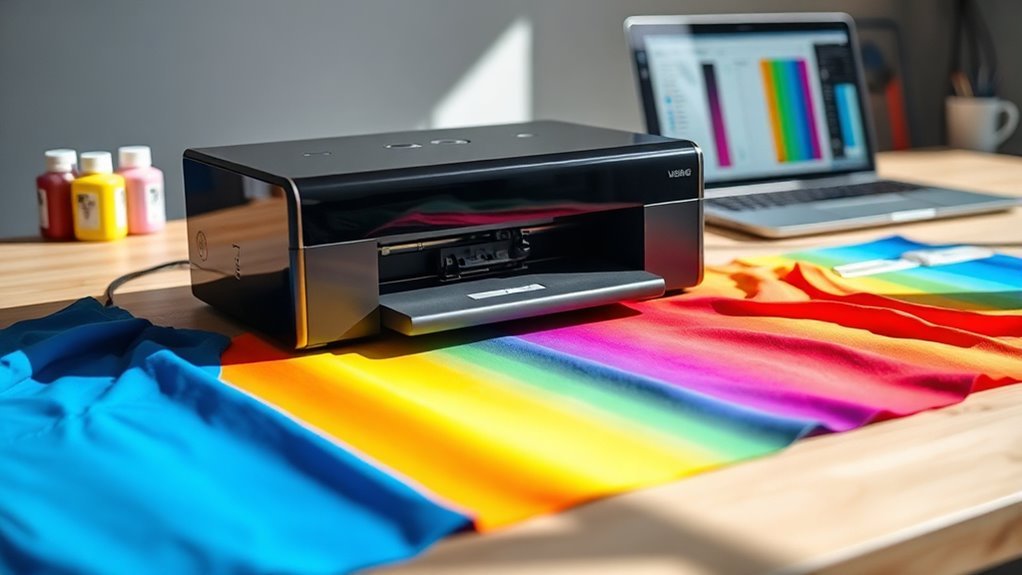
When choosing a budget sublimation printer, you’ll want to focus on print quality and resolution to guarantee your designs come out sharp. Consider the ink type and compatibility, as well as the media size and handling to match your projects.
Don’t forget to check connectivity options and print speed to keep your workflow efficient. These little details can make a big difference when you’re working on tight deadlines or varied projects.
Print Quality And Resolution
Print quality plays a crucial role in achieving vibrant and detailed sublimation prints, especially on a budget. You should look for printers with at least 600 x 600 dpi native resolution to get acceptable photo-quality results.
For crisper text and finer details, aim for 1200 x 600 dpi or higher. Droplet size and control matter too—smaller droplets mean smoother gradients and more accurate detail.
Keep in mind, printhead technology and resolution modes affect both print speed and quality. Higher-resolution modes improve detail but slow printing and use more ink.
To maintain consistent high resolution, regularly check nozzles, align printheads, and use proper ICC profiles and driver settings. This guarantees your sublimation transfers stay sharp and vibrant every time.
Ink Type And Compatibility
Choosing the right ink is essential for achieving vibrant and durable sublimation prints, especially on a budget. You need true dye-sublimation inks that convert directly from solid to gas; regular pigment or dye-based inks won’t give you lasting, vivid results.
Make certain the ink’s color profile and ICC are compatible with your printer and softproofing setup to prevent color shifts after heat transfer. Check the refill system—bottles, cartridges, or super-tanks—with features like auto-stop nozzles or sealed ports to minimize spills and oxidation.
Also, verify ink concentration and recommended print settings to avoid saturation issues affecting final colors. Finally, consider certifications like OEKO-TEX and support warranties to make certain your ink suits apparel printing and keeps your printer warranty intact.
Media Size And Handling
You’ll want to zero in on your printer’s media size and handling capabilities to match the types of sublimation transfers you plan to create. Confirm the maximum printable width and supported paper sizes—whether it’s standard 8.5″ x 11″, legal 8.5″ x 14″, or wider—to make certain it fits your projects.
Check input and output tray capacities, aiming for 100–160 sheets, so you’re not constantly refilling during batch printing. Make sure the printer supports your needed transfer media types, like sublimation transfer paper or roll media, and accommodates the paper thickness you require.
Look at paper handling features, such as dust-resistant trays and auto-feed, and verify if it’s simplex or duplex. Also, confirm the maximum media length and any nonstandard size support to cover everything from tumblers to large apparel panels.
Connectivity Options Available
Once you’ve determined the right media size and handling for your sublimation projects, it’s time to think about how your printer will connect to your devices. Wired USB connections, like USB 2.0 or 3.0, offer the most reliable and low-latency transfer. This is ideal for high-resolution files.
If you’re running a small shop, Ethernet lets multiple workstations share the printer with consistent speeds. That way, everyone can get their prints done without delays.
Wi-Fi adds convenience by supporting wireless printing from laptops or phones. But keep in mind, it may struggle with interference and slower transfers during large color jobs.
Mobile app or cloud printing simplifies quick tasks, which is super handy. However, it can affect color accuracy due to driver or cloud conversions.
Finally, make sure your printer’s drivers support your operating system—Windows, macOS, or mobile. This helps you maintain access to essential color management controls for precise sublimation results.
Print Speed And Efficiency
Evaluate the print speed carefully, since it directly impacts how many heat-transfer jobs you can complete in an hour. Compare the rated pages per minute (ppm) for color output to estimate throughput for your 8.5″×11″ transfers.
Remember, actual print cycle time includes warm-up, paper handling, and drying, which can add overhead and slow down your workflow. Higher resolution modes, like 600–1200 dpi, print slower, so balance image quality with speed for bulk runs.
Also, check input and output tray capacities and sheet-feeding reliability, as frequent reloading or misfeeds reduce efficiency despite fast single-page speeds. Finally, factor in maintenance tasks such as nozzle checks and head cleaning, since these interruptions affect your usable uptime and average daily output.
Device Size And Portability
When choosing a budget sublimation printer, factor in the device size and portability to fit your workspace and lifestyle. Measure your available space carefully, ensuring the printer’s footprint and height leave enough room for heat presses and substrate handling.
If you attend mobile craft events, opt for lightweight models under 20 lbs with compact dimensions—around 14–18″ wide and under 8–10″ tall—for easy transport and setup. Check if the paper tray or output path needs extra clearance, such as rear or top feed, which affects placement depth.
For occasional storage or travel, choose a printer with a dust-resistant or closed feed tray to protect your prints and supplies. Remember, very compact printers may limit features like scanning or paper capacity, so balance portability with functionality.
Warranty And Support Coverage
Although budget sublimation printers often come with limited warranties, you should carefully check the length and coverage details to guarantee your investment is protected. Make sure to verify if the warranty covers essential parts like printheads and electronics, especially when you’re using the printer for prolonged dye-sublimation work.
It’s also important to understand what service options are included—whether that’s onsite repair, mail-in service, or replacements. Keep in mind any costs or shipping responsibilities you might face with these services.
Be cautious if you plan on using third-party or sublimation-converted inks. Some warranties can be voided unless you stick to authorized inks, so double-check that before making a choice.
Also, look for accessible technical support through phone, email, or live chat. Helpful resources like guides and driver updates can make a big difference when you need assistance.
Finally, review return policies and satisfaction guarantees. These can be a lifesaver if you encounter early defects that go beyond the formal warranty period.
Frequently Asked Questions
Can Sublimation Printers Be Used on Dark Fabrics?
No, you can’t use sublimation printers directly on dark fabrics since sublimation inks are transparent and won’t show up well.
You’ll need light-colored polyester fabrics or use special coatings to print on dark materials effectively.
How Long Do Sublimation Printer Inks Typically Last?
Sublimation inks typically last like a fading sunset—vibrant for years if you protect your prints from sunlight and moisture.
You’ll enjoy bright colors for 3 to 10 years, depending on exposure and fabric quality.
Are Sublimation Printers Compatible With Mac and Windows?
Yes, sublimation printers are compatible with both Mac and Windows.
You’ll just need to install the right drivers and software for your operating system. This ensures smooth printing and full functionality without compatibility issues.
It’s pretty straightforward once you have everything set up. Just make sure to check for the latest updates to keep things running smoothly!
What Maintenance Is Required for Sublimation Printers?
Think of your sublimation printer as a garden; you’ll need to clean print heads, replace ink regularly, and run nozzle checks.
Don’t let ink dry out—it’s the lifeblood keeping your colors vibrant and flowing smoothly.
Keeping up with these tasks might seem like a hassle, but it really pays off in the long run.
Your prints will stay sharp, and your printer will thank you by lasting longer.
Can I Use Regular Paper With a Sublimation Printer?
You shouldn’t use regular paper with a sublimation printer because it won’t transfer the ink properly.
Instead, use specially coated sublimation paper to get vibrant, lasting prints that stick well to your substrates.
This paper is designed to hold and release the ink the right way, so your designs come out sharp and bright every time.
Using the right paper really makes all the difference!
Conclusion
Choosing the right budget sublimation printer is like finding the perfect brush for your masterpiece—it shapes the quality and ease of your creative journey. Whether you pick the Epson SureColor F170, Brother SP-1 Starter Bundle, or Pinckney Super-Tank Printer, each offers unique strengths to fit your needs.
Keep your priorities in mind, and you’ll turn your ideas into vibrant prints without breaking the bank. When looking for the best budget printers for sublimation printing in 2027, focus on reliability, print quality, and cost-efficiency.
Your perfect printer is just waiting to bring your vision to life, so choose wisely and get ready to create stunning, colorful designs that stand out. With the right sublimation printer, your creative projects will truly shine!