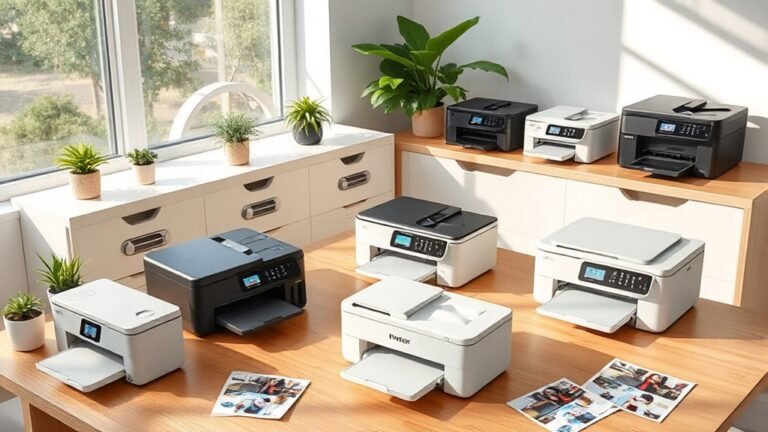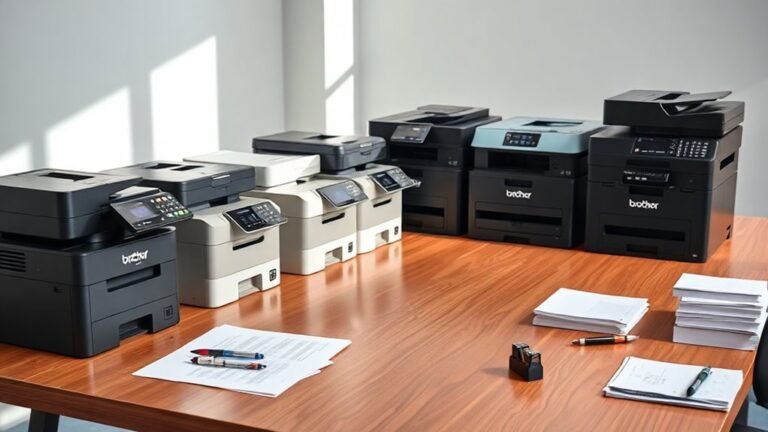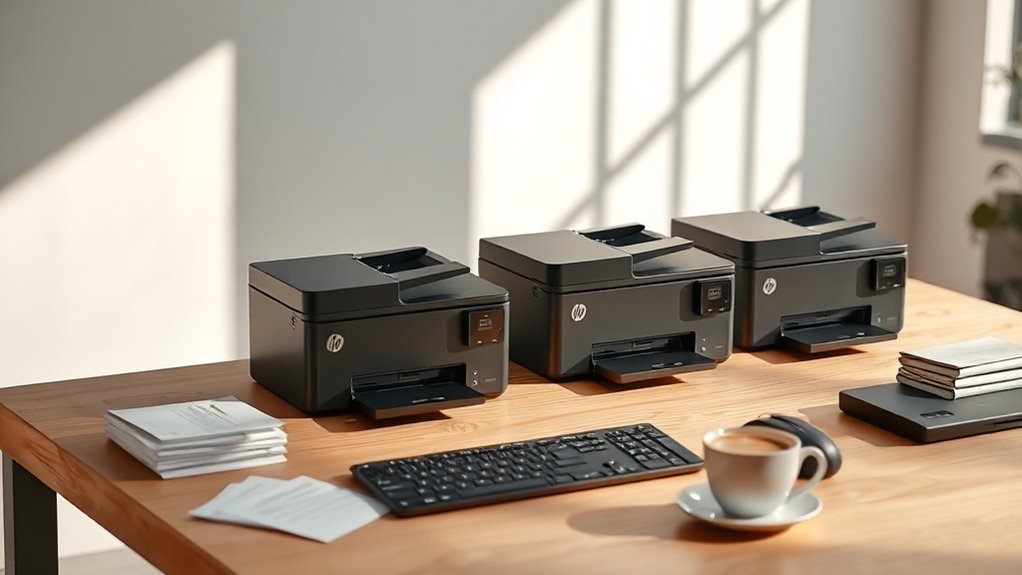
4 Best Budget LaserJet Printers for 2027
You’ll want to take into account the HP LaserJet Pro 3105sdw and 3101sdw for multifunction features like scanning and faxing. These models are great if you need more than just printing, but keep in mind their cartridges are pricier due to authentication tech.
If you need simple, fast printing, the Brother HL-L2405W offers reliable wireless output with easy maintenance. It’s perfect for those who want straightforward printing without extra bells and whistles.
For tight spaces and energy savings, the compact Canon imageCLASS LBP6030w fits well but prints slower. It’s a smart choice if you’re looking to save space and power.
Keep exploring to find which model best suits your printing needs and budget. There’s a budget LaserJet printer out there that’s just right for you!
| Image | Name | Editor's Rating | Price |
|---|---|---|---|

|
|
||

|
|
||

|
|
HP LaserJet Pro 3105sdw Monochrome Laser Printer | All-in-One
No products found.
The HP LaserJet Pro 3105sdw is designed to keep your office running smoothly. It delivers fast, sharp black-and-white prints, helping you avoid downtime and maintain productivity. With a print speed of up to 33 pages per minute and a resolution of 1200 x 1200 dpi, your documents look professional every time.
This all-in-one printer covers printing, copying, scanning, and faxing, making it a versatile tool for small teams. It supports up to seven users and connects easily via Wi-Fi, Ethernet, or mobile printing. Automatic duplex printing saves paper and time by producing double-sided documents without manual intervention.
Maintenance is straightforward with a 250-sheet paper capacity that reduces the need for frequent refills. However, it uses only one tray and is limited to monochrome printing. Firmware updates require HP cartridge authentication, which ensures quality but may increase operating costs by blocking third-party cartridges.
Best for: Small businesses and workgroups needing reliable, professional black-and-white printing with multifunction capabilities.
What We Like:
- Fast printing speed with high-resolution output
- Automatic duplex printing enhances efficiency
- Multiple connectivity options including Wi-Fi and Ethernet
- Supports mobile printing and HP’s AI-powered scanning
- Secure data protection through HP Wolf Pro Security
Specification:
| Feature | Details |
|---|---|
| Manufacturer | HP |
| Dimensions (W x D x H) | Approx. 16.5 x 15.3 x 11.7 in (42 x 39 x 30 cm) |
| Weight | Approx. 17.6 lb (8 kg) |
| Print Technology | Monochrome Laser |
| Print Speed | Up to 33 ppm |
| Resolution | 1200 x 1200 dpi |
| Paper Capacity | 250 sheets |
| Connectivity | Wi-Fi, Ethernet, Mobile Print |
HP LaserJet Pro 3101sdw | Monochrome | Laser Printer | All-in-One | Duplex
- FROM AMERICA'S MOST TRUSTED PRINTER BRAND – Perfect for small teams printing professional-quality black-and-white documents and reports. Print speeds up to 35 ppm...
- PROFESSIONAL PRODUCTIVITY – Proficiency with every print—bring your business to life with toner designed for sharp, professional-quality prints
- UPGRADED FEATURES – Fast printing, scanning and copying, auto 2-sided printing, a 250-sheet input tray and 50-sheet auto document feeder
- AWARD-WINNING RELIABILITY – Performance you can count on page after page, and always ready for the high demands of business
- WIRELESS PRINTING – Stay connected with our most dependable Wi-Fi, which looks for the best connection to stay online

The HP LaserJet Pro 3101sdw delivers fast and dependable printing designed to meet the demands of small businesses. Its sharp 1200 x 1200 dpi resolution ensures every document looks professional and crisp. You’ll save time with automatic duplex printing, which handles double-sided pages without manual effort.
This all-in-one device combines printing, scanning, and copying in a compact design. The 250-sheet input tray and 50-sheet automatic document feeder allow you to manage medium to heavy workloads efficiently. Connectivity options like wireless, Ethernet, USB, and mobile printing give you flexibility to print from almost anywhere.
Maintenance is straightforward but requires attention to toner replacement. The initial toner cartridge yields around 1,000 pages, which means you may need to replace it more often in busy offices. Firmware restrictions also require genuine HP toner cartridges with chips, which can affect supply costs.
With a manageable weight of 23.1 pounds, this printer fits comfortably in tight office spaces without sacrificing performance. It’s built to boost productivity while streamlining everyday tasks.
Best for: Small to medium businesses and work teams needing a fast, reliable monochrome all-in-one printer with duplex capabilities.
What We Like:
- Prints up to 35 ppm with sharp 1200 x 1200 dpi resolution
- Automatic duplex printing saves time and paper
- Multiple connectivity options including wireless and mobile printing
- Large input tray and ADF support heavy workloads
- Compact design fits small office spaces
Specification:
| Feature | Details |
|---|---|
| Manufacturer | HP |
| Dimensions (W×D×H) | Not specified |
| Weight | 23.1 lb (10.48 kg) |
| Color Options | Monochrome (Black and White) |
| Printer Type | All-in-One Laser Printer |
| Print Speed | Up to 35 ppm |
| Resolution | 1200 x 1200 dpi |
| Input Tray Capacity | 250 sheets |
| Automatic Document Feeder | 50 sheets |
| Connectivity | Wireless, Ethernet, USB, Mobile (AirPrint) |
Brother HL-L2405W Wireless Monochrome Laser Printer
- BEST FOR HOMES & HOME OFFICES – Engineered for consistent, premium print quality, the Brother HL-L2405W Monochrome (Black & White) Laser Printer delivers sharp, crisp...
- COMPACT, CONNECTED PRINTER – Flexible connection options make this an ideal printer for home use and at-home offices. Securely connect to multiple devices with built-in...
- BROTHER MOBILE CONNECT APP – Manage your printer remotely and print from your mobile device anytime, from almost anywhere. Order Brother Genuine Supplies, track toner...
- VERSATILE PAPER HANDLING – Enjoy seamless, reliable everyday printing with the 250-sheet paper tray(4) and a manual feed slot that enables printing on envelopes and...
- BROTHER IS AT YOUR SIDE – Backed by Brother with a 1-year limited warranty and free online, call, or live chat support for the life of your printer
The Brother HL-L2405W is designed to meet the needs of home offices with demanding black-and-white printing tasks. It delivers fast, sharp prints at up to 30 pages per minute, helping you stay productive without waiting. This printer’s compact footprint fits neatly on any desk, saving space in tight work areas.
Its wireless dual-band Wi-Fi lets you print from multiple devices without cables, while USB connectivity offers a direct option. Managing prints remotely is simple through the Brother Mobile Connect app, making it easy to send jobs even when away from your desk. The printer handles envelopes and labels, adding versatility for various document types.
Maintenance is straightforward with a 250-sheet paper capacity that reduces frequent refills. While it supports manual duplex printing, it requires user attention to flip pages, which keeps the design simple and cost-effective. This monochrome laser printer focuses on essentials, avoiding multifunction distractions like scanning.
With reliable performance and user-friendly features, the HL-L2405W improves efficiency for those who need fast, quality black-and-white prints without extras.
Best for: home offices and small workspaces needing fast, reliable black-and-white printing without additional scanning or copying functions.
What We Like:
- Fast printing speed of up to 30 pages per minute with sharp 1200 x 1200 dpi output
- Compact design paired with a large 250-sheet paper capacity
- Flexible connectivity via dual-band Wi-Fi and USB, plus remote print management
- Supports envelope and label printing for diverse document needs
- Simple maintenance with manual duplex for cost-conscious users
Specification:
| Feature | Details |
|---|---|
| Manufacturer | Brother |
| Dimensions | Compact size (exact dimensions not provided) |
| Weight | Not specified |
| Connectivity | Dual-band Wi-Fi, USB |
| Print Speed | Up to 30 pages per minute |
| Print Resolution | 1200 x 1200 dpi |
| Paper Capacity | 250 sheets |
| Printing Type | Monochrome laser |
Canon imageCLASS LBP6030w Wireless Monochrome Printer
- FAST PRINT SPEEDS: Print up to 19 pages per minute.
- COMPACT DESIGN: Space-saving, compact design fits anywhere in your home, school or small office.
- WIRELESS CONNECTIVITY: Print from almost anywhere in your workspace using your compatible mobile device.
- PAPER CAPACITY: Up to 150 sheets.
- SUSTAINABILITY: Uses less than 2 watts in Energy Saver mode.
Experience hassle-free printing with the Canon imageCLASS LBP6030w, designed to bring wireless convenience to your workspace. This compact monochrome printer fits seamlessly in small offices or home setups, eliminating clutter and simplifying your workflow.
Enjoy sharp, clear documents printed at a speed of up to 19 pages per minute. Its 600 x 600 dpi resolution ensures every page is crisp, making it perfect for everyday black-and-white printing needs. Wireless connectivity allows direct printing from laptops or mobile devices, removing the need for cables and making printing more flexible.
Maintenance is straightforward with a 150-sheet paper capacity that reduces frequent refills. The printer’s lightweight design, weighing just 11 pounds, makes it easy to move or reposition as needed. Energy Saver mode helps reduce power consumption, adding an eco-friendly aspect to its efficient performance.
While the device only supports monochrome printing and has a single USB 2.0 port, these features keep it simple and focused on essential tasks. Its user-friendly setup and reliable output make it a practical choice for routine document printing.
Best for: Small businesses, home offices, and personal users seeking a compact, efficient wireless monochrome printer for daily printing tasks.
What We Like:
- Fast print speed up to 19 pages per minute for efficient output
- Wireless printing from laptops and mobile devices for convenience
- Compact, lightweight design with Energy Saver mode for easy placement and reduced power use
Specification:
| Feature | Details |
|---|---|
| Manufacturer | Canon |
| Dimensions | Approx. 13 x 9 x 7 in (33 x 23 x 18 cm) |
| Weight | 11 lb (5 kg) |
| Printing Technology | Laser Monochrome |
| Print Resolution | 600 x 600 dpi |
| Paper Capacity | 150 sheets |
| Connectivity | Wireless, USB 2.0 |
Factors to Consider When Choosing a Budget Laserjet Printer
When choosing a budget LaserJet printer, you’ll want to take into account how fast it prints and whether the quality meets your needs. Think about the connectivity options available and if you really need multifunction features like scanning or copying.
Don’t forget to check the paper handling capacity to avoid frequent refills during heavy use. It’s all about finding the right balance between features and cost that works for you.
Print Speed Importance
Consider how print speed impacts your daily workflow before choosing a budget LaserJet printer. Print speed, measured in pages per minute (ppm), directly affects how fast multi-page jobs finish.
If you print occasionally at home, 20–30 ppm usually works well. For small teams, aim for 30+ ppm to avoid bottlenecks during busy periods.
Don’t overlook first-page-out time—it determines how quickly your printer starts responding. This is especially vital for urgent, single-page prints.
Remember, higher speeds may mean longer warm-up times and increased power use. So, balance speed with energy efficiency and duty cycle.
Also, check real-world duplex and automatic document feeder performance. Two-sided printing can impact your effective throughput for scanned or copied documents.
Understanding these factors helps you pick the right printer speed for your needs.
Print Quality Standards
Print speed alone won’t guarantee satisfactory results if your printed documents lack clarity and sharpness. You should look for a minimum optical resolution of 600 x 600 dpi, ideally up to 1200 x 1200 dpi, to guarantee crisp text and fine detail.
Evaluate first-page-out time alongside steady-state ppm—a fast 30–35 ppm with a short first-page time improves quality perception, especially for large jobs. It really makes a difference when you’re printing a lot.
Pay close attention to black-toner render fidelity and line sharpness to avoid jagged edges on small fonts and graphics. These details can make your documents look much more professional.
Don’t overlook duplex printing and scan optics; automatic two-sided printing and good scan resolution enhance multi-page document output. It’s a handy feature that saves time and paper.
Finally, confirm consumable yield and cartridge type, since consistent toner density and replacement frequency maintain print quality over time. Keeping an eye on these helps avoid surprises down the road.
Connectivity Options Availability
Offering versatile connectivity options is essential for a budget LaserJet printer to fit seamlessly into your workspace. Make sure it supports both wired connections like USB or Ethernet and wireless options such as Wi‑Fi.
This flexibility lets you pick stable networked printing for offices or direct USB for individual use. Check for dual‑band Wi‑Fi (2.4 GHz and 5 GHz) and Bluetooth to guarantee reliable connections even in busy wireless environments.
Mobile printing compatibility with AirPrint, Mopria, and dedicated apps lets you print and configure directly from smartphones and tablets. Don’t forget to verify physical ports—USB Type‑B, USB‑A, and Ethernet RJ‑45—for wired sharing or backup.
Finally, confirm cloud support and firmware update options to keep your printer secure and compatible over time. It’s all about making printing easy and reliable, no matter how you connect.
Multifunction Features Necessity
While multifunction LaserJet printers combine printing, scanning, copying, and faxing into one device, you need to weigh whether these added features justify the higher cost and maintenance compared to a print-only model.
If you scan regularly, check for an automatic document feeder (ADF) and duplex scanning to manage multi-page or double-sided originals efficiently.
Consider your copying and faxing needs too—high copy speeds matter if you reproduce frequently, but fax might be unnecessary if you mainly rely on digital communication.
If you only scan or copy occasionally, a single-function printer could save you money.
Keep in mind that multifunction units consume more power, require extra consumables, and may lead to higher repair costs.
Paper Handling Capacity
Many budget LaserJet printers handle between 150 and 250 sheets in their input trays, so you’ll want to pick one that fits your typical print volume to avoid constant refills.
Check if the printer includes an automatic document feeder (ADF) with a capacity of 25 to 50 sheets. This really speeds up scanning and copying multi-page documents.
Also, consider the output tray capacity—often around 100 sheets—to prevent frequent clearing during large print jobs. Automatic duplex printing is a big plus, reducing paper use and streamlining double-sided tasks.
Finally, confirm support for various media types and sizes, including envelopes, labels, and legal-size paper. Plus, look for manual feed slots to handle specialty media without any hassle.
These factors guarantee smooth, efficient paper handling for your needs.
Cartridge Compatibility Issues
Before you buy a budget LaserJet printer, you should check its cartridge compatibility carefully. Some printers use chip-based authentication that blocks third-party or remanufactured cartridges, especially after firmware updates.
So, make sure you confirm the printer’s policy on non-OEM cartridges to avoid any surprises down the line. Starter cartridges often yield around 1,000 pages, which is something to keep in mind.
It’s a good idea to compare regular and high-yield cartridge costs to estimate your long-term expenses. Try to opt for models using widely available cartridges with XL options—this can really help lower your per-page cost.
Keep in mind, non-approved cartridges might cause error messages or reduced print quality, and they could even void your warranty. Also, some printers rely on proprietary chips that make refilling or remanufacturing tricky.
Before you decide, check if authorized remanufacturers or subscription programs are available to help control costs. That way, you won’t get caught off guard later on.
Energy Efficiency Ratings
Cartridge costs aren’t the only factor that affects your printer’s total expense; energy efficiency plays a big role too. Check the printer’s active and sleep mode power consumption—lower watts mean less cost during printing bursts and standby.
Look for ENERGY STAR certification and its version; newer versions impose stricter limits on power use, ensuring better efficiency. Compare the TEC or annual kWh ratings to estimate yearly energy use—higher numbers translate to higher electricity bills.
Duplexing and fast warm-up times help by cutting pages printed and reducing time spent in power-hungry ready states. Also, consider features like scheduled power-down, auto-sleep timers, and configurable low-power modes to minimize energy draw when the printer’s idle, saving you money over time.
Frequently Asked Questions
How Do Laser Printers Compare to Inkjet Printers in Print Speed?
Laser printers usually print faster than inkjet printers, especially for text documents. You’ll notice less drying time and quicker first pages, making laser models ideal when speed and volume matter more than photo-quality color.
What Is the Average Lifespan of a Budget Laser Printer?
You can expect a budget laser printer to last around 3 to 5 years with regular use. Proper maintenance and moderate printing volumes help you get the most out of its lifespan without frequent replacements or repairs.
Taking good care of your printer really makes a difference. So, don’t skip on cleaning it occasionally or checking for any issues. That way, you’ll avoid headaches and keep it running smoothly for years.
Are Laser Printers Safe for Home Use Around Children?
Yes, laser printers are generally safe around children, but you should keep them out of reach. Avoid inhaling toner dust, and guarantee good ventilation.
It’s a good idea to make sure the room is well-ventilated when the printer is in use. Regular maintenance also helps prevent any potential health risks.
Just a little care goes a long way to keep things safe and smooth at home!
Can Budget Laser Printers Handle Photo Printing Effectively?
Only about 10% of budget laser printers handle photo printing well, so you probably won’t get vibrant photos. They’re designed for text, mostly.
If you want sharp images, you’ll need a specialized photo printer. Those are made specifically to bring out the colors and details.
What Are the Environmental Impacts of Using Laser Printers?
You’ll find laser printers use more energy and produce toner waste, which can harm the environment. However, recycling cartridges and choosing energy-efficient models can help reduce your environmental impact considerably.
It’s really about making smarter choices. When you recycle cartridges, you keep harmful waste out of landfills. And picking an energy-efficient printer? That can save power and lower your carbon footprint over time.
Conclusion
Choosing the right budget LaserJet printer can save you time and money. Did you know 65% of small businesses prefer monochrome laser printers for their speed and reliability?
Whether you want an all-in-one like the HP LaserJet Pro 3105sdw or a sleek wireless model like the Canon imageCLASS LBP6030w, there’s a perfect option for you. Keep your needs in mind, and you’ll find a printer that’s both affordable and efficient for years to come.
When picking a budget LaserJet printer, think about what matters most—speed, wireless capability, or multifunction features. With so many models available, you can easily find one that fits your workspace and budget. Investing in the right budget LaserJet printer means you get reliable printing without breaking the bank, making it a smart choice for small businesses and home offices alike.