6 best budget home printer low ink cost 2026
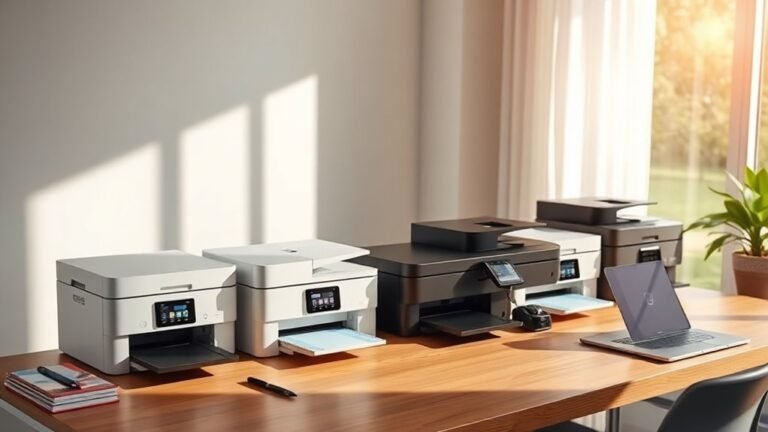
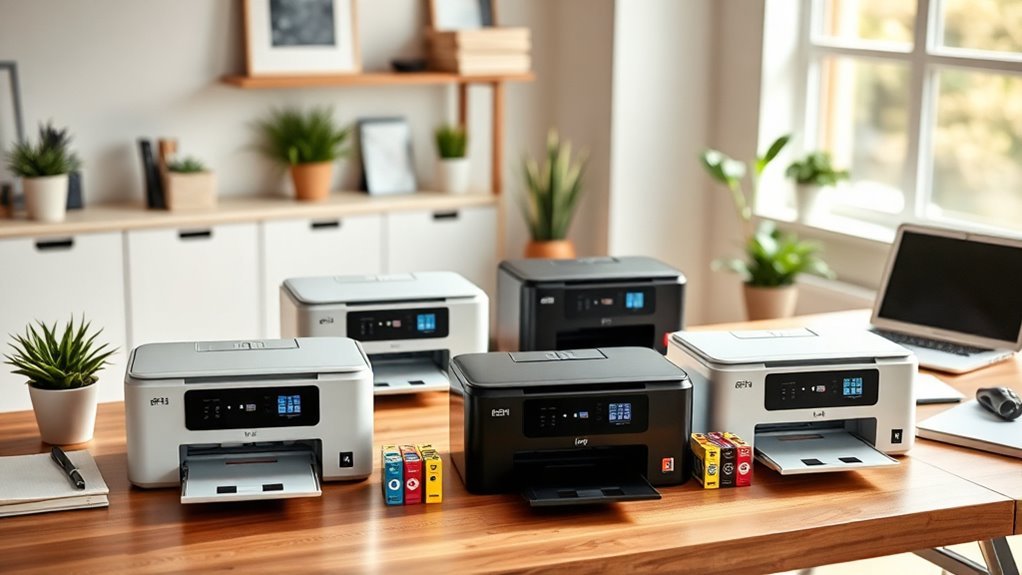
If you’re looking for the best budget home printer that keeps ink costs low in 2026, you’ve come to the right place. Finding a printer that balances quality, affordability, and low ink expenses can be tricky. But don’t worry, I’ve rounded up six top options that deliver great value without breaking the bank.
First up, the Canon MegaTank G3270 delivers sharp 4800×1200 dpi prints and features refillable tanks that can print up to 7,700 pages. It’s perfect for anyone wanting high-quality prints without constantly worrying about ink replacements.
Then, HP’s Smart Tank series—including models 5003, 5100, Plus 570, and 7001—comes with up to 3 years of ink supply and mess-free refills. These are super convenient if you prefer hassle-free maintenance.
Last but not least, the Epson EcoTank ET-2900 stands out with instant starts and long-lasting ink tanks. All these printers offer a great balance of cost efficiency, quality, and easy upkeep. Let’s dive into what makes each one a smart choice for your home printing needs.
| Image | Name | Editor's Rating | Price |
|---|---|---|---|

|
|
||

|
|
||

|
|
||

|
|
||

|
|
Canon MegaTank G3270 All-in-One Wireless Color Printer
- Wireless Print/Copy/Scan
- Up to 2 years of ink included (2)
- Print up to 6,000 black & white / 7,700 color pages using a single set of inks! (1)
- Save up to $1,000 on ink (1)
- 1.35” Square LCD display

The Canon MegaTank G3270 All-in-One Wireless Color Printer is designed to reduce your printing costs while maintaining high-quality output. Its innovative refillable MegaTank ink system delivers up to 7,700 color pages per ink set, helping you avoid frequent cartridge replacements and save money over time.
This printer combines printing, copying, and scanning in one compact device. It offers sharp 4800 × 1200 dpi resolution, ensuring clear, vibrant prints for home or home office needs. The 100-sheet paper tray supports regular printing demands without constant refills.
Connectivity is simple and flexible with Wi-Fi and USB options. You can easily print from your smartphone or tablet using Canon’s app, streamlining your workflow and reducing reliance on cables. The wireless function adds convenience for multi-device households or workspaces.
While it lacks automatic duplex printing, the MegaTank G3270 provides reliable single-sided output at a moderate pace. Its design focuses on cost efficiency and ease of maintenance rather than high-volume capacity or speed.
Best for: Home users and small home offices seeking an affordable, versatile color printer with low ink costs and wireless connectivity.
What We Like:
- High ink yield with up to 7,700 color pages per refill
- Sharp print quality at 4800 × 1200 dpi resolution
- Convenient wireless and USB connectivity with smartphone control
- Refillable ink tanks that reduce waste and maintenance costs
Specification:
| Feature | Details |
|---|---|
| Manufacturer | Canon |
| Dimensions | Not specified |
| Weight | Not specified |
| Ink System | Refillable MegaTank |
| Print Resolution | 4800 × 1200 dpi |
| Paper Capacity | 100 sheets |
| Connectivity | Wi-Fi, USB |
| Functions | Print, Copy, Scan |
HP Smart Tank 5003 Ink Tank Printer | 3 Years of Ink Included | All-in-One
- THE LAST PRINTER YOU'LL EVER NEED – Set it up once and print with confidence; no complicated maintenance, just easy, reliable printing you can count on
- FULLY LOADED WITH SAVINGS – Best for low-cost, high-volume printing—up to 3 years of HP Ink included; get up to 6,000 color or black pages right out of the box
- KEY FEATURES – Print, copy and scan, plus borderless prints, mobile and wireless printing
- MESS-FREE REFILL – Replenish ink with HP's easy-access, mess-free refill system; simply plug the ink bottles into this cartridge-free ink tank and let them drain—no...
- BEST PRINT QUALITY, PERIOD – Sharper text, richer colors, only with HP Smart Tank
The HP Smart Tank 5003 redefines home printing with up to three years of ink included, eliminating frequent cartridge replacements. Its innovative ink tank system offers mess-free refills, reducing hassle and ongoing costs. This means you can effortlessly print up to 6,000 pages without interruption.
Designed as an all-in-one solution, it handles printing, copying, and scanning with ease. The printer supports borderless photo printing and manual duplexing, giving you flexibility for various tasks. Its sharp print quality up to 4800 x 1200 dpi ensures clear documents and vibrant images every time.
Connectivity options like Wi-Fi, AirPrint, and USB let you print directly from your smartphone or tablet. With a 100-sheet input tray, it suits moderate print volumes while keeping maintenance low. Manual duplexing requires user effort but helps save paper when needed.
This printer is ideal for anyone looking for a cost-effective, versatile home printer that minimizes ink-related interruptions and supports diverse printing needs.
Best for: individuals or families needing a high-volume, low-maintenance all-in-one printer with extended ink supply.
What We Like:
- Included ink lasts up to 3 years, supporting high-volume printing.
- Cartridge-free refill system reduces mess and lowers operating costs.
- Wireless and mobile printing with borderless photo and duplex options.
- High print resolution delivers sharp text and vibrant images.
- Compact design with a 100-sheet tray fits home setups.
Specification:
| Feature | Details |
|---|---|
| Manufacturer | HP |
| Model | Smart Tank 5003 |
| Print Resolution | Up to 4800 x 1200 dpi |
| Ink System | Cartridge-free refillable tanks |
| Connectivity | Wi-Fi, AirPrint, USB |
| Paper Capacity | 100 sheets |
| Functions | Print, Copy, Scan |
| Duplex Printing | Manual |
HP Smart Tank 5100 Ink Tank Printer | 3 Years of Ink Included | All-in-One
- THE LAST PRINTER YOU'LL EVER NEED – Set it up once and print with confidence; no complicated maintenance, just easy, reliable printing you can count on
- FULLY LOADED WITH SAVINGS – Best for low-cost, high-volume printing—up to 3 years of HP Ink included; get up to 6,000 color or black pages right out of the box
- KEY FEATURES – Print, copy and scan, plus borderless prints, mobile and wireless printing
- MESS-FREE REFILL – Replenish ink with HP's easy-access, mess-free refill system; simply plug the ink bottles into this cartridge-free ink tank and let them drain—no...
- BEST PRINT QUALITY, PERIOD – Sharper text, richer colors, only with HP Smart Tank
Experience hassle-free printing with the HP Smart Tank 5100, designed to keep your ink lasting longer and refills less frequent. This all-in-one printer comes with up to 3 years of original HP ink, allowing you to print up to 6,000 pages right away. It’s ideal for users who want to reduce interruptions caused by low ink levels.
The printer combines print, copy, and scan functions with high-quality output at resolutions up to 4800 x 1200 dpi. Borderless printing and support for various paper sizes add to its versatility. Wireless, mobile, and Ethernet connectivity options make it easy to print from multiple devices without hassle.
Maintenance is simple thanks to the cartridge-free ink tank system, which minimizes mess and reduces ongoing costs. While manual duplex printing requires your attention, this model offers reliable performance for everyday home or small office needs.
Best for: individuals or small home offices seeking an affordable, low-maintenance all-in-one printer with long-lasting ink and flexible connectivity.
What We Like:
- Up to 3 years of original HP ink included for up to 6,000 pages
- Cartridge-free ink tank system simplifies refilling and lowers costs
- Supports wireless, mobile, and Ethernet printing
- Sharp print quality with borderless options
Specification:
| Feature | Details |
|---|---|
| Manufacturer | HP |
| Dimensions | Not specified |
| Weight | Not specified |
| Color Options | Not specified |
| Connectivity | Wireless, Mobile, Ethernet |
| Print Resolution | Up to 4800 x 1200 dpi |
| Paper Capacity | 100 sheets input, 30 output |
HP Smart Tank Plus 570 Tank Printer | 2 Years of Ink Included | All-in-One
- SET IT UP ONCE AND PRINT WITH CONFIDENCE. No complicated maintenance. Just easy, reliable printing you can count on.
- INK FOR YEARS. NOT MONTHS. Up to 2 years of ink included. Get thousands of pages of cartridge-free printing. More pages, less hassle
- KEEPS PRINTING WELL AFTER COMPETITORS HAVE QUIT. No complex maintenance. Sharper text, richer colors.[2] Only with HP Smart Tank
- INNOVATION YOU CAN TRUST. Cartridge-free printing that keeps you printing longer with fewer interruptions, powered by the trusted HP innovation you rely on today
- THE LAST PRINTER YOU'LL EVER NEED. Enjoy years of refillable, cartridge-free printing.[
Experience worry-free printing with the HP Smart Tank Plus 570, designed to simplify tasks for busy home users and students. This all-in-one printer handles printing, copying, and scanning with ease, so you can focus on your work without interruptions.
Its cartridge-free refillable ink tanks significantly reduce maintenance hassles and keep costs low. Including up to 2 years of original HP ink, it delivers up to 8,000 color or 6,000 black pages, meaning fewer refills and more productivity.
Enjoy sharp, vibrant prints with resolutions up to 4800 x 1200 dpi and borderless photo capabilities. Multiple connectivity options like USB 3.0, USB Type-C, Ethernet, and wireless ensure smooth integration with your home or study setup.
While print speeds are modest and duplex printing requires manual handling, this printer excels at offering a cost-effective solution for high-volume, quality printing. Its compact design fits well in limited spaces, though paper capacity is limited to 100 sheets.
Best for: Home users, students, and anyone seeking an affordable, high-volume all-in-one printer with wireless and smartphone compatibility.
What We Like:
- Up to 2 years of original HP ink included for high page yields
- Cartridge-free refillable tanks simplify ink replacement
- High-resolution borderless printing for crisp photos
- Multiple connectivity options including USB Type-C and Ethernet
- Compact design suitable for home or study environments
Specification:
| Feature | Details |
|---|---|
| Manufacturer | HP |
| Dimensions | Not specified |
| Weight | Not specified |
| Ink Type | Refillable ink tanks |
| Connectivity | USB 3.0, USB Type-C, Ethernet, Wireless |
| Max Print Resolution | 4800 x 1200 dpi |
| Paper Capacity | 100 sheets |
Epson EcoTank ET-2900 Wireless All-in-One Printer
- Epson EcoTank includes enough ink to last up to 3 years⁴
- WORRY-FREE PRINTING — Epson EcoTank comes with enough ink to print up to 3,600 pages black/6,500 color⁹ for fewer out-of-ink frustrations. Each replacement ink bottle...
- SIMPLE INK REFILLING — Supersized ink tanks and uniquely keyed EcoFit bottles make refilling ink simple—no mess, no stress and no ink bottle mix-ups; fits in...
- THE WORLD’S #1 SELLING SUPERTANK PRINTER² — Epson invented EcoTank to revolutionize the way people print; we’ve sold 100 million EcoTanks worldwide⁷ and this is...
- KEY PRODUCTIVITY FEATURES — 11 black/6 color ISO ppm print speeds with zero warmup time, 100-sheet paper tray, high-resolution flatbed scanner and a 1.44" color display...
The Epson EcoTank ET-2900 is designed to make frequent printing affordable and hassle-free. Its cartridge-free system uses large, refillable ink tanks that come with enough ink to print up to three years without replacement. This means fewer interruptions and less waste, saving both time and money.
With a wireless all-in-one setup, this printer handles printing, scanning, and copying efficiently. It delivers clear prints at speeds of 11 pages per minute (ppm) for black and 6 ppm for color. The zero warmup time ensures you get your documents quickly.
Maintenance is simple thanks to the EcoFit refill bottles, which reduce spills and prevent mixing colors. The compact design fits well in home environments, complemented by a small but clear 1.44″ color display for easy navigation.
While the 100-sheet paper tray suits moderate use, it may not meet the needs of heavy office workloads. The color print speed is modest, and the small screen might limit more advanced controls.
Best for: Frequent home users seeking a cost-effective, low-maintenance all-in-one printer with high ink capacity and wireless convenience.
What We Like:
- Includes enough ink for up to three years of printing
- Cartridge-free design with easy, spill-free refilling
- Fast black print speeds and instant start with no warmup
- Compact, wireless all-in-one functionality for home use
Specification:
| Feature | Details |
|---|---|
| Manufacturer | Epson |
| Dimensions | Not specified |
| Weight | Not specified |
| Color Options | White |
| Print Speed | 11 ppm black, 6 ppm color |
| Paper Tray | 100 sheets |
| Display | 1.44″ color LCD |
HP Smart Tank 7001 Ink Tank Printer | 2 Years of Ink Included | All-in-One

- SET IT UP ONCE AND PRINT WITH CONFIDENCE. No complicated maintenance. Just easy, reliable printing you can count on.
- INK FOR YEARS. NOT MONTHS. Up to 2 years of ink included. Get thousands of pages of cartridge-free printing. More pages, less hassle
- KEEPS PRINTING WELL AFTER COMPETITORS HAVE QUIT. No complex maintenance. Sharper text, richer colors.[2] Only with HP Smart Tank
- INNOVATION YOU CAN TRUST. Cartridge-free printing that keeps you printing longer with fewer interruptions, powered by the trusted HP innovation you rely on today
- THE LAST PRINTER YOU'LL EVER NEED. Enjoy years of refillable, cartridge-free printing.[
The HP Smart Tank 7001 is designed to make high-volume printing easy and affordable for families and small offices. Its all-in-one functionality lets you print, copy, and scan with minimal hassle, helping you stay productive without frequent interruptions.
This printer includes up to two years of Original HP Ink, so you can start printing thousands of pages right away without worrying about cartridges. The mess-free refill bottles simplify maintenance, allowing you to refill ink quickly and cleanly without spills.
With sharp text, vibrant colors, and borderless printing, your documents and photos look professional every time. The built-in HP AI formatting enhances web pages and emails for clearer prints, saving you time and effort.
Wireless and mobile-ready, the HP Smart Tank 7001 fits seamlessly into your workspace. While it requires a bit more desk space than compact models and a stable network for wireless features, it’s built for long-term use with low ink costs and fewer disruptions.
Best for: families and small offices needing a reliable, low-cost all-in-one printer with easy maintenance and long-lasting ink supply.
What We Like:
- Includes up to 2 years of Original HP Ink for cartridge-free printing
- Mess-free, user-friendly refill system reduces spills and downtime
- Produces sharp text, rich colors, and borderless prints
- AI-powered formatting improves print quality of web and email content
- Wireless and mobile printing for flexible, convenient use
Specification:
| Feature | Details |
|---|---|
| Manufacturer | HP |
| Dimensions | Not specified |
| Weight | Not specified |
| Color Options | Not specified |
| Ink Supply | Up to 2 years included |
Factors to Consider When Choosing Budget Home Printer Low Ink Cost 2026

When choosing a budget home printer with low ink costs, you’ll want to focus on ink efficiency and how many pages you can print per refill. It really pays off to get the most out of each cartridge.
Also, think about the printing speed and quality. You want your prints to look good without waiting forever.
Make sure the printer supports the paper sizes you need. It’s annoying when your printer can’t handle the basics.
Don’t forget to check the connectivity options. Wireless or wired, pick whatever works best for your setup.
And lastly, consider how easy it is to refill the ink. Keeping your printing hassle-free should be a top priority.
Ink Efficiency and Yield
You’ll often find that ink efficiency and yield play an essential role in keeping your printing costs low. When choosing a budget home printer, compare the advertised page yields for both initial ink supplies and replacements.
Look for claims in the thousands—around 3,000 to 8,000 pages—as higher yields reduce your per-page ink cost. Calculate your cost per page by dividing the replacement ink price by its rated yield, keeping black and color yields separate.
Refillable tank or supertank designs with large reservoirs usually offer much lower costs than cartridge-based systems. Also, check if yields refer to black and color separately and whether they’re based on ISO test pages or mixed-color prints.
Finally, match the ink system to your monthly print volume to avoid frequent refills or ink drying from inactivity. It really helps keep things running smoothly and saves you money in the long run.
Printing Speed and Quality
Consider printing speed and quality carefully to get the best value from a budget home printer. Look for models offering around 10–12 ppm for black and 5–6 ppm for color if you need faster printing.
Check the print resolution (dpi); up to 4800×1200 dpi delivers finer photo detail, while lower dpi works well for standard documents. Also, compare first-page-out times—budget printers often take 20–30 seconds for color prints. This matters if you print single pages frequently.
If you copy or scan often, consider scanner resolution up to 600 dpi, since it impacts overall output quality. Remember, lab measurements like ppm and dpi don’t always match real-world performance.
Speed and quality vary with paper type, print mode, and color content. So, choose based on your specific needs.
Connectivity Options Available
Printing speed and quality matter, but how you connect your printer can affect convenience and usability just as much.
You’ll want a printer supporting Wi‑Fi (802.11) for cable-free printing from multiple devices and mobile apps. This is essential for flexible home use.
Check if it supports mobile printing standards like AirPrint or Mopria, or offers native apps. That way, you can print directly from your smartphone or tablet without any fuss.
If you need reliable, low-latency printing, look for wired USB or Ethernet options.
Also, consider cloud or remote printing features like print-from-cloud or email-to-print if you want to print while away.
Don’t forget to verify security protocols and automatic firmware updates to keep your network and data safe.
Refill System Ease
When topping up ink, how easily you can access and refill the printer’s tanks makes a big difference in your overall experience. You’ll want a model with front-access refillable tanks to avoid moving the printer and risking spills.
Look for keyed or color-coded bottles and ports to prevent mistakes and cross-contamination. Spill-proof nozzles help keep the process clean.
Gravity-feed or plug-and-drain refill methods reduce mess and minimize air entering the ink lines compared to manual squeezing. Also, consider tank capacity and bottle sizes—larger tanks and high-volume bottles mean fewer refills.
Finally, check if you can refill with the printer powered on and without removing panels or printheads. That way, you spend less time on maintenance and more on printing.
Supported Paper Sizes
Refilling ink smoothly won’t matter much if your printer can’t handle the paper sizes you use regularly. Make sure it supports common sizes like Letter, Legal, A4, A5, and popular photo dimensions such as 4″×6″.
Check the maximum custom media dimensions to confirm it fits envelopes, labels, card stock, or longer sheets you might print. Also, verify if the tray and feed accommodate small specialty sizes like business cards or 5″×7″ prints.
See if adjustable guides help prevent misfeeds when switching sizes. And don’t forget to consider which media types are supported per size—some printers only accept glossy or card stock on specific sizes.
Finally, check the input/output capacity, especially for larger or specialty sheets, to avoid jams and delays during heavy printing. It’s all about making sure your printer works smoothly with the papers you need.
Warranty and Support
Don’t overlook the fine print on warranty and support when picking a budget home printer. You should check how long the warranty lasts and what it covers—parts, labor, onsite service, or just return-to-base repairs.
Make sure spare parts and service are available for several years after purchase to avoid costly unsupported fixes. It’s also important to understand what’s excluded, like consumables, user damage, or software issues.
Find out whether you need to register your printer or keep the original receipt for claims. Also, look for accessible customer support via phone, email, or chat, plus regular firmware updates to keep your device reliable.
Finally, weigh the cost and benefits of extended warranties or accidental-damage protection against your expected savings from low ink costs. It’s all about getting the best value without unexpected hassles.
Frequently Asked Questions
How Do Ink Tank Printers Compare to Cartridge-Based Printers in Print Quality?
Ink tank printers usually deliver comparable print quality to cartridge-based ones, especially for photos and documents. You’ll get consistent colors, but cartridges might offer sharper details.
That said, ink tanks save money long-term despite slight quality differences. So, if you’re looking to cut costs without losing much in print quality, ink tanks are a solid choice.
Can These Printers Handle High-Volume Photo Printing Efficiently?
Coincidentally, ink tank printers excel at high-volume photo printing since they use continuous ink supply, letting you print more without frequent refills. Cartridge printers struggle with volume, making ink tanks your efficient, cost-saving choice.
Honestly, if you’re printing lots of photos, ink tanks save you time and money. They’re built to handle heavy workloads without constantly stopping for ink changes. So, for high-volume needs, ink tanks are definitely the way to go.
What Are the Common Maintenance Issues With Ink Tank Printers?
You’ll often face clogged printheads, ink drying out, or air bubbles in the ink tanks. Regular cleaning and proper use help prevent these issues, keeping your ink tank printer running smoothly without costly repairs or replacements.
These problems can be a bit annoying, but with some simple care, they’re totally manageable. Just make it a habit to clean your printer regularly and handle the ink tanks carefully. That way, you’ll avoid most common hiccups and keep everything working great.
Are These Printers Compatible With macOS and Linux Operating Systems?
Yes, many ink tank printers support macOS and Linux, but you’ll want to double-check specific model compatibility. Manufacturers often provide drivers or open-source alternatives, ensuring smooth installation and operation on both operating systems.
It’s always a good idea to visit the manufacturer’s website before buying. That way, you can confirm if your preferred model will work seamlessly with your Mac or Linux setup.
How Does Wireless Connectivity Impact Printing Speed and Reliability?
Wireless connectivity can reduce printing speed by up to 20% compared to wired connections, but you’ll enjoy more convenience.
Just know that interference or weak signals might occasionally cause delays or dropped print jobs. It’s something to keep in mind if you rely on your printer a lot.
Conclusion
Choosing the right budget home printer with low ink costs is like planting a seed for hassle-free printing. Each model in this list offers reliable performance and savings that grow over time. This lets you focus on what matters most.
Whether you prioritize wireless convenience or long-lasting ink, these printers are your steady roots in a tech-filled world. Pick one, and watch your productivity and savings bloom effortlessly in 2026 and beyond.
Finding a budget home printer with low ink costs doesn’t mean you have to sacrifice quality or features. These options combine affordability with efficiency, making them perfect for everyday use. So, go ahead and invest in a printer that keeps your ink expenses low while delivering great results—your wallet and workflow will thank you!