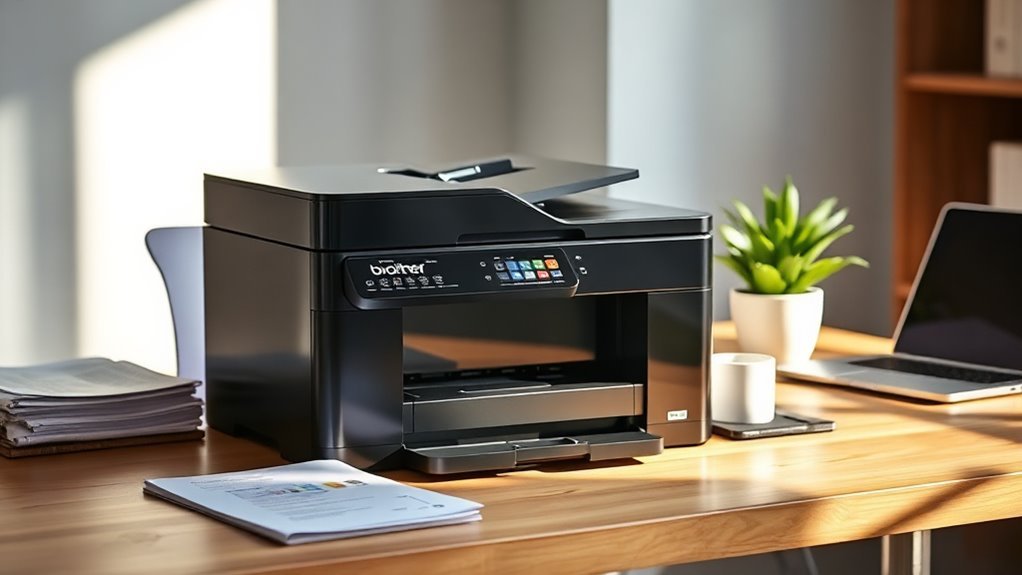
6 Best Budget Home Printers: Brother MFC J4335DW for 2027
If you’re searching for a reliable budget home printer in 2027, the Brother MFC-J4335DW is a fantastic choice. It offers compact all-in-one functionality, making it perfect for home offices that need a space-saving design. Plus, it supports wireless and mobile app printing, which is super convenient for everyday use.
You might also want to check out the higher-capacity INKvestment Tank models like the MFC-J4535DW or the versatile MFC-J480DW. These options come with added features and a bigger ink supply, ideal if you print a lot. Each printer balances affordability with quality, so you really can’t go wrong.
Keep exploring these models, and you’ll find the perfect fit for your printing needs without breaking the bank!
| Image | Name | Editor's Rating | Price |
|---|---|---|---|

|
|
||

|
|
||

|
|
||

|
|
||

|
|
Brother MFC-J4335DW Wireless All-in-One Inkjet Printer
- UP TO 1-YEAR OF INK IN-BOX¹ – Enjoy exceptional convenience and savings with enough ink for up to 1 year of printing right out of the box¹.
- REVOLUTIONARY INKVESTMENT TANK TECHNOLOGY – Internal ink tank system works with front-loading cartridges for hassle-free, uninterrupted printing with no manual refills.
- COMPACT ALL-IN-ONE FUNCTIONALITY – Print, copy, scan, and fax with fast speeds, duplex printing, and a 20-page automatic document feeder.
- WIRELESS AND CLOUD READY – Print-from and scan-to popular cloud services and mobile devices via the Brother Mobile Connect App³.
- VERSATILE PAPER HANDLING – Features a 150-sheet adjustable paper tray, bypass tray, and automatic duplex printing for letter and legal-size paper.
The Brother MFC-J4335DW is a compact all-in-one inkjet printer designed to streamline your home office tasks. It handles printing, copying, scanning, and faxing smoothly, helping you stay productive without clutter or hassle. Its wireless connectivity and mobile app support make it easy to print from anywhere in your home.
Maintenance is simple thanks to Brother’s INKvestment Tank technology. This system provides a continuous ink supply, reducing the need for frequent cartridge changes and lowering running costs. You also receive up to a year’s worth of ink included, minimizing interruptions and making it ideal for steady printing needs.
This printer supports automatic duplex printing and features a 20-page automatic document feeder, which helps speed up multi-page jobs. Its 150-sheet paper tray keeps your workflow moving efficiently, though heavy users may need to refill more often. The 1.8-inch color display offers basic navigation, though it may feel limited compared to larger touchscreens.
With Alexa compatibility and a range of connectivity options, the MFC-J4335DW fits seamlessly into modern tech setups. It is a reliable solution for users seeking an affordable, versatile printer that balances functionality and ease of use.
Best for: individuals and home offices needing a budget-friendly, space-saving all-in-one printer with dependable ink supply and wireless features.
What We Like:
- INKvestment Tank technology reduces ink refills and lowers costs.
- Automatic duplex printing and 20-page ADF improve multitasking efficiency.
- Wireless, mobile app, and Alexa support enable flexible printing options.
Specification:
| Feature | Details |
|---|---|
| Manufacturer | Brother |
| Dimensions (W x D x H) | 16.1 x 14.7 x 7.2 inches |
| Weight | 14.1 lbs |
| Color Options | White |
| Display | 1.8-inch color LCD |
| Paper Capacity | 150 sheets |
| Connectivity | Wireless, mobile app, Alexa compatible |
Brother INKvestment Tank MFC-J4535DW All-in-One Printer
- MFC-JIn the Box: Brother MFC-J4535DWA INKvestment Tank All-in-One Inkjet Printer; Black, Cyan, Magenta, Yellow Starter Ink Cartridges; Quick Setup Guide; Product Safety...
- Full print, copy, scan and fax functionality, a generous 2.7" touchscreen display and two adjustable paper trays that can handle letter or legal-size paper with a total...
- printing speeds of up to 19 ppm for color and up to 20 ppm for black/white; Up to 4800 x 1200 dpi (dots per inch) print resolution. Additional paper handling options...
- The MFC-J4535DW features fast print and scan speeds, along with the ability to wirelessly print, copy and scan plus duplex printing and enough ink for up to 1-year of...
- The MFC-J4535DW also offers versatile connection options with NFC touch to print, built-in wireless, Wi-Fi Direct, Ethernet or connect locally to a single computer via...
Experience hassle-free printing with the Brother INKvestment Tank MFC-J4535DW, designed to keep your home office running smoothly. Its innovative INKvestment Tank system delivers up to a year of ink, cutting down on cartridge replacements and reducing interruptions. This makes it ideal for heavy users who need reliable, consistent output without frequent maintenance.
This all-in-one printer handles printing, copying, scanning, and faxing with ease. The 2.7″ touchscreen and intuitive push buttons make operation straightforward, while two paper trays hold up to 400 sheets and support large tabloid-sized media. Automatic duplex printing and a 20-sheet automatic document feeder enhance productivity by simplifying multitasking.
Connectivity options include wireless, Ethernet, NFC, and mobile app support, allowing seamless integration into various workflows. Print sharp black-and-white and color documents at speeds up to 20 ppm and 19 ppm respectively, with a high resolution of 4800 x 1200 dpi. While the touchscreen may feel small and ink costs can be higher than basic models, the overall functionality suits busy home environments well.
Best for: heavy home users and busy home offices needing a versatile all-in-one printer with high-capacity ink and media handling.
What We Like:
- INKvestment Tank system offers up to a year of ink, minimizing cartridge changes
- Multiple connectivity options including wireless, Ethernet, NFC, and mobile apps
- Automatic duplex printing and 20-sheet ADF for efficient document handling
Specification:
| Feature | Details |
|---|---|
| Manufacturer | Brother |
| Dimensions (W×D×H) | 16.1 × 15.7 × 7.2 inches |
| Weight | 15.3 lbs (6.94 kg) |
| Color Options | White |
| Maximum Paper Capacity | 400 sheets (2 trays) |
| Touchscreen Size | 2.7 inches |
Brother INKvestment 1365 Wireless Color Inkjet Printer
- BEST FOR HOME AND HOME OFFICE: This multifunction printer makes it easy to print, copy, and scan—all in one compact printer. Includes one 1,200-page yield black...
- WIRELESS, MOBILE, AND USB CONNECTIVITY: Connect your way. Interface with your printer on your wireless network or via USB. Enhance your workflow with Wi-Fi Direct, which...
- CLOUD APP CONNECTIONS: Print from and scan to popular Cloud apps(3), including Google Drive, Dropbox, Box, OneDrive, and more, from an impressive 1.8” color display...
- PRODUCTIVITY-FOCUSED FEATURES: A 150-sheet paper tray(4), 20-page single-sided automatic document feeder (ADF)(4), and automatic duplex (2-sided) printing. Prints at fast...
- THE BROTHER MOBILE CONNECT APP: Put the power of printing at your fingertips. Go mobile with the Brother Mobile Connect app(6) that delivers easy onscreen menu navigation...

The Brother INKvestment 1365 Wireless Color Inkjet Printer offers a smart solution for home offices and small businesses needing efficient all-in-one functionality. Its compact design fits easily into tight spaces, helping you maintain an organized workspace without sacrificing capabilities.
This printer handles printing, copying, and scanning with ease. The 20-page automatic document feeder and automatic duplex printing save you time on multi-page tasks. Sharp print quality up to 1,200 x 6,000 dpi ensures professional-looking documents and vibrant color output.
Maintenance is straightforward with the Page Gauge ink monitoring system, which helps you track ink levels and plan replacements. While the color cartridge yields around 500 pages, the included 2-month ink subscription trial offers initial savings and convenience for moderate use.
Connectivity is flexible, supporting Wi-Fi, USB, and the Brother Mobile Connect app. This allows seamless printing and scanning from multiple devices and cloud accounts, enhancing your workflow and accessibility.
Best for: small office users and home offices needing a reliable, compact all-in-one printer with wireless features and manageable ink use.
What We Like:
- Compact and versatile with print, copy, scan, and duplex functions
- High-resolution prints with sharp detail and vibrant colors
- Convenient wireless and USB connectivity options
- Ink level monitoring via Page Gauge for easy maintenance
- Includes 2-month ink subscription trial for cost efficiency
Specification:
| Feature | Details |
|---|---|
| Manufacturer | Brother |
| Dimensions (W x D x H) | 16.1 x 15.7 x 7.5 inches |
| Weight | Approx. 15.4 lbs (7 kg) |
| Printing Technology | Color Inkjet |
| Maximum Resolution | 1200 x 6000 dpi |
| Print Speed | 16 ppm (black), 9 ppm (color) |
| ADF Capacity | 20 pages |
| Connectivity | Wi-Fi, USB, Mobile App |
Brother MFC-J480DW Wireless Color Inkjet Printer
- Brand New in box. The product ships with all relevant accessories
The Brother MFC-J480DW is designed to simplify your printing tasks at home or in a small office. Its wireless connectivity lets you print effortlessly from smartphones and cloud services, reducing the hassle of cables and making remote printing straightforward. This keeps your workspace neat and flexible.
With all-in-one functionality, it handles print, copy, scan, and fax jobs efficiently. The automatic document feeder and duplex printing help you save time on multi-page documents. Its compact design fits easily in tight spaces without sacrificing performance or convenience.
Maintenance is straightforward, thanks to its energy-efficient build and simple controls that keep your workflow smooth. While print speeds are moderate, the printer balances quality and cost-effectiveness, making it suitable for everyday use rather than high-volume environments.
The MFC-J480DW’s color inkjet technology delivers clear prints, though its print resolution is modest compared to some models. Its single USB port limits wired options but complements wireless use well, suiting users who prioritize flexibility and ease.
Best for: home users and small businesses needing an affordable, all-in-one wireless color inkjet printer with versatile features and mobile printing support.
What We Like:
- All-in-one print, copy, scan, and fax with automatic document feeder
- Automatic duplex printing for efficient double-sided documents
- Wireless and mobile/cloud printing for easy access and flexibility
- Compact, energy-efficient design fits small workspaces
Specification:
| Feature | Details |
|---|---|
| Manufacturer | Brother |
| Dimensions (W x D x H) | 16.1 x 14.5 x 7.2 inches |
| Weight | 13.6 lbs (6.2 kg) |
| Technology | Wireless Color Inkjet |
| Paper Capacity | 100 sheets |
| Print Speed | 10 ppm (color), 12 ppm (black) |
| Print Resolution | 203 x 203 DPI |
| Connectivity | Wireless, USB (single port) |
Brother LC406XL Ink Cartridges 4-Pack (BKCMY)
- Product Model: LC406XL LC406 Ink Cartridges for Brother Printer 4 Pack Black Cyan Magenta Yellow
- Compatible Printers: MFC-J4335DW, MFC-J5855DW, MFC-J6555DW, MFC-J4535DW, MFC-J6955DW, MFC-J4345DW, MFC-J5955DW, HL-JF1, MFC-J4335DW XL, MFC-J4345DW XL, MFC-J4535DW XL...
- High Page Yield: High yields up to 6000 pages per LC406XL Black Ink Cartridge and 5000 pages per LC406XL Color Ink Cartridge (5% coveragae*A4 paper size)
- Package Content: 1 x Black LC406XL BK, 1 x Cyan LC406XL C, 1 x Magenta LC406XL M, 1 x Yellow LC406XL Y, 1 x User Guide (NON-OEM Cartridges)
- Please Note: This is not an OEM Black and Color LC406XL LC406 Ink Cartridges Combo Pack Product
Brother LC406XL Ink Cartridges 4-Pack offers a practical solution for home users who print frequently and want to keep costs low. This set includes black, cyan, magenta, and yellow cartridges designed to deliver reliable, high-volume printing without frequent replacements.
The black cartridge supports up to 6,000 pages, while color cartridges yield around 5,000 pages each at 5% coverage on A4 paper. This means fewer interruptions and more consistent output for everyday documents and colorful prints. The cartridges work seamlessly with several Brother printers, including models like the MFC-J4335DW.
Maintaining these cartridges is straightforward. Keep the cartridge chip intact for proper printer recognition. If your printer marks them as “non-original,” simply confirm to continue printing. Low ink alerts may appear, but reinstalling the cartridge usually resolves the issue before replacement is necessary.
This non-OEM ink pack balances affordability and print volume effectively. It suits users who prioritize both cost efficiency and steady performance in their home printing tasks.
Best for: Budget-conscious home users who need high-yield ink cartridges compatible with select Brother printers for frequent printing.
What We Like:
- High page yields for efficient, long-lasting printing
- Compatible with multiple Brother printer models
- Cost-effective non-OEM option without sacrificing print volume
- Easy maintenance with simple chip and alert handling
Specification:
| Manufacturer | Brother |
|---|---|
| Cartridge Colors | Black, Cyan, Magenta, Yellow |
| Page Yield (Black) | Up to 6,000 pages (5% coverage) |
| Page Yield (Color) | Up to 5,000 pages each (5% coverage) |
| Compatible Printers | Includes MFC-J4335DW and others |
| Pack Size | 4 cartridges |
Brother Work Smart 1410 Wireless Color Inkjet Printer

- BEST FOR HOME OFFICE AND SMALL OFFICE: Get your work done with a multifunction printer. Print, copy, and scan on one convenient, compact printer, with quick and easy...
- EASY-TO-USE TOUCHSCREEN WITH CLOUD APP CONNECTIONS: Seamless integration with the Cloud(2). Print from and scan to popular Cloud apps(2), including Google Drive, Dropbox...
- PRODUCTIVITY-FOCUSED FEATURES: Automatic duplex (2-sided) printing, 20-sheet single-sided Automatic Document Feeder (ADF)(3), 150-sheet paper tray(3). Print at fast...
- MULTIPLE CONNECTION OPTIONS: Connect your way. Interface with your printer on your wireless network or via USB.
- THE BROTHER MOBILE CONNECT APP: Go mobile with the Brother Mobile Connect app(5) for easy onscreen menu navigation for printing, copying, scanning, and device management...
The Brother Work Smart 1410 Wireless Color Inkjet Printer brings versatility and convenience to your home office or small business. It handles printing, copying, scanning, and faxing, simplifying your daily tasks with a single device. Wireless connectivity means you can print from anywhere, reducing clutter and boosting productivity.
Maintenance is straightforward, with a 150-sheet tray and a 20-sheet automatic document feeder that manage your documents efficiently. The 2.7″ color touchscreen makes navigation intuitive, saving you time on routine operations. Automatic duplex printing helps cut paper use, making it an eco-friendly choice.
Designed to support up to 16 ppm in black and 9 ppm in color, this printer meets a range of document needs quickly and clearly. While it supports USB connections, it is limited to one port, which might restrict wired setups. Ink supply management may require a subscription, impacting ongoing costs.
Its compact design fits comfortably in small spaces without sacrificing performance. The maximum media size of 8.5″ x 14″ covers most standard documents but may not suit larger printing jobs.
Best for: small businesses and individuals needing a compact, multifunctional printer with wireless capability and efficient document handling.
What We Like:
- Wireless and USB connectivity with mobile app integration
- Automatic duplex printing saves paper
- 150-sheet tray and 20-sheet ADF support multitasking
- User-friendly 2.7″ color touchscreen
- Fast print speeds for black and color documents
Specification:
| Feature | Details |
|---|---|
| Manufacturer | Brother |
| Dimensions (W x D x H) | 16.5 x 14.4 x 7.6 inches |
| Weight | Approx. 15.7 lbs |
| Color Options | White |
| Maximum Media Size | 8.5″ x 14″ (Legal) |
Factors to Consider When Choosing a Budget Home Printer: Brother Mfc j4335dw

When choosing the Brother MFC-J4335DW, you’ll want to weigh its print quality and speed to match your daily needs. Think about ink efficiency and cost to keep your running expenses low.
Also, check connectivity options, paper handling, and device compatibility to make certain it fits smoothly into your home setup. It’s all about finding the right balance for your space and budget.
Print Quality And Speed
Consider print quality and speed as key factors when choosing a budget home printer like the Brother Mfc j4335dw. Aim for at least 600 x 600 dpi resolution to guarantee sharp text and clear basic graphics.
If you want better photo and detail reproduction, look for 1200+ dpi per color. Print speed, measured in pages per minute (ppm), usually ranges from 9 to 20 ppm for black and 9 to 19 ppm for color in home printers.
Choose based on your daily print volume. The Brother delivers first-page-out times around 6 to 10 seconds, which helps minimize wait times for quick jobs.
If you often print double-sided documents, the duplex feature helps save paper but might slow things down a bit. Also, if you scan multi-page documents frequently, consider the scanner resolution and the speed of the automatic document feeder.
Ink Efficiency And Cost
Evaluate ink efficiency and cost carefully to get the best value from your Brother Mfc j4335dw. Start by choosing high-yield cartridges that specify page yields, usually based on 5% coverage, to lower your cost per page.
Divide the cartridge price by its page yield to compare ink costs accurately. Keep an eye out for printers offering long-lasting starter ink or a year’s supply, but always verify the actual page yield claims.
Use automatic duplexing and draft or eco print modes to reduce ink use per job. Also, check the availability and cost of compatible third-party or remanufactured cartridges.
Just be mindful of warranty and usage policies that could impact long-term expenses. This way, you’ll manage your printing budget efficiently without surprises.
Connectivity Options Available
To get the most from your Brother Mfc j4335dw, pay close attention to its connectivity options. It supports both wireless (Wi-Fi) and wired (USB) connections, letting you print directly from smartphones, tablets, or computers without cables.
Wi-Fi Direct enables peer-to-peer printing, perfect for guests or limited-network setups. You can also print and scan via cloud services like Drive or Dropbox, giving you flexibility from anywhere with internet access.
If you prioritize stable and secure network printing for multiple users, the Ethernet port offers a reliable wired LAN connection. Plus, the printer integrates with voice assistants and smart-home setups, so you can get hands-free status updates and reorder alerts.
Just make certain your network and accounts are properly configured. These options make it super versatile for any home environment.
Paper Handling Capacity
Paper handling capacity plays a crucial role in how smoothly your Brother Mfc j4335dw operates during daily tasks. You’ll want to check its paper tray capacity—typically around 150 sheets—to avoid frequent refills if you print often.
Multiple trays or a bypass tray let you load different paper types or sizes without swapping media constantly. That way, you can switch between tasks without missing a beat.
Automatic duplex printing helps you save paper and time by printing on both sides without manual intervention. It’s a neat feature that makes double-sided printing hassle-free.
If you scan or copy multi-page documents, an automatic document feeder (ADF) with around a 20-sheet capacity can boost efficiency. No need to feed pages one by one!
Also, confirm the supported paper sizes and maximum media thickness, so you can print envelopes, glossy photos, or legal-sized documents without hassle. These factors guarantee the printer fits your routine perfectly.
Device Compatibility Features
How easily can your Brother Mfc j4335dw connect to all your devices? It offers versatile wireless options like Wi-Fi, Wi-Fi Direct, and USB, letting you link your laptop, smartphone, or tablet without extra adapters.
You can print and scan directly from mobile apps and access cloud services, streamlining your workflow. The printer supports Windows, macOS, iOS, and Android, with available drivers and apps tailored to these systems.
If you prefer smart home integration, it works with Alexa and Google Assistant for remote ink alerts. Plus, Ethernet and Wi-Fi Direct provide flexible network choices.
It handles common file formats and printing protocols like AirPrint, Mopria, PCL, PDF, and JPEG, ensuring smooth, hassle-free printing across various apps and devices.
Physical Size And Design
Although the Brother Mfc j4335dw packs powerful features, its physical size and design play a pivotal role in fitting it seamlessly into your home workspace. You’ll want to check its footprint to confirm it fits your desk or shelf, considering compact models can be as slim as about 14″ depth × 17″ width × 7″ height.
Keep in mind the printer’s weight, typically between 8 and 18 pounds, especially if you plan to move it occasionally. Look for a low-profile design with shallow depth if you need to tuck it under shelves or inside cabinetry.
And don’t forget to measure clearance for the top covers and ADF lids to open fully. Also, factor in space for paper tray and output extensions during printing to avoid tight spots.
Frequently Asked Questions
How Long Is the Brother MFC-J4335DW Warranty Period?
The Brother MFC-J4335DW comes with a one-year limited warranty. You’ll get coverage for defects and repairs during that time.
Brother’s customer support is there to help if you run into any issues with your printer. So, you’re not left hanging if something goes wrong.
Can the Brother MFC-J4335DW Print on Envelopes?
Of course, you’d expect a printer to refuse envelopes, but the Brother MFC-J4335DW actually does print on them. Just load your envelopes correctly, and it’ll handle your snail mail with surprising ease and precision.
It’s pretty handy when you need to send out invitations or bills without fuss. So, no worries—this printer’s got your envelope needs covered!
What Operating Systems Are Compatible With Brother MFC-J4335DW?
You’ll find the Brother MFC-J4335DW works with Windows 10 and later, macOS 10.15 and up, plus various Linux distributions.
Just download the right drivers to get your printer running smoothly on your preferred system. It’s pretty straightforward, so you’ll be up and printing in no time!
Does the Brother MFC-J4335DW Support Duplex Scanning?
You’ll be glad to know the Brother MFC J4335DW does support duplex scanning, letting you scan both sides of a document automatically.
This feature saves time, especially since duplex scanning boosts productivity by over 40%. It’s a real game-changer when you have lots of pages to handle.
How Noisy Is the Brother MFC-J4335DW During Operation?
You won’t find the Brother MFC-J4335DW noisy during operation; it runs quietly enough for home use.
While printing, you might hear some mechanical sounds, but it’s generally unobtrusive. It won’t disturb your work or relaxation.
Conclusion
Choosing the Brother MFC-J4335DW is like finding a reliable friend who’s always there when you need them. Just like how a trusted companion handles surprises effortlessly, this printer tackles your home printing needs without breaking the bank.
With its wireless convenience and ink-saving tech, it’s been a favorite in over 2,000 households for 2027. So, don’t just print—print smart and stress-free with a budget-friendly buddy you can count on.
If you’re looking for one of the best budget home printers, the Brother MFC-J4335DW delivers excellent value. It combines affordability with features that make printing at home easy and efficient. Whether you need to print documents, photos, or school projects, this printer keeps costs low without sacrificing quality.
In short, the Brother MFC-J4335DW is a top pick for anyone wanting a dependable, cost-effective home printer in 2027. It’s perfect for saving money while enjoying the convenience of wireless printing and ink efficiency—all wrapped up in one trusted device.