3 best budget home office printer 2026
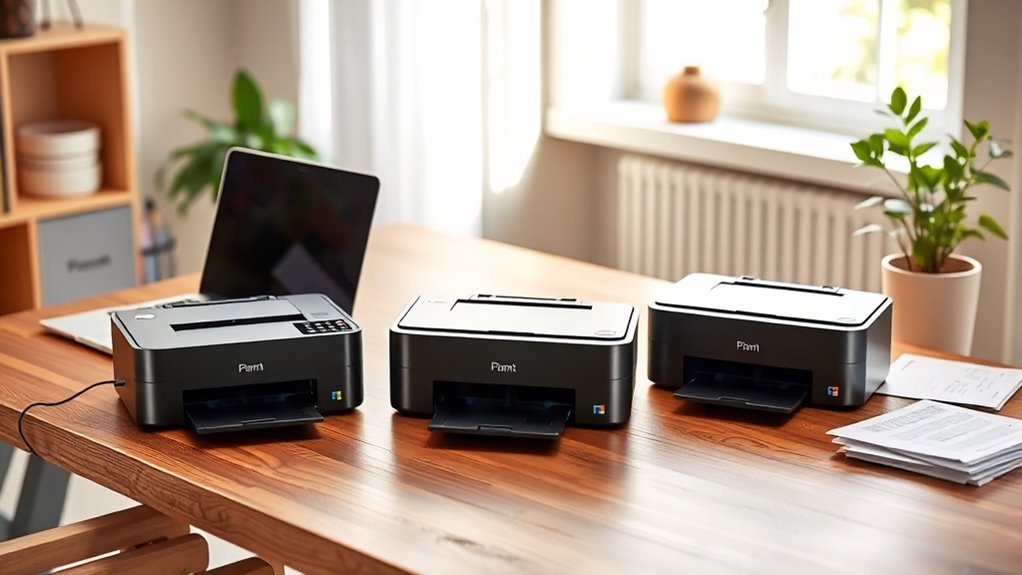
You’ll appreciate the Canon MegaTank G3270 for its refillable ink system and sharp, vibrant prints. It’s perfect if you want to save money on ink without sacrificing quality.
The Canon PIXMA TS4320 offers compact all-in-one convenience with automatic duplexing, which helps you save paper effortlessly. It’s great for small spaces and everyday tasks.
If you need fax and scanning features along with Alexa ink alerts, the PIXMA TR4720 fits perfectly into your home office setup. All three printers support wireless printing and handle various media types.
They’re designed to fit seamlessly into home office spaces. To make the best choice, take a moment to explore how these features match your workflow and budget. You’ll find a great printer that keeps your productivity high without breaking the bank.
| Image | Name | Editor's Rating | Price |
|---|---|---|---|

|
|
||

|
|
||

|
|
Canon MegaTank G3270 All-in-One Wireless Color Printer
- Wireless Print/Copy/Scan
- Up to 2 years of ink included (2)
- Print up to 6,000 black & white / 7,700 color pages using a single set of inks! (1)
- Save up to $1,000 on ink (1)
- 1.35” Square LCD display

The Canon MegaTank G3270 All-in-One Wireless Color Printer brings a smart solution for those tired of frequent ink replacements. Its refillable MegaTank ink system can print up to 7,700 color pages on a single set, reducing interruptions and lowering printing costs. This makes it ideal for steady home office use or personal projects.
With wireless connectivity and compatibility with smartphones and tablets, printing is effortless from any device. You can easily manage tasks like printing, copying, and scanning without the hassle of cables. The printer delivers sharp output with a resolution of 4800 × 1200 dpi, ensuring crisp documents and vibrant photos.
Designed for convenience, it supports various paper sizes and offers borderless photo printing. Maintenance is simple, thanks to its large ink tanks that last up to two years. However, it only supports single-sided printing and has a modest paper tray capacity of 100 sheets, which might require more frequent refills.
Overall, the Canon MegaTank G3270 focuses on efficiency and ease of use, perfect for users who want quality prints without constant upkeep.
Best for: individuals or small home offices needing a cost-effective, low-maintenance color printer with wireless functionality.
What We Like:
- High ink yield with refillable MegaTank system
- Wireless setup and mobile device compatibility
- Sharp 4800 × 1200 dpi print and copy quality
- Borderless photo printing support
Specification:
| Feature | Details |
|---|---|
| Manufacturer | Canon |
| Dimensions (W×D×H) | 17.0 × 12.2 × 7.5 inches |
| Weight | Approximately 7.7 lbs (3.5 kg) |
| Print Resolution | Up to 4800 × 1200 dpi |
| Paper Capacity | Up to 100 sheets |
| Connectivity | Wireless, USB |
Canon PIXMA TS4320 – Wireless Color Inkjet Printer with Print, Copy, Scan
- Affordable Versatility - A budget-friendly all-in-one printer perfect for both home users and hybrid workers, offering exceptional value
- Crisp, Vibrant Prints - Experience impressive print quality for both documents and photos, thanks to its 2-cartridge hybrid ink system that delivers sharp text and vivid...
- Effortless Setup & Use - Get started quickly with easy setup for your smartphone or computer, so you can print, scan, and copy without delay
- Reliable Wireless Connectivity - Enjoy stable and consistent connections with dual-band Wi-Fi (2.4GHz or 5GHz), ensuring smooth printing from anywhere in your home or...
- Scan & Copy Handling - Utilize the device’s integrated scanner for efficient scanning and copying operations
The Canon PIXMA TS4320 is a compact, stylish all-in-one printer designed to simplify light home and hybrid work tasks. It delivers sharp color and black-and-white prints with resolution up to 1200 dpi, ensuring your documents and photos look clear and vibrant. Its auto duplex printing saves time and paper by printing on both sides automatically.
This printer supports wireless dual-band Wi-Fi, making it easy to print from smartphones and tablets through a dedicated mobile app. Its small footprint fits neatly on any desk, while handling various media types such as cardstock, glossy photo paper, and envelopes, adding flexibility to your printing needs.
Maintenance is straightforward, but be mindful that the included starter ink tanks run out quickly with frequent use. The printer holds up to 100 sheets, which may require frequent refills during larger print projects. Copying speeds are moderate, so it’s best suited for occasional rather than heavy-duty copying.
Overall, the PIXMA TS4320 balances convenience and functionality, making everyday printing, copying, and scanning simple and efficient.
Best for: Home users and hybrid workers needing a compact, all-in-one printer for occasional printing, copying, and scanning.
What We Like:
- Auto duplex printing for efficient double-sided output
- Dual-band Wi-Fi and mobile app support for easy wireless use
- Compatible with various media types including cardstock and photo paper
- Small desk footprint fits neatly in tight spaces
Specification:
| Feature | Details |
|---|---|
| Manufacturer | Canon |
| Dimensions | Approx. 12.0 x 14.5 x 5.1 in (W x D x H) |
| Weight | Approx. 8.8 lb (4.0 kg) |
| Print Resolution | Up to 1200 dpi |
| Paper Capacity | 100 sheets |
| Connectivity | Dual-band Wi-Fi, USB |
| Functions | Print, Copy, Scan |
Canon PIXMA TR4720 Wireless All-in-One Printer
- Wireless 4-in-1 (print | copy | scan | fax)..Power Consumption: 7W (0.8W Standby / 0.3W Off)
- Print speed up to: 4" x 6" Borderless Photo (PP-201): Approx. 65.0 Seconds / Black Document (Letter/Simplex): Approx. 8.8 ipm / Color Document (Letter/Simplex): Approx...
- Designed for easy ink cartridge installation and replacement.
- Auto 2-sided printing and auto document feeder.
- Produce quality documents, photos and boarderless prints up to 8.5" x 11".
The Canon PIXMA TR4720 is designed to simplify your home office tasks. It combines printing, scanning, copying, and faxing into one compact wireless device. This all-in-one printer helps reduce clutter and boosts efficiency with its user-friendly features.
Automatic two-sided printing saves paper and time, while the 100-sheet front paper tray keeps jobs running smoothly. You can print directly from your smartphone or tablet, making it easy to work from anywhere. The app control adds convenience by managing tasks remotely.
Maintenance is straightforward with Alexa integration, which notifies you about ink levels to avoid unexpected interruptions. The auto document feeder speeds up scanning and copying of multi-page documents, perfect for busy environments.
With a high print resolution of 4800 x 1200 dpi, the PIXMA TR4720 produces sharp text and vibrant colors. Though print speed is moderate and connectivity is limited to one USB port, its compact design and ENERGY STAR certification make it a practical choice.
Best for: small home office users who need a versatile, space-saving all-in-one printer with wireless and duplex printing capabilities.
What We Like:
- Wireless printing, scanning, copying, and faxing with mobile app control
- Automatic two-sided printing reduces paper use and effort
- 100-sheet front paper tray supports longer print runs
- Alexa integration for ink level updates
- High-resolution output for clear text and color
Specification:
| Feature | Details |
|---|---|
| Manufacturer | Canon |
| Dimensions | Compact design (exact size not specified) |
| Weight | Not specified |
| Color Options | Black |
| Print Resolution | Up to 4800 x 1200 dpi |
| Paper Tray Capacity | 100 sheets (front tray) |
| Connectivity | Wireless, 1 USB port |
Factors to Consider When Choosing a Budget Home Office Printer 2026
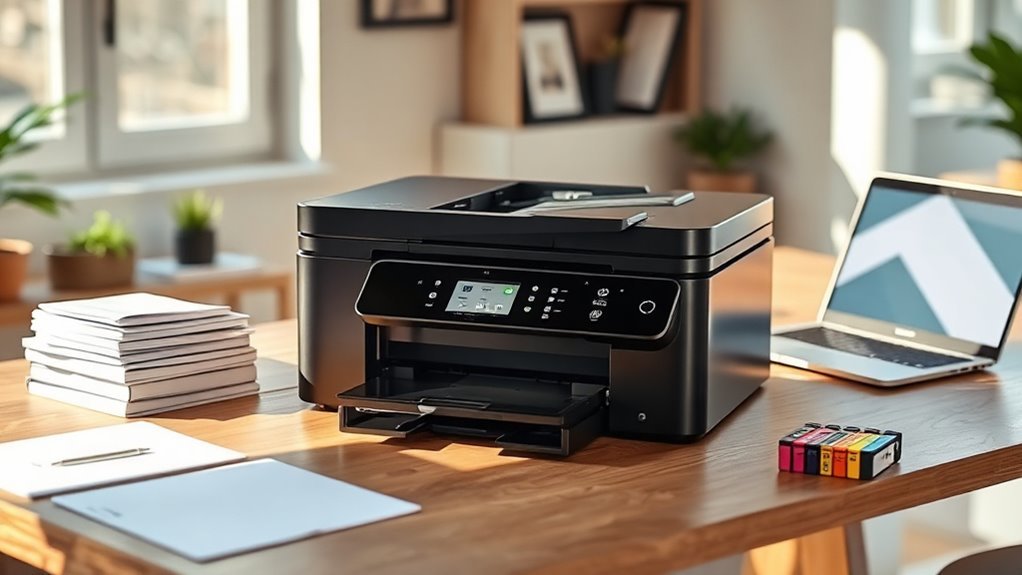
When choosing a budget home office printer, you’ll want to take into account print speed and ink efficiency to save time and money. Make sure it offers the connectivity and compatibility you need, along with enough paper handling capacity for your tasks.
Don’t forget to check if multi-function features like scanning and copying fit your workflow. These extras can really come in handy and might save you from buying separate devices. It’s all about making your work easier and more efficient!
Print Speed Importance
You’ll often find that print speed plays a crucial role in maintaining productivity in a home office. When choosing a budget printer, look at pages per minute (ppm) for both black and color prints.
Color printing usually runs slower, so if you print lots of color documents, prioritize a higher color ppm to prevent delays. Also, check the initial page out time—the faster your printer starts printing, the better for quick, single-page tasks.
Remember, real-world speed depends on factors like duty cycle, warm-up time, and duplexing. Features such as automatic duplexing and ADF capacity can improve overall throughput for multi-page jobs.
Keep in mind, faster printers may use more power and cost more upfront, so balance speed with energy use and your typical print volume. It’s all about finding the right fit for your needs!
Ink Efficiency Options
Ink costs often make a significant dent in your home office budget, so choosing a printer with efficient ink usage pays off over time. Start by comparing cost-per-page metrics—divide the ink or refill kit price by the manufacturer’s rated yield to estimate long-term expenses.
Opt for printers featuring high-yield or refillable tank systems that print thousands of pages per set, reducing frequent cartridge changes. Look for duplex printing and Economy modes to save both paper and ink on daily documents.
Also, check if the printer uses individual color cartridges so you replace only the depleted one, cutting waste and costs. Finally, consider models with mobile app ink monitoring and automatic reorder features to track ink levels and avoid inconvenient, costly last-minute replacements.
Connectivity and Compatibility
How can you guarantee your budget home office printer fits seamlessly into your tech setup? Start by choosing one that supports both 2.4 GHz and 5 GHz Wi-Fi bands or dual-band networking. This reduces interference and boosts connection reliability with modern routers.
Make sure it offers various connection options—Wi-Fi, USB 2.0 or higher, and mobile-printing protocols like AirPrint or Mopria—so you can print from smartphones, tablets, laptops, or older PCs. Look for network features such as wireless setup, Wi-Fi Direct, and cloud printing to enable remote and smartphone printing without a dedicated PC.
Also, confirm compatibility with current Windows, macOS, iOS, and Android systems, plus driver support to avoid issues after OS updates. If you’re sharing in a multi-user home, pick a network-ready printer with WPA3/WPA2 security, guest network support, and firmware updates to protect your data.
Paper Handling Capacity
Once your printer connects smoothly to your devices, the next thing to take into account is how well it handles paper. Check the paper tray capacity—budget printers usually hold 50 to 100 sheets—so you won’t have to refill constantly if you print a lot.
See if it supports specialty media like photo paper, envelopes, or labels, and what maximum sizes it accepts to avoid manual feeding. If you scan or copy multi-page documents often, an automatic document feeder (ADF) with decent sheet capacity can save you time.
Don’t forget duplex printing for double-sided output to cut paper use. Also, consider the output tray’s capacity and whether the printer handles heavier cardstock or glossy photo stock smoothly to prevent jams and keep your workflow efficient.
Multi-Function Features
When you need more than just printing, choosing a true multi-function printer that handles copying, scanning, and optionally faxing can really streamline your home office setup. Prioritize models with an automatic document feeder (ADF) and duplex copying/scanning to speed up multi-page tasks and reduce manual effort.
Check the scan resolution—aim for at least 600 x 600 dpi—and make sure the ADF matches your volume for clear digital archives and accurate OCR. Confirm copying features support your needs, like producing up to 99 copies with options for scaling and collating.
Don’t forget to match mobile and network scanning or copying capabilities with your remote work setup. Wi‑Fi, app, and cloud integration let you send multi-function tasks directly from smartphones or cloud storage. This can really boost your productivity.
Device Size Considerations
In choosing a budget home office printer for 2026, you’ll want to carefully consider the device’s size to fit your workspace efficiently. Measure your available desk or shelf space, comparing it against the printer’s footprint and height.
Remember, many models need extra clearance for output trays and lid or automatic document feeder (ADF) access. If you move your printer often or plan to place it on a shelf, opt for compact units under 15 pounds with footprints around 15″×12″ for easy relocation.
Check depth and height to make certain lids and ADFs open fully without obstruction. Also, factor in space for paper trays and output stacking.
If you have multiple devices, make sure to allow clearance for cables and easy access to controls and ink refill points. It’ll make your setup way more convenient in the long run.
Energy Consumption Levels
Although selecting a budget home office printer often focuses on upfront cost and functionality, energy consumption plays a pivotal role in long-term savings and environmental impact. You should look for printers with low active power draw—ideally single-digit watts for inkjets or under 20 W for others—to minimize energy use during printing.
Don’t overlook standby and sleep mode ratings; models drawing 1 W or less in sleep and 0.5 W or less in off mode markedly cut yearly energy costs. Choosing a printer with automatic duplex capability also reduces paper use and the energy embedded in producing each page.
To estimate actual energy expenses, consider your printer’s duty cycle and multiply power draw by hours spent in each mode. And hey, prioritize ENERGY STAR or EPEAT-certified models for proven energy efficiency. It really pays off in the long run!
Frequently Asked Questions
How Do I Recycle Printer Ink Cartridges Responsibly?
You can recycle printer ink cartridges responsibly by returning them to the manufacturer’s recycling program, dropping them off at local recycling centers, or using mail-back services.
This keeps plastics out of landfills and helps protect the environment. It’s a simple way to do your part and reduce waste.
Can These Printers Connect to Multiple Devices Simultaneously?
Over 70% of modern budget home office printers let you connect multiple devices simultaneously via Wi-Fi or Bluetooth.
You can easily print from your laptop, smartphone, or tablet without switching networks or cables.
It’s pretty convenient, right? No need to fuss with reconnecting every time you switch devices.
What Are the Average Print Speeds for Each Model?
You’ll find most models print between 20 to 30 pages per minute for black and white, while color speeds usually hover around 10 to 20 ppm.
Speeds vary, so check each printer’s specs carefully. It’s always good to compare before you buy!
Are These Printers Compatible With Mac and Windows Systems?
You won’t run into any compatibility hiccups—these printers play nicely with both Mac and Windows systems. Whether you’re team Apple or Microsoft, you can count on seamless setup and smooth printing without extra fuss or tweaks.
It’s pretty straightforward, no matter which side you’re on. Just plug in, install, and you’re good to go—no headaches or complicated steps needed.
Do These Printers Support Duplex (Double-Sided) Printing?
Yes, most of these printers support duplex printing, letting you print double-sided easily. You’ll save paper and time since you don’t have to manually flip pages.
Just check the specs for automatic duplex capability. It’s a handy feature that makes printing way more convenient!
Conclusion
Choosing a budget home office printer doesn’t mean you have to sacrifice quality or features. Even if you worry about ongoing ink costs, models like the Canon MegaTank G3270 offer affordable refill options that save you money in the long run.
With reliable performance and wireless convenience, these printers fit perfectly into your workspace without breaking the bank. You’ll get the job done efficiently while staying within budget—what’s not to like?
When looking for the best budget home office printer in 2026, consider features like ink efficiency, print speed, and connectivity options. Finding a printer that balances cost and functionality means you can enjoy smooth workdays without overspending. So, go ahead and pick a printer that keeps your home office running smoothly and your wallet happy!