5 Best Budget Friendly Inkjet Printers for 2027
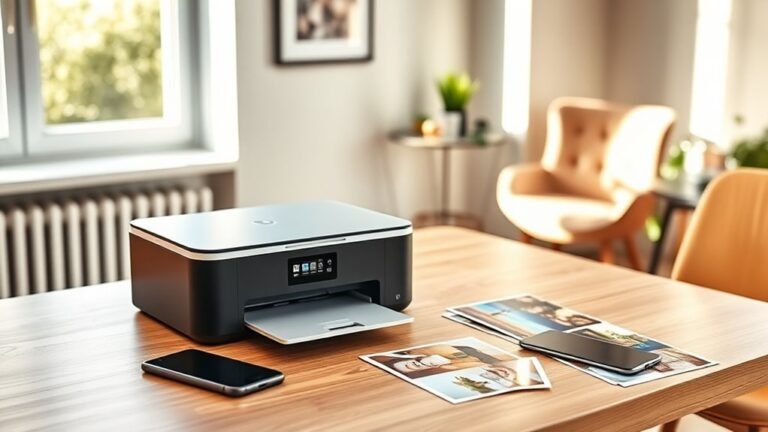
If you’re on the hunt for a reliable, budget-friendly inkjet printer in 2027, you’ve got some great options to consider.
Inkjet printers that balance affordability, quality, and convenience are perfect for both home and small office use.
Whether you need wireless connectivity, all-in-one features, or space-saving designs, these models have you covered.
Take a look at the HP DeskJet 2923, 2855e, and 4355. They offer all-in-one functionality with wireless convenience and solid print quality.
The Canon PIXMA TS4320 is another standout, thanks to its auto duplex printing and larger paper tray.
If faster printing speeds and multitasking are your priorities, the Brother Work Smart 1410 might be the best fit. It comes with an automatic document feeder (ADF) to help you breeze through tasks.
Each printer balances cost, connectivity, and design, so explore how these fit your specific needs next.
| Image | Name | Editor's Rating | Price |
|---|---|---|---|

|
|
||

|
|
||
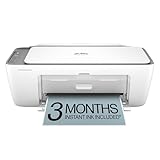
|
|
||

|
|
HP DeskJet 2923 Color Inkjet Printer | Wireless | All-in-One
- Perfect for basic printing needs – Print everyday color documents like to-do lists, letters, financial documents and recipes
- KEY FEATURES – Color print, copy, scan, and a 60-sheet input tray, plus mobile and wireless printing
- OPTIMIZE PRINT FORMATTING WITH HP AI – Print web pages and emails with precision—no wasted pages or awkward layouts; HP AI easily removes unwanted content, so your...
- ICON LCD – Print your basic documents with ease from the intuitive control panel
- PRINT SPEED – Up to 7.5 ppm black, 5.5 ppm color

Experience hassle-free color printing, copying, and scanning with the HP DeskJet 2923. This all-in-one printer is designed to fit seamlessly into your home environment. Its compact size saves space while delivering reliable performance for everyday tasks.
The dual-band Wi-Fi ensures a stable connection, making wireless printing and scanning from your smartphone straightforward and efficient. The user-friendly icon LCD control panel simplifies operation, allowing you to manage jobs quickly and without confusion.
Maintenance is easy thanks to the 60-sheet input tray, which handles moderate print volumes with minimal refilling. Plus, the included 6-month Instant Ink trial helps keep ink replacement convenient and worry-free. The printer’s energy-efficient design also supports eco-friendly use.
With print speeds of up to 7.5 pages per minute in black and 5.5 in color, it’s ideal for individuals or families who need dependable printing without high-volume demands. However, those with large print jobs might find the input tray capacity limiting.
Best for: individuals and families seeking an affordable, compact all-in-one printer with wireless capabilities for home use.
What We Like:
- Easy wireless printing and scanning via dual-band Wi-Fi and HP App
- Simple, intuitive icon LCD control panel
- Compact design fits well in small spaces
- Includes 6-month Instant Ink trial for convenient ink management
- Eco-friendly construction with energy-saving features
Specification:
| Feature | Detail |
|---|---|
| Manufacturer | HP |
| Dimensions | Compact (exact size not provided) |
| Weight | Not specified |
| Color Options | Not specified |
| Connectivity | Wireless dual-band Wi-Fi |
| Input Tray Capacity | 60 sheets |
Canon PIXMA TS4320 – Wireless Color Inkjet Printer with Print, Copy, Scan
- Affordable Versatility - A budget-friendly all-in-one printer perfect for both home users and hybrid workers, offering exceptional value
- Crisp, Vibrant Prints - Experience impressive print quality for both documents and photos, thanks to its 2-cartridge hybrid ink system that delivers sharp text and vivid...
- Effortless Setup & Use - Get started quickly with easy setup for your smartphone or computer, so you can print, scan, and copy without delay
- Reliable Wireless Connectivity - Enjoy stable and consistent connections with dual-band Wi-Fi (2.4GHz or 5GHz), ensuring smooth printing from anywhere in your home or...
- Scan & Copy Handling - Utilize the device’s integrated scanner for efficient scanning and copying operations
The Canon PIXMA TS4320 brings convenience to everyday printing, copying, and scanning needs. Its wireless dual-band Wi-Fi lets you work seamlessly from smartphones, tablets, or laptops. This eliminates cable clutter and simplifies setup, making it ideal for homes or hybrid workspaces.
With a sharp 1200 x 1200 dpi print resolution and auto duplex printing, it delivers clear documents and vibrant photos without extra effort. The printer supports various media types, so you can handle recipes, homework, or creative projects with ease. Its compact design fits comfortably in small spaces, blending style with functionality.
Maintenance is straightforward thanks to included starter ink tanks and easy app control. The front paper tray holds up to 100 sheets, which suits light to moderate printing but may require refills during larger tasks. Print speeds are moderate, balancing quality and efficiency for typical home use.
Best for: Home users and hybrid workers needing a compact, versatile all-in-one printer for occasional printing, copying, and scanning tasks.
What We Like:
- Wireless dual-band Wi-Fi for easy multi-device connectivity
- High-resolution printing with auto duplex for professional-looking results
- Compact design fits easily into small workspaces
- Starter ink tanks included for quick setup
- Supports various media types for versatile use
Specification:
| Feature | Details |
|---|---|
| Manufacturer | Canon |
| Dimensions (W×D×H) | Approx. 15.0 × 12.0 × 5.0 in |
| Weight | 15.5 lb (7.03 kg) |
| Print Resolution | 1200 x 1200 dpi |
| Connectivity | Wireless dual-band Wi-Fi |
| Paper Capacity | 100 sheets |
| Media Size Support | Up to Letter (8.5″ x 11″) |
HP DeskJet 2855e Color Inkjet Printer | Wireless | All-in-One
- The DeskJet 2855e is perfect for homes printing to-do lists, letters, financial documents and recipes. Print speeds up to 5.5 ppm color, 7.5 ppm black
- PERFECTLY FORMATTED PRINTS WITH HP AI – Print web pages and emails with precision—no wasted pages or awkward layouts; HP AI easily removes unwanted content, so your...
- KEY FEATURES – Color printing, copy, scan, and a 60-sheet input tray
- WIRELESS PRINTING – Stay connected with our most reliable Wii-Fi, which automatically detects and resolves connection issues.This printer is only 2.4 ghz capable.
- 3 MONTHS OF INSTANT INK WITH HP+ ACTIVATION – Subscribe to Instant Ink delivery service to get ink delivered directly to your door before you run out. After 3 months...
The HP DeskJet 2855e is designed to simplify your everyday home printing tasks. This all-in-one printer combines printing, scanning, and copying in a compact device that fits easily into any space. It handles documents, recipes, and to-do lists efficiently, helping you stay organized with minimal effort.
With printing speeds up to 7.5 ppm in black and 5.5 ppm in color, it keeps up with your daily needs. The built-in HP AI technology cleans up your pages by removing unwanted web or email clutter, ensuring professional-looking results every time. This feature reduces wasted ink and paper, saving you time and resources.
Maintenance is straightforward with a 60-sheet input tray suitable for moderate use. Wireless connectivity via 2.4 GHz Wi-Fi and the HP App lets you print and scan remotely from your smartphone or tablet. To keep ink supply hassle-free, HP+ includes a three-month Instant Ink trial, after which a subscription is recommended.
Best for: individuals and families needing a compact, affordable all-in-one printer for regular home use.
What We Like:
- Efficient all-in-one functionality for printing, scanning, and copying
- HP AI technology that removes unwanted content for cleaner prints
- Easy wireless setup with 2.4 GHz Wi-Fi and mobile app control
- Compact design ideal for small spaces
- Instant Ink trial to manage ink supply seamlessly
Specification:
| Feature | Details |
|---|---|
| Manufacturer | HP |
| Dimensions | Compact size (exact size not specified) |
| Weight | Not specified |
| Color Options | Not specified |
| Connectivity | Wireless 2.4 GHz Wi-Fi |
| Input Tray Capacity | 60 sheets |
Brother Work Smart 1410 Wireless Color Inkjet Printer
- BEST FOR HOME OFFICE AND SMALL OFFICE: Get your work done with a multifunction printer. Print, copy, and scan on one convenient, compact printer, with quick and easy...
- EASY-TO-USE TOUCHSCREEN WITH CLOUD APP CONNECTIONS: Seamless integration with the Cloud(2). Print from and scan to popular Cloud apps(2), including Google Drive, Dropbox...
- PRODUCTIVITY-FOCUSED FEATURES: Automatic duplex (2-sided) printing, 20-sheet single-sided Automatic Document Feeder (ADF)(3), 150-sheet paper tray(3). Print at fast...
- MULTIPLE CONNECTION OPTIONS: Connect your way. Interface with your printer on your wireless network or via USB.
- THE BROTHER MOBILE CONNECT APP: Go mobile with the Brother Mobile Connect app(5) for easy onscreen menu navigation for printing, copying, scanning, and device management...
Experience seamless productivity with the Brother Work Smart 1410 Wireless Color Inkjet Printer. Designed to handle printing, copying, scanning, and faxing effortlessly, it simplifies daily tasks in both home and small office settings. Its compact design saves space while offering versatile functionality.
The wireless connectivity and intuitive 2.7″ color touchscreen make operating this printer straightforward. You can also use the Brother Mobile Connect app to print and scan remotely, reducing the need to be tied to your desk. Automatic duplexing helps save paper and time during double-sided printing.
Maintenance is hassle-free with included starter ink cartridges and optional ink subscription plans that ensure you never run out of ink. The 150-sheet tray and 20-sheet automatic document feeder (ADF) accommodate various media types, supporting efficient document handling.
While print speeds reach up to 16 ppm in black and 9 ppm in color, this printer suits moderate workloads rather than high-volume printing. Limited to one USB 2.0 port and lacking Ethernet connectivity, it prioritizes wireless use. Its paper capacity may require refills in busier environments.
Best for: home users, home offices, and small offices needing a reliable all-in-one wireless color inkjet printer with smart features and space-saving design.
What We Like:
- Combines print, copy, scan, and fax functions with automatic duplexing and a 20-sheet ADF.
- Easy wireless operation via touchscreen and mobile app for remote printing.
- Starter ink included and optional ink subscriptions simplify maintenance.
- Compact footprint fits well in limited spaces.
Specification:
| Feature | Details |
|---|---|
| Manufacturer | Brother |
| Dimensions (W x D x H) | Compact design (exact size not specified) |
| Weight | Not specified |
| Printer Type | Wireless Color Inkjet |
| Paper Capacity | 150 sheets |
| Automatic Document Feeder | 20 sheets |
| Connectivity | Wireless, USB 2.0 |
| Display | 2.7″ Color Touchscreen |
HP DeskJet 4355 Color Inkjet Printer | Wireless | All-in-One
No products found.
The HP DeskJet 4355 is a compact all-in-one printer designed to handle everyday home tasks with ease. It simplifies printing, copying, scanning, and faxing through the intuitive HP app, making your workflow more efficient. This printer fits perfectly in small spaces and helps reduce your environmental impact with its eco-friendly design, featuring 70% recycled plastics and ENERGY STAR certification.
Maintaining this printer is straightforward, thanks to its wireless connectivity and user-friendly app interface. Dual-band Wi-Fi ensures stable connections, allowing multiple devices to print without hassle. The 60-sheet input tray supports moderate volume, ideal for typical household needs.
Print quality is sharp with a resolution of up to 4800 x 1200 dpi, producing clear color documents at speeds up to 7.5 pages per minute. While it only supports simplex printing, the included 3-month Instant Ink trial helps keep ink supply worries at bay. This model is perfect for users who want reliable, versatile functionality without complexity.
Best for: individuals needing an affordable, space-saving all-in-one printer for everyday home use with wireless convenience.
What We Like:
- Eco-friendly build with 70% recycled plastics and ENERGY STAR rating
- All-in-one features managed easily via the HP app
- Dual-band Wi-Fi for seamless multi-device connectivity
- Sharp print resolution for vibrant color documents
- Simple maintenance with Instant Ink subscription trial included
Specification:
| Feature | Details |
|---|---|
| Manufacturer | HP |
| Dimensions | Compact size (exact size not specified) |
| Weight | Not specified |
| Material | 70% recycled plastics |
| Color Options | Not specified |
Factors to Consider When Choosing a Budget Friendly Inkjet Printer
When picking a budget-friendly inkjet printer, you’ll want to focus on print quality and speed to match your needs. Don’t forget to check connectivity options and how much replacement ink will cost over time.
Also, consider the printer’s size and design to make sure it fits your space. It’s all about finding the right balance between features and affordability. Take your time to compare different models before deciding.
Print Quality and Resolution
Although budget inkjet printers often come with varying specifications, you should prioritize print quality and resolution to guarantee the best results. Look for printers with at least 600 x 600 dpi native resolution for sharp text and 1200 x 1200 dpi or higher for better photo and graphic detail.
Color printers with maximum resolutions around 4800 x 1200 dpi and individual color cartridges produce smoother gradients and more accurate colors. Sharp black text matters for legibility, so printers rated around 7–15 ppm usually deliver acceptable home-office quality, though slower models might offer crisper output.
Don’t forget scanner and copy resolution—600 x 600 dpi or greater guarantees detailed reproductions. Finally, check reviews and sample prints since real-world quality can differ from claimed specs.
Speed and Efficiency
Since print speed directly impacts how quickly you finish tasks, you’ll want to check both black and color pages per minute (ppm) ratings before choosing a budget inkjet printer. Typical budget models offer around 5–15 ppm for black and 4–10 ppm for color, which affects how long multi-page jobs take.
Also, look at first-page-out time to gauge responsiveness on quick prints. Consider the duty cycle and recommended monthly volume to make certain your printer handles your workload without slowing down.
Features like automatic duplexing and an automatic document feeder (ADF) boost efficiency for two-sided and multi-page tasks. Finally, check cartridge yield, since frequent ink replacements can reduce overall efficiency despite fast ppm ratings.
Balancing these factors ensures you pick a swift, reliable budget printer.
Connectivity and Compatibility
How easily your printer connects to your devices can make or break your user experience. Make sure it supports both 2.4 GHz and 5 GHz Wi-Fi bands to guarantee reliable wireless connections, especially in crowded networks.
Also, check if it supports mobile printing standards like AirPrint or Mopria, or offers a dedicated app for printing and scanning directly from smartphones and tablets. Having these options makes life so much easier.
A USB port for wired connections and Ethernet for stable office networking are also important. Don’t overlook these if you want versatility.
Be sure to confirm compatibility with your operating systems—Windows, macOS, Android, iOS—and verify driver availability to avoid future issues. It’s a simple step that saves you headaches later.
If you work with multiple users or cloud workflows, choose a printer that integrates with cloud storage and offers remote setup and user management features. This guarantees smooth, flexible connectivity that fits your needs perfectly.
Ink Costs and Availability
Ink costs often make a big difference in your overall printing expenses, so it’s important to understand how they break down. Calculate cost-per-page by dividing cartridge price by its rated page yield—for example, a $20 cartridge with a 400-page yield costs $0.05 per page.
Opting for high-yield (XL) cartridges or multipacks can lower this cost by 20–60%, making printing more affordable over time. Subscription services may also reduce costs and prevent downtime but come with ongoing fees and commitments.
While third-party or remanufactured cartridges cost 30–70% less, their reliability and impact on warranty or print quality vary. Finally, choose printers with cartridges that are widely available from multiple suppliers to avoid delays and price spikes.
Size and Design
When choosing a budget-friendly inkjet printer, you’ll want to contemplate its size and design carefully to make certain it fits your space and lifestyle. Start by measuring your available desk or shelf space—aim for models with a depth under 15 inches and height below 8 inches for home use.
If you move your printer often, pick a lighter model around 6 to 8 pounds. Look for printers with low profiles and collapsible or enclosed paper trays to keep their footprint small when idle.
Remember to factor in paper-handling extensions like input/output trays or automatic feeders, since they increase the space needed. When space is tight, prioritize printers with front-loading trays and vertical paper paths to minimize width and depth, ensuring a neat fit without sacrificing functionality.
Frequently Asked Questions
How Long Do Ink Cartridges Typically Last in Budget Inkjet Printers?
Ink cartridges in budget inkjet printers usually last for about 100 to 300 pages, depending on usage. You’ll notice they run out faster with color prints or heavy use.
Can Budget Inkjet Printers Handle Photo Printing Quality?
You can absolutely print decent photos with budget inkjet printers, though they won’t rival a daguerreotype’s detail.
Just use high-quality photo paper and optimized settings, and you’ll get vibrant, sharp images for casual use.
Are Budget Inkjet Printers Compatible With macOS and Windows?
Yes, budget inkjet printers typically work with both macOS and Windows. You’ll find most models include drivers for both systems, so you won’t have to worry about compatibility whether you’re using a Mac or PC.
It’s pretty convenient, right? Just plug it in, install the drivers, and you’re good to go no matter what device you have.
What Is the Average Print Speed of Budget Inkjet Printers?
Think of your budget inkjet printer like a casual jogger—it typically prints around 7-12 pages per minute.
Do Budget Inkjet Printers Support Mobile Printing Apps?
Yes, budget inkjet printers usually support mobile printing apps.
You can easily print documents or photos directly from your smartphone or tablet using apps like Apple AirPrint, Google Cloud Print, or manufacturer-specific apps.
It’s pretty convenient and saves you from having to transfer files to a computer first. Just make sure your printer and device are connected to the same Wi-Fi network for smooth printing.
Conclusion
When it comes to picking a budget-friendly inkjet printer, you want one that fits your needs without breaking the bank. Whether it’s wireless convenience, all-in-one functionality, or reliable color printing, these options have you covered.
Don’t put all your eggs in one basket—consider what features matter most to you. With the right choice, you’ll get great quality without burning a hole in your wallet.
Finding the best budget-friendly inkjet printer means balancing price and performance. Look for models that offer efficient ink usage, easy connectivity, and sharp print quality. That way, you can enjoy hassle-free printing at home or in the office.
In 2027, smart shoppers will find affordable inkjet printers that don’t compromise on features. So, take your time, compare options, and choose a printer that meets your specific needs. Happy printing with your budget-friendly inkjet printer!