4 Best Budget 3D Resin Printers for 2027
You’ll want to weigh the ANYCUBIC Photon Mono 4 for ultra-high detail with its 10K LCD, or the ELEGOO Mars 5 for reliable, user-friendly printing. Both offer excellent budget 3D resin printing options in 2027, perfect for hobbyists and pros alike.
Beginners might prefer the compact MALYAN S100 Mini with easy auto-leveling. It’s super simple to use and fits well on smaller desks.
Advanced users needing dual-color prints should check out the ANYCUBIC Photon P1 bundle. It’s a bit pricier but offers great versatility.
Each of these printers fits different needs and budgets, balancing quality, speed, and size. Keep exploring to find the right fit for your specific projects and enjoy bringing your ideas to life!
| Image | Name | Editor's Rating | Price |
|---|---|---|---|

|
|
||
|
|
||

|
|
||

|
|
ANYCUBIC Photon Mono 4, Resin 3D Printer with 7” 10K Mono LCD Screen
- 【7'' 10K High Resolution】Photon Mono 4 boasts an impressive 105% increase in print precision compared to Mono 2. With a resolution of 9024x5120, each pixel measures a...
- 【Powerful Light Source】The time-tested Anycubic LighTurbo matrix light source technology delivers stable, balanced, and uniform lighting to reduce layer lines and...
- 【Sufficient Print Size】With a generous maximum build volume of 6.04'' x 3.42'' x 6.49''/153.4mm x 87mm x 165mm, you have ample print space to easily tackle your daily...
- 【Laser-engraved Print Platform 2.0】With a new design, the laser engraving platform of the photon mono 4 improves adhesion to mitigate lifting and warping of the model...
- 【User-friendly Function】The 4-point leveling method is ideal for beginners, after the first leveling and tightening the 4 screws, no need to repeat leveling. Photon...
Experience precision and efficiency with the ANYCUBIC Photon Mono 4, a resin 3D printer designed to deliver exceptional detail without breaking the bank. Its 7-inch 10K mono LCD screen provides ultra-high resolution, ensuring your models come out with smooth surfaces and intricate details every time. This advanced technology helps reduce common print flaws, such as layer lines, enhancing the overall quality of your creations.
The printer’s compact build volume of 153.4 x 87 x 165 mm suits a wide range of projects, from detailed miniatures to functional prototypes. Its fast print speed of up to 70 mm/h means you spend less time waiting and more time creating. The laser-engraved platform ensures strong adhesion and reduces warping, making every print more reliable.
Maintenance is straightforward with the four-point leveling system, which minimizes the need for frequent recalibration. Additionally, the printer can resume printing after power interruptions, saving material and time by preventing failed prints due to unexpected outages.
While the build volume is smaller than some models, this printer excels in delivering high-resolution results quickly. Note that it does not support the Anycubic APP, limiting remote monitoring options. As a newer release, long-term reliability feedback is still emerging.
Best for: hobbyists and professionals who need a high-resolution resin 3D printer with fast print speeds and dependable print quality.
What We Like:
- Ultra-high 10K resolution for detailed, smooth prints
- LightTurbo matrix lighting for consistent and stable illumination
- Laser-engraved platform reduces warping and enhances adhesion
- Four-point leveling minimizes recalibration effort
- Power outage recovery prevents print failures
Specification:
| Feature | Details |
|---|---|
| Manufacturer | ANYCUBIC |
| Build Volume | 153.4 x 87 x 165 mm |
| Screen Size | 7 inches |
| Screen Resolution | 9024 x 5120 (10K Mono LCD) |
| Print Speed | Up to 70 mm/h |
| Leveling | Four-point leveling |
| Platform | Laser-engraved |
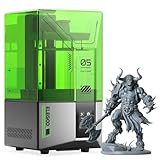
ELEGOO Mars 5 Resin 3D Printer
- 【Effortless Magic with One-Click Automatic Leveling】Effortless precision is just a click away. ELEGOO Mars 5 resin 3D printer offers advanced automatic leveling...
- 【Print Smarter, Print Worry-Free】With a smart mechanical sensor, ELEGOO Mars 5 resin printer supports residue detection to prevent damage to the LCD screen. Plus...
- 【One-Click Self-Check, Ensuring Reliable Prints】Tired of setup hassles and unexpected errors ruining your printing projects? With just a simple click, ELEGOO Mars...
- 【4K Mono LCD for Stunning Details】Featuring a 4K mono LCD with advanced COB light source, ELEGOO Mars 5 impresora 3D de resina faithfully reproduces intricate details...
- 【Advanced Overheat Protection, Cool and Safe】No more overheating worries. The advanced overheat protection automatically halts printing and triggers an alarm if the...

The ELEGOO Mars 5 Resin 3D Printer offers a practical solution for creators who demand precision without complexity. Its 4K mono LCD and COB light source deliver sharp, detailed prints, making intricate designs easier to achieve. This printer’s clear and straightforward setup lets you start projects quickly, thanks to one-click automatic leveling and a built-in self-check that helps reduce print failures.
Designed for consistent performance, the Mars 5 includes safety features like resin shortage alarms and overheat protection. These safeguards protect both your prints and hardware, minimizing interruptions during production. Its compact size and manageable weight make it a convenient desktop option, balancing functionality with space efficiency.
Maintenance is simplified through its smart design, letting users focus on creating rather than troubleshooting. While its build volume suits small to medium projects, it may not accommodate larger prints. This trade-off supports its goal of precise, reliable output for detailed work.
Best for: hobbyists and small-scale creators who want a reliable, easy-to-use resin 3D printer that delivers high-detail models with built-in safety.
What We Like:
- Sharp, high-fidelity prints with 4K mono LCD and COB light source
- Easy setup with one-click leveling and automatic self-check
- Safety features like resin shortage alarms and overheat protection
- Compact design fits well in limited workspace
Specification:
| Feature | Details |
|---|---|
| Manufacturer | ELEGOO |
| Build Volume | 5.65 × 3.53 × 5.91 inches |
| Weight | 14.5 lb (6.58 kg) |
| Display Type | 4K mono LCD with COB light |
| Printer Type | Resin 3D Printer |
MALYAN S100 Mini Resin 3D Printer with Auto Leveling
- 【Entry-level Resin 3D Printer】MALYAN S100 features a 5.5-inch LCD screen with a resolution of 2560x1440, which can better restore 3d printing models and realize...
- 【Auto Calibrates And Leveling】MALYAN S100 Mini resin 3d printer has a printing size of 115x65x110 mm, which can be calibrated and run in one click. It automatically...
- 【Magnetic Build Plate】The magnetic build plate is easy to remove and takes the hassle out of cleaning and prepping for multiple print jobs in quick succession. The...
- 【Upgraded light source】The 57W parallel LED array can provides a stable and uniform parallel light source, thus effectively reducing the layer lines and eliminating...
- 【Laser-engraved Build Plate】S100 is equipped with a laser engraved platform, which has excellent flatness that can increase model adhesion, making the 3d model hard...
The MALYAN S100 Mini Resin 3D Printer is designed for those who want precise prints without complicated setup. Its 5.5-inch 2K LCD screen with 2560 x 1440 resolution ensures sharp and detailed models. The compact build volume of 115 x 65 x 110 mm is ideal for beginners and hobbyists starting their 3D printing journey.
Setup is straightforward with one-click auto-leveling and calibration, which removes the guesswork and guarantees accuracy every time. The printer’s 57W parallel LED array offers consistent light exposure, reducing layer lines and improving surface smoothness.
Maintenance is simple thanks to the magnetic, laser-engraved build plate. It provides strong adhesion during printing and allows easy removal afterward, helping to prevent warping. Users just need to match the printing parameters to their resin type for the best results.
While its size may limit larger projects, the MALYAN S100 Mini excels at delivering reliable, high-quality prints with minimal fuss. This makes it a practical choice for those seeking a user-friendly resin 3D printer with solid performance.
Best for: Beginners and hobbyists who want precise, high-quality resin prints without complex setup.
What We Like:
- One-click auto-leveling ensures consistent accuracy and ease of use
- High-resolution 5.5-inch 2K LCD screen for detailed prints
- Magnetic, laser-engraved build plate offers strong adhesion and easy model removal
- Uniform 57W LED lighting improves surface finish quality
Specification:
| Feature | Details |
|---|---|
| Manufacturer | MALYAN |
| Build Volume | 115 x 65 x 110 mm |
| LCD Screen Size | 5.5 inches |
| LCD Resolution | 2560 x 1440 |
| Light Source | 57W parallel LED array |
| Build Plate | Magnetic, laser-engraved |
ANYCUBIC Photon P1 Dual-Color Resin 3D Printer Bundle
- 【Dual-Color/-Material】ANYCUBIC Photon P1 and Dual-Color/-Material Printing Kit support simultaneous dual-color/-material printing, Savint time and materials
- 【Sturdy Structure, No Wobble】 Anycubic Photon P1 employs stable ball screws and precision guide rails, combined with a precision-engineered print platform, to create...
- 【Easy Release, Higher Success Rate】The Wave Release Technology generates micro-airflow during plate lifting, reducing release force by 60%. 3D Models detach more...
- 【Ready to Print, Auto-Leveled】Smart Leveling 3.0 of Photon P1comes factory-calibrated, performs automatic self-check before each print, and provides real-time...
- 【Print Industrial Resins Instantly】Anycubic Photon P1 can handle ultra-high viscosity resins with a viscosity up to 8,000 cps, which is 40 times that of standard...
Experience the power of dual-color and dual-material printing with the ANYCUBIC Photon P1 bundle, designed to make your 3D printing more efficient and precise. This printer solves common issues like wobbling and difficult model removal, ensuring smooth operation and better results.
Its advanced mechanics include stable ball screws and precision guide rails that prevent motion wobble. The innovative Wave Release Technology reduces release force by 60%, making it easier to detach models without damaging them. This increases your print success rate and saves time.
Setup is simplified with Smart Leveling 3.0 and automatic self-checks, so you can start printing faster and with confidence. Maintenance is straightforward, thanks to pre-configured resin profiles that support ultra-high viscosity resins up to 8,000 cps, ideal for complex projects.
This printer is tailored for professionals who need reliable, high-quality prints with minimal downtime. Its design balances advanced functionality with user-friendly features, making it a solid choice for serious creators.
Best for: advanced creators and industrial users seeking precise, efficient dual-color and dual-material resin 3D printing with minimal setup.
What We Like:
- Supports simultaneous dual-color and dual-material printing.
- Wave Release Technology eases model detachment.
- Smart Leveling 3.0 ensures consistent print quality.
- Compatible with high-viscosity resins for detailed projects.
- Stable mechanics reduce wobble and improve precision.
Specification:
| Feature | Details |
|---|---|
| Manufacturer | ANYCUBIC |
| Dimensions | Not specified |
| Weight | Not specified |
| Supported Resin Viscosity | Up to 8,000 cps |
| Color Options | Dual-color printing support |
Factors to Consider When Choosing a Budget 3D Resin Printer

When choosing a budget 3D resin printer, you’ll want to focus on factors like print quality resolution and build volume size to meet your project needs.
Think about how easy the printer is to use and whether its leveling mechanism simplifies setup.
Also, consider print speed efficiency to balance quality with productivity. It’s all about finding the right mix for what you want to create.
Print Quality Resolution
Print quality resolution plays an essential role in determining the level of detail and smoothness your budget 3D resin printer can achieve. Higher LCD resolution, like 4K versus 2K, reduces pixel size and boosts XY detail, delivering crisper edges and finer surface textures.
Don’t overlook Z-resolution—layer heights between 0.01 and 0.05 mm influence vertical smoothness. Smaller layers create smoother curves but take longer to print.
Uniform light exposure and adjustable curing times help prevent uneven layers and inconsistent thickness. Also, make sure your printer’s build platform is mechanically stable with precise Z-axis motion to avoid layer shifting or ringing that ruins fine details.
Build Volume Size
Build volume size directly affects what you can create with a budget 3D resin printer. Larger volumes, like over 150 × 80 × 150 mm, let you print bigger models or multiple miniatures in one go. However, they use more resin and take longer per layer.
Smaller volumes around 115 × 65 × 110 mm suit hobbyists focusing on detailed miniatures. They help minimize resin waste and reduce the space needed for post-processing.
Pay attention to Z-axis height since limited clearance means splitting tall models, which adds assembly work. Also, consider the print bed’s XY surface area to maximize how many parts fit per batch.
Finally, balance your desired build size with your workspace. Bigger printers take up more room and may produce more resin fumes and waste.
Ease Of Use
Choosing the right build volume is just one part of picking a budget 3D resin printer; ease of use plays a big role in your overall experience. Look for printers offering one-click or automatic leveling to cut setup time and reduce failed prints.
A user-friendly interface with clear on-screen prompts helps you operate smoothly and catch issues early. Features like resume-after-power-loss and safety alarms for resin shortage or overheating keep your prints safe from interruptions.
Magnetic or easy-release build plates make part removal simple while improving first-layer adhesion without extra hassle. Also, preconfigured profiles and easy slicer integration save you time tuning exposure settings, especially if you’re new or switching resin types.
All these little things add up to make your 3D printing journey less frustrating and way more productive.
Leveling Mechanism
When you want reliable prints without constant tweaking, an effective leveling mechanism is key. Look for printers with automatic or one-click leveling to simplify setup and reduce failed prints by calibrating the build platform to the LCD screen before printing.
Multi-point or four-corner leveling methods guarantee consistent flatness, improving first-layer adhesion compared to single-point approaches. Auto-calibration at print start helps compensate for small shifts over time, minimizing manual adjustments—perfect if you’re new to resin printing.
A secure, laser-engraved or textured build plate paired with reliable leveling prevents warping and part lifting during peeling. Some printers even feature real-time sensors or self-check routines that detect resin shortage or misalignment, pausing the print to avoid wasting material and time.
Print Speed Efficiency
Although faster print speeds can drastically cut down your project time, they come with trade-offs that you’ll need to manage carefully. Print speed, measured in millimeters per hour on the Z-axis, can reach 50–70 mm/h on some budget models, substantially reducing layer cure cycles.
However, faster speeds demand stronger light sources and shorter exposure times, which can strain the LCD or LED array. This might even shorten your printer’s lifespan.
You’ll also need to balance speed with print quality. Thicker layers speed up prints but reduce fine detail and increase risks of defects like layer separation.
Look for features like uniform light distribution, optimized peel mechanisms, and power-recovery systems. These help maintain efficiency without sacrificing reliability during long jobs.
Resin Compatibility Range
Print speed isn’t the only factor that affects your printing outcomes—resin compatibility plays a big role too. First, check the maximum resin viscosity your printer can handle. Models that support several thousand centipoise (cps) let you use specialty resins like engineering or pigment-heavy types.
You’ll also want to make sure the printer works with common resin chemistries, including standard, ABS-like, flexible, and dental resins, so the vat and LCD coatings won’t degrade. Confirm the printer’s UV wavelength (usually 385–405 nm) matches your resin’s photoinitiator for proper curing.
Don’t forget to verify the printer supports the resin’s peak exposure and layer cure times to avoid poor adhesion or tacky surfaces. Finally, look for firmware and hardware features that handle special needs, like heated vats or ventilation for strong fumes.
Durability And Stability
Focus on durability and stability to get the most consistent results from your budget 3D resin printer. Choose models with robust metal frames and precision linear rails or ball screws to reduce wobble and maintain alignment during long print runs.
A rigid Z-axis featuring anti-backlash mechanisms and a sturdy build platform helps minimize layer shifts and guarantees dimensional accuracy over time. Look for high-quality stepper motors, coated leadscrews, and corrosion-resistant build plates to extend your printer’s lifespan and cut down on maintenance.
Thermal management is vital too—adequate cooling and heat-resistant electronics protect LEDs and drivers from wear. Finally, prioritize printers with replaceable or serviceable parts like modular LCDs and easy-to-source screws, so you can perform repairs quickly and keep your printer running smoothly for years.
Safety Features Included
When choosing a budget 3D resin printer, you’ll want to prioritize safety features that protect both you and your equipment. Look for resin detection sensors or mechanical residue alarms that pause printing when excess resin is detected. This helps prevent screen damage and spills.
Make sure the printer includes temperature monitoring and overheat protection. These features halt printing and alert you if components exceed safe temperatures, usually around 80°C.
Effective ventilation and cooling systems manage heat buildup, which extends the printer’s lifespan and reduces fumes. It’s definitely something to keep an eye on.
Safety interlocks on covers are also key. They auto-pause printing when opened, protecting you from UV exposure and contact with uncured resin.
Lastly, check for built-in error alarms for resin shortages, leveling failures, or motor faults. These help the printer stop safely, minimizing waste and mechanical damage.
Frequently Asked Questions
How Do I Safely Dispose of Used Resin?
You should cure your used resin by exposing it to sunlight or UV light until it hardens completely. This step is really important to make sure it’s safe to handle.
Once it’s fully solidified, you can dispose of the resin as hazardous waste. Just remember, never pour liquid resin down the drain or throw it in the trash directly. That can cause serious environmental harm.
What Post-Processing Tools Do I Need for Resin Prints?
You’ll need gloves, isopropyl alcohol for cleaning, a UV light for curing, and sandpaper for smoothing. Over 70% of resin printers use these tools to achieve professional, durable results while keeping safety top priority.
These tools are pretty essential for getting the best out of your resin prints. Plus, they help make sure you’re working safely, which is super important when handling resin.
Can Resin Printers Print Flexible or Multi-Material Objects?
You can print flexible objects using specialized flexible resin, but multi-material printing is tricky since most resin printers use a single resin vat.
To achieve multi-material prints, you’d need advanced setups or separate print processes. It’s not as straightforward as with some other 3D printing methods.
How Long Do Resin Prints Typically Last Without Degradation?
Resin prints typically last several years without significant degradation if you store them away from direct sunlight and moisture.
You’ll want to keep them in a cool, dark place to maintain their strength and appearance over time.
Doing this helps your prints stay looking great and strong for a long while.
Are There Any Health Risks Associated With Resin Printing?
Yes, you’ll encounter health risks like skin irritation or respiratory issues if you don’t use gloves and ventilation.
Coincidentally, these precautions also improve print quality, so you’re safer and get better results simultaneously.
Conclusion
When choosing a budget 3D resin printer, you want reliability and crisp detail without breaking the bank. Did you know that resin printers like the ANYCUBIC Photon Mono 4 can achieve layer resolutions as fine as 10 microns? That means your miniatures and prototypes come out incredibly detailed.
By focusing on features like print quality, build volume, and ease of use, you’ll find a printer that fits your needs and budget perfectly. Budget 3D resin printers have come a long way, offering impressive precision and user-friendly designs.
So, whether you’re a hobbyist or a professional looking for affordable options, these printers deliver great value. Finding the best budget 3D resin printer in 2027 means balancing cost and performance to get crisp, reliable prints every time.