6 Best Budget 3D Printers with Auto Leveling in 2027
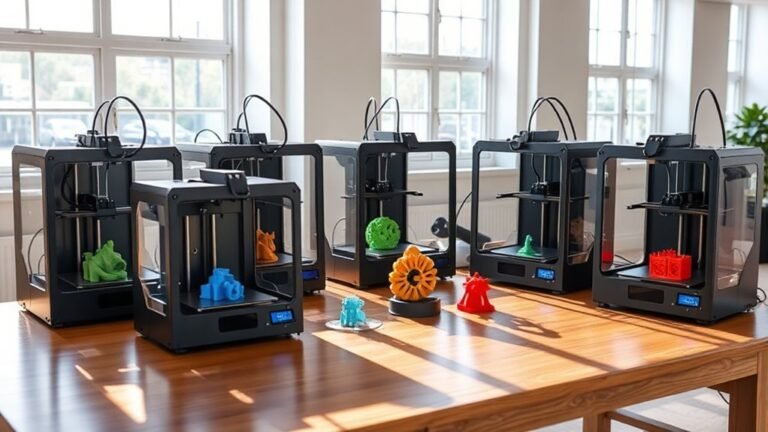
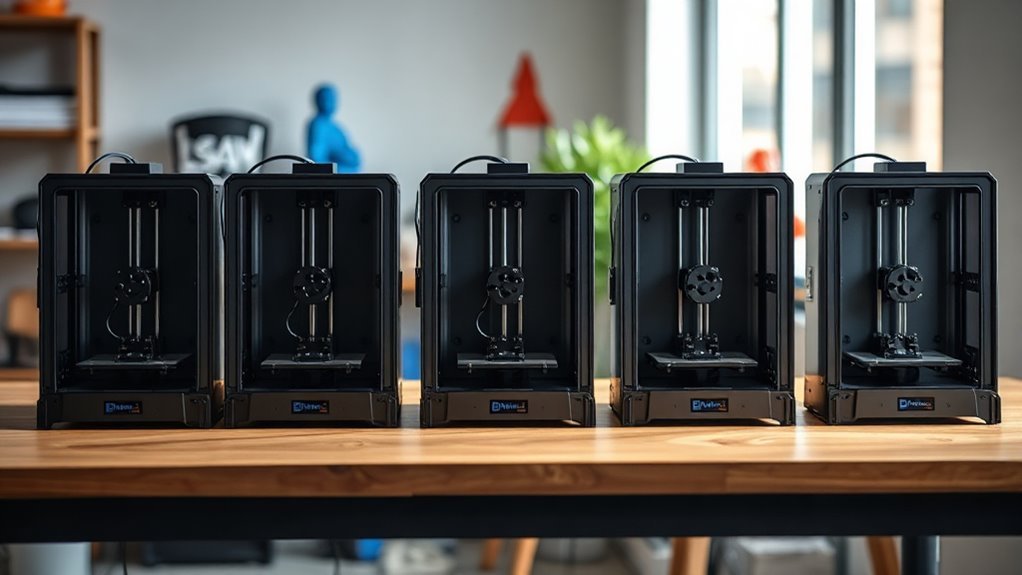
If you’re searching for the best budget 3D printers with auto leveling in 2027, you’re in the right place. These printers combine affordability with smart features to make your 3D printing experience smooth and hassle-free. Auto leveling is a game-changer, especially for beginners or anyone who wants consistent print quality without constant manual adjustments.
Check out these six top picks that offer great value without breaking the bank. The Entina Tina2 Plus comes with WiFi and app control, perfect for those just starting out. Creality Ender 3 V3 SE is known for its fast setup and precise leveling, making it a reliable choice for everyday printing.
SPARKX i7 features AI monitoring and a large build volume, ideal if you need more space for your projects. The MakeBuddy Smart5 AI offers plug-and-play convenience and high-speed printing to save you time. Anycubic Kobra 4 Combo supports multi-color projects, adding versatility to your creations. Lastly, the Geeetech Mini is a fantastic option for kids and educators looking for a simple, safe printer.
Explore their strengths to find your perfect match!
| Image | Name | Editor's Rating | Price |
|---|---|---|---|

|
|
||

|
|
||

|
|
||

|
|
||

|
|
Entina Tina2 Plus 3D Printer with WiFi & App Control
- 【Start Printing in Minutes – Beginner Friendly】No setup required. Tina2 Plus 3d printer comes fully assembled and ready to use out of the box. With included TF card...
- 【Fast 250mm/s Printing Performance】This Tina2 Plus high speed 3D printer print speeds up to 250 mm/s help reduce waiting time and support fast project turnaround...
- 【WiFi App Control & STEM Model Library】Powered by the Poloprint Cloud app, this WiFi-enabled 3D printer gives access to 3,500+ printable models and 25+ creative DIY...
- 【40-Second Fast Heat Ceramic Hotend】High-efficiency ceramic hotend heats up in just 40 seconds for faster start-up and less downtime. The quick-swap nozzle design...
- 【Compact 3D Printer for Home & Classroom】Designed with a space-saving footprint while maintaining practical print capacity, this compact 3D printer fits easily on...
The Entina Tina2 Plus 3D Printer is designed to simplify the 3D printing experience for beginners and educators. Its fully assembled setup means you can start printing immediately without complicated assembly. The included TF card with preloaded models helps users jump right into creativity.
This printer’s fast 40-second ceramic hotend reduces waiting times, allowing for quicker project completion. The stable dual Z-axis system ensures smooth and precise prints, tackling common issues like layer misalignment. Its compact, partially enclosed frame offers safety and fits well in homes, classrooms, or STEM environments.
WiFi and app control enable remote management, so you can monitor and control prints from anywhere. Access to over 3,500 models broadens creative possibilities without needing to design from scratch. Regular maintenance is straightforward, keeping the printer reliable and efficient over time.
While the build volume is limited, it suits smaller projects perfectly. The enclosure provides some protection but may not fully contain fumes from certain materials. Overall, the Entina Tina2 Plus balances ease of use, safety, and connectivity for a smooth 3D printing journey.
Best for: Beginners, educators, and hobbyists who want a user-friendly, connected 3D printer for educational or home use.
What We Like:
- Ready to print out of the box with preloaded models
- Fast 40-second heat-up ceramic hotend for quick starts
- Stable dual Z-axis system ensures smooth print quality
- WiFi and app control for convenient remote operation
- Compact design fits well in small spaces and learning environments
Specification:
| Feature | Details |
|---|---|
| Manufacturer | Entina |
| Dimensions | Compact (exact size not specified) |
| Weight | Not specified |
| Frame | Partially enclosed |
| Connectivity | WiFi, App control |
| Heat-up Time | 40 seconds (ceramic hotend) |
Creality Ender 3 V3 SE 3D Printer Upgrade
- 【250mm/s High-speed Printing】Creality Ender 3 V3 SE 3d printer supports a maximum printing speed of 250mm/s, 2500mm/s² acceleration.The speed has been greatly...
- 【Powerful ""Sprite"" Direct Extruder】Ender 3 V3 SE is the upgrade of ender 3, ender 3 v2, ender 3 pro, ender 3 neo, ender 3 v2 neo, ender 3 s1, ender 3 s1 pro etc 3d...
- 【Worry-free CR Touch Auto Leveling & Strain Sensor】Creality Ender 3 upgraded 3d printer features a CR Touch sensor for auto leveling and a strain sensor for auto...
- 【Stable Dual Z-axis & Y-axis Linear Shafts】High-precision dual Z-axis lead screws reduce Z wobbling effectively, avoid printing deviation in single-axis printing...
- 【Quick Assembly & Easy to Use】Preassembly has solved those hassles and worries of parts assembly, It only takes 3 steps to complete the assemble the ender-3 v3 se 3d...

Experience fast and precise 3D printing with the Creality Ender 3 V3 SE Upgrade. This budget-friendly printer solves common setup headaches by arriving mostly preassembled, letting you start printing in about 20 minutes. Its CR Touch sensor and strain sensor work together to maintain an accurate Z-offset, reducing print errors and improving overall quality.
The printer’s Sprite full-metal dual-gear extruder handles PLA, TPU, and PETG filaments smoothly, supporting a variety of projects without complicated filament changes. Auto filament loading and unloading simplify maintenance, so you spend more time creating and less time preparing.
With a maximum speed of 250 mm/s and acceleration up to 2500 mm/s², this model shortens print durations by up to 73%, making it ideal for users eager to finish projects quickly. However, the build volume of 8.66 x 8.66 x 9.84 inches may limit larger prints. The dual Z-axis and enhanced Y-axis provide stability but add some weight, which might affect portability.
The Ender 3 V3 SE is designed for reliability, precision, and ease of use, making it a practical upgrade for hobbyists and beginners wanting efficient, quality 3D printing.
Best for: hobbyists and beginners seeking a fast, reliable, and easy-to-assemble 3D printer with advanced auto-leveling and versatile filament compatibility.
What We Like:
- Fast printing speed and acceleration reduce project time.
- Accurate auto-leveling with CR Touch and strain sensor.
- Preassembled design allows quick setup.
- Full-metal dual-gear extruder for versatile filament use.
- Auto filament loading/unloading simplifies maintenance.
Specification:
| Specification | Details |
|---|---|
| Manufacturer | Creality |
| Build Volume | 8.66 x 8.66 x 9.84 in |
| Max Print Speed | 250 mm/s |
| Max Acceleration | 2500 mm/s² |
| Filament Compatibility | PLA, TPU, PETG |
| Extruder Type | Sprite full-metal dual-gear |
| Assembly | Preassembled |
Creality SPARKX i7 3D Printer with AI Monitoring
- Easy 3D Printing with Auto Leveling: The Creality SPARKX i7 features automatic bed leveling, quick setup, and streamlined calibration for a smoother desktop 3D printing...
- Smart Camera Monitoring for Reliable Printing: Built-in smart camera monitoring supports remote viewing, time-lapse recording, and print status detection to help improve...
- Quiet High-Speed Desktop 3D Printer: With an optimized motion system and low-noise operation, the SPARKX i7 delivers stable high-speed 3D printing with reduced vibration...
- Large Build Volume for Bigger Creative Projects: Featuring a 260×260×255mm build volume and flexible PEI build plate, the SPARKX i7 supports larger models, props...
- 5-Second Quick-Swap Hotend for Easy Maintenance: The tool-free quick-swap hotend design allows faster nozzle replacement and simplified maintenance, helping reduce...
The Creality SPARKX i7 3D printer brings a new level of ease and precision to your printing projects. Its automatic bed leveling quickly calibrates the build surface, so you spend less time setting up and more time creating. This feature ensures consistent first layers, reducing print failures and wasted materials.
Designed for both hobbyists and professionals, this printer supports a large 260 × 260 × 255 mm build volume. The flexible PEI bed adapts to various filament types, while the direct drive extruder handles materials smoothly. You get quiet, high-speed printing that fits well in any workspace.
Maintenance is straightforward thanks to the quick-swap hotend, which minimizes downtime when changing parts. The built-in AI camera offers remote monitoring and time-lapse recording, allowing you to catch issues early without constant supervision. WiFi connectivity lets you control prints directly from your phone or PC.
Multi-color printing requires the optional CFS Lite system, which adds to the cost. The printer weighs 29.5 pounds, making it less portable than lighter models but stable during operation.
Best for: Creators seeking a reliable, fast-start 3D printer with smart AI monitoring and remote control for medium to large projects.
What We Like:
- Fast, automatic bed leveling for hassle-free setup
- AI camera enables remote print monitoring and time-lapse capture
- Quiet, high-speed printing with versatile filament support
- Quick-swap hotend reduces maintenance downtime
Specification:
| Feature | Details |
|---|---|
| Manufacturer | Creality |
| Build Volume | 260 × 260 × 255 mm |
| Weight | 29.5 lb (13.4 kg) |
| Bed Surface | Flexible PEI |
| Connectivity | WiFi |
| Special Features | AI monitoring, quick-swap hotend |
MakeBuddy Smart5 AI 3D Printer for Beginners, Plug & Play, High Speed
- 【Designed for Beginners】 MakeBuddy Smart5 3d printer arrives fully assembled and enclosed, so there is no kit to build. Guided app setup and automatic bed leveling...
- 【Easy to Start – Beginner Friendly 3D Printer】From unboxing to your first print in just 15 minutes. Features the leveling technology inherited from QIDI’s...
- 【Safe & Low-Noise Home 3D Printer】The QIDI Smart5 features a sealed enclosure that covers the hot end and moving gantry while lowering operating noise, so the printer...
- 【AI 3D Printer with One-Tap Printing】 The MakeBuddy Smart5 AI 3D printer turns a photo into a printable model: capture an object with a phone or tablet, let the AI...
- 【Complete Starter Kit with Filament and Course Access】 Smart5 ships with 4 PLA filaments, LED and clock DIY build kits, and access to a regularly updated STEAM...
The MakeBuddy Smart5 AI 3D printer is designed to simplify 3D printing for beginners. Its fully assembled, enclosed design eliminates the need for setup hassle. Just unbox and start printing within 15 minutes using the guided app, making it ideal for users without CAD experience.
This printer uses AI to transform simple photos into 3D models, allowing one-tap printing. Its high-speed CoreXY motion system reaches speeds up to 600 mm/s, ensuring quick and precise results. Automatic bed leveling improves print reliability, reducing user effort during maintenance.
The enclosed construction, combined with active HEPA and carbon filtration, keeps printing safe and odor-free. While the build volume is limited to 180 × 180 × 180 mm, it suits a variety of small to medium projects. The printer’s weight and size mean it’s best kept in a dedicated workspace rather than carried frequently.
Overall, the Smart5 AI enhances ease of use with AI-assisted modeling and fast, dependable printing, making 3D creation accessible for newcomers.
Best for: Beginners and educators seeking an easy-to-use, plug-and-play 3D printer with AI model generation and fast, reliable printing.
What We Like:
- Fully assembled, guided app setup enables printing in 15 minutes without CAD skills
- High-speed CoreXY system with automatic bed leveling for precise prints
- Enclosed design with active HEPA and carbon filtration for safe, odor-free printing
Specification:
| Feature | Details |
|---|---|
| Manufacturer | MakeBuddy |
| Build Volume | 180 × 180 × 180 mm |
| Max Print Speed | Up to 600 mm/s |
| Weight | 31.6 lb (14.3 kg) |
| Design | Fully enclosed, plug & play |
| Filtration | HEPA and carbon active filter |
Anycubic Kobra 4 Combo 3D Printer with ACE 2 Pro, Native 4-Color Printing
- 【Fun Family Printing Experience】The Kobra 4 features simple setup and stable printing for family use. Print school projects, decorations, and DIY models together...
- 【LeviQ 3.0 Auto Leveling】 Smart auto leveling improves first-layer adhesion by compensating for uneven surfaces automatically. Reduce setup time and failed prints...
- 【Large Build Volume for Creativity】 The 260×260×260mm³ print area supports larger models, cosplay props, educational models, and multi-part projects. Print bigger...
- 【Quiet & Beginner Friendly】 Built for home use, the Kobra 4 combines quieter operation with intuitive controls and simple workflows. Easy operation makes it ideal for...
- 【Fast & Stable Home Printing】The optimized motion system supports faster printing with smooth surfaces and stable details. Finish projects with less waiting time...
Experience the ease of vibrant multi-color 3D printing with the Anycubic Kobra 4 Combo. Designed to simplify complex projects, it features native 4-color printing through the ACE 2 Pro, enabling smooth transitions between colors without extra effort. This capability enhances creativity and precision in your prints.
Its compact gantry design offers full 360° visibility, making monitoring and maintenance straightforward. The enclosed frame ensures a safe environment, perfect for homes or classrooms where quiet operation matters. Running at just 48 dB, it won’t disrupt your workspace.
The intelligent auto-leveling system removes the guesswork from bed leveling, delivering consistent first layers. This reduces print failures and saves time, especially for beginners. Setup is quick, taking approximately 15 minutes, and you can track your prints remotely via a dedicated smart app.
While the build volume supports most projects at 260 x 260 x 260 mm, very large prints may require other options. Expanding to 8 colors is possible with additional ACE 2 Pro units, though this adds to the overall cost. Availability begins April 30, 2026.
Best for: hobbyists, educators, and beginners looking for an intuitive, multi-color 3D printer with easy setup and remote monitoring.
What We Like:
- Seamless 4-color printing with optional expansion to 8 colors
- User-friendly auto-leveling for reliable first layers
- Compact design with 360° visibility and quiet operation
- Enclosed frame for safety in shared environments
Specification:
| Feature | Details |
|---|---|
| Manufacturer | Anycubic |
| Build Volume | 260 x 260 x 260 mm |
| Printing Colors | Native 4-color, expandable to 8 |
| Noise Level | 48 dB |
| Setup Time | Approximately 15 minutes |
| Design | Compact gantry, enclosed |
Geeetech Mini 3D Printer for Kids and Beginners
No products found.
Discover the ease of 3D printing with the Geeetech Mini, designed especially for beginners and kids. Its fully assembled setup and plug-and-play TF card slot let you start printing immediately, eliminating complicated installation steps. This printer simplifies the learning curve for young users and novices.
The Geeetech Mini features a 16-point full auto-leveling system, ensuring the first layer is always perfect. Its heated, flexible magnetic PEI bed makes model removal easy and reduces print failures. This thoughtful design saves time and frustration during maintenance.
Equipped with a direct drive extruder and dual-drive metal gear, the printer supports precise extrusion of TPU and PLA filaments. This flexibility allows users to experiment with different materials while maintaining print quality. The compact print area is ideal for small projects and educational purposes.
Operating the printer is straightforward thanks to the intuitive knob and clear 2.4″ LCD screen. Its user-friendly interface makes it accessible for children and educators alike. However, the limited print size and filament capacity may require consideration for larger projects.
Best for: Beginners, kids, and educators seeking an easy-to-use, compact 3D printer for small-scale projects and hands-on learning.
What We Like:
- Fully assembled with plug-and-play TF card slot for quick start
- 16-point auto-leveling and flexible magnetic PEI bed for reliable prints
- Direct drive extruder with dual-drive metal gears for precise filament handling
- Intuitive knob and 2.4″ LCD screen for simple operation
Specification:
| Feature | Details |
|---|---|
| Manufacturer | Geeetech |
| Dimensions | Compact size (exact size not specified) |
| Weight | Not specified |
| Material | Metal and plastic components |
| Color Options | Not specified |
Factors to Consider When Choosing a Budget 3D Printer With Auto Leveling
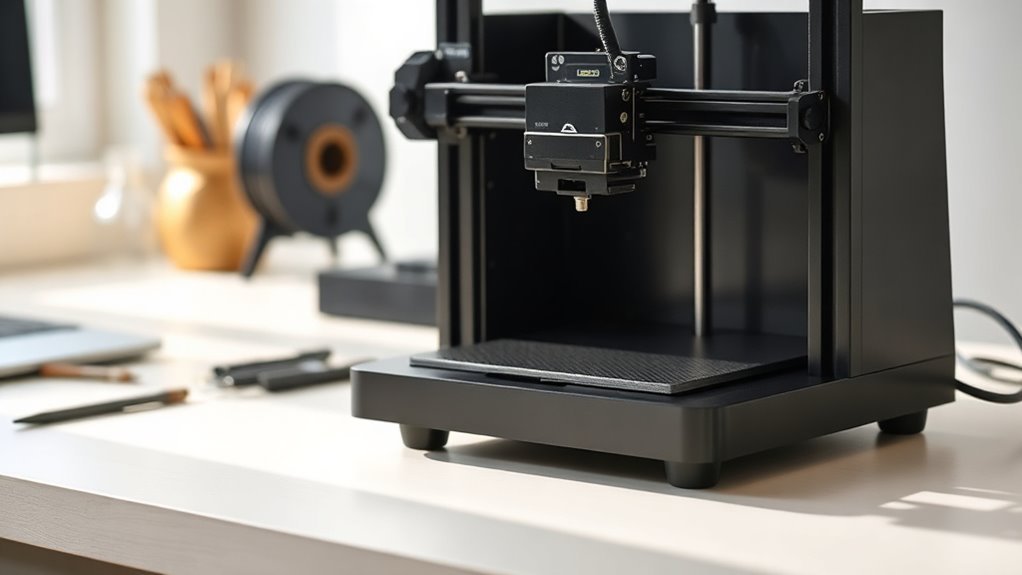
When choosing a budget 3D printer with auto leveling, you’ll want to focus on print quality and precision to get the best results. It’s super important to make sure your prints come out looking great and accurate.
Also, think about how easy it is to set up. Nobody wants to spend hours fiddling with complicated instructions, right? Plus, consider the build volume you need — bigger prints require more space.
Don’t forget to check the connectivity options and software compatibility. You want something that works smoothly with your devices and preferred programs.
And of course, make sure the printer has essential safety features. It’s all about keeping your printing experience worry-free and fun!
Print Quality And Precision
To nail down excellent print quality and precision with a budget 3D printer featuring auto leveling, you’ll want to focus on several key hardware aspects. Start with a stable motion system—look for dual Z-axis or rigid gantry designs that minimize Z-wobble and frame flex. This boosts layer alignment and accuracy.
Check the nozzle and hotend specs; fast heat-up times and metal hotends guarantee consistent extrusion temperature. This helps cut down on stringing and layer flaws.
Print speed and acceleration matter, but only if the motion hardware can maintain detail at high speeds. A quality build surface like PEI or spring-steel combined with reliable first-layer auto leveling secures strong adhesion and a smooth base.
Also, consider extruder type: dual-gear direct drives offer superior filament control, especially for fine details and flexible filaments. It really makes a difference in the final print quality.
Ease Of Setup
Setting up a budget 3D printer with auto leveling can often determine how quickly you start creating. You’ll want to check if the printer ships fully assembled or requires partial assembly—fully assembled models typically get you printing in under 30 minutes.
Look for straightforward auto-leveling methods like one-touch or app-guided workflows that cut down manual calibration. Confirm the connectivity options, such as WiFi, USB, or SD cards, and whether mobile or desktop apps support remote setup and slicing for a smoother start.
Make sure the printer comes with preloaded models or sample prints and guided first-print routines, so you don’t need CAD skills right away. Finally, verify firmware and driver installation is simple, cross-platform compatible, and avoids complicated software issues.
Build Volume Capacity
Choosing the right build volume capacity plays a crucial role in getting the most out of your budget 3D printer with auto leveling. You want a build size that fits the largest parts you’ll print. Beginner-friendly printers often offer around 120 × 120 × 120 mm for small toys, while bigger models go up to 260 × 260 × 260 mm for functional prototypes.
Keep in mind larger volumes mean bigger footprints and longer warm-up times. So, balance capacity with your available space.
For hobbies or school projects, aim for a Z-height between 150 and 250 mm to handle most models without constant scaling. If you plan multi-part or multi-color prints, prioritize a wider XY area, around 200–260 mm, to print multiple pieces side-by-side efficiently.
Connectivity And Software
Once you’ve settled on a build volume that fits your needs, think about how you’ll connect and control your 3D printer. Choose a model supporting multiple connectivity options like Wi-Fi, USB, SD/TF cards, and optionally Ethernet to match your workflow and network setup.
Look for companion apps or cloud platforms that let you monitor prints remotely, slice models, and manage jobs from your phone or tablet. It’s super handy to keep an eye on things without being tied to your desk.
Make sure the printer works with popular slicing software and accepts standard file formats like STL, OBJ, and G-code across Windows, macOS, Linux, and Chromebooks. Compatibility is key so you don’t get stuck with something that won’t play nice with your tools.
Check if the firmware is open or upgradable, supporting advanced features like network printing, webcam monitoring, and OctoPrint integration. These extras can really boost your printing experience and flexibility.
Finally, confirm onboard controls and local storage so you can print reliably without always needing a PC connection. That way, your printer’s ready to go even if your computer isn’t nearby.
Safety Features Included
Although budget 3D printers with auto leveling offer great convenience, you should prioritize safety features to protect yourself and your surroundings. Look for enclosed or partially enclosed frames that shield you from hotend burns and contain harmful fumes.
Check for thermal safety measures like fast-heating temperature control and thermal runaway protection to prevent overheating or fires. If you print indoors or in classrooms, a built-in filtration system or proper ventilation is essential for capturing ultrafine particles and odors.
Child-safe features such as locked panels, filament covers, or PIN controls help prevent accidents and unauthorized use. Plus, quiet operation and vibration damping reduce noise, making your printing environment more comfortable.
Reliable auto-leveling and bed-adhesion sensors minimize failed prints that could cause jams or hazards. Prioritizing these features guarantees a safer printing experience.
Maintenance And Support
Ensuring your 3D printer stays reliable means looking beyond safety and convenience to how easy it is to maintain and get support for. Check for a warranty lasting at least 12 months that clearly covers critical parts like the auto-leveling sensor, hotend, and bed sensor to reduce repair costs.
Make sure replacement parts such as probe modules, nozzles, and thermistors are readily available and standard-sized to keep downtime low. Opt for printers with modular, tool-free components and detailed guides for swapping parts quickly.
Also, confirm you have access to responsive technical support through email, chat, or phone with response times under 48 hours, plus clear return policies. Active user communities and open-source firmware help you troubleshoot and update your printer efficiently.
Frequently Asked Questions
How Does Auto Leveling Improve Print Quality?
Auto leveling improves your print quality by making sure the nozzle stays at a consistent distance from the bed. This helps prevent uneven layers and adhesion problems.
Because of that, your prints come out smoother and more accurate. Plus, you don’t have to keep adjusting the printer manually all the time.
Can Budget 3D Printers Handle Multiple Filament Types?
Yes, budget 3D printers can handle multiple filament types, but you’ll want to check compatibility first. They usually support PLA and ABS.
That said, advanced filaments like TPU or PETG might need extra tweaks or upgrades. So, it’s good to do a bit of research before diving in.
What Maintenance Is Required for Auto Leveling Sensors?
You’ll need to clean the auto leveling sensor regularly, check its wiring for damage, and update firmware when available.
Calibrating it occasionally guarantees accurate readings, keeping your prints precise and your printer running smoothly. It’s a simple routine that really pays off in the long run.
Are There Software Compatibility Issues With Budget 3D Printers?
Software snags sometimes show up with budget 3D printers, but you’ll mostly find them compatible with popular slicers. Just double-check your printer’s specs and update drivers regularly to dodge any frustrating firmware or software conflicts.
It’s a good idea to keep an eye on updates and community forums too. That way, you can catch any issues early and keep your printing smooth.
How Energy Efficient Are Budget 3D Printers With Auto Leveling?
You’ll find budget 3D printers with auto leveling are generally energy efficient, using minimal power during printing. However, efficiency varies by model, so checking specific wattage and standby consumption helps you save energy and costs effectively.
It’s always a good idea to peek at the specs before buying. That way, you know exactly what kind of power usage to expect. Small differences can add up, especially if you print often!
Conclusion
Choosing the right budget 3D printer with auto leveling is like picking the perfect compass for your creative journey. Each model guides you smoothly through the terrain of design, making complex tasks feel like child’s play.
Whether you’re a beginner or upgrading, these printers help your ideas take flight with ease and precision. So, trust your instincts, grab your compass, and start exploring the endless possibilities waiting for you in 3D printing.
With the best budget 3D printers featuring auto leveling, you don’t have to worry about tedious setup or calibration. These affordable machines ensure your prints come out accurate every time, saving you time and frustration. Dive into your creative projects confidently and discover how easy and fun 3D printing can be with the right printer by your side.