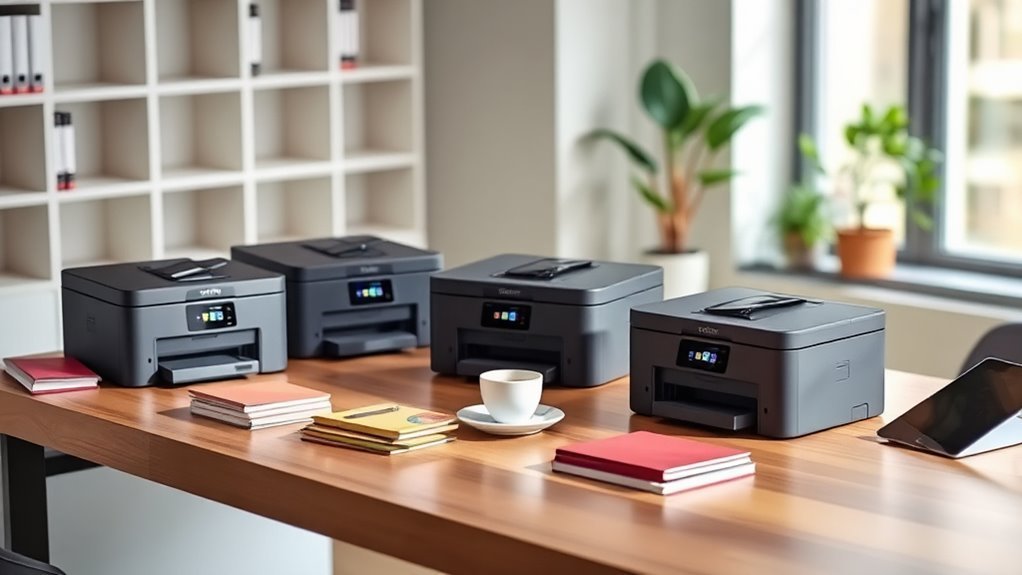
5 Best Brother All-in-One Wireless Printers for 2027
If you need a reliable Brother all-in-one wireless printer for 2027, you’ve got some great options to explore.
Whether you want speed, vibrant color, or cost-effective printing, there’s a model that fits the bill.
For monochrome printing, the DCP-L2640DW is a fast and dependable choice.
If color prints are your thing, check out the Work Smart 1360 and 1410 models—they deliver vibrant results.
Looking to multitask? The MFC-L3780CDW offers both speed and versatility, perfect for busy work environments.
Plus, the INKvestment 1365 helps keep ink costs low without sacrificing quality.
These Brother printers combine efficiency, user-friendly features, and strong connectivity.
They fit a variety of work setups, so spending some time exploring their specs will help you find the perfect match for your needs.
| Image | Name | Editor's Rating | Price |
|---|---|---|---|

|
|
||

|
|
||

|
|
||

|
|
||

|
|
Brother DCP-L2640DW Wireless Monochrome Printer
- BEST FOR SMALL BUSINESSES – Engineered for extraordinary productivity, the Brother DCP-L2640DW Monochrome (Black & White) 3-in-1 combines laser printer, scanner, copier...
- FAST PRINTER WITH EFFICIENT SCANNING – Produces documents quickly with print speeds up to 36 ppm(2) and scan speeds up to 23.6/7.9 ipm(3) (black/color). A 50-page auto...
- FLEXIBLE CONNECTION OPTIONS – Easily navigate the changing demands of your business with secure multi-device connectivity via built-in dual-band wireless (2.4GHz...
- BROTHER MOBILE CONNECT APP – Print, scan, and manage your wireless printer anytime, from almost anywhere from your mobile device. Order Brother Genuine Supplies, track...
- CHOOSE BROTHER GENUINE TONER – When it’s time to replace your toner, be sure to choose Brother Genuine TN830 or TN830XL replacement toner. And with Refresh EZ Print...

The Brother DCP-L2640DW offers a practical solution for those needing a fast and dependable monochrome printer that also copies and scans. Its compact design fits comfortably in tight spaces, making it ideal for small work areas. This all-in-one laser printer helps streamline daily tasks by delivering sharp prints and quick copies with minimal wait time.
Maintenance is straightforward thanks to the robust 250-sheet paper tray and a 50-page automatic document feeder. These features reduce frequent paper refills and allow for smooth multi-page scanning and copying. The printer’s energy-efficient operation also helps lower power consumption, supporting environmentally conscious use.
Connectivity is versatile with dual-band wireless, Ethernet, and USB options. Users can easily print from laptops, smartphones, or tablets, enhancing workflow flexibility. Duplex printing capability reduces paper waste by automatically printing on both sides.
While it produces only monochrome prints, it covers essential office functions efficiently. Scanning speed is adequate for basic needs but not optimized for color scans. Overall, the Brother DCP-L2640DW is a solid choice for those seeking reliable, space-saving performance without unnecessary extras.
Best for: Small business owners and home office users needing a fast, reliable monochrome printer with multifunction features and flexible connectivity.
What We Like:
- Fast print and copy speed up to 36 ppm.
- Compact size with a large paper tray and automatic document feeder.
- Multiple connection options including dual-band wireless and Ethernet.
- Energy-efficient operation with duplex printing.
Specification:
| Feature | Details |
|---|---|
| Manufacturer | Brother |
| Dimensions (W×D×H) | Approximately 16.1 × 15.7 × 12.7 inches (41 × 40 × 32.3 cm) |
| Weight | Around 15.9 lb (7.2 kg) |
| Color Options | Monochrome (Black and White) |
| Connectivity | Dual-band wireless, Ethernet, USB |
Brother Work Smart 1360 Wireless Color Inkjet All-in-One Print, Scan, Copy
- AFFORDABLE ALL-IN-ONE FOR HOME AND HOME OFFICE: Print, copy, and scan on one compact wireless printer designed for everyday home office printing, schoolwork, documents...
- EASY TO USE WITH CLOUD APP CONNECTIONS: Print from and scan to popular Cloud apps(2), including Google Drive, Dropbox, Box, OneDrive, and more from the simple-to-use...
- FULL-SIZE FEATURES IN A COMPACT DESIGN: This printer includes automatic duplex (2-sided) printing, a 20-sheet single-sided Automatic Document Feeder (ADF)(3), and a...
- MULTIPLE CONNECTION OPTIONS: Connect your way. Interface with your printer on your wireless network or via USB.
- MOBILE PRINTING MADE EASY: Go mobile with the Brother Mobile Connect app(5) that delivers easy onscreen menu navigation for printing, copying, scanning, and device...
The Brother Work Smart 1360 Wireless Color Inkjet All-in-One Printer offers a smart solution for those needing reliable, high-quality color printing in a small footprint. It handles everyday printing tasks quickly, producing sharp images with up to 1,200 x 6,000 dpi resolution, enhancing your documents’ clarity and vibrancy.
Designed for home or small office use, it simplifies workflows with automatic duplex printing and a 20-sheet automatic document feeder. These features save time on double-sided prints and multi-page scans. Its compact design fits easily in limited spaces without sacrificing functionality.
Maintenance is straightforward with real-time ink monitoring that helps you avoid unexpected interruptions. The 1.8” color display guides you through operations and settings, making the printer user-friendly even for those less familiar with technology.
Connectivity is flexible, supporting Wi-Fi Direct, AirPrint, Mopria, and the Brother Mobile Connect app. This allows seamless printing and scanning from smartphones and tablets, improving productivity and convenience for mobile users.
Best for: individuals and small offices seeking a compact, wireless all-in-one printer that balances performance with ease of use.
What We Like:
- Fast print speeds with automatic duplex for efficient double-sided printing
- Multiple wireless options including Wi-Fi Direct and mobile app support
- User-friendly 1.8” color display with easy ink level monitoring
- Compact design ideal for small workspaces
Specification:
| Feature | Details |
|---|---|
| Manufacturer | Brother |
| Dimensions (W×D×H) | 16.1 x 14.9 x 7.3 inches |
| Weight | 14.1 lb (6.4 kg) |
| Color Options | Black |
| Print Resolution | Up to 1200 x 6000 dpi |
| Print Speed | Up to 16 ppm (black), 9 ppm (color) |
| Paper Tray Capacity | 150 sheets |
| ADF Capacity | 20 sheets |
Brother Work Smart 1410 Wireless Color Inkjet Printer
- BEST FOR HOME OFFICE AND SMALL OFFICE: Get your work done with a multifunction printer. Print, copy, and scan on one convenient, compact printer, with quick and easy...
- EASY-TO-USE TOUCHSCREEN WITH CLOUD APP CONNECTIONS: Seamless integration with the Cloud(2). Print from and scan to popular Cloud apps(2), including Google Drive, Dropbox...
- PRODUCTIVITY-FOCUSED FEATURES: Automatic duplex (2-sided) printing, 20-sheet single-sided Automatic Document Feeder (ADF)(3), 150-sheet paper tray(3). Print at fast...
- MULTIPLE CONNECTION OPTIONS: Connect your way. Interface with your printer on your wireless network or via USB.
- THE BROTHER MOBILE CONNECT APP: Go mobile with the Brother Mobile Connect app(5) for easy onscreen menu navigation for printing, copying, scanning, and device management...
The Brother Work Smart 1410 Wireless Color Inkjet Printer delivers a compact all-in-one solution designed to simplify your daily tasks. Its sleek design fits well in small offices or home workspaces, helping you save space without sacrificing functionality. The wireless connectivity lets you print, copy, and scan with ease from multiple devices.
This printer enhances your workflow with automatic duplex printing and a 20-sheet automatic document feeder. These features reduce manual effort and speed up multi-page jobs. The 2.7” color touchscreen offers intuitive navigation, making setup and operation straightforward for users of all levels.
Maintenance is hassle-free thanks to Brother’s ink subscription service, which ensures you stay stocked without constant monitoring. The page gauge provides clear ink level updates, helping you avoid unexpected interruptions. The 150-sheet tray supports everyday printing needs, though heavy users might find it requires regular refilling.
Print speeds reach up to 16 ppm in black and 9 ppm in color, balancing quality and efficiency, though it might be slower than some laser printers. Overall, this model is built to improve productivity in compact environments while offering versatile wireless features.
Best for: small office workers and home users needing a space-saving, wireless all-in-one printer with convenient duplex printing and easy maintenance.
What We Like:
- Compact all-in-one design fits limited spaces
- Wireless connectivity with mobile app support
- Automatic duplex printing and 20-sheet ADF for efficiency
- Intuitive 2.7” color touchscreen interface
- Ink subscription and page gauge simplify maintenance
Specification:
| Feature | Details |
|---|---|
| Manufacturer | Brother |
| Dimensions (W x D x H) | Compact size (exact dimensions not provided) |
| Weight | Not specified |
| Color Options | Not specified |
| Connectivity | Wi-Fi, USB, Mobile app |
| Print Speed | Up to 16 ppm (black), 9 ppm (color) |
| Paper Tray Capacity | 150 sheets |
| Automatic Document Feeder | 20 sheets |
| Screen | 2.7” color touchscreen |
Brother MFC-L3780CDW Wireless Digital Color All-in-One Printer
- Best for Small Businesses: The Brother MFC L3780CDW small business printer is a wireless multi-function digital color printer with copy, scan, and fax functionalities...
- AMPLIFY YOUR PROFESSIONAL DOCUMENTS. This Brother laser printer provides the consistent performance of laser-quality digital color printing
- MAXIMIZE EFFICIENCY WITH ALL-IN-ONE FUNCTIONALITY. This Brother all in one printer has print speeds up to 31 ppm(1) and scan speeds up to 29/22 ipm(2) (black/color) with...
- RELIABLE RESULTS WITH BROTHER GENUINE TONER. Choose Brother Genuine TN229 Standard Yield, TN229XL High Yield, or TN229XXL Super High Yield for your Brother printer...
- Flexible Connection Options: Brother laser color printer has built-in dual band wireless (2.4GHz / 5GHz)(5), Gigabit Ethernet, and Wi-Fi Direct connections, plus a USB...
The Brother MFC-L3780CDW is designed to boost productivity for small businesses and home offices. Its fast printing speed of up to 31 pages per minute helps you complete tasks quickly without sacrificing quality. Sharp 2400 x 600 dpi resolution ensures clear, professional-looking documents every time.
This all-in-one printer handles printing, scanning, copying, and faxing with ease. Scanning works in both color and black and white, allowing you to digitize documents efficiently. With flexible connectivity options like dual-band Wi-Fi, Gigabit Ethernet, USB, and NFC badge authentication, staying connected is simple and secure.
Maintenance is straightforward thanks to the 250-sheet paper capacity that supports various sizes, including legal. Energy-saving features such as Eco Mode and automatic duplex printing help reduce paper waste and lower running costs. The printer’s compact design fits well in tight office spaces, making it a practical choice.
While the 600 x 600 dpi copy resolution is lower than print quality, it remains suitable for everyday copying needs. The one-year warranty is standard but might feel limited for heavy users. Overall, this model balances speed, functionality, and energy efficiency to support busy work environments.
Best for: Small businesses and home office users who need a fast, versatile, and reliable color all-in-one printer with advanced connectivity.
What We Like:
- Fast print speed up to 31 ppm with high resolution
- Wide connectivity including dual-band Wi-Fi and NFC
- Energy-efficient features reduce waste and costs
- Supports multiple paper sizes with a 250-sheet capacity
- Easy-to-use all-in-one functionality for office tasks
Specification:
| Feature | Details |
|---|---|
| Manufacturer | Brother |
| Dimensions (W×D×H) | Approx. 16.1 × 18.7 × 16.1 in |
| Weight | Approx. 35.3 lbs (16 kg) |
| Print Resolution | Up to 2400 x 600 dpi |
| Copy Resolution | 600 x 600 dpi |
| Paper Capacity | 250 sheets |
| Connectivity | Dual-band Wi-Fi, Gigabit Ethernet, USB, NFC |
Brother INKvestment 1365 Wireless Color Printer (MFC-J1365DW)
- BEST FOR HOME AND HOME OFFICE: This multifunction printer makes it easy to print, copy, and scan—all in one compact printer. Includes one 1,200-page yield black...
- WIRELESS, MOBILE, AND USB CONNECTIVITY: Connect your way. Interface with your printer on your wireless network or via USB. Enhance your workflow with Wi-Fi Direct, which...
- CLOUD APP CONNECTIONS: Print from and scan to popular Cloud apps(3), including Google Drive, Dropbox, Box, OneDrive, and more, from an impressive 1.8” color display...
- PRODUCTIVITY-FOCUSED FEATURES: A 150-sheet paper tray(4), 20-page single-sided automatic document feeder (ADF)(4), and automatic duplex (2-sided) printing. Prints at fast...
- THE BROTHER MOBILE CONNECT APP: Put the power of printing at your fingertips. Go mobile with the Brother Mobile Connect app(6) that delivers easy onscreen menu navigation...
The Brother INKvestment 1365 Wireless Color Printer offers a seamless way to handle your printing, copying, and scanning needs. Its wireless capabilities let you print directly from your mobile devices or connect easily via Wi-Fi Direct. This eliminates the hassle of tangled cables and brings convenience to your workspace.
With a compact design and a clear 1.8” color display, operating the printer is straightforward. The automatic duplex printing and 20-page document feeder save you time when managing multiple pages. Print speeds reach up to 16 ppm in black and 9 ppm in color, supporting efficient workflow without compromising quality.
Maintenance is simplified through high-yield ink cartridges paired with a 2-month free Refresh EZ Print subscription. This system ensures your ink supply is consistently replenished without extra effort, reducing downtime and keeping costs manageable.
Ideal for home offices or small businesses, this all-in-one wireless color printer balances functionality with easy upkeep. It helps streamline daily printing tasks and offers versatile connectivity options to fit modern work environments.
Best for: individuals and small offices needing a reliable wireless all-in-one printer with efficient ink management and multifunction features.
What We Like:
- Multiple connectivity options including Wi-Fi Direct, USB, and cloud printing.
- High-yield ink cartridges with automatic ink delivery subscription.
- Automatic duplex printing and a 20-page automatic document feeder.
- Compact design with an easy-to-use color display.
Specification:
| Feature | Details |
|---|---|
| Manufacturer | Brother |
| Model | INKvestment MFC-J1365DW |
| Dimensions (W x D x H) | Approx. 16.1 x 14.1 x 7.5 in |
| Weight | Approx. 13.2 lb (6.0 kg) |
| Connectivity | Wi-Fi Direct, USB, Cloud |
| Display | 1.8” Color LCD |
| Paper Tray Capacity | 150 sheets |
| Print Speed (Black) | Up to 16 ppm |
| Print Speed (Color) | Up to 9 ppm |
Factors to Consider When Choosing a Brother All in One Wireless Printer
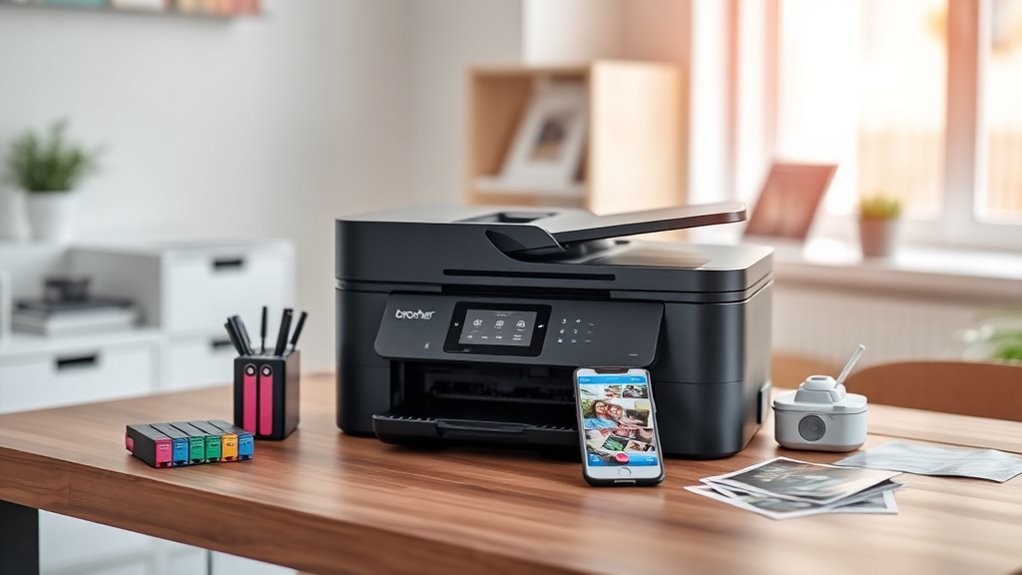
When choosing a Brother all-in-one wireless printer, you’ll want to compare print speeds to match your workflow. It’s important to find one that keeps up with how quickly you need your documents.
Check the connectivity options and make sure the device works smoothly with your gadgets. You don’t want to deal with constant connection issues, right?
Also, consider ink efficiency, paper capacity, and compatibility to get the best fit for your needs. These factors can save you time and money in the long run.
Print Speed Comparison
Although print speed isn’t the only factor to take into account, it plays an essential role in choosing the right Brother all-in-one wireless printer for your needs. Monochrome laser models like the DCP-L2640DW can print up to 36 ppm, giving you fast black-and-white output.
If you need color, expect slower speeds—color inkjets typically print between 9 to 16 ppm. The MFC-L3780CDW, a color laser, offers up to 31 ppm, balancing speed and color quality, ideal for small businesses.
Inkjet models such as the Work Smart 1360 print black at just 16 ppm, showing laser’s clear speed advantage for text-heavy tasks. Remember, scanning speed also matters; some Brother models scan up to 29 ipm in black.
Plus, automatic duplex printing boosts efficiency while saving paper. It’s a handy feature that makes your printing tasks quicker and more eco-friendly.
Connectivity Options Available
Print speed can make a big difference in your workflow, but how you connect your Brother all-in-one wireless printer affects convenience and flexibility just as much. Many models offer dual-band Wi-Fi, letting you switch between 2.4GHz and 5GHz networks for better performance.
You can also print directly from your smartphone or tablet using Brother Mobile Connect, which lets you manage printing and scanning remotely. If wireless isn’t an option, USB 2.0 ports provide a solid wired connection.
Integration with cloud services like Google Drive, Dropbox, and OneDrive means you can access documents right from the printer. Plus, some models include NFC, so you can print instantly by tapping compatible devices.
These connectivity options guarantee you stay productive no matter how you work.
Ink and Toner Efficiency
Ink and toner efficiency plays an essential role in keeping your printing costs low and your workflow smooth. Brother’s INKvestment series offers high-yield cartridges, like a 1,200-page black cartridge and 500-page color cartridges, so you replace cartridges less often.
Many Brother laser printers feature Toner Save Mode, which reduces toner use and extends cartridge life. You can also track ink levels easily with the Page Gauge feature on select inkjet models, helping you avoid running out mid-task.
Plus, automatic duplex printing cuts paper waste, lowering overall costs. Some models even have an EPEAT® Silver rating, showing energy efficiency that helps reduce power and ink consumption.
Choosing a Brother printer with these features means you’ll save money and print more efficiently. It’s a smart choice for anyone wanting to get the most out of their printing.
Paper Handling Capacity
When you choose a Brother all-in-one wireless printer, considering its paper handling capacity can make a big difference in your daily workflow. Look for printers with a paper tray capacity between 150 to 250 sheets to reduce refill frequency, especially in busy small to medium offices.
An Automatic Document Feeder (ADF) with 20 to 50 sheets boosts efficiency by letting you scan or copy multiple pages quickly. Also, check the maximum media size—many support up to 8.5″ x 14″—so you can handle letter and legal documents without hassle.
Don’t forget duplex printing, which automatically prints on both sides, saving paper and cutting waste. Prioritizing these features helps you maintain smooth, productive printing sessions every day.
Device Compatibility Features
Although choosing the right Brother all-in-one wireless printer means focusing on print quality and speed, you’ll also want to take into account device compatibility features to guarantee seamless integration with your tech setup.
Many models offer dual-band wireless connectivity (2.4GHz/5GHz), ensuring reliable performance across various network environments. You can easily print, scan, and manage documents from your smartphone or tablet using the Brother Mobile Connect app.
Plus, support for cloud services like Google Drive, Dropbox, and OneDrive lets you access and print files from multiple devices. USB connectivity provides a direct link to computers when needed.
Brother printers work with both Windows and macOS operating systems, so no matter your setup, you’ll enjoy smooth, hassle-free compatibility.
Security and Privacy Measures
Beyond compatibility and convenience, protecting your documents and data during wireless printing should be a top priority. Brother all-in-one wireless printers come with advanced security features like encryption protocols and secure network settings, ensuring your information stays safe during transmission.
Many models offer NFC card readers for badge authentication, so only authorized users can access printing functions. You’ll want to keep your printer’s firmware updated regularly, as updates patch vulnerabilities that hackers might exploit.
Additionally, a strong customer support system is essential—it helps you quickly address any security concerns via online, call, or live chat services. By choosing a Brother printer with these security measures, you can confidently protect your sensitive data every time you print.
Eco-Friendly Printing Modes
Eco-friendly printing modes make a big difference in reducing your environmental impact while using a Brother all-in-one wireless printer. Many models offer automatic duplex printing, letting you print on both sides of the paper. This cuts paper use in half.
You’ll also find energy-efficient options with ENERGY STAR® and EPEAT® Silver certifications that lower power consumption. Toner save modes in laser printers stretch your cartridges’ life by using less toner on everyday prints.
Eco Mode further conserves energy by optimizing printing settings for lighter use. Plus, mobile printing and cloud connectivity let you print directly from digital files. This encourages a paperless workflow.
Choosing a Brother printer with these eco-friendly features helps you save resources and reduce waste effortlessly. It’s a smart way to print greener without any hassle.
User Interface Design
When choosing a Brother all-in-one wireless printer, you’ll want an interface that makes your tasks quick and easy. A user-friendly design with a color touchscreen—like a 2.7” display—lets you navigate print, scan, and copy functions effortlessly.
Integration with cloud services such as Google Drive and Dropbox simplifies printing directly from your files, saving time. Managing your printer is also easier with a mobile app that lets you monitor ink levels and control print jobs from your smartphone or tablet.
Features like the Page Gauge ink monitoring system help you track ink usage and plan replacements proactively, so you avoid unexpected downtime. Prioritizing an intuitive interface guarantees a smooth, efficient printing experience every time you use your Brother all-in-one wireless printer.
Frequently Asked Questions
How Long Is the Warranty on Brother All-In-One Wireless Printers?
Brother all-in-one wireless printers typically come with a one-year limited warranty. You can usually extend it by registering your printer or purchasing additional coverage.
It’s a good idea to check your specific model’s details for the exact warranty terms and conditions. That way, you know exactly what’s covered and for how long.
Are Brother Wireless Printers Compatible With Mac and Windows?
Don’t worry about compatibility headaches; Brother wireless printers work seamlessly with both Mac and Windows. You’ll easily connect, print, and scan without fuss.
This makes your workflow smooth whether you’re on a MacBook or a Windows PC. It’s pretty straightforward, no matter which system you prefer.
Can Brother Printers Connect to Smartphones via Bluetooth?
Yes, you can connect many Brother printers to your smartphone via Bluetooth. Just enable Bluetooth on both devices and pair them.
Then, use the Brother app to print directly from your phone. It’s quick and easy!
What Is the Average Ink Cost per Page for Brother Printers?
You’ll typically spend around 3 to 7 cents per page on ink with Brother printers, depending on the model and cartridge type. Choosing high-yield cartridges can help you save money and print more pages between replacements.
It really depends on what kind of printing you do and which cartridges you pick. Going for those high-yield options is usually a smart move if you want to keep costs down over time.
Do Brother Wireless Printers Support Duplex Scanning Automatically?
Yes, many Brother wireless printers support automatic duplex scanning, letting you scan both sides of a document without flipping pages manually.
Just check your model’s specs to verify it includes this convenient feature. It really makes scanning double-sided documents a lot easier!
Conclusion
Choosing the perfect Brother all-in-one wireless printer is like finding a trusted companion for your daily tasks—it effortlessly blends speed, quality, and convenience. Whether you need crisp monochrome pages or vibrant color prints, these models have you covered.
Don’t let cords tangle your workflow; embrace wireless freedom and watch your productivity soar. With the right choice, your printing journey will be smooth sailing, turning every document into a masterpiece with just a click.
In 2027, Brother all-in-one wireless printers stand out for their reliability and ease of use. They deliver fast, high-quality prints and seamless connectivity, making them ideal for home offices or busy workplaces. Choosing one means investing in a device that keeps your tasks flowing without interruption. So, go ahead—upgrade to a Brother wireless printer and enjoy hassle-free printing that boosts your productivity and fits perfectly into your wireless lifestyle.