12 Best Bluetooth Printers for MacBook Air in 2027
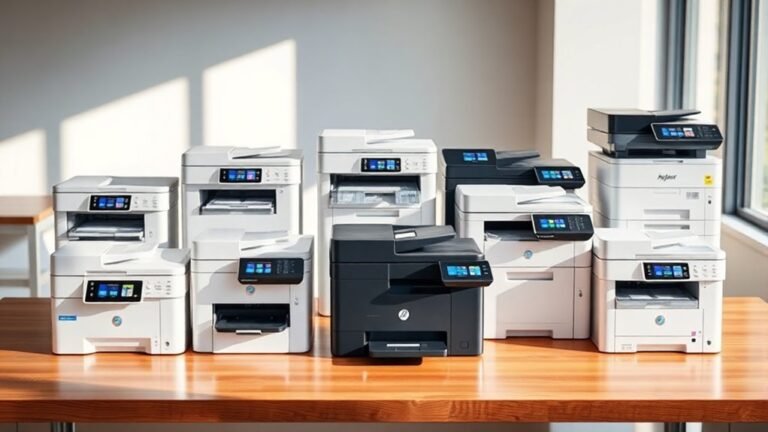
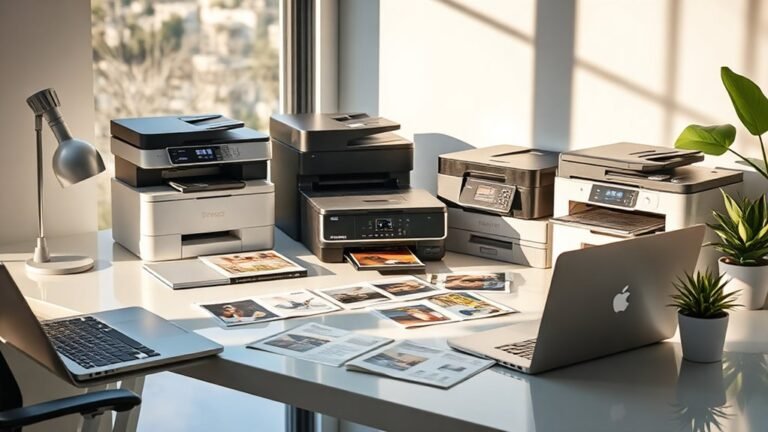
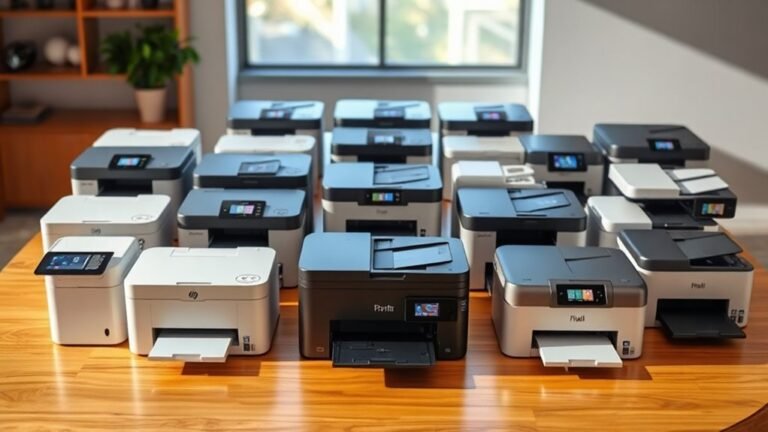
If you need a reliable Bluetooth printer for your MacBook Air in 2027, you’re in luck. There are plenty of great options designed to offer wireless ease and crisp, high-quality prints.
Models like the HP DeskJet 2923 or Canon PIXMA TS6520 are top picks that combine convenience with performance.
You’ll love features such as intuitive touchscreens, dual-band Wi-Fi, and seamless AirPrint compatibility, making printing from your MacBook Air a breeze.
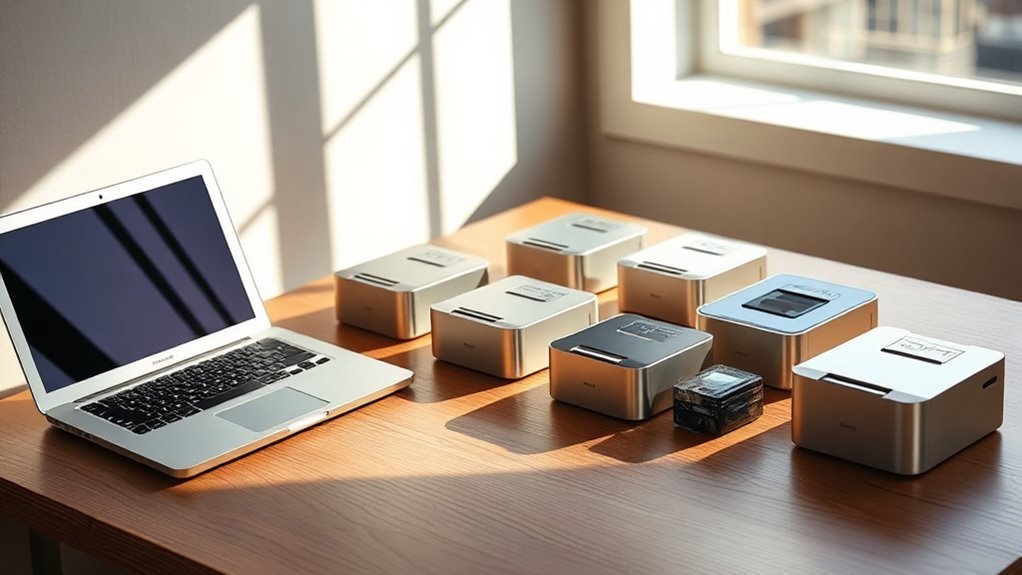
Whether you want a compact inkjet for your desk or a portable thermal printer for printing on the go, there’s something for everyone.
Keep exploring to find the perfect printer that matches your workspace style and printing needs.
With so many choices, you’re sure to discover a Bluetooth printer that fits your lifestyle perfectly.
| Image | Name | Editor's Rating | Price |
|---|---|---|---|

|
|
||

|
|
||

|
|
||

|
|
||

|
|
HP DeskJet 2923 Color Inkjet Printer | Wireless | All-in-One
- Perfect for basic printing needs – Print everyday color documents like to-do lists, letters, financial documents and recipes
- KEY FEATURES – Color print, copy, scan, and a 60-sheet input tray, plus mobile and wireless printing
- OPTIMIZE PRINT FORMATTING WITH HP AI – Print web pages and emails with precision—no wasted pages or awkward layouts; HP AI easily removes unwanted content, so your...
- ICON LCD – Print your basic documents with ease from the intuitive control panel
- PRINT SPEED – Up to 7.5 ppm black, 5.5 ppm color

Experience hassle-free printing with the HP DeskJet 2923 Color Inkjet Printer, designed to simplify your home office tasks. This all-in-one device prints, scans, and copies with ease, making everyday document management straightforward. Its wireless capability ensures a clutter-free workspace and seamless connection to your MacBook Air and other mobile devices.
The compact and lightweight design fits comfortably on any desk without overwhelming your space. Despite its small size, the printer delivers crisp black text at 1200 x 1200 dpi and vibrant color prints with optimized 4800 x 1200 dpi, enhancing the quality of your documents and photos.
Maintenance is simple with a modest input tray capacity of 60 sheets, suitable for light to moderate use. While print speeds are modest at 7.5 ppm for black and 5.5 ppm for color, this printer is ideal for users who prioritize quality over speed. Copying up to 9 pages per run supports occasional copying needs without hassle.
Best for: home users seeking a compact, wireless all-in-one printer that integrates smoothly with MacBook Air and mobile devices for everyday printing, scanning, and copying.
What We Like:
- Compact, lightweight design ideal for small spaces
- Sharp print quality with vivid color output
- Easy wireless setup with dual-band Wi-Fi and Apple AirPrint
- Multifunction capability for printing, scanning, and copying
Specification:
| Feature | Details |
|---|---|
| Manufacturer | HP |
| Dimensions (W x D x H) | 16.7 x 12.3 x 5.9 inches |
| Weight | 7.6 lb (3.45 kg) |
| Color Options | White |
| Connectivity | Dual-band Wi-Fi, Apple AirPrint |
Canon PIXMA TS6520 Wireless Color Inkjet Printer, 1.42″ OLED Display, White
- Affordable Versatility - A budget-friendly all-in-one printer perfect for both home users and hybrid workers, offering exceptional value
- Crisp, Vibrant Prints - Experience impressive print quality for both documents and photos, thanks to its 2-cartridge hybrid ink system that delivers sharp text and vivid...
- Effortless Setup & Use - Get started quickly with easy setup for your smartphone or computer, so you can print, scan, and copy without delay
- Reliable Wireless Connectivity - Enjoy stable and consistent connections with dual-band Wi-Fi (2.4GHz or 5GHz), ensuring smooth printing from anywhere in your home or...
- Scan & Copy Handling - Utilize the device’s integrated scanner for efficient scanning and copying operations
Experience sharp, vibrant prints with the Canon PIXMA TS6520, designed to bring wireless convenience to your home or office. This compact inkjet printer handles printing, scanning, and copying with ease, making everyday tasks simpler and more efficient.
Thanks to its 2-cartridge hybrid ink system, you get crisp text and bright colors at up to 1200 x 1200 dpi. The printer’s auto-duplex feature helps reduce paper waste by printing on both sides automatically. Its dual-band Wi-Fi ensures stable connections, so you can print directly from your smartphone or tablet without hassle.
Maintenance is straightforward with the intuitive 1.42” OLED display that keeps you informed about ink levels and printer status. Voice control support and easy mobile setup add extra convenience for busy users. While it prints borderless photos and documents up to 8.5” x 11”, it’s best suited for moderate printing needs rather than large volumes.
The Canon PIXMA TS6520 blends functionality and style, offering reliable performance for families, students, and casual users who value quality and wireless ease.
Best for: Families and students seeking a reliable, user-friendly all-in-one printer that delivers sharp, vibrant prints with wireless convenience.
What We Like:
- Compact design with an intuitive 1.42” OLED display
- High-quality prints with hybrid ink system at 1200 x 1200 dpi
- Auto-duplex printing reduces paper waste
- Dual-band Wi-Fi and voice control for easy wireless use
Specification:
| Feature | Details |
|---|---|
| Manufacturer | Canon |
| Dimensions | Compact (exact size not specified) |
| Weight | Not specified |
| Ink System | 2-cartridge hybrid ink |
| Max Print Resolution | 1200 x 1200 dpi |
| Media Size | Up to 8.5” x 11” |
| Display | 1.42” OLED |
| Connectivity | Dual-band Wi-Fi, voice control compatible |
| Color Options | White |
HP Envy 6155 Wireless All-in-One Color Printer
- FROM AMERICA'S MOST TRUSTED PRINTER BRAND – The Envy 6155 is perfect for homes printing everyday high-quality color documents like homework and borderless photos. Print...
- 3 MONTH TRIAL OF INSTANT INK – Subscribe to the Instant Ink delivery service to get ink delivered directly to your door before you run out, and you save up to 50% on...
- KEY FEATURES – Color print, copy and scan, plus auto 2-sided printing and a 100-sheet input tray
- HP'S MOST INTUITIVE COLOR TOUCHSCREEN – Smoothly navigate your printer with the easy-to-use 2.4" touchscreen
- WIRELESS PRINTING – Stay connected with our most reliable dual-band Wi-Fi, which automatically detects and resolves connection issues
Experience hassle-free printing with the HP Envy 6155 Wireless All-in-One Color Printer. It is designed to simplify everyday tasks by combining printing, scanning, and copying in one compact device. Its seamless wireless connection eliminates cable clutter and allows easy access from multiple devices.
This printer helps reduce paper waste with its duplex printing feature, letting you print on both sides automatically. The intuitive 2.4-inch touchscreen makes setup and navigation straightforward, while dual-band Wi-Fi ensures a stable connection. You can also print directly from your smartphone using the HP app, enhancing convenience.
Maintenance is simple, but keep in mind that it only supports original HP cartridges, which may increase operating costs. Its input tray holds up to 100 sheets, making it ideal for light to moderate use without constant refilling.
With eco-friendly construction using 60% recycled plastic, the HP Envy 6155 stands out as a sustainable choice. Its sleek, lightweight design fits neatly alongside your MacBook Air without occupying much space.
Best for: Individuals and small home offices needing a compact, eco-conscious all-in-one printer with reliable wireless connectivity and straightforward mobile printing.
What We Like:
- Supports automatic duplex printing to save paper.
- Built with 60% recycled plastic for sustainability.
- Easy-to-use 2.4-inch color touchscreen.
- Dual-band Wi-Fi for stable wireless connections.
- Compact design ideal for small workspaces.
Specification:
| Feature | Details |
|---|---|
| Manufacturer | HP |
| Dimensions | Compact size (exact size not provided) |
| Weight | Lightweight (exact weight not provided) |
| Material | 60% recycled plastic |
| Connectivity | Dual-band Wi-Fi, wireless |
| Display | 2.4-inch color touchscreen |
Canon PIXMA TS4320 – Wireless Color Inkjet Printer with Print, Copy, Scan
- Affordable Versatility - A budget-friendly all-in-one printer perfect for both home users and hybrid workers, offering exceptional value
- Crisp, Vibrant Prints - Experience impressive print quality for both documents and photos, thanks to its 2-cartridge hybrid ink system that delivers sharp text and vivid...
- Effortless Setup & Use - Get started quickly with easy setup for your smartphone or computer, so you can print, scan, and copy without delay
- Reliable Wireless Connectivity - Enjoy stable and consistent connections with dual-band Wi-Fi (2.4GHz or 5GHz), ensuring smooth printing from anywhere in your home or...
- Scan & Copy Handling - Utilize the device’s integrated scanner for efficient scanning and copying operations
The Canon PIXMA TS4320 combines a compact design with versatile wireless connectivity, making it a smart choice for MacBook Air users who need dependable everyday printing. Its dual-band Wi-Fi lets you connect effortlessly through the Canon PRINT app, Apple AirPrint, or Mopria Print Service. This ensures smooth and flexible printing from various devices without hassle.
Printing sharp color and black-and-white pages is easy and efficient, with speeds of up to 9 and 14 ppm respectively. The automatic duplex feature helps reduce paper waste by printing on both sides, supporting eco-friendly use. Its lightweight build fits comfortably in tight spaces, perfect for home offices or small work areas.
Maintenance is straightforward with a 2-cartridge hybrid ink system designed to deliver consistent quality across different media types. The built-in 600 dpi flatbed scanner also handles copying and scanning tasks, making it a versatile all-in-one solution. However, the printer lacks an advanced display, which may limit ease of use for complex settings.
Best for: MacBook Air users and home or small office environments seeking a compact, wireless printer with reliable printing, scanning, and copying capabilities.
What We Like:
- Seamless dual-band Wi-Fi connectivity with multiple mobile printing options
- Auto-duplex printing saves paper and enhances efficiency
- Compact and lightweight for easy placement in small spaces
- Versatile 2-cartridge ink system supports quality prints on various media
Specification:
| Feature | Details |
|---|---|
| Manufacturer | Canon |
| Dimensions (W x D x H) | 14.5 x 11.7 x 5.0 inches |
| Weight | 8.8 lbs (4.0 kg) |
| Color Options | Black, White |
| Connectivity | Dual-band Wi-Fi, USB |
| Print Speed | Up to 9 ppm (color), 14 ppm (B&W) |
| Scanner Resolution | 600 dpi flatbed |
Gloryang Inkless Portable Wireless Thermal Printer Kit
- Inkless Printing – Gloryang portable printer uses advanced thermal technology, requiring no ink, toner, or ribbons. The package includes the printer, 3 thermal paper...
- Seamless Bluetooth Connectivity – The Gloryang mobile sticker printer connects easily to iOS and Android via Bluetooth through the “Jadens Printer” app. It also...
- Ultra-Portable Design - Weighing just 1.75lb and measuring 1.7in thick, the Gloryang portable printer is incredibly lightweight and compact. Perfect for on-the-go...
- Space-Saving Design - Say goodbye to clutter with the built-in paper bin of the Gloryang printer. It saves space and keeps your workspace tidy, whether you're on the go...
- Perfect Gift for Holiday-Gloryang thermal printer can print clear photos, image, design drawings and text. It's perfect for busy professionals and students. Come with a...
Gloryang’s inkless portable wireless thermal printer offers a practical solution for quick, mess-free printing wherever you go. Its advanced thermal technology means you won’t need ink, toner, or ribbons, simplifying maintenance and reducing ongoing costs. This makes it ideal for users who want a hassle-free printing experience without the usual printer mess.
Weighing just 1.75 pounds and designed with a compact built-in paper bin, this printer fits easily into backpacks or briefcases. It connects smoothly via Bluetooth to your MacBook Air, iOS, or Android devices using the “Jadens Printer” app, allowing you to print directly from your favorite gadgets. The included three rolls of thermal paper and carrying case enhance its portability.
The printer produces clear, monochrome prints at 203 x 203 dpi, making it suitable for text documents, notes, and simple graphics. While it only supports 8.5 x 11 inch thermal paper and lacks color printing, it excels in providing fast, efficient prints without the need for extra supplies or frequent maintenance.
Best for: travelers, students, and busy professionals who need a lightweight, portable, and mess-free printing solution on the go.
What We Like:
- Inkless thermal printing reduces maintenance and supply needs
- Compact design with built-in paper storage for easy portability
- Bluetooth connectivity with a dedicated app for versatile device use
Specification:
| Feature | Details |
|---|---|
| Manufacturer | Gloryang |
| Dimensions | Compact (exact size not specified) |
| Weight | 1.75 lb (0.79 kg) |
| Paper Size Support | 8.5 x 11 inches thermal paper |
| Printing Technology | Inkless thermal |
| Connectivity | Bluetooth via “Jadens Printer” app |
Brother Work Smart 1360 Wireless Color Inkjet All-in-One Print, Scan, Copy

- AFFORDABLE ALL-IN-ONE FOR HOME AND HOME OFFICE: Print, copy, and scan on one compact wireless printer designed for everyday home office printing, schoolwork, documents...
- EASY TO USE WITH CLOUD APP CONNECTIONS: Print from and scan to popular Cloud apps(2), including Google Drive, Dropbox, Box, OneDrive, and more from the simple-to-use...
- FULL-SIZE FEATURES IN A COMPACT DESIGN: This printer includes automatic duplex (2-sided) printing, a 20-sheet single-sided Automatic Document Feeder (ADF)(3), and a...
- MULTIPLE CONNECTION OPTIONS: Connect your way. Interface with your printer on your wireless network or via USB.
- MOBILE PRINTING MADE EASY: Go mobile with the Brother Mobile Connect app(5) that delivers easy onscreen menu navigation for printing, copying, scanning, and device...
The Brother Work Smart 1360 Wireless Color Inkjet All-in-One is designed to streamline your printing tasks at home or in a small office. It delivers crisp, high-resolution prints at a solid speed, helping you complete projects efficiently without sacrificing quality. This printer handles both black-and-white and color documents with ease, making it a reliable choice for everyday use.
Its compact design fits comfortably in limited spaces, reducing clutter while providing essential functionality. The 20-sheet automatic document feeder simplifies scanning and copying, saving time on multi-page tasks. Wireless connectivity options like Wi-Fi Direct and AirPrint allow seamless printing and scanning from devices such as your MacBook Air.
Maintenance is straightforward, though the 150-sheet paper tray means you may need to refill it often during heavy use. Ink costs can add up, especially with genuine Brother cartridges, so planning for replacements is wise. The inclusion of a 1.8” color display and cloud app support helps you manage print jobs and settings with ease.
This all-in-one printer balances performance and convenience, making it a practical addition to home offices or small business environments that require reliable, wireless color printing and scanning.
Best for: Individuals and small home office users needing a compact, wireless color inkjet printer with versatile functionality.
What We Like:
- Fast, sharp printing with automatic duplex to save paper
- Multiple wireless connection options for easy device integration
- User-friendly color display and cloud app support for simple operation
- Efficient document handling with a 20-sheet automatic document feeder
- Energy Star certification for reduced power consumption
Specification:
| Feature | Details |
|---|---|
| Manufacturer | Brother |
| Dimensions (W x D x H) | 16.9 x 14.6 x 7.7 inches (42.9 x 37.1 x 19.6 cm) |
| Weight | Approx. 14.5 lbs (6.6 kg) |
| Printer Type | Wireless Color Inkjet All-in-One |
| Paper Tray Capacity | 150 sheets |
| Display | 1.8-inch Color LCD |
Canon PIXMA TS7720 Wireless All-in-One Printer

- ALL-IN-ONE: Print, Copy, Scan features for full control at your fingertips.
- FAST PRINT SPEEDS: Print approximately 15 (black) / 10 (color) images per minute.
- EASY SETUP: Get running in just a few minutes thanks to a streamlined and easy setup process out of the box.
- EASY TO INSTALL INK: Print full color with only 2 (no mess) easy-to-replace ink cartridges.
- 2.7” LCD SCREEN: Get the job done with an intuitive and easy to use 2.7” LCD touchscreen.
Discover the convenience of the Canon PIXMA TS7720, designed to simplify your home printing needs. This wireless all-in-one printer delivers sharp, high-quality color and black-and-white prints quickly, helping you manage tasks efficiently without hassle. Its compact design fits easily into any workspace.
The intuitive 2.7” touchscreen lets you control printing, scanning, and copying with ease. Wireless and USB connectivity options provide flexible setup for multiple devices, including your MacBook Air. With duplex printing and borderless capabilities, you can create professional documents and vibrant photos on various media types.
Maintenance is straightforward thanks to the efficient 2-cartridge FINE Hybrid ink system. The printer supports up to 100 sheets in its paper cassette and rear tray, suitable for everyday home use. While media size is limited to standard letter paper, this keeps handling simple and reliable.
Best for: Home users seeking a compact, versatile all-in-one printer that offers fast, easy wireless setup and high-quality color printing.
What We Like:
- Fast print speeds up to 15 ppm black and 10 ppm color
- Easy-to-use 2.7” touchscreen interface
- Flexible wireless and USB connectivity
- Supports duplex and borderless printing on various media
- Efficient 2-cartridge ink system for simple maintenance
Specification:
| Feature | Details |
|---|---|
| Manufacturer | Canon |
| Dimensions | Compact (exact size not specified) |
| Weight | Not specified |
| Color Options | Not specified |
| Connectivity | Wireless, USB |
| Print Resolution | Up to 1200 x 1200 dpi |
| Print Speed | 15 ppm black, 10 ppm color |
| Paper Capacity | 100 sheets (cassette and rear tray) |
| Media Size | Up to 8.5” x 11” (letter) |
Canon PIXMA TS3720 Wireless All-in-One Printer
No products found.
The Canon PIXMA TS3720 offers a compact and wireless printing solution designed to fit seamlessly into your home workspace. Its all-in-one functionality allows you to print, copy, and scan with ease, reducing the need for multiple devices. This versatility makes managing documents and photos straightforward and efficient.
With dual-band Wi-Fi connectivity, it pairs smoothly with your MacBook Air and supports AirPrint and the Canon PRINT app. This ensures you can print directly from your mobile devices without hassle. The intuitive 1.5” LCD screen simplifies navigation, helping you complete tasks quickly.
Maintenance is hassle-free thanks to the simple two-cartridge ink system, which keeps replacements affordable and straightforward. While the printer handles various media sizes, including borderless photos up to 5” x 7”, the 60-sheet paper capacity means regular refills for larger projects.
Though print speeds are moderate, the TS3720 balances functionality with a lightweight design, weighing only 8.7 pounds. It fits comfortably on desks without compromising on performance or convenience.
Best for: MacBook Air users needing a compact, wireless all-in-one printer for everyday home printing, copying, and scanning tasks.
What We Like:
- Seamless dual-band Wi-Fi and AirPrint support for easy wireless printing
- Compact, lightweight design ideal for small spaces
- User-friendly two-cartridge ink system for cost-effective maintenance
- Supports borderless photo printing up to 5” x 7”
Specification:
| Feature | Details |
|---|---|
| Manufacturer | Canon |
| Weight | 8.7 lb (3.95 kg) |
| Connectivity | Dual-band Wi-Fi, AirPrint |
| Display | 1.5” LCD screen |
| Media Handling | Borderless photos up to 5” x 7” |
| Paper Capacity | 60 sheets |
HP Envy Photo 7975 Wireless Color Inkjet Printer

- From America's most trusted printer brand, the HP Envy Photo 7975 is a premium multi-purpose home printer with everything families need to learn, work, and create. Loaded...
- PERFECT FOR HOME - The HP Envy Photo 7975 is great for printing documents, high-quality true-to-screen borderless photos, creative projects and more. Print speeds up to...
- 3 MONTHS OF INK INCLUDED - Subscribe to the Instant Ink delivery service to get ink delivered directly to your door before you run out. After 3 months, a monthly fee...
- KEY FEATURES - Print, copy, scan, automatic 2-sided printing, advanced photo features, separate photo tray, auto document feeder, mobile and wireless printing.
- EFFORTLESS PRINTING - Smoothly navigate printing with a large intuitive printer color touchscreen.
Experience vibrant, high-quality photo printing with the HP Envy Photo 7975 Wireless Color Inkjet Printer. This printer is designed to deliver sharp, borderless images that bring your creative projects to life. Its compact design fits perfectly in any home workspace, making it ideal for personal and family use.
Navigating print tasks is simple thanks to the intuitive 2.7” color touchscreen. Automatic duplex printing and a 35-sheet document feeder help you handle multiple pages effortlessly, saving time and boosting productivity. Wireless and USB connections let you print directly from smartphones, laptops, or tablets, offering flexible options for your workflow.
Maintenance is straightforward, especially with the included 3-month Instant Ink trial that helps manage ink costs and ensures you never run out unexpectedly. Although the printer supports sharp resolutions up to 4800 x 1200 dpi, print speeds are moderate, making it better suited for home or creative use rather than heavy office demands.
Paper capacity is limited to 125 sheets, so frequent refills may be needed during large print jobs. Ink cartridges can be costly without a subscription, but the printer’s ease of use and photo quality provide excellent value for everyday printing needs.
Best for: Creative home users and families seeking high-quality photo printing with versatile wireless connectivity and user-friendly controls.
What We Like:
- Delivers sharp, borderless photos with high resolution
- Easy navigation with a 2.7” color touchscreen
- Automatic duplex printing with a 35-sheet feeder enhances productivity
- Supports wireless and USB printing from multiple devices
Specification:
| Feature | Details |
|---|---|
| Manufacturer | HP |
| Dimensions | Compact (exact size not specified) |
| Weight | Not specified |
| Material | Plastic |
| Color Options | Not specified |
Canon PIXMA TR7820 – Wireless Home All-in-One Printer

- ALL-IN-ONE: Print, Copy, Scan features for full control at your fingertips.
- FAST PRINT SPEEDS: Print approximately 15 (black) / 10 (color) images per minute.
- EASY SETUP: Get running in just a few minutes thanks to a streamlined and easy setup process out of the box.
- EASY TO INSTALL INK: Print full color with only 2 (no mess) easy-to-replace ink cartridges.
- 2.7” LCD SCREEN: Get the job done with an intuitive and easy to use 2.7” LCD touchscreen.
Experience hassle-free printing with the Canon PIXMA TR7820, designed to meet the demands of home users needing a reliable all-in-one solution. Its wireless setup and compact design make it easy to place anywhere, helping you save space while staying productive.
This printer handles everyday tasks like printing, copying, and scanning with ease. The intuitive 2.7” LCD touchscreen simplifies operation, reducing time spent on maintenance and setup. Auto duplex printing cuts paper use, making your workflow more efficient and environmentally friendly.
Prints come out sharp and clear, thanks to a maximum resolution of 1200 x 1200 dpi. It produces up to 15 pages per minute in black and 10 in color, supporting standard letter-size media with borderless options. The 35-sheet automatic document feeder and 100-sheet paper tray reduce frequent refills.
While it uses only two cartridges, this simplifies ink replacement but may increase costs over time. Its focus on standard-sized media suits typical home office needs but may not accommodate larger formats.
Best for: Home users wanting a compact, wireless all-in-one printer that combines functionality with easy maintenance.
What We Like:
- Clear, high-resolution prints at fast speeds
- Wireless and mobile printing with simple touchscreen controls
- Efficient media handling with auto duplex and ADF
- Compact design saves space without sacrificing features
Specification:
| Feature | Details |
|---|---|
| Manufacturer | Canon |
| Dimensions (W×D×H) | 17.7 × 12.2 × 7.1 in |
| Weight | 13.2 lb |
| Color Options | Black |
| Max Print Resolution | 1200 x 1200 dpi |
| Print Speed (B/W) | Up to 15 ppm |
| Print Speed (Color) | Up to 10 ppm |
| Media Size Supported | Up to 8.5” x 11” |
| Input Capacity | 100-sheet tray + 35-sheet ADF |
HP LaserJet M110w | Monochrome | Laser Printer

- FROM AMERICA'S MOST TRUSTED PRINTER BRAND – Perfect for small teams printing professional-quality black & white documents and reports. Perfect for 1-3 people
- WORLD'S SMALLEST LASER IN ITS CLASS – Precision laser printing that fits anywhere
- FAST PRINT SPEEDS – Up to 21 black-and-white pages per minute single-sided
- WIRELESS WITH SELF-RESET – Helps you stay connected
- PRINT FROM ANY DEVICE – Wireless printing from any mobile device, PC or tablet. Works with Microsoft, Mac, AirPrint, Android, Chromebook and more
The HP LaserJet M110w delivers fast and dependable monochrome printing designed to keep small teams productive. It tackles everyday printing challenges with up to 21 pages per minute, ensuring sharp, clear text documents at 600 x 600 dpi. This printer simplifies workflows by supporting various paper types, including card stock and envelopes, so you can handle diverse printing needs without hassle.
Its compact design fits easily into tight office spaces, saving room without sacrificing performance. Wireless and USB connectivity options make setup straightforward and flexible. Compatibility with Mac, AirPrint, and the HP Smart App lets users print and scan directly from mobile devices, streamlining tasks and reducing downtime.
Maintenance is straightforward with an original toner cartridge pre-installed for quick start-up. However, the printer requires original HP cartridges due to firmware restrictions, and its 150-sheet capacity means frequent refills for larger print jobs. Despite these limitations, its energy-efficient operation and reliable output make it a practical choice for focused work environments.
Best for: Small teams of 1-3 people needing fast, reliable black-and-white printing with wireless convenience and a compact footprint.
What We Like:
- Prints up to 21 pages per minute with crisp 600 x 600 dpi output
- Supports multiple media types including card stock and envelopes
- Easy wireless and USB connectivity with mobile device support
- Compact and energy-efficient design suitable for small office spaces
Specification:
| Feature | Details |
|---|---|
| Manufacturer | HP |
| Dimensions | Compact size (exact size not specified) |
| Weight | Not specified |
| Printing Technology | Monochrome Laser |
| Print Speed | Up to 21 pages per minute |
| Resolution | 600 x 600 dpi |
| Paper Capacity | Up to 150 sheets |
| Connectivity | Wireless, USB |
| Compatible OS | Mac, AirPrint, others |
HP DeskJet 3755 Wireless All-in-One Printer (J9V92A)

- This Renewed product has been tested and certified to work and look like new, with minimal to no signs of wear. It is backed by a 90-day warranty, and may arrive in a...
- All-in-one compact wireless printer. Main functions of the HP DeskJet 3755 printer include copy, scan, wireless printing, Apple AirPrint, Instant Ink ready, and more.
- HP Thermal Inkjet. Resolution: Black (ISO): Up to 8 ppm; Color (ISO): Up to 5.5 ppm First Page Out Black: As fast as 15 sec; First Page Out Color: As fast as 18 sec...
- Black (ISO): Up to 8 ppm; Color (ISO): Up to 5.5 ppm First Page Out Black: As fast as 15 sec; First Page Out Color: As fast as 18 sec; Black (Draft): Up to 19 ppm; Color...
- Supported paper sizes: Various sizes from 3x5 in to 8.5x14 in including letter, legal, 4x6 in, 5x7 in, 8x10 in & No. 10 envelopes
The HP DeskJet 3755 Wireless All-in-One Printer is designed for users who need a compact and efficient printing solution that complements their Apple devices. Its small footprint fits easily into tight spaces, making it ideal for home offices or dorm rooms. This printer combines printing, scanning, and copying in one device, simplifying everyday tasks.
With wireless connectivity and Apple AirPrint support, it seamlessly integrates with your MacBook Air or iPhone, allowing you to print directly from your devices without extra setup. Voice control compatibility with Alexa adds convenience to your workflow. The printer handles various paper sizes and supports manual duplex printing, helping you save paper.
Maintenance is straightforward with a 60-sheet input tray that suits light to moderate printing needs. While print speeds are moderate, the fast first-page output ensures no long waits for your documents. The unique seagrass accent adds a touch of style without compromising performance.
Best for: users seeking a compact, stylish wireless all-in-one printer that works smoothly with Apple products for light home or small office tasks.
What We Like:
- Compact design with a stylish seagrass accent
- Wireless printing with Apple AirPrint and Alexa voice control
- Supports multiple paper sizes and manual duplex printing
- Fast first-page output for quick document access
Specification:
| Feature | Details |
|---|---|
| Manufacturer | HP |
| Dimensions (W×D×H) | 15.9 × 6.0 × 5.5 inches |
| Weight | 5.1 lb (2.31 kg) |
| Color Options | White with seagrass accent |
Factors to Consider When Choosing a Bluetooth Printer for MacBook Air
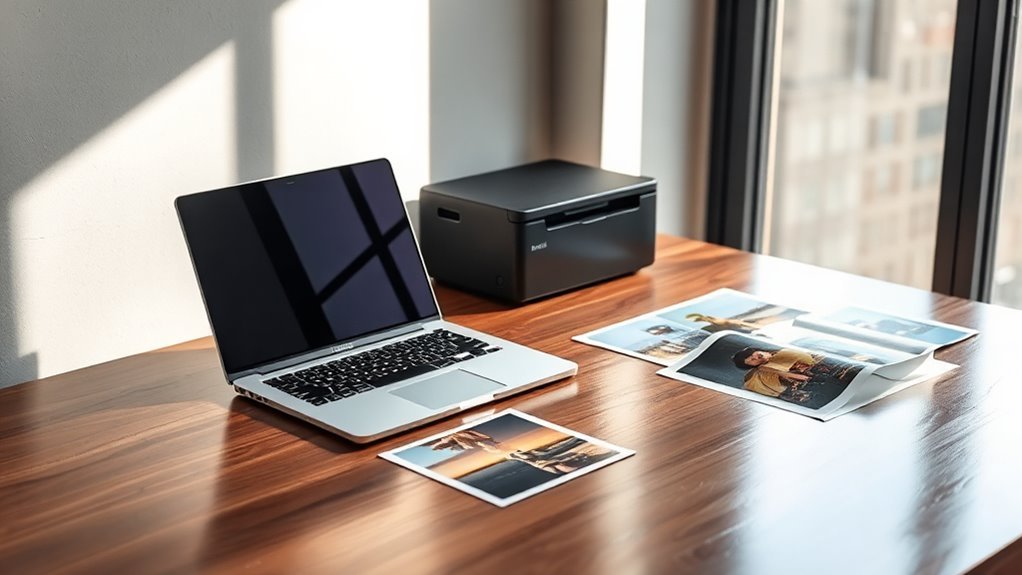
When choosing a Bluetooth printer for your MacBook Air, make sure it’s fully compatible with macOS and offers a strong Bluetooth connection range. You want something reliable that won’t drop your connection halfway through printing.
Also, take a good look at print quality and resolution. It helps if the printer supports mobile and wireless printing too, so you can print easily from your devices without hassle.
Don’t forget about size and portability. You’ll want a printer that fits your workspace and lifestyle without taking up too much room or weighing you down.
Compatibility With MacOS
Because macOS updates frequently, you’ll want to verify your Bluetooth printer fully supports the latest version to avoid compatibility issues. Check if the printer requires specific drivers or software updates to function properly with macOS.
Prioritize models that support Apple AirPrint, as this lets you print directly from your MacBook Air without extra software. Make sure the printer’s Bluetooth connectivity aligns with macOS standards, since some devices may have limited compatibility.
Reading user reviews and support documentation helps confirm smooth pairing and reliable operation with MacBook Air models. Finally, consider printers offering dedicated macOS apps, which can simplify setup and enhance printing features, ensuring a seamless experience tailored for your MacBook Air.
Bluetooth Connectivity Range
Though Bluetooth connectivity typically reaches about 30 feet, your printer’s range can vary greatly depending on obstacles and interference. Walls, furniture, and other objects can really cut down the effective range. This is especially true in busy office environments filled with electronic devices.
To get the best experience, go for a printer that supports Bluetooth 5.0. It offers better range and speed—potentially up to 800 feet in open spaces. But keep in mind, real-world distances usually end up being shorter.
Also, double-check that your MacBook Air’s Bluetooth version is compatible with the printer. This helps avoid connection hiccups. And don’t forget to watch out for firmware updates from the manufacturer. These updates can boost Bluetooth stability and performance.
Taking these things into account will help you get a solid, reliable connection when printing wirelessly.
Print Quality And Resolution
A strong Bluetooth connection won’t mean much if your prints lack clarity and detail. When choosing a Bluetooth printer for your MacBook Air, prioritize print resolution, measured in dots per inch (dpi).
For crisp text documents, look for at least 600 x 600 dpi to guarantee legibility. If you plan to print color images or photos, aim for 1200 x 1200 dpi or higher to capture vibrant colors and intricate details.
The type of printer also matters: inkjet printers typically deliver superior color reproduction, while laser printers excel at sharp text. Don’t overlook ink quality and cartridge consistency, as these affect print fidelity and longevity.
Mobile And Wireless Printing
Many Bluetooth printers today offer seamless mobile and wireless printing, letting you send documents directly from your smartphone, tablet, or MacBook Air without tangled cables. This convenience means you can print anywhere, whether at home or on the go.
When choosing a printer, look for compatibility with popular mobile printing protocols like AirPrint and Mopria to guarantee it works smoothly across all your devices. It really makes a difference in how easy and quick printing becomes.
Keep in mind that wireless printing speed and reliability depend on your network strength and the printer’s specs, so consider your typical environment. You don’t want to get stuck with slow print jobs just because your setup isn’t ideal.
Don’t overlook security features either—encrypted connections and secure print options help protect your sensitive documents from unauthorized access. It’s a smart way to keep your data safe while you enjoy the freedom of wireless printing.
Printer Size And Portability
Choosing the right Bluetooth printer means paying close attention to its size and portability, especially if you frequently move between workspaces or travel. Aim for a compact design that fits limited desk space and stores easily when not in use.
Weight matters too—look for models under 10 pounds so you can carry them without hassle. Check dimensions carefully; many portable printers range from 11 to 17 inches wide, ensuring they fit your workspace.
Also, consider printers with built-in paper storage or integrated designs that reduce bulk and improve portability. Finally, opt for energy-efficient printers that consume less power, which benefits you when printing in various mobile environments.
Prioritizing these factors makes your Bluetooth printer a perfect match for your MacBook Air lifestyle.
Ink Efficiency And Cost
Ink efficiency plays a major role in keeping your printing costs manageable over time. Look for printers that use high-yield cartridges, as they print more pages per cartridge, reducing the cost per print.
Many models offer subscription services that deliver ink automatically, often at a lower price than buying cartridges individually—this helps you avoid running out unexpectedly. It’s pretty convenient, right?
Keep in mind, higher print resolutions consume more ink, so balance your need for quality with efficiency. Check the page yield for both black and color cartridges to estimate long-term costs accurately.
Also, consider energy-efficient printers, which use less power and can lower your overall operating expenses. Prioritizing these factors guarantees you get a Bluetooth printer that’s both cost-effective and reliable for your MacBook Air.
Frequently Asked Questions
How Do I Troubleshoot Bluetooth Connectivity Issues With My Macbook Air?
You should restart your MacBook Air and your Bluetooth device. Make sure Bluetooth is turned on, and try forgetting the device, then re-pairing it.
Also, check if there are any software updates available for your MacBook. Sometimes, updating can fix connectivity bugs.
If that doesn’t help, try resetting the Bluetooth module. And don’t forget to remove any interference from other wireless devices nearby — they can sometimes cause issues.
Are There Any Security Risks Using Bluetooth Printers With Macbook Air?
Yes, you do face security risks using Bluetooth printers with your MacBook Air, like unauthorized access or data interception.
It’s a good idea to keep your printer’s firmware updated and use strong pairing codes. Also, turning off Bluetooth when you’re not printing can help keep things safe.
Can I Print Directly From iOS Devices to These Bluetooth Printers?
Yes, you can print directly from iOS devices to these Bluetooth printers. Just verify your printer supports Bluetooth and is compatible with AirPrint or dedicated apps.
That way, you can easily send documents and photos wirelessly from your iPhone or iPad. It’s pretty simple once you’ve got everything set up!
How Do Firmware Updates Affect Bluetooth Printer Compatibility?
Firmware updates can make or break your Bluetooth printer’s compatibility. They often fix bugs and add features, which is great.
But sometimes, they can cause connection issues instead. So, you’ll want to update carefully to keep your printing smooth and reliable.
What Is the Average Battery Life for Portable Bluetooth Printers?
You’ll find portable Bluetooth printers usually offer 4 to 8 hours of battery life on a single charge. It varies by model, but most let you print dozens of pages before needing to recharge.
That means you can stay productive without constantly worrying about power. Pretty handy, right?
Conclusion
Choosing the right Bluetooth printer for your MacBook Air doesn’t have to be overwhelming. With options like HP’s reliable models or Canon’s versatile PIXMA series, you’re sure to find a perfect fit for your needs.
Want convenience, quality, and wireless freedom all in one? Don’t settle for less when printing can be this effortless. Whether you need sharp text documents or vibrant photos, these printers have got you covered.
Ready to upgrade your setup and print with ease wherever you go? Finding the best Bluetooth printer for MacBook Air means enjoying seamless connectivity, fast printing speeds, and crisp results without the hassle of cables.
Your perfect printer is waiting to bring convenience and top-notch performance right to your fingertips. So go ahead, enhance your printing experience and make the most out of your MacBook Air with a Bluetooth printer designed for you!