4 Best Black and White Printers for Home Use in 2027
You’ll want a reliable, fast monochrome printer like the Brother HL-L2405W, known for sharp 1200 dpi prints and wireless ease. It’s a great choice if you need crisp text and quick output without fuss.
The HP LaserJet M110w is perfect if space is tight, fitting neatly on smaller desks without sacrificing quality. Meanwhile, the HP M234sdw offers all-in-one features with duplexing, making it ideal for small teams who need versatility.
The Canon imageCLASS LBP6030w provides compact wireless printing and predictable toner yield. Keep these in mind, and you’ll find the right fit for your home office needs as you explore further.
| Image | Name | Editor's Rating | Price |
|---|---|---|---|

|
|
||

|
|
||

|
|
Brother HL-L2405W Wireless Compact Monochrome Laser Printer
- BEST FOR HOMES & HOME OFFICES – Engineered for consistent, premium print quality, the Brother HL-L2405W Monochrome (Black & White) Laser Printer delivers sharp, crisp...
- COMPACT, CONNECTED PRINTER – Flexible connection options make this an ideal printer for home use and at-home offices. Securely connect to multiple devices with built-in...
- BROTHER MOBILE CONNECT APP – Manage your printer remotely and print from your mobile device anytime, from almost anywhere. Order Brother Genuine Supplies, track toner...
- VERSATILE PAPER HANDLING – Enjoy seamless, reliable everyday printing with the 250-sheet paper tray(4) and a manual feed slot that enables printing on envelopes and...
- BROTHER IS AT YOUR SIDE – Backed by Brother with a 1-year limited warranty and free online, call, or live chat support for the life of your printer

The Brother HL-L2405W is a compact and efficient monochrome laser printer designed to fit seamlessly into your home or small office space. It tackles everyday printing tasks with ease, delivering crisp black and white documents at a fast 30 pages per minute. This printer helps you stay productive without cluttering your desk.
Wireless dual-band connectivity and USB support simplify how you connect and print from laptops, smartphones, or tablets. You can manage print jobs conveniently, whether you’re at your desk or on the move. The printer’s manual duplex feature saves paper, while envelope printing adds flexibility for various mailing needs.
Maintenance is straightforward with a 250-sheet capacity, reducing the frequency of paper refills. The monochrome laser technology ensures sharp, clear text with high 1200 x 1200 dpi resolution, ideal for professional-looking documents. However, it does not offer color printing, scanning, or copying functions, which keeps it focused and easy to use.
This model suits users who need reliable, fast printing without extra features. It balances performance and simplicity, making it a practical choice for those prioritizing monochrome output and wireless convenience.
Best for: home users and small home offices requiring a compact, reliable monochrome laser printer with effective wireless connectivity and solid print speed.
What We Like:
- Sharp 1200 x 1200 dpi resolution for clear text documents
- Fast printing speed of up to 30 pages per minute
- Dual-band wireless and USB interfaces for flexible device connections
- Compact design with a generous 250-sheet paper capacity
- Manual duplex and envelope printing for versatile document handling
Specification:
| Feature | Details |
|---|---|
| Manufacturer | Brother |
| Dimensions | Approx. 14 x 14.2 x 7.2 in |
| Weight | Approx. 15.9 lb |
| Printing Technology | Monochrome Laser |
| Print Speed | Up to 30 pages per minute |
| Resolution | 1200 x 1200 dpi |
| Connectivity | Dual-band Wireless, USB |
| Paper Capacity | 250 sheets |
HP LaserJet M110w | Monochrome | Laser Printer
- FROM AMERICA'S MOST TRUSTED PRINTER BRAND – Perfect for small teams printing professional-quality black & white documents and reports. Perfect for 1-3 people
- WORLD'S SMALLEST LASER IN ITS CLASS – Precision laser printing that fits anywhere
- FAST PRINT SPEEDS – Up to 21 black-and-white pages per minute single-sided
- WIRELESS WITH SELF-RESET – Helps you stay connected
- PRINT FROM ANY DEVICE – Wireless printing from any mobile device, PC or tablet. Works with Microsoft, Mac, AirPrint, Android, Chromebook and more
The HP LaserJet M110w is designed to fit effortlessly into small workspaces where efficient black-and-white printing is essential. Its compact design makes it the world’s smallest laser printer in its category, ideal for cramped desks or home offices. This printer delivers crisp text and clear graphics at a steady speed, helping you finish tasks faster.
With a print speed of up to 21 pages per minute at 600 x 600 dpi, it handles everyday documents smoothly. The single 150-sheet input tray keeps things simple but may require regular refills during heavy use. Its monochrome laser technology ensures sharp results, though it prints only in black and white.
Connectivity is flexible, offering USB and wireless options. You can also print and scan using the HP Smart app on your mobile device, making remote work or printing from anywhere in the room hassle-free. Maintenance is straightforward, but it exclusively supports original HP toner cartridges, which may limit cartridge choices.
Energy Star certification underlines its efficiency, providing reliable performance without unnecessary power consumption. The LaserJet M110w is a practical solution for users who need dependable, space-saving printing without color requirements.
Best for: Small teams or individuals needing a compact, reliable monochrome laser printer for fast, high-quality black-and-white document printing in limited office spaces.
What We Like:
- World’s smallest laser printer in its category, saving desk space
- Consistent print speed of up to 21 ppm with sharp 600 x 600 dpi output
- Flexible connectivity via USB, wireless, and mobile printing through HP Smart app
- Energy-efficient design with straightforward maintenance
Specification:
| Feature | Details |
|---|---|
| Manufacturer | HP |
| Dimensions | Compact (exact size not provided) |
| Weight | Not specified |
| Printing Technology | Monochrome Laser |
| Print Speed | Up to 21 pages per minute |
| Print Resolution | 600 x 600 dpi |
| Input Tray Capacity | 150 sheets |
| Connectivity | USB, Wireless |
| Mobile Printing | HP Smart app compatible |
HP LaserJet M234sdw Monochrome Laser Printer | All-in-One
No products found.
Experience efficient black-and-white printing with the HP LaserJet M234sdw, designed to meet the needs of small teams and home offices. This all-in-one laser printer helps streamline your workflow by delivering up to 30 pages per minute. Automatic two-sided printing and a 40-page auto document feeder reduce manual tasks, saving you valuable time.
The printer supports both wired and wireless connections, seamlessly integrating with Windows, macOS, Android, and AirPrint devices. Using the HP Smart app, you can print, copy, and scan directly from your mobile device, enhancing convenience and productivity. Its compact design fits easily into tight spaces while maintaining professional performance.
Maintenance is straightforward, with a maximum paper capacity of 150 sheets, which suits small to medium print volumes. Energy-efficient and equipped with built-in security features, this model protects your data while minimizing power consumption. However, it only prints in monochrome and offers a basic 600 x 600 dpi resolution, which may limit use for high-detail projects.
Best for: Small teams of 1–5 users and home offices needing dependable and fast monochrome printing, copying, and scanning.
What We Like:
- Fast print speed up to 30 ppm with automatic duplexing.
- Versatile connectivity including dual-band Wi-Fi, Ethernet, and USB.
- Mobile-friendly with HP Smart app and AirPrint support.
- Built-in security features for data protection.
- Compact and energy-efficient design.
Specification:
| Feature | Detail |
|---|---|
| Manufacturer | HP |
| Dimensions | Compact (exact size not provided) |
| Weight | Not specified |
| Color Options | Monochrome (black and white) |
| Connectivity | Wi-Fi (dual-band), Ethernet, USB |
| Printing Speed | Up to 30 pages per minute |
| Resolution | 600 x 600 dpi |
| Paper Capacity | 150 sheets |
Canon imageCLASS LBP6030w Wireless Monochrome Laser Printer
- FAST PRINT SPEEDS: Print up to 19 pages per minute.
- COMPACT DESIGN: Space-saving, compact design fits anywhere in your home, school or small office.
- WIRELESS CONNECTIVITY: Print from almost anywhere in your workspace using your compatible mobile device.
- PAPER CAPACITY: Up to 150 sheets.
- SUSTAINABILITY: Uses less than 2 watts in Energy Saver mode.
Enjoy efficient, hassle-free printing with the Canon imageCLASS LBP6030w Wireless Monochrome Laser Printer. Designed for small spaces and home offices, this printer delivers clear black-and-white documents quickly, helping you stay productive. Its wireless functionality allows easy printing from laptops and mobile devices without tangled cords.
The compact design fits neatly on any desk and weighs just 11 pounds, making it easy to move or store. With a 150-sheet input tray and 100-sheet output capacity, it supports steady workflows without frequent paper refills. The printer handles various paper sizes, from standard letter to legal, making it versatile for different tasks.
Maintenance is simple with Canon Genuine Toner 125 cartridges, each printing about 1,600 pages. This reduces interruptions and keeps running costs predictable. The printer’s low power consumption also helps minimize energy use during daily operations.
While it only prints in monochrome and has a single USB 2.0 port, its wireless convenience and compact footprint make it an ideal solution for everyday black-and-white printing needs.
Best for: Small office users and individuals needing a compact, wireless monochrome laser printer for regular document printing.
What We Like:
- Fast printing speed up to 19 pages per minute with sharp 600 x 600 dpi print quality
- Wireless connectivity for easy mobile and laptop printing
- Compact, lightweight design suited for limited space
- Generous 150-sheet paper capacity supports extended print jobs
- Uses efficient Canon Genuine Toner 125 cartridges for smooth maintenance
Specification:
| Feature | Details |
|---|---|
| Manufacturer | Canon |
| Dimensions | Compact size (exact dimensions not provided) |
| Weight | 11 lb (approx. 5 kg) |
| Print Speed | Up to 19 pages per minute |
| Print Resolution | 600 x 600 dpi |
| Paper Capacity | 150-sheet input, 100-sheet output |
| Connectivity | Wireless (Wi-Fi), USB 2.0 |
| Print Type | Monochrome laser |
Factors to Consider When Choosing Black and White Printer Home
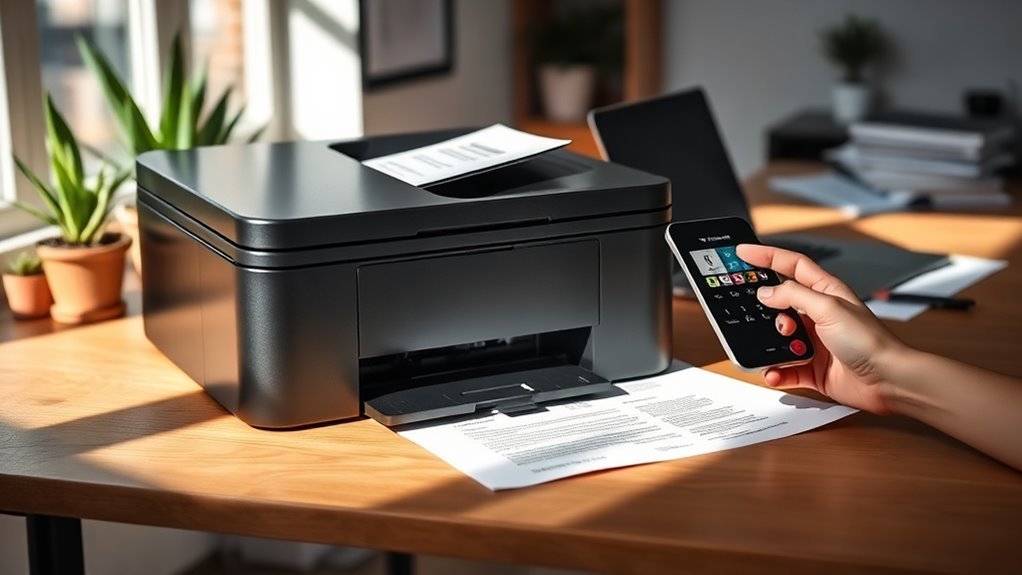
When choosing a black and white printer for your home, you’ll want to compare print speeds to match your needs and check connectivity options like Wi-Fi or USB.
Don’t forget to take into account print quality, paper handling capacity, and the device’s size and weight to make certain it fits your space.
These factors will help you find a printer that works efficiently and conveniently for you. Easy, right?
Print Speed Comparison
How fast your printer can produce pages plays a crucial role in your home printing experience. Print speed, measured in pages per minute (ppm), directly affects how quickly you get your documents, especially with large print jobs.
Don’t forget to take into account first-page-out time, which matters when you print short bursts. If you print double-sided often, check the duplex printing speed since it’s usually slower than single-sided.
Keep in mind, rated ppm values are tested under ideal conditions; real-world speeds vary with document complexity, resolution, network delays, and warm-up times. Also, compare the printer’s monthly duty cycle and recommended page volumes to make certain the speed matches your usage without causing premature wear.
This way, you’ll pick a printer that keeps your workflow smooth and efficient.
Connectivity Options Available
To get the most out of your black and white printer at home, you’ll want to zero in on its connectivity options. Make sure it supports both 2.4 GHz and 5 GHz Wi‑Fi bands to enjoy reliable wireless connections with less interference.
Look for built-in wireless printing standards like AirPrint, Mopria, or native apps so you can print directly from smartphones or tablets without needing a PC. A USB 2.0 (or newer) port is essential for quick wired setups or troubleshooting when Wi-Fi falters.
If you share the printer with multiple users or want a rock-solid connection, consider Ethernet support. Also, check for compatibility with voice assistants and cloud printing features if you want hands-free printing or easy remote scanning and printing from the cloud.
Print Quality Metrics
Since print quality defines the clarity and professionalism of your documents, you’ll want to focus on key metrics like resolution, print speed, and toner performance when choosing a black and white printer for home use.
Resolution, measured in dpi, determines sharpness—higher dpi (like 1200 x 1200) delivers crisper text and smoother edges. Print speed, expressed in pages per minute (ppm), often balances quality and speed, so look for models offering selectable modes for draft or presentation prints.
First-page-out time matters too; faster times around 8–9 seconds improve responsiveness for quick jobs. Toner quality affects how solid and uniform your blacks appear, with laser printers generally excelling here.
Finally, consider consistency factors like monthly duty cycle and resolution stability to make certain print quality lasts over time. It’s all about keeping your prints sharp and reliable every time you hit print.
Paper Handling Capacity
Print quality is only part of the equation when selecting a black and white printer for your home. You’ll want to check the input tray capacity—most home printers hold between 150 and 250 sheets. Matching this to your print volume helps reduce how often you need to refill.
Don’t forget the output tray; it usually holds 50 to 100 sheets, which prevents overflow during big print jobs. If you print envelopes or specialty media, confirm the manual feed or multipurpose slot capacity, as these bypass the main trays.
Also, if duplex printing matters, verify if your printer supports automatic duplexing and how it impacts tray use. Finally, assure the paper path supports your preferred paper weight and size to avoid jams with thicker or nonstandard media.
Device Size And Weight
Although many factors influence your choice of a black and white printer, device size and weight play a pivotal role in fitting the printer comfortably into your home workspace. Before buying, measure your available desk or shelf space carefully.
Compact monochrome laser printers typically weigh between 7 and 19 pounds and vary from 7 to 16 inches in each dimension. If you need portability, aim for lighter models around 9 to 12 pounds, which are easier to move or store.
Don’t forget to allow extra clearance for paper trays and output bins when loading paper or retrieving prints. Also, if your printer shares space with other devices, make certain there’s adequate ventilation and footprint to avoid blocking airflow.
For small offices, a compact, lightweight printer fits best. Larger, heavier units suit higher-volume printing with a dedicated spot.
Consumables And Maintenance
Manage your printer’s ongoing costs by closely examining consumables and maintenance requirements before making a purchase. Check toner yield and cost-per-page to find high-yield cartridges that lower expenses if you print often.
Also, determine whether the printer uses separate drum units or combined drum/toner cartridges. Separate drums mean extra replacement and maintenance costs.
Choose printers with user-replaceable parts like toner, drum, and fuser, plus clear maintenance guides. This helps reduce downtime and avoid technician fees.
Look for connectivity features such as mobile apps or onboard utilities that monitor toner levels, offer remote ordering, and send maintenance alerts. These tools really simplify upkeep.
Finally, verify warranty coverage, availability of replacement parts, and customer support. That way, you secure timely fixes and keep your total cost of ownership manageable.
Frequently Asked Questions
How Long Do Black and White Printer Cartridges Typically Last?
Black and white printer cartridges typically last between 1,500 and 3,000 pages, depending on your printer and usage. You’ll want to check your printer’s specs to get a better idea.
Keep in mind, though, that frequent printing or using high-quality settings can reduce the cartridge life. So, it really depends on how you use your printer.
Can Black and White Printers Print on Different Paper Sizes?
You can absolutely print on different paper sizes with black and white printers—just like a typewriter from the roaring twenties handled various papers.
Check your printer settings, and you’ll easily switch between letter, legal, or even custom sizes.
Are Black and White Printers Compatible With Both Windows and Mac?
Yes, most black and white printers work with both Windows and Mac.
You just need to download the right drivers or software. Manufacturers usually provide these to make sure printing goes smoothly on different operating systems.
What Is the Average Printing Speed for Home Black and White Printers?
You can expect home black and white printers to print around 20 to 30 pages per minute. This speed suits typical home needs, letting you handle documents quickly without sacrificing quality or reliability.
It’s pretty convenient for everyday tasks. Whether you’re printing schoolwork or important letters, it gets the job done without any hassle.
Do Black and White Printers Support Wireless Mobile Printing Apps?
You’d think it’s like dialing a rotary phone, but yes, black and white printers do support wireless mobile printing apps.
You can easily print documents or photos directly from your smartphone or tablet without any hassle.
It’s pretty convenient and saves you from dealing with cables or transferring files to a computer first.
Conclusion
Choosing the right black and white printer for your home feels like picking the perfect pair of shoes—you want comfort, reliability, and style. Imagine printing your important documents effortlessly, like a smooth walk on a quiet street.
With options like the Brother HL-L2405W or HP LaserJet M110w, you’re set for crisp, fast results. These printers deliver clear text and sharp images without any hassle.
Remember, the best black and white printer for home use fits your needs like a glove. It makes every print a breeze, whether you’re handling school projects, work documents, or personal files.
Finding the perfect printer means balancing speed, quality, and ease of use. So, choose a model that offers reliability and efficiency to keep your home office running smoothly. With the right black and white printer, printing at home becomes simple, affordable, and stress-free.