10 Best Black and White Network Laser Printers for 2027
You’ll find top black and white network laser printers like Brother HL-L2460DW and HP LaserJet Pro 3001dw deliver fast, reliable monochrome printing with strong security for small teams. These printers are perfect if you need consistent quality without the fuss.
High-volume options such as Brother HL-6210DW handle heavy workloads effortlessly, making them ideal for busy offices. Meanwhile, all-in-one models like HP MFP 4101fdw add scanning and faxing features, giving you more functionality in one device.
Connectivity is seamless with dual-band Wi-Fi and Ethernet across these picks. So, whether you’re setting up a small team or a larger workspace, keep exploring to discover which one fits your workflow needs best.
| Image | Name | Editor's Rating | Price |
|---|---|---|---|

|
|
||

|
|
||

|
|
||

|
|
||

|
|
Brother HL-L2460DW Wireless Monochrome Laser Printer
- BEST FOR HOME OFFICES & SMALL TEAMS – Engineered for consistent, premium print quality, the Brother HL-L2460DW Monochrome (Black & White) Laser Printer produces...
- COMPACT, CONNECTED, EXCEPTIONALLY EFFICIENT– Connect with built-in dual-band wireless (2.4GHz/5GHz), Ethernet, or to a single computer via USB interface. Prints at...
- BROTHER MOBILE CONNECT APP – Manage your wireless printer remotely and print from your mobile device anytime, from almost anywhere. Order Brother Genuine Supplies...
- VERSATILE PAPER HANDLING – Tackle high-volume black & white printing with the 250-sheet capacity paper tray.(4) The manual feed slot enables printing on envelopes and...
- BROTHER IS AT YOUR SIDE – Backed by Brother with a 1-year limited warranty and free online, call, or live chat support for the life of your printer

Experience smooth and efficient printing with the Brother HL-L2460DW, designed to meet the demands of home offices and small teams. This wireless monochrome laser printer produces crisp black-and-white documents that enhance your professional image. Its fast output speed keeps your workflow moving without delays.
Connectivity options are flexible, including dual-band wireless, Ethernet, and USB. You can easily print from smartphones via the Brother Mobile Connect app, simplifying mobile printing tasks. The automatic duplex feature helps reduce paper use, making printing more eco-friendly and cost-effective.
Handling large print jobs is hassle-free thanks to a 250-sheet paper tray, while a manual feed slot allows printing on envelopes or specialty paper. Maintenance is straightforward with easy toner replacement using Brother Genuine supplies. An optional subscription service offers a convenient way to manage toner costs.
The HL-L2460DW’s design focuses on reliable monochrome printing, making it the ideal choice for those who prioritize speed, quality, and versatile connectivity in a compact device.
Best for: home offices and small teams needing fast, reliable monochrome printing with versatile connectivity options.
What We Like:
- Fast printing up to 36 pages per minute with automatic duplexing
- Multiple connectivity methods including dual-band wireless and app support
- Large 250-sheet tray plus manual feed for envelopes and specialty paper
- Easy toner replacement with genuine Brother supplies
Specification:
| Feature | Details |
|---|---|
| Manufacturer | Brother |
| Dimensions | 14 x 14 x 7.2 inches (approx.) |
| Weight | 18.7 lbs (approx.) |
| Printing Type | Wireless Monochrome Laser |
| Connectivity | Dual-band wireless, Ethernet, USB |
Brother DCP-L2640DW Wireless Monochrome Printer
- BEST FOR SMALL BUSINESSES – Engineered for extraordinary productivity, the Brother DCP-L2640DW Monochrome (Black & White) 3-in-1 combines laser printer, scanner, copier...
- FAST PRINTER WITH EFFICIENT SCANNING – Produces documents quickly with print speeds up to 36 ppm(2) and scan speeds up to 23.6/7.9 ipm(3) (black/color). A 50-page auto...
- FLEXIBLE CONNECTION OPTIONS – Easily navigate the changing demands of your business with secure multi-device connectivity via built-in dual-band wireless (2.4GHz...
- BROTHER MOBILE CONNECT APP – Print, scan, and manage your wireless printer anytime, from almost anywhere from your mobile device. Order Brother Genuine Supplies, track...
- CHOOSE BROTHER GENUINE TONER – When it’s time to replace your toner, be sure to choose Brother Genuine TN830 or TN830XL replacement toner. And with Refresh EZ Print...
The Brother DCP-L2640DW is a practical solution for businesses and home offices that need fast, dependable black-and-white printing. It streamlines daily tasks by combining printing, copying, and scanning in one compact device. This laser printer handles up to 36 pages per minute, helping you manage large volumes with ease.
Its wireless and wired connectivity options let you print seamlessly from laptops, smartphones, or tablets. Dual-band Wi-Fi and Ethernet support ensure reliable network connections. The Brother Mobile Connect app simplifies remote printing and device management, reducing interruptions in your workflow.
Designed for efficiency, the printer includes a 50-page automatic document feeder and a 250-sheet paper tray, minimizing frequent refills. Automatic duplex printing and toner-saving modes help reduce paper and toner use, supporting eco-friendly operation. Maintenance is straightforward, though high-volume users should monitor toner and drum supplies regularly.
With a sturdy build and practical features, this monochrome printer fits well in environments requiring consistent, high-speed output without color. Its simple interface focuses on essential controls, making it accessible but limiting advanced touchscreen options.
Best for: small businesses and home offices needing reliable, high-speed monochrome printing with versatile wireless and network connectivity.
What We Like:
- Fast print and copy speeds up to 36 ppm with a 50-page auto document feeder
- Dual-band Wi-Fi, Ethernet, and USB connectivity for flexible device access
- Automatic duplex printing and toner-saving modes promote eco-friendly use
- Compact 3-in-1 design saves space while handling multiple tasks
Specification:
| Feature | Details |
|---|---|
| Manufacturer | Brother |
| Dimensions (W x D x H) | 16.1 x 15.7 x 12 inches (41 x 40 x 30.5 cm) |
| Weight | 18.7 lbs (8.5 kg) |
| Color | White/Gray |
| Connectivity | Dual-band Wi-Fi, Ethernet, USB |
HP Laserjet Pro 3001dw Wireless Printer (3G65OF)
- FROM AMERICA'S MOST TRUSTED PRINTER BRAND – Perfect for small teams printing professional-quality black & white documents and reports plus auto 2-sided printing...
- SUPER-FAST PRINT SPEEDS – Up to 35 black-and-white pages per minute single-sided
- STAYS CONNECTED – Intelligent Wi-Fi looks for the best connection to stay online and ready to print
- PROTECTS YOUR DATA – Includes HP Wolf Pro Security with customizable settings so your printer and information are always secure
- PRINT FROM ANY DEVICE – Wireless printing from any mobile device, PC or tablet. Ethernet and Bluetooth included. Works with Microsoft, Mac, AirPrint, Android...
The HP LaserJet Pro 3001dw is designed to streamline printing for small teams. It delivers sharp, clear black-and-white prints at speeds up to 35 pages per minute. This printer helps reduce waiting times and keeps your workflow smooth.
Its compact design fits well in tight office spaces. The printer supports wireless, Ethernet, and USB connections, making setup and network integration simple. You can print on various media types, including envelopes and labels, adding flexibility to your tasks.
Maintenance is straightforward with Original HP toner cartridges, ensuring consistent print quality. The printer’s auto-duplex feature saves paper by printing on both sides automatically. Security is enhanced with HP Wolf Pro and PIN release, protecting sensitive documents from unauthorized access.
The HP Smart app and cloud setup make managing print jobs and settings easy from anywhere. While it only prints in monochrome and has a single 250-sheet input tray, its reliable performance suits daily office needs.
Best for: Small teams or offices needing fast, dependable black-and-white printing with versatile connectivity and strong security.
What We Like:
- Fast printing at up to 35 pages per minute with 1200 x 1200 dpi resolution
- Multiple connectivity options including Wi-Fi, Ethernet, USB, and Bluetooth
- Built-in security features like HP Wolf Pro and PIN/pull release
- Auto-duplex printing saves paper and reduces manual effort
Specification:
| Feature | Details |
|---|---|
| Manufacturer | HP |
| Model | LaserJet Pro 3001dw |
| Dimensions | Approx. 15.4 x 14.2 x 10.6 in (39.1 x 36.1 x 27 cm) |
| Weight | Approx. 16.5 lb (7.5 kg) |
| Color Options | White |
| Connectivity | Wireless, Ethernet, USB, Bluetooth |
HP LaserJet Pro 3105sdw Monochrome Laser Printer | All-in-One
No products found.
Experience fast, professional-quality printing with the HP LaserJet Pro 3105sdw. Designed to keep up with busy offices, this monochrome laser printer delivers sharp prints at up to 33 pages per minute. It’s perfect for small teams needing reliable, clear black-and-white documents without delay.
This all-in-one device goes beyond printing. It copies, scans, and faxes efficiently through an easy-to-use app, streamlining your workflow. Automatic duplex printing saves time and paper by printing on both sides, while a 250-sheet capacity reduces frequent refills.
Maintenance is straightforward, thanks to its compact design and secure features. The printer supports up to seven users, making it ideal for growing offices that value both speed and functionality. Connectivity options include Wi-Fi, Ethernet, and USB, enabling seamless integration into your existing setup.
While it excels in monochrome tasks, it does not support color printing. The single paper tray with limited capacity may require attention in very high-volume settings. Also, it uses original HP cartridges, which can affect consumable costs.
Best for: Small to medium-sized businesses and teams up to seven users needing fast, high-quality black-and-white printing with multifunction capabilities.
What We Like:
- Fast print speed of up to 33 pages per minute with clear 1200 x 1200 dpi resolution
- Automatic duplex printing and 250-sheet input for efficient handling of busy workloads
- Multiple connectivity options, including Wi-Fi, Ethernet, USB, and app control with AI-enhanced scanning
- Compact design supports up to seven users, ideal for growing offices
Specification:
| Feature | Details |
|---|---|
| Manufacturer | HP |
| Dimensions | Not specified |
| Weight | Not specified |
| Color Options | Monochrome (black and white) |
| Connectivity | Wi-Fi, Ethernet, USB |
Brother Laser Printer, Monochrome Duplex Wireless Printer, HL-6210DW
- Professional Performance: Dominate your office printing tasks with this Brother Genuine laser office printer delivering an impressive 50 ppm output speed, ensuring your...
- Superior Capacity: Print business documents with this monochrome laser printer's robust 520-sheet main tray and 100-sheet multipurpose tray, expandable up to 1,660 sheets...
- Advanced Connectivity: Experience seamless integration with this Brother wireless printer's built-in Gigabit Ethernet and dual band wireless networking capabilities...
- Cost-efficient Printing: Maximize your printing budget with Brother Genuine ultra high-yield replacement toner cartridges for Brother printers delivering up to...
- Security Excellence: Safeguard your Brother Genuine business printer for daily office use with advanced Triple Layer Security features, ensuring comprehensive protection...
Experience efficient, high-speed printing with the Brother HL-6210DW, designed to keep busy offices running smoothly. Its fast output of 50 pages per minute helps reduce wait times and boosts productivity, making it ideal for demanding work environments.
The printer’s automatic duplex feature cuts paper use and streamlines tasks by printing on both sides without extra effort. With a large 520-sheet main tray and a 100-sheet multipurpose tray, plus expandability up to 1,660 sheets, it adapts easily to growing printing needs.
Connectivity is simple and flexible with built-in Gigabit Ethernet and dual-band wireless, allowing seamless sharing across your office network. You can also print directly from mobile devices, enhancing convenience and workflow efficiency.
Maintenance is straightforward thanks to Brother’s ultra high-yield toner cartridges, which deliver up to 18,000 pages before replacement. Triple-layer security features help protect sensitive data during every print job, ensuring confidentiality.
Best for: busy offices and professional settings requiring fast, reliable monochrome printing with secure, network-ready duplex capabilities.
What We Like:
- Fast print speed of 50 ppm reduces delays in high-volume tasks
- Automatic duplex printing saves time and paper
- Large, expandable paper capacity supports growing demands
- Multiple connectivity options including Gigabit Ethernet and mobile printing
- Long-lasting toner cartridges minimize maintenance frequency
Specification:
| Feature | Details |
|---|---|
| Manufacturer | Brother |
| Dimensions | 14.2 x 14.2 x 7.2 inches |
| Weight | 19.1 lbs (8.66 kg) |
| Color Options | Monochrome (Black/White) |
| Connectivity | Gigabit Ethernet, Dual-band Wireless |
HP LaserJet M234sdw Monochrome Laser Printer | All-in-One
No products found.
The HP LaserJet M234sdw is designed to keep small teams productive and organized. It prints up to 30 pages per minute, helping you finish tasks quickly without compromising quality. This monochrome laser printer also copies and scans, making it a versatile all-in-one solution.
Its 40-page auto document feeder and automatic duplex printing save time on multi-page jobs. Wireless and Ethernet connections offer flexible networking options, so you can print from multiple devices effortlessly. Mobile printing is supported through the HP Smart app and cloud services, adding convenience for on-the-go users.
Maintenance is straightforward with a compact design that fits easily on any desk. The printer handles various media types but has a 150-sheet input capacity, which may require refills during heavy use. With a resolution of 600 x 600 dpi, it delivers clear black-and-white prints ideal for everyday office documents.
Built-in security features protect sensitive information, making it suitable for small offices that need reliable, secure printing without extra complexity.
Best for: Small teams or home offices requiring efficient monochrome printing, copying, and scanning with dependable wireless and wired connectivity.
What We Like:
- Fast print speed of up to 30 ppm with automatic duplexing
- 40-page auto document feeder for streamlined multi-page copying and scanning
- Mobile printing via HP Smart app and cloud services
- Compact design fits easily in limited workspace
- Built-in security features to safeguard documents
Specification:
| Feature | Details |
|---|---|
| Manufacturer | HP |
| Dimensions | Compact (exact size not provided) |
| Weight | Not specified |
| Print Technology | Monochrome Laser |
| Print Speed | Up to 30 pages per minute |
| Resolution | 600 x 600 dpi |
| Connectivity | Wireless, Ethernet |
| Media Handling | 150-sheet input, 40-page ADF |
| Functions | Print, Copy, Scan |
Canon imageCLASS LBP6030w Wireless Monochrome Laser Printer
- FAST PRINT SPEEDS: Print up to 19 pages per minute.
- COMPACT DESIGN: Space-saving, compact design fits anywhere in your home, school or small office.
- WIRELESS CONNECTIVITY: Print from almost anywhere in your workspace using your compatible mobile device.
- PAPER CAPACITY: Up to 150 sheets.
- SUSTAINABILITY: Uses less than 2 watts in Energy Saver mode.
The Canon imageCLASS LBP6030w offers a practical solution for small offices and home users needing reliable monochrome printing. Its wireless connectivity simplifies printing from laptops and mobile devices, eliminating cable clutter and enhancing convenience. This helps maintain an efficient workspace with minimal setup.
With a fast print speed of up to 19 pages per minute, this printer handles everyday tasks quickly, reducing wait times. The sharp 600 x 600 dpi resolution, enhanced to an effective 2400 x 600 dpi, ensures clear, professional-quality text documents. It’s designed to meet typical office demands without unnecessary complexity.
Weighing just 11 pounds, the compact design fits easily on limited desk space. The 150-sheet paper capacity supports moderate printing volumes, making it suitable for personal or small office use. Maintenance is straightforward, with a toner yield of around 1,600 pages helping to keep running costs manageable.
While it only prints in monochrome, this keeps it focused and efficient for text-based documents. The basic LCD limits complex job management but keeps operation simple for everyday use.
Best for: Small offices and home users needing fast, dependable wireless monochrome printing with easy setup and maintenance.
What We Like:
- Fast print speed up to 19 ppm for efficient output
- Wireless and USB connectivity for versatile printing options
- Compact, lightweight design fits small workspaces
- Clear, sharp text quality with effective high resolution
- Simple maintenance with a toner yield around 1,600 pages
Specification:
| Feature | Details |
|---|---|
| Manufacturer | Canon |
| Print Technology | Monochrome Laser |
| Print Speed | Up to 19 pages per minute |
| Print Resolution | 600 x 600 dpi (effective 2400 x 600 dpi) |
| Connectivity | Wireless (Wi-Fi), USB |
| Paper Capacity | 150 sheets |
| Weight | 11 pounds (approx. 5 kg) |
HP LaserJet Pro 4001n | Monochrome | Laser Printer
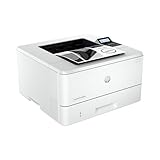
- PERFECT FOR SMALL TEAMS – Print professional-quality black & white documents and reports. Ethernet/USB only (for wireless, see LaserJet Pro 4001dw).
- FROM AMERICA'S MOST TRUSTED PRINTER BRAND – The LaserJet Pro 4001n is best for up to 10 users, with intuitive tools to set up and manage your printer.
- BLAZING FAST PRINT SPEEDS – Up to 42 black-and-white pages per minute single-sided
- PROTECTS YOUR DATA – Includes HP Wolf Pro Security with customizable settings so your printer and information are always secure
- PRINT FROM ANY DEVICE – Print from any mobile device, PC or tablet. Ethernet included. Works with Microsoft, Mac, AirPrint, Android, Chromebook and more
The HP LaserJet Pro 4001n is built to streamline printing tasks for small teams and busy offices. It delivers fast, reliable monochrome prints at speeds up to 42 pages per minute, helping reduce wait times and boost productivity. The sharp 4800 x 600 dpi resolution ensures every document looks professional and crisp.
This printer supports manual duplex printing, allowing users to save paper while maintaining control over double-sided output. Handling media sizes up to 8.5 x 14 inches, it adapts well to various document types, from reports to forms. Connectivity options include Ethernet and USB, making integration with Windows, Mac, and Android devices straightforward.
Maintenance is simple with high-yield cartridges that minimize interruptions and keep workflows smooth. Its compact design fits comfortably in tight spaces, while the intuitive LCD display simplifies setup and daily management. Security is also a priority with HP Wolf Pro Security, protecting sensitive data in demanding work environments.
Best for: Small teams and offices with up to 10 users needing fast, dependable monochrome printing for everyday documents.
What We Like:
- High print speed of 42 ppm for efficient output
- Clear, professional-quality text with 4800 x 600 dpi resolution
- HP Wolf Pro Security safeguards data and device
- Compact design with easy setup via LCD display
- High-yield cartridges reduce maintenance frequency
Specification:
| Feature | Details |
|---|---|
| Manufacturer | HP |
| Dimensions (W x D x H) | 15.0 x 15.7 x 10.0 inches |
| Weight | 30.9 lb (14.0 kg) |
| Printing Technology | Monochrome Laser |
| Print Speed | Up to 42 pages per minute |
| Print Resolution | 4800 x 600 dpi |
| Duplex Printing | Manual |
| Paper Handling | Single tray, 350 sheets |
| Connectivity | Ethernet, USB |
| Supported OS | Windows, Mac, Android |
Lexmark MS431dw Wireless Black & White Laser Printer

- SMALL: Compact laser printer fits almost anywhere (8. 7 x 14. 5 x 14. 3 inches / 222 x 368 x 363 millimeter). Recommended Monthly Page Volume-800 - 8000 pages
- EASY TO USE: Plug it in and go. Setup is fast and easy. Standard Wi-Fi makes it easy to print from mobile devices.
- DURABLE: Steel frame and long-life imaging components mean it’s built to last.
- SUSTAINABLE: Two-sided printing is standard, and built-in energy-saving modes help support ratings of Epeat Silver and Energy star certified
- INTERACTIVE: Two-line display lets you configure, interact with, and monitor vital system information.
The Lexmark MS431dw is designed to boost productivity with its fast printing speed and compact build. It delivers up to 42 crisp black-and-white pages per minute at a sharp 2400 x 2400 dpi resolution. This makes it ideal for tasks that demand clear, professional documents quickly.
Its durable steel frame and long-life components reduce maintenance needs, ensuring reliable performance over time. The automatic duplex printing feature helps save paper by printing on both sides without extra effort.
Connectivity is flexible with options including Wi-Fi, Ethernet, and USB, along with mobile and cloud printing support. This versatility allows seamless integration into various work environments, whether at home or in small offices.
Handling multiple paper sizes, the printer comes with a 100-sheet capacity that can expand to 550 sheets for higher volume needs. While it only prints in black and white and has a basic two-line display, it remains a practical choice for straightforward, efficient printing.
Best for: Small to medium-sized offices or home users who need fast, reliable, and high-quality black-and-white printing with versatile connectivity options.
What We Like:
- Fast print speed of up to 42 ppm with sharp resolution
- Durable steel frame and long-lasting imaging components
- Automatic duplex printing reduces paper use
- Multiple connectivity options including Wi-Fi and mobile printing
Specification:
| Feature | Details |
|---|---|
| Manufacturer | Lexmark |
| Dimensions (W x D x H) | Compact design (exact size not provided) |
| Weight | Not specified |
| Material | Steel frame |
| Color Options | Black |
HP Laserjet Pro MFP 4101fdw All-in-One Printer

- FROM AMERICA'S MOST TRUSTED PRINTER BRAND – Perfect for small teams printing, scanning & copying professional-quality black & white documents & reports plus fax. Auto...
- BLAZING FAST PRINT SPEEDS – Up to 42 black-and-white pages per minute single-sided
- STAYS CONNECTED – Intelligent Wi-Fi looks for the best connection to stay online and ready to print
- PROTECTS YOUR DATA – Includes HP Wolf Pro Security with customizable settings so your printer and information are always secure
- PRINT FROM ANY DEVICE – Wireless printing from any mobile device, PC or tablet. Ethernet and Bluetooth included. Works with Microsoft, Mac, AirPrint, Android...
The HP LaserJet Pro MFP 4101fdw delivers fast, efficient black-and-white printing designed to keep small teams productive. It prints up to 42 pages per minute with sharp 1200 x 1200 dpi resolution, reducing wait times and streamlining daily tasks. This printer combines printing, scanning, copying, and faxing in one compact device, saving space and simplifying workflows.
Maintenance is straightforward thanks to its user-friendly design and a 350-sheet paper capacity that reduces frequent refills. The flatbed scanner and automatic document feeder handle multi-page documents easily. Wireless, Ethernet, USB, and Bluetooth connectivity enable smooth printing from a variety of devices, including smartphones and tablets.
This machine supports automatic duplex printing, helping cut paper use and lower costs. HP Wolf Pro Security safeguards your data, making it a reliable choice for office environments where information protection is crucial. However, it only supports black-and-white printing and accepts media sizes up to 8.5 x 14 inches, which may limit larger format needs.
Best for: Small offices or teams up to 10 users requiring versatile, high-speed monochrome printing with multifunction capabilities.
What We Like:
- Fast print speeds of up to 42 ppm with high-quality resolution
- All-in-one functionality including scan, copy, and fax
- Multiple connectivity options: wireless, Ethernet, USB, and Bluetooth
- Automatic duplex printing reduces paper waste
- Robust security features to protect sensitive data
Specification:
| Feature | Details |
|---|---|
| Manufacturer | HP |
| Dimensions | Not specified |
| Weight | Not specified |
| Print Speed | Up to 42 pages per minute |
| Print Resolution | 1200 x 1200 dpi |
| Media Size | Up to 8.5 x 14 inches |
| Connectivity | Wireless, Ethernet, USB, Bluetooth |
| Functions | Print, Scan, Copy, Fax |
Factors to Consider When Choosing a Black and White Network Laser Printer

When choosing a black and white network laser printer, you’ll want to focus on print speed and volume to match your workload. Check the connectivity options and paper handling capacity to guarantee smooth operation.
Don’t forget to weigh security features and the ongoing costs of consumables before making your decision. These things can really add up or save you time in the long run.
Print Speed And Volume
Consider your typical print demands carefully to choose a black and white network laser printer with the right speed and volume capabilities. Match the rated print speed to your workflow—30 to 50 ppm suits high-volume offices, while 20 to 30 ppm works well for light office or home use.
Check the monthly duty cycle and recommended volume to confirm your printer handles your peak print load without excessive wear. It’s also smart to factor in first-page-out time and warm-up speed to reduce wait times, especially for short or occasional jobs.
For heavy multi-user settings, pick models with larger trays and faster processors to maintain steady throughput. And don’t forget to evaluate toner yield and replacement intervals; high-yield cartridges and durable imaging parts cut per-page cost and minimize interruptions during large print runs.
Connectivity Options Available
Although print speed and volume are crucial, connectivity options play an equally important role in selecting a black and white network laser printer. You should make certain the printer supports both wired Ethernet—preferably Gigabit—and dual-band Wi-Fi (2.4 GHz and 5 GHz) for reliable, fast connections across multiple users.
Look for mobile and cloud printing protocols like AirPrint and Mopria. These let you print directly from smartphones, tablets, or cloud services without installing drivers, which is super convenient.
Including USB host or USB-B ports is essential for secure local printing when network access is limited. Don’t forget to check for secure printing features like PIN release and encryption to protect sensitive documents.
Finally, verify that the printer offers remote management tools, such as SNMP and web admin consoles. This way, you can monitor toner levels and apply updates effortlessly.
Paper Handling Capacity
Beyond connectivity, how your printer handles paper can greatly impact your workflow efficiency. You’ll want to take into account the maximum input tray capacity—typically ranging from 250 to over 500 sheets—to match your monthly print volumes and reduce how often you refill.
If your needs grow, look for printers with multi-tray expandability or optional extra trays, especially if you handle different paper sizes. Don’t overlook output tray capacity and any stacker limits to avoid jams or constant clearing during large print jobs.
Also, make sure your printer includes a multipurpose or manual feed slot for envelopes, labels, and specialty media so you won’t have to swap out the main tray. For multifunction models, automatic document feeders and duplexing capabilities streamline two-sided printing and minimize paper handling interruptions.
Security Features Included
When you choose a black and white network laser printer, securing your device and data should be a top priority. This helps protect sensitive information from unauthorized access or cyber threats.
Look for printers with built-in secure boot and firmware validation to block malicious code. Also, make sure the device supports encrypted network protocols like WPA3, IPsec, or TLS to keep data safe during transit.
Opt for user authentication methods such as PIN codes, LDAP/AD integration, or card readers. Don’t forget to enable secure release to prevent unattended print jobs.
Verify role-based access controls and audit logging to restrict functions and monitor user activity. Finally, confirm features like drive encryption and automatic secure erase to safeguard stored print jobs and scanned files effectively.
Consumables And Cost
Several key factors influence the overall cost of operating a black and white network laser printer, with consumables playing a major role. You should calculate the cost per page by dividing the toner cartridge price by its yield. High-yield or ultra-high-yield cartridges can really help bring this cost down.
Don’t forget to factor in the lifespan and cost of imaging drums and belts. Some models use separate drums, which can bump up maintenance expenses.
Subscription programs and bulk discounts might save you some money. But always compare total fees, shipping, and overage charges against standalone purchases to be sure you’re getting the best deal.
Also, keep in mind indirect costs like maintenance kits and fuser replacements, which often kick in after printing a certain number of pages.
Finally, using toner-save modes, duplex printing, and lower print resolutions can help reduce toner use and keep long-term costs in check.
Frequently Asked Questions
How Do I Recycle Toner Cartridges Responsibly?
You can recycle toner cartridges responsibly by returning them to the manufacturer’s recycling program, dropping them off at local collection points, or using mail-back services.
It’s pretty easy to do, and it helps keep harmful waste out of the environment. Always avoid throwing cartridges in the trash to reduce environmental harm. That way, you’re doing your part to protect the planet!
What Are Common Troubleshooting Steps for Paper Jams?
When you hit a snag with paper jams, start by turning off the printer. Then, gently remove the stuck paper and check for any torn bits.
Don’t forget to inspect the rollers and trays. This’ll keep things running like clockwork.
Can These Printers Be Used With Mobile Printing Apps?
Yes, you can use these printers with mobile printing apps. They support Wi-Fi and Bluetooth, letting you print directly from your smartphone or tablet without a computer.
This makes printing on the go quick and convenient. So, whether you’re at home or out and about, printing is super easy!
What Is the Average Lifespan of a Monochrome Laser Printer?
You can expect a monochrome laser printer to last around 5 to 7 years with regular use. Proper maintenance and quality toner can extend its lifespan, ensuring consistent performance over time without frequent replacements.
Taking care of your printer really makes a difference. It’s like giving it a little TLC to keep it running smoothly. And using good toner? That helps too, so you’re not constantly dealing with issues.
Are There Any Energy-Saving Settings to Reduce Power Consumption?
You can dim your printer’s power footprint by using energy-saving modes like sleep and auto-off. These settings let it rest quietly, sipping just a whisper of electricity when it’s not busy printing your documents.
It’s a simple way to save energy without even thinking about it. Just set it up, and your printer does the rest!
Conclusion
When choosing your black and white network laser printer, you want a device that fits your needs like a glove—reliable, fast, and efficient.
Whether you prioritize wireless convenience, duplex printing, or all-in-one features, there’s a perfect match waiting for you.
Don’t let the options overwhelm you; keep your eye on what matters most to your workflow.
By focusing on key features like print speed, connectivity options, and cost-efficiency, you’ll hit the nail on the head with your choice every time.
Finding the best black and white network laser printer means balancing performance with your specific office or home needs.
So take your time, compare models, and pick the one that delivers quality printing without breaking the bank.