8 Best Black and White Home Laser Printers for 2027
If you need a fast, reliable black and white laser printer for home or small office use, there are plenty of great options to consider. Models like the Brother HL-L2405W and Canon LBP6030w offer compact, wireless designs that are perfect for personal use. These printers are easy to set up and won’t take up much space on your desk.
Looking for more multifunction features and higher speeds? You might want to check out the Canon MF465dw II or HP LaserJet M234sdw. They handle printing, scanning, and copying with ease, making them ideal for busy households or small offices.
Some models, like the Brother HL-L2480DW, add extra perks such as scanning and copying capabilities. Others focus on duplex printing and security features to keep your documents safe. Take your time exploring these options to find the printer that best fits your workspace and printing needs.
| Image | Name | Editor's Rating | Price |
|---|---|---|---|

|
|
||

|
|
||

|
|
||

|
|
||

|
|
Brother HL-L2405W Wireless Compact Monochrome Laser Printer
- BEST FOR HOMES & HOME OFFICES – Engineered for consistent, premium print quality, the Brother HL-L2405W Monochrome (Black & White) Laser Printer delivers sharp, crisp...
- COMPACT, CONNECTED PRINTER – Flexible connection options make this an ideal printer for home use and at-home offices. Securely connect to multiple devices with built-in...
- BROTHER MOBILE CONNECT APP – Manage your printer remotely and print from your mobile device anytime, from almost anywhere. Order Brother Genuine Supplies, track toner...
- VERSATILE PAPER HANDLING – Enjoy seamless, reliable everyday printing with the 250-sheet paper tray(4) and a manual feed slot that enables printing on envelopes and...
- BROTHER IS AT YOUR SIDE – Backed by Brother with a 1-year limited warranty and free online, call, or live chat support for the life of your printer

The Brother HL-L2405W Wireless Compact Monochrome Laser Printer is designed to meet the needs of users who require fast and efficient black-and-white printing. Its high-speed output of up to 30 pages per minute ensures you can complete tasks quickly without waiting. The sharp 1200 x 1200 dpi resolution delivers clear and professional text quality for documents.
This printer fits neatly on your desk with its compact design and holds up to 250 sheets, reducing frequent paper refills. It supports wireless printing via dual-band Wi-Fi and USB connectivity, allowing you to print effortlessly from laptops, smartphones, or tablets. The Brother Mobile Connect app adds convenience by enabling remote printer management.
Maintenance is straightforward, with manual duplexing available for double-sided prints, though it requires user intervention. While it only prints in monochrome, this makes it ideal for users focused on text documents rather than color images. The printer’s power consumption is relatively higher at 450 watts, a consideration for energy-conscious environments.
Best for: individuals and small home offices needing a fast, compact, and reliable monochrome printer with wireless connectivity.
What We Like:
- Fast print speed with sharp resolution
- Dual-band wireless and USB connectivity
- Compact design with a 250-sheet capacity
- Remote management via Brother Mobile Connect app
Specification:
| Feature | Details |
|---|---|
| Manufacturer | Brother |
| Dimensions | Compact size (exact size not specified) |
| Weight | Not specified |
| Color Options | Monochrome (black and white) |
| Connectivity | Dual-band Wi-Fi, USB |
Canon imageCLASS LBP6030w Wireless Monochrome Laser Printer
- FAST PRINT SPEEDS: Print up to 19 pages per minute.
- COMPACT DESIGN: Space-saving, compact design fits anywhere in your home, school or small office.
- WIRELESS CONNECTIVITY: Print from almost anywhere in your workspace using your compatible mobile device.
- PAPER CAPACITY: Up to 150 sheets.
- SUSTAINABILITY: Uses less than 2 watts in Energy Saver mode.
The Canon imageCLASS LBP6030w offers a practical solution for those needing fast and reliable monochrome printing. Its wireless capability eliminates cable clutter, allowing you to print easily from laptops or mobile devices. This improves productivity by streamlining your printing process.
Designed with a compact and lightweight frame, it fits comfortably on small desks or office spaces. The 150-sheet paper tray reduces frequent refills, helping maintain workflow during busy periods. Its energy-efficient operation keeps running costs low.
Maintenance is straightforward with genuine Canon toner cartridges that deliver sharp, clear prints. While the toner yields approximately 1,600 pages, users with heavy printing demands may need to replace cartridges more often. The printer’s simple LCD interface ensures easy navigation without unnecessary complexity.
This laser printer is ideal for personal use or small offices that require dependable black-and-white printing without the need for color. Its combination of speed, wireless functionality, and compact design makes it a practical choice for everyday document handling.
Best for: Individuals and small office users needing an efficient, wireless monochrome laser printer for regular black-and-white printing tasks.
What We Like:
- Fast printing speed of up to 19 pages per minute with clear 600 x 600 dpi output
- Wireless connectivity via Wi-Fi and USB for versatile device support
- Compact design with a 150-sheet paper tray to reduce interruptions
- Energy-efficient operation to lower power consumption
Specification:
| Feature | Details |
|---|---|
| Manufacturer | Canon |
| Dimensions (W×D×H) | 13.5 × 9.5 × 7.7 inches |
| Weight | 11 pounds |
| Printing Type | Monochrome Laser |
| Print Speed | Up to 19 pages per minute |
| Resolution | 600 x 600 dpi |
| Connectivity | Wireless (Wi-Fi), USB |
| Paper Tray Capacity | 150 sheets |
HP LaserJet M234sdw Monochrome Laser Printer | All-in-One
No products found.
The HP LaserJet M234sdw is designed to keep small teams productive with fast, dependable monochrome printing. It simplifies busy workflows by combining printing, copying, and scanning into one compact device. Its 40-page auto document feeder speeds up multi-page tasks, reducing manual effort.
This all-in-one printer supports automatic duplex printing, which cuts paper use and helps manage costs. It handles various media types, so you can print documents with ease in different formats. The printer’s compact design fits well in tight office spaces without sacrificing performance.
Connectivity is straightforward with dual-band Wi-Fi, Ethernet, and USB options, plus mobile printing through the HP Smart app. This flexibility ensures smooth integration into diverse work environments. Built-in security protects your data, giving peace of mind in everyday use.
Maintenance is simple, with a 150-sheet paper capacity that balances space and refilling needs. While it only prints in monochrome and offers 600 x 600 dpi resolution, it serves well for clear text and standard office documents. Its reliability makes it ideal for up to five users needing consistent black-and-white output.
Best for: Small teams or home offices of 1–5 users requiring efficient monochrome printing, copying, and scanning with versatile connectivity.
What We Like:
- Fast print speed up to 30 ppm with automatic duplex printing
- Supports multiple media types and a 40-page auto document feeder
- Flexible connectivity via dual-band Wi-Fi, Ethernet, USB, and mobile printing
- Compact design fits well in small workspaces
- Built-in security features to protect sensitive data
Specification:
| Feature | Details |
|---|---|
| Manufacturer | HP |
| Dimensions (W×D×H) | Approx. 16.7 × 14.1 × 11.6 in (42.4 × 35.8 × 29.5 cm) |
| Weight | Approx. 18.7 lb (8.5 kg) |
| Printing Technology | Monochrome Laser |
| Print Speed | Up to 30 ppm |
| Resolution | 600 × 600 dpi |
| Paper Capacity | 150 sheets |
| Connectivity | Dual-band Wi-Fi, Ethernet, USB, Mobile printing (HP Smart app) |
Canon imageCLASS MF465dw II Wireless Laser Printer
- Monochrome Wireless, Duplex 4-in-1: Print, Scan, Copy, Fax
- Print up to 42 ppm
- Easy Wireless Setup
- 5-inch Touchscreen
- Mobile Device Printing
Experience reliable and efficient printing with the Canon imageCLASS MF465dw II Wireless Laser Printer. Designed for busy home offices and hybrid work setups, it delivers sharp black-and-white documents quickly, helping you stay productive without delays. Its fast print speed keeps up with demanding workloads, reducing wait times.
This versatile 4-in-1 device combines printing, copying, scanning, and faxing in one compact unit. The 5-inch customizable touchscreen and mobile app support simplify operation and let you manage tasks on the go. With automatic duplexing and a 50-sheet duplex ADF, it streamlines handling multi-page documents.
Paper management is flexible, featuring a 250-sheet cassette and 100-sheet multipurpose tray that accommodate various sizes, including legal. For heavier workloads, an optional cassette expands capacity to 900 sheets. Maintenance is straightforward, minimizing downtime and keeping your workflow smooth.
While it is limited to monochrome printing and consumes up to 1250 W of power, its build supports consistent monochrome output ideal for professional use. The absence of a specified weight may require consideration for placement.
Best for: Small to home offices and hybrid work environments needing fast, reliable monochrome printing with multifunction capabilities.
What We Like:
- Fast print speeds up to 42 ppm with sharp 1200 x 1200 dpi resolution
- Multifunction 4-in-1 device with duplex scanning and faxing
- Flexible paper handling with legal size support and high-capacity expansion
- Easy operation via touchscreen and mobile app support
Specification:
| Feature | Details |
|---|---|
| Manufacturer | Canon |
| Dimensions (W×D×H) | Not specified |
| Weight | Not specified |
| Print Technology | Wireless Laser |
| Print Speed | Up to 42 pages per minute |
| Resolution | 1200 x 1200 dpi |
| Paper Capacity | 350 sheets (standard) |
| Duplexing | Automatic duplex printing |
| Functions | Print, copy, scan, fax |
| Touchscreen | 5-inch customizable |
| Power Consumption | 1250 W |
Canon imageCLASS LBP122dw – Wireless Monochrome Duplex Laser Printer
- Wireless, duplex printer (print-only)
- Fast print speeds up to 30 pages per minute (black and white)
- Print on-the-go with Canon PRINT app and more.
- Uses Canon GENUINE Toner 071 / 071 high-capacity
- Compact design fits almost anywhere in your home, great for home use and personal printing
Experience fast, wireless black-and-white printing with the Canon imageCLASS LBP122dw, designed to make home printing simple and efficient. This monochrome laser printer delivers sharp prints quickly, helping you complete tasks without delay. Its ability to print up to 30 pages per minute keeps your workflow smooth and uninterrupted.
The printer’s automatic duplex function reduces paper use by printing on both sides, cutting waste and saving resources. Its compact design fits neatly on a desk or shelf, making it ideal for small spaces. Wireless connectivity allows easy printing from your phone through the Canon PRINT app, adding convenience to your daily routine.
Maintenance is straightforward with Canon GENUINE Toner 071 or its high-capacity version, ensuring consistent quality and reliable performance. Although it focuses solely on printing, this device offers a dependable solution for personal black-and-white document needs.
Best for: Individuals seeking a compact, fast, and wireless monochrome printer tailored for home and personal use.
What We Like:
- Fast printing speeds up to 30 pages per minute
- Automatic duplex printing reduces paper consumption
- Wireless printing with mobile app support
- Compact design ideal for limited spaces
- Reliable output with Canon GENUINE Toner 071
Specification:
| Feature | Details |
|---|---|
| Manufacturer | Canon |
| Dimensions | Approx. 14.5 x 14.3 x 9.7 in (36.8 x 36.3 x 24.6 cm) |
| Weight | Approx. 15.4 lb (7 kg) |
| Printing Technology | Monochrome Laser |
| Connectivity | Wireless, USB |
| Duplex Printing | Automatic |
| Toner Type | Canon GENUINE Toner 071 / High-capacity 071 |
HP LaserJet Pro 3101sdw | Monochrome | Laser Printer | All-in-One | Duplex
- FROM AMERICA'S MOST TRUSTED PRINTER BRAND – Perfect for small teams printing professional-quality black-and-white documents and reports. Print speeds up to 35 ppm...
- PROFESSIONAL PRODUCTIVITY – Proficiency with every print—bring your business to life with toner designed for sharp, professional-quality prints
- UPGRADED FEATURES – Fast printing, scanning and copying, auto 2-sided printing, a 250-sheet input tray and 50-sheet auto document feeder
- AWARD-WINNING RELIABILITY – Performance you can count on page after page, and always ready for the high demands of business
- WIRELESS PRINTING – Stay connected with our most dependable Wi-Fi, which looks for the best connection to stay online
The HP LaserJet Pro 3101sdw delivers reliable and efficient monochrome printing tailored for busy small offices. It prints up to 35 pages per minute, helping teams complete tasks quickly. The automatic duplex feature reduces paper use, making it an eco-conscious choice.
This all-in-one printer also scans and copies with ease. A 50-sheet automatic document feeder lets you handle multi-page documents swiftly. Its flatbed scanner adds flexibility for different scanning needs.
Connectivity is straightforward with Ethernet, USB, Wi-Fi, and mobile printing options like AirPrint. This ensures smooth integration into various work environments. The compact design fits well in tight spaces, weighing just over 23 pounds.
Maintenance is simple with efficient HP toner cartridges designed to keep your printer running smoothly. However, it supports only monochrome printing and uses proprietary toner chips, which may limit cartridge options. The 250-sheet input tray is suitable for moderate volumes but may need refilling during heavy use.
Best for: Small to medium business teams or home offices needing fast, reliable monochrome printing with scanning and copying capabilities.
What We Like:
- Fast printing speed with automatic duplex for saving paper
- Versatile scanning via 50-sheet ADF and flatbed
- Multiple connectivity choices including Wi-Fi and mobile printing
- Compact and space-saving design
- Easy maintenance with efficient HP toner
Specification:
| Feature | Details |
|---|---|
| Manufacturer | HP |
| Dimensions (W×D×H) | 15.4 × 15.1 × 12.4 inches |
| Weight | 23.1 lbs (10.5 kg) |
| Printing Technology | Monochrome Laser |
| Paper Capacity | 250 sheets |
| Duplex Printing | Automatic |
| Scanner Type | 50-sheet ADF and flatbed |
| Connectivity | Ethernet, USB, Wi-Fi, AirPrint |
HP Laserjet Pro 3001dw Wireless Printer (3G65OF)

- FROM AMERICA'S MOST TRUSTED PRINTER BRAND – Perfect for small teams printing professional-quality black & white documents and reports plus auto 2-sided printing...
- SUPER-FAST PRINT SPEEDS – Up to 35 black-and-white pages per minute single-sided
- STAYS CONNECTED – Intelligent Wi-Fi looks for the best connection to stay online and ready to print
- PROTECTS YOUR DATA – Includes HP Wolf Pro Security with customizable settings so your printer and information are always secure
- PRINT FROM ANY DEVICE – Wireless printing from any mobile device, PC or tablet. Ethernet and Bluetooth included. Works with Microsoft, Mac, AirPrint, Android...
The HP LaserJet Pro 3001dw is designed to keep small home offices productive with fast and reliable black-and-white printing. It tackles daily print tasks efficiently, delivering sharp documents at up to 35 pages per minute. This speed helps reduce wait times and keeps workflow smooth.
Its auto-duplex printing feature cuts paper use by printing on both sides automatically. A 250-sheet input tray means fewer interruptions, ideal for busy days. The printer supports various media sizes, making it adaptable for different printing needs.
Connectivity options include Wi-Fi, Ethernet, USB, and Bluetooth, allowing seamless setup in diverse office environments. Mobile printing via the HP Smart app ensures you can print from smartphones and tablets with ease.
Security is a priority with HP Wolf Pro protection and PIN release, keeping sensitive documents safe. Weighing just 16 pounds, this compact printer fits neatly on most desks without taking up much space.
Best for: Small teams and home office users who need fast, efficient monochrome printing with versatile connectivity and strong security.
What We Like:
- Fast printing at up to 35 ppm with clear 1200 x 1200 dpi resolution
- Multiple connectivity options including wireless and mobile printing
- Auto-duplex feature to save paper and reduce waste
- Robust security with HP Wolf Pro and PIN release
- Compact design that fits easily on a desk
Specification:
| Feature | Details |
|---|---|
| Manufacturer | HP |
| Dimensions | 14.4 x 14.1 x 8.7 inches |
| Weight | 16 lbs (7.26 kg) |
| Print Speed | Up to 35 pages per minute |
| Resolution | 1200 x 1200 dpi |
| Connectivity | Wi-Fi, Ethernet, USB, Bluetooth |
| Paper Capacity | 250 sheets |
Brother HL-L2480DW Wireless Monochrome Laser Printer

- BEST FOR SMALL OFFICES & WORK FROM HOME – Engineered for efficiency, the Brother HL-L2480DW Monochrome (Black & White) 3-in-1 Laser Printer is equipped with a...
- COMPACT, CONNECTED, DYNAMIC – Connect with built-in dual-band wireless (2.4GHz/5GHz), Ethernet, or to a single computer via USB interface. Produces B/W prints at speeds...
- 2.7" TOUCHSCREEN – The intuitive 2.7” touchscreen enables effortless navigation with the added ability to print-from and scan-to popular Cloud-based apps such as...
- BROTHER MOBILE CONNECT APP – Print, scan, and manage your wireless printer anytime, from almost anywhere from your mobile device. Order Brother Genuine Supplies, track...
- VERSATILE PAPER HANDLING – Tackle high-volume black & white printing with the 250-sheet capacity paper tray.(5) The manual feed slot enables printing on envelopes and...
Experience fast and reliable black-and-white printing with the Brother HL-L2480DW wireless monochrome laser printer. Designed to streamline your workflow, this compact 3-in-1 device handles printing, scanning, and copying with ease. Its flatbed scan glass enhances document versatility, while the 2.7″ touchscreen simplifies navigation and access to cloud apps.
This printer’s dual-band wireless, Ethernet, and USB connectivity options ensure seamless integration into your office network. You can also control it hands-free using Alexa. With print speeds up to 36 pages per minute and automatic duplexing, it meets the demands of busy work environments efficiently.
Maintenance is straightforward thanks to toner subscription options available through Brother Mobile Connect. The 250-sheet paper tray and manual feed slot accommodate various paper types, making it flexible for different tasks. However, it supports only monochrome printing and lacks advanced finishing features like stapling.
Best for: small offices and remote workers needing fast, high-volume black-and-white printing with wireless and cloud connectivity.
What We Like:
- Fast print speeds up to 36 ppm with automatic duplexing
- Multiple connectivity options including dual-band Wi-Fi and Ethernet
- 3-in-1 functionality with flatbed scanning and intuitive touchscreen
- Compatible with Alexa for voice-activated printing
- Easy maintenance via mobile app and toner subscription
Specification:
| Feature | Details |
|---|---|
| Manufacturer | Brother |
| Dimensions | Compact size (exact not provided) |
| Weight | Not specified |
| Connectivity | Dual-band wireless, Ethernet, USB |
| Display | 2.7″ Touchscreen |
| Functions | Print, Scan, Copy |
| Print Speed | Up to 36 ppm |
| Paper Capacity | 250-sheet tray plus manual feed |
| Color Printing | Monochrome only |
Factors to Consider When Choosing a Black and White Home Laser Printer
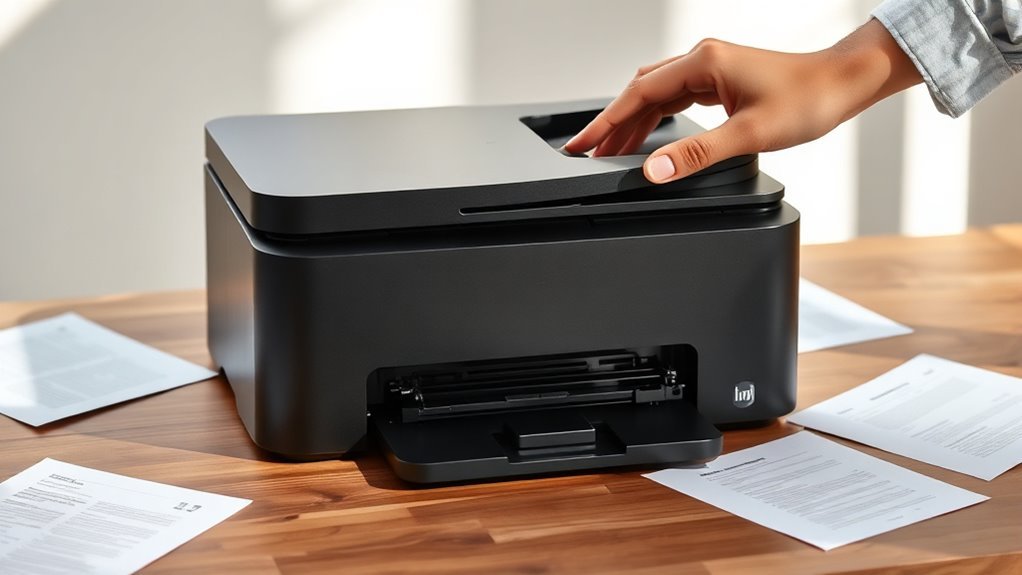
When choosing a black and white laser printer for your home, you’ll want to consider how fast it prints and what connectivity options it offers. Print quality and whether it supports duplex printing can make a big difference in your daily use.
Also, think about the size of the device to make certain it fits comfortably in your space. It’s all about finding the right balance between features and convenience.
Print Speed Importance
Often, print speed plays a critical role in choosing a black and white laser printer for your home, especially if you handle large or frequent print jobs. Look for models offering 25–35 ppm or more to reduce waiting times and keep your workflow smooth.
Don’t overlook the first-page-out time; a quick 6–9 seconds means you get your initial print faster, which is great for short tasks. If you print double-sided often, automatic duplexing that maintains similar speeds to single-sided printing will save you time.
Connectivity Options Available
After considering print speed, the next factor to check is how your printer connects to devices. Dual-band Wi-Fi (2.4 GHz and 5 GHz) offers faster, more reliable wireless printing by reducing interference. This is great if you want flexibility around the house.
If you have multiple users or print heavily, a wired Ethernet port guarantees stable network access without interruptions. For simple setups, a USB 2.0 connection works well but limits you to direct printing from one PC.
You’ll also want to look for mobile printing support like AirPrint or Mopria. These let your phone or tablet print easily and even check toner levels.
Cloud printing and voice-assistant compatibility add convenience by enabling remote and hands-free printing. Just keep in mind, they require internet access and accounts.
Print Quality Standards
Although connectivity and speed are crucial, print quality ultimately determines the satisfaction you get from your black and white laser printer. Aim for at least 600 x 600 dpi resolution; 1200 x 1200 dpi will deliver crisper fine lines and halftones.
Check toner yield and particle size—higher-yield cartridges with finer particles produce smoother solids and uniform gray tones, reducing graininess. Evaluate first-page-out time (under 10 seconds ideal) and a consistent 30+ ppm speed to maintain quality during heavy use.
Accurate duplex and feed mechanisms guarantee minimal paper skew and consistent toner fusion, preventing ghosting and misregistration. If you choose a multifunction printer, look for 300–600 dpi optical scan resolution and effective image processing to preserve detail when copying or scanning documents.
These factors assure sharp, professional results every time.
Device Size Considerations
While print quality plays a major role in your satisfaction with a black and white laser printer, the device’s size can impact where and how conveniently you use it at home. Measure your available desk or shelf space—depth, width, and height—to make certain the printer fits comfortably.
Remember to add extra clearance for opening trays, accessing toner compartments, and using the control panel. You don’t want to cram it in and then struggle every time you need to change the toner or grab a printout.
If you plan to move the printer often, consider its weight. Compact models usually weigh 10–20 pounds, while heavy-duty ones tend to be heavier.
Also, balance paper tray capacity with footprint size since larger input trays need more space. If space is tight, look for vertical designs or front-access trays that save room.
And hey, consider compact all-in-one layouts too. They integrate functions without expanding depth significantly, which can be a real space-saver.
Duplex Printing Features
When you print multi-page documents regularly, choosing a black and white laser printer with automatic duplex printing can save you time and reduce paper use by handling both sides without your intervention. It’s a real game-changer for busy offices.
If you print less often or want to save upfront costs, a manual duplex option requires flipping pages yourself but slows your workflow. So, it’s a bit more hands-on and takes longer.
Check the duplex speed and duty cycle to make sure the printer handles your expected monthly volume efficiently, especially for two-sided jobs. You don’t want any surprises when the printer can’t keep up.
Also, verify that the duplex feature supports the paper sizes and media you use, like envelopes or legal-sized sheets. Some models only work with standard paper, so double-check before you buy.
If you need two-sided scanning or copying, consider models pairing automatic duplex printing with duplex scanning or an ADF. That way, your document handling is much more streamlined and hassle-free.
Consumable Cost Efficiency
After considering duplex printing features to streamline your workflow and reduce paper waste, it’s important to look at how much your printer will cost over time to operate. Start by calculating the cost per page—divide the toner cartridge price by its rated yield.
You’ll find high-yield or XL cartridges usually lower this cost, even if they seem pricey upfront. Don’t forget to factor in the drum or imaging unit replacement intervals and their costs, as these add to your per-page expenses.
If your printer offers subscription refill programs or recycling fees, include those in your total consumable spend. Finally, estimate your annual costs by multiplying your average monthly page volume by the cost per page, giving you a clear picture of your real-world budget impact.
Mobile Printing Compatibility
How easily can you print from your smartphone or tablet? To guarantee smooth mobile printing, confirm your printer supports essential protocols like AirPrint for iOS, Mopria for Android, or offers a dedicated app.
Also, check if it has dual-band Wi-Fi (2.4 GHz and 5 GHz) for stable connections and faster print speeds. Cloud-printing features and apps that enable mobile setup, scan-to-phone, remote print management, and toner monitoring simplify your workflow.
Make sure the printer is compatible with your device’s OS version, as some features vary and may need updates. And if you handle sensitive documents, look for security options such as PIN-release, secure print, or app-level encryption to protect your data when printing from personal devices.
Warranty And Support
Although choosing the right black and white laser printer involves many features, you shouldn’t overlook warranty and support. Start by checking the warranty length and type, ensuring it covers defects and parts replacement for the period you expect to own the printer.
Also, confirm the available support channels—phone, live chat, online resources, or on-site service—and their hours and response times. It’s important to know how easy it is to get help when you need it.
Don’t forget to verify if consumables, repair labor, and shipping costs are included or extra, so you can estimate potential expenses. This way, you won’t be caught off guard by unexpected fees.
Look for printers offering lifetime or extended online support and firmware updates to keep your device secure and functional long after the warranty expires. That kind of ongoing support can make a big difference.
Finally, review any warranty transfer rules and registration requirements to avoid voiding coverage unintentionally. It’s a small step that can save you headaches down the road.
Frequently Asked Questions
How Do Black and White Laser Printers Compare to Inkjet Printers?
You’ll find black and white laser printers faster and more cost-effective for high-volume printing. They really shine when you have lots of pages to get through quickly.
On the other hand, inkjets offer better color quality and detail. So, if you’re looking to print photos or anything colorful, inkjets are usually the way to go.
You’ll save money on toner with laser printers, which is a big plus. But when it comes to photo printing, inkjets suit the job better.
What Is the Average Lifespan of a Home Laser Printer?
You print daily, you print monthly, you print occasionally—your home laser printer typically lasts about 3 to 5 years.
With proper care, you’ll enjoy consistent, sharp prints without frequent replacements or costly repairs.
It’s all about keeping it clean and using it right. That way, your printer sticks around longer and works better for you.
Can Black and White Laser Printers Print on Different Paper Types?
Yes, you can print on different paper types with black and white laser printers. Just check your printer’s specifications to make certain compatibility with labels, cardstock, or transparencies.
That way, you won’t risk damaging the machine or ruining your prints. It’s always better to be safe than sorry!
How Energy-Efficient Are Monochrome Laser Printers?
You’ll find monochrome laser printers so energy-efficient they could power a spaceship! They use less electricity than many devices, especially with sleep modes and toner-saving features.
This helps you save money and reduce your carbon footprint effortlessly. Pretty cool, right?
Are There Any Health Concerns With Laser Printer Toner?
Yes, toner particles can irritate your lungs if inhaled in large amounts. You should use printers in well-ventilated areas and avoid touching toner powder to minimize potential health risks.
Always handle cartridges carefully. It’s better to be safe than sorry when dealing with toner!
Conclusion
When choosing a black and white home laser printer, you want reliability and speed—after all, 72% of users prioritize fast printing for productivity. Whether you pick the compact Brother HL-L2405W or the versatile Canon imageCLASS MF465dw II, these models deliver sharp text and wireless convenience.
Keep your needs in mind, like duplex printing or all-in-one features, and you’ll find the perfect printer to fit your space and workflow effortlessly. With so many options available, focusing on what matters most—whether it’s speed, print quality, or connectivity—makes all the difference.
In the end, selecting the best black and white home laser printer means balancing your budget with features like duplex printing, wireless setup, and overall reliability. This way, you’ll enjoy smooth, efficient printing that supports your home office or personal projects perfectly.