5 Best Beginning 3D Printers for 2027 Beginners
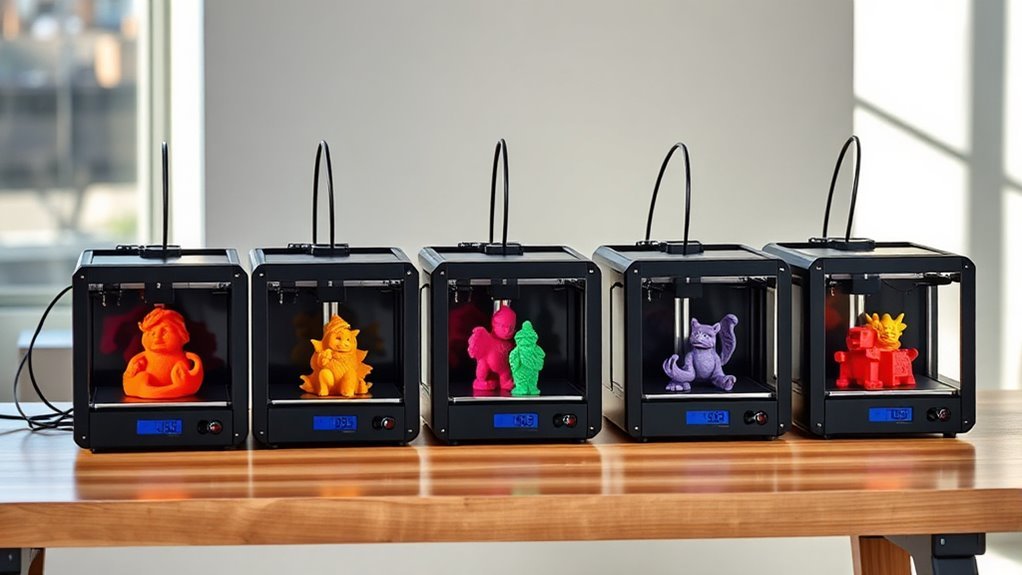
If you’re new to 3D printing in 2027, you’ll want beginner-friendly printers that come fully assembled or are ready to use right out of the box. Models like the Entina Tina2C Mini or Bambu Lab A1 are perfect for this. They offer guided setups that make getting started a breeze.
These printers also feature automatic bed leveling and easy maintenance, including quick-swap nozzles. This means less hassle and more time creating your projects. If you’re ready to step up your game, the Bambu Lab P1S and ELEGOO Centauri 2 Combo bring cool features like multi-color printing and high-speed CoreXY mechanics.
Don’t forget the Creality Ender 3 V3 SE, which is known for quiet and precise printing. Let’s dive in and explore the key features and benefits of these top 3D printers for beginners in 2027!
| Image | Name | Editor's Rating | Price |
|---|---|---|---|

|
|
||

|
|
||

|
|
||

|
|
||

|
|
Entina Tina2C Mini 3D Printer for Beginners
- 【Easy to Use 3D Printer – Ready in 5 Minutes】 Meet the Entina Tina2C, a plug-and-play mini 3D printer designed for first-time users. Fully assembled with factory...
- 【3500+ 3D Models & Easy One-Tap Printing】 Explore 3500+ ready-to-print 3D models and 25+ DIY projects in the Poloprint Cloud app, with new designs added daily...
- 【Smart WiFi 3D Printer & AI-Powered App】 Connect via 2.4GHz WiFi and enjoy convenient 3D printer app control through Poloprint Cloud. Explore models, manage prints...
- 【Auto Leveling 3D Printer & Power-Loss Recovery】 Automatic bed leveling helps improve first-layer adhesion and reduces manual adjustments for a smoother 3D printing...
- 【Flexible Magnetic Print Bed & Quick-Swap Nozzle】 The flexible magnetic build plate makes finished 3D prints easier to remove with a gentle bend. A removable...
Discover the ease of 3D printing with the Entina Tina2C Mini 3D Printer, designed to simplify your creative journey. This compact printer arrives fully assembled, allowing you to start printing within minutes. Its intuitive setup uses factory presets and the Poloprint app’s guided instructions, making it accessible even for complete beginners.
The Tina2C Mini takes the hassle out of printing with auto leveling, ensuring your first layer adheres perfectly every time. If a power interruption occurs, this printer resumes printing exactly where it stopped, protecting your projects from unexpected disruptions. Maintenance is straightforward thanks to its quick-swap nozzle, which simplifies cleaning and reduces downtime.
Ideal for small-scale projects, its compact build volume supports a variety of creative and educational uses. While the size limits larger prints, the wireless control and AI-powered app provide remote management and creative design tools that enhance usability.
This mini printer is a practical choice for those seeking a reliable, beginner-friendly 3D printing experience without the complexity of manual calibrations or extensive setup.
Best for: Beginners and hobbyists looking for a ready-to-use 3D printer with guided setup and easy maintenance.
What We Like:
- Fully assembled with quick setup via the Poloprint app
- Auto leveling and power-loss recovery for consistent prints
- Wireless control and AI-powered app features for remote operation
Specification:
| Feature | Details |
|---|---|
| Manufacturer | Entina |
| Build Volume | 3.9 x 3.9 x 3.9 inches (10 x 10 x 10 cm) |
| Setup Time | Approximately 5 minutes |
| Control | Wireless via Poloprint app |
| Software | Compatible with Cura, Simplify3D |
| Weight | Lightweight design |
Bambu Lab A1 3D Printer, Ready-to-Use FDM 3D Printer for Beginners and Kids
- High-Speed Precision: Experience unparalleled speed and precision with the Bambu Lab A1 3D Printer. With an impressive acceleration of 10,000 mm/s², the A1 delivers...
- Multi-Color Printing with AMS lite: Unlock your creativity with vibrant and multi-colored 3D prints. The Bambu Lab A1 3D printers make multi-color printing accessible and...
- Full-Auto Calibration: Say goodbye to manual calibration hassles. The A1 3D printer takes care of all the calibration processes automatically, ensuring optimal...
- Active Flow Rate Compensation: Achieve consistently smooth prints with active flow rate compensation. The algorithm actively compensates the flow rate according to the...
- Easy and Quiet 3D Printing: Experience effortless printing with the Bambu Lab A1 FDM 3D printer. Its user-friendly interface and simplified touchscreen make it easy to...
The Bambu Lab A1 3D Printer offers a seamless entry into 3D printing for beginners and kids. Its ready-to-use design eliminates the usual setup headaches, thanks to full-auto calibration that automatically handles bed leveling and Z-offset adjustments. This ensures consistent print quality without manual intervention.
Designed for quiet operation, the printer uses active motor noise canceling, making it ideal for home or classroom environments. The simplified touchscreen interface makes print control intuitive, helping users focus on creativity rather than technical challenges.
Maintenance is straightforward with the 1-Clip quick swap nozzle, allowing easy and fast nozzle changes to keep the printer running smoothly. While multi-color printing is possible with the AMS lite add-on, it is sold separately, offering flexibility for users interested in expanding their options.
Though limited to FDM printing and a compact build volume, the Bambu Lab A1 balances ease of use with solid performance. It encourages exploration through the MakerWorld model library, providing plenty of project ideas for new users.
Best for: beginners and kids seeking a user-friendly 3D printer with automatic setup and quiet operation.
What We Like:
- Full-auto calibration for effortless printing
- Quiet operation with active noise cancelation
- Easy maintenance via 1-Clip quick swap nozzle
- Expandable multi-color options with AMS lite add-on
- Access to a large MakerWorld model library
Specification:
| Specification | Details |
|---|---|
| Manufacturer | Bambu Lab |
| Dimensions | Compact (exact size not specified) |
| Weight | Not specified |
| Material | FDM 3D Printer components |
| Color Options | Not specified |
Bambu Lab P1S 3D Printer, Ready-to-Use FDM 3D Printer
- Up to 16 Colors: Bring your designs to life with vibrant multi-color/multi-material printing capabilities, perfect for showcasing your creativity. Note: Connecting Bambu...
- 500mm/s and 20000 mm/s² Acceleration True High Speed: Don't wait around for your masterpieces. Lightning-fast printing speed lets you focus on creating, not waiting.
- Enclosed Design: Fully enclosed body improves print performance for advanced filaments. Automatic Bed Leveling: Say hello to high-quality, successful prints. Auto bed...
- Set Up in 15 Minutes: Spend more time printing and less time setting up. User-friendly design ensures a hassle-free assembly experience for all skill levels.
- Supported Filament: Ideal: PLA, PETG, TPU, PVA, PET ABS, ASA; Capable : PA, PC; Not Recommended: Carbon/Glass Fiber Reinforced Polymer.
The Bambu Lab P1S is designed to get you printing quickly with minimal setup. Its ready-to-use configuration allows you to start creating in just 15 minutes. This compact machine uses a CoreXY system that supports fast printing speeds up to 500 mm/s, helping reduce wait times without sacrificing precision.
Maintenance is straightforward thanks to the automatic bed leveling and enclosed design, which stabilize the printing environment and improve overall print quality. This enclosure is especially beneficial when working with advanced filaments like PLA, PETG, and TPU, ensuring consistent results.
Its modular design supports multi-material printing with up to 16 colors using the AMS add-on. While this expands creative possibilities, the accessory does add to the total cost. The printer weighs just under 40 pounds, making it portable yet substantial enough to stay steady during high-speed tasks.
This 3D printer is ideal for beginners and hobbyists who want a fast, reliable, and multi-material capable device. It balances ease of use with advanced features, helping users explore complex prints with less hassle.
Best for: Beginners and hobbyists seeking a compact, high-speed 3D printer with multi-material functionality.
What We Like:
- Quick, beginner-friendly setup in 15 minutes
- High-speed CoreXY mechanism with smooth acceleration
- Automatic bed leveling for consistent print quality
- Supports up to 16 colors with AMS add-on
- Compact, enclosed body suited for advanced filaments
Specification:
| Feature | Details |
|---|---|
| Manufacturer | Bambu Lab |
| Dimensions | Compact size (exact dimensions not specified) |
| Weight | Approximately 39 lb (under 40 lb) |
| Material Compatibility | PLA, PETG, TPU, others (no carbon/glass fiber reinforced polymers) |
| Color Options | Up to 16 colors with AMS add-on |
Creality Ender 3 V3 SE Beginner-Friendly 3D Printer with Auto Leveling
- 250mm/s High-Speed Printing: Print at speeds of up to 250mm/s with 2500mm/s² acceleration, helping you complete prototypes, functional parts, and everyday projects...
- Easy Setup with Auto Leveling: Designed for a fast and straightforward setup, the Ender 3 V3 SE can be assembled in just a few simple steps. CR Touch Auto Leveling and...
- Proven Sprite Direct Drive Extruder: The upgraded Sprite Direct Drive Extruder provides smooth and consistent filament feeding for PLA, PETG, and TPU. Its proven design...
- Stable Motion System for Consistent Results: Dual synchronized Z-axis lead screws and precision Y-axis linear shafts work together to help reduce vibration and Z...
- Quiet Operation with Easy Print Removal: A 32-bit silent mainboard helps reduce operating noise for a more comfortable printing experience, while the flexible PC spring...
Discover stress-free 3D printing with the Creality Ender 3 V3 SE, designed to make your creative process smoother and more precise. Its auto leveling feature with the CR Touch system automatically calibrates the Z-offset, saving you time and effort on setup. This means you can focus more on printing and less on adjustments.
The printer’s dual synchronized Z-axis screws and precision Y-axis shafts ensure steady motion, reducing vibrations and Z wobble. This stability produces consistent, high-quality layers, improving the reliability of every print. Its upgraded Sprite Direct Drive Extruder handles PLA, PETG, and TPU filaments with smooth feeding and automatic loading, minimizing filament jams.
Maintenance is straightforward thanks to the silent 32-bit mainboard and a flexible spring steel build plate. The build plate allows for easy removal of finished models without damage, and quieter operation keeps your workspace comfortable. Compact and lightweight, the Ender 3 V3 SE suits users creating prototypes and everyday projects in limited spaces.
Best for: Beginners and hobbyists seeking an easy-to-use 3D printer with automatic leveling and stable performance for daily prototyping.
What We Like:
- Automatic Z-offset calibration with CR Touch for hassle-free setup
- Dual Z-axis screws and precision shafts reduce vibration and wobble
- Smooth filament feeding and auto loading with upgraded Sprite Direct Drive Extruder
- Quiet operation with 32-bit mainboard and easy model removal using spring steel plate
Specification:
| Feature | Details |
|---|---|
| Manufacturer | Creality |
| Dimensions | Compact and lightweight |
| Weight | Lightweight (exact weight not provided) |
| Filament Compatibility | PLA, PETG, TPU |
| Build Plate | Flexible spring steel |
| Control Board | Silent 32-bit mainboard |
ELEGOO Centauri 2 Combo 3D Printer, Beginner-Friendly Multicolor Printing
- 4-Color Printing with CANVAS: Create vibrant multi-color models effortlessly with CANVAS 4-color printing. Independent motors, instant color switching, RFID filament...
- Start Printing with Confidence: Full auto calibration and smart pre-print checks simplify setup, while 22 intelligent sensors monitor every print in real time. From first...
- Designed for Speed: Experience faster creation with a high-speed CoreXY system reaching up to 500mm/s and 20,000mm/s² acceleration. The rigid aluminum frame and...
- Smoother, Sharper, Smarter: From the first layer to the final detail, intelligent calibration, vibration compensation, and precise extrusion control help produce clean...
- A Seamless Workflow from Idea to Print: Simplify your entire workflow with the ELEGOO ecosystem. Discover ready-to-print models on Nexprint, prepare projects with...

The ELEGOO Centauri 2 Combo transforms multicolor 3D printing into an effortless experience. Its 4-color CANVAS system solves the common challenge of color switching by using independent motors, RFID filament recognition, and automatic refill. This ensures your projects flow smoothly with instant color changes, eliminating downtime and manual filament swaps.
Designed with precision in mind, the printer’s high-speed CoreXY motion system and rigid aluminum frame deliver stable, detailed prints. The 350°C nozzle opens up possibilities for a wide range of materials while maintaining accuracy. This combination helps users achieve professional-quality results without constant adjustments.
Maintenance is simplified through intelligent calibration, auto leveling, and 22 sensors that monitor the print process. Operating the printer is straightforward thanks to a 5-inch touchscreen and semi-automatic maintenance features, reducing the learning curve for new users. Remote control via the ELEGOO Matrix app adds convenience and access to Nexprint’s model hub.
While the system’s advanced features improve print quality and ease, the 33-pound weight may affect portability. Beginners might need some time to fully master the multicolor functions, but the overall design supports a smooth transition into complex printing.
Best for: Beginners and hobbyists seeking a reliable, easy-to-use 3D printer with seamless multicolor printing capabilities.
What We Like:
- Smooth 4-color switching with RFID filament recognition and auto refill
- High-speed CoreXY system with a stable aluminum frame and 350°C nozzle
- Intelligent calibration and auto leveling for consistent results
- User-friendly 5-inch touchscreen with remote control via ELEGOO Matrix app
Specification:
| Feature | Details |
|---|---|
| Manufacturer | ELEGOO |
| Dimensions | Not specified |
| Weight | 33 lb (15 kg) |
| Frame Material | Aluminum |
| Nozzle Temperature | Up to 350°C |
| Color Printing | 4-color CANVAS system |
| Display | 5-inch touchscreen |
Factors to Consider When Choosing a Beginning 3D Printer
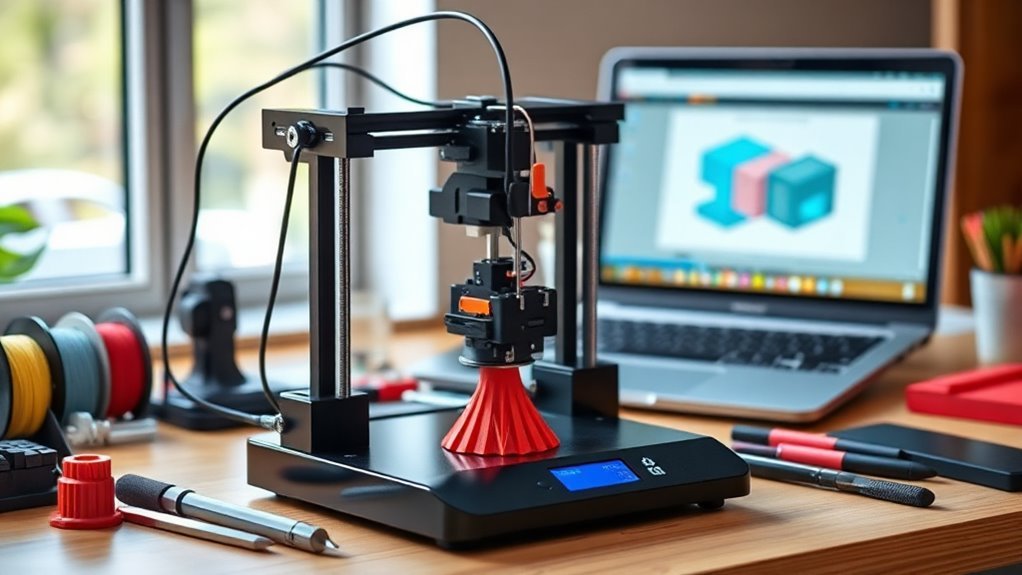
When choosing your first 3D printer, you’ll want to prioritize ease of setup and a simple user interface to get started quickly. It really helps to avoid frustration right from the start.
Also, consider the printing speed and quality to match your project needs. You don’t want to wait forever, but quality matters too!
Think about connectivity options that fit your workflow. Whether it’s USB, Wi-Fi, or something else, it should work smoothly for you.
And don’t forget to check which filament types the printer supports. This way, you can make sure it meets your creative goals without any surprises.
Ease Of Setup
Getting started with 3D printing should be hassle-free, so opt for printers labeled “fully assembled” or “ready-to-use” that let you start printing in under 15 minutes. Look for features like automatic bed leveling or auto Z-offset to cut down on tedious manual calibration.
Guided setup via an app or on-screen wizard, plus factory presets for filament and print profiles, make learning easier and faster. Removable build plates and quick-change nozzles simplify initial test prints and routine upkeep, reducing errors.
Also, built-in recovery functions like power-loss resume and user-friendly filament loading systems minimize troubleshooting during your early prints. Choosing a printer with these ease-of-setup features guarantees your 3D printing journey begins smoothly without frustration or delays.
Printing Speed And Quality
Although faster print speeds can save you time, they demand printers with sturdy mechanics and precise motion control to maintain quality. When choosing a beginner 3D printer, check maximum print speed and acceleration together—high values need reinforced gantries, CoreXY systems, or dual Z screws to reduce vibration and preserve fine details.
Consistent extrusion matters too; look for stable flow rate control and high-temperature capability to avoid artifacts at speed. Auto bed leveling and reliable first-layer systems help guarantee proper adhesion, reducing failed prints caused by speed-induced errors.
Connectivity Options Available
How do you want to connect your 3D printer to your computer or network? If you prefer wireless convenience, Wi-Fi (typically 2.4 GHz) lets you send print jobs and monitor progress remotely. It often comes with app control and cloud library access, which is pretty handy.
For the most stable connection, especially when dealing with large files or in classrooms, Ethernet is your best bet. It keeps things steady and reliable without interruptions.
If you want simplicity and security, USB or SD card offline printing is the way to go. This avoids network setups altogether, making it ideal for kids or schools where ease of use matters.
Direct USB tethering to your computer gives you live slicing, real-time control, and easier troubleshooting. That’s great when you’re just learning and want to stay hands-on.
Printers with multi-path connectivity—Wi-Fi, USB, and SD—offer the most flexibility. You can manage prints remotely, locally, or offline without any hassle.
Think about your workflow and environment to pick the right setup that fits your needs.
Supported Filament Types
When choosing a beginner 3D printer, you’ll want to contemplate the filament types it supports, since each material demands specific temperature settings and printer features. PLA is the most beginner-friendly, printing at 190–220°C with minimal warping and great surface finish.
PETG offers better strength and heat resistance but requires fine-tuning retraction and cooling to avoid stringing and needs good bed adhesion.
If you want to try flexible filaments like TPU, look for direct or geared extruders and slow print speeds to prevent jams. Some printers support soluble filaments like PVA, perfect for complex prints but needing humidity control and compatible hotends.
Always check the printer’s max hotend and bed temperatures plus features like hardened nozzles to handle abrasive or high-temperature materials such as nylon or polycarbonate.
User Interface Simplicity
User interface simplicity often determines how quickly you can start printing and enjoy your 3D printer. Look for a printer with a clear touchscreen or app-based interface featuring easy-to-understand icons and step-by-step prompts. These help you set up and start printing within minutes.
Automated features like one-tap auto-leveling, filament loading, and power-loss recovery reduce manual work, making your experience smoother.
Built-in guided workflows with preconfigured print profiles and one-click slicing simplify the process by removing guesswork on settings. It’s all about making things easier for you so you can focus on creating.
Remote monitoring and control through Wi-Fi lets you manage prints effortlessly without complex setups. Plus, clear error messages, real-time progress updates, and accessible maintenance menus help you troubleshoot and keep your printer running smoothly with ease.
Build Volume Size
Along with an easy-to-use interface, the build volume size plays a key role in choosing your first 3D printer. Consider the maximum part size you plan to print.
Small desktop printers usually offer build volumes under 5 × 5 × 5 inches, while hobby machines provide 8–20 inches on a given axis. Larger volumes let you print single-piece models, reducing seams and assembly time.
But keep in mind, bigger build volumes increase the printer’s footprint, cost, and warm-up time. If you mostly print small items like toys or miniatures, a smaller build volume can be faster and more efficient.
Remember to balance your available workspace with the printer’s size since bigger build volumes mean more room needed for the machine, filament storage, and post-processing. It’s all about finding the right fit for your needs.
Maintenance And Durability
Since maintenance impacts both your printing experience and long-term costs, choosing a beginner 3D printer with durable components and easy upkeep is essential. Look for models with robust aluminum or steel frames and quality linear motion parts like hardened rods and reliable bearings. These help keep prints accurate over time.
You’ll want to prioritize printers featuring auto bed leveling, filament runout detection, and power-loss recovery. These features minimize failed prints and reduce the amount of manual work you have to do.
Also, pick printers with easily replaceable wear parts—nozzles, belts, PTFE tubes, and build plates—that use standard sizes. This makes sourcing replacements a breeze.
Accessibility matters too. Magnetic build plates, quick-swap nozzles, and tool-less extruder access can speed up cleaning and part changes, saving you time and hassle.
Finally, check out manufacturer or community maintenance schedules. They’ll help you estimate ownership costs and ensure your printer runs smoothly for the long haul.
Frequently Asked Questions
What Safety Precautions Should Beginners Follow When Using 3D Printers?
You should always wear gloves and safety glasses, and keep your workspace ventilated. Avoid touching hot parts to prevent burns.
Never leave the printer unattended. Also, make sure to follow the manufacturer’s instructions carefully. This helps prevent accidents and guarantees safe 3D printing.
How Much Maintenance Do Beginner 3D Printers Typically Require?
You’ll spend about 1-2 hours monthly on maintenance, which includes cleaning the nozzle, lubricating rails, and checking belts.
Keeping up with this routine helps prevent print failures and prolongs your printer’s life without much hassle.
It’s really not that time-consuming once you get the hang of it! Just a little effort each month goes a long way.
Can Beginner 3D Printers Use Third-Party Filaments?
Yes, you can use third-party filaments with beginner 3D printers, but you’ll want to check compatibility and settings first.
Some printers work better with specific brands, so experimenting carefully helps avoid clogs or print issues.
It’s a good idea to start small and tweak your settings as you go. That way, you’ll get the best results without any headaches.
What Software Is Recommended for Beginners to Design 3D Models?
You should try Tinkercad or Fusion 360 for designing 3D models. They’re user-friendly, let you create detailed designs, and offer plenty of tutorials.
How Long Does It Take to Learn Basic 3D Printing Skills?
You’ll usually pick up basic 3D printing skills within a few days to a couple of weeks, depending on your dedication.
Practicing with simple projects and troubleshooting helps you learn faster and gain confidence quickly. It’s all about getting hands-on and not being afraid to make mistakes.
Conclusion
Choosing your first 3D printer can feel overwhelming, but it doesn’t have to be. Whether you want simplicity, multicolor options, or cutting-edge features, one of these five models will fit your needs perfectly.
The real question is—are you ready to unleash your creativity and take that first exciting step into 3D printing? Your perfect beginner printer is waiting, and the possibilities are more incredible than you might expect.
Starting with the best beginning 3D printers for 2027 means you get reliable, user-friendly machines designed just for newcomers. These printers offer great quality without complicated setups, making your learning curve much smoother. So, if you’re a beginner eager to dive into 3D printing, these top beginner 3D printers are your best bet to bring your ideas to life with ease and confidence.