8 best beginner 3d printer 2026 affordable
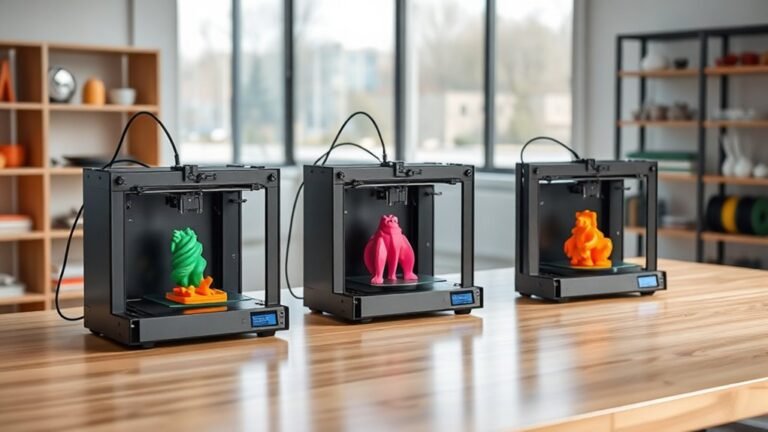
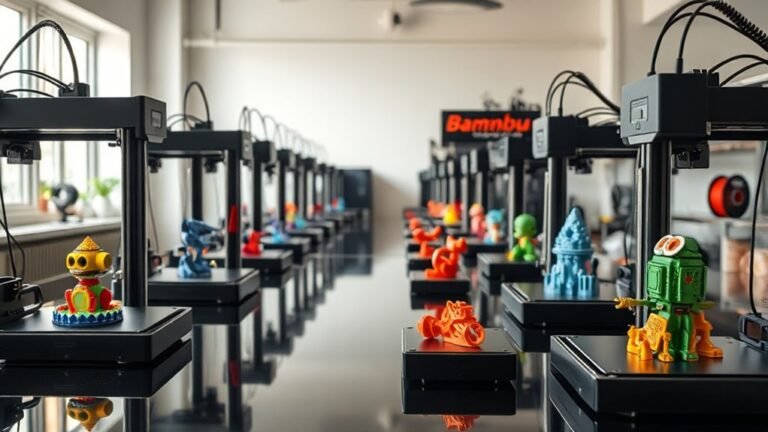
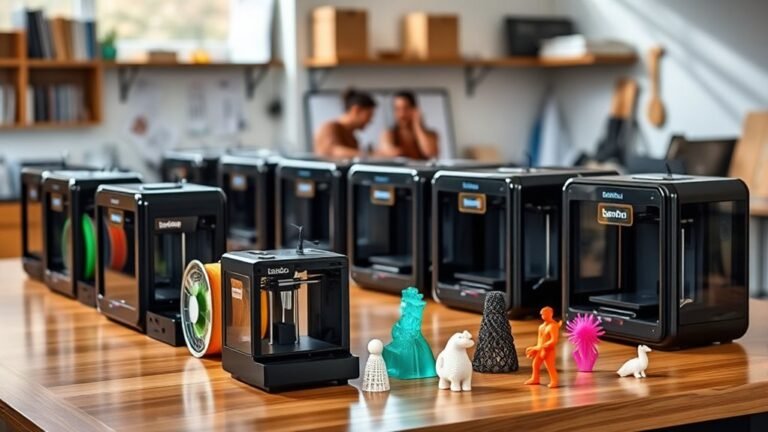
If you’re looking for the best beginner 3D printers in 2026 that won’t break the bank, you’ve come to the right place.
Affordable 3D printers for beginners like the TINA2C, MALYAN M320 Mini, and Creality Ender 3 V3 SE offer a great mix of easy setup and solid print quality. These models are perfect for those just starting their 3D printing journey.
They support various filaments, feature automatic leveling, and come with user-friendly interfaces designed for beginners.
Some even offer quiet operation and multi-color capabilities, making your printing experience smoother and more versatile.
Keep going, and you’ll find details to help you pick the perfect fit for your creative projects.
Whether you want to print toys, prototypes, or art, these beginner-friendly printers have you covered.
| Image | Name | Editor's Rating | Price |
|---|---|---|---|

|
|
||

|
|
||

|
|
||

|
|
||

|
|
TINA2C 3D Printer Beginner Friendly, Easy-Ready to Print in 5 Mins
- 【BEGINNER FRIENDLY-READY TO PRINT】Hephi3d Tina2C 3d printer friendly for home, fully assembled, factory preset, auto leveling, ready to print right out of the box, no...
- 【EASY TO USE-ONE TAP PRINTING】Tina2C mini 3d printer provides 3500+ online massive ready to print model library, new designs update every day. You can print in one...
- 【UNLIMITED CREATIVITY-EASY DIY】Tina2C beginner friendly 3d printer with APP provides STEM Learning Module and 25+ design modules for simply customizing. AIGC & Photo...
- 【FULLY OPEN SOURCE-NO LIMITS】Tina2C beginner 3d printer is no software lock-In. Print you way freely with Wiibuilder or Cura on PC and laptops, one-click wifi upload...
- 【FAMILY & BEGINNER FRIENDLY】 Tina2c compact 3d printer for home can print anytime anywhere, space save. Silent Printing and Auto Detect Bed function give more safe...
Step into the world of 3D printing with the TINA2C 3D Printer, designed to make your creative journey simple and efficient. This printer solves common startup frustrations by arriving fully assembled and ready to print in just five minutes. Its auto leveling feature ensures your prints begin flawlessly, saving time and effort.
The compact design, measuring 8.27 x 6.7 x 9.84 inches and weighing only 5.46 pounds, fits comfortably in any workspace. This makes it ideal for hobbyists who need a portable and manageable printer without sacrificing quality. Its ease of use eliminates complex setup, so you can focus on producing your projects.
Maintenance is straightforward thanks to its beginner-friendly build. The printer supports multiple printing methods and open-source software, offering flexibility as your skills grow. However, the smaller build volume may limit larger projects, and the app-based control might not suit all preferences.
Overall, the TINA2C is a practical choice for newcomers wanting a hassle-free introduction to 3D printing with smart, compact design and quick setup.
Best for: Beginners and hobbyists seeking an easy-to-use, fully assembled 3D printer with fast setup and smart features.
What We Like:
- Fully assembled with auto leveling for quick, accurate prints
- Compact and lightweight, perfect for small spaces
- Access to 3500+ ready-to-print models through app control
- Supports various print methods and open-source software
Specification:
| Feature | Details |
|---|---|
| Manufacturer | TINA |
| Dimensions | 8.27 x 6.7 x 9.84 inches |
| Weight | 5.46 pounds |
| Material | Not specified |
| Color Options | Not specified |
MALYAN M320 Mini 3D Printer for Kids and Beginners
- Compact Build Volume 3D Printer for Everyday Projects:With a 150×150×150 mm compact build volume, the M320 is perfect for daily creative projects. Featuring a heated...
- Fully Assembled 3D Printer with Touchscreen for Easy Use:The M320 comes fully assembled and factory-calibrated, ready to print out of the box. Thanks to the intuitive...
- Magnetic Removable Build Plate :The detachable magnetic platform ensures strong adhesion during printing, while allowing you to remove models effortlessly by bending...
- Compact, Sturdy, and Stable Metal Frame 3D Printer:Featuring a full-metal frame in a lightweight, space-saving design, the M320 stays stable during printing while...
- Ideal for Learning, Creating, and Prototyping:Whether for educational projects, family DIY fun, cosplay miniatures, or professional prototyping, the M320 brings your...
The MALYAN M320 Mini 3D Printer makes 3D printing simple and accessible for kids and beginners. Its fully assembled design lets you start printing right away, eliminating the hassle of setup. This compact printer fits easily on desks at home, school, or office, making it ideal for everyday creative projects.
With a build volume of 150 x 150 x 150 mm, it handles most small to medium models. The heated bed and magnetic removable build plate improve print adhesion and make removing finished prints effortless. These features help deliver more consistent results and reduce maintenance time.
The intuitive touchscreen interface offers straightforward control, so users can focus on learning and experimenting. The sturdy metal frame adds durability and stability, ensuring reliable performance during long print sessions. It supports common 1.75 mm filaments like PLA and PETG, covering a range of beginner-friendly materials.
While the included 10 meters of PLA filament is enough to start, frequent users might need to stock up quickly. The limited build volume may also restrict larger project ideas. Overall, this printer balances ease of use with practical features for educational and hobbyist purposes.
Best for: kids, beginners, and DIY enthusiasts seeking a compact, easy-to-use 3D printer for learning and small creative projects.
What We Like:
- Fully assembled with an intuitive touchscreen for quick startup
- Durable metal frame and heated bed for stable, high-quality prints
- Magnetic removable build plate simplifies model removal without tools
Specification:
| Feature | Details |
|---|---|
| Manufacturer | MALYAN |
| Build Volume | 150 x 150 x 150 mm |
| Filament Diameter | 1.75 mm |
| Supported Filaments | PLA, PETG |
| Frame Material | Metal |
| Interface | Touchscreen |
| Included Filament | 10 meters PLA |
Bambu Lab A1 mini 3D Printer + LED Lamp Kit, Ready-to-Use for Beginners
- A1 mini + LED Lamp Kit for Creative Light Projects: Bring your ideas to life with the included LED Lamp Kit. Simply print compatible lamp models and turn your 3D...
- The Perfect 3D Printer for Beginners: A1 mini 3D Printer is designed to make 3D printing easy from day one with automatic calibration, simple setup, and a smooth printing...
- Experience the Bambu Lab Ecosystem: Access MakerWorld’s huge library of ready-to-print models, manage prints through the Bambu Handy app, and enjoy a connected...
- Fast, Quiet, and Reliable Printing: Compact and beginner-friendly, A1 mini delivers high-speed, high-quality printing with quiet operation that fits naturally into your...
- Made for Everyday Creativity: From toys and home décor to functional tools and personalized gifts, A1 mini makes it easy to turn ideas into real-life creations with a...
Discover the Bambu Lab A1 mini 3D Printer + LED Lamp Kit, designed to make 3D printing accessible and enjoyable for beginners. Its automatic calibration simplifies setup, ensuring your prints start smoothly without frustration. This compact printer is ideal for small spaces, fitting easily on your desk while weighing just 12.1 pounds.
Maintenance is straightforward thanks to its reliable design, helping you focus on creativity rather than troubleshooting. The printer operates quietly and at high speed, delivering consistent, quality prints that enhance your projects. Connecting to the MakerWorld library and Bambu Handy app opens up a world of ready-made models, saving you time and effort.
A unique feature of this kit is the included LED lamp, which transforms your 3D prints into captivating decorative lights. This adds a practical and artistic dimension to your creations, perfect for personalized gifts or home décor. While the printer’s smaller build volume limits larger projects, its ease of use and innovative lighting feature make it a versatile tool.
Best for: Beginners and hobbyists seeking a compact, user-friendly 3D printer that combines creative printing with decorative lighting.
What We Like:
- Automatic calibration for hassle-free printing
- Access to MakerWorld’s extensive model library
- Quiet, fast operation ideal for home or workspace
- LED lamp kit adds creative lighting options
Specification:
| Feature | Details |
|---|---|
| Manufacturer | Bambu Lab |
| Dimensions | Compact size (exact size not specified) |
| Weight | 12.1 lb (5.5 kg) |
| Material | Not specified |
| Color Options | Not specified |
Creality Ender 3 V3 SE 3D Printer Upgrade
- 【250mm/s High-speed Printing】Creality Ender 3 V3 SE 3d printer supports a maximum printing speed of 250mm/s, 2500mm/s² acceleration.The speed has been greatly...
- 【Powerful ""Sprite"" Direct Extruder】Ender 3 V3 SE is the upgrade of ender 3, ender 3 v2, ender 3 pro, ender 3 neo, ender 3 v2 neo, ender 3 s1, ender 3 s1 pro etc 3d...
- 【Worry-free CR Touch Auto Leveling & Strain Sensor】Creality Ender 3 upgraded 3d printer features a CR Touch sensor for auto leveling and a strain sensor for auto...
- 【Stable Dual Z-axis & Y-axis Linear Shafts】High-precision dual Z-axis lead screws reduce Z wobbling effectively, avoid printing deviation in single-axis printing...
- 【Quick Assembly & Easy to Use】Preassembly has solved those hassles and worries of parts assembly, It only takes 3 steps to complete the assemble the ender-3 v3 se 3d...

The Creality Ender 3 V3 SE transforms your 3D printing experience with its fast and precise performance. Printing speeds up to 250mm/s help you complete projects quicker without sacrificing accuracy. This means less waiting and more creating.
Its upgraded full metal dual-gear extruder ensures smooth and reliable filament feeding, reducing clogs and improving print quality. The printer supports common materials like PLA, TPU, and PETG, making it versatile for various hobbyist projects.
Maintenance is straightforward thanks to the CR Touch and strain sensors that handle automatic bed leveling and Z-offset adjustments. Dual Z-axis lead screws and dual Y-axis shafts enhance stability, so your prints come out consistently detailed.
Setup is simple and user-friendly, with automatic filament loading and unloading saving time and effort. Though the print size is moderate, the Ender 3 V3 SE offers a solid combination of speed, precision, and ease of use for beginners and enthusiasts alike.
Best for: hobbyists and beginners seeking an efficient, stable, and easy-to-maintain 3D printer with reliable features.
What We Like:
- High-speed printing up to 250mm/s with consistent accuracy
- Automatic leveling and filament handling simplify operation
- Dual Z-axis and Y-axis shafts improve print stability
- Compatible with PLA, TPU, and PETG filaments
- Quick setup within about 20 minutes
Specification:
| Feature | Details |
|---|---|
| Manufacturer | Creality |
| Print Speed | Up to 250 mm/s |
| Supported Filaments | PLA, TPU, PETG |
| Print Size | 8.66 x 8.66 x 9.84 inches |
| Extruder Type | Full metal dual-gear |
| Leveling Sensors | CR Touch and strain sensor |
| Stability Features | Dual Z-axis lead screws, dual Y-axis shafts |
| Setup Time | Approx. 20 minutes |
Anycubic Kobra X Multicolor 3D Printer, Easy Setup, Native 4-Color
- 【 Newest Level - 19-Color with 4 ACE 2 Pro】Why settle for one color when you can have multicolor? The Kobra X comes born with 4 colors built-in. It is innovative 3D...
- 【 Savings 2X Time】Stop wasting hours and filament on purging! Kobra X impresora 3D reduces the filament and machine travel path by 81.25%, so 2X the Speed, and...
- 【Hardened Precision & High Speed 】 Equipped with a high-durability hardened steel nozzle and vibration compensation, the Kobra X ensures every layer remains smooth...
- 【Flawless First Layer with LeviQ 3.0】The LeviQ 3.0 and auto bed leveling system uses a 49-point calibration and advanced leveling algorithm to ensure 100% bed...
- 【Smart AI Monitoring & Large Model Library】APP remote control, features Spaghetti detection and foreign object detection. The innovative top-mount spool holder...
Experience the power of multicolor 3D printing with the Anycubic Kobra X Multicolor. Designed for creators who want to bring vibrant, complex models to life, this printer offers native 4-color printing that can expand up to 19 colors with additional units. This flexibility opens new creative possibilities without complicated setups.
Speed is a major advantage, with printing rates up to 600mm/s. This drastically cuts down project times, allowing you to finish detailed models like Benchy in just 14 minutes. The Kobra X Multicolor’s LeviQ 3.0 auto bed leveling and 49-point calibration simplify setup and maintenance, so you can start printing confidently within 15 minutes.
The printer supports a wide range of filament types, making it versatile for various materials and applications. Its large 260mm³ build volume accommodates bigger designs, while smart AI monitoring and dual-band Wi-Fi keep you connected and informed throughout the print process.
While expanding to 19 colors requires extra hardware, the printer’s advanced features and spacious build area provide a robust platform for fast, multicolor 3D printing. Maintenance is straightforward, with automated leveling and intelligent monitoring reducing downtime.
Best for: Creators and hobbyists seeking fast, multicolor 3D printing with easy setup and smart features for home, educational, or makerspace use.
What We Like:
- Native 4-color printing expandable to 19 colors for vibrant models
- High-speed printing up to 600mm/s reduces print time
- LeviQ 3.0 auto bed leveling ensures precise setup
- AI monitoring and dual-band Wi-Fi enhance usability
- Supports diverse filament types with a large build volume
Specification:
| Feature | Details |
|---|---|
| Manufacturer | Anycubic |
| Build Volume | 260 × 260 × 260 mm |
| Printing Speed | Up to 600 mm/s |
| Nozzle Temperature | Max 300℃ |
| Color Options | Native 4-color, expandable to 19 |
| Connectivity | Dual-band Wi-Fi |
| Calibration | LeviQ 3.0 auto bed leveling, 49-point calibration |
Bambu Lab P1S Combo, P1S 3D Printer and AMS, Multi-Color 3D Printing

- Up to 16 Colors: Bring your designs to life with vibrant multi-color/multi-material printing capabilities, perfect for showcasing your creativity. Note: Connecting Bambu...
- 500mm/s and 20000 mm/s² Acceleration True High Speed: Don't wait around for your masterpieces. Lightning-fast printing speed lets you focus on creating, not waiting.
- Enclosed Design: Fully enclosed body improves print performance for advanced filaments. Automatic Bed Leveling: Say hello to high-quality, successful prints. Auto bed...
- Set Up in 15 Minutes: Spend more time printing and less time setting up. User-friendly design ensures a hassle-free assembly experience for all skill levels.
- Supported Filament: Ideal: PLA, PETG, TPU, PVA, PET ABS, ASA; Capable : PA, PC; Not Recommended: Carbon/Glass Fiber Reinforced Polymer.
The Bambu Lab P1S Combo transforms multi-color 3D printing into a seamless experience. Designed for creative beginners, it solves the challenge of managing multiple filaments by integrating the P1S 3D printer with an Automatic Material System (AMS). This setup allows you to switch colors and materials effortlessly, enhancing your creative possibilities.
Its enclosed frame stabilizes the printing environment, improving the quality and reliability of each print. Automatic bed leveling removes the hassle of manual adjustments, so you can start printing quickly without technical frustration. The combo supports popular filaments like PLA, PETG, TPU, and ABS, covering most everyday printing needs.
Maintenance is straightforward, with easy assembly in just 15 minutes and a design that keeps components protected. The printer achieves fast speeds of up to 500mm/s, helping you complete projects efficiently. While it handles a wide range of materials, it’s not suited for carbon or glass fiber reinforced polymers, and its larger size requires dedicated space.
Best for: Creative beginners and hobbyists seeking an easy-to-use, multi-color 3D printing solution with fast performance and versatile filament compatibility.
What We Like:
- Supports up to 16 filament options for diverse projects
- Fast printing speeds up to 500mm/s with reliable quality
- Automatic bed leveling simplifies setup and calibration
- Quick 15-minute assembly makes it accessible for new users
- Enclosed design enhances print consistency and safety
Specification:
| Feature | Details |
|---|---|
| Manufacturer | Bambu Lab |
| Dimensions | Not specified |
| Weight | Not specified |
| Material Compatibility | PLA, PETG, TPU, ABS |
| Color Options | Supports up to 16 filament colors |
Anycubic Kobra X Multicolor 3D Printer, Easy One-Click Printing

- 【Vivid 19-Color and Versatile Materials】Unleash creativity beyond limits. The Kobra X supports 4-color standard and expands up to 19 colors with 4 ACE 2 Pro for...
- 【600mm/s High Speed Performance】Don't let slow speeds limit your creativity. This high-speed FDM 3D printer reaches up to 600mm/s, completing tasks significantly...
- 【True Plug & Play Experience】Start your first project in as little as 15 minutes. The Kobra X arrives with a user-friendly setup and LeviQ 3.0 automatic bed leveling...
- 【LeviQ 3.0 Perfect First Layer】Forget the frustration of manual bed leveling that plagues beginner machines. The LeviQ 3.0 system utilizes 49-point full-auto leveling...
- 【Quiet & Reliable for Home】The ultra-quiet ≤48 dB operation ensures the living or learning space remains peaceful. Combined with power loss recovery and filament...
The Anycubic Kobra X Multicolor 3D Printer transforms how you bring ideas to life by enabling multicolor printing with ease. Its ability to handle up to four colors simultaneously opens new creative possibilities, especially for beginners looking to produce vivid, detailed models. Expanding to 19 colors with the ACE 2 Pro accessory further enhances its versatility for complex projects.
This printer tackles common challenges like setup and calibration with its plug-and-play design and LeviQ 3.0 auto bed leveling system. These features reduce downtime and minimize user errors, making maintenance straightforward. The quiet operation at ≤48 dB ensures it fits comfortably in home or office environments without disruption.
Designed for speed and precision, the Kobra X delivers printing velocities up to 600mm/s with advanced vibration compensation. This technology ensures sharp, accurate results, even at high speeds, while the hardened steel nozzle supports a wide range of materials, including TPU, PLA, and PETG. The spacious 260x260x260mm build volume accommodates various project sizes with ease.
Additional smart features like power loss recovery and AI monitoring through a built-in 720P camera provide peace of mind during longer prints. While its color capacity is limited without accessories and the build volume may restrict very large prints, the Kobra X balances functionality with user-friendly design.
Best for: Creative beginners and professionals seeking fast, reliable multicolor 3D printing with simple setup and broad material compatibility.
What We Like:
- Supports up to 4 colors standard; expandable to 19 with ACE 2 Pro.
- High-speed printing up to 600mm/s with vibration compensation.
- Easy setup via plug-and-play and LeviQ 3.0 auto bed leveling.
- Quiet operation suitable for home and office use.
- Smart features like power loss recovery and AI camera monitoring.
Specification:
| Feature | Details |
|---|---|
| Manufacturer | Anycubic |
| Build Volume | 260 × 260 × 260 mm |
| Maximum Colors Supported | 4 colors (expandable to 19) |
| Printing Speed | Up to 600 mm/s |
| Materials Supported | TPU, PLA, PETG, and more |
| Nozzle Material | Hardened steel |
| Noise Level | ≤48 dB |
| Auto Bed Leveling | LeviQ 3.0 |
| Camera | 720P AI monitoring |
ANYCUBIC Photon Mono 4, Resin 3D Printer with 7” 10K Mono LCD Screen

- 【7'' 10K High Resolution】Photon Mono 4 boasts an impressive 105% increase in print precision compared to Mono 2. With a resolution of 9024x5120, each pixel measures a...
- 【Powerful Light Source】The time-tested Anycubic LighTurbo matrix light source technology delivers stable, balanced, and uniform lighting to reduce layer lines and...
- 【Sufficient Print Size】With a generous maximum build volume of 6.04'' x 3.42'' x 6.49''/153.4mm x 87mm x 165mm, you have ample print space to easily tackle your daily...
- 【Laser-engraved Print Platform 2.0】With a new design, the laser engraving platform of the photon mono 4 improves adhesion to mitigate lifting and warping of the model...
- 【User-friendly Function】The 4-point leveling method is ideal for beginners, after the first leveling and tightening the 4 screws, no need to repeat leveling. Photon...
Experience precision like never before with the ANYCUBIC Photon Mono 4, designed to elevate your resin printing projects. Its ultra-high 10K resolution ensures every detail emerges sharply, making complex models come to life with smooth, refined surfaces.
The 7-inch 9024×5120 Mono LCD paired with Anycubic’s LighTurbo matrix lighting provides consistent exposure. This combination minimizes imperfections, so you spend less time on corrections and post-processing. The printer’s build volume of 6.04 x 3.42 x 6.49 inches offers a practical balance, enabling detailed prints without occupying excessive space.
Maintenance is straightforward thanks to the laser-engraved Print Platform 2.0, which enhances adhesion and simplifies model removal. The 4-point leveling system is intuitive, requiring calibration only once, which reduces setup time for users new to resin printing.
Power interruptions won’t disrupt your workflow. The power recovery feature lets the printer resume where it left off, saving materials and avoiding wasted prints. Compact and user-friendly, the Photon Mono 4 suits both beginners and enthusiasts focused on high-quality resin prints.
Best for: Users seeking a compact resin 3D printer that delivers ultra-high detail with easy setup and reliable performance.
What We Like:
- Exceptional 10K resolution with 7″ Mono LCD for detailed, smooth prints
- Balanced build volume with a fast 70mm/h print speed
- Laser-engraved platform improves adhesion and model removal
- Simple 4-point leveling reduces calibration hassle
- Power recovery protects prints from unexpected outages
Specification:
| Feature | Details |
|---|---|
| Manufacturer | ANYCUBIC |
| Dimensions (Build) | 6.04 x 3.42 x 6.49 inches |
| LCD Screen Size | 7 inches |
| LCD Resolution | 9024 x 5120 (10K Mono LCD) |
| Print Speed | Up to 70 mm/h |
| Leveling System | 4-point leveling |
| Platform | Laser-engraved Print Platform 2.0 |
Factors to Consider When Choosing a Beginner 3D Printer 2026 Affordable

When choosing an affordable beginner 3D printer, you’ll want to prioritize ease of setup and reliable print quality.
Check the range of compatible materials and make sure the software is user-friendly with good connectivity options.
Don’t forget to evaluate safety features to keep your printing experience smooth and secure.
It might seem like a lot at first, but focusing on these basics will help you pick the right printer without any hassle.
Ease Of Setup
Although diving into 3D printing can feel overwhelming, choosing a beginner-friendly printer with quick setup can make all the difference. Look for models that take just 5 to 20 minutes to get running, so you can start printing without hassle.
Automatic bed leveling is a game-changer, removing the guesswork and saving you from tedious manual adjustments. Opt for fully assembled printers to avoid complex setups—ideal when you want to dive right in.
User-friendly interfaces like touchscreens or app controls simplify navigation and operation, making the process smoother. Also, clear, concise manuals or setup guides are essential; they help you understand your printer’s functions quickly and reduce frustration.
Prioritizing these factors guarantees your first 3D printing experience stays fun and frustration-free.
Print Quality And Precision
Print quality and precision define the success of your 3D printing projects, especially if you’re just starting out. You’ll want a printer with high resolution, as it directly impacts the level of detail and smoothness of your prints—some models offer resolutions as fine as 9024×5120.
Precision depends on pixel size too; smaller pixels like 17×17μm improve accuracy on the X and Y axes. It’s something to really consider when you want your prints to be sharp and detailed.
Think about the printing technology you choose. Resin printers usually deliver superior detail thanks to light-based curing, while FDM printers are known for their reliability and ease of use.
Features like automatic bed leveling are a big help for beginners. They make sure your first layer sticks properly, which is super important for achieving good print quality.
Also, keep in mind that while a larger build volume lets you print complex designs, maintaining precision across the entire area is essential for the best results. So, don’t just look at size—make sure accuracy stays consistent too!
Material Compatibility Range
Achieving great detail and precision is just part of the equation; the range of materials your printer can handle greatly shapes what you can create. Look for beginner 3D printers that support common filaments like PLA, PETG, and TPU. This gives you flexibility for various projects.
If you want to explore specialized prints, consider compatibility with materials like ASA, PVA, or nylon. Printers with multi-color or multi-material printing capabilities add versatility, letting you craft more complex designs easily.
Also, make certain your printer uses standard filament diameters, typically 1.75 mm. This way, you can access a broad selection of colors and materials.
Finally, high-temperature nozzles expand your options, enabling you to work with advanced filaments such as carbon or glass fiber composites. These are great for stronger, more unique prints.
Software And Connectivity
When choosing a beginner 3D printer in 2026, software and connectivity options play a crucial role in your overall experience. You’ll want a printer compatible with open-source software like Cura or Wiibuilder, so you’re not locked into one program.
Look for multiple connectivity options—Wi-Fi, USB, and TF card—to easily transfer files and print remotely. Mobile app controls offer added convenience, letting you monitor and manage prints from anywhere.
Smart technology, such as AI monitoring systems, can detect printing issues and send real-time alerts, reducing frustration. Also, prioritize printers with automatic bed leveling.
This feature simplifies setup and guarantees a perfectly flat surface, leading to higher print quality and fewer failed prints. These factors make your 3D printing journey smoother and more enjoyable.
Safety Features Included
Beyond software and connectivity, safety features play a big role in choosing the right beginner 3D printer. You should look for models with automatic bed leveling to guarantee the print surface is perfectly aligned before starting, reducing print failures and accidents.
Power loss recovery systems are essential—they help you resume prints after power outages, saving materials and frustration. Silent operation is another key feature to take into account, especially if you’ll use the printer at home, keeping your workspace quiet.
Prioritize printers with auto-detect bed functions that prevent overheating, enhancing safety during operation. Finally, choose machines with easy maintenance options like quick-release hotends, so you can safely perform upkeep without hassle.
These features make your 3D printing experience safer and more user-friendly. Easy, right?
Budget And Warranty Options
Finding a beginner 3D printer that fits your budget without sacrificing quality is crucial. Affordable options usually fall between $200 and $500, making them perfect for hobbyists and students.
When choosing, consider printers that offer at least a 12-month warranty to protect your investment against defects. Some budget-friendly models come fully assembled, saving you time and extra costs for setup tools.
Don’t overlook the availability of technical support; printers with lifetime assistance can make your learning process smoother. Also, check if the printer includes starter kits or consumables, which can reduce your initial expenses.
Balancing these budget and warranty factors guarantees you get a reliable, cost-effective 3D printer that supports your creative journey.
Frequently Asked Questions
What Are the Common Maintenance Tasks for Beginner 3D Printers?
You’ll clean the print bed, lubricate moving parts, and check belt tension regularly. It’s also important to update the firmware to keep everything running smoothly.
Don’t forget to clear nozzle clogs when they happen. Calibrating the printer often helps keep your prints accurate and your machine in good shape.
How Do I Troubleshoot Common 3D Printing Errors?
When your prints go haywire, start by checking your bed leveling and nozzle temperature. You’ll want to clean the nozzle, adjust settings, and guarantee filament feeds smoothly.
These quick fixes usually get your printer back on track in no time. It’s amazing how often a little tune-up can solve the problem!
What Software Is Best for Beginners to Design 3D Models?
You’ll find Tinkercad perfect for starting 3D design; it’s user-friendly and web-based.
Fusion 360 also works well if you want more advanced features later but still beginner-friendly with plenty of tutorials.
Are There Safety Precautions When Using Resin 3D Printers?
Safety precautions are a must—you can’t put the cart before the horse. You should wear gloves and work in a well-ventilated area to stay safe.
Also, try to avoid skin contact with resin as much as possible. And don’t forget to cure your prints properly. It all helps keep you healthy and out of trouble.
How to Choose the Right Filament Type for Different Projects?
You should match filament type to your project’s needs: use PLA for ease, ABS for strength, PETG for durability, and flexible TPU for elasticity.
Think about temperature, finish, and mechanical properties before choosing your filament.
These factors really help you pick the right one for the job. It’s all about what your project requires and how you want it to perform.
Conclusion
Choosing the perfect beginner 3D printer can seem tricky, but with these top affordable picks for 2026, you’re set to start strong. Whether you crave colorful creations or crisp resin results, these printers promise precision, portability, and painless setups.
Immerse yourself in design with confidence and creativity—your printing potential is practically limitless. So, pick your printer, power up, and leap into the playful, practical world of 3D printing today!
With the best beginner 3D printer, affordability doesn’t mean sacrificing quality. These models are designed to be user-friendly, making your first printing experience smooth and enjoyable. Whether you want to experiment with different materials or dive into detailed projects, these affordable printers give you the tools to bring your ideas to life. Start your 3D printing journey now and discover how simple and fun creating can be!