9 Best Beginner 3D Printers for 2027
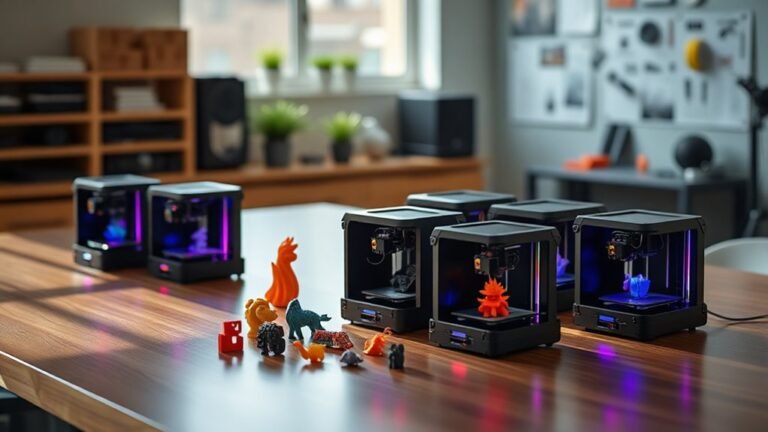
If you’re starting with 3D printing, beginner-friendly 3D printers like the Bambu Lab A1 Mini, Entina Tina2 Plus, and Creality Ender 3 V3 SE are great choices.
These models offer easy setup and deliver reliable prints, making them perfect for those new to the hobby.
The Anycubic Kobra X stands out with its multicolor capability and fast printing speeds.
Meanwhile, the Flashforge Adventurer 5M is ideal for beginners who need precision in their projects.
When choosing a 3D printer, look for features like automatic bed leveling, quiet operation, and strong material support.
Exploring these options will definitely help you find the perfect printer to spark your creativity and boost your confidence in 3D printing.
| Image | Name | Editor's Rating | Price |
|---|---|---|---|

|
|
||

|
|
||

|
|
||

|
|
||

|
|
Bambu Lab A1 mini 3D Printer + LED Lamp Kit, Ready-to-Use for Beginners
- A1 mini + LED Lamp Kit for Creative Light Projects: Bring your ideas to life with the included LED Lamp Kit. Simply print compatible lamp models and turn your 3D...
- The Perfect 3D Printer for Beginners: A1 mini 3D Printer is designed to make 3D printing easy from day one with automatic calibration, simple setup, and a smooth printing...
- Experience the Bambu Lab Ecosystem: Access MakerWorld’s huge library of ready-to-print models, manage prints through the Bambu Handy app, and enjoy a connected...
- Fast, Quiet, and Reliable Printing: Compact and beginner-friendly, A1 mini delivers high-speed, high-quality printing with quiet operation that fits naturally into your...
- Made for Everyday Creativity: From toys and home décor to functional tools and personalized gifts, A1 mini makes it easy to turn ideas into real-life creations with a...
The Bambu Lab A1 mini 3D Printer + LED Lamp Kit offers a seamless introduction to 3D printing for beginners. Its automatic calibration removes the usual setup challenges, allowing you to start printing with ease and confidence. The compact design fits well in tight spaces, making it ideal for home or office use without clutter.
This printer operates quietly, ensuring your creative process is uninterrupted by noise. Maintenance is straightforward, with the printer’s design focusing on simplicity and user-friendly controls. The included LED lamp kit adds a creative twist, enabling users to transform prints into stylish decorative lights.
The Bambu Handy app and MakerWorld library expand your creative options by providing easy access to models and print management tools. While the printer is tailored for smaller projects, it excels at producing detailed, personalized items that make great gifts or décor.
The kit’s design emphasizes convenience and creative freedom, though its size limits larger prints. Assembly of the LED lamp may require some effort, which adds a hands-on aspect to the overall experience.
Best for: Beginners seeking an easy-to-use, compact 3D printer to create customized prints and decorative lighting projects.
What We Like:
- Automatic calibration simplifies initial setup
- Quiet operation (≤48 dB) ideal for shared spaces
- Access to MakerWorld and Bambu Handy app for easy print management
- Compact size fits neatly in small areas
- LED lamp kit enables creative decorative lighting
Specification:
| Feature | Details |
|---|---|
| Manufacturer | Bambu Lab |
| Dimensions | Compact design (exact size not specified) |
| Weight | Not specified |
| Material | Not specified |
| Color Options | Not specified |
Entina Tina2 Plus 3D Printer for Beginners
- 【Start Printing in Minutes – Beginner Friendly】No setup required. Tina2 Plus 3d printer comes fully assembled and ready to use out of the box. With included TF card...
- 【Fast 250mm/s Printing Performance】This Tina2 Plus high speed 3D printer print speeds up to 250 mm/s help reduce waiting time and support fast project turnaround...
- 【WiFi App Control & STEM Model Library】Powered by the Poloprint Cloud app, this WiFi-enabled 3D printer gives access to 3,500+ printable models and 25+ creative DIY...
- 【40-Second Fast Heat Ceramic Hotend】High-efficiency ceramic hotend heats up in just 40 seconds for faster start-up and less downtime. The quick-swap nozzle design...
- 【Compact 3D Printer for Home & Classroom】Designed with a space-saving footprint while maintaining practical print capacity, this compact 3D printer fits easily on...
The Entina Tina2 Plus is designed to simplify 3D printing for beginners. Its fully assembled, compact design means you can start printing within minutes, without the hassle of complicated setup. Preloaded models on the included TF card help you jump right into creative projects.
This 3D printer offers intuitive WiFi and app control through Poloprint Cloud, giving easy access to over 3,500 models and 25+ DIY modules. This feature lets users explore a wide range of designs and customize prints directly from their phones, enhancing convenience and creativity.
The printer heats up quickly and prints at speeds up to 250 mm/s, reducing wait times and improving efficiency. Its partially enclosed frame and dual Z-axis support provide stability and safety, minimizing print failures and protecting your workspace.
Maintenance is straightforward thanks to its reliable components and beginner-friendly build. While the compact size limits build volume, it fits well in small spaces and is perfect for hobbyists or those new to 3D printing.
Best for: Beginners and hobbyists seeking a compact, easy-to-use 3D printer with fast setup and versatile app-controlled printing options.
What We Like:
- Fully assembled for immediate use with preloaded print models
- Fast heating and printing speeds up to 250 mm/s
- Stable and safe design with a partially enclosed frame and dual Z-axis
- Convenient WiFi and app control with access to thousands of models
Specification:
| Feature | Details |
|---|---|
| Manufacturer | Entina |
| Dimensions | Compact size (exact size not specified) |
| Weight | Not specified |
| Material | Not specified |
| Color Options | Not specified |
Geeetech Mini 3D Printer for Kids & Beginners
No products found.
The Geeetech Mini 3D Printer offers an easy and approachable way to start 3D printing. Designed especially for kids and beginners, it eliminates the frustration of complex setups. You can begin printing immediately thanks to its fully assembled design and intuitive controls.
This printer simplifies the printing process with a clear 2.4” LCD screen and a single-button filament loading system. Its 16-point auto-leveling and a flexible magnetic build plate ensure your projects come out smooth and accurate every time. These features reduce maintenance efforts and save time.
With a robust direct drive extruder, the Mini handles materials like TPU and PLA with ease. The print speed of up to 250 mm/s balances quality and efficiency, making it suitable for a variety of simple to moderately detailed prints. Its compact size suits smaller workspaces but limits larger print projects.
While it weighs just under 10 pounds, this may be a consideration for portability among younger users. Overall, the Mini 3D Printer offers a straightforward, reliable experience for those beginning their 3D printing journey.
Best for: Kids and beginners seeking a user-friendly, fully assembled 3D printer with easy operation and reliable performance.
What We Like:
- Fully assembled for out-of-the-box use with simple knob controls
- 16-point auto-leveling and magnetic build plate for precise prints
- Supports flexible TPU and standard PLA materials
- Compact size fits small spaces and beginner setups
Specification:
| Feature | Details |
|---|---|
| Manufacturer | Geeetech |
| Print Area | 3.94 x 4.33 x 3.94 inches |
| Weight | 9.8 pounds |
| Screen | 2.4” LCD with knob control |
| Supported Materials | TPU, PLA |
| Print Speed | Up to 250 mm/s |
Creality Ender 3 V3 SE 3D Printer Upgrade
- 【250mm/s High-speed Printing】Creality Ender 3 V3 SE 3d printer supports a maximum printing speed of 250mm/s, 2500mm/s² acceleration.The speed has been greatly...
- 【Powerful ""Sprite"" Direct Extruder】Ender 3 V3 SE is the upgrade of ender 3, ender 3 v2, ender 3 pro, ender 3 neo, ender 3 v2 neo, ender 3 s1, ender 3 s1 pro etc 3d...
- 【Worry-free CR Touch Auto Leveling & Strain Sensor】Creality Ender 3 upgraded 3d printer features a CR Touch sensor for auto leveling and a strain sensor for auto...
- 【Stable Dual Z-axis & Y-axis Linear Shafts】High-precision dual Z-axis lead screws reduce Z wobbling effectively, avoid printing deviation in single-axis printing...
- 【Quick Assembly & Easy to Use】Preassembly has solved those hassles and worries of parts assembly, It only takes 3 steps to complete the assemble the ender-3 v3 se 3d...

The Creality Ender 3 V3 SE redefines 3D printing for beginners by combining speed and precision in one compact machine. It addresses common frustrations like long print times and uneven layers, allowing you to finish projects faster with high-speed printing up to 250mm/s. This means significant time savings without sacrificing quality.
Designed for ease of use, this printer features a large 8.66×8.66×9.84-inch build volume, accommodating a variety of creative projects. Its upgraded Sprite full metal dual-gear direct extruder ensures smooth filament feeding, supporting popular materials like PLA, TPU, and PETG. You can rely on consistent, detailed prints with less hassle.
Maintenance is straightforward thanks to the CR Touch sensor and dual Z-axis lead screws, which provide accurate automatic leveling and enhance stability. Assembly is simplified, taking around 20 minutes, and includes automatic filament loading to get you started quickly. This setup reduces common errors and downtime during initial use.
While the print volume suits most hobbyist needs, it may feel limited for very large-scale projects. The printer supports standard filaments but does not extend to advanced materials. However, its design balances functionality and user-friendliness, making it an ideal choice for those new to 3D printing.
Best for: Beginners and hobbyists who want a fast, reliable 3D printer with simple setup and versatile filament compatibility.
What We Like:
- High-speed printing cuts project time by up to 73%
- Automatic bed leveling with dual Z-axis lead screws for stable, precise prints
- User-friendly assembly with preassembled parts and automatic filament loading
- Versatile extruder supports multiple common filament types
- Compact design with a practical build volume for diverse projects
Specification:
| Specification | Details |
|---|---|
| Manufacturer | Creality |
| Build Volume | 8.66 x 8.66 x 9.84 inches |
| Print Speed | Up to 250 mm/s |
| Extruder Type | Sprite full metal dual-gear direct extruder |
| Supported Filaments | PLA, TPU, PETG |
| Leveling Sensor | CR Touch automatic leveling |
| Assembly Time | Approximately 20 minutes |
Anycubic Kobra X Multicolor 3D Printer, Easy Setup, Native 4-Color
- 【 Newest Level - 19-Color with 4 ACE 2 Pro】Why settle for one color when you can have multicolor? The Kobra X comes born with 4 colors built-in. It is innovative 3D...
- 【 Savings 2X Time】Stop wasting hours and filament on purging! Kobra X impresora 3D reduces the filament and machine travel path by 81.25%, so 2X the Speed, and...
- 【Hardened Precision & High Speed 】 Equipped with a high-durability hardened steel nozzle and vibration compensation, the Kobra X ensures every layer remains smooth...
- 【Flawless First Layer with LeviQ 3.0】The LeviQ 3.0 and auto bed leveling system uses a 49-point calibration and advanced leveling algorithm to ensure 100% bed...
- 【Smart AI Monitoring & Large Model Library】APP remote control, features Spaghetti detection and foreign object detection. The innovative top-mount spool holder...
Experience vibrant multicolor 3D printing with the Anycubic Kobra X Multicolor. This printer simplifies complex color projects by offering native 4-color printing, allowing users to create detailed, multi-hued models without hassle. Its design helps reduce setup time, making it ideal for quick starts and smooth workflows.
The Kobra X also speeds up production with print speeds reaching 600mm/s. This means faster turnaround on prints like the Benchy, which can be completed in as little as 14 minutes. Its LeviQ 3.0 auto bed leveling ensures consistent first-layer adhesion, minimizing print failures and maintenance time.
Connectivity and monitoring are enhanced through smart AI features and dual-band Wi-Fi, giving users real-time control and peace of mind. The printer supports various filaments and accommodates large build volumes, catering well to creative environments such as homes, schools, and makerspaces.
While the system can expand to 19 colors, additional hardware is required, which may increase costs. The print size suits most projects but could limit very large-scale creations. Users should also consider filament types carefully, especially regarding the high nozzle temperatures needed for some materials.
Best for: Creative hobbyists, educators, and makerspaces seeking efficient multicolor 3D printing with smart features and easy setup.
What We Like:
- Native 4-color printing with up to 19-color expansion
- Fast printing speeds reduce project time significantly
- LeviQ 3.0 auto bed leveling for reliable first layers
- Smart AI monitoring and dual-band Wi-Fi connectivity
- Supports diverse filaments and large build volumes
Specification:
| Feature | Details |
|---|---|
| Manufacturer | Anycubic |
| Dimensions | Not specified |
| Weight | Not specified |
| Color Options | Multicolor (native 4-color) |
| Max Print Speed | Up to 600 mm/s |
| Auto Bed Leveling | LeviQ 3.0 |
| Connectivity | Dual-band Wi-Fi |
| Expandable Colors | Up to 19 colors with add-ons |
Creality K2 SE 3D Printer Bundle with 74Pcs 3D Printing Tool Wrap Kit
- 【500mm/s High-Speed Fast Printing】Driven by a lightweight CoreXY motion system, the Creality K2 SE delivers up to 500mm/s high-speed printing with 20,000mm/s...
- 【Solid Metal Build—High Precision & Stable Printing】Featuring a die-cast aluminum alloy frame, corner gussets, and dual-side crossbeams, the K2 SE offers...
- 【Expandable Multicolor Printing—Compatible with Creality CFS】K2 SE is the upgrade of K1 SE 3d printer, the K2 SE is fully compatible with the Creality CFS...
- 【16 COLORS TO ENHANCE YOUR CREATIVITY】The Creality Filament System (CFS) has a connection hub on the back. By connecting up to four CFS units together, you can print...
- 【Professional Versatility & Wide Application】Disassemble, assemble, connect, grind, cut, cleaning, scrape, shovel.This 3D Printer Tool Wrap Kit Pro contains the tools...
Experience faster, smoother 3D printing with the Creality K2 SE, designed to boost your creativity while ensuring stability and precision. Its lightweight CoreXY system reaches speeds up to 500mm/s, solving common issues with slow print times and vibration-induced imperfections.
The sturdy die-cast aluminum frame minimizes flex during large prints, maintaining accuracy and sharp details. Built-in sensors and input shaping technology reduce vibrations, so your models come out cleaner and more professional-looking every time.
This 3D printer supports multicolor projects with up to 16 colors using Creality’s CFS system, offering more design options. Though the CFS unit is sold separately, this bundle includes a 74-piece tool kit to help you maintain and optimize your printer easily from the start.
Maintenance is straightforward, thanks to the comprehensive tool kit that keeps your printer running smoothly. The combination of high-speed functionality and practical tools makes the K2 SE ideal for users aiming to create sharp, detailed models with minimal hassle.
Best for: Beginners and professionals looking for a fast, stable 3D printer with multicolor capability and essential maintenance tools.
What We Like:
- High-speed CoreXY design with advanced vibration control for crisp, accurate prints
- Durable die-cast aluminum frame ensures consistent precision on large models
- Supports multicolor printing with up to 16 colors via Creality CFS system
- Includes a complete 74-piece tool kit for easy maintenance and optimization
Specification:
| Feature | Details |
|---|---|
| Manufacturer | Creality |
| Dimensions | Not specified |
| Weight | Not specified |
| Frame Material | Die-cast aluminum alloy |
| Printing Speed | Up to 500 mm/s |
| Multicolor Support | Up to 16 colors (CFS system) |
| Included Accessories | 74-piece 3D printing tool kit |
Anycubic Kobra X Multicolor 3D Printer, Easy One-Click Printing

- 【Vivid 19-Color and Versatile Materials】Unleash creativity beyond limits. The Kobra X supports 4-color standard and expands up to 19 colors with 4 ACE 2 Pro for...
- 【600mm/s High Speed Performance】Don't let slow speeds limit your creativity. This high-speed FDM 3D printer reaches up to 600mm/s, completing tasks significantly...
- 【True Plug & Play Experience】Start your first project in as little as 15 minutes. The Kobra X arrives with a user-friendly setup and LeviQ 3.0 automatic bed leveling...
- 【LeviQ 3.0 Perfect First Layer】Forget the frustration of manual bed leveling that plagues beginner machines. The LeviQ 3.0 system utilizes 49-point full-auto leveling...
- 【Quiet & Reliable for Home】The ultra-quiet ≤48 dB operation ensures the living or learning space remains peaceful. Combined with power loss recovery and filament...
The Anycubic Kobra X Multicolor 3D Printer transforms your creative workflow by enabling multi-color printing with up to four colors at once. This capability lets you produce intricate, vibrant designs without switching materials manually. Its modular design supports expansion to 19 colors with the 4 ACE 2 Pro upgrade, broadening your material options to include TPU, PLA, PETG, and ASA.
With print speeds reaching up to 600mm/s, this printer significantly reduces project time while maintaining detailed precision. The LeviQ 3.0 automatic bed leveling system ensures consistent print quality and reduces setup frustration. Its plug-and-play setup and quiet operation make it ideal for both beginners and experienced users.
Maintenance is straightforward thanks to the hardened steel nozzle that handles high temperatures up to 300°C, enabling reliable printing with various filaments. Features like power loss recovery and AI monitoring with a 720P camera enhance reliability and allow you to monitor prints remotely.
The 260x260x260mm build volume offers ample space for most projects but may limit very large-scale prints. The recommended TPU hardness ensures durability, though it may not suit users requiring softer or specialized flexible materials.
Best for: creative professionals, hobbyists, and educators seeking a fast, multi-material 3D printer with easy setup and reliable performance.
What We Like:
- Supports up to 4 colors simultaneously, expandable to 19 with upgrade.
- High-speed printing up to 600mm/s with automatic bed leveling.
- User-friendly plug-and-play setup and quiet operation.
- Power loss recovery and AI monitoring with 720P camera.
- Hardened steel nozzle capable of 300°C for versatile material use.
Specification:
| Feature | Details |
|---|---|
| Manufacturer | Anycubic |
| Build Volume | 26 x 26 x 26 cm |
| Maximum Print Speed | 600 mm/s |
| Nozzle Temperature | Up to 300°C |
| Supported Materials | TPU, PLA, PETG, ASA |
| Color Support | 4 colors (expandable to 19) |
| Bed Leveling | LeviQ 3.0 automatic |
| Monitoring | AI monitoring with 720P camera |
Flashforge Adventurer 5M 3D Printer for Beginners

- 600mm/s Hyper-Speed Printing with Klipper Engine. Industry-leading 20,000mm/s² Acceleration - Equipped with 32mm³/s high-flow nozzle and 50W ceramic heater reaching...
- Auto Bed Leveling. 0.01mm Precision Calibration - Features 25-point detecting and pressure-sensor compensation, achieving perfect first-layer adhesion.
- Industrial-Grade CoreXY Frame with Anti-Vibration. Dual linear rails & aluminium frame reduces resonance by 63% compared to bed-slingers. 24/7 continuous printing capable...
- Smart Workshop Ecosystem. MagSwitch PEI plate (removal in 3s) + Nozzle X quick-change system (swap <15s). Built-in filament sensor & remote monitoring via Flashforge App...
- Multi-Material Pro Configuration. 0.25-0.8mm nozzles for miniature models to architectural prints. Optional enclosure with your own printing plate offers a cost-effective...
Flashforge Adventurer 5M is designed to make 3D printing faster and more precise for beginners. It tackles common issues like long print times and calibration challenges with its advanced Klipper engine, enabling speeds up to 600mm/s. This means you can complete projects quickly without sacrificing quality.
The printer’s 50W heater reaches 200°C in just 35 seconds, reducing wait times and speeding up your workflow. Automatic bed leveling and 0.01mm precision calibration ensure your prints come out accurate every time. Its sturdy CoreXY frame keeps vibrations low, resulting in smoother, consistent finishes.
Maintenance is simplified with smart features such as a filament sensor that prevents print failures and a quick-change nozzle system for easy replacements. Remote monitoring lets you keep an eye on prints from anywhere, adding convenience and reliability.
While it supports a wide range of materials, the maximum nozzle temperature of 200°C may limit some high-temperature filaments. The optional enclosure is sold separately, which might be needed for dust control or temperature-sensitive printing. More advanced customizations require DIY assembly, so absolute beginners might need some patience.
Best for: Beginners and hobbyists who want a fast, accurate, and user-friendly 3D printer for quality prototypes and functional parts.
What We Like:
- Fast printing speeds up to 600mm/s with Klipper engine
- Precise auto bed leveling and 0.01mm calibration
- Filament sensor and remote monitoring for hassle-free printing
- Quick nozzle change system for easy maintenance
Specification:
| Feature | Details |
|---|---|
| Manufacturer | Flashforge |
| Printing Speed | Up to 600 mm/s |
| Maximum Nozzle Temp | 200 °C |
| Heater Power | 50 W |
| Precision | 0.01 mm |
| Frame Type | CoreXY |
| Bed Leveling | Automatic |
| Weight | Not specified |
| Color Options | Not specified |
Creality SPARKX i7 3D Printer with AI Monitoring

- Easy 3D Printing with Auto Leveling: The Creality SPARKX i7 features automatic bed leveling, quick setup, and streamlined calibration for a smoother desktop 3D printing...
- Smart Camera Monitoring for Reliable Printing: Built-in smart camera monitoring supports remote viewing, time-lapse recording, and print status detection to help improve...
- Quiet High-Speed Desktop 3D Printer: With an optimized motion system and low-noise operation, the SPARKX i7 delivers stable high-speed 3D printing with reduced vibration...
- Large Build Volume for Bigger Creative Projects: Featuring a 260×260×255mm build volume and flexible PEI build plate, the SPARKX i7 supports larger models, props...
- 5-Second Quick-Swap Hotend for Easy Maintenance: The tool-free quick-swap hotend design allows faster nozzle replacement and simplified maintenance, helping reduce...
The Creality SPARKX i7 is designed to simplify 3D printing for beginners and hobbyists. Its auto leveling and AI camera monitoring ensure hassle-free setup and allow users to supervise prints remotely, reducing the need for constant hands-on attention. This makes it easier to achieve accurate results without frequent adjustments.
With a spacious 260×260×255mm build volume, it accommodates larger models or multiple prints in one run. The flexible PEI build plate further enhances convenience by making print removal quick and effortless. This thoughtful design helps users focus more on creativity and less on technical challenges.
Maintenance is straightforward thanks to the quick-swap hotend, which allows for easy replacements and upkeep. For those looking to explore advanced printing, the printer supports an optional multi-color CFS Lite system, expanding filament choices and versatility. Its quiet operation and stable, high-speed printing provide a consistent experience for daily or extended projects.
Compact yet sturdy, the SPARKX i7 balances performance and ease of use, making it a reliable companion throughout your 3D printing journey.
Best for: Beginners and hobbyists who want an easy setup, remote monitoring, and versatile printing options.
What We Like:
- Automatic bed leveling and AI camera for simple setup and remote print supervision
- Large build volume and flexible PEI plate support bigger, easier prints
- Quick-swap hotend simplifies maintenance and reduces downtime
- Optional multi-color system expands filament versatility
- Quiet operation suitable for home or office environments
Specification:
| Feature | Details |
|---|---|
| Manufacturer | Creality |
| Build Volume | 260 × 260 × 255 mm |
| Weight | 29.5 lb (13.4 kg) |
| Build Plate | Flexible PEI |
| Optional Upgrade | Multi-color CFS Lite system |
Factors to Consider When Choosing a Beginner 3D Printer
When choosing your first 3D printer, you’ll want to focus on ease of setup to avoid frustration. Consider printing speed, quality, and build volume size to match your project needs.
Also, check material compatibility and the support or warranty offered to keep things running smoothly. It’s all about finding a printer that fits your goals without making things complicated.
Ease Of Setup
How quickly can you start printing with a new 3D printer? Choosing a model that comes fully assembled or requires minimal assembly helps you get started right away. Look for printers with automatic calibration features—they cut down setup time by handling complex adjustments for you.
Plug-and-play functionality is another big plus, letting you print within minutes of unboxing. A user-friendly interface with intuitive controls and clear instructions makes setup straightforward, even if you’re new to 3D printing.
Don’t forget to check connectivity options; easy WiFi or app control can simplify managing your printer and files. Prioritizing ease of setup means you spend less time fiddling with hardware and more time bringing your ideas to life.
Printing Speed And Quality
Although printing speed is important, you’ll want to balance it with quality to get the best results from your beginner 3D printer. Most beginner models print between 250 mm/s and 600 mm/s, giving you quick project turnaround without sacrificing detail.
Look for features like auto bed leveling and precise calibration to achieve dimensional accuracy as fine as ±0.1 mm. This is essential for functional parts.
Also, consider printers that support nozzle temperatures up to 300°C, so you can work with versatile materials like PLA, PETG, and TPU. Noise levels matter too—quieter models operating around 48 dB are better for home or school use.
Advanced options like AI monitoring and quick-swap hotends can further boost print quality and ease of maintenance. These features make your printing experience smoother and more reliable.
Build Volume Size
Your choice of build volume size directly impacts the scale and complexity of the projects you can create with a beginner 3D printer. The build volume defines the maximum dimensions of your prints, so picking the right size matters.
Most beginner models offer build volumes between 3 to 10 inches in height and width, which limits or expands the types of designs you can make. Larger volumes let you print bigger, more intricate objects like functional tools or decorative pieces.
Don’t just focus on size—consider the shape of the build area, too. Some printers have more height than width, which might restrict certain designs.
Make sure your chosen printer’s build volume fits your project needs without forcing you to resize your models constantly.
Material Compatibility
Choosing a beginner 3D printer that supports multiple materials can greatly expand what you create. Different filaments like PLA, ABS, TPU, and PETG each bring unique properties, letting you explore flexible, rigid, or specialty prints.
Look for printers with hotends that reach higher temperatures—this flexibility lets you experiment with more materials. Some models even offer quick-swap nozzles, so you can switch filament types easily without long maintenance breaks.
Keep in mind that each material has specific bed adhesion and cooling needs, which affect print success. Understanding these requirements helps you avoid failed prints and wasted filament.
Support And Warranty
When you invest in a beginner 3D printer, having strong support and a solid warranty can make all the difference. Look for warranties offering 30 days to 12 months coverage on parts and labor to protect your purchase.
Many brands back their printers with lifetime technical support, so you’re never left without help. Fast customer service response—often within 24 hours—can save you frustration when issues pop up.
Don’t overlook return and replacement policies; they vary and affect how easily you can get a working printer if problems arise. Also, check if the manufacturer provides detailed documentation and access to online forums or communities.
These resources complement official support and boost your learning curve, making your 3D printing journey smoother and more enjoyable.
Frequently Asked Questions
What Safety Precautions Should Beginners Follow When Using a 3D Printer?
You should always wear gloves and safety glasses, and keep your workspace well ventilated. Never touch the hot nozzle or bed, as they can cause burns.
Also, avoid wearing loose clothing around the printer. It’s important to supervise the printer while it’s running to prevent accidents. This way, you can guarantee safe 3D printing every time.
How Do I Maintain and Clean My 3D Printer Regularly?
You should clean the nozzle, remove leftover filament, and wipe down the print bed after each use. It helps keep everything working just right.
Also, lubricate moving parts monthly and check the belts for tension. These little steps go a long way.
Regular maintenance keeps your printer running smoothly and ensures your prints come out looking great every time. Trust me, it’s worth the effort!
What Software Is Best for Designing 3D Models as a Beginner?
You’ll want to try Tinkercad or Fusion 360; both are beginner-friendly and user-friendly. Tinkercad’s great for simple designs, while Fusion 360 offers more advanced tools as you grow.
Both have plenty of tutorials online. So, you can easily find help when you need it. Give them a shot and see which one feels right for you!
Can I Use Third-Party Filaments With These Beginner 3D Printers?
You can definitely use third-party filaments with most beginner 3D printers. Just imagine swapping colorful spools easily—this flexibility lets you experiment without being locked in.
But always check compatibility to avoid printing headaches. It’s a simple step that can save you a lot of trouble down the line.
How Long Does It Typically Take to Complete a Basic 3D Print?
A basic 3D print usually takes anywhere from 30 minutes to a few hours, depending on the object’s size and complexity.
You can speed things up by adjusting layer height and print speed settings on your printer. It’s pretty handy to tweak these if you’re in a hurry or just experimenting.
Conclusion
Choosing your first 3D printer doesn’t have to feel like rocket science. With options like the Bambu Lab A1 Mini or the Anycubic Kobra X, you’re set to create masterpieces in no time.
Remember, the right printer will make your learning curve feel as smooth as silk. Immerse yourself confidently—your creative journey is about to explode with possibilities.
Whether you’re just starting out or looking to upgrade, beginner 3D printers offer an easy, fun way to bring your ideas to life. These user-friendly machines make 3D printing accessible, helping you learn quickly while producing impressive results. So dive in and explore the exciting world of 3D printing—the perfect beginner 3D printer is waiting to help you unleash your creativity!