4 Best Barcode Label Printers for Inventory in 2026
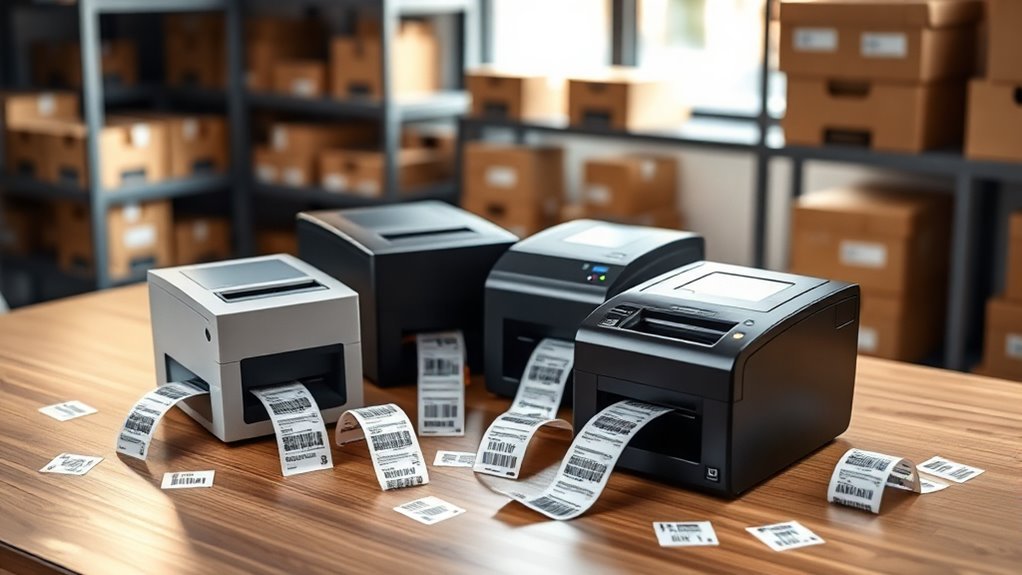
For reliable inventory labeling in 2026, consider these top barcode printers that combine efficiency and ease of use. The CLABEL 221D and its 2-inch Bluetooth model are perfect for small businesses, offering wireless convenience that keeps your workspace clutter-free.
Zebra’s ZP450 stands out with its versatile USB, serial, and parallel connections, making it adaptable to different setups. Meanwhile, the Zebra GX420D adds Ethernet capability for networked environments and faster printing speeds.
These printers handle various label sizes and deliver sharp, direct thermal prints without the hassle of ink. To make the best choice, take a closer look at key features and practical uses that fit your specific inventory needs. This way, you’ll ensure smooth, efficient labeling that supports your business growth.
| Image | Name | Editor's Rating | Price |
|---|---|---|---|

|
|
||

|
|
||

|
|
CLABEL 221D 2″ Bluetooth Barcode Label Printer for Small Business
No products found.
Experience fast, clear barcode printing with the CLABEL 221D 2″ Bluetooth Barcode Label Printer, designed specifically for small businesses. Its compact size fits neatly on any desktop, helping you print labels on demand without hassle. The direct thermal technology means no ink or toner is required, reducing maintenance and keeping running costs low.
This printer produces sharp, black barcodes at 203 dpi, ensuring reliable scanning every time. Labels range from 25 to 50 mm wide, perfect for price tags and inventory labels. Connectivity is versatile—use Bluetooth to print directly from iOS or Android devices, or USB for larger print jobs from your PC.
The included Clabel trade app simplifies label design and batch printing, making your workflow efficient and straightforward. While it handles black-and-white labels only, it excels in providing crisp, legible prints quickly. Keep in mind, it’s not suited for large shipping labels or receipt printing.
Best for: Small business owners needing a dependable, compact thermal printer for on-demand barcode and price tag labels with wireless and USB options.
What We Like:
- Inkless direct thermal printing delivers sharp, durable barcodes.
- Bluetooth and USB connectivity offer flexible printing options.
- Clabel trade app enables easy label design and batch printing.
- Compact design fits well in tight workspaces.
Specification:
| Feature | Details |
|---|---|
| Manufacturer | CLABEL |
| Label Width | 25–50 mm (approximately 1–2″) |
| Print Resolution | 203 dpi |
| Connectivity | Bluetooth, USB |
| Printing Method | Direct thermal |
| Dimensions | Compact desktop size |
ZP450 Zebra Direct Thermal Label Barcode Printer – USB, Serial & Parallel
- [Efficient Label Printing] The Zebra ZP 450 is purpose-built for label printing, offering direct thermal technology with a max print speed 5 ips & max print resolution...
- [Plug-and-Play Connectivity] With Parallel, USB, and Serial connectivity options, this printer easily integrates into various low-volume printing environments, such as...
- [Cost-Effective Labeling] No need for toner or ribbons, reducing operational costs and provide monochrome color output. The fixed media width optimizes label printing...
- [Compact and Durable Design] The double-walled construction and sleek design make this desktop printer robust enough for busy work environments, ensuring it can withstand...
- [Versatile Label Compatibility] The printer can handle a variety of label types, including UPS, FedEx, labels, making it a versatile choice for businesses that require...
Experience hassle-free labeling with the ZP450 Zebra Direct Thermal Label Barcode Printer, designed to streamline your business operations. Its direct thermal technology removes the need for toner or ribbons, cutting down on maintenance and supplies costs. This means less downtime and more time focused on your core tasks.
Connectivity is simple and flexible, thanks to USB, serial, and parallel ports. This printer easily integrates into existing systems, making setup straightforward for busy offices or retail environments. Its compact, durable design fits comfortably in tight spaces without compromising reliability.
Print sharp, clear labels at 203 dpi resolution, ideal for everyday shipping and inventory needs. Although it’s not designed for high-definition tasks, it offers consistent performance with speeds up to 5 inches per second. This balance supports efficiency without sacrificing print quality.
The ZP450 supports a range of label sizes and types, giving you versatility across different labeling applications. It’s a practical solution for small to medium businesses needing dependable, cost-effective printing without complicated upkeep.
Best for: Small to medium businesses seeking a reliable, cost-effective label printer for shipping, inventory, and retail labeling tasks.
What We Like:
- Direct thermal printing reduces ongoing supply costs.
- Multiple connectivity options for easy integration.
- Compact, sturdy design fits demanding workspaces.
Specification:
| Feature | Details |
|---|---|
| Manufacturer | Zebra Technologies |
| Print Resolution | 203 dpi |
| Print Speed | Up to 5 inches per second |
| Connectivity | USB, Serial, Parallel ports |
| Dimensions | Compact (specific dimensions not provided) |
| Suitable Label Types | Various sizes and types |
CLABEL 2 Inch Desktop Bluetooth Barcode Label Printer for Small Business
- 【Cut Costs, Not Options】Tired of being locked into pricey proprietary rolls? Our 2-inch printer comes with zero RFID sensors or brand authentication chips. Grab any...
- 【One Printer, Endless Labels】Handles 25-50mm widths — retail price tags, clothing hang tags, barcode stickers, return address labels, jewelry labels, bakery...
- 【Crisp Barcodes, Zero Ink】203DPI direct thermal printing delivers sharp barcodes, QR codes, and address stickers — no ink, no toner, no cartridges to replace...
- 【Smart App, Smarter Workflow】"Clabel trade" app goes from download to your first label in under 2 minutes. Choose from a library of ready-made templates, edit, save...
- 【Dual-Mode Connectivity】 Plug USB into your Windows PC for high-volume batch printing at your desk, or connect via Bluetooth to your iOS/Android phone for wireless...

The CLABEL 2 Inch Desktop Bluetooth Barcode Label Printer offers a compact and efficient solution for small businesses that need quick, clear label printing without the hassle of ink. This thermal printer produces sharp, monochrome prints at 203 dpi, ideal for price tags, jewelry labels, and bakery freshness dates. Its compact design fits neatly on any desktop, saving valuable workspace.
Setup is straightforward and fast. You can connect via USB for batch printing on Windows or use Bluetooth to print wirelessly from iOS and Android devices. The built-in paper bin holds 2-inch thermal rolls, simplifying label changes and reducing downtime for maintenance.
Designed specifically for small, item-level labels, this printer avoids the complexity of larger systems. It’s not suited for shipping labels, receipts, or use with tablets and POS systems. This focus helps small retailers streamline their labeling tasks with minimal fuss.
The printer’s inkless technology means no smudging or drying time, ensuring crisp and durable labels every time. Its single USB port and Bluetooth connectivity balance ease of use with flexible operation methods, although some users may find the single port limiting.
Best for: Small business owners and retailers who need a compact, inkless thermal printer for printing small, item-level labels like price tags and barcode stickers.
What We Like:
- Produces sharp, monochrome labels at 203 dpi without ink.
- Offers both USB and Bluetooth connectivity for versatile printing.
- Quick setup with CLABEL app and easy paper roll replacement.
- Compact design saves desktop space and reduces clutter.
- Inkless printing eliminates smudges and drying time.
Specification:
| Feature | Details |
|---|---|
| Manufacturer | CLABEL |
| Print Resolution | 203 dpi |
| Printing Technology | Thermal |
| Label Width | 1–2 inches |
| Connectivity | USB (batch printing), Bluetooth (wireless) |
| Paper Roll Size | 2-inch thermal rolls |
| Compatible Systems | Windows, iOS, Android |
| Dimensions | Compact desktop size (exact dimensions not specified) |
| Color | Typically monochrome output |
GX420D Zebra Direct Thermal Label, Receipt & Barcode Printer – USB/Ethernet
- [User-Friendly Connectivity] Seamlessly links through USB, serial, or parallel ports and offers compatibility with direct thermal label rolls featuring a 1-inch core, a...
- [Innovative Printing Method] Utilizes direct thermal technology, eliminating the necessity for thermal ribbon. No need for Ink or toner and operates with direct thermal...
- [Outstanding Enterprise Performance] GX420d sets the bar with rapid printing and energy efficiency. It delivers top-quality labels, including address, shipping, barcode...
- [Efficient and Cost Savings] Achieves a printing speed of 6 inches per second at 203 dpi and offers on-demand printing, enabling precise quantity printing while reducing...
- [Customer Satisfaction] Your happiness is our top priority.
The GX420D Zebra Direct Thermal Label Printer offers fast, dependable printing for businesses that require quick, on-demand label and barcode creation. Its direct thermal technology eliminates the need for ribbons or ink, simplifying maintenance and lowering operating costs. This makes it ideal for environments where efficiency and reliability are key.
With a print speed of up to 6 inches per second and a clear 203 dpi resolution, this printer produces sharp monochrome labels, receipts, and barcodes. It supports media widths up to 4.25 inches, accommodating a variety of labeling needs. The compact design fits easily into busy workspaces without adding clutter.
Connectivity is flexible with both USB and Ethernet options, ensuring smooth integration into existing systems. The included 4×6 label roll allows for immediate use, while its energy-efficient operation helps reduce power consumption during long shifts.
While the printer is limited to monochrome output and standard resolution, it excels in straightforward, cost-effective label printing. Its simple maintenance and reliable performance make it a practical solution for inventory tracking and retail environments.
Best for: Businesses needing efficient, low-maintenance printing of labels and barcodes without the hassle of ribbons or ink.
What We Like:
- Direct thermal printing reduces ongoing consumable costs.
- Multiple connectivity options for easy system integration.
- Ships with a ready-to-use 4×6 label roll.
- Energy-efficient design supports long-term use.
- Compact footprint fits well in limited workspace.
Specification:
| Feature | Description |
|---|---|
| Manufacturer | Zebra Technologies |
| Dimensions | Approx. 7.6 x 5.9 x 6.7 in (19.3 x 15 x 17 cm) |
| Weight | About 3.5 lbs (1.6 kg) |
| Printing Technology | Direct Thermal |
| Print Resolution | 203 dpi |
| Max Print Speed | Up to 6 inches/second |
| Media Width | Up to 4.25 inches (10.8 cm) |
| Connectivity | USB, Ethernet |
| Color Capability | Monochrome only |
Factors to Consider When Choosing a Barcode Label Printer for Inventory 2026
When choosing a barcode label printer for inventory in 2026, you’ll want to contemplate print technology types and how they fit your needs. Think about connectivity options and whether print speed matches your workflow demands.
Don’t forget to check label size compatibility and the printer’s durability to make certain it holds up in your environment. It’s all about finding the right balance to keep things running smoothly.
Print Technology Types
How do you choose the right print technology for your barcode label printer? It depends on your inventory needs. Direct thermal printers heat special paper, requiring no ink or ribbons, but labels fade with heat and sunlight—ideal for short-term tags.
Thermal transfer printers use a heated ribbon to create durable, scratch- and chemical-resistant labels perfect for long-term or outdoor use. Inkjet printers spray liquid ink, producing high-resolution, colorful labels suited for branding but need frequent ink replacement and are slower for large volumes.
Laser printers fuse toner for fast, crisp prints, good for monochrome or color, but may struggle with heat-sensitive labels and have higher toner costs. Match your label’s durability, environmental exposure, print resolution, and volume to the technology’s strengths for the best results.
Connectivity Options
Choosing the right connectivity options guarantees your barcode label printer fits seamlessly into your inventory system. Make sure the printer supports interfaces your devices use—USB for direct PC connections, Bluetooth for mobile use, and Ethernet or Wi‑Fi for multi-user network printing.
Check Bluetooth versions (BLE, SPP) and USB standards (2.0 or 3.0) to secure compatibility and swift data transfer. If multiple stations need access, wired Ethernet offers lower latency and better reliability than Wi‑Fi, though wireless adds flexibility.
Confirm the printer supports your software’s communication protocols—serial, TCP/IP, LPR, or APIs—for smooth integration and remote control. Don’t overlook security: WPA3 for Wi‑Fi, encrypted Bluetooth pairing, and VPN or VLAN support on Ethernet help keep your label data and device access safe.
Print Speed Importance
Print speed often plays a crucial role in keeping your inventory labeling efficient and up to date. If you handle large warehouse operations, choosing a printer rated 4–6 inches per second (ips) or faster helps you avoid bottlenecks during bulk labeling.
For retail counters or small batches, slower speeds of 2–3 ips may suffice. Remember, faster printing boosts throughput but can risk print quality, especially with dense barcodes.
Make certain your chosen speed maintains scannability at your required resolution. Also, consider the entire process: label formatting, data transfer, and roll changes affect total output, not just raw speed.
Finally, high-speed printers often need larger media rolls and robust feeders to keep pace. Balancing speed with your workflow and media handling guarantees smooth, reliable inventory labeling.
Label Size Compatibility
Where do you start when matching a barcode label printer to your inventory needs? First, make certain the printer supports the exact label sizes you use—whether narrow tags (25–50 mm) or wide shipping labels up to 4.25 inches—to avoid misfeeds and truncated prints.
Check the printer’s minimum and maximum dpi; higher resolutions (300–600 dpi) are vital for small labels with dense barcodes or fine text to stay scannable. Also, confirm media handling specs like core diameter, roll size, and label formats (roll, fanfold, die-cut) to fit your stock.
Don’t forget to verify substrate compatibility, including thermal transfer or direct thermal and adhesive types. And if you switch label sizes often, look for adjustable guides, sensor compatibility for various marks, and flexible software to streamline changes without downtime.
Durability and Build
When you rely on barcode label printers for high-volume inventory tasks, durability becomes essential to avoid costly downtime. Choose printers rated for industrial or commercial duty cycles that align with your monthly print volume to prevent premature wear.
Opt for models with metal or reinforced polymer chassis and stainless-steel feed mechanisms. These materials withstand drops, vibration, and continuous use much better than plastic housings.
Check the Mean Time Between Failures (MTBF) and recommended duty cycle. Higher values here mean your printer will last longer and need less maintenance.
If you operate in dusty or humid settings, look for sealed, dust-resistant designs with replaceable gaskets and covered ports. These features help protect your printer from harsh environments.
Finally, make sure that critical wear parts like printheads and rollers are user-replaceable and widely available. It’s a good idea to review their typical replacement intervals so you can estimate operating costs accurately.
Software Integration Features
Although hardware durability is essential, seamless software integration plays an equally important role in choosing a barcode label printer for inventory management. You need a printer supporting common protocols like ZPL, EPL, or ESC/POS that can directly receive print commands from your ERP or inventory system, avoiding middleware hurdles.
Make sure drivers and SDKs cover your platforms—Windows, macOS, Linux, iOS, Android—and include language bindings like C#, Java, or Python for smooth developer integration. Look for cloud and network printing options alongside local USB or Bluetooth support to guarantee uptime during outages.
Check if the software handles label templates, variable data, and required barcode types like Code 128 or QR codes. Centralized device management and remote monitoring help you automate maintenance and scale effortlessly across locations.
Warranty and Support
Since your barcode label printer plays a critical role in inventory management, understanding its warranty and support options is essential to avoid unexpected downtime and costs. Check the warranty length and coverage—typical options range from 90 days to over three years—and confirm if it includes parts, labor, and printhead wear.
Also, verify support channels like phone, email, live chat, or on-site service, along with their availability and response times. You want to make sure they align with your business hours.
Confirm whether firmware updates, driver downloads, and configuration help come free during the warranty or require extra fees. It’s good to know if these extras are included upfront.
Ask about mean time between failures (MTBF) data, expedited replacements, and loaner units. These factors can really help minimize downtime if something goes wrong.
Finally, review return policies, shipping costs, repair turnaround times, and any restocking fees. Knowing these will help you understand the total ownership costs.
Frequently Asked Questions
How Do Barcode Label Printers Impact Environmental Sustainability?
You can boost environmental sustainability with barcode label printers by choosing energy-efficient models, using eco-friendly materials, and reducing waste.
These printers help you streamline inventory, cutting unnecessary paper use and minimizing your carbon footprint effectively.
It’s pretty neat how a simple switch to the right printer can make a real difference in your environmental impact.
Plus, less waste means not just saving the planet, but also saving money in the long run.
Can Barcode Label Printers Integrate With Mobile Inventory Apps?
Just like a smartphone pairs seamlessly with wireless earbuds, you can easily integrate barcode label printers with mobile inventory apps. This lets you print labels on the go, boosting efficiency while staying connected to your data.
It’s super convenient, right? You get to keep things moving smoothly without being tied down to a desk. Plus, having everything synced means fewer errors and faster updates.
What Are Common Troubleshooting Tips for Barcode Printer Jams?
You should turn off the printer, then carefully remove any jammed labels. It’s important to be gentle to avoid damaging the printer.
Next, clean the printhead and check that the media is properly aligned. Also, make sure the rollers are free of debris.
Doing regular maintenance like this helps prevent future jams. It also keeps your printing running smoothly.
Are There Barcode Printers Compatible With Linux Operating Systems?
You’re in luck—many barcode printers play nicely with Linux! Brands like Zebra and Brother offer Linux drivers, so you won’t be left in the lurch.
Just check compatibility before you buy, and you’re good to go. It’s always a smart move to make sure the model you want supports your specific Linux distro.
That way, you avoid any surprises and can start printing barcodes smoothly right away!
How Do Print Speed and Resolution Affect Inventory Management?
Print speed helps you label items quickly, boosting efficiency. It means you can keep up with the pace of your inventory without getting bogged down.
Resolution guarantees barcodes scan accurately, reducing errors. This is key because scanning mistakes can slow things down and cause costly mix-ups.
Together, they keep your inventory organized and operations smooth. That saves you time and helps avoid those frustrating, expensive mistakes.
Conclusion
Choosing the perfect barcode label printer for your inventory in 2026 isn’t just a smart move—it’s practically a superpower! With options like the CLABEL 221D and Zebra’s GX420D, you’ll breeze through labeling faster than a speeding bullet.
No more endless headaches or lost inventory chaos. Get ready to conquer your stockroom like a labeling legend.
Trust me, once you pick the right barcode label printer, you’ll wonder how you ever survived without it! Having the best barcode label printer for inventory management streamlines your operations, reduces errors, and saves valuable time. So, whether you choose the CLABEL 221D or the Zebra GX420D, investing in a reliable barcode label printer in 2026 will transform your inventory process into a smooth, efficient system you can rely on every day.