4 Best Bamboo Labs 3D Printers for 2027 (Highly Recommended)
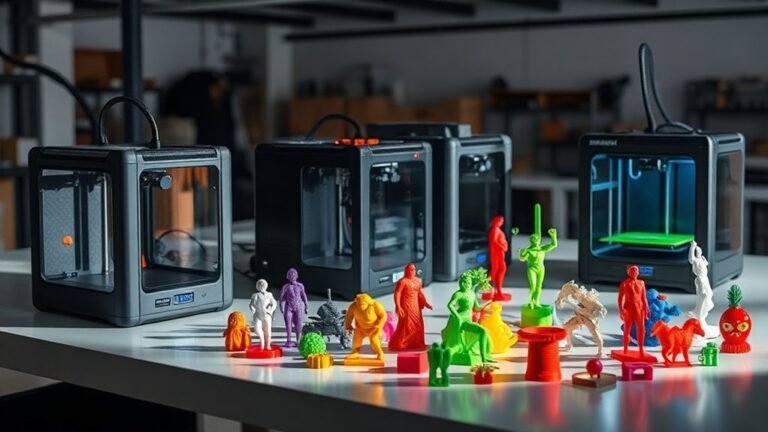
You’ll find the top four Bamboo Labs 3D printers for 2027 combine speed, multi-color prowess, and user-friendly setups. These printers are designed to meet the needs of both beginners and experienced makers, offering reliable performance and innovative features.
Whether you want blazing fast prints or seamless multi-material capabilities, Bamboo Labs has you covered.
The P2S Combo offers blazing CoreXY speeds and seamless multi-material prints with the AMS 2 Pro. It’s perfect if you’re looking for high-speed precision without sacrificing quality.
Meanwhile, the P1S Combo balances fast multi-color versatility, making it great for projects that need a variety of colors without complicated setups.
The compact A1 Mini Combo suits beginners with easy color switching, so you can jump right into multi-color printing without hassle.
Lastly, the standalone P1S is ideal for quick, high-quality FDM prints if you want simplicity and reliability. Keep exploring to discover which fits your creative needs perfectly.
| Image | Name | Editor's Rating | Price |
|---|---|---|---|

|
|
||

|
|
||

|
|
||

|
|
Bambu Lab P2S Combo, P2S 3D Printer & AMS 2 Pro, Multi-Color 3D Printing
- High-Speed Precision: The Bambu Lab P2S 3D printer prints up to 600 mm/s while maintaining exceptional accuracy. With the PMSM Servo Extruder and Active Flowrate...
- Ready to Print in 15 Minutes: Set up your P2S FDM 3D printer and start printing in just 15 minutes. With AI failure detection, quick-swap nozzles, and automatic...
- Effortless Multi-Color Printing: The AMS 2 Pro enables seamless multi-color/multi-material 3D printing. It features built-in filament drying at up to 65 °C, keeping...
- Smart Airflow for Any Filament: The Adaptive Airflow System automatically balances cooling and heat retention—keeping overhangs crisp with cool air, or maintaining a...
- Limitless Creativity, Seamless Workflow: Explore over one million 3D models on MakerWorld and bring them to life with a smooth, unified workflow using Bambu Studio, Bambu...
The Bambu Lab P2S Combo transforms multi-color and multi-material 3D printing with its advanced AMS 2 Pro system. It solves the common challenge of switching filaments mid-print by allowing seamless transitions, so users can create complex, vibrant models without interrupting the process. This Combo package elevates your capabilities beyond a standard 3D printer.
Designed with speed and precision in mind, the CoreXY mechanism reaches up to 600 mm/s, delivering sharp, smooth layers every time. The PMSM Servo Extruder and Active Flowrate Compensation ensure consistent print quality and crisp details. Meanwhile, the heated chamber and Adaptive Airflow System maintain stable temperatures to prevent warping and improve print reliability.
Maintenance is simplified with quick-swap nozzles and automatic calibration, reducing downtime and effort. The built-in filament drying feature keeps spools in optimal condition, preventing moisture-related print defects. Plus, AI failure detection offers peace of mind by alerting users to potential issues early.
This printer is ideal for enthusiasts and professionals who need high-speed, precise multi-material printing with straightforward setup and reliable operation. It offers a practical solution for creating colorful, detailed prototypes and artistic projects in a single, integrated system.
Best for: Professionals and hobbyists seeking efficient, high-quality multi-color and multi-material 3D printing with minimal hassle.
What We Like:
- Seamless multi-color and multi-material printing with AMS 2 Pro integration
- High-speed CoreXY design ensures sharp and consistent prints
- Quick-swap nozzles and automatic calibration simplify maintenance
- Built-in filament drying protects filament quality
- AI failure detection enhances print reliability
Specification:
| Feature | Details |
|---|---|
| Manufacturer | Bambu Lab |
| Dimensions | Not specified |
| Weight | Not specified |
| Print Speed | Up to 600 mm/s |
| Heated Chamber Temp | 50 °C |
| Extruder Type | PMSM Servo Extruder |
| Multi-Color Capability | Yes (with AMS 2 Pro) |
| Filament Drying | Built-in |
Bambu Lab P1S Combo, P1S 3D Printer and AMS, Multi-Color 3D Printing
- Up to 16 Colors: Bring your designs to life with vibrant multi-color/multi-material printing capabilities, perfect for showcasing your creativity. Note: Connecting Bambu...
- 500mm/s and 20000 mm/s² Acceleration True High Speed: Don't wait around for your masterpieces. Lightning-fast printing speed lets you focus on creating, not waiting.
- Enclosed Design: Fully enclosed body improves print performance for advanced filaments. Automatic Bed Leveling: Say hello to high-quality, successful prints. Auto bed...
- Set Up in 15 Minutes: Spend more time printing and less time setting up. User-friendly design ensures a hassle-free assembly experience for all skill levels.
- Supported Filament: Ideal: PLA, PETG, TPU, PVA, PET ABS, ASA; Capable : PA, PC; Not Recommended: Carbon/Glass Fiber Reinforced Polymer.
Discover a new level of creativity with the Bambu Lab P1S Combo, designed for seamless multi-color 3D printing. This combo pairs the P1S 3D printer with the AMS accessory, allowing you to print up to 16 colors in a single project. It solves the common challenge of producing vibrant, complex models without manual filament swaps.
The printer features a fast CoreXY motion system that delivers speeds up to 500 mm/s, helping you finish prints quickly without sacrificing quality. Its fully enclosed design ensures consistent temperature control, improving the finish and enabling use with diverse filaments like PLA, PETG, and TPU. Automatic bed leveling makes setup easy, reducing the time spent on calibration.
Maintenance is straightforward with the P1S Combo’s reliable mechanics and intuitive software. The system requires the AMS connection to unlock multi-color printing, which adds a slight layer of setup complexity but expands its creative capabilities. However, it is not suited for carbon or glass fiber reinforced polymers, so material choices are somewhat limited.
Weighing 47.5 pounds, this printer is stable but less portable, making it ideal for dedicated workspaces. Overall, it offers a powerful solution for users needing precise, multi-color 3D prints with minimal hassle.
Best for: creators and professionals seeking a high-speed, multi-color 3D printer with advanced filament support and easy operation.
What We Like:
- Up to 16-color printing with AMS for detailed multi-color models
- Fast CoreXY system with speeds up to 500 mm/s
- Fully enclosed design for improved print quality and material versatility
- Automatic bed leveling simplifies setup and maintenance
- Supports flexible filaments like TPU alongside standard PLA and PETG
Specification:
| Feature | Details |
|---|---|
| Manufacturer | Bambu Lab |
| Dimensions | Not specified |
| Weight | 47.5 lb (21.5 kg) |
| Material Support | PLA, PETG, TPU (no carbon/glass fiber reinforced polymers) |
| Color Options | Multi-color via AMS accessory |
Bambu Lab A1 Mini Combo, A1 Mini 3D Printer&AMS lite, Multi-Color Printing
- High-Speed Precision: Experience unparalleled speed and precision with the Bambu Lab A1 Mini 3D Printer. With an impressive acceleration of 10,000 mm/s², the A1 Mini...
- Multi-Color Printing with AMS lite: Unlock your creativity with vibrant and multi-colored 3D prints. The Bambu Lab A1 Mini 3D printers make multi-color printing...
- Full-Auto Calibration: Say goodbye to manual calibration hassles. The A1 Mini 3D printer takes care of all the calibration processes automatically, ensuring optimal...
- Active Flow Rate Compensation: Achieve consistently smooth prints with active flow rate compensation. The algorithm actively compensates the flow rate according to the...
- Easy and Quiet 3D Printing: A1 mini 3D printer offers easy printing with a user-friendly interface and simplified touchscreen. Setup for your first print takes just...
Discover the power of multi-color 3D printing with the Bambu Lab A1 Mini Combo. This compact printer is engineered for creators who need high-speed precision without complex setups. Weighing just 22 pounds, it fits comfortably in small spaces while delivering professional-quality prints.
The A1 Mini Combo tackles common printing issues with its active flow rate compensation, ensuring smooth and detailed results even at acceleration speeds up to 10,000 mm/s². Its quiet operation under 48 dB lets you work without distraction. Maintenance is straightforward thanks to the 1-Clip quick swap nozzle, which simplifies nozzle changes.
Equipped with the AMS lite, color switching is effortless, enabling vibrant multi-color projects. Full-auto calibration reduces setup time to about 20 minutes, and the intuitive touchscreen interface provides easy access to MakerWorld’s model library, making it ideal for both beginners and hobbyists.
Best for: creators and hobbyists looking for a compact, beginner-friendly 3D printer that delivers fast, precise multi-color printing with easy upkeep.
What We Like:
- Smooth, high-speed printing with active flow rate compensation
- Effortless color changes via AMS lite multi-material system
- Quick setup and automatic calibration for user convenience
- Quiet operation suitable for home or office environments
- Simple maintenance with quick swap nozzle design
Specification:
| Feature | Details |
|---|---|
| Manufacturer | Bambu Lab |
| Dimensions | Compact size (exact dimensions not provided) |
| Weight | 22 lb (approx. 10 kg) |
| Material | Not specified |
| Color Options | Not specified |
Bambu Lab P1S 3D Printer, Ready-to-Use FDM 3D Printer
- Up to 16 Colors: Bring your designs to life with vibrant multi-color/multi-material printing capabilities, perfect for showcasing your creativity. Note: Connecting Bambu...
- 500mm/s and 20000 mm/s² Acceleration True High Speed: Don't wait around for your masterpieces. Lightning-fast printing speed lets you focus on creating, not waiting.
- Enclosed Design: Fully enclosed body improves print performance for advanced filaments. Automatic Bed Leveling: Say hello to high-quality, successful prints. Auto bed...
- Set Up in 15 Minutes: Spend more time printing and less time setting up. User-friendly design ensures a hassle-free assembly experience for all skill levels.
- Supported Filament: Ideal: PLA, PETG, TPU, PVA, PET ABS, ASA; Capable : PA, PC; Not Recommended: Carbon/Glass Fiber Reinforced Polymer.
The Bambu Lab P1S 3D Printer offers an effortless entry into FDM printing with its fast, ready-to-use setup. Within 15 minutes, you can start printing, thanks to its automatic bed leveling that simplifies calibration. This makes it ideal for users who want to avoid the usual hassle of preparation and manual adjustments.
Its CoreXY enclosed design provides stability and allows printing speeds up to 500 mm/s, enhancing productivity without sacrificing print quality. The printer supports a broad range of filaments such as PLA, PETG, and TPU, catering to diverse project needs. With the addition of the Bambu Lab AMS, it can also handle up to 16 colors, adding flexibility for creative multi-material prints.
Maintenance is straightforward, with the enclosed frame protecting components and reducing dust buildup. The printer’s compact size and weight under 40 pounds make it manageable for desktop use, though it may not be ideal for frequent transport. However, it is not suitable for carbon or glass fiber reinforced polymers, which limits some advanced material applications.
Overall, the P1S balances ease of use, speed, and material versatility in a compact form, making it a practical choice for beginners and hobbyists seeking professional-level results.
Best for: Beginners and hobbyists who want a fast, easy-to-use, and versatile FDM 3D printer with professional capabilities and multi-material/color options.
What We Like:
- Quick and simple setup with automatic bed leveling
- High-speed CoreXY design for efficient printing
- Supports various filaments and multi-color printing with AMS
- Enclosed frame reduces maintenance and dust exposure
Specification:
| Feature | Details |
|---|---|
| Manufacturer | Bambu Lab |
| Dimensions | Not specified |
| Weight | Under 40 lb (approx. 39) |
| Material Support | PLA, PETG, TPU, others |
| Color Options | Up to 16 colors with AMS |
Factors to Consider When Choosing Bamboo Labs 3D Printer
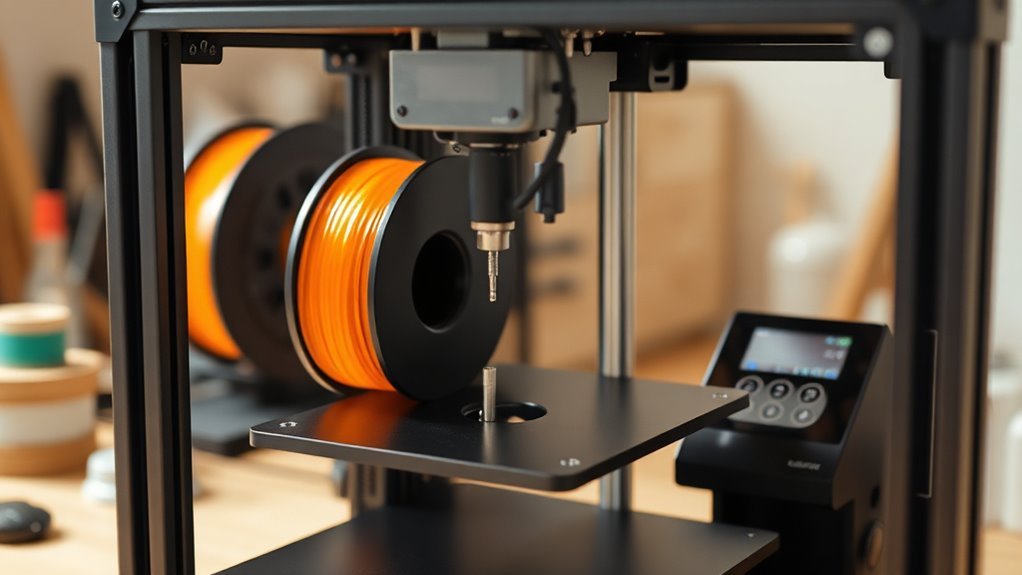
When choosing a Bamboo Labs 3D printer, you’ll want to weigh print speed and whether it supports multi-color printing. Take a close look at the build volume to make certain it fits your project needs and check the range of compatible materials.
Don’t forget to evaluate the user interface design for ease of use. After all, a printer that’s tricky to operate can slow down your workflow. So, keep these factors in mind to find the best fit for your 3D printing projects.
Print Speed Capabilities
Picking the right Bamboo Labs 3D printer means looking beyond just top travel speeds—you’ll want to take into account how acceleration, nozzle size, and filament flow work together to achieve fast yet reliable prints.
Higher travel speeds let you deposit layers quicker, but without proper acceleration and jerk tuning, print quality can suffer.
Acceleration controls how fast the printhead hits top speed—too high can cause ringing if your mechanics or firmware aren’t up to par.
Also, nozzle size and layer height directly impact volumetric throughput; larger nozzles and thicker layers speed things up more than just pushing head speed.
Keep in mind, filament flow and cooling capacity limit how fast you can print without under-extrusion or poor adhesion.
Testing different settings helps find your printer’s best balance of speed and quality.
Multi-Color Printing Options
Exploring multi-color printing options means diving into how Bamboo Labs 3D printers handle multiple filaments and color shifts. First, check if the printer supports an external multi-filament system or built-in multi-extrusion, since true multi-color printing often requires managing multiple spools and tool changes.
Confirm the max number of filament channels to avoid frequent manual swaps. Look for features like heated filament storage, automatic filament changes, and purging mechanisms to reduce color bleed and stringing.
Also, evaluate slicer software that supports color assignments, tool-change towers, and integrates smoothly with the printer firmware. Keep in mind that multi-color prints typically increase print time and filament waste due to purge towers.
Build Volume Dimensions
Although build volume might seem like just a number, it directly affects what you can print and how efficiently you work. You’ll want to check the maximum build volume (X × Y × Z) in millimeters or inches to guarantee it fits your largest parts or assemblies.
Keep in mind the build plate’s shape—rectangular or square—and orientation, as they influence your usable print area and part placement options. Bigger build volumes let you print larger single-piece models but often mean longer print times, more filament use, and higher risks of warping or failures.
Match the build volume to your typical projects: small beds suit miniatures, while taller or wider envelopes benefit functional prototypes. Also, larger chambers might need better temperature and airflow control for consistent results.
Material Compatibility Range
Understanding the build volume helps you know the size of parts you can create, but the range of materials your Bamboo Labs 3D printer supports determines what those parts can be made of. First, check which filaments the printer handles—common types like PLA, PETG, TPU, and more advanced ones like ABS, ASA, nylon, or polycarbonate.
Make sure the extruder and chamber temperatures meet the requirements for high-temp materials. If you plan to print flexible or abrasive filaments, confirm whether hardened nozzles or specialized hotends are needed.
Also, consider if multi-material or multi-color printing is supported, especially if you want to use soluble supports like PVA. Features like a heated bed, enclosure, filament drying, and active flow compensation are essential for printing moisture-sensitive filaments reliably.
User Interface Design
When you pick a Bamboo Labs 3D printer, the user interface design can make or break your experience. A responsive touchscreen with clear menus and large icons helps you set up and start printing in under 20 minutes.
Automated guided workflows like one-click calibration and filament loading prompts lower your learning curve and prevent setup errors. Plus, real-time status updates, including print progress, estimated time, temperatures, and live camera views, let you monitor prints confidently and intervene quickly if needed.
Contextual help and error messages suggest fixes instead of cryptic codes, making troubleshooting easier and reducing failed prints. And seamless integration with slicing software, mobile apps, and cloud job management lets you manage multiple printers and monitor prints remotely, streamlining your workflow efficiently.
Noise Level During Operation
Since noise can impact your workspace comfort, you should check the sound levels of Bamboo Labs 3D printers before buying. Look for published decibel ratings; values around or below 48 dB indicate quieter operation suitable for desktops.
Enclosed builds and active airflow management help reduce fan noise and prevent mechanical vibrations from amplifying. High-speed motions may increase noise from belts and motors, so verify if the printer includes motor noise cancellation or vibration damping features.
Keep in mind active failure-detection cameras and internal fans add baseline noise. See if part cooling and electronics fans offer user-adjustable or quiet modes.
Finally, compare noise measurements at similar operating states like idle, printing, or high-speed moves. This way, you get a realistic sense of your printer’s typical sound level during use.
Setup and Calibration Ease
For anyone looking to streamline their 3D printing experience, setup and calibration ease can make a huge difference. Choose Bamboo Labs printers offering full-auto calibration, like automatic bed leveling and Z-offset, to cut down manual adjustments and speed up your first print.
Look for quick-swap nozzles and guided filament loading that simplify maintenance and filament changes. Make sure the software includes step-by-step setup wizards and lets you import or export profiles, so you can replicate your optimized settings reliably.
Consider models with built-in sensors and AI-driven failure detection that pause or adjust prints automatically, minimizing your intervention. Finally, check documented warm-up and leveling routines, aiming for printers ready to print in under 30 minutes to maximize your printing convenience.
Frequently Asked Questions
What Software Is Compatible With Bambu Lab 3D Printers?
You can use Bambu Studio, the official slicer software, which’s optimized for Bamboo Labs printers. It also supports common formats like STL and G-code, so you can use popular slicers like Cura or PrusaSlicer too.
Those are great if you prefer other options or want to try different features. So, whether you stick with Bambu Studio or try something else, you’ve got some solid choices!
How Do Bambu Lab Printers Handle Filament Jams?
Think of a traffic cop smoothly directing cars; Bambu Lab printers detect filament jams instantly, pausing the print and alerting you.
They guide you step-by-step to clear the blockage, ensuring your project gets back on track quickly.
What Maintenance Is Required for Bambu Lab 3D Printers?
You’ll need to regularly clean the nozzle and lubricate moving parts. It helps keep everything running smoothly and prevents wear.
Also, make sure to update the firmware when new versions come out. Checking the filament paths for jams is a good habit too.
Don’t forget to calibrate the bed often. Inspecting the belts regularly will keep your Bambu Lab printer in great shape.
Are There Any Safety Features Included in Bambu Lab Printers?
You’d think a 3D printer would just explode without safety features, right? Thankfully, Bambu Lab printers include power loss recovery, filament runout detection, and enclosure sensors to keep you and your prints safe—no surprise disasters here.
These features work together to make sure your printing process is as smooth and secure as possible. So, you can relax and focus on creating without worrying about unexpected issues.
Can Bambu Lab Printers Be Used for Commercial Purposes?
Yes, you can use Bambu Lab printers for commercial purposes. They offer reliable, high-quality prints and fast speeds, making them ideal for professional prototyping, small-scale manufacturing, or custom product creation in your business.
If you’re looking to boost your production or create unique items on demand, these printers can definitely help. They’re designed to handle the demands of a business environment efficiently.
Conclusion
So, you’re ready to plunge into the world of Bamboo Labs 3D printers? Just remember, with options like the P2S Combo or the A1 Mini, you can create everything from multi-color masterpieces to… well, glorified plastic blobs.
Don’t stress—these machines practically print success for you. Just pick one, try not to accidentally 3D print your coffee, and enjoy turning your wildest ideas into reality.
Easy, right? Welcome to the future of procrastination! Whether you’re a beginner or a seasoned maker, Bamboo Labs 3D printers offer versatility and quality that make 3D printing accessible and fun. From the compact A1 Mini to the feature-rich P2S Combo, these printers are designed to bring your creative projects to life with minimal hassle. So dive in, explore the best Bamboo Labs 3D printers for 2027, and watch your ideas take shape layer by layer.