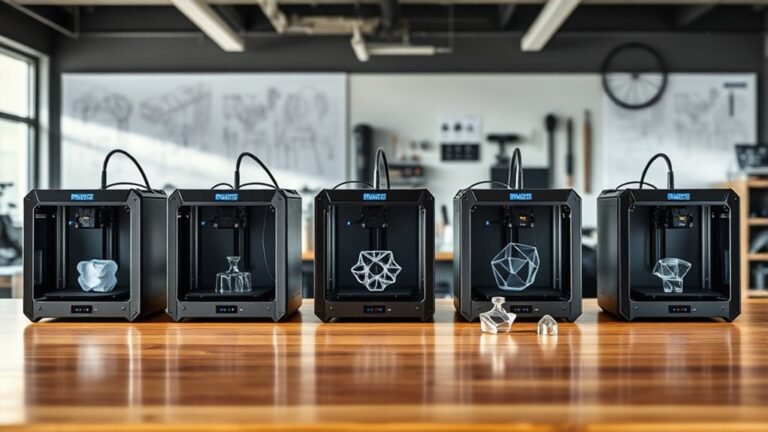
6 Best Auto Bed Leveling 3D Printers for 2027
If you want flawless first layers with minimal fuss, consider the Bambu Lab P1S or its Combo version with AMS for multi-material prints and fast CoreXY speed. These printers are perfect for those who want reliable auto bed leveling and high-quality results right out of the box.
Creality’s CR Touch Kit upgrades popular Ender models with precise multi-point leveling, making it easier to get consistent prints without constant adjustments. Meanwhile, the Creality K2 Combo offers quiet, high-speed multi-color printing for users who want versatility and speed.
The E-Leveler 2 is great if you prefer manual beds but still want electronic feedback to help you fine-tune your setup. On the other hand, the 3DMAN 3D Touch sensor fits diverse setups, adding flexibility to your printer’s leveling system. Keep exploring to find the perfect fit for your needs.
| Image | Name | Editor's Rating | Price |
|---|---|---|---|

|
|
||

|
|
||

|
|
||
|
|
||

|
|
E-Leveler 2 – The Original 3D Printer Electronic Bed Leveling Tool
- FILAMENT FRIDAY E-LEVELER 2: The original electronic bed leveling tool created and featured by Chuck Hellebuyck on the Filament Friday YouTube channel in a new and...
- LEVEL PRINT PLATFORM: The E-Leveler 2 LED light provides visual feedback while adjusting the bed of your 3D printer for a perfectly level bed
- NEW AND IMPROVED DESIGN: The E-Leveler 2 features a stronger battery holder, improved LED light indicator, bed adjustment reminder arrows, and a simplified nozzle target
- COMPATIBLE WITH MOST PRINTERS: The E-Leveler 2 is designed for all 3D printers with a manually adjustable print bed - it does not work for resin printers and Delta...
- BALANCING END CAP: The plastic end cap functions as “legs” that balance the E-Leveler 2 making the leveling process even easier
Achieving a perfectly leveled print bed is crucial for high-quality 3D prints, and the E-Leveler 2 simplifies this process dramatically. Designed specifically for FDM printers with manual bed adjustments, this tool removes the guesswork from leveling. Its electronic sensor provides clear visual feedback, helping you quickly identify and correct uneven spots.
The E-Leveler 2 features an improved LED indicator that makes it easy to see when your bed is perfectly flat. Its sturdy build includes a balancing plastic end cap, which keeps the tool stable during use. This thoughtful design ensures consistent and reliable measurements every time you level your printer bed.
Maintenance is straightforward, as the E-Leveler 2 comes ready to use with a pre-installed CR2032 battery. When needed, replacing the battery is simple, allowing you to keep the tool operational without hassle. Its compact size makes it portable, but you’ll want to store it carefully to avoid misplacing it.
While it excels with manual FDM beds, this tool is not compatible with resin or Delta 3D printers. It is best suited for users seeking a precise and easy-to-use electronic leveling solution for their manual print platforms.
Best for: FDM 3D printer users with manually adjustable beds who want an accurate, user-friendly electronic leveling device.
What We Like:
- Clear visual feedback via improved LED indicator
- Stable design with balancing plastic end cap
- Ready to use with included CR2032 battery
Specification:
| Feature | Details |
|---|---|
| Manufacturer | Filament Friday |
| Dimensions | Compact, handheld size |
| Weight | Lightweight |
| Material | Durable plastic |
| Color Options | Standard color (not specified) |
Bambu Lab P1S Combo, P1S 3D Printer and AMS, Multi-Color 3D Printing
- Up to 16 Colors: Bring your designs to life with vibrant multi-color/multi-material printing capabilities, perfect for showcasing your creativity. Note: Connecting Bambu...
- 500mm/s and 20000 mm/s² Acceleration True High Speed: Don't wait around for your masterpieces. Lightning-fast printing speed lets you focus on creating, not waiting.
- Enclosed Design: Fully enclosed body improves print performance for advanced filaments. Automatic Bed Leveling: Say hello to high-quality, successful prints. Auto bed...
- Set Up in 15 Minutes: Spend more time printing and less time setting up. User-friendly design ensures a hassle-free assembly experience for all skill levels.
- Supported Filament: Ideal: PLA, PETG, TPU, PVA, PET ABS, ASA; Capable : PA, PC; Not Recommended: Carbon/Glass Fiber Reinforced Polymer.
Experience precise, multi-color 3D printing with the Bambu Lab P1S Combo, designed to enhance your creative workflow. This system simplifies complex projects by combining automatic bed leveling and fast printing speeds, ensuring consistent, high-quality results. Its compact CoreXY design fits neatly on your desk without sacrificing performance.
The P1S printer’s speed reaches up to 500 mm/s with smooth acceleration, reducing print times significantly. When paired with the AMS, it unlocks the ability to print using up to 16 colors or materials such as PLA, PETG, and TPU. This expands your creative possibilities while maintaining reliability.
Maintenance is straightforward thanks to the enclosed frame, which improves filament handling and protects prints from environmental factors. Setup is quick, taking about 15 minutes, so you can start producing detailed multi-material prints faster. The system is built for users who need versatility and efficiency in one package.
While the combo excels with many filaments, it is not suited for carbon or glass fiber reinforced polymers. Additionally, the AMS unit is sold separately, which may impact the overall investment. The larger footprint and weight also mean it’s best suited for stable workspaces rather than portable setups.
Best for: hobbyists and professionals seeking a high-speed, multi-color 3D printing solution with easy setup and versatile material compatibility.
What We Like:
- Supports up to 16 colors/materials with AMS integration for detailed, vibrant prints
- CoreXY architecture enables fast printing speeds up to 500 mm/s
- Automatic bed leveling simplifies setup and improves print reliability
- Enclosed design enhances filament handling and print stability
- Quick assembly in approximately 15 minutes
Specification:
| Feature | Details |
|---|---|
| Manufacturer | Bambu Lab |
| Dimensions | 15.31 x 18.03 x 15.31 in |
| Weight | Not specified |
| Supported Materials | PLA, PETG, TPU |
| Color Options | Multi-color with AMS |
Bambu Lab P1S 3D Printer, Ready-to-Use FDM 3D Printer
- Up to 16 Colors: Bring your designs to life with vibrant multi-color/multi-material printing capabilities, perfect for showcasing your creativity. Note: Connecting Bambu...
- 500mm/s and 20000 mm/s² Acceleration True High Speed: Don't wait around for your masterpieces. Lightning-fast printing speed lets you focus on creating, not waiting.
- Enclosed Design: Fully enclosed body improves print performance for advanced filaments. Automatic Bed Leveling: Say hello to high-quality, successful prints. Auto bed...
- Set Up in 15 Minutes: Spend more time printing and less time setting up. User-friendly design ensures a hassle-free assembly experience for all skill levels.
- Supported Filament: Ideal: PLA, PETG, TPU, PVA, PET ABS, ASA; Capable : PA, PC; Not Recommended: Carbon/Glass Fiber Reinforced Polymer.
The Bambu Lab P1S 3D Printer delivers fast, reliable printing with minimal setup. Its CoreXY enclosed design allows high-speed printing up to 500 mm/s and smooth acceleration, helping creators finish projects quickly without compromising quality. This makes it ideal for users needing efficiency and precision.
Setup is straightforward, taking about 15 minutes thanks to automatic bed leveling and an intuitive interface. The built-in MakerWorld model library offers easy access to designs, simplifying the creative process. Maintenance is low effort, letting you focus more on printing and less on troubleshooting.
This ready-to-use FDM printer supports a variety of materials like PLA, PETG, and TPU. When paired with the AMS, it also enables multi-material printing. Its enclosed body helps maintain stable printing conditions, especially with advanced filaments, ensuring consistent results.
However, the P1S is not suited for carbon or glass fiber reinforced polymers. Multi-material capabilities require the additional AMS accessory, which adds to the overall cost. It’s designed primarily for hobbyist and creator use, not industrial-grade applications.
Best for: Creators and hobbyists seeking a fast, reliable, beginner-friendly 3D printer with multi-material options and easy setup.
What We Like:
- High-speed CoreXY enclosed design for fast, precise prints
- Supports multiple filaments including PLA, PETG, TPU
- Quick 15-minute setup with automatic bed leveling
- Access to MakerWorld model library for easy project starts
- Compact, enclosed design stabilizes advanced filament printing
Specification:
| Feature | Details |
|---|---|
| Manufacturer | Bambu Lab |
| Dimensions | Compact size (specifics not provided) |
| Weight | Not specified |
| Material | Enclosed metal and plastic frame |
| Color Options | Not specified |
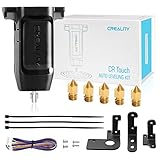
Creality CR Touch Auto Leveling Kit for 3D Printers
- 【Wide Application】This Creality cr touch auto-leveling kit is equipped with 3 mounting brackets and is only suitable for the following 3D printers with V4.4.2/V...
- 【About Reflash the Firmware】1. Download the corresponding firmware from the Creality official website. 2. copy it to the SD card. 3. Rename it to 123.bin, 4. Insert...
- 【Independent research and development Stable function】CR Touch is a Creality 3D research institute self-developed 3D printer platform leveling solution based on...
- 【Multi-point detection Smart compensation】CR Touch performs multi-point detaction on the printing platform and records the heigh of each detaction point. The system...
- 【Strong compatibility】Creality CR Touch auto leveling kit Compatible with PEI / sticker / glass / metal platform.

Creality’s CR Touch Auto Leveling Kit transforms your 3D printing experience by automating bed leveling, a task that often demands patience and precision. This upgrade reduces manual adjustments, helping you achieve consistently accurate prints with less hassle. It detects multiple points across the print bed and automatically compensates for any tilt or unevenness.
Designed for select Ender 3, Ender 5, and CR-10 models with 32-bit V4.2.2 or V4.2.7 motherboards, the kit fits seamlessly into compatible machines. Installation involves a firmware update via SD card, which is straightforward when following Creality’s official instructions. The sensor works reliably on various surfaces like PEI, glass, and metal, ensuring versatile use.
Maintenance is simple since the sensor and included components are durable and easy to handle. The kit comes with nozzles, brackets, and a detailed guide to support smooth installation and setup. Its precise multi-point detection eliminates common leveling errors, enhancing print quality without complex calibration.
Best for: 3D printing enthusiasts and professionals using compatible Ender 3, Ender 5, or CR-10 models with 32-bit V4.2.2/V4.2.7 motherboards seeking improved print accuracy through automated bed leveling.
What We Like:
- Precise multi-point bed leveling for consistent print quality
- Compatible with various build surfaces including PEI and glass
- Includes all necessary installation accessories and detailed firmware update guide
- Durable sensor design for easy maintenance and reliable operation
Specification:
| Feature | Details |
|---|---|
| Manufacturer | Creality |
| Compatible Models | Ender 3, Ender 5, CR-10 |
| Motherboard Versions | 32-bit V4.2.2, V4.2.7 |
| Sensor Type | Auto bed leveling sensor |
| Included Accessories | Nozzles, brackets, installation guide |
| Supported Surfaces | PEI, glass, sticker, metal |
Creality K2 Combo 3D Printer with Auto Leveling
- Multicolor 3D Printing: 4 × CFS for up to 16 colors. By hooking up as many as four CFS units together, you are able to print in the splendor of 16 colors. Saves the need...
- Ultra Quiet Printing: Silent Mode for a quieter printing experience. Annoyed by the buzzing noise? Not K2. By adopting step-servo motors and dynamically balanced fans. It...
- Out-of-the-Box Experience: Pre-assembled for plug and play. You can use K2 right after unpacking and screen installation. Unlocks a wider selection of materials...
- Smart Auto Leveling & AI Camera: Faster leveling of only the target print area. The leveling sensor only probes and levels the bed area relevant to the desired print...
- Superior Print Quality: Sturdy frame and precise step-servo motor system. K2 uses 3 step-servo motors, both in the extruder and on the X/Y axis. They can adjust torque...
Experience the freedom to create vibrant, multicolor 3D prints with the Creality K2 Combo. Its innovative linked CFS system offers up to 16 colors, eliminating the need for post-print painting and saving you time.
The printer’s 260 × 260 × 260 mm build volume supports a range of projects, from detailed prototypes to decorative items. With a next-generation direct drive extruder powered by three step-servo motors, it delivers precise and consistent extrusion at high speeds, enhancing print quality and efficiency.
Setup is simple thanks to smart auto-leveling probes that focus only on essential bed areas, reducing calibration time. The built-in AI camera continuously monitors prints, catching errors early to minimize wasted materials.
Designed for ease of use, the K2 Combo is 95% pre-assembled and operates quietly. Its sturdy frame ensures stability during long prints, while routine maintenance remains straightforward, helping maintain reliable performance over time.
Best for: Professionals and hobbyists who need high-quality multicolor 3D prints with easy setup and real-time error detection.
What We Like:
- Supports up to 16 colors with linked CFS units, avoiding extra painting steps
- High-speed, accurate extrusion via advanced step-servo motor-driven extruder
- Efficient bed leveling with smart probes reduces setup time
- AI camera provides continuous print monitoring for early error detection
- Quiet operation and robust frame improve user experience and reliability
Specification:
| Feature | Specification |
|---|---|
| Manufacturer | Creality |
| Build Volume | 260 × 260 × 260 mm |
| Extruder Type | Direct drive with step-servo motors |
| Color Options | Up to 16 colors via linked CFS units |
| Pre-assembly | 95% assembled |
| Operation Noise | Ultra-quiet |
3DMAN 3D Touch Auto Bed Leveling Sensor

- The 3D Touch auto leveling sensor is a device that uses the Hall defect to achieve leveling .The position of the point can be obtained by touching the point on the heated...
- Features simple, smart and precise. It could work with nearly any kind of bed materials, such as glasses, woods, metals and so on. The position of the point can be...
- The main functions and controls of 3D touch are the same as most auto bed leveling sensors, which consists of a RC servo and a micro switch,thus,3D printer touch can be...
- NOTE: Pulling/pushing hardly on the push-pin may damage Touch sensor and make it less accurate. Any problem when you receive the order, CONTACT US FIRST please!
- By using progressively designed solenoid and hall sensor, it can integrate high precision in such a simple structure.To make it more user-friendly and to bring you more...
The 3DMAN 3D Touch Auto Bed Leveling Sensor transforms your 3D printing experience by delivering precise and reliable bed leveling. Designed to automatically probe your printer’s heated bed, it ensures the perfect first layer every time, reducing failed prints and saving you time.
This sensor uses a Hall-effect sensor combined with a solenoid-driven push-pin to detect bed height with accuracy. It adapts seamlessly to various bed surfaces, including glass, wood, and metal, offering versatile compatibility for different printer setups.
Installation is straightforward but requires some firmware configuration and careful wiring. The push-pin must be handled gently to maintain its accuracy and prevent damage. Power connections should only be made when the printer is off to ensure safety.
With its smart design, the 3DMAN 3D Touch sensor enhances print quality and consistency. It is an excellent upgrade for Ender and CR-10 series users looking to improve their 3D printing workflow with automated bed leveling.
Best for: users of Ender 3, Ender 5, CR-10 series, and similar printers who want dependable auto bed leveling and broad bed material compatibility.
What We Like:
- Accurate bed probing via Hall-effect sensor and solenoid push-pin
- Works on glass, wood, and metal beds
- Easy to install with wide motherboard support
- Smart design improves print consistency
- Requires careful handling for long-term durability
Specification:
| Feature | Details |
|---|---|
| Manufacturer | 3DMAN |
| Dimensions | Compact size (specifics vary) |
| Weight | Lightweight |
| Material | Durable electronic components |
| Compatible Beds | Glass, wood, metal |
| Compatible Printers | Ender 3, Ender 5, CR-10 series |
Factors to Consider When Choosing an Auto Bed Leveling 3D Printer

When choosing an auto bed leveling 3D printer, you’ll want to contemplate how well the system works with your printer model and the sensor’s accuracy. Think about how easy it is to install and whether the firmware supports smooth integration.
Don’t forget to check if it handles your bed surface material properly for the best results. It’s all about making sure everything works seamlessly together so your prints come out just right.
Compatibility With Printer Models
Although auto bed leveling can greatly simplify your 3D printing setup, ensuring compatibility with your printer model is essential before choosing a sensor. First, confirm your printer’s motion type—Cartesian, CoreXY, or Delta. Many sensors don’t support Delta kinematics and expect Cartesian/CoreXY firmware routines.
Check your mainboard and firmware for voltage requirements, input pins, and firmware support. You might need updates or configuration changes to get everything working smoothly.
Verify physical fit, mounting brackets, and clearance around the hotend to avoid collisions during probing. It’s better to double-check these things beforehand than deal with issues later.
Also, confirm electrical compatibility, including supply voltage, connector pinout, and cable length. This way, installation will be hassle-free.
Finally, make sure the sensor works well with your build surface—glass, PEI, or magnetic pads. Sensing methods vary in effectiveness depending on the material, so it’s worth considering.
Sensor Accuracy And Reliability
Selecting an auto bed leveling sensor means prioritizing accuracy and reliability to achieve consistent first-layer quality. You should look for sensors with sub-0.05 mm repeatability to guarantee consistent Z-offset measurements across multiple probing cycles.
Consider the probing method: contact probes like mechanical or Hall-effect offer deterministic hits. Meanwhile, non-contact sensors such as IR or capacitive types can vary with surface material and coatings.
Pay attention to sensor resolution and trigger travel—shorter travel and low hysteresis reduce Z variance. Reliability hinges on durability, so choose sensors rated for tens of thousands of cycles and resistant to high bed temperatures and vibrations.
Finally, pick sensors that maintain accuracy across various bed materials and operating conditions. This helps minimize false readings and reduces recalibration frequency.
Installation Complexity And Support
Because installation complexity varies widely, you should first confirm that your printer’s motherboard and firmware support your chosen probe type. This helps you avoid complicated firmware flashing or configuration.
Installing an auto bed leveling sensor usually involves physically mounting it with brackets and wiring it to specific header pins. You’ll also want to make sure cables are properly routed to prevent strain or interference.
You might need additional hardware like spacers or bed clips, so check what’s required upfront. After installation, you’ll enable probe settings in the firmware, adjust X/Y/Z offsets, and run bed-mesh routines or probe tests to confirm everything works correctly.
Finally, take a look at the support resources available. Detailed guides, wiring diagrams, and community forums can save you time and reduce errors during setup. Solid documentation really makes a big difference when it comes to troubleshooting and overall ease of installation.
Firmware And Software Integration
When choosing an auto bed leveling system, you’ll want to make sure your printer’s firmware fully supports your sensor type and the necessary probe logic to avoid compatibility issues. Check that it handles your probe’s wiring—normally-open or normally-closed—and supports built-in G-code commands like G28, G29, or M420 for automatic leveling and mesh saving.
Make certain your control board has compatible input pins, voltage levels, and configurable debounce settings to prevent false triggers. Confirm the firmware can perform your preferred compensation method—whether single-point Z-offset, mesh leveling, or tilt correction—and can save offsets across power cycles.
Finally, verify your slicer or host software works seamlessly with your firmware to run probing routines, export mesh data, and manage Z-offsets during prints for smooth, integrated operation. It’s all about making sure everything talks to each other without a hitch.
Bed Surface Material Support
Bed surface compatibility plays a crucial role in how effectively your auto bed leveling sensor performs. Inductive and capacitive probes excel on metal build plates but can struggle with glass or PEI surfaces.
Contact probes like BLTouch physically register the bed regardless of material, giving you more flexibility. Optical sensors may require extra calibration on reflective or transparent surfaces, while magnetic sensors need a ferromagnetic sheet beneath non-metallic beds.
If you use flexible or removable surfaces, make sure your ABL system tolerates slight movement during probing to prevent inaccurate mesh data. Also, consider how textured coatings, tapes, or adhesives might affect probe repeatability, as these can alter trigger height over time.
Matching your sensor type to your bed material guarantees reliable leveling and better print quality. It’s all about finding that perfect match to keep your prints smooth and stress-free.
Adjustment Feedback Mechanisms
Matching your auto bed leveling sensor to your build surface is just one part of achieving precise prints. You’ll want clear adjustment feedback mechanisms to fine-tune your bed leveling efficiently.
Visual indicators like LEDs provide real-time feedback during manual tweaks, so you know when the nozzle-to-bed gap is just right without constant probing. Audible cues can confirm probe triggers or successful cycles, especially handy if you’re not always watching closely.
Digital readouts on your printer’s display or app offer precise numeric data—Z offsets, probe heights, and mesh values—to help you make exact adjustments. Some touch-based probes give haptic feedback, like clicks, signaling contact and detecting irregularities.
Finally, log outputs with mesh height maps or deviation reports let you visualize bed tilt, guiding targeted corrections for better first layers. It’s all about making those adjustments easier and more accurate, so your prints come out perfect every time.
Durability And Build Quality
Choose an auto bed leveling system built with durable materials and solid construction to guarantee consistent accuracy and long-term reliability. You’ll want sensors and probes made from metal solenoids or reinforced PC housings, rated for high activation counts to minimize wear.
Mechanical parts like push-pins and mounting brackets should be robust and well-supported to avoid deformation or misalignment after repeated use. Don’t overlook sturdy electrical connectors, cable strain relief, and insulated wiring to prevent brittle failures and signal issues.
Opt for units with replaceable wear parts and clear maintenance instructions to extend lifespan. Also, verify the system handles heated bed temperatures and resists dust or filament debris, ensuring it maintains accuracy through tough operating conditions.
Frequently Asked Questions
How Does Auto Bed Leveling Improve Print Quality?
Auto bed leveling guarantees your print bed is perfectly even, so your first layer adheres consistently. This prevents warping and improves overall print quality.
It saves you time and frustration by reducing failed prints and manual adjustments. Plus, it makes the whole printing process a lot smoother and more reliable.
Can Auto Bed Leveling Work With Different Build Surface Materials?
Yes, auto bed leveling works with different build surface materials. You’ll just need to calibrate your sensor for each type, ensuring accurate measurements and consistent first layers.
No matter if you’re using glass, PEI, or magnetic sheets, a proper setup will keep your prints looking great. It’s all about making sure the sensor understands the surface it’s working with.
What Maintenance Is Required for Auto Bed Leveling Sensors?
You’ll need to clean the sensor regularly to remove dust and debris. Make sure to check wiring connections for any damage too.
Also, recalibrate the sensor after firmware updates. And try to avoid any physical impacts to keep it in good shape.
Doing these things helps keep your auto bed leveling accurate and reliable over time. It’s all about a little regular care!
Are Auto Bed Leveling Systems Compatible With All 3D Printer Models?
Think all printers can use auto bed leveling? They can’t. You’ll find compatibility varies by model and firmware.
You’ll need to check your printer’s specs before installing, or you might run into hardware or software issues. Better safe than sorry!
Does Auto Bed Leveling Affect Print Speed or Time?
Auto bed leveling slightly increases your print time during the initial setup but speeds up overall printing by reducing manual adjustments and errors.
Conclusion
So, you want a 3D printer that levels itself because you love the thrill of perfection without the hassle, right? Lucky for you, these auto bed leveling printers do the hard work while you kick back.
Just pick one, and watch as your prints come out flawless—no manual tweaking required. Who knew 3D printing could be this easy?
Ironically, the printer’s the one doing all the leveling, not you! With the best auto bed leveling 3D printers for 2027, you get precision and convenience rolled into one.
Say goodbye to the frustration of uneven prints and hello to smooth, perfect layers every time. Investing in a 3D printer with reliable auto bed leveling technology means less guesswork and more creating.
So, if you’re ready to elevate your 3D printing game, these printers are your go-to choice for hassle-free, professional-quality results.