4 Best All-in-One Ricoh Printers for 2027
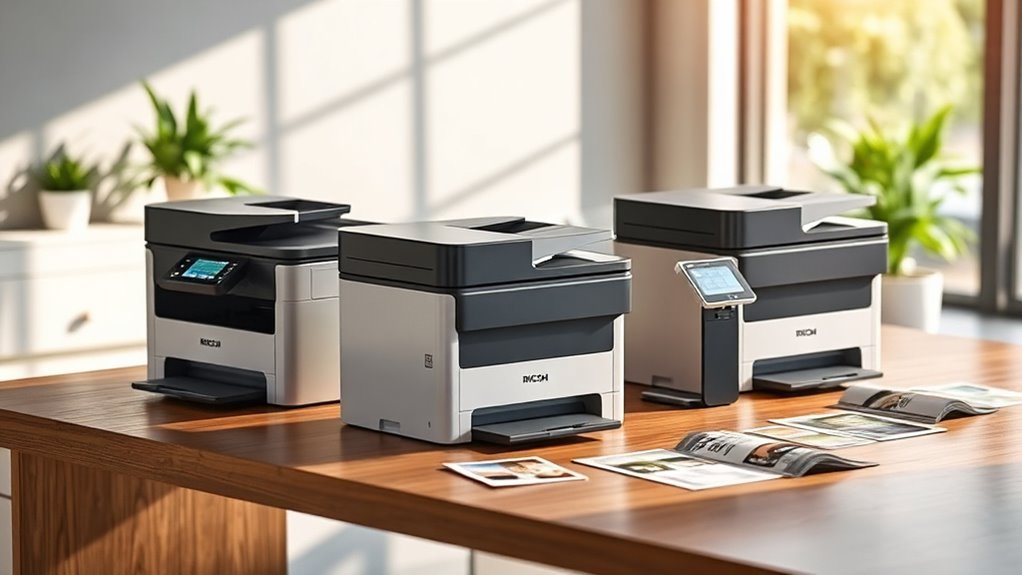
If you’re on the lookout for a reliable all-in-one Ricoh printer for 2027, you’ve got some great options to consider. These printers combine vibrant color printing, fast speeds, and multifunction features perfect for both home and office use.
Whether you need wireless convenience, high paper capacity, or network connectivity, Ricoh models have you covered.
Take the Ricoh 408139, for example—it’s fantastic for vibrant color prints and easy wireless use. If speed is your priority, especially for black-and-white jobs, the SP 8400DN delivers up to 60 ppm with a large paper capacity.
The SP 3200SF and Aficio SP 3500SF are solid choices too, offering multifunction features with network connectivity and reliable print speeds around 30 ppm.
These options cover a range of professional needs, and diving deeper into each model will show you what makes them stand out.
| Image | Name | Editor's Rating | Price |
|---|---|---|---|
|
|
||

|
|
||

|
|
||
|
|
Ricoh 408139 Multifunction Laser Printer
- Fast output speed of 21 color ppm with a remarkable 9 cents color cost per Print, save time, money, and paper with auto-duplex (2 sided) printing scanning
- 4.3" color touchscreen facilitates printing, scanning, copying and faxing
- Support for printing and scanning with tablets and smart phones, Ethernet, USB, Wi-Fi are included
- 251 sheet paper capacity including single sheet bypass tray, supports up to 90 lb. Index paper weight and up to 8.5 x 14" paper
- Support for windows, Mac, citrix, Linux, unix OS
The Ricoh 408139 Multifunction Laser Printer offers a seamless solution for busy offices needing reliable color printing, copying, scanning, and faxing. It handles everyday tasks efficiently, helping you stay productive without frequent interruptions. Its sharp 2400 x 600 dpi resolution ensures clear, professional-quality output for both color and black-and-white documents.
Designed to simplify your workflow, this printer features automatic duplexing and a 251-sheet capacity, reducing paper handling and saving time. You can easily connect via wireless or wired networks, and mobile printing support lets you print directly from your smartphone or tablet. The intuitive 4.3-inch touchscreen makes navigation straightforward, even for users new to multifunction devices.
Maintenance is convenient with included starter cartridges that provide around 1,000 prints. While suitable for small to medium workloads, note that the 256MB RAM and maximum media size of 8.5 x 14 inches may limit performance for high-volume or larger format printing needs.
Overall, the Ricoh 408139 is crafted to improve office efficiency with versatile functionality and user-friendly design.
Best for: Small to medium-sized offices and home users requiring a dependable color multifunction printer with wireless capabilities and efficient paper management.
What We Like:
- Consistent 21 ppm print speed in color and monochrome
- Automatic duplex printing with large paper capacity
- Wireless, wired, and mobile printing options
- Easy-to-use 4.3-inch touchscreen interface
Specification:
| Feature | Details |
|---|---|
| Manufacturer | Ricoh |
| Print Speed | 21 pages per minute (color & B/W) |
| Resolution | 2400 x 600 dpi |
| Paper Capacity | 251 sheets |
| Connectivity | Wireless, Wired, Mobile |
| Display | 4.3-inch touchscreen |
| Starter Cartridge Yield | Approximately 1,000 prints |
| RAM | 256 MB |
| Maximum Media Size | 8.5 x 14 inches |
RICOH 408244 SP 8400DN Black and White Laser Printer 10.1″
- Prints up to 60 ppm
- 1200 x 1200 dpi max print resolution
- Paper capacity of up to 4,700 pages
The RICOH 408244 SP 8400DN is designed for professionals who demand fast and reliable black-and-white printing. Its sharp 10.1″ touchscreen simplifies workflow, allowing users to manage print tasks efficiently. This printer delivers speeds up to 60 pages per minute, helping busy offices keep up with high-volume demands.
With a high resolution of 1200 x 1200 dpi, the SP 8400DN produces crisp, clear documents that look professional. It supports media sizes up to 11 x 17 inches and holds up to 4,700 sheets across two trays, reducing the need for frequent paper refills.
Maintenance is straightforward, but note that duplex printing must be done manually, which may slow down double-sided jobs. The printer connects via USB and Ethernet, fitting well into wired office networks, though it does not support wireless or mobile printing.
Overall, the SP 8400DN offers a practical solution for businesses needing a high-speed black-and-white laser printer with advanced touchscreen controls and large paper capacity.
Best for: Offices and professionals requiring efficient monochrome printing with easy job management and high paper capacity.
What We Like:
- High print speed of up to 60 ppm
- Sharp 1200 x 1200 dpi resolution
- Large paper capacity with two trays
- User-friendly 10.1″ touchscreen
- Reliable wired connectivity
Specification:
| Feature | Details |
|---|---|
| Manufacturer | RICOH |
| Model | 408244 SP 8400DN |
| Print Technology | Black-and-white laser |
| Print Speed | Up to 60 pages per minute |
| Print Resolution | 1200 x 1200 dpi |
| Touchscreen Size | 10.1 inches |
| Paper Capacity | Up to 4,700 sheets (two trays) |
| Max Media Size | 11 x 17 inches |
| Connectivity | USB, Ethernet |
Ricoh Multifunctional SP 3200SF Network-Ready Black & White Laser Printer
- Network-ready black & white laser printer with built-in digital copying, full-color scanning, faxing and document distribution features
- Print or copy at a fast 30 pages-per-minute
- Outstanding image quality, up to 1,200 x 1,200 dpi
- Full-color TWAIN scanning
- Fast, reliable Super G3 fax transmissions

The Ricoh Multifunctional SP 3200SF offers a powerful solution for busy offices needing efficient black-and-white printing. Its fast print and copy speed of 30 pages per minute helps reduce wait times, keeping your workflow smooth. The sharp 1,200 x 1,200 dpi resolution delivers clear, professional documents every time.
This laser printer combines printing, copying, scanning, and faxing in one device. The built-in flatbed scanner supports full-color scanning, while the Super G3 fax with multiple speed dial options streamlines communication. Its network-ready design via Ethernet allows easy sharing across teams.
Maintenance is straightforward with plain paper use and a paper capacity of up to 550 sheets, reducing frequent refills. Although it weighs 48.5 pounds, its robust build suits a fixed office setup rather than portability. The flatbed scanner is ideal for occasional scanning but may slow down high-volume tasks.
Overall, the Ricoh SP 3200SF meets the needs of small to medium businesses requiring reliable, multifunctional black-and-white printing with added fax and scanning capabilities.
Best for: Small to medium offices needing fast, dependable black-and-white printing combined with versatile multifunction features.
What We Like:
- Consistent 30 ppm print and copy speed for high productivity
- High-resolution output at 1,200 x 1,200 dpi
- Network-ready with Ethernet for easy office integration
- Built-in Super G3 fax with extensive speed dial options
- Large 550-sheet capacity minimizes paper refills
Specification:
| Feature | Specification |
|---|---|
| Manufacturer | Ricoh |
| Dimensions | Not specified |
| Weight | 48.5 lb (22 kg) |
| Print Speed | 30 pages per minute |
| Print Resolution | 1,200 x 1,200 dpi |
| Scanner Type | Flatbed (full color) |
| Fax | Super G3 with speed dials |
| Paper Capacity | Up to 550 sheets |
| Connectivity | Ethernet (network-ready) |
| Color Printing | Black & White only |
Ricoh Aficio SP 3500SF Network Monochrome All-in-One Laser Printer (3500SF)
- More for the money with this high quality Product
- Offers premium quality at outstanding saving
- Excellent product
- 100% satisfaction
Experience efficient, high-quality monochrome printing with the Ricoh Aficio SP 3500SF. Designed for professionals who demand speed and reliability, it delivers sharp prints at 30 pages per minute. This all-in-one laser printer simplifies your workflow by combining printing, copying, scanning, and faxing functions into one device.
Its manual duplex printing helps reduce paper usage, while versatile media handling supports envelopes and legal-sized documents. The built-in automatic document feeder (ADF) speeds up multi-page scanning and copying, saving you valuable time on routine tasks. ID card copying and scan-to-email features add flexibility for office environments.
Maintenance is straightforward, with easy access to toner and components to minimize downtime. Despite its nearly 50-pound desktop design, the SP 3500SF fits well in small office spaces and offers network connectivity via Ethernet and USB for shared use. It is also designed with eco-friendly considerations, helping reduce your environmental impact.
While it handles monochrome tasks efficiently, the manual duplex may slow some double-sided jobs. Its weight limits portability but ensures a stable setup for busy workspaces.
Best for: Professionals and small offices needing a fast, reliable all-in-one monochrome laser printer with multifunction and network capabilities.
What We Like:
- Fast 30 ppm print and copy speed with crisp 1200 x 1200 dpi output
- Multifunction features including fax, scanner, copier, and ID card copying with ADF
- Network-ready with Ethernet and USB for easy sharing
- Eco-friendly design promoting energy efficiency
- Supports various media sizes including envelopes and legal paper
Specification:
| Feature | Details |
|---|---|
| Manufacturer | Ricoh |
| Dimensions (W×D×H) | 16.6 × 18.4 × 14.6 inches |
| Weight | 49.9 pounds (22.6 kg) |
| Color | Monochrome (Black & White) |
| Connectivity | Ethernet, USB |
| Print Speed | 30 ppm |
| Resolution | 1200 x 1200 dpi |
Factors to Consider When Choosing an All in One Ricoh Printer
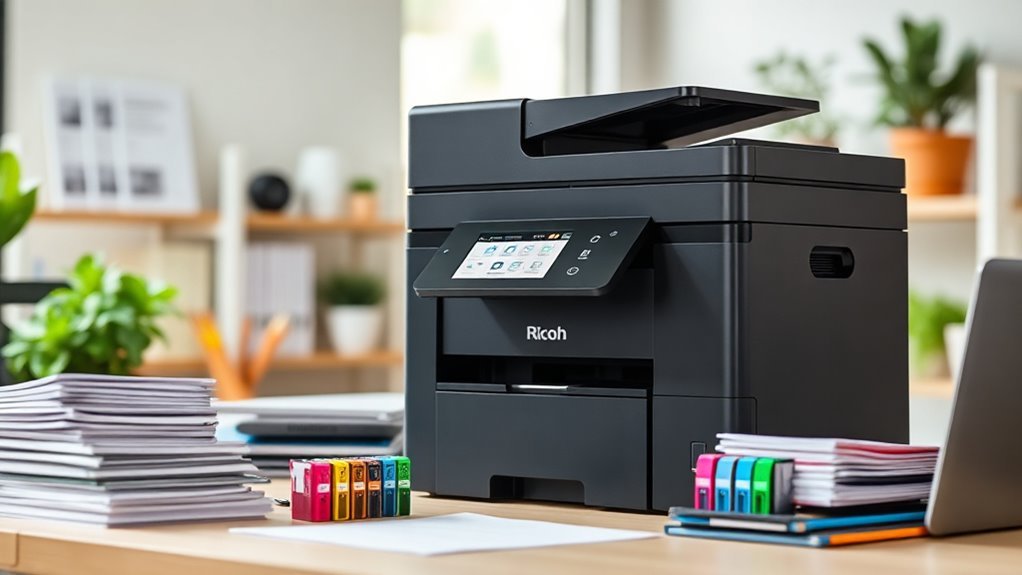
When choosing an all-in-one Ricoh printer, you’ll want to compare print speeds to match your workflow. It’s important to find a model that keeps up without slowing you down.
Consider multifunction capabilities, connectivity options, and paper handling features to find the best fit. These factors can make a big difference in how smoothly your tasks get done.
Don’t forget to evaluate cost efficiency to keep your budget in check. After all, getting great value is just as important as getting great performance.
Print Speed Comparison
How fast do you need your Ricoh all-in-one printer to work? Print speeds vary widely, from 21 to 60 pages per minute (ppm), so consider your volume demands carefully.
If you mostly print black and white documents, monochrome models can reach up to 60 ppm, offering excellent efficiency. For color printing, expect speeds around 21 ppm, suitable for mixed tasks without sacrificing quality.
Don’t overlook the initial page print time—some Ricoh printers deliver the first page in as little as 10 seconds, which matters when time’s tight. Pairing print speed with the maximum monthly duty cycle helps you gauge a printer’s ability to handle your workload smoothly.
Choose a model that balances speed and reliability for your specific needs. It’s all about finding the right fit for how you work.
Multifunction Capabilities Overview
Since all-in-one Ricoh printers combine printing, copying, scanning, and faxing, they offer the versatility your office needs to stay productive. You’ll appreciate models with automatic document feeders (ADF) that handle multi-page tasks quickly without manual effort.
Depending on your workload, consider print speeds—some Ricoh printers crank out up to 60 pages per minute, perfect for high-volume environments. Sharp, professional-quality output is essential, so look for devices boasting resolutions up to 2400 x 600 dpi to guarantee crisp text and vivid images.
These multifunction capabilities make Ricoh printers adaptable to various tasks, streamlining your workflow. By focusing on these features, you’ll choose a printer that supports your daily demands efficiently and reliably.
Connectivity Options Available
Although all-in-one Ricoh printers excel in multifunction capabilities, their connectivity options play a crucial role in seamless office integration. When choosing a model, look for multiple connectivity options like USB, Ethernet, and wireless to guarantee compatibility with all your devices and networks.
Ethernet connectivity is fundamental for stable connections, especially in busy office environments with multiple users. Check wireless standards such as Wi-Fi (IEEE802.11b/g/n) to match your existing network and maintain peak performance.
Don’t overlook mobile printing support—it lets you print directly from tablets and smartphones, adding convenience. Additionally, consider printers with remote management or app support features to simplify connectivity and improve the overall user experience.
This way, your office workflow becomes smoother and more efficient.
Paper Handling Features
Paper handling features can make a big difference in how smoothly your Ricoh all-in-one printer fits into your workflow. You’ll want to evaluate paper capacity carefully—some models hold up to 4,700 sheets, minimizing refills during heavy printing.
Duplex printing is another key factor; automatic duplexing saves time and paper, while manual options give you flexibility. Check the maximum media size supported, which ranges from standard letter to larger 11 x 17 inches, so you can handle various projects.
Also, look at the supported paper weight; some Ricoh printers accommodate up to 90 lb. index, letting you print on thicker media. Finally, an automatic document feeder (ADF) boosts your productivity by scanning or copying multi-page documents without manual effort.
These features guarantee your printer meets your specific needs efficiently. And honestly, having the right paper handling can make your print jobs so much easier!
Cost Efficiency Factors
When choosing an all-in-one Ricoh printer, you’ll want to focus on cost efficiency to keep your printing expenses manageable. Start by considering the cost per print—color prints can average around 9 cents each, which adds up quickly with high volume.
Check the print speed; models hitting up to 60 pages per minute boost productivity and cut labor costs. Factor in the initial investment for starter cartridges, typically good for about 1,000 prints, to gauge short-term expenses.
Don’t overlook paper handling capacity—higher capacity, like 4,700 sheets, means fewer refills and less downtime. Finally, look for automatic duplex printing to save on paper costs.
Balancing these factors guarantees you get a Ricoh printer that’s both efficient and economical. It’s all about making smart choices that fit your needs and budget.
Frequently Asked Questions
Can Ricoh Printers Connect to Mobile Devices via Bluetooth?
Yes, you can connect Ricoh printers to mobile devices via Bluetooth on certain models. Just enable Bluetooth on both devices, pair them, and you’ll be able to print wirelessly without needing Wi-Fi or cables.
It’s pretty straightforward and super convenient. Perfect if you’re on the go and don’t have access to a network.
What Is the Average Lifespan of a Ricoh All-In-One Printer?
Like a trusty steed, your Ricoh all-in-one printer typically lasts around 5 to 7 years with proper care. You’ll get reliable service, but regular maintenance keeps it running smoothly through countless print jobs.
Are Ricoh Printers Compatible With Linux Operating Systems?
Yes, Ricoh printers are compatible with Linux operating systems. You’ll find drivers and support for many models, letting you easily set up printing, scanning, and copying without hassle on your Linux machine.
It’s pretty straightforward to get things up and running. Just download the right drivers, and you’re good to go!
Do Ricoh Printers Support Duplex Scanning?
Yes, Ricoh printers support duplex scanning, letting you scan both sides of a document automatically.
You’ll save time and effort, especially when handling double-sided documents. It makes your workflow much more efficient.
What Warranty Options Are Available for Ricoh All-In-One Printers?
You’re in safe hands with Ricoh’s warranty options—they typically include standard one-year coverage and extended plans for added peace of mind.
You can count on prompt support and hassle-free repairs whenever you need them.
It’s all designed to keep your printer running smoothly without any stress.
Conclusion
So, you want the ultimate Ricoh all-in-one printer for 2027, huh? Well, congratulations on diving into the thrilling world of laser printers—because nothing screams excitement like choosing between model numbers and network capabilities.
Just pick one of these bad boys, and you’ll be the office hero, or at least the person who finally stops blaming the printer for every missed deadline. Remember, it’s not just a printer; it’s your new best frenemy.
When it comes to the best all-in-one Ricoh printers for 2027, you want reliability, speed, and top-notch features all wrapped into one sleek machine. Whether it’s for home use or the office, these models offer everything from wireless connectivity to high-quality printing, scanning, copying, and faxing.
Choosing the right Ricoh all-in-one printer means you’re not just investing in a device—you’re upgrading your entire workflow. So go ahead, pick your perfect Ricoh all-in-one printer for 2027, and get ready to take your printing game to the next level!