12 Best All-in-One Printers with Top Photo Quality in 2027
If you want stunning photo quality and versatile features in 2027, check out printers like the Canon MegaTank G3270, HP Envy Photo 7975, and Epson EcoTank Photo ET-8550.
These all-in-one printers are perfect for anyone looking for top photo quality combined with convenience. They offer high resolutions up to 5760 dpi, which means your photos come out crisp and vibrant every time.
Plus, these models feature cost-effective ink systems that save you money in the long run. With wireless connectivity, printing from your phone or laptop is a breeze.
They also handle various media sizes and deliver vibrant borderless photos that look professional. Keep exploring to uncover which printer perfectly fits your home or office needs.
| Image | Name | Editor's Rating | Price |
|---|---|---|---|

|
|
||

|
|
||

|
|
||
|
|
||

|
|
Canon MegaTank G3270 All-in-One Wireless Color Printer
- Wireless Print/Copy/Scan
- Up to 2 years of ink included (2)
- Print up to 6,000 black & white / 7,700 color pages using a single set of inks! (1)
- Save up to $1,000 on ink (1)
- 1.35” Square LCD display

If you need a reliable printer that fits neatly on your desk without sacrificing functionality, the Canon MegaTank G3270 is an excellent choice. This all-in-one inkjet printer combines printing, copying, and scanning in a compact design that suits both home and office environments.
The MegaTank system significantly reduces the hassle of frequent ink replacements. It delivers thousands of pages per refill, minimizing downtime and lowering operating costs. This makes it ideal for users with high-volume printing needs.
Wireless connectivity allows you to print directly from smartphones and tablets, adding flexibility to your workflow. The printer handles everyday tasks smoothly, offering clear prints with sharp details and vibrant colors at up to 4800 x 1200 dpi.
Maintenance is straightforward, thanks to its integrated ink tanks and easy refill process. While the print speed is modest, it balances quality and efficiency well. The single paper tray holds up to 100 sheets, adequate for most small-scale jobs.
Best for: individuals or small businesses needing a compact, versatile all-in-one printer with high page yields and wireless convenience for home or office use.
What We Like:
- High ink capacity supports thousands of pages per refill, cutting running costs
- Wireless printing from mobile devices enhances convenience
- Compact design fits easily on desktops without sacrificing functionality
- Integrated ink tanks simplify maintenance and refilling
Specification:
| Feature | Details |
|---|---|
| Manufacturer | Canon |
| Dimensions (W×D×H) | Approx. 17.7 × 12.3 × 5.6 in (45 × 31.2 × 14.3 cm) |
| Weight | Approx. 9.9 lb (4.5 kg) |
| Print Technology | Inkjet |
| Color Options | Wireless color printer |
HP Envy Photo 7975 Wireless Color Inkjet Printer
- From America's most trusted printer brand, the HP Envy Photo 7975 is a premium multi-purpose home printer with everything families need to learn, work, and create. Loaded...
- PERFECT FOR HOME - The HP Envy Photo 7975 is great for printing documents, high-quality true-to-screen borderless photos, creative projects and more. Print speeds up to...
- 3 MONTHS OF INK INCLUDED - Subscribe to the Instant Ink delivery service to get ink delivered directly to your door before you run out. After 3 months, a monthly fee...
- KEY FEATURES - Print, copy, scan, automatic 2-sided printing, advanced photo features, separate photo tray, auto document feeder, mobile and wireless printing.
- EFFORTLESS PRINTING - Smoothly navigate printing with a large intuitive printer color touchscreen.
The HP Envy Photo 7975 is designed to simplify printing for families and creative users. It produces vibrant, borderless photos that capture memories with sharp detail. This printer also handles everyday documents with ease, making it versatile for both home and office tasks.
Its 2.7-inch color touchscreen offers straightforward control, reducing setup time and printing errors. Automatic duplex printing saves paper and effort by producing double-sided documents without manual intervention. These features combine to streamline your workflow.
Maintenance is hassle-free with the included 3-month Instant Ink trial, ensuring you don’t run out of ink unexpectedly. The printer supports both wireless and USB connections, allowing seamless printing from smartphones, laptops, or tablets. This flexibility keeps up with your busy lifestyle.
While print speeds are moderate, they suit typical household or creative use rather than high-volume office demands. The compact design fits comfortably in most spaces, though it is a bit heavier than some alternatives. Its paper capacity is sufficient for regular tasks but might need frequent refills for heavy use.
Best for: Families and creative users seeking a versatile, high-quality photo and document printer with wireless convenience and easy touchscreen controls.
What We Like:
- Produces high-quality, borderless photos and sharp documents
- User-friendly 2.7” color touchscreen and automatic duplex printing
- Includes a 3-month Instant Ink trial to prevent ink shortages
- Supports wireless and USB printing from multiple devices
Specification:
| Feature | Details |
|---|---|
| Manufacturer | HP |
| Dimensions (W×D×H) | Approx. 17.2 × 14.6 × 5.9 in |
| Weight | Approx. 14.5 lb (6.6 kg) |
| Printer Type | Wireless Color Inkjet |
| Display | 2.7-inch color touchscreen |
| Connectivity | Wireless, USB |
| Paper Capacity | 125 sheets |
Canon PIXMA G620 Wireless MegaTank All-in-One Printer
- Never run out of ink. Connect your printer to Alexa and receive notifications when you’re running low. Alexa can even place a smart reorder from Amazon on your behalf...
- Enrolling in Smart Reorders with Alexa ensures that you never have too much or too little ink supplies. No subscription needed.
- MEGATANK HIGH PAGE YIELD: Print up to 3,800 4” x 6” color photos on a full set of ink.
- LOW COST PER PRINT with approx. ink cost of 2.5 cents per 4” x 6” color photo.2
- 6-COLOR DYE-BASED INK SYSTEM including Red and Gray inks for a wider color gamut.
Experience vibrant photo printing with the Canon PIXMA G620 Wireless MegaTank, designed to deliver sharp, professional-quality images while keeping costs low. Its compact all-in-one design combines printing, copying, and scanning in one space-saving device. This model is ideal for those who need reliable multifunction performance without sacrificing quality or efficiency.
Maintenance is simple with its high-capacity ink tanks, allowing you to print up to 3,800 4” x 6” photos per refill. This reduces frequent interruptions and lowers your cost per print to about 2.5 cents. The 6-color dye-based ink system, including red and gray, ensures a wider color range and crisp details at 4800 x 1200 dpi resolution.
Connectivity options are versatile, featuring Wi-Fi, USB, and Alexa compatibility, making wireless printing seamless. While it offers excellent photo quality, note that its print speed is moderate at 3.9 pages per minute, and the 50-sheet paper capacity means you may need to refill during heavy use. Weighing 19.5 pounds, it is best suited for stationary setups rather than portability.
Best for: individuals and small businesses needing a cost-effective, multifunction photo printer with wireless features and high-quality image output.
What We Like:
- High photo yield with low cost per print
- Expanded color gamut using a 6-color ink system
- Compact design with multiple connectivity options
- Easy maintenance with large ink tanks
Specification:
| Feature | Details |
|---|---|
| Manufacturer | Canon |
| Dimensions | Compact design (exact size not provided) |
| Weight | 19.5 lb (8.85 kg) |
| Ink System | 6-color dye-based (including red and gray) |
| Resolution | 4800 x 1200 dpi |
| Paper Capacity | 50 sheets |
| Connectivity | Wi-Fi, USB, Alexa compatible |
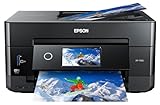
Epson Expression Premium XP-7100 Wireless Color All-in-One Inkjet Printer
- CLEAR AND VIBRANT PRINT QUALITY ― All-in-one inkjet color printer produces sharp text for eye-catching documents and impressive color photos and graphics; Your next...
- PRINTER FOR HOME USE ― Designed to increase your productivity at home, this wireless color printer features a 30 page auto document feeder (ADF), auto 2-sided print...
- CREATIVITY MADE EASY ― Epson color printer provides creative versatility, allowing you to print photos and documents on specialty paper¹ and DVDs; You can even print...
- SIMPLE FUNCTIONALITY ― Convenient features make printing, scanning, and copying a snap; Use the large, intuitive 4.3 in touchscreen to view, edit and print photos...
- CONVENIENT WIRELESS PRINTER ― Ultimate wireless plus ethernet; Easily print photos and documents directly from your tablet or smartphone³; Includes Wi-Fi direct for...
The Epson Expression Premium XP-7100 is designed to bring vibrant, high-quality prints right into your home office. Its 5-color ink system ensures sharp photos and clear documents with a resolution of up to 4800 dpi. This printer helps you create professional-looking materials without the need for a separate photo printer.
Navigating its functions is easy thanks to the large 4.3-inch touchscreen. You can print directly from USB drives or SD cards, saving time and simplifying your workflow. Wireless, Ethernet, and Wi-Fi Direct options mean this device fits seamlessly into various setups.
Maintenance is straightforward but requires genuine Epson cartridges, which may increase ink costs over time. The auto document feeder and duplex printing support efficient handling of multi-page jobs, boosting productivity for busy users.
While color printing is slower at about one page per minute, black and white pages print quickly at 15.8 ppm. Its compact design also helps save valuable desk space, making it ideal for small work areas.
Best for: Creative home office users needing versatile media handling, sharp color prints, and convenient wireless connectivity.
What We Like:
- Vibrant 5-color printing with high 4800 dpi resolution
- Intuitive 4.3-inch touchscreen for easy operation
- Multiple connectivity options including Wi-Fi Direct and Ethernet
- Auto document feeder and duplex printing for efficient multi-page tasks
Specification:
| Feature | Details |
|---|---|
| Manufacturer | Epson |
| Dimensions (W×D×H) | 14.8 × 12.2 × 6.4 inches |
| Weight | 13.7 lb (6.2 kg) |
| Print Resolution | Up to 4800 dpi |
| Connectivity | Wireless, Ethernet, USB, SD |
| Ink System | 5-color inkjet |
| Media Size Maximum | 8.5 × 11 inches (Letter) |
Epson EcoTank Photo ET-8550 Wireless Wide-Format All-in-One Tank Printer
- CARTRIDGE-FREE PRINTING — Print lab-quality photos, graphics and creative projects; Get vibrant colors and sharp text with Epson's high-accuracy printhead and Claria ET...
- INK BOTTLES — Save on photos1 and creative projects with affordable in-house printing; All-in-one printer allows you to print 4" x 6" photos for about 4 cents each vs...
- LESS FREQUENT INK REPLACEMENT — Replacement ink bottles don't have to be changed nearly as often as ink cartridges¹; Printer, scanner and copier lets you print up to...
- PRINT FOR LONGER — Up to 2 years of ink in the box² (and with every replacement ink set) for fewer out-of-ink frustrations with this wireless printer
- ZERO CARTRIDGE WASTE — Epson EcoTank printer helps reduce the amount of cartridge waste ending up in landfills; Cartridge-free printer uses high-yield ink bottles; Each...
Experience professional-quality photo and wide-format printing with the Epson EcoTank Photo ET-8550. Designed to deliver sharp, high-resolution images up to 13 x 19 inches, this printer lets you produce detailed prints at 5760 x 1440 dpi. It’s ideal for photographers and creatives who need precision without the hassle of cartridges.
The EcoTank system uses refillable Claria ET Premium 6-color inks, which significantly cut printing costs to about 4 cents per photo. This also reduces waste, making maintenance simpler and more eco-friendly. Wireless connectivity and app control allow you to print directly from your smartphone or PC with ease, streamlining your workflow.
This all-in-one device handles printing, scanning, and copying with fast black-and-white speeds of up to 16 pages per minute. While color printing is slower, the printer’s wide-format capability and ink efficiency compensate for this. Its compact design fits well in creative studios, but the 50-sheet output tray may require frequent attention during large jobs.
Best for: photographers and creative professionals seeking high-resolution, wide-format printing with cost-effective, eco-friendly ink solutions and wireless convenience.
What We Like:
- Sharp, wide-format prints up to 13 x 19 inches
- Cost-saving refillable ink tank system with six colors
- Easy wireless printing from mobile devices and PCs
- Fast black-and-white print speeds for efficient workflows
Specification:
| Feature | Details |
|---|---|
| Manufacturer | Epson |
| Maximum Print Size | 13 x 19 inches |
| Print Resolution | 5760 x 1440 dpi |
| Ink System | Claria ET Premium 6-color |
| Connectivity | Wireless, USB |
| Output Capacity | 50 sheets |
Canon PIXMA TR8620a All-in-One Printer Black

- Never run out of ink. Connect your printer to Alexa and receive notifications when you’re running low. Alexa can even place a smart reorder from Amazon on your behalf...
- Enrolling in Smart Reorders with Alexa ensures that you never have too much or too little ink supplies. No subscription needed.
- Wireless 4-in-1 (Print | Copy | Scan | Fax)
- 15 / 10 ipm Print Speed
- 200 Sheet Capacity (100 Cassette, 100 Rear Feed)
The Canon PIXMA TR8620a redefines convenience for small offices and home users. It combines printing, copying, scanning, and faxing into a single, easy-to-use device. This all-in-one printer tackles everyday tasks efficiently, helping you stay productive without clutter.
Designed for versatility, the PIXMA TR8620a supports wireless and Alexa connectivity, allowing you to print effortlessly from smart devices. Its sharp image quality, up to 4800 x 1200 dpi, ensures professional results. Auto duplex printing and borderless photo capabilities simplify complex jobs, saving time and effort.
Maintenance is straightforward with five individual ink tanks, which reduce waste and lower running costs. The 200-sheet tray and 20-sheet auto document feeder keep your workflow smooth. Its touchscreen LCD offers intuitive navigation, making operation simple even for beginners.
Though the printer handles up to 1,000 pages monthly, it’s best suited for moderate use rather than heavy workloads. Its size is larger than some compact models, but this accommodates its broad functionality and capacity.
Best for: Small offices and home users needing a versatile, efficient all-in-one printer with wireless and smart device compatibility.
What We Like:
- Fast, high-resolution printing for both black and color documents
- Auto duplex printing and 20-sheet auto document feeder enhance productivity
- Five individual ink tanks reduce maintenance costs
- ENERGY STAR certified for energy-efficient operation
Specification:
| Feature | Details |
|---|---|
| Manufacturer | Canon |
| Dimensions (W×D×H) | Approx. 15.0 × 12.0 × 7.7 inches |
| Weight | Approx. 17.6 lb (8.0 kg) |
| Color | Black |
| Print Resolution | Up to 4800 x 1200 dpi |
| Monthly Duty Cycle | Up to 1,000 pages |
Epson EcoTank ET-2900 Wireless Color All-in-One Supertank Printer – Black

- Epson EcoTank includes enough ink to last up to 3 years⁴
- WORRY-FREE PRINTING — Epson EcoTank comes with enough ink to print up to 3,600 pages black/6,500 color⁹ for fewer out-of-ink frustrations. Each replacement ink bottle...
- SIMPLE INK REFILLING — Supersized ink tanks and uniquely keyed EcoFit bottles make refilling ink simple—no mess, no stress and no ink bottle mix-ups; fits in...
- THE WORLD’S #1 SELLING SUPERTANK PRINTER² — Epson invented EcoTank to revolutionize the way people print; we’ve sold 100 million EcoTanks worldwide⁷ and this is...
- KEY PRODUCTIVITY FEATURES — 11 black/6 color ISO ppm print speeds with zero warmup time, 100-sheet paper tray, high-resolution flatbed scanner and a 1.44" color display...
The Epson EcoTank ET-2900 transforms your printing experience with its wireless, all-in-one functionality designed to fit seamlessly into your workspace. It solves the common hassle of frequent ink replacements by offering up to 3 years of ink through supersized EcoFit bottles, reducing interruptions and mess.
Its compact, modern design suits small home offices perfectly. This printer uses Heat-Free technology to speed up the printing process while delivering sharp photos at a high resolution of 5760 x 1440 dpi. You can also scan and copy quickly, making everyday tasks smoother.
Maintenance is simple and clean with easy-to-refill ink tanks, eliminating the need for traditional cartridges. Stay connected effortlessly via Wi-Fi or USB, and manage your printing remotely with the Epson Smart Panel app and intuitive color display.
While the 100-sheet paper tray may require frequent refills during heavy use, and print speeds are moderate, the ET-2900 balances efficiency and convenience for users who value reliability and cost-effectiveness.
Best for: Small home offices or individuals seeking a compact, wireless all-in-one printer with long-lasting ink and straightforward maintenance.
What We Like:
- Long-lasting ink supply with mess-free EcoFit refills
- Heat-Free technology for faster printing and high-resolution output
- Versatile connectivity including Wi-Fi, USB, and mobile app control
- Compact design ideal for limited workspace environments
- Easy-to-use Epson Smart Panel app enhances task management
Specification:
| Feature | Details |
|---|---|
| Manufacturer | Epson |
| Dimensions | Compact design (exact size not provided) |
| Weight | Not specified |
| Color | Black |
| Print Resolution | Up to 5760 x 1440 dpi |
| Paper Capacity | 100 sheets |
| Connectivity | Wi-Fi, USB, Mobile app |
Canon PIXMA TS9521Ca – Wireless Home All-in-One Inkjet Printer

- ALL-IN-ONE: Print, Copy, Scan features for full control at your fingertips. Comes with a 1 year limited warranty.
- FAST PRINT SPEEDS: Print approximately 15 (black) / 10 (color) images per minute.
- EASY SETUP and INSTALL: Get running in just a few minutes thanks to a streamlined and easy setup process out of the box. The five individual ink system makes it easy to...
- USER-FRIENDLY TOUCHSCREEN: Get the job done with an intuitive and easy to use 4.3” touch LCD screen.
- AUTO 2-SIDED PRINTING: Built in auto duplex printing for convenience & paper savings.
The Canon PIXMA TS9521Ca offers a smart solution for users needing versatile printing with large media options. Its ability to handle sizes up to 11” x 17” means you can print banners, envelopes, and photos without hassle. This flexibility makes it ideal for creative projects and home office tasks that demand more than standard paper sizes.
This wireless all-in-one inkjet printer delivers sharp prints at resolutions up to 4800 x 1200 dpi. You’ll find the black-and-white print speed of 15 pages per minute efficient for everyday document needs. The 4.3” touch LCD simplifies navigation, allowing quick access to settings and functions without confusion.
Maintenance is straightforward thanks to five individual ink cartridges, which help reduce waste by replacing only the colors you need. The printer offers multiple connectivity options, including Wi-Fi, USB, and Ethernet, fitting easily into various home setups. A 20-sheet auto document feeder supports scanning and copying but may be limited for heavy use.
Best for: users seeking a versatile, wireless all-in-one printer capable of handling large media sizes and high-quality photo and document printing at home.
What We Like:
- Supports large media sizes up to 11” x 17” including banners and envelopes
- High print resolution with fast black-and-white speeds (15 ppm)
- Intuitive 4.3” touch LCD for easy operation
- Multiple connectivity options: Wi-Fi, USB, and Ethernet
- Individual ink cartridges simplify maintenance and reduce waste
Specification:
| Feature | Details |
|---|---|
| Manufacturer | Canon |
| Dimensions (W x D x H) | Not specified |
| Weight | Not specified |
| Max Media Size | 11” x 17” (Tabloid) |
| Print Resolution | Up to 4800 x 1200 dpi |
| Connectivity | Wireless, USB, Ethernet |
| Auto Document Feeder | 20 sheets |
| Display | 4.3” Touch LCD |
HP Envy 5055 Wireless All-in-One Printer (M2U85A)

- Machine_Functions - Scan
- Product_Type - Multifunction - Printer, Copier, Scanner
- Printer_Type - Inkjet
- Maximum_Print_Speed_Black - 10 ppm
- Maximum_Print_Speed_Color - 7 ppm
Experience efficient and vibrant printing with the HP Envy 5055 Wireless All-in-One Printer, designed to meet the needs of small home offices. This printer delivers dependable color and black-and-white prints, helping you complete your tasks without delays. Its compact design fits neatly on your desk, saving valuable space.
Enjoy the convenience of wireless connectivity through Wi-Fi and Bluetooth, allowing you to print directly from your devices or the cloud. The touchscreen interface simplifies navigation and control, making everyday printing and copying straightforward. Auto-duplex printing reduces paper use, enhancing both efficiency and sustainability.
Maintenance is hassle-free with HP Instant Ink compatibility, which helps lower costs by automatically managing ink supplies. The flatbed scanner and copier add flexibility, supporting diverse home office needs. While print speeds are suitable for moderate use, the 100-sheet paper capacity means frequent refills may be necessary for busier workloads.
The scanner resolution supports standard tasks but may not capture fine details for specialized scanning. Overall, the HP Envy 5055 combines practical features and ease of use to streamline your home office workflow.
Best for: Small home offices and individuals needing reliable color printing with versatile scanning and copying features.
What We Like:
- High-quality photo printing at up to 4800 x 1200 dpi resolution
- Wireless options including Wi-Fi, Bluetooth, and cloud printing
- Auto-duplex printing for efficient paper use
- Compatible with HP Instant Ink for cost-effective maintenance
Specification:
| Feature | Details |
|---|---|
| Manufacturer | HP |
| Dimensions (W x D x H) | 17.7 x 14.2 x 5.8 inches |
| Weight | 11.9 lb (5.4 kg) |
| Paper Capacity | 100 sheets |
| Print Speed | 10 ppm black, 7 ppm color |
| Print Resolution | Up to 4800 x 1200 dpi |
| Scanner Resolution | 600 x 300 dpi |
| Connectivity | Wi-Fi, Bluetooth, Cloud |
HP Envy 5660 Wireless All-in-One Photo Printer

- Main functions of this HP color inkjet photo printer: copy, scan, wireless printing, Air Print, two-sided duplex printing, color touchscreen, Instant Ink ready so you'll...
- Mobile printing: print from anywhere using your smartphone or tablet with the free HP ePrint app, easily print from your iPhone or iPad with Air Print
- The built-in photo tray lets you print 4x6-inch photos in brilliant color without changing paper
Experience effortless wireless photo printing with the HP Envy 5660 Wireless All-in-One Photo Printer. This printer is designed to deliver sharp, high-quality borderless photos, solving the hassle of frequent paper changes with its dedicated 4×6-inch photo tray. Its maximum resolution of 4800 x 1200 dpi ensures your images come out vibrant and clear every time.
Setting up wireless printing is simple, allowing you to print directly from smartphones or tablets using HP ePrint and AirPrint. Voice control via Alexa adds another layer of convenience, making it easier to print hands-free. The printer’s compact design, weighing just 15 pounds, fits comfortably in most home spaces without clutter.
Maintenance is straightforward, though the use of HP 62 series cartridges may be more costly than some alternatives. It supports two-sided duplex printing, helping reduce paper use and making it practical for everyday tasks. The 2.65-inch color touchscreen provides intuitive navigation for quick access to functions.
Best for: Photo enthusiasts and home users seeking high-quality wireless photo printing with easy mobile and voice control options.
What We Like:
- Dedicated 4×6-inch photo tray for seamless photo printing
- Easy wireless setup with mobile and voice printing support
- Two-sided duplex printing reduces paper waste
- User-friendly 2.65-inch color touchscreen
- Compact and lightweight design fits small spaces
Specification:
| Feature | Details |
|---|---|
| Manufacturer | HP |
| Dimensions (W×D×H) | Approx. 17.2 × 14.5 × 5.9 in |
| Weight | 15 lbs (6.8 kg) |
| Print Resolution | Up to 4800 x 1200 dpi |
| Photo Tray | Dedicated 4×6-inch tray |
| Connectivity | Wireless (Wi-Fi), AirPrint, HP ePrint, Alexa voice control |
Epson XP-800 Wireless Color Inkjet Printer (C11CC45201)

- Superior photo quality and sharp text with 5 individual ink tanks
- Dedicated photo tray, plus print CD/DVDs with special tray
- 30-page Auto Doc Feeder with 2 sided scanning, faxing, and copying
- Intuitive 3.5" touchscreen with gesture navigation
- EPSON Connect – easily print from iPads, iPhones, tablets, and smartphone
Experience crisp photo prints and versatile functionality with the Epson XP-800 wireless color inkjet printer. Designed for home or small office use, it combines print, copy, scan, and fax features in one compact device. Its wireless connectivity allows seamless printing from smartphones and tablets, making document handling effortless.
With five individual ink tanks, the XP-800 produces sharp images at a high resolution of 5760 x 1440 dpi. Auto 2-sided printing and a 30-page auto document feeder streamline multi-page tasks, enhancing productivity. The 3.5-inch touchscreen offers intuitive control, simplifying everyday operations.
Maintenance is straightforward thanks to the individual ink tanks, which reduce waste and replacement costs. The printer supports media sizes up to 8.5 x 14 inches, covering a wide range of document types. While it weighs 21.5 pounds and holds up to 30 sheets, it balances portability with robust functionality.
Best for: Users seeking a versatile all-in-one wireless printer with superior photo print quality and convenient mobile compatibility for home or small office environments.
What We Like:
- High-resolution photo and text printing with five separate ink tanks
- Auto 2-sided printing and 30-page auto document feeder for efficient handling
- Wireless printing from mobile devices via AirPrint and EPSON Connect
- User-friendly 3.5-inch touchscreen interface
Specification:
| Feature | Details |
|---|---|
| Manufacturer | Epson |
| Dimensions (W×D×H) | 15.9 × 13.1 × 6.7 inches |
| Weight | 21.5 lb (9.75 kg) |
| Color Options | Black |
| Media Size | Up to 8.5 × 14 inches |
HP Envy 5540 Wireless All-in-One Photo Printer

- Main functions of this HP color inkjet photo printer: copy, scan, wireless printing, AirPrint, two-sided duplex printing, touchscreen, Instant Ink ready so you'll never...
- Mobile printing: print from anywhere using your smartphone or tablet with the free HP ePrint app, easily print from your iPhone or iPad with AirPrint, print even without...
- The built-in photo tray lets you print 4x6-inch photos in brilliant color without changing paper.Paper sizes supported: Letter, 4 x 6 in, 5 x 7 in, 8 x 10 in, No...
- Borderless photos are printed right to the edge of the paper. You get beautiful photo prints with no trimming! Scan to email: Save time by sending scanned documents or...
- Choose an ink replenishment service: Let your printer track usage and have ink delivered before you run out. Either reorder Original HP 62 ink cartridges only when you...
Experience effortless photo printing with the HP Envy 5540 Wireless All-in-One Photo Printer. Its built-in photo tray lets you print 4×6-inch photos without swapping paper, saving time and hassle. This versatile device combines printing, copying, and scanning with wireless convenience to streamline your tasks.
The Envy 5540 supports printing directly from smartphones via HP ePrint, AirPrint, or Wireless Direct. Duplex printing helps reduce paper waste by enabling double-sided prints. Borderless photo printing delivers sharp, detailed images at up to 4800 x 1200 dpi, perfect for vivid memories.
Maintenance is simplified with HP Instant Ink, which automatically replenishes your ink supply, preventing interruptions. Quiet mode minimizes noise during operation, making it ideal for home or office use. The auto-deploying output tray neatly collects your prints without extra effort.
While the printer offers solid functionality, its moderate print speed and 100-sheet paper capacity may require patience during large jobs. The one-year warranty is suitable for typical home or light office use but may be limiting for heavy users.
Best for: users needing an affordable, wireless all-in-one printer focused on convenient photo printing and easy ink management.
What We Like:
- Built-in photo tray for seamless 4×6-inch photo printing
- Multiple mobile printing options including HP ePrint and AirPrint
- HP Instant Ink service ensures continuous ink supply
- Quiet operation mode for minimal disruption
- Duplex printing reduces paper consumption
Specification:
| Feature | Details |
|---|---|
| Manufacturer | HP |
| Dimensions | 17.2 x 14.5 x 5.9 inches |
| Weight | 14.3 lbs |
| Paper Capacity | 100 sheets |
| Print Resolution | Up to 4800 x 1200 dpi |
| Connectivity | Wireless, HP ePrint, AirPrint |
Factors to Consider When Choosing an All in One Printer With Best Photo Quality
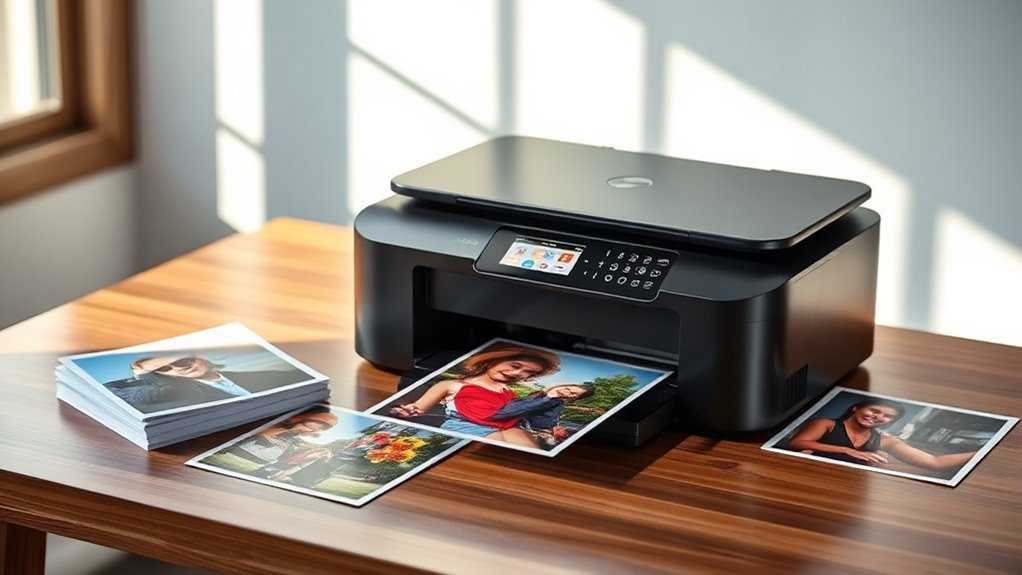
When choosing an all-in-one printer for top photo quality, you’ll want to focus on print resolution and the type of ink technology it uses. These two factors really make a difference in how sharp and vibrant your photos turn out.
Color accuracy and the range of compatible paper types also play a big role in getting the best results. It’s worth checking what kinds of photo paper the printer supports before making a decision.
Don’t forget to balance speed with quality to match your printing needs. After all, sometimes a little extra time is worth it for those perfect prints.
Print Resolution Importance
Print resolution plays an essential role in determining the sharpness and detail of your photos, measured in dots per inch (dpi). The higher the dpi, such as 4800 x 1200, the finer the detail and clearer the image you’ll get.
To achieve professional-quality prints, aim for at least 300 dpi, ensuring your photos stay sharp even when enlarged. High-resolution printers excel at capturing subtle color gradations and fine details, producing vibrant and lifelike images.
Plus, they reproduce a wider color gamut, which is vital for accurate and rich photos. Focusing on print resolution helps you choose a printer that delivers crisp, vivid prints every time.
Ink Technology Types
Beyond resolution, the type of ink technology your printer uses has a major impact on photo quality. Dye-based inks in inkjet printers offer vibrant colors and crisp details, making them perfect for high-resolution, borderless photos.
If you want prints that last, pigment-based inks provide superior fade resistance and archival quality, though their colors aren’t as vivid. It’s a trade-off worth considering depending on what matters most to you.
Consider printers with multi-color ink systems—6 or 8 colors—to achieve a wider color gamut and richer, more nuanced images. This means your photos will look more lifelike and detailed.
For cost efficiency, EcoTank or MegaTank models use large ink reservoirs, cutting the cost per print without sacrificing quality. These are great if you print a lot and want to save money over time.
Choosing the right ink technology guarantees your photos not only look stunning but also meet your durability and budget needs. It really sets the foundation for excellent photo printing.
Color Accuracy Factors
Although many factors influence photo quality, color accuracy stands out as a key consideration when choosing an all-in-one printer. You’ll want a printer with high print resolution—up to 4800 x 1200 dpi—to capture precise color details.
Look for models using a wider color gamut, often achieved by adding extra ink colors like red and gray. This delivers more vibrant, true-to-life prints.
The ink type matters too; dye-based inks offer brighter hues, while pigment-based inks guarantee longevity and fade resistance. Don’t overlook calibration settings and software—they let you fine-tune color output to match your images perfectly.
While paper quality affects color, that’s a separate topic. Focusing on these factors assures your photos come out vivid and accurate every time.
Paper Compatibility Range
Getting the most out of your printer’s color capabilities also depends on the types of paper it can handle. You’ll want a printer that supports various media sizes, from standard letter and legal to specialty photo and envelope sizes, so you can tackle any project.
Look for borderless printing features if you want edge-to-edge photos without white borders. It really helps make your prints look more professional.
Handling different paper types—glossy, matte, cardstock—is essential since each finish affects photo quality uniquely. Also, consider the maximum media size; some printers can print up to 13″ x 19″, which is perfect for larger prints.
Finally, check the sheet capacity to reduce paper refills during big jobs, especially when switching between paper types. This flexibility makes your printer more versatile and efficient.
Speed Versus Quality
How fast do you need your prints to come out? If speed is your priority, some printers can churn out up to 15 black-and-white pages per minute. But keep in mind, this often sacrifices photo quality.
When you want exceptional photos, expect slower speeds—typically 3 to 10 color pages per minute. That’s because the printer focuses on finer details and color accuracy.
High-resolution printers, like those offering 4800 x 1200 dpi, take longer to process images. This is especially true when using advanced inks like dye-based or specialized photo inks.
Connectivity Options Available
Choosing the right connectivity options can make a big difference in how easily you print your photos. Many all-in-one printers offer USB, Ethernet, and Wi-Fi connections, giving you flexibility to connect devices in various ways.
If you often print from your smartphone or tablet, look for wireless printing support through apps like AirPrint or Google Cloud Print. Wi-Fi Direct is another handy feature, letting you connect directly to the printer without a network, which simplifies setup.
Some models also include Bluetooth for quick mobile device connections. Additionally, printers with built-in SD card slots let you print photos straight from memory cards, bypassing the need for a computer.
Picking a printer with the right connectivity guarantees smooth and convenient photo printing every time. It just makes the whole process easier and more hassle-free.
Maintenance And Longevity
Although selecting a printer with excellent photo quality is important, maintaining it properly guarantees those vibrant prints last. You should clean print heads regularly and replace ink cartridges on time to prevent clogging and preserve print quality.
Using high-quality ink and photo paper designed for your printer enhances both vibrancy and durability. This helps extend your photos’ lifespan.
Look for models with refillable ink tanks or eco-friendly options to reduce waste and save money over time. Choosing a printer with a solid warranty and reliable support helps you handle maintenance issues quickly, ensuring consistent performance.
Finally, store your printed photos in acid-free sleeves and keep them away from direct sunlight. This prevents fading and keeps their brilliance shining for years.
Frequently Asked Questions
How Do All-In-One Printers Connect to Mobile Devices?
You connect all-in-one printers to mobile devices using Wi-Fi, Bluetooth, or NFC. Many support apps or AirPrint, letting you print directly from your phone or tablet without cables.
This makes printing quick and convenient wherever you are. So, whether you’re at home or on the go, it’s super easy to get your documents and photos printed right from your device.
What Is the Average Lifespan of All-In-One Photo Printers?
You can expect an all-in-one photo printer to last about 3 to 5 years with regular use. Proper maintenance and quality ink can extend its lifespan, so don’t forget to clean and handle it carefully.
Taking good care of your printer really makes a difference. Just a little effort now can save you from needing a new one sooner than you’d like!
Can These Printers Handle Borderless Photo Printing?
You’ll watch your vibrant memories flow edge-to-edge, as these printers handle borderless photo printing effortlessly.
They let your images burst off the page, giving every shot a clean, professional look without any distracting white borders.
Are There Specific Ink Types Recommended for Photo Printing?
Yes, you should use pigment-based or dye-based inks designed for photo printing. These inks offer vibrant colors and longevity.
Always check your printer’s recommendations to guarantee you get the best photo quality and durability. It really helps to follow what your printer suggests to make sure your photos look great and last a long time.
How Do All-In-One Printers Manage Double-Sided Scanning?
All-in-one printers manage double-sided scanning by using a duplex automatic document feeder. You simply load your pages, and the printer scans both sides automatically.
This saves you time and effort compared to flipping the pages manually. It’s pretty handy when you have lots of documents to scan!
Conclusion
Choosing the perfect all-in-one printer with stellar photo quality is like capturing a perfect sunset—you want every detail crisp and vibrant. Whether you lean toward Canon’s MegaTank magic or Epson’s colorful precision, these printers turn your memories into lasting masterpieces.
Don’t let blurry prints dull your story—grab a printer that brings your photos to life. With the best all-in-one printers, every snapshot becomes a vivid treasure you’ll want to share again and again.
When it comes to photo printing, quality matters most. So, investing in a top photo quality all-in-one printer ensures your pictures stay sharp, colorful, and true to life. That’s what makes these printers the perfect choice for anyone looking to preserve and showcase their favorite moments with stunning detail.