7 Best All-in-One Printers in India for Office Use 2027
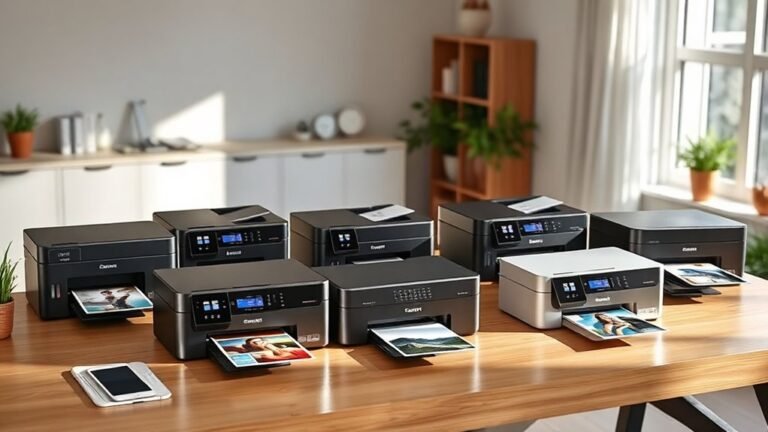
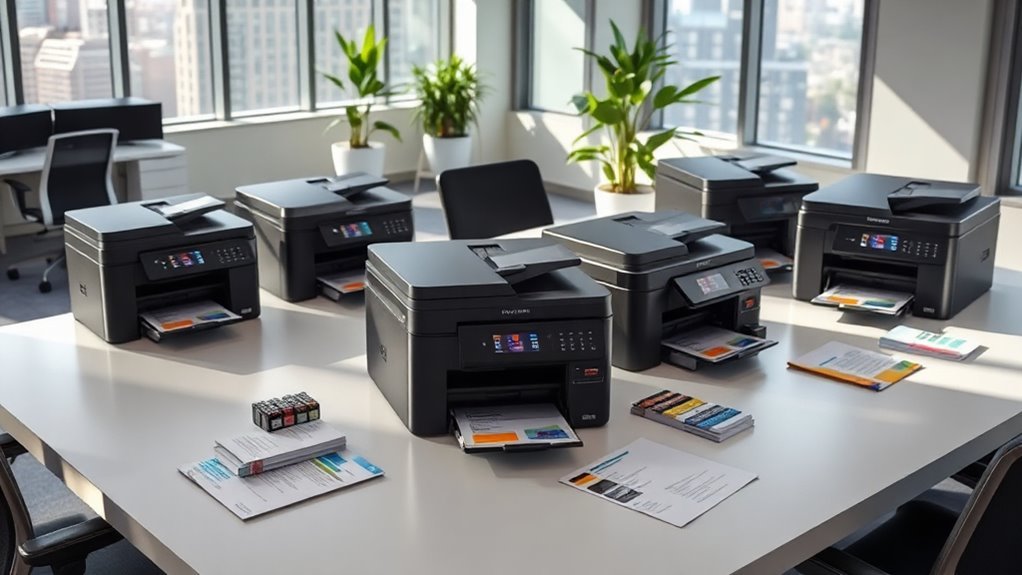
For your 2027 office needs, choosing the right all-in-one printer is crucial to keep things running smoothly. Whether you need reliable duplex printing, fast wireless scanning, or cost-effective ink solutions, there’s a printer tailored for you.
Consider top picks like the Brother MFC-L3720CDW, known for its dependable duplex printing. Or the HP OfficeJet Pro 9125, which offers speedy wireless scanning to save you time. If ink costs are a concern, the Canon MegaTank G3270 with refillable ink tanks is a smart choice.
Epson Workforce Pro models stand out with their high-speed output and large paper capacity. Meanwhile, Brother’s Workhorse MFC-L9630CDN is built to handle heavy workloads effortlessly. HP’s Color LaserJet M480f combines security features with fast printing speeds. Curious which one fits your office best? Let’s dive deeper!
| Image | Name | Editor's Rating | Price |
|---|---|---|---|

|
|
||

|
|
||

|
|
||

|
|
||

|
|
Brother MFC-L3720CDW Wireless Color Laser Printer
- Professional Performance: Dominate your business printing with this Brother Genuine color laser printer delivering exceptional print speeds up to 19 ppm and stunning...
- Advanced Connectivity: Take command of your workflow with dual-band wireless networking (2.4GHz/5GHz), Wi-Fi Direct, and USB 2.0 interface, enabling multiple users to...
- Productivity Powerhouse: Maximize efficiency with the 50-sheet auto document feeder, 250-sheet adjustable paper tray, and automatic duplex printing, ensuring...
- Smart Integration: Transform your workflow with the intuitive 3.5" color touchscreen featuring 48 customizable shortcuts and direct access to popular cloud services...
- Mobile Command Center: Leverage the power of mobile printing with remote access capabilities, toner level monitoring, and complete printer management directly from your...

Discover how the Brother MFC-L3720CDW Wireless Color Laser Printer can streamline your office tasks efficiently. This all-in-one printer handles printing, scanning, copying, and faxing with ease, delivering crisp, smudge-free laser-quality documents. Its fast output at up to 19 pages per minute helps reduce wait times during busy workdays.
Designed for convenience, it features a 250-sheet adjustable tray and a 50-sheet automatic document feeder, making large print jobs and multi-page scans hassle-free. The automatic duplex printing saves time and paper, promoting eco-friendly practices. Setup is straightforward with dual-band Wi-Fi, USB, and Wi-Fi Direct connectivity options.
Maintenance is simplified with user-friendly controls via a 3.5-inch touchscreen and a companion app for remote management. The printer supports various paper types, integrating smoothly with cloud applications to enhance your workflow. However, its larger size and weight require a dedicated workspace, and its power consumption might be a consideration for energy-conscious users.
Best for: small to medium-sized offices and home workspaces needing versatile, efficient, and wireless all-in-one color laser printing solutions.
What We Like:
- Fast print speed with high-resolution, smudge-free output
- Large paper capacity and automatic duplex printing for efficiency
- Multiple connectivity options including dual-band Wi-Fi and USB
- User-friendly touchscreen and mobile app for easy operation
Specification:
| Feature | Details |
|---|---|
| Manufacturer | Brother |
| Dimensions (W x D x H) | 16.1 x 18.7 x 17.7 inches |
| Weight | 44 lbs (20 kg) |
| Printing Technology | Wireless Color Laser |
| Connectivity | Dual-band Wi-Fi, USB, Wi-Fi Direct |
| Display | 3.5-inch Touchscreen |
HP OfficeJet Pro 9125 Wireless All-in-One Printer
No products found.
The HP OfficeJet Pro 9125 Wireless All-in-One Printer is designed to boost productivity in busy office environments. It handles printing, scanning, copying, and faxing with ease, helping streamline your daily tasks. This printer’s high-speed output reduces wait times, letting you focus on more important work.
Its wireless connectivity and intuitive 2.7-inch touchscreen simplify setup and operation. The dual-band Wi-Fi ensures a stable connection for multiple users, while the HP Smart app offers remote control and easy maintenance alerts. Duplex scanning and a dual-pass automatic document feeder save time on multi-page documents.
Maintenance is straightforward, but it requires original HP cartridges with chip authentication, which helps maintain print quality but may increase running costs. The compact design fits well on office desks, though it supports paper sizes only up to 8.5 x 11.7 inches, limiting larger format needs.
With sharp 4800 x 1200 dpi color output and enhanced security through HP Wolf Pro, your documents stay clear and protected. Its eco-friendly build, using over 40% recycled plastic, also supports sustainability goals.
Best for: office users and small businesses in need of a versatile, high-speed all-in-one printer with wireless capabilities and strong security.
What We Like:
- Fast printing speeds with duplex scanning and dual-pass ADF
- User-friendly touchscreen and HP Smart app for easy wireless control
- Strong security features with HP Wolf Pro protection
- Eco-conscious design using recycled materials
Specification:
| Feature | Details |
|---|---|
| Manufacturer | HP |
| Dimensions (W×D×H) | 17.8 × 13.8 × 10.1 inches |
| Weight | 20.3 lb (9.2 kg) |
| Color Options | Black |
| Maximum Paper Size | 8.5 × 11.7 inches |
| Connectivity | Dual-band Wi-Fi, USB |
Canon MegaTank G3270 All-in-One Wireless Color Printer
- Wireless Print/Copy/Scan
- Up to 2 years of ink included (2)
- Print up to 6,000 black & white / 7,700 color pages using a single set of inks! (1)
- Save up to $1,000 on ink (1)
- 1.35” Square LCD display
Experience hassle-free printing with the Canon MegaTank G3270 All-in-One Wireless Color Printer, designed to meet the needs of busy homes and small offices. Say goodbye to frequent ink refills and interruptions with its high-capacity refillable ink tanks that last up to two years.
This printer delivers vibrant color and sharp black-and-white prints at speeds up to 11 pages per minute. Its easy-to-use flatbed scanner and simple controls via a 1.35″ LCD make copying and scanning straightforward. You’ll appreciate the convenience of wireless connectivity, allowing seamless printing from smartphones, tablets, or computers.
Maintenance is simplified with the MegaTank system, which significantly reduces ink costs—saving you up to $1,000 over time. However, note that it supports only single-sided printing and has a modest 100-sheet paper capacity, which suits moderate print volumes best.
Best for: home users and small offices seeking an efficient, budget-friendly color printer with wireless capabilities and easy maintenance.
What We Like:
- Long-lasting ink supply reduces refill frequency and cost
- Wireless printing compatible with mobile devices
- High-quality prints with up to 4800 x 1200 dpi resolution
- Simple, user-friendly operation with a clear LCD screen
Specification:
| Feature | Details |
|---|---|
| Manufacturer | Canon |
| Dimensions | Not specified |
| Weight | Not specified |
| Printer Type | All-in-One Wireless Inkjet |
| Print Speed | Up to 11 ppm |
| Print Resolution | Up to 4800 x 1200 dpi |
| Paper Capacity | 100 sheets |
| Connectivity | Wi-Fi, USB |
| Display | 1.35″ LCD |
Epson Workforce Pro WF-4935 Wireless All-in-One Printer
- Built for Speed — PrecisionCore Heat-Free technology delivers fast, high-volume printing with 25 (black)/12 (color) ISO ppm and fast first-page-out
- High-Precision Office Printing — Accurate dot placement and DURABrite Ultra instant-dry pigment inks for professional-quality prints
- High-Volume Durability for Heavy Workloads — Innovative heat-free technology engineered for reliability and reduced downtime
- Complete Duplex Solution — All-in-one printer with auto 2-sided print, copy, scan and fax; plus 50-sheet ADF
- Maximize Printing Productivity — High-performance office printer with 500-sheet paper capacity; includes two 250-sheet trays for added convenience
Experience smooth, efficient office printing with the Epson Workforce Pro WF-4935 Wireless All-in-One Printer. Its heat-free PrecisionCore inkjet technology delivers fast, reliable output, minimizing downtime and maintenance needs. This printer helps your workflow stay uninterrupted, boosting productivity in busy workspaces.
Print sharp documents at up to 25 ppm in black and 12 ppm in color, ensuring quick turnaround on everyday tasks. The duplex printing feature cuts paper use in half, supporting eco-friendly office practices. Large print jobs are handled easily thanks to dual 250-sheet trays and a 50-sheet automatic document feeder.
Control and scanning are simple with the intuitive 4.3″ touchscreen and Epson Smart Panel app. Wireless, Ethernet, and USB connectivity options provide flexibility for various office setups. While it’s larger than typical home printers, its robust design supports high-volume printing demands.
Ink maintenance requires Epson 842 cartridges, which may cost more than generic alternatives but ensure consistent quality. Overall, this all-in-one device balances speed, capacity, and connectivity to meet the needs of busy small to medium-sized offices.
Best for: Small to medium-sized offices and home offices needing a fast, reliable, high-volume all-in-one printer with advanced features like duplex printing and wireless connectivity.
What We Like:
- Fast, heat-free PrecisionCore printing reduces downtime.
- Large capacity with dual 250-sheet trays and 50-sheet ADF.
- Easy control via 4.3″ touchscreen and Epson Smart Panel app.
- Flexible connectivity: Wi-Fi, Ethernet, and USB options.
- Duplex printing supports efficient paper use.
Specification:
| Feature | Details |
|---|---|
| Manufacturer | Epson |
| Dimensions (W×D×H) | Approximately 16.5 × 22.8 × 15.3 in (41.9 × 57.9 × 38.9 cm) |
| Weight | Around 21.6 lb (9.8 kg) |
| Technology | PrecisionCore inkjet |
| Print Speed (Black) | Up to 25 ppm |
| Print Speed (Color) | Up to 12 ppm |
| Connectivity | Wi-Fi, Ethernet, USB |
| Paper Capacity | Dual 250-sheet trays, 50-sheet ADF |
| Display | 4.3″ color touchscreen |
Epson Workforce Pro WF-5938 Wireless All-in-One Printer
- Built for Speed — PrecisionCore Heat-Free technology delivers fast, high-volume printing with 25 (black)/25 (color) ISO ppm and fast first-page-out
- High-Precision Office Printing — Accurate dot placement and DURABrite Ultra instant-dry pigment inks for professional-quality prints
- High-Volume Durability for Heavy Workloads — Innovative heat-free technology engineered for reliability and reduced downtime
- Complete Duplex Solution — All-in-one printer with auto 2-sided print, copy, scan and fax; plus 50-sheet ADF
- Maximize Printing Productivity — High-performance office printer with 500-sheet paper capacity; includes two 250-sheet trays for added convenience
Experience efficient and versatile printing with the Epson Workforce Pro WF-5938 Wireless All-in-One Printer. Designed for busy professionals, it delivers fast, high-quality prints that keep office productivity flowing smoothly. The PrecisionCore Heat-Free technology ensures sharp, vibrant documents at speeds of up to 25 pages per minute in both black and color.
This all-in-one device handles large workloads easily, thanks to its 500-sheet paper capacity and automatic duplexing. You can scan, copy, and fax with ease using the 50-sheet automatic document feeder, streamlining your daily tasks. The intuitive 4.3-inch touchscreen makes navigation simple, reducing downtime.
Maintenance is straightforward with DURABrite Ultra ink cartridges that provide durable, smudge-resistant prints. While the printer supports multiple connectivity options like Wi-Fi Direct, Ethernet, and voice commands, it requires genuine Epson cartridges to maintain optimal performance and warranty coverage.
Its compact yet sturdy design fits well in small to medium office spaces, though its weight of 22.5 pounds may limit portability. Note that the maximum media size is 8.5 x 14 inches, so it’s not suitable for wide-format printing.
Best for: professionals and small to medium-sized offices needing reliable, fast, and versatile all-in-one printing with robust connectivity.
What We Like:
- High-speed printing at 25 ppm with sharp 4800 x 1200 dpi resolution
- Large 500-sheet capacity and automatic duplexing for efficient handling of big jobs
- Multiple connectivity options including Wi-Fi Direct, Ethernet, USB, mobile printing, and voice commands
- Easy-to-use 4.3″ color touchscreen interface
- Durable prints with DURABrite Ultra ink cartridges
Specification:
| Feature | Details |
|---|---|
| Manufacturer | Epson |
| Dimensions | Approx. 18.5 x 15.5 x 11.7 in |
| Weight | 22.5 lb (10.2 kg) |
| Printing Technology | PrecisionCore Heat-Free |
| Maximum Print Speed | 25 ppm (black and color) |
| Maximum Resolution | 4800 x 1200 dpi |
| Paper Capacity | 500 sheets |
| Automatic Document Feeder | 50 sheets |
| Connectivity Options | Wi-Fi Direct, Ethernet, USB, mobile, voice commands |
| Maximum Media Size | 8.5 x 14 inches |
HP Color LaserJet Enterprise M480f | Color Printer | All-in-One | Duplex
- Easy to use, simple to manage: Print, scan, copy, HP Color LaserJet Enterprise M480f Multifunction Printer, a laser printer with speeds up to 29 ppm, a 50-sheet automatic...
- Enhanced productivity to empower work teams: Support mobile workers with optional multifunction apps that meet your specific business needs
- Build business efficiency: Centralize control of your printing environment with HP Web JetAdmin
- HP Wolf Enterprise Security: The world's most secure printers are always on guard with defensive layers to detect and self-heal from malware, and protect your data and...
- Automatic 2-sided printing: Speed through tasks and save paper by printing two-sided documents
Experience seamless multitasking with the HP Color LaserJet Enterprise M480f, designed to keep busy offices efficient and secure. This all-in-one color laser printer combines printing, scanning, copying, and faxing, helping you streamline daily tasks without switching devices.
Its fast duplex printing at 29 pages per minute and sharp 600 x 600 dpi resolution reduce wait times and produce professional-quality documents. The integrated 50-sheet automatic document feeder and flatbed scanner simplify handling multiple documents, making batch jobs quick and effortless.
Maintenance is straightforward with a single 300-sheet input tray and Original HP 414A/414X toners, ensuring consistent print quality and minimizing downtime. While the unit is somewhat heavy and occupies significant desk space, its robust build supports intensive use in demanding environments.
Security is a top priority, with HP Wolf Enterprise Security safeguarding your data in real time. Mobile printing compatibility with Android and iOS devices and centralized control via HP Web JetAdmin further enhance convenience and management.
Best for: Busy office environments needing an all-in-one color laser printer with fast duplex printing, robust security, and mobile compatibility.
What We Like:
- Rapid print speeds up to 29 ppm with automatic two-sided printing
- Multifunction design includes copying, scanning, faxing, and a 50-sheet ADF
- Strong real-time data protection through HP Wolf Enterprise Security
- Easy mobile printing support for Android and iOS devices
- Centralized device management with HP Web JetAdmin
Specification:
| Specification | Details |
|---|---|
| Manufacturer | HP |
| Dimensions (W×D×H) | Approx. 16.4 × 17.6 × 15.1 in |
| Weight | 51.2 lbs (23.2 kg) |
| Print Resolution | 600 x 600 dpi |
| Print Speed | Up to 29 pages per minute |
| Paper Capacity | 300 sheets |
| Toner Models | Original HP 414A/414X |
Brother Workhorse MFC-L9630CDN Laser Multifunction Printer – Color

- Sold as 1 Each
- Supports duplex printing; two-sided A4 color print speed: 28 pages per minute; A4 standard color print speed: 40 pages per minute
- With GigE (10Base-T/100Base-TX/1000Base-T), hi-speed USB 2.0 and USB host (front and rear)
- Laser technology provides 2400 dpi class (2400 x 600) and 600 x 600 dpi quality resolution
- Professional all-in-one A4 color printer is perfect for all office tasks
Experience fast, reliable color printing with the Brother Workhorse MFC-L9630CDN, designed to streamline busy office environments. This laser multifunction printer delivers high-quality prints at speeds up to 40 pages per minute, helping you meet tight deadlines effortlessly.
Its automatic duplex printing and scanning capabilities reduce paper use and save time. The sharp 2400 x 600 dpi resolution ensures your documents come out crisp and professional every time. Connectivity is seamless with Ethernet, USB, and NFC options, allowing easy integration with mobile devices and networks.
Though it’s heavier and larger than typical printers, this model’s built-in touchscreen and cloud secure print features enhance workflow efficiency. Regular maintenance is straightforward, making it ideal for workgroups handling high-volume printing, copying, and scanning tasks.
Best for: Busy offices and workgroups that require fast, high-volume color printing with integrated scanning and copying capabilities.
What We Like:
- Fast printing and copying speeds up to 40 ppm
- Automatic duplex printing and scanning for efficiency
- Multiple connectivity options including Ethernet, USB, and NFC
- Crisp print resolution of 2400 x 600 dpi
- Built-in touchscreen and secure cloud printing
Specification:
| Feature | Description |
|---|---|
| Manufacturer | Brother |
| Dimensions (W×D×H) | Approx. 16.1 × 18.5 × 16.7 in (41 × 47 × 42.5 cm) |
| Weight | Approx. 48.5 lb (22 kg) |
| Printing Technology | Color Laser |
| Connectivity | Ethernet, USB, NFC |
| Max Print Speed | Up to 40 pages per minute |
| Max Resolution | 2400 x 600 dpi |
| Duplex | Automatic duplex printing and scanning |
Factors to Consider When Choosing an All in One Printer in India for Office Use

When choosing an all-in-one printer for your office in India, you’ll want to contemplate print speed to match your workload and the connectivity options that fit your setup.
Check the paper handling capacity to avoid frequent refills, and make certain the print quality meets your business standards.
Also, look at the multifunction features included to guarantee the printer covers all your essential tasks efficiently. It’s all about finding the right balance that works smoothly for your daily office needs.
Print Speed Requirements
Several factors influence the print speed you need from an all-in-one printer for your office in India. If your office is small with light daily printing, aim for 15–20 pages per minute (ppm) to avoid bottlenecks.
For medium-sized offices with frequent printing, look for printers offering 25–35 ppm to keep workflows smooth during busy hours. High-volume departments or shared printers demand 35+ ppm, preferably over 40 ppm, to handle large jobs and multiple users efficiently.
Don’t forget that duplex and color print speeds often run slower than single-sided black-and-white printing. This can impact productivity, so keep that in mind when choosing your printer.
Match the ppm to your peak concurrent users and typical job sizes. Estimate your total pages per hour and choose a printer that meets or exceeds that rate with some headroom for busy times.
Connectivity Options Available
Connectivity options play a crucial role in how efficiently you can use an all-in-one printer in your office. Ethernet offers stable, high-speed connections and centralized management, perfect for multi-user environments.
Dual-band Wi-Fi (2.4 GHz and 5 GHz) lets you print wirelessly from laptops, smartphones, and tablets. You’ll get better performance on the less crowded 5 GHz band.
Wi-Fi Direct allows guests or BYOD devices to print without accessing your main network, which enhances security. USB ports enable fast local printing or scanning from a PC or thumb drive, all without relying on the network.
Additionally, mobile and cloud printing protocols like Apple AirPrint, Mopria, and vendor apps let you print from smartphones or remote locations. This makes your workflow flexible and efficient.
Choose connectivity that fits your office needs seamlessly.
Paper Handling Capacity
Although choosing an all-in-one printer involves many factors, paper handling capacity directly impacts your office’s productivity. You should look for an input tray capacity of at least 250 sheets or dual trays totaling 500+ to minimize refills and downtime.
Don’t forget to check the output tray capacity—typically 50 to 150 sheets—to prevent overflow during large print jobs. An automatic document feeder (ADF) with a 25–50 sheet capacity is essential for efficient multi-page scanning, copying, and faxing.
Make sure the printer supports automatic duplex printing and handles various media types and weights, from plain paper to card stock and envelopes. Finally, consider the maximum monthly duty cycle and supported paper sizes like A4 or Legal to match your office’s printing volume and needs.
Print Quality Standards
Paper handling sets the stage for smooth office workflows, but print quality determines how professional your documents look. For text-heavy files, choose printers offering at least 600 x 600 dpi laser or 1200 x 1200 rendered dpi inkjet resolution to keep fonts sharp and graphics clear.
If you print marketing materials, opt for 1200 x 1200 dpi or higher color output with 24-bit color support to capture fine gradients and accurate logos. Consider the printer’s rated ppm and first-page-out time—higher speeds and sub-10 second starts boost office efficiency.
Also, check output technologies: laser and pigment inks resist smudges and water, while dye-based inks enhance photo vibrancy. For scanning or copying, prioritize devices with 600–1200 dpi optical resolution and 48-bit input to preserve detail in digital archives.
Multifunction Features Included
When choosing an all-in-one printer for your office, make sure it supports all the core functions you need—printing, scanning, copying, and faxing. Also, look for features like an automatic document feeder (ADF) and duplex scanning if you handle multi-page, double-sided documents regularly.
Check the ADF capacity; a 30–50 sheet feeder usually suits most office needs. And don’t forget to make certain the copy and scan speeds match your workflow demands.
Automatic duplex printing is a must-have to save paper and make two-sided jobs easier without having to flip pages manually. It really streamlines the whole process.
Look for extras like network scanning to shared folders, searchable OCR output, and multi-tray support to handle different media types. These little extras can make a big difference.
Lastly, don’t forget security features such as user authentication and secure print options. They help protect sensitive documents and keep your office environment confidential.
Operating Cost Efficiency
Since operating costs can quickly add up, you’ll want to evaluate the true cost per page by factoring in consumables like toner, ink, drums, and maintenance kits against their expected yield. Choose printers with high-yield or XL cartridges and long-life parts to lower your effective cost per page, especially if you print in high volumes.
Also, consider duplex printing, automatic document feeders, and multi-tray capacity to reduce paper use and manual handling. This can save you both time and materials.
Don’t forget to check energy consumption—both standby and active wattage—to estimate electricity costs based on your daily print volume. Finally, factor in service coverage and the availability and price of genuine consumables and spare parts. Frequent repairs or expensive supplies can really add up and increase your long-term operating expenses.
Security Features Needed
Although all-in-one printers offer convenience, you’ll want to prioritize robust security features to protect sensitive office documents and data. Make sure the printer supports user authentication methods like PINs, cards, or network single sign-on to restrict access to printing, copying, scanning, and admin functions.
Look for network security protocols such as WPA3/WPA2 encryption, IPsec, and 802.1x to safeguard data in transit. Secure printing options like pull/hold print and encrypted storage help keep your documents safe.
Verify firmware integrity protections, including signed firmware, secure boot, and automatic updates, to defend against malware. And finally, check for audit and access-control capabilities with detailed logs and role-based admin controls to guarantee compliance and monitor user activity effectively.
Brand Reliability Factors
Several key factors determine the reliability of an all-in-one printer for your office in India. First, check the manufacturer’s service network coverage and turnaround time for on-site repairs and spare parts delivery. This helps minimize downtime, which is crucial for smooth office operations.
Next, evaluate the warranty length and scope, including parts and labor coverage. Also, find out whether the service is onsite or at a depot. It’s a good idea to see if extended warranties or annual maintenance contracts are offered too.
You should also review third-party reliability data like failure rates and MTBF. These give you a clearer picture of the printer’s long-term performance.
Make sure genuine consumables are readily available at transparent prices. This prevents unexpected costs and avoids any warranty issues.
Finally, assess the firmware update policy and how often security support is provided. Ongoing patches not only keep the device reliable but also protect your network from vulnerabilities.
Considering all these factors together will help you pick a dependable printer brand for your office needs.
Frequently Asked Questions
How Do All-In-One Printers Handle Network Security for Office Use?
All-in-one printers secure your network by using encryption, password protection, and secure Wi-Fi protocols. They often include user authentication and firewall features, ensuring only authorized personnel can access printing, scanning, or copying functions in your office environment.
What Are the Typical Maintenance Costs for Office All-In-One Printers?
Maintenance costs are like a steady drip—you’ll spend on ink, toner, and occasional part replacements.
You can expect monthly expenses around a few hundred rupees, depending on usage, printer model, and service agreements you choose to keep.
It really varies, but keeping track helps avoid surprises. Just think of it as part of your office budget routine!
Can These Printers Integrate With Cloud Storage Services?
Yes, you can easily integrate these printers with cloud storage services like Google Drive and Dropbox.
This lets you print and scan documents directly to and from the cloud, boosting your office’s efficiency and convenience.
Pretty handy, right? It makes managing your documents a breeze.
Do These Printers Support Mobile Printing Apps?
Yes, these printers support mobile printing apps, letting you print directly from your smartphone or tablet.
You can easily connect via Wi-Fi or Bluetooth, making on-the-go printing smooth and hassle-free for your office tasks.
What Is the Average Lifespan of an Office All-In-One Printer?
You can expect an office all-in-one printer to last around 3 to 5 years with regular use.
Proper maintenance and timely part replacements can extend its lifespan markedly, keeping your printing tasks smooth and efficient.
Conclusion
Choosing the best all-in-one printer for your office might seem tricky, but it’s funny how many top models—like Brother, HP, and Epson—keep popping up on every list. You’ll find yourself drawn to reliable features like wireless connectivity and color printing, exactly what your office needs.
So, why not pick one that checks all the boxes and fits your budget? You’ll be surprised how smoothly your workday flows once you do.
When selecting an all-in-one printer for office use in India, consider factors like print speed, multifunction capabilities, and cost-effectiveness. Models from Brother, HP, and Epson are consistently praised for their durability and performance. With wireless connectivity and efficient color printing, these printers can handle your daily tasks effortlessly.
In short, choosing the right all-in-one printer can boost your office productivity and streamline operations. Make sure to prioritize features that suit your business needs and budget to get the best value.