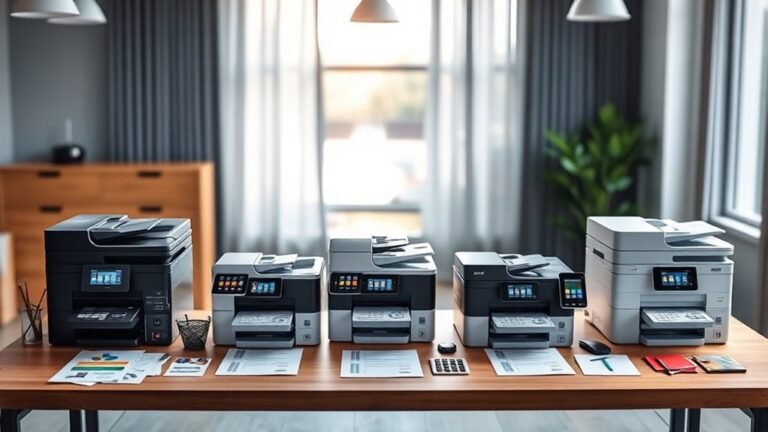
9 Best All-in-One Printers for Medium-Sized Businesses in 2027
If you need fast, reliable, and secure all-in-one printers for your medium-sized business in 2027, consider models like Brother’s MFC-L8930CDW, MFC-L8395CDW, and MFC-L9610CDN.
These printers offer high-speed laser printing and strong security features, perfect for busy office environments.
HP’s OfficeJet Pro 9125 and 9730 provide versatile, wireless inkjet options with excellent scan capabilities.
They’re great if you want flexibility and quality in one package.
Epson’s Workforce Pro WF-4935 delivers professional-quality prints with a Heat-Free design, saving energy while maintaining top performance.
Explore how these printers fit diverse business needs and boost productivity.
| Image | Name | Editor's Rating | Price |
|---|---|---|---|

|
|
||

|
|
||

|
|
||

|
|
||

|
|
Brother MFC-L8930CDW Color Laser All-in-One Printer
- Updated design, professional results. High-quality output with sharp color and black printing. Fast print and copy speeds up to 33ppm(1) help boost productivity. Reliable...
- Maximize printing budgets. Offers built-in value with included Brother Genuine 3,000-page black and 1,800-page color standard yield toner cartridges. Help lower printing...
- Advanced scanning. High-speed, two-sided scanning up to 104ipm(3) with 80-page auto document feeder(4) and legal-size glass. Scan to cloud, email, SharePoint, and more...
- Productivity-enhancing features. Flexible connectivity, including built-in dual-band (2.4GHz / 5GHz) wireless networking and Gigabit Ethernet networking. 7” color...
- Triple Layer Security. Advanced security features to help keep devices secure, protect documents in transit to and from print devices, and safeguard networks. Includes an...

The Brother MFC-L8930CDW is designed to streamline office tasks for medium-sized businesses. Its compact design, 25% smaller than previous models, fits neatly into busy workspaces without sacrificing performance. This all-in-one printer handles color printing, scanning, copying, and faxing efficiently, reducing the need for multiple devices.
With print speeds up to 33 pages per minute and automatic duplex printing, it helps teams stay productive and meet deadlines. The 80-page duplex automatic document feeder accelerates large document processing, saving valuable time. Flexible connectivity options like dual-band wireless and Gigabit Ethernet ensure easy integration into your network.
Maintenance is straightforward but requires attention to toner replacement, as high-yield cartridges can be costly. The printer’s security features, including NFC authentication and triple-layer protection, safeguard sensitive information, making it suitable for environments where data privacy is critical.
Overall, the Brother MFC-L8930CDW offers reliable multi-functionality and robust security in a space-saving package to support efficient office workflows.
Best for: Medium-sized businesses and office teams needing a compact, reliable all-in-one color laser printer with versatile functionality.
What We Like:
- Fast print and copy speeds with automatic duplex for efficiency
- Large 80-page duplex ADF for quick document handling
- Strong security with NFC and multi-layer data protection
Specification:
| Feature | Details |
|---|---|
| Manufacturer | Brother |
| Dimensions | Compact (25% smaller than predecessor) |
| Weight | 71.2 lb (32.3 kg) |
| Connectivity | Dual-band wireless, Gigabit Ethernet |
| Functionality | Color printing, scanning, copying, faxing |
Brother Workhorse MFC-L8395CDW Color All-in-One Printer
- Multifunction Devices: Copier/Fax/Printer/Scanner
- Recommended Use: Plain Paper Print
- Print Color Capability: Color
- Maximum Mono Print Speed (ppm): 31
- Maximum Color Print Speed (ppm): 31
Experience efficient, high-quality printing with the Brother Workhorse MFC-L8395CDW Color All-in-One Printer. Designed to meet the demands of small businesses and busy offices, it delivers sharp, vivid color and crisp monochrome prints at a rapid 31 pages per minute. This printer streamlines your workflow with duplex printing and scanning, helping you save both time and paper effortlessly.
The intuitive 3.5″ touch screen allows for easy customization, enabling you to create shortcuts tailored to your daily tasks. Connectivity is seamless with Gigabit Ethernet and dual-band Wi-Fi, ensuring reliable network access and secure document handling. Its robust security features protect sensitive information, giving you peace of mind in a busy office environment.
Maintenance is straightforward with high-yield cartridges that reduce the frequency of replacements, supporting cost-effective printing. The device supports legal-size documents and includes a 250-sheet input tray, though additional trays are sold separately, which may limit initial paper capacity. Weighing 55 pounds, it offers a sturdy build that suits a fixed office setup.
Best for: Small businesses and busy offices that require fast, reliable, high-quality color and monochrome printing with multifunction capabilities.
What We Like:
- Consistent 31 ppm print speed in color and black & white
- Duplex printing and scanning reduce paper use and save time
- Flexible connectivity with Gigabit Ethernet and dual-band Wi-Fi
- Secure printing features protect confidential documents
- High-yield cartridges lower maintenance frequency
Specification:
| Feature | Details |
|---|---|
| Manufacturer | Brother |
| Dimensions (W x D x H) | 16.1 x 18.5 x 16 inches (40.9 x 47 x 40.6 cm) |
| Weight | 55 lbs (24.9 kg) |
| Color Options | White/Gray |
| Input Tray Capacity | 250 sheets |
| Connectivity | Gigabit Ethernet, Dual-band Wi-Fi |
Brother MFC-L9610CDN Color Laser All-in-One Printer
- FAST BUSINESS PRINTING AND SCANNING:The Brother MFC‐L9610CDN Enterprise Color Laser All‐in‐One provides the fastest color laser printspeeds ever from Brother–up...
- CREATE PROFESSIONAL BUSINESS DOCUMENTS: Features the boldest laser color output ever from Brother with vivid color and sharp black output for the professional results...
- LIFETIME VALUE: Offers built‐in value with included Brother Genuine 6,500‐page black and 5,000‐page color toner cartridges. For even lower cost printing, use...
- ADVANCED SECURITY FEATURES: Equipped with Triple Layer Security features to help safeguard your network, keep your devices secure, and protect documents in transit to and...
- LARGE, SCALABLE PAPER HANDLING: Spend less time refilling paper trays with the 520‐ sheet capacity paper tray and 100‐sheet capacity multipurpose tray(3). Total...
Experience efficient, high-quality printing with the Brother MFC-L9610CDN Color Laser All-in-One Printer. Designed for busy offices, it addresses the need for speed and reliability, minimizing downtime and keeping workflows smooth. Its sharp color output at 2400 x 600 dpi ensures professional results every time.
This all-in-one device simplifies handling large print jobs with a standard 620-sheet capacity, expandable to 1,620 sheets. Duplex scanning at 104 images per minute speeds up document processing, saving valuable time in fast-paced environments. The printer’s robust design supports heavy workloads without frequent paper refills.
Maintenance is straightforward, with toner-saving modes that reduce consumable costs and extend cartridge life. Security is integral, featuring triple-layer protection and NFC card authentication to safeguard sensitive information. The customizable 7″ touchscreen offers user-friendly control, streamlining daily tasks.
While its nearly 80-pound weight may limit mobility, the printer’s performance and security features make it a dependable choice for medium-sized businesses requiring advanced color laser printing.
Best for: Medium-sized businesses needing a reliable, fast, and secure color laser all-in-one printer with strong paper handling capabilities.
What We Like:
- Fast print speeds up to 42 pages per minute.
- Large, expandable paper capacity up to 1,620 sheets.
- Efficient single-pass duplex scanning at 104 images per minute.
- Advanced security features including NFC card reader.
- Customizable 7″ touchscreen for easy operation.
Specification:
| Feature | Details |
|---|---|
| Manufacturer | Brother |
| Dimensions (W×D×H) | Approx. 18.5 × 18.4 × 16.5 in |
| Weight | Approx. 79.8 lb (36.2 kg) |
| Print Resolution | Up to 2400 × 600 dpi |
| Print Speed | Up to 42 pages per minute |
| Scan Speed (Duplex) | 104 images per minute |
| Paper Capacity | 620 sheets standard, expandable to 1,620 sheets |
| Touchscreen Display | 7-inch customizable color LCD |
HP OfficeJet Pro 9125 Wireless All-in-One Printer
No products found.
Streamline your office workflow with the HP OfficeJet Pro 9125 Wireless All-in-One Printer. Designed to handle multiple tasks efficiently, it prints, scans, copies, and faxes with ease. Its fast print speeds and automatic duplexing save time and reduce paper waste, making daily operations smoother.
The printer’s dual-band Wi-Fi ensures stable wireless connections, allowing you to print from your smartphone using the HP Smart app. The intuitive 2.7-inch touchscreen simplifies menu navigation, so managing jobs is straightforward. Maintenance is hassle-free with clear alerts and easy access to ink replacements.
Built for medium-sized businesses, this device fits well in busy workspaces with a 250-sheet input tray. While suited for moderate volumes, heavy users might find tray capacity limiting. The use of original HP cartridges ensures print quality but may raise running costs.
Security is prioritized through HP Wolf Pro Security, protecting sensitive information. Its sustainable design, incorporating recycled plastics, supports environmentally conscious offices without sacrificing performance.
Best for: medium-sized businesses and professionals seeking a versatile, secure, and efficient all-in-one printer with wireless capabilities.
What We Like:
- Fast printing and scanning with automatic duplex functions
- Easy control via touchscreen and HP Smart app
- Strong security features protecting sensitive data
- Environmentally friendly design using recycled materials
Specification:
| Feature | Details |
|---|---|
| Manufacturer | HP |
| Dimensions | Not specified |
| Weight | Not specified |
| Color Options | Not specified |
| Connectivity | Dual-band Wi-Fi |
| Input Tray Capacity | 250 sheets |
| Display | 2.7-inch touchscreen |
Epson Workforce Pro WF-4935 Wireless All-in-One Printer
- Built for Speed — PrecisionCore Heat-Free technology delivers fast, high-volume printing with 25 (black)/12 (color) ISO ppm and fast first-page-out
- High-Precision Office Printing — Accurate dot placement and DURABrite Ultra instant-dry pigment inks for professional-quality prints
- High-Volume Durability for Heavy Workloads — Innovative heat-free technology engineered for reliability and reduced downtime
- Complete Duplex Solution — All-in-one printer with auto 2-sided print, copy, scan and fax; plus 50-sheet ADF
- Maximize Printing Productivity — High-performance office printer with 500-sheet paper capacity; includes two 250-sheet trays for added convenience
The Epson Workforce Pro WF-4935 Wireless All-in-One Printer is designed to boost productivity for medium-sized businesses. Its PrecisionCore Heat-Free inkjet technology ensures fast printing speeds of up to 25 ppm in black and 12 ppm in color, eliminating warm-up delays. This means you get sharp, professional-quality prints quickly, helping you meet tight deadlines with ease.
This all-in-one device handles multiple tasks efficiently, including printing, copying, scanning, and faxing. The auto-duplex feature saves time and paper by printing and scanning on both sides automatically. Its dual 250-sheet trays and 50-sheet automatic document feeder support large volumes, reducing the need for frequent paper refills.
Connectivity is seamless with options like Wi-Fi, Ethernet, and USB, while the 4.3″ touchscreen and Epson Smart Panel app offer intuitive control. Maintenance is straightforward, though the printer’s size and weight may require a dedicated space. It supports standard office paper sizes up to 8.5″ x 14″, making it ideal for everyday business documents.
Best for: Businesses needing a reliable, versatile all-in-one printer with high-volume capacity and efficient multitasking.
What We Like:
- Fast print speeds with heat-free PrecisionCore technology
- Large paper capacity with dual trays and automatic document feeder
- Multiple connectivity options and user-friendly touchscreen
- Auto-duplex printing and scanning to save time and resources
Specification:
| Feature | Details |
|---|---|
| Manufacturer | Epson |
| Dimensions | 16.9 x 22.2 x 14.8 inches |
| Weight | 28.4 lbs (12.9 kg) |
| Technology | PrecisionCore Heat-Free Inkjet |
| Paper Capacity | Dual 250-sheet trays, 50-sheet ADF |
| Connectivity | Wi-Fi, Ethernet, USB |
| Display | 4.3-inch touchscreen |
Brother MFC-L5915DW Professional Laser Printer All-in-One
- FAST BUSINESS PRINTING AND COPYING: The Brother MFC-L5915DW business monochrome laser all-in-one printer delivers high-quality output and print and copy speeds of up to...
- LOW-COST OUTPUT: Help reduce operating costs by using the Brother Genuine TN920UXXL ultra high-yield 18,000-page replacement toner cartridge. Includes a Brother Genuine...
- FAST, HIGH-VOLUME SCANNING: The 70-page capacity(3) auto document feeder offers single-pass, two-sided scanning up to 56ipm(4). Features a large document glass for up to...
- FLEXIBLE CONNECTIVITY OPTIONS: Features built‐in Gigabit Ethernet and dual band wireless networking to seamlessly set up and share on your wired.
Experience efficient and dependable printing with the Brother MFC-L5915DW, designed to streamline busy office workflows. This monochrome laser all-in-one offers fast print speeds up to 50 pages per minute, helping teams meet tight deadlines effortlessly.
Its intuitive 5-inch color touchscreen simplifies operation, while automatic duplexing and a 70-page automatic document feeder (ADF) enable smooth double-sided printing and scanning. These features reduce manual tasks and save valuable time.
Maintenance is straightforward with a 250-sheet paper capacity and optional ultra high-yield toner cartridges, minimizing interruptions during heavy workloads. Connectivity is versatile, supporting Gigabit Ethernet, dual-band Wi-Fi, and mobile printing options for seamless integration into modern work environments.
Security is a priority, with Triple Layer Security protecting sensitive documents and your network. Although it only prints in black and white, this printer is ideal for offices focused on efficient, secure, and high-volume monochrome printing.
Best for: small businesses and busy workgroups that require fast, reliable monochrome printing combined with scanning, copying, and faxing capabilities.
What We Like:
- Rapid printing and scanning speeds boost productivity
- Automatic duplexing saves paper and reduces manual work
- Flexible connectivity including Gigabit Ethernet and dual-band Wi-Fi
- Simple maintenance with high-capacity paper tray and toner options
- Strong security features safeguard documents and network access
Specification:
| Feature | Details |
|---|---|
| Manufacturer | Brother |
| Dimensions (W x D x H) | Approx. 16.1 x 15.7 x 12.4 in |
| Weight | Approx. 24.7 lb (11.2 kg) |
| Color Options | White with black accents |
| Print Technology | Monochrome Laser |
| Connectivity | Gigabit Ethernet, Dual-band Wi-Fi, USB, Mobile Printing |
HP OfficeJet Pro 9730 Wireless All-in-One Printer

- FROM AMERICA'S MOST TRUSTED PRINTER BRAND – The wide-format OfficeJet Pro 9730 is perfect for offices printing professional-quality color documents like floorplans...
- 3 MONTH TRIAL OF INSTANT INK INCLUDED – Subscribe to the Instant Ink delivery service to get ink delivered directly to your office door before you run out, and you save...
- KEY FEATURES – Fast color printing up to 11 x 17, copy, auto 2-sided printing, auto document feeder with single-pass 2-sided scanning, and two 250-sheet input trays
- EASILY ACHIEVE VIBRANT, SCREEN-ACCURATE PRINTS – Print true to screen with the world's first and only wide-format printer with P3 for a wider color gamut vs. sRGB
- 4.3-INCH TOUCHSCREEN – Quickly navigate your printer with a large color touchscreen and a phone-like user interface
Experience hassle-free wide-format printing with the HP OfficeJet Pro 9730 Wireless All-in-One Printer. Designed to handle documents up to 11 x 17 inches, it meets the needs of businesses requiring versatile and efficient printing solutions. This printer helps you manage large projects with fast print speeds and smooth duplex scanning to save time.
The dual 250-sheet trays reduce the need for frequent paper refills, making large-volume tasks more convenient. Its 4.3-inch color touchscreen and HP Smart app simplify operation and remote control, allowing you to focus on your work instead of printer management. Connectivity is seamless with dual-band Wi-Fi and Ethernet options, ensuring stable network access.
Maintenance is straightforward, but keep in mind that after the initial 3-month trial, the HP Instant Ink subscription is necessary to maintain ink cost savings. Although the printer is somewhat bulky at 43 lbs, it offers a solid balance of performance and security, featuring HP Wolf Pro Security to protect your network and documents.
With vibrant print quality at 4800 x 1200 dpi and eco-friendly features, this model supports both productivity and sustainability, making it a valuable asset for busy offices.
Best for: Medium-sized businesses needing reliable wide-format printing and efficient all-in-one document handling.
What We Like:
- Supports wide-format printing up to 11 x 17 inches with fast speeds.
- Single-pass duplex scanning and dual 250-sheet trays for efficient document management.
- Multiple connectivity options including dual-band Wi-Fi and Ethernet.
- HP Wolf Pro Security enhances network and data protection.
- Intuitive 4.3-inch touchscreen and HP Smart app for easy control.
Specification:
| Feature | Details |
|---|---|
| Manufacturer | HP |
| Dimensions | Not specified |
| Weight | 43 lb (19.5 kg) |
| Print Resolution | Up to 4800 x 1200 dpi |
| Paper Capacity | Dual 250-sheet trays (500 sheets total) |
| Connectivity | Dual-band Wi-Fi, Ethernet, USB |
| Display | 4.3-inch color touchscreen |
Brother Workhorse MFC-L9630CDN Laser Multifunction Printer – Color

- Sold as 1 Each
- Supports duplex printing; two-sided A4 color print speed: 28 pages per minute; A4 standard color print speed: 40 pages per minute
- With GigE (10Base-T/100Base-TX/1000Base-T), hi-speed USB 2.0 and USB host (front and rear)
- Laser technology provides 2400 dpi class (2400 x 600) and 600 x 600 dpi quality resolution
- Professional all-in-one A4 color printer is perfect for all office tasks
Experience efficient, high-speed color printing designed for busy office environments with the Brother Workhorse MFC-L9630CDN. This multifunction laser printer addresses the need for fast, reliable output and smooth workflow integration. Its ability to print, copy, and scan with crisp 2400 x 600 dpi resolution ensures every document looks professional.
The MFC-L9630CDN supports automatic duplex printing at 28 ppm, reducing paper use and saving time on double-sided jobs. Connectivity options like NFC and Gigabit Ethernet allow seamless networking and mobile printing, simplifying daily tasks. Its built-in touchscreen offers intuitive control for quick operation.
Maintenance is straightforward despite the printer’s robust build, though its 55-pound weight means setup might require extra effort. The single paper tray supports A4 size, which suits most office needs but limits capacity and paper size flexibility. This model balances performance with practical design.
Best for: Medium-sized businesses requiring dependable, fast color printing combined with scanning and copying in a compact multifunction device.
What We Like:
- Consistent 40 ppm print speed in color and black-and-white with duplex capability
- Sharp print and copy quality at 2400 x 600 dpi resolution
- Versatile connectivity including NFC, Gigabit Ethernet, and USB ports
- User-friendly touchscreen interface for easy operation
Specification:
| Feature | Details |
|---|---|
| Manufacturer | Brother |
| Dimensions | Not specified |
| Weight | 55 lb (approx. 25 kg) |
| Print Technology | Laser |
| Color Printing | Yes |
| Duplex Printing | Automatic |
| Resolution | 2400 x 600 dpi |
| Paper Tray | Single, supports A4 size |
| Connectivity | NFC, Gigabit Ethernet, USB |
Brother MFC-L9670CDN – multifunction printer – color
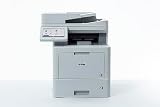
The Brother MFC-L9670CDN is designed to meet the demands of busy offices needing efficient color printing and multifunction capabilities. Its ability to handle high-volume tasks at a fast 40 pages per minute speed helps reduce wait times, keeping work moving smoothly. Automatic duplex printing saves paper and time, making it ideal for businesses focused on productivity and cost-effectiveness.
This all-in-one device prints, copies, scans, and faxes in vibrant color at a standard 600 x 600 dpi resolution. Two trays with a combined 520-sheet capacity support long print runs without frequent refills. The 250-sheet output tray ensures your documents are neatly collected for easy retrieval.
Maintenance is straightforward thanks to its reliable design, though its weight and size require a dedicated space in your office. Connectivity is limited to USB 2.0, so it may not fit wireless or networked environments without additional setup. Still, its multifunction features and label support add valuable versatility for various tasks.
Best for: Medium-sized businesses requiring fast, reliable color multifunction printing with robust paper handling and automatic duplexing.
What We Like:
- Fast 40 ppm output for efficient handling of large print jobs
- Automatic duplexing reduces paper waste and speeds up workflows
- Large paper capacity from dual trays supports continuous operation
- Multifunction versatility: print, copy, scan, fax, and label printing
Specification:
| Feature | Details |
|---|---|
| Manufacturer | Brother |
| Dimensions | Not specified |
| Weight | 36.9 kg (81.3 lb) |
| Print Speed | 40 pages per minute |
| Print Resolution | 600 x 600 dpi |
| Paper Capacity | 2 trays, 520 sheets total |
| Output Capacity | 250 sheets |
| Connectivity | USB 2.0 |
| Color Printing | Yes |
Factors to Consider When Choosing an All in One Printer for Medium Sized Business
When choosing an all-in-one printer for your medium-sized business, you’ll want to consider print speed to keep up with your workload. Check the connectivity options to make sure it fits smoothly with your existing devices.
Don’t forget to evaluate paper handling capacity, security features, and the cost of consumables to keep operations efficient and secure. These factors will help you find a printer that truly meets your business needs.
Print Speed Requirements
To keep your office running smoothly, aim for an all-in-one printer that handles at least 30–40 pages per minute for one-sided black or color prints. Don’t forget to check duplex print speeds separately, as automatic two-sided printing usually slows output.
Match the printer’s speed to your peak workload by estimating daily page volumes and typical job sizes. If your teams print 2,000–5,000 pages a day, prioritize devices with faster first-page-out times and sustained throughput.
Look beyond headline speeds; real-world performance under mixed color, duplex, and complex graphics matters most. Also, consider scanning speed and the printer’s processor and memory capacity, since these affect how well it handles simultaneous jobs without bottlenecks.
Getting these right guarantees your printer keeps pace with your business demands. So, it’s worth taking the time to pick a model that won’t hold you back.
Connectivity Options Available
How does your all-in-one printer connect to your devices and network? For medium-sized businesses, wired Ethernet with Gigabit support guarantees reliable, high-speed transfers for large print jobs.
Dual-band Wi-Fi (2.4 GHz and 5 GHz) plus Wi-Fi Direct offer flexible mobile and BYOD printing without slowing your main network. Make sure the printer supports mobile/cloud protocols like AirPrint, Mopria, and native cloud scan/print, along with companion apps for seamless smartphone and cloud storage access.
USB host/guest ports and network USB options let you print or scan directly from flash drives or local devices. For enhanced security and workflow integration, look for features like NFC badge authentication, LDAP/Active Directory integration, and SFTP/SMB scan destinations.
These connectivity options keep your office efficient and secure.
Paper Handling Capacity
Reliable connectivity keeps your all-in-one printer seamlessly linked to your devices, but handling the actual volume of paper is just as important for maintaining smooth operations.
For a medium-sized business, choose a printer with at least 250–500 sheets of standard input capacity, using multiple trays or a combined total, to reduce daily reloading. Look for expandable trays so you can scale up to 1,000+ sheets as your print volume grows.
Also, check the multipurpose bypass tray’s capacity and support for specialty media like envelopes and labels to avoid manual feeding. Make certain the automatic document feeder holds 50–100+ sheets and supports single-pass duplex scanning to speed multi-page jobs.
Finally, match output tray capacity and monthly duty cycle to prevent bottlenecks during busy print runs. This way, your workflow stays smooth and efficient, even when things get hectic.
Security Features Needed
When choosing an all-in-one printer for your medium-sized business, you need to prioritize robust security features that protect sensitive data and control access. Make certain the device supports secure user authentication like PIN, LDAP/Active Directory integration, or NFC badge logins to restrict usage.
Look for encryption protocols such as TLS/SSL and AES to safeguard data both in transit and at rest. Confirm the printer offers secure boot, signed firmware, and automatic updates to prevent tampering.
Role-based access controls and detailed logging help enforce least privilege and support compliance audits. Also, check for network hardening options like disabling unused ports, firewall filtering, and compatibility with standards like 802.1x and SNMPv3 to minimize vulnerabilities and keep your business information safe.
Cost of Consumables
Balancing security with ongoing expenses helps you make smarter choices for your all-in-one printer. Start by calculating the cost per page, dividing each consumable’s yield into its price, and comparing black versus color costs—color pages often run 3 to 10 times higher.
Consider multiple supply tiers; high- and super-high-yield cartridges reduce per-page costs by 20–60% despite higher upfront prices and cut replacement frequency. Don’t forget maintenance items like drums and fusers, which add $0.01–$0.10 or more per page.
Estimate your annual spend by multiplying monthly volume by per-page costs and adding maintenance, then model 2–3 year totals to see true lifecycle costs. Finally, factor in consumable availability, OEM versus third-party pricing, and firmware restrictions to plan long-term budgets accurately.
Device Durability Factors
Although cost and features often grab your attention first, device durability is critical for medium-sized businesses relying on all-in-one printers to handle high-volume workloads. You should check the rated duty cycle and recommended monthly page volume to make sure the printer can keep up without premature wear.
Opt for models with metal chassis and reinforced paper paths, plus robust components like heavy-duty rollers and fusers. Larger automatic document feeder (ADF) capacities, especially single-pass duplex scanners, reduce mechanical stress by minimizing manual feeds.
Look for long-life consumables and high-yield imaging units to lower replacement frequency and downtime. Finally, verify warranty length, on-site service options, and user-replaceable parts.
These factors help you avoid frequent repairs and extend your printer’s usable life, keeping your business running smoothly.
Frequently Asked Questions
How Do All-In-One Printers Impact Office Energy Consumption?
All-in-one printers reduce office energy consumption by combining multiple functions into one device, so you use less power overall.
They often include energy-saving modes, which help you cut electricity costs and lower your environmental impact. Plus, having just one machine means fewer devices plugged in, which adds up to saving energy.
What Are the Typical Maintenance Costs for These Printers?
You’ll typically spend $100 to $300 annually on maintenance, including ink or toner, replacement parts, and occasional service.
Costs vary by printer model and usage, but regular upkeep keeps your printer running smoothly and efficiently.
It might seem like a bit, but staying on top of maintenance can actually save you money in the long run. Plus, it helps avoid frustrating breakdowns when you need the printer most.
Can These Printers Integrate With Cloud-Based Business Software?
Yes, you can easily integrate these printers with cloud-based business software. They support popular platforms, enabling seamless printing, scanning, and sharing directly from your cloud accounts.
This boosts productivity and simplifies your workflow. It’s all about making your work easier and more efficient!
What Security Features Protect Sensitive Business Documents?
You’ll find features like encrypted printing, user authentication, and secure PIN access that protect your sensitive documents. These safeguards make sure only authorized personnel can access or print confidential business information.
Plus, there’s automatic data deletion to keep your information safe. It’s all about giving you peace of mind when handling important documents.
Are There Subscription Plans for Ink or Toner Replacements?
Yes, many all-in-one printers offer subscription plans for ink or toner replacements, so you don’t have to worry about running out.
These services automatically send supplies, saving you time and ensuring your business stays productive.
It’s a pretty convenient way to keep your printer ready without the hassle of remembering to reorder.
Conclusion
Choosing the right all-in-one printer for your medium-sized business isn’t just about specs—it’s about finding a reliable partner, much like assembling your own Justice League. Whether you need speed, color accuracy, or wireless convenience, these top picks have you covered.
So, don’t wait for a Bat-Signal; pick the printer that fits your needs and watch your productivity soar. Your business deserves a hero, and these printers are ready to answer the call.
Finding the best all-in-one printer for medium-sized businesses means balancing performance, reliability, and features that truly support your daily workflow. From fast printing speeds to crisp color quality and seamless wireless connectivity, these printers can transform your office efficiency. Investing in the right all-in-one printer can boost productivity and reduce downtime, making it an essential tool for any growing business. Make your choice wisely and let your new printer become the hero your business needs.