9 Best All-in-One Laser Printers for Mac in 2027
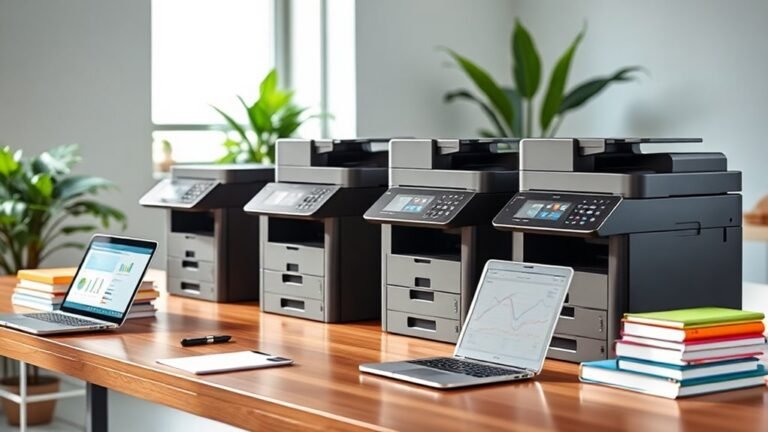
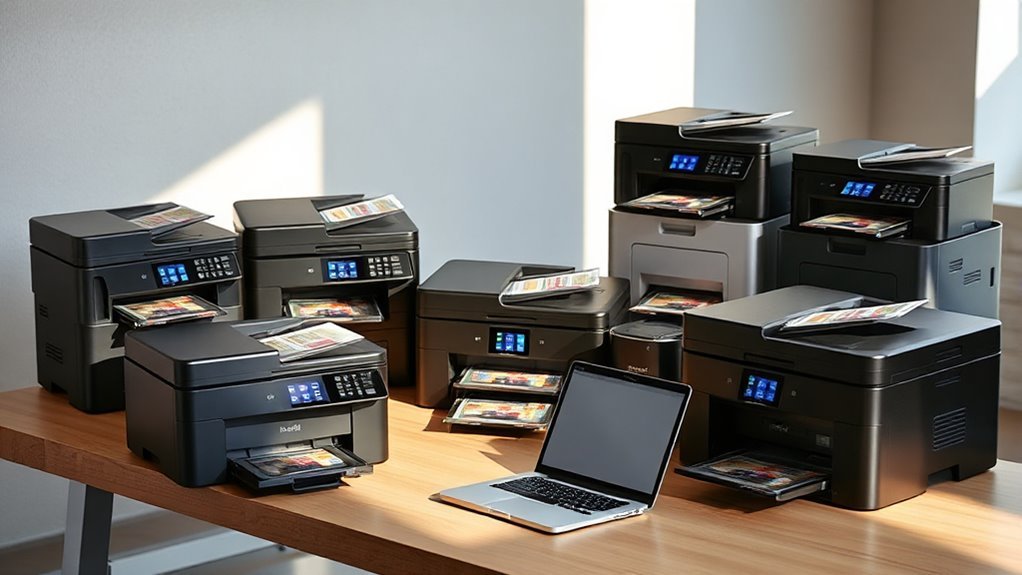
You want an all-in-one laser printer that easily connects with your Mac and handles home or small business needs. Finding the best all-in-one laser printer for Mac means looking for devices that offer seamless compatibility, fast printing speeds, and reliable performance.
Whether you need monochrome or color printing, there are great options that fit perfectly with your Mac setup.
Models like the HP LaserJet M234sdw and Brother DCP-L2640DW offer fast, reliable monochrome printing with convenient wireless features. These printers make it easy to print, scan, and copy without any hassle.
For color and more advanced functions, consider the Canon imageCLASS MF665Cdw or HP Color LaserJet Pro MFP 4301fdw. These printers combine smart security, duplex printing, and mobile app support, helping you streamline your workflow seamlessly.
Explore the best options tailored for your Mac setup and enjoy effortless printing every time.
| Image | Name | Editor's Rating | Price |
|---|---|---|---|

|
|
||

|
|
||

|
|
||

|
|
||

|
|
HP LaserJet M234sdw Monochrome Laser Printer | All-in-One
No products found.
The HP LaserJet M234sdw is designed to simplify your daily printing, scanning, and copying needs. Its fast monochrome laser technology delivers up to 30 pages per minute, helping you finish tasks quickly and efficiently. Automatic two-sided printing cuts paper use and saves time.
This all-in-one printer features a 40-page auto document feeder, allowing smooth handling of multi-page documents without constant supervision. Its compact design fits comfortably in small workspaces, making it ideal for home offices or tight setups.
Connectivity options include dual-band Wi-Fi, Ethernet, and USB, ensuring seamless integration with various devices. It supports macOS, iOS, and the HP Smart app, offering flexibility and ease of use for different users.
Maintenance is straightforward with Energy Star certification ensuring energy efficiency. Built-in security features protect your documents and network, providing peace of mind in busy environments. While it prints only in monochrome and has a 150-sheet capacity, it meets essential needs without complexity.
Best for: Small teams or home office users needing a reliable, fast monochrome laser printer with scanning and copying capabilities.
What We Like:
- Fast printing speed of up to 30 ppm with duplex printing
- Multiple connectivity options including Wi-Fi and Ethernet
- Compact build with a 40-page auto document feeder
- Energy Star certified for efficient power use
- Built-in security features for document protection
Specification:
| Specification | Details |
|---|---|
| Manufacturer | HP |
| Dimensions (W×D×H) | 15.4 × 14.1 × 10.1 inches |
| Weight | 18.5 lb (8.4 kg) |
| Printing Technology | Monochrome Laser |
| Print Speed | Up to 30 pages per minute |
| Max Print Resolution | 600 × 600 dpi |
| Connectivity | Wi-Fi (dual-band), Ethernet, USB |
| Auto Document Feeder | 40 pages |
| Paper Capacity | 150 sheets |
| Energy Certification | Energy Star Certified |
Brother DCP-L2640DW Wireless Monochrome Printer
- BEST FOR SMALL BUSINESSES – Engineered for extraordinary productivity, the Brother DCP-L2640DW Monochrome (Black & White) 3-in-1 combines laser printer, scanner, copier...
- FAST PRINTER WITH EFFICIENT SCANNING – Produces documents quickly with print speeds up to 36 ppm(2) and scan speeds up to 23.6/7.9 ipm(3) (black/color). A 50-page auto...
- FLEXIBLE CONNECTION OPTIONS – Easily navigate the changing demands of your business with secure multi-device connectivity via built-in dual-band wireless (2.4GHz...
- BROTHER MOBILE CONNECT APP – Print, scan, and manage your wireless printer anytime, from almost anywhere from your mobile device. Order Brother Genuine Supplies, track...
- CHOOSE BROTHER GENUINE TONER – When it’s time to replace your toner, be sure to choose Brother Genuine TN830 or TN830XL replacement toner. And with Refresh EZ Print...

The Brother DCP-L2640DW is designed to streamline your monochrome printing and copying tasks. Its fast 36 pages per minute speed helps you complete jobs quickly, reducing wait times and boosting productivity. The compact design fits easily in small workspaces without limiting capacity.
Wireless connectivity options, including dual-band Wi-Fi and Ethernet, simplify setup and allow flexible placement. You can print and scan remotely using the Brother Mobile Connect app, which supports Macs, iPhones, and tablets. This makes managing documents easier, especially when you’re on the move.
Maintenance is straightforward with a 250-sheet tray and a 50-page automatic document feeder, minimizing interruptions. Automatic duplex printing cuts paper consumption, helping you reduce waste. Toner save mode extends cartridge life, lowering operating costs.
While it supports only monochrome output, this printer meets the core needs of small offices. Its energy-efficient design with Energy Star and EPEAT Silver ratings ensures lower power use. Overall, it balances speed, convenience, and eco-conscious features for everyday business printing.
Best for: Small businesses and home offices needing fast, reliable monochrome printing with wireless connectivity and efficient paper handling.
What We Like:
- Fast print and copy speeds up to 36 ppm
- Wireless and Ethernet connectivity with mobile app support
- Automatic duplex printing reduces paper use
- Toner save mode extends cartridge life
- Compact design fits tight spaces
Specification:
| Feature | Details |
|---|---|
| Manufacturer | Brother |
| Dimensions | 16.1 x 14.0 x 7.2 inches (41 x 35.5 x 18.3 cm) |
| Weight | 16.1 lbs (7.3 kg) |
| Color Options | White |
| Paper Capacity | 250 sheets |
| Connectivity | Dual-band Wi-Fi, Ethernet, USB |
HP Color LaserJet Pro MFP 3301sdw Printer
- FROM AMERICA'S MOST TRUSTED PRINTER BRAND – Perfect for small teams printing, scanning and copying professional-quality color documents and reports. Print speeds up to...
- PROFESSIONAL PRODUCTIVITY – Proficiency with every print—next-generation TerraJet toner brings your business to life with more vivid colors.
- ORIGINAL HP TONER CARTRIDGES – This HP printer uses Original HP 218A standard and 218X high yield LaserJet toner cartridges.
- UPGRADED FEATURES – Fast color printing, scan, copy, auto 2-sided printing, auto document feeder, and a 250-sheet input tray.
- AWARD-WINNING RELIABILITY – Performance you can count on page after page, and always ready for the high demands of business.
Experience vibrant, professional-quality printing with the HP Color LaserJet Pro MFP 3301sdw. This all-in-one printer streamlines office tasks by combining fast color and black-and-white printing with scanning and copying functions. It helps small teams produce sharp documents efficiently, saving time and boosting productivity.
The printer offers fast print speeds—up to 30 ppm for color and 26 ppm for black—with automatic duplex printing to reduce paper use. Its intuitive design includes an auto document feeder for easy multi-page scanning or copying. These features simplify workflows and minimize manual effort.
Maintenance is straightforward, but note that this model requires Original HP toner cartridges with embedded chips. This ensures consistent print quality and optimal performance, though it limits the use of third-party cartridges. The printer’s firmware enforces this compatibility, supporting reliable operation.
Security is a priority with HP Wolf Pro technology protecting sensitive data. Wireless and Ethernet connectivity options provide flexible integration into various office networks. Control and monitor printing tasks easily through the HP app, enhancing convenience for mobile users.
Best for: Small teams and offices needing fast, vibrant color printing with secure, all-in-one functionality and mobile connectivity.
What We Like:
- Fast print speeds with automatic duplex printing
- Enhanced color quality via next-generation TerraJet toner
- Strong data protection with HP Wolf Pro security
- Convenient mobile control through the HP app
Specification:
| Feature | Specification |
|---|---|
| Manufacturer | HP |
| Dimensions | Not specified |
| Weight | 37.7 lb (17.1 kg) |
| Color Options | Standard office white/gray |
| Connectivity | Wireless, Ethernet |
| Input Tray Capacity | 250 sheets |
Canon Color imageCLASS MF665Cdw – Wireless, All-in-One Duplex Laser Printer
- Color, Wireless, Duplex 4-in-1: Print, scan, copy, fax.
- Fast Print Speeds: Print up to 26 ppm in both color and monochrome and spend less time waiting with a quick first print time of approximately 10.3 seconds.
- Easy Wireless Setup: Setup your wireless connection and get up and running in just a few steps.
- 5-inch Color Touchscreen: Get the job done quickly with Application Library - an intuitive and easy to use customizable access to the features you use most.
- Mobile Device Printing: Print from your compatible mobile devices using the free Canon PRINT app, Apple AirPrint and Mopria Print Service.
Experience hassle-free printing with the Canon Color imageCLASS MF665Cdw, designed to streamline your office tasks. This all-in-one wireless laser printer handles printing, scanning, copying, and faxing with ease, saving you time and effort. Its fast print speed of 26 ppm ensures your documents are ready quickly, reducing wait times.
The 50-sheet duplex automatic document feeder and automatic two-sided printing help improve productivity by managing multi-page jobs efficiently. The intuitive 5-inch color touchscreen simplifies navigation, making it easy to access functions and settings. Wireless connectivity supports mobile printing through Canon PRINT, AirPrint, and Mopria, offering flexibility across devices.
Maintenance is straightforward with this ENERGY STAR-certified device, designed to support legal-size media and integrated duplex printing. While the printer is heavier than some models, its sturdy build ensures stable performance. Keep in mind the starter toner yields are moderate, which could affect running costs over time.
Best for: Small or home office professionals seeking a versatile, reliable wireless laser printer with duplex functionality.
What We Like:
- Fast print speeds with sharp 600 x 600 dpi resolution
- Efficient duplex automatic document feeder for multi-page tasks
- User-friendly 5-inch color touchscreen and flexible wireless connectivity
- Supports legal-size media for diverse document needs
Specification:
| Feature | Details |
|---|---|
| Manufacturer | Canon |
| Dimensions (W x D x H) | 16.5 x 18.5 x 15.4 inches |
| Weight | 22.68 kg (50 lbs) |
| Print Technology | Color Laser |
| Print Speed | Up to 26 pages per minute |
| Print Resolution | 600 x 600 dpi |
| Connectivity | Wireless, USB |
| Media Size Support | Up to legal size (8.5″ x 14″) |
HP LaserJet Pro 3105sdw Monochrome Laser Printer | All-in-One
No products found.
Handle your office printing demands with ease using the HP LaserJet Pro 3105sdw Monochrome Laser Printer. Designed for small teams, it delivers sharp, professional black-and-white prints quickly, ensuring your workflow keeps moving. The fast print speed of up to 33 pages per minute helps reduce wait times during busy workdays.
This all-in-one device goes beyond printing. It also scans, copies, and faxes, helping you consolidate tasks into one machine. The built-in duplex feature saves paper by automatically printing on both sides, making it a smart choice for eco-conscious offices.
Connectivity is simple and flexible. With Wi-Fi, Ethernet, Apple AirPrint, and mobile app control, multiple users can easily connect and manage print jobs. The printer supports up to seven users, fitting well in small business environments.
Maintenance is straightforward but requires original HP cartridges with chip authentication, which ensures print quality but limits third-party options. The single 250-sheet paper tray suits moderate printing volumes but may need refilling during heavy use.
Best for: Small to medium-sized businesses and workgroups needing efficient, high-quality monochrome printing with versatile all-in-one capabilities.
What We Like:
- Fast print speed with automatic duplex printing
- Multiple connectivity options including mobile app control
- All-in-one functionality combining scan, copy, and fax
- Compact design ideal for limited office space
- AI features enhance workflow with smart email and formatting tools
Specification:
| Feature | Details |
|---|---|
| Manufacturer | HP |
| Dimensions (W×D×H) | Not specified |
| Weight | Not specified |
| Color Options | Monochrome |
| Connectivity | Wi-Fi, Ethernet, Apple AirPrint, Mobile app control |
| Paper Tray Capacity | 250 sheets |
Brother MFC-L3720CDW Wireless Color Laser Printer
- Professional Performance: Dominate your business printing with this Brother Genuine color laser printer delivering exceptional print speeds up to 19 ppm and stunning...
- Advanced Connectivity: Take command of your workflow with dual-band wireless networking (2.4GHz/5GHz), Wi-Fi Direct, and USB 2.0 interface, enabling multiple users to...
- Productivity Powerhouse: Maximize efficiency with the 50-sheet auto document feeder, 250-sheet adjustable paper tray, and automatic duplex printing, ensuring...
- Smart Integration: Transform your workflow with the intuitive 3.5" color touchscreen featuring 48 customizable shortcuts and direct access to popular cloud services...
- Mobile Command Center: Leverage the power of mobile printing with remote access capabilities, toner level monitoring, and complete printer management directly from your...
Experience efficient color printing that keeps your workflow smooth and uninterrupted with the Brother MFC-L3720CDW wireless color laser printer. Designed to deliver sharp, laser-quality prints at speeds up to 19 ppm, it helps you complete tasks quickly without compromising quality. Its all-in-one functionality supports printing, scanning, copying, and faxing, simplifying your office setup.
This printer’s compact design includes a 50-sheet auto document feeder and a 250-sheet adjustable tray, reducing frequent paper refills. Automatic duplex printing cuts paper use and costs. The dual-band Wi-Fi and Wi-Fi Direct ensure reliable wireless connections, allowing seamless printing from multiple devices in your workspace.
Maintenance is straightforward, with easy access to toner cartridges and minimal upkeep required to keep it running efficiently. The 3.5″ touchscreen offers quick navigation through 48 shortcuts, speeding up routine jobs. Direct cloud access and remote mobile management tools help keep your work on track, even when you’re away from the office.
Best for: Small to medium-sized businesses and home offices needing versatile, fast, and reliable color printing with strong wireless connectivity and cloud integration.
What We Like:
- Fast, high-quality laser output at 19 ppm
- Automatic duplex printing for paper savings
- Dual-band Wi-Fi and Wi-Fi Direct for stable wireless connections
- 50-sheet auto document feeder and 250-sheet adjustable tray
- Easy remote and cloud-based management options
Specification:
| Feature | Details |
|---|---|
| Manufacturer | Brother |
| Dimensions (W×D×H) | 16.1 × 18.7 × 15.7 inches |
| Weight | 30.9 lbs (14 kg) |
| Connectivity | Dual-band Wi-Fi, Wi-Fi Direct, USB 2.0 |
| Display | 3.5-inch touchscreen |
| Paper Capacity | 250-sheet adjustable tray, 50-sheet ADF |
Canon imageCLASS MF662Cdw Wireless Duplex Laser Printer
- Color, Wireless, Duplex 3-in-1: Print, scan, copy.
- Fast Print Speeds: Print up to 26 ppm in both color and monochrome and spend less time waiting with a quick first print time of approximately 10.3 seconds.
- Easy Wireless Setup: Setup your wireless connection and get up and running in just a few steps.
- 5-inch Color Touchscreen: Get the job done quickly with Application Library - an intuitive and easy to use customizable access to the features you use most.
- Mobile Device Printing: Print from your compatible mobile devices using the free Canon PRINT app, Apple AirPrint and Mopria Print Service.
The Canon imageCLASS MF662Cdw offers a practical solution for small offices seeking reliable wireless printing, copying, and scanning. Its fast duplex printing handles double-sided documents efficiently, saving time and paper. This printer brings vibrant color and sharp black text to everyday business tasks, helping you present professional documents with ease.
Designed with usability in mind, the MF662Cdw features a 5-inch color touchscreen that simplifies navigation and lets you customize shortcuts. This helps streamline frequent tasks and reduces interruptions during busy workdays. The printer supports various media sizes, including legal, making it adaptable to diverse project needs.
Connectivity is straightforward with options like Wi-Fi, Ethernet, USB, and mobile printing apps such as Apple AirPrint. This flexibility allows seamless integration into different office setups and hybrid work environments. Maintenance is manageable, although the starter toner yield may require more frequent replacement under heavy use.
The printer’s size and weight mean it requires a dedicated space, but its ENERGY STAR certification ensures energy-efficient operation. Overall, it balances functionality and eco-conscious design for a dependable office companion.
Best for: Small and home offices or hybrid work environments needing reliable wireless printing, copying, and scanning with vibrant color and duplex capabilities.
What We Like:
- Fast print speed up to 26 ppm with automatic two-sided printing
- User-friendly 5-inch touchscreen with customizable shortcuts
- Multiple connectivity options including Wi-Fi, Ethernet, and mobile apps
- Supports legal-size media for versatile document handling
Specification:
| Feature | Details |
|---|---|
| Manufacturer | Canon |
| Dimensions (W×D×H) | 16.1 × 18.1 × 15 inches |
| Weight | 55.1 lbs (25 kg) |
| Print Speed | Up to 26 pages per minute |
| Print Resolution | 600 × 600 dpi |
| Connectivity | Wi-Fi, Ethernet, USB, Mobile apps |
Brother MFC-L2820DW Wireless Monochrome Laser Printer

- BEST FOR SMALL OFFICES – Combining space-saving efficiency and premium monochrome (black & white) print quality with affordability, the Brother MFC-L2820DW delivers...
- EFFICIENT PRINTING & SCANNING – Produces black & white documents quickly with print speeds up to 36 ppm(2) and scan speeds up to 23.6/7.9 ipm(3) (bk/cl). A 50-page auto...
- FLEXIBLE CONNECTION OPTIONS – Securely connect to multiple devices with built-in dual-band wireless (2.4GHz / 5GHz), Ethernet, or connect locally to a single computer...
- 2.7" TOUCHSCREEN – The intuitive 2.7” touchscreen enables effortless navigation with the added ability to print-from and scan-to popular Cloud-based apps such as...
- BROTHER MOBILE CONNECT APP – Print, scan, and manage your wireless printer anytime, from almost anywhere from your mobile device. Order Brother Genuine Supplies, track...
Experience efficient and wireless monochrome printing tailored to small office needs with the Brother MFC-L2820DW. This compact all-in-one printer handles printing, copying, scanning, and faxing, helping streamline daily tasks without sacrificing space.
Designed for ease of use, it prints at a speedy up to 36 pages per minute with sharp 1200 x 1200 dpi resolution. The 50-page automatic document feeder (ADF) and 250-sheet paper tray reduce frequent refills, making busy workflows smoother and more productive.
Connectivity options include dual-band Wi-Fi, Ethernet, and USB, allowing flexible setups. The Brother Mobile Connect app simplifies device management, so you can print and scan directly from your smartphone or tablet.
Maintenance is straightforward with features like automatic duplex printing that saves paper and energy. Its ENERGY STAR and EPEAT Silver certifications reflect a commitment to sustainability. However, note it supports only monochrome printing and has a higher power consumption compared to some energy-saving models.
Best for: Small offices and home workspaces needing a reliable, fast, and compact all-in-one monochrome laser printer with wireless connectivity.
What We Like:
- Fast print speeds up to 36 ppm with high-quality 1200 x 1200 dpi output
- Multi-function with copy, scan, fax, and 50-page ADF for efficiency
- Multiple connectivity options including dual-band Wi-Fi and mobile app support
- Automatic duplex printing reduces paper use and supports eco-friendly practices
Specification:
| Feature | Details |
|---|---|
| Manufacturer | Brother |
| Model | MFC-L2820DW |
| Dimensions (W x D x H) | 16.1 x 15.7 x 12.5 in (41 x 40 x 32 cm) |
| Weight | 18.7 lb (8.5 kg) |
| Color | White |
| Print Speed | Up to 36 ppm |
| Print Resolution | 1200 x 1200 dpi |
| Paper Tray Capacity | 250 sheets |
| ADF Capacity | 50 pages |
| Connectivity | Dual-band Wi-Fi, Ethernet, USB |
HP Color LaserJet Pro MFP 4301fdw | Color Printer | Wireless | All-in-One

- EVERYTHING SMALL TEAMS NEED – Print, scan and copy professional-quality color documents and reports plus fax. Auto 2-sided printing and auto document feeder for fast...
- BLAZING FAST COLOR – Up to 35 color pages per minute, with sharp details and incredible color
- STAYS CONNECTED – Intelligent Wi-Fi looks for the best connection to stay online and ready to print
- PROTECTS YOUR DATA – Includes HP Wolf Pro Security with customizable settings so your printer and information are always secure
- PRINT FROM ANY DEVICE – Wireless printing from any mobile device, PC or tablet. Ethernet and Bluetooth included. Works with Microsoft, Mac, AirPrint, Android...
The HP Color LaserJet Pro MFP 4301fdw is designed to meet the needs of small teams and home offices. It tackles the challenge of slow printing by delivering fast, reliable color output at up to 35 pages per minute in black and 33 in color. Automatic duplex printing saves time and paper, making daily tasks more efficient.
This all-in-one printer simplifies office workflows by combining printing, scanning, copying, and faxing in one compact device. Its seamless wireless connectivity supports AirPrint, Android, Chromebook, and macOS devices, enabling easy mobile printing from various platforms. The clear LED display and app control enhance user experience and ease of operation.
Maintenance is straightforward with a 300-sheet capacity that reduces frequent paper refills. However, it requires original HP cartridges, which are firmware-enforced for compatibility, potentially increasing running costs. The printer’s weight of 45 pounds means it’s best suited for a fixed workspace rather than frequent relocation.
Security is a priority with HP Wolf Pro technology, protecting sensitive data throughout operations. Overall, this printer balances functionality, connectivity, and security to support up to 10 users efficiently.
Best for: Small teams and home offices needing fast, reliable color printing with comprehensive all-in-one features.
What We Like:
- Fast print speeds with automatic duplexing for efficiency
- Broad wireless connectivity supporting multiple mobile platforms
- All-in-one functionality for versatile office tasks
- Strong security features with HP Wolf Pro integration
Specification:
| Feature | Details |
|---|---|
| Manufacturer | HP |
| Model | Color LaserJet Pro MFP 4301fdw |
| Dimensions | Not specified |
| Weight | 45 lb (20.4 kg) |
| Color Options | Not specified |
Factors to Consider When Choosing an All in One Laser Printer for Mac
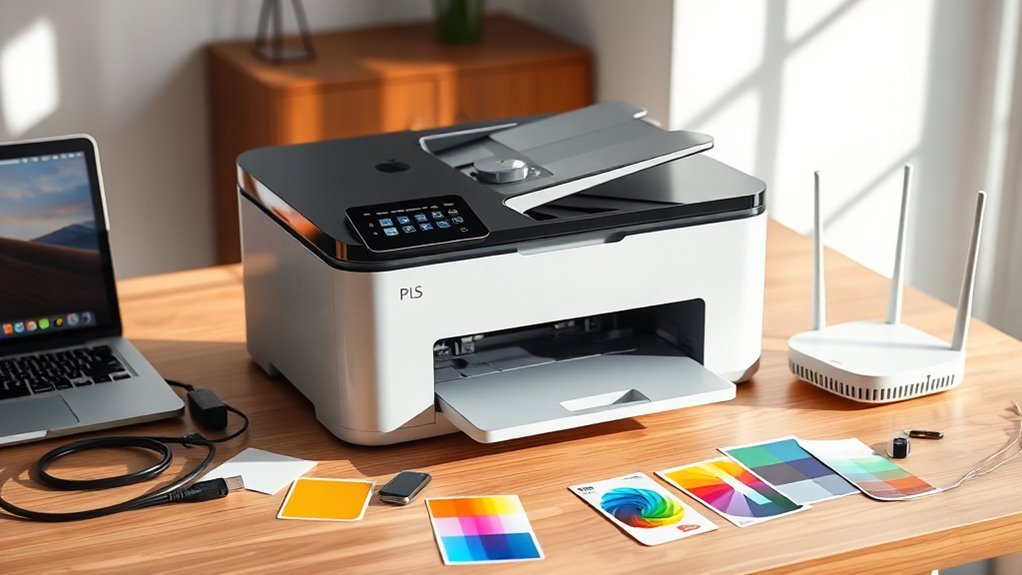
When choosing an all-in-one laser printer for your Mac, you’ll want to check its compatibility and wireless connectivity options first. These are super important to make sure everything works smoothly.
Also, consider print quality, speed, and whether it supports duplex printing. Matching these features to your workflow can save you a lot of hassle.
These factors help ensure your printer keeps up with your needs efficiently. It’s all about finding the right fit for how you work.
Mac Compatibility Features
How can you be sure your all-in-one laser printer will work smoothly with your Mac? First, confirm it supports AirPrint or offers a dedicated macOS driver for native printing, scanning, and status updates without third-party software.
Check that it’s compatible with your current macOS version and receives regular firmware or driver updates to keep features like duplex scanning and ADF control running flawlessly. You want to avoid any hiccups down the line.
Make sure it supports Apple-specific tools such as AirPrint scanning, searchable OCR for PDFs, and integrates with iCloud, Mail, or Files. These features really make life easier.
Look for a printer app or driver that enables advanced settings on macOS—duplex, resolution, paper handling, and color modes—not just basic printing. That way, you get full control.
Finally, verify network compatibility with macOS networking, including Wi-Fi and Bonjour discovery, for easy setup and reliable device detection. It’s all about a smooth, hassle-free experience.
Wireless Connectivity Options
Why settle for spotty connections when your all-in-one laser printer can offer seamless wireless integration with your Mac? Make sure it supports macOS-native protocols like AirPrint and Bonjour for easy driverless printing from your Mac, iPhone, or iPad.
Look for dual-band Wi-Fi (2.4 GHz and 5 GHz) plus WPA2/WPA3 encryption to guarantee reliable, secure connections in busy networks. If Wi-Fi drops, an Ethernet LAN or Wi-Fi Direct option keeps you printing without hassle.
Don’t forget to check mobile and cloud printing and scanning support through compatible apps, so you can print or scan from anywhere. Finally, pick a printer with automatic reconnection and firmware updates over the network to maintain smooth, secure operation without manual fixes.
Print Quality And Resolution
After ensuring your all-in-one laser printer connects smoothly with your Mac, the next step is to focus on print quality and resolution. Look for printers with higher optical print resolution—600 x 600 dpi or more—to get sharp text and fine details.
If you need smoother gradients or crisper line art, consider models offering up to 1200 x 1200 dpi or enhanced print modes. Don’t forget to check the dots-per-inch alongside the engine type: monochrome lasers excel at text clarity, while color lasers rely on toner formulation and halftoning for accurate colors.
Also, review scan and copy resolution, typically 300–600 dpi for office use. This ensures source quality is preserved across your workflow. This way, you get professional-quality prints that meet your needs.
Speed And Performance
Maximize your productivity by choosing an all-in-one laser printer for Mac that delivers fast print and scan speeds tailored to your workload. Look for high ppm ratings in both mono and color to reduce wait times on multi-page jobs.
Check the duty cycle and recommended monthly volume to guarantee the printer can handle your expected output without premature wear. Consider first-page-out and warm-up times for quicker responsiveness on short, intermittent prints.
Evaluate the processor speed, memory, and ADF capabilities since faster CPUs, more RAM, and a swift automatic document feeder boost throughput for complex tasks. Don’t overlook scan and copy speeds along with maximum resolution, especially if you regularly handle high-volume scanning or rapid multi-page copying.
These factors together guarantee smooth, efficient performance for your Mac printing needs.
Duplex Printing Capability
When choosing an all-in-one laser printer for your Mac, you’ll want to prioritize automatic duplex printing to save paper and boost efficiency. Duplex printing cuts paper use by up to half compared to single-sided printing, making it essential for eco-friendly and cost-effective workflows.
Check the duplex print speeds, as two-sided printing is usually slower than single-sided, and confirm if manufacturers list both speeds separately. Make sure the printer supports true automatic duplex for both printing and scanning if you need double-sided scanning without manual flipping.
Also, verify macOS compatibility to control duplex settings directly from the print dialog. Finally, consider paper handling limits since duplex mechanisms may restrict certain media types or weights like envelopes or heavy cardstock for reliable two-sided output.
Scanner And Copier Functions
How can you make sure your all-in-one laser printer meets your scanning and copying needs on a Mac? First, confirm it has both a flatbed scanner and an automatic document feeder (ADF) with enough capacity (like 40–50 pages) for multipage and duplex scanning.
Check the optical resolution—600 x 600 dpi works well for text, but higher DPI suits detailed photos. Pay attention to scan speeds in images per minute (ipm), especially for double-sided scans, to save time in high-volume tasks.
Make certain it supports automatic duplex copying to avoid manual refeeding. Finally, verify Mac compatibility with TWAIN/ICA drivers or driverless scanning, plus built-in OCR or cloud-scan features that generate searchable PDFs, making editing and indexing easier on macOS.
Software And App Integration
Why settle for a printer that only prints when you can get one that seamlessly integrates with your Mac’s software ecosystem? Look for printers with full-featured macOS drivers, not just basic AirPrint, so you can access advanced scanning, duplex, and color management settings.
Make sure to verify the vendor’s macOS app supports mobile printing, cloud scanning, remote management, and firmware updates. It’s important that the app is regularly updated for your macOS version.
Check compatibility with Apple technologies like AirPrint, AirPlay scanning, and integration with Files, Preview, or Image Capture to streamline your workflows. Also, think about whether the software supports cartridge authentication or firmware locks that might restrict third-party supplies or future macOS updates.
Finally, take a look at cloud and third-party app integrations for smooth document routing, OCR, and automatic naming through bundled software or the macOS app. This will make managing your documents way easier.
Security And Privacy Features
Beyond software compatibility, protecting your data and privacy should top your list when choosing an all-in-one laser printer for your Mac. Make sure the printer supports secure network protocols like WPA3 for Wi-Fi and TLS or IPsec for network traffic. This helps keep your print jobs safe from interception.
Look for built-in authentication features—such as PIN release, user accounts, or LDAP integration—to control who can print or access settings. It’s all about making sure only authorized people can use the printer.
Also, verify data protection options like disk encryption and automatic secure erase for stored files. These features help keep your information safe, even after printing.
Opt for models with firmware signing, automatic updates, and validated boot. These safeguards work together to protect the printer from malware.
Finally, confirm support for secure printing workflows, including pull printing and encrypted job queues. This is especially important when printing from mobile devices or cloud apps. These features keep your data secure and your workflow smooth.
Frequently Asked Questions
How Do I Recycle Toner Cartridges Responsibly?
You can recycle toner cartridges responsibly by returning them to the manufacturer’s program, dropping them off at local recycling centers, or using mail-back services.
Don’t toss them in the trash to avoid environmental harm. It’s better to take a little extra time to recycle properly—it really makes a difference!
Can These Printers Be Used With macOS Ventura and Later?
Yes, you can use these printers with macOS Ventura and later. They’re designed for compatibility, and manufacturers regularly update drivers to guarantee smooth operation.
What Are the Typical Maintenance Costs for Laser Printers?
Wondering about typical maintenance costs? You’ll usually spend on toner replacements and occasional drum or fuser unit changes.
These can add up, but regular upkeep keeps your printer running smoothly and avoids costly repairs later.
Are There Eco-Friendly Features in These Printers?
Yes, you’ll find eco-friendly features like energy-saving modes, duplex printing, and recyclable toner cartridges. These features help reduce waste and power consumption.
This way, you can print efficiently while minimizing your environmental impact. It’s a smart choice for both your needs and the planet!
How Do I Troubleshoot Common Mac Printing Errors?
Since 30% of Mac printing errors stem from connectivity issues, you’ll want to restart your printer and Mac. It’s a simple step, but often fixes a lot.
Next, check your Wi-Fi to make sure your devices are properly connected. Also, updating your drivers can help keep things running smoothly.
If problems persist, try resetting the printing system. And don’t forget to clear print queues regularly! It keeps everything moving without a hitch.
Conclusion
So, you’ve got plenty of all-in-one laser printers for your Mac, each promising to be the ultimate multitasker. Funny how these sleek machines make you feel like a tech wizard—until you realize they still can’t brew your morning coffee.
But hey, if you want crisp prints, smooth scans, and wireless freedom, one of these picks will do the trick. Just don’t expect your printer to replace your barista anytime soon!
When it comes to the best all-in-one laser printers for Mac, these models offer seamless compatibility and versatile features. Whether you need fast printing, high-quality scans, or easy wireless setup, these printers have you covered. So, for anyone looking to boost productivity without hassle, an all-in-one laser printer is the perfect Mac companion.