7 Best All in One Laser Printers for Home Office in 2027
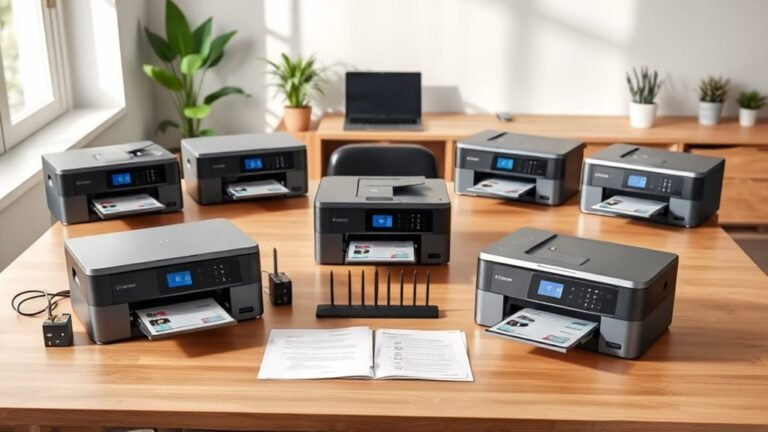
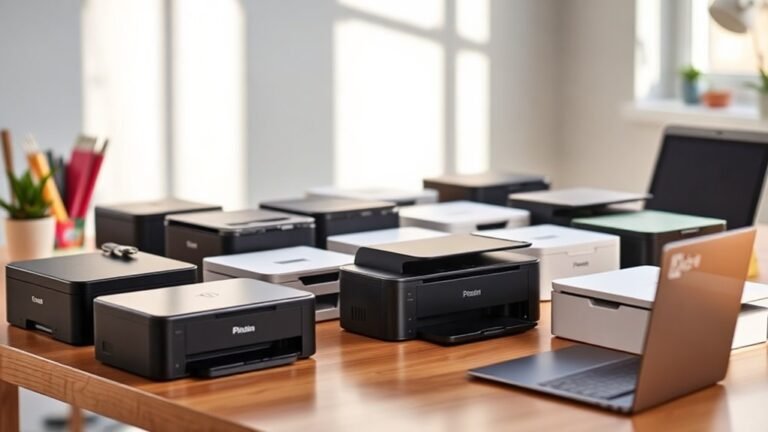
For your 2027 home office, the 7 best all-in-one laser printers combine speed, quality, and a compact design to fit perfectly in your workspace. Whether you’re printing documents, scanning contracts, or copying important pages, these printers have got you covered. From reliable monochrome options like the Brother DCP-L2640DW and HP M234sdw to vibrant color models such as Canon’s MF753Cdw II and HP 3301sdw, there’s something for every need.
These all-in-one laser printers come with handy features like duplexing, wireless connectivity, and efficient paper handling. Need fast output or versatile scanning? No problem. This list highlights top picks tailored for your home office workflow. Keep exploring to find the perfect printer that suits your productivity style and budget.
| Image | Name | Editor's Rating | Price |
|---|---|---|---|

|
|
||

|
|
||

|
|
||

|
|
||

|
|
Brother DCP-L2640DW Wireless Compact Monochrome Printer
- BEST FOR SMALL BUSINESSES – Engineered for extraordinary productivity, the Brother DCP-L2640DW Monochrome (Black & White) 3-in-1 combines laser printer, scanner, copier...
- FAST PRINTER WITH EFFICIENT SCANNING – Produces documents quickly with print speeds up to 36 ppm(2) and scan speeds up to 23.6/7.9 ipm(3) (black/color). A 50-page auto...
- FLEXIBLE CONNECTION OPTIONS – Easily navigate the changing demands of your business with secure multi-device connectivity via built-in dual-band wireless (2.4GHz...
- BROTHER MOBILE CONNECT APP – Print, scan, and manage your wireless printer anytime, from almost anywhere from your mobile device. Order Brother Genuine Supplies, track...
- CHOOSE BROTHER GENUINE TONER – When it’s time to replace your toner, be sure to choose Brother Genuine TN830 or TN830XL replacement toner. And with Refresh EZ Print...

Experience efficient and compact printing with the Brother DCP-L2640DW, a monochrome printer designed to keep your workspace organized and productive. Its fast printing speed of up to 36 pages per minute helps you power through large print jobs without delay. This device also handles copying and scanning, reducing the need for multiple machines.
The printer’s 250-sheet tray and 50-page automatic document feeder simplify handling of bulk documents. Dual-band wireless, Ethernet, and USB connectivity options enable flexible setup in any home office or small business environment. Managing print tasks remotely is easy with the Brother Mobile Connect app.
Maintenance is straightforward with its reliable design, though users should note the monochrome-only printing, which suits businesses focused on black-and-white documents. The machine’s compact footprint saves valuable desk space. Automatic duplex printing aids in reducing paper waste, aligning with its Energy Star and EPEAT Silver certifications.
Best for: small businesses and home offices needing a fast, reliable, and compact monochrome printer for high-volume printing, copying, and scanning tasks.
What We Like:
- Fast print and copy speeds up to 36 ppm with quick first-page output
- Multiple connectivity options including dual-band wireless and Ethernet
- Easy remote management with Brother Mobile Connect app
- Compact design saves workspace and supports duplex printing
- Energy-efficient with recognized eco-friendly certifications
Specification:
| Feature | Details |
|---|---|
| Manufacturer | Brother |
| Dimensions (W x D x H) | 16.1 x 15.7 x 12.0 inches |
| Weight | 15.4 lb (7 kg) |
| Color Options | White |
| Connectivity | Dual-band wireless, Ethernet, USB |
HP LaserJet Pro 3105sdw Monochrome Laser Printer | All-in-One
No products found.
The HP LaserJet Pro 3105sdw redefines efficiency for small teams needing fast, reliable black-and-white printing. It tackles everyday office tasks with sharp 1200 x 1200 dpi resolution at speeds up to 33 pages per minute. This means less waiting and more productivity for your business.
Its all-in-one design combines printing, copying, scanning, and faxing in one compact device. You can even manage jobs directly from your smartphone using the HP app. This flexibility simplifies document handling and keeps your workspace organized.
Maintenance is straightforward but requires original HP cartridges with proprietary chips, which helps ensure consistent print quality. The automatic duplex printing and two-sided scanning save time and reduce paper waste, streamlining your workflows.
Connectivity options like Wi-Fi, Ethernet, and USB allow easy integration into various office setups. Additionally, HP Wolf Pro Security protects your sensitive data, making this printer a secure choice for small offices.
Best for: Small to medium-sized business teams needing fast, professional black-and-white printing and versatile all-in-one functionality.
What We Like:
- Fast printing speed with crisp 1200 x 1200 dpi output
- All-in-one device supporting print, copy, scan, and fax
- Automatic duplex printing and two-sided scanning
- Smartphone app control for convenient remote operation
- Robust security features to safeguard data
Specification:
| Feature | Details |
|---|---|
| Manufacturer | HP |
| Dimensions (W x D x H) | 15.7 x 15.2 x 11.8 inches |
| Weight | 20.9 lbs (9.5 kg) |
| Color Options | White |
| Connectivity | Wi-Fi, Ethernet, USB |
| Print Speed | Up to 33 pages per minute |
| Print Resolution | 1200 x 1200 dpi |
| Paper Capacity | 250 sheets |
Canon Color imageCLASS MF753Cdw II – All-in-One Color Duplex Laser Printer
- Color, Wireless, Duplex 4-in-1: Print, scan, copy, fax.
Experience efficient and professional color printing with the Canon Color imageCLASS MF753Cdw II. This all-in-one laser printer is designed to simplify office tasks by combining printing, scanning, copying, and faxing in one compact device. It ensures crisp, high-quality output with up to 35 pages per minute at 1200 x 1200 dpi resolution.
Handling two-sided documents is seamless thanks to the duplex automatic document feeder, which speeds up scanning and copying jobs. The user-friendly 5-inch color touchscreen makes it easy to navigate functions and settings. Connectivity options like Ethernet, USB, and Wi-Fi support flexible integration in various work environments.
Maintenance is straightforward with a 250-sheet paper capacity that can expand up to 850 sheets, reducing the need for frequent refills. While the printer weighs 50 lbs, making it less portable, its robust build supports heavy-duty office use. Energy Star certification also ensures it operates with energy efficiency.
This versatile color laser printer is tailored for small or home offices and hybrid workspaces where reliable, fast duplex printing and multifunctionality are essential.
Best for: Small businesses or home offices requiring a reliable all-in-one color laser printer with duplex features and flexible connectivity.
What We Like:
- Fast printing speed up to 35 ppm with sharp 1200 x 1200 dpi resolution
- Efficient duplex scanning and copying with automatic document feeder
- Easy-to-use 5-inch color touchscreen interface
- Multiple connectivity options including Ethernet, USB, and Wi-Fi
- Expandable paper capacity up to 850 sheets for less frequent refills
Specification:
| Feature | Details |
|---|---|
| Manufacturer | Canon |
| Dimensions (W×D×H) | Not provided |
| Weight | 50 lbs (22.7 kg) |
| Print Speed | Up to 35 ppm |
| Print Resolution | 1200 x 1200 dpi |
| Paper Capacity | 250 sheets (expandable to 850) |
| Connectivity | Ethernet, USB, Wi-Fi |
| Display | 5-inch color touchscreen |
| Functions | Print, scan, copy, fax |
HP LaserJet M234sdw Monochrome Laser Printer | All-in-One
No products found.
Experience efficient and dependable printing with the HP LaserJet M234sdw, tailored to meet the needs of small teams and home offices. This monochrome laser all-in-one device streamlines your workflow by combining printing, copying, and scanning in one compact unit. Its fast output of up to 30 pages per minute ensures your tasks keep pace with busy workdays.
Designed for convenience, the printer includes a 40-page auto document feeder and automatic duplex printing, reducing manual handling and saving time. Maintaining the device is straightforward thanks to its reliable build and easy access to consumables, helping minimize downtime and keep operations smooth.
Connectivity options are versatile, featuring dual-band Wi-Fi, Ethernet, and USB ports, allowing seamless integration into various office setups. Mobile printing via the HP Smart app adds flexibility, enabling you to print directly from your smartphone or tablet without hassle.
While it supports only monochrome printing and has a moderate paper capacity of 150 sheets, it excels at meeting the demands of small groups who prioritize speed and functionality over color output. Its lightweight design at just 19 pounds makes it easy to position in limited spaces.
Best for: Small teams or home offices needing efficient, reliable monochrome printing, copying, and scanning with flexible connectivity options.
What We Like:
- Fast printing speed of up to 30 ppm with sharp 600 x 600 dpi resolution
- 40-page auto document feeder and duplex printing for enhanced productivity
- Multiple connectivity choices including dual-band Wi-Fi, Ethernet, USB, and mobile printing
- Compact and lightweight design suitable for tight office spaces
Specification:
| Feature | Details |
|---|---|
| Manufacturer | HP |
| Dimensions (W×D×H) | Not specified |
| Weight | 19 lb (8.6 kg) |
| Color | Monochrome (Black/White) |
| Connectivity | Dual-band Wi-Fi, Ethernet, USB |
HP LaserJet MFP M140w Wireless Printer
- FROM AMERICA'S MOST TRUSTED PRINTER BRAND – Perfect for small teams printing, scanning and copying professional-quality black & white documents and reports. Perfect for...
- WORLD'S SMALLEST LASER IN ITS CLASS – Precision laser printing, scanning, and copying that fits anywhere
- FAST PRINT SPEEDS – Up to 21 black-and-white pages per minute single-sided
- WIRELESS WITH SELF-RESET – Helps you stay connected
- EASILY COPY ID CARDS AND MORE – Copy both sides of ID cards or other small-size documents onto the same side of one sheet of paper
Experience efficient, professional-quality black-and-white printing designed for small teams and tight spaces. The HP LaserJet MFP M140w is the world’s smallest laser printer in its category, making it ideal for desks or shelves where space is limited. Its compact design does not compromise on performance.
This versatile printer combines printing, scanning, and copying in one device. With speeds up to 21 pages per minute, it helps keep your workflow smooth and productive. Wireless connectivity supports multiple devices and platforms, including AirPrint and Android, simplifying your office setup.
Maintenance is straightforward with the use of genuine HP cartridges. This ensures reliable output and keeps the printer secure with regular firmware updates. The HP Smart app enhances functionality, allowing you to scan directly to the cloud or automate routine tasks.
While it only prints in black and white and is best suited for small teams, this model offers a practical solution for everyday office needs. It balances compactness, speed, and connectivity to support efficient document management.
Best for: small teams of one to three people needing a compact, fast, and reliable black-and-white laser printer for professional-quality printing, scanning, and copying.
What We Like:
- Compact size saves valuable desk or shelf space
- Fast printing speeds of up to 21 ppm for efficient workflows
- Wireless connectivity with broad device compatibility
- Easy maintenance using genuine HP cartridges
- HP Smart app integration for cloud scanning and task automation
Specification:
| Feature | Details |
|---|---|
| Manufacturer | HP |
| Dimensions | Smallest in its class |
| Weight | Not specified |
| Color Options | Standard black and white |
| Connectivity | Wireless (AirPrint, Android) |
Canon imageCLASS MF662Cdw Wireless Duplex Laser Printer
- Color, Wireless, Duplex 3-in-1: Print, scan, copy.
- Fast Print Speeds: Print up to 26 ppm in both color and monochrome and spend less time waiting with a quick first print time of approximately 10.3 seconds.
- Easy Wireless Setup: Setup your wireless connection and get up and running in just a few steps.
- 5-inch Color Touchscreen: Get the job done quickly with Application Library - an intuitive and easy to use customizable access to the features you use most.
- Mobile Device Printing: Print from your compatible mobile devices using the free Canon PRINT app, Apple AirPrint and Mopria Print Service.
The Canon imageCLASS MF662Cdw is designed to streamline your home office tasks with reliable wireless printing, copying, and scanning. Its consistent output at 600 x 600 dpi ensures clear documents, while printing speeds of up to 26 pages per minute help you stay productive without delays.
This model tackles paper handling challenges with a 250-sheet cassette and automatic duplex printing, reducing the need for frequent refills and manual page turning. Its compact design fits well in tight spaces but weighs 55 pounds, so it’s best suited for a fixed workspace rather than frequent relocation.
Maintenance is straightforward, though starter toner yields are modest, requiring timely replacement to keep your workflow steady. Connectivity options include Wi-Fi, Ethernet, and USB, plus direct mobile printing via Canon PRINT or AirPrint, making it simple to print from various devices.
The intuitive 5-inch touchscreen offers customizable shortcuts, improving operation efficiency and reducing setup time. Supporting legal-size media, this versatile printer adapts well to typical office demands and hybrid work environments.
Best for: Small or home office users and hybrid workers needing a dependable wireless 3-in-1 laser printer with duplex printing and mobile connectivity.
What We Like:
- Consistent 600 x 600 dpi print quality at up to 26 ppm
- Automatic duplex printing and large 250-sheet paper capacity
- Easy-to-use 5-inch touchscreen with customizable shortcuts
- Multiple connectivity options including Wi-Fi, Ethernet, USB, and mobile printing
Specification:
| Feature | Details |
|---|---|
| Manufacturer | Canon |
| Dimensions (W×D×H) | 16.54 × 19.41 × 16.61 in |
| Weight | 55.1 lb (25 kg) |
| Print Resolution | 600 x 600 dpi |
| Connectivity | Wi-Fi, Ethernet, USB |
| Media Size Support | Up to legal size |
HP Color LaserJet Pro MFP 3301sdw Printer
- FROM AMERICA'S MOST TRUSTED PRINTER BRAND – Perfect for small teams printing, scanning and copying professional-quality color documents and reports. Print speeds up to...
- PROFESSIONAL PRODUCTIVITY – Proficiency with every print—next-generation TerraJet toner brings your business to life with more vivid colors.
- ORIGINAL HP TONER CARTRIDGES – This HP printer uses Original HP 218A standard and 218X high yield LaserJet toner cartridges.
- UPGRADED FEATURES – Fast color printing, scan, copy, auto 2-sided printing, auto document feeder, and a 250-sheet input tray.
- AWARD-WINNING RELIABILITY – Performance you can count on page after page, and always ready for the high demands of business.
Get vibrant, dependable color printing and scanning with the HP Color LaserJet Pro MFP 3301sdw. Designed to enhance small team productivity, it delivers fast print speeds that keep your workflow moving smoothly. With print speeds up to 26 ppm in black and 30 ppm in color, it handles everyday office tasks with ease.
This printer simplifies your work with auto duplex printing, reducing paper use while saving time. The flatbed scanner adds versatility, making document management straightforward. Connectivity options like built-in Wi-Fi, Ethernet, and the HP app let you print and control the device conveniently from anywhere in your workspace.
Maintenance is straightforward but requires Original HP 218A or 218X toner cartridges with HP chips. This ensures consistent print quality and security through HP Wolf Pro protection, though it limits third-party toner use. Its 250-sheet input tray reduces frequent refills, fitting neatly in home offices despite its sturdy build.
The compact yet robust design balances functionality and space, ideal for small teams needing reliable color printing and scanning without sacrificing security or performance.
Best for: Small teams and home offices that require fast, secure, and reliable color printing with easy device management.
What We Like:
- Fast color and black print speeds up to 30 ppm and 26 ppm.
- Multiple connectivity options including Wi-Fi, Ethernet, and HP app control.
- Auto duplex printing and flatbed scanner improve efficiency and versatility.
- Secure printing with Original HP toner and HP Wolf Pro protection.
- Large 250-sheet input tray minimizes paper refills.
Specification:
| Feature | Details |
|---|---|
| Manufacturer | HP |
| Dimensions (W×D×H) | Not specified |
| Weight | 37.7 lb (17.1 kg) |
| Toner Cartridge | Original HP 218A or 218X |
| Connectivity | Wi-Fi, Ethernet, HP app |
| Input Tray Capacity | 250 sheets |
| Scanner Type | Flatbed |
Factors to Consider When Choosing an All in One Laser Printer for Home Office
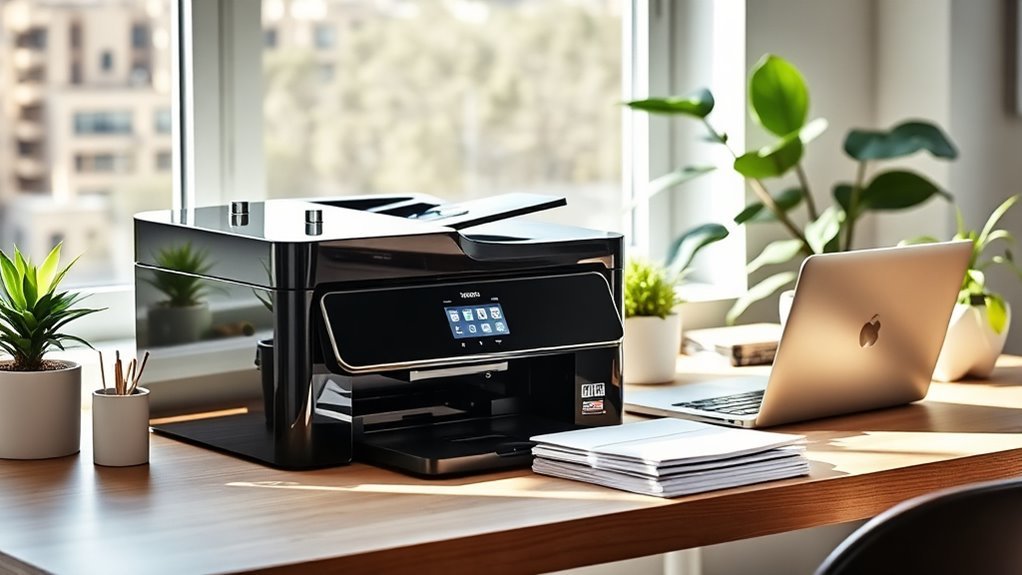
When choosing an all-in-one laser printer for your home office, you’ll want to focus on print quality and speed to keep your work efficient. These two factors really make a difference when you’re trying to get things done quickly.
Also, consider connectivity options, scanner and copier features, and how much paper the printer can handle. It’s good to think about what you’ll be using the printer for most.
And don’t forget about the size. Make sure the printer fits comfortably in your workspace without crowding your desk. After all, you want a setup that’s both functional and tidy.
Print Quality and Speed
Although print quality and speed might seem straightforward, choosing the right all-in-one laser printer for your home office requires careful consideration of several key factors. Aim for a print resolution of at least 600 x 600 dpi, or 1200 x 1200 dpi if you want sharper text and finer graphics.
Check the pages-per-minute (ppm) rating—if you print large documents often, opt for a model with 30+ ppm. First-page-out time (FPOT) under 10 seconds minimizes waiting, especially for quick jobs.
Don’t forget to match your scanner and copier speeds to your printing needs by comparing scan speeds and duplex capabilities. Finally, balance print quality with toner efficiency: use higher resolutions for final copies and draft modes to save toner and speed up everyday printing.
Connectivity Options Available
Print quality and speed matter, but how you connect your all-in-one laser printer can impact your workflow just as much. Make sure your printer supports dual-band Wi-Fi (2.4 GHz and 5 GHz) for stable connections, especially in busy wireless environments.
If multiple users share the printer or you need fast, low-latency printing, look for Ethernet connectivity. USB 2.0 or higher ports are essential for direct PC connections when network access isn’t available, ensuring reliable transfers.
Don’t overlook mobile and cloud printing support like AirPrint, Mopria, or vendor apps. This way, you can print directly from smartphones or tablets without any hassle.
Finally, if you plan to scan or fax to email or workflows, check for network scan-to-email, SMB/FTP destinations, and secure remote management features. These will keep your setup efficient and secure.
Scanner and Copier Features
Since scanning and copying form essential parts of your home office tasks, choosing an all-in-one laser printer with the right features can save you time and hassle. Look for a scanner with an automatic document feeder (ADF) that supports duplex scanning and offers fast speeds measured in images per minute (ipm). This helps you handle multi-page jobs efficiently.
Make sure the scan resolution is at least 300 dpi optical for clear documents, or higher if you archive detailed graphics. For copying, check the maximum resolution, speed, and features like scaling and ID copy. Also, consider ADF capacity and supported media sizes so you can process large batches unattended.
Finally, workflow options like scan-to-email, cloud storage, and OCR output make it easier to digitize and share your documents effortlessly. These features really streamline your workflow and save you a bunch of time.
Paper Handling Capacity
When selecting an all-in-one laser printer for your home office, understanding paper handling capacity is key to maintaining smooth, uninterrupted workflows. Choose a paper tray that fits your typical monthly volume—150 to 250 sheets suit most small offices.
If you have higher volume needs, larger trays or expandable options work better. Also, pay attention to multipurpose or bypass trays, which usually hold 1 to 50 sheets. These are perfect for envelopes, labels, or cardstock without disrupting your main tray.
An automatic document feeder (ADF) with 40 to 50 sheets and duplexing speeds up two-sided scanning and copying. Plus, check the output tray capacity (100 to 250 sheets) to avoid frequent clearing during big print jobs.
Finally, make sure your printer supports your required paper sizes, media types, and automatic duplex printing. This will help you save paper and keep things running smoothly.
Size and Footprint
Beyond paper capacity, the size and footprint of your all-in-one laser printer can greatly impact your home office setup. Start by measuring your desk or shelf space and compare it to typical printer dimensions—most range between 12–18 inches deep, 11–17 inches high, and 16–18 inches wide.
Don’t forget to add 6–12 inches in front and on top for output trays, scanner lids, and paper loading. Also, consider the printer’s weight, which can be 20–55+ pounds, and make sure your furniture can support it.
If you want extra trays or higher paper capacity, factor in the extra space they require. For shared setups, choose a compact model with network access to save valuable desk space while keeping it accessible for everyone.
Energy Efficiency Ratings
Energy efficiency often plays a crucial role in choosing an all-in-one laser printer for your home office. Look for Energy Star certification and EPA/EPEAT ratings like EPEAT Silver or higher to make certain your printer meets verified energy and environmental standards.
Compare power consumption specs—idle wattage usually falls between 15 and 25 watts, while active printing can spike to 200–500 watts—to estimate operating costs. Features like automatic duplex printing and toner-save modes help reduce paper waste and energy use.
Check how quickly the printer warms up and exits low-power modes since frequent short jobs may increase energy consumption. Finally, match the printer’s duty cycle and monthly page volume to your needs; a well-sized model runs more efficiently than one that’s consistently overworked.
Warranty and Support
Although choosing the right all-in-one laser printer involves many factors, understanding warranty and support options guarantees you won’t face unexpected costs or downtime. Start by verifying the warranty length and type, like a one-year limited or multi-year coverage, to know how long hardware defects are protected.
Check support channels—phone, live chat, online troubleshooting, or on-site service—and their hours to make certain timely help. It really helps to know how and when you can get assistance.
Confirm if consumables and wear parts, such as drums or fusers, are included or excluded, so you’re prepared for replacement costs. It’s better to be ready than caught off guard.
Look into extended warranty plans, noting response times and any restrictions. And don’t forget to review firmware update policies to understand how long your printer will receive security and functionality updates without impacting third-party supplies.
Frequently Asked Questions
How Do Laser Printers Compare to Inkjet Printers in Print Quality?
Laser printers give you sharper text and faster prints, especially for black-and-white documents. They’re great when you need crisp, clear pages quickly.
Inkjet printers, though, handle photos and color gradients better. If you care about vibrant color quality, they’re usually the way to go.
You’ll choose based on whether you prioritize speed or rich, detailed colors. It really depends on what matters most for your printing needs.
What Maintenance Is Required for All-In-One Laser Printers?
You’ll need to replace toner cartridges, clean the drum unit occasionally, and clear paper jams.
Regularly updating firmware and wiping the scanner glass keeps everything running smoothly. This guarantees consistent print quality without hassle.
Are Laser Printers Safe for Home Use Around Children and Pets?
You’re safe using laser printers around kids and pets; studies show toner particles stay mostly inside the machine.
Just keep it well-ventilated and out of reach to avoid accidental toner spills and inhalation risks.
Can These Printers Handle Photo Printing Effectively?
Laser printers aren’t ideal for photo printing because they can’t match the color depth and detail inkjets offer. You’ll get decent results for documents, but photos may lack vibrancy and fine detail you want.
Basically, if you’re aiming for sharp, colorful photos, laser printers might leave you a bit disappointed. They’re great for everyday printing, just not the best choice for photo enthusiasts.
What Are the Typical Energy Consumption Levels of Laser Printers?
Laser printers typically consume between 300 to 500 watts while printing and drop to 10 to 50 watts in standby.
You’ll notice energy-saving modes help reduce overall consumption, so you won’t waste power during idle times. It’s pretty handy, right?
Conclusion
Now that you’ve seen the best all-in-one laser printers for your home office, the real question is—which one will transform your daily tasks? Each offers unique features, but only one fits perfectly with your needs and style.
Don’t rush—imagine how much easier your work could be with the right choice. The perfect printer is waiting to elevate your productivity.
Are you ready to make it yours? Choosing the right all-in-one laser printer can boost efficiency, save time, and handle all your printing, scanning, and copying needs in one device. Whether you prioritize speed, quality, or connectivity, the best laser printers for home office use in 2027 are designed to meet those demands. So take a moment, consider your priorities, and pick the printer that will make your home office work smarter and smoother every day.