5 Best All-in-One Inkjet Printers for Small Business in 2027
If you’re on the lookout for a reliable all-in-one inkjet printer for your small business in 2027, you’ve come to the right place. Choosing the best all-in-one inkjet printer can really boost your productivity while keeping your costs down. Whether you need fast printing, high-quality color, or low maintenance, there’s something here for every small business owner.
Epson Workforce Pro WF-4935 offers fast black printing and efficient duplexing. It’s great if speed and double-sided printing matter to you.
HP OfficeJet Pro 8125 shines with high-resolution color output and an eco-friendly design. Perfect for businesses that want vibrant prints and care about the environment.
Brother INKvestment 5010 delivers high-yield cartridges and solid security features. This one’s ideal if you want to save on ink and keep your documents safe.
Canon MAXIFY GX2020 minimizes maintenance thanks to its MegaTank refill system. Less hassle, more printing—sounds good, right?
Lastly, Brother INKvestment 6560 supports larger media and speedy output, making it versatile for different printing needs. Keep exploring these options to find the best fit for your business!
| Image | Name | Editor's Rating | Price |
|---|---|---|---|

|
|
||

|
|
||

|
|
||

|
|
||
|
|
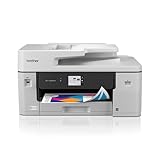
Epson Workforce Pro WF-4935 Wireless All-in-One Printer
- Built for Speed — PrecisionCore Heat-Free technology delivers fast, high-volume printing with 25 (black)/12 (color) ISO ppm and fast first-page-out
- High-Precision Office Printing — Accurate dot placement and DURABrite Ultra instant-dry pigment inks for professional-quality prints
- High-Volume Durability for Heavy Workloads — Innovative heat-free technology engineered for reliability and reduced downtime
- Complete Duplex Solution — All-in-one printer with auto 2-sided print, copy, scan and fax; plus 50-sheet ADF
- Maximize Printing Productivity — High-performance office printer with 500-sheet paper capacity; includes two 250-sheet trays for added convenience

The Epson Workforce Pro WF-4935 is a powerful all-in-one printer designed to streamline office workflows. It handles printing, copying, scanning, and faxing with ease, making it ideal for busy small businesses. Its automatic duplexing and a 50-sheet automatic document feeder save time on multi-page tasks.
With two 250-sheet trays, this printer supports large print jobs without frequent paper refills. The PrecisionCore Heat-Free technology enables fast black-and-white output at 25 ppm and reliable color prints at 12 ppm. This helps keep your office productive and reduces wait times.
Maintenance is straightforward with four DURABrite Ultra ink cartridges that deliver sharp, durable prints. The 4.3-inch color touchscreen and wireless connectivity simplify device control, allowing users to print from mobile devices or computers easily.
While color printing is slower than black, it suits businesses that prioritize speed in monochrome tasks. The maximum media size of 8.5″ x 14″ supports most office documents but limits larger format printing.
Best for: Small businesses needing a versatile, high-volume all-in-one printer focused on efficiency and ease of use.
What We Like:
- Fast black print speed of up to 25 ppm with quick first-page output
- Large paper capacity with dual 250-sheet trays and 50-sheet ADF
- User-friendly 4.3″ touchscreen and wireless printing options
- Durable print quality from DURABrite Ultra ink cartridges
Specification:
| Feature | Details |
|---|---|
| Manufacturer | Epson |
| Dimensions (W×D×H) | 16.7 × 18.7 × 12.6 inches |
| Weight | 23.1 lbs (10.5 kg) |
| Color Options | Black |
| Maximum Media Size | 8.5 × 14 inches (Legal) |
HP OfficeJet Pro 8125 Wireless All-in-One Printer
- FROM AMERICA'S MOST TRUSTED PRINTER BRAND – The OfficeJet Pro 8125 is perfect for home offices printing professional-quality color documents like business documents...
- 3 MONTH TRIAL OF INSTANT INK INCLUDED – Subscribe to the Instant Ink delivery service to get ink delivered directly to your door before you run out, and you save up to...
- KEY FEATURES – Fast color printing, scan, copy, auto 2-sided printing, auto document feeder, and a 225-sheet input tray
- 2.7-INCH TOUCHSCREEN – Quickly navigate your printer with a large color touchscreen and a phone-like user interface
- WIRELESS PRINTING – Stay connected with our most reliable dual-band Wi-Fi, which automatically detects and resolves connection issues
Enjoy sharp, professional-quality color prints with the HP OfficeJet Pro 8125 Wireless All-in-One Printer. Designed for home offices and small businesses, it delivers up to 20 ppm in black and 10 ppm in color. This printer’s high resolution ensures clear, vibrant documents that help you present your work confidently.
Its 2.7-inch color touchscreen simplifies navigation, making it easy to manage printing, scanning, copying, and faxing tasks. Wireless connectivity through dual-band Wi-Fi and the HP Smart app lets you operate the printer remotely, reducing clutter and streamlining your workflow.
The 225-sheet input tray supports various paper sizes, while automatic two-sided printing saves both time and paper. Maintenance is straightforward, but note that the printer requires original HP 923 series cartridges, with firmware updates limiting third-party options.
Security is built in to protect your network, and the eco-friendly design uses over 45% recycled plastic. This model balances efficiency, convenience, and responsible design for busy work environments.
Best for: Small businesses and home offices seeking reliable, versatile wireless printing with eco-conscious features.
What We Like:
- Sharp, high-resolution color printing at up to 4800 x 1200 dpi
- User-friendly 2.7-inch touchscreen and seamless wireless operation
- Automatic duplex printing and large paper capacity for efficient handling
- Advanced security to protect your network and data
- Eco-friendly build using recycled plastic materials
Specification:
| Feature | Details |
|---|---|
| Manufacturer | HP |
| Dimensions (W×D×H) | 17.1 × 14.5 × 10.3 inches |
| Weight | 19.1 lb (8.67 kg) |
| Paper Tray Capacity | 225 sheets |
| Print Resolution | Up to 4800 × 1200 dpi |
| Print Speed | 20 ppm (black), 10 ppm (color) |
| Connectivity | Dual-band Wi-Fi, HP Smart app |
| Display | 2.7-inch color touchscreen |
| Cartridge Compatibility | HP 923 series original cartridges |
Brother INKvestment 5010 Wireless Color Inkjet Printer
- BEST FOR SMALL BUSINESS: Print, copy, scan, and fax with one powerful device, with advanced security features for business. Includes one 1,800-page yield black ink...
- PRODUCTIVITY-FOCUSED FEATURES: A 250-sheet paper tray, 50-page single-pass duplex (2-sided) automatic document feeder (ADF), and automatic duplex printing on paper up to...
- SUPERIOR PRINTING: Engineered with the Brother PerfectPrint Auto Detection System, which helps ensure reliable, consistent print quality and performance you can depend on...
- SEAMLESS CONNECTIONS: Simplify your workflow with Wi-Fi Direct and multiple connection options, including wireless network interfacing, Ethernet, and USB. Plus, print...
- THE BROTHER MOBILE CONNECT APP: Put the power of printing at your fingertips. Go mobile with the simple-to-use Brother Mobile Connect app, which delivers easy on-screen...
Manage your small business printing with the Brother INKvestment 5010 Wireless Color Inkjet Printer, designed to keep your workflow smooth and efficient. This all-in-one device lets you print, copy, scan, and fax, streamlining tasks in one compact unit. Its advanced security features protect sensitive documents, giving you peace of mind.
The printer uses high-yield ink cartridges that reduce supply costs, delivering up to 1,800 pages in black and 750 pages in color. This helps minimize interruptions and lowers your overall maintenance time. A 250-sheet paper tray and 50-page duplex automatic document feeder make handling large jobs easier and faster.
Connectivity is simple with Wi-Fi, Ethernet, and USB options, while the 2.7” touchscreen and mobile app allow easy control from wherever you are. Print speeds reach 28 ppm for black and 26 ppm for color, balanced with Brother’s PerfectPrint system for consistent quality.
While the color cartridges have a lower yield than black, this model is ideal for businesses focusing on volume black printing with occasional color use. The touchscreen may feel small to some, and as an inkjet, it requires more upkeep than laser printers under heavy use.
Best for: Small businesses needing a reliable multifunction wireless printer with high-yield ink and enhanced security features.
What We Like:
- High-yield ink cartridges reduce frequent replacements and cut costs
- Fast print speeds and duplex ADF improve productivity on large jobs
- Multiple connectivity options including Wi-Fi Direct and Ethernet
- Advanced security features protect business documents
Specification:
| Feature | Details |
|---|---|
| Manufacturer | Brother |
| Dimensions | Not specified |
| Weight | Not specified |
| Ink Cartridge Yield | 1,800 pages (black), 750 pages (color) |
| Paper Tray Capacity | 250 sheets |
| Automatic Document Feeder | 50 pages duplex |
| Connectivity | Wi-Fi, Ethernet, USB |
| Touchscreen Size | 2.7 inches |
Canon MAXIFY GX2020 Wireless All-in-One Printer
- Wireless Print/Copy/Scan/Fax (2)
- Print up to 3,000 black & white / 3,000 color pages using a single set of inks! (1)
- 2.7” LCD Color Touchscreen
- Auto 2-sided printing
- ADF – 35 sheet Auto Document Feeder
The Canon MAXIFY GX2020 is designed for those who need high-volume printing without frequent interruptions. Its refillable MegaTank system lets you print up to 3,000 black or color pages per ink set, reducing downtime and keeping your workflow smooth. This makes it ideal for busy environments where efficiency matters.
Beyond printing, this all-in-one printer handles scanning, copying, and faxing with ease. The 35-sheet automatic document feeder and duplex printing improve productivity by managing multi-page documents quickly and saving paper. The 2.7-inch touchscreen offers simple navigation, ensuring you can operate it without hassle.
Connectivity is flexible and reliable, with dual-band Wi-Fi and wired LAN options to keep you connected in any office setup. Its compact design fits comfortably into small workspaces while supporting a variety of media types and sizes, including photo and custom prints.
Maintenance is straightforward thanks to the MegaTank refill system, which lowers running costs and reduces cartridge waste. While it offers solid print quality for everyday documents, high-end photo printing may fall short. Paper capacity is limited to 250 sheets, which may require more frequent refills in very busy offices.
Best for: Small businesses and home offices needing cost-effective, versatile printing with minimal maintenance.
What We Like:
- High page yield up to 3,000 pages per ink set
- All-in-one functionality with duplex printing and 35-sheet ADF
- Flexible dual-band Wi-Fi and wired LAN connectivity
- Compact design supports multiple media types
- Easy-to-refill MegaTank system reduces running costs
Specification:
| Feature | Details |
|---|---|
| Manufacturer | Canon |
| Dimensions | Compact (specific size not provided) |
| Weight | Not specified |
| Color Options | Not specified |
| Connectivity | Dual-band Wi-Fi, Wired LAN, USB |
Brother INKvestment 6560 Wireless Color Inkjet Printer
- BEST FOR SMALL BUSINESS: This multifunction printer makes it easy to print, copy, scan, and fax, and includes one 1,800-page yield black ink cartridge and one 750-page...
- PRODUCTIVITY-FOCUSED FEATURES: A 250-sheet paper tray(3), 50-page single-sided ADF(3), and automatic duplex (2-sided) printing for media-handling capabilities on paper up...
- SPEED & QUALITY: Engineered with MAXIDRIVE Technology with print speeds of up to 31 pages per minute (ppm) in black and up to 30 ppm in color(5). The Brother PerfectPrint...
- INNOVATIVE TECHNOLOGY: With Wi-Fi Direct, print wirelessly without an external network connection. Print from and scan to Cloud apps(6), including Google Drive, Dropbox...
- THE BROTHER MOBILE CONNECT APP: The power of printing at your fingertips. Go mobile with the simple-to-use Brother Mobile Connect app(7) that delivers onscreen menu...
The Brother INKvestment 6560 Wireless Color Inkjet Printer is designed to meet the demands of small businesses that require versatile, high-quality color printing. It easily handles various media sizes up to 11” x 17”, making it ideal for creating professional documents and marketing materials. The printer’s sharp output at up to 1,200 x 4,800 dpi ensures clear text and vibrant images.
This model streamlines your workflow by combining printing, copying, scanning, and faxing in one machine. Its fast print speeds—up to 31 ppm in black and 30 ppm in color—reduce waiting times during busy workdays. The 250-sheet tray and 50-page automatic document feeder add convenience and efficiency to everyday tasks.
Connectivity options are flexible, including dual-band Wi-Fi, Wi-Fi Direct, and Ethernet, allowing easy integration with mobile devices and desktops. The 2.7” touchscreen and Brother Mobile Connect app simplify operation and management. Maintenance is straightforward with high-yield ink cartridges that help lower running costs, though heavy users should monitor ink levels regularly.
Best for: small businesses and office environments needing versatile, high-quality color printing with reliable wireless and cloud connectivity.
What We Like:
- Supports media sizes up to 11” x 17” with automatic duplex printing
- Fast print speeds up to 31 ppm black and 30 ppm color
- Multiple connectivity options, including dual-band Wi-Fi and Ethernet
- Large 250-sheet tray plus 50-page ADF enhances productivity
- User-friendly 2.7” touchscreen and mobile app control
Specification:
| Feature | Details |
|---|---|
| Manufacturer | Brother |
| Dimensions (W x D x H) | 16.1 x 18.5 x 13.4 inches |
| Weight | 44.1 lb (20 kg) |
| Print Resolution | Up to 1,200 x 4,800 dpi |
| Paper Capacity | 250-sheet tray, 50-page ADF |
| Connectivity | Dual-band Wi-Fi, Wi-Fi Direct, Ethernet |
Factors to Consider When Choosing an All in One Inkjet Printer for Small Business
When picking an all-in-one inkjet printer for your small business, you’ll want to focus on print speed and quality to keep up with your workload. Consider paper handling capacity and connectivity options to match your daily needs.
Don’t forget to check ink efficiency, cost, device durability, and warranty for long-term reliability. These factors can really make a difference in how smoothly your printer runs and how much it costs you over time.
Print Speed And Quality
Since maintaining efficient workflows matters to your small business, you’ll want an all-in-one inkjet printer that balances print speed and quality. Aim for ISO print speeds around 20–25 ppm for black and 10–15 ppm for color to keep up with high-volume tasks.
Duplex printing and duplex scanning via an automatic document feeder help reduce manual handling, boosting productivity. Prioritize print resolution too—higher dpi guarantees sharp text and detailed graphics, which is essential for marketing materials, though it may slow down printing a bit.
Also, consider first-page-out times and warm-up behavior. Instant-ready or heat-free technologies cut delays on frequent short jobs, making your workflow smoother.
Finally, balance speed with consumable costs by comparing pages-per-cartridge and cost-per-page. That way, you can maintain quality without overspending.
Paper Handling Capacity
For smooth operations, you’ll want an all-in-one inkjet printer with paper handling capacity that fits your business’s print volume and variety. Aim for a total paper capacity—combining input trays and multipurpose feeds—between 250 and 500 sheets to minimize refills if your monthly volume is moderate.
Check for multiple trays or secondary cassettes that let you load letter, legal, envelopes, or specialty paper simultaneously. Don’t overlook the automatic document feeder (ADF) capacity; a higher capacity (35–50 sheets) with single-pass duplex scanning speeds up batch jobs.
Also, verify if the printer supports larger media sizes like ledger or 11″×17″ for banners or layouts. Finally, consider the output tray size and monthly duty cycle to avoid interruptions and jams during high-volume print runs.
Connectivity Options Available
Many small businesses rely on versatile connectivity options to keep their printing and scanning tasks efficient. You should choose a printer that supports dual-band Wi-Fi (2.4 GHz and 5 GHz) and Ethernet. This lets you switch between stable wired connections for heavy use and wireless access for mobile devices.
Don’t overlook USB host ports and USB 2.0 or higher interfaces. These enable direct PC connections and printing or scanning from flash drives without needing a network.
Make sure the printer works with mobile print protocols like Apple AirPrint or Mopria. This way, you can print directly from smartphones and tablets.
Features like Wi-Fi Direct or built-in access points are super handy when no local network’s available.
Also, opt for secure cloud and network services with WPA3 or IPsec to protect your sensitive business documents. It’s all about keeping your info safe while staying connected.
Ink Efficiency And Cost
When choosing an all-in-one inkjet printer for your small business, understanding ink efficiency and costs can save you significant money over time. Start by comparing page yields—how many pages each cartridge or ink set produces—and calculate the cost per page by dividing the cartridge price by its yield.
Look for printers offering high-yield or bulk refillable ink systems, which often lower your effective cost per page, especially if you do a lot of printing each month. And don’t forget to evaluate black and color yields separately. Color cartridges usually run out faster and can increase your overall costs.
Also, keep in mind maintenance consumables and any firmware restrictions that might require you to buy genuine cartridges. These things add to your ongoing expenses. Finally, estimate how many pages you print monthly and multiply that by the cost per page. This will help you compare the total ink costs across different printers more accurately.
Device Durability And Warranty
Although ink efficiency is crucial, you’ll want to prioritize device durability and warranty to keep your small business running smoothly. Start by checking the manufacturer’s duty cycle and recommended monthly page volume to make certain the printer matches your workload.
Look for models with metal or reinforced paper paths and fewer user-replaceable parts to minimize downtime and reduce service costs. It’s a good idea to compare warranty terms carefully—consider length, coverage for parts and labor, and whether service is on-site or carry-in.
See if extended or business-class warranties are available. Also, verify what failures are excluded, like printhead clogging from infrequent use or third-party consumables.
And don’t forget to check if firmware updates or remote diagnostics are included. Finally, ask about reliability stats like mean time between failures and local service turnaround times to avoid costly interruptions.
User Interface And Controls
Getting a handle on the user interface and controls can make a big difference in how efficiently your small business runs. Look for a color touchscreen between 2.7 and 4.3 inches with intuitive menus and preview options to speed up tasks like copying and scanning.
Make sure the interface supports mobile app control and wireless setup. That way, you can print and get status alerts right from your smartphone or tablet.
Physical buttons or a clear home/back navigation, plus customizable shortcuts for frequent tasks, help minimize training time. It’s all about making things easier and quicker for everyone.
Choose printers that display ink levels and error messages with clear instructions to reduce downtime. Finally, verify support for multiple control methods—touchscreen, PC software, mobile app, and USB input—to fit various user preferences and workflows seamlessly.
Frequently Asked Questions
How Do Inkjet Printers Compare to Laser Printers for Small Business Use?
Inkjet printers give you better color quality and cost less upfront, but laser printers handle high volumes faster and with sharper text.
You’ll choose inkjet for images, laser for speed and efficiency in small business tasks.
What Are the Environmental Impacts of All-In-One Inkjet Printers?
You’ll find all-in-one inkjet printers use less energy but generate more waste with frequent cartridge replacements.
Choosing refillable cartridges and recycling programs helps reduce their environmental impact while maintaining convenience and efficiency for your business.
It’s a simple way to keep things eco-friendly without losing the benefits these printers offer.
Can These Printers Handle High-Volume Printing Without Frequent Maintenance?
You’ll find these printers manage moderate workloads smoothly, but they’re not built for marathon sessions. With regular care, they won’t demand much attention.
That said, pushing them too hard might invite more frequent tune-ups. So, it’s best to keep their workload reasonable to avoid extra maintenance.
Are There Any Subscription Services for Ink Refills With These Models?
Yes, many models offer subscription services like HP Instant Ink or Epson’s ReadyPrint. You’ll get automatic ink refills delivered before you run out, saving you time and preventing printing interruptions.
It’s super convenient because you don’t have to remember to order ink yourself. Plus, it often ends up being more cost-effective in the long run.
How Secure Are Wireless Connections on All-In-One Inkjet Printers?
Oh, wireless printer security is as foolproof as a screen door on a submarine.
But don’t worry—you can boost safety with strong passwords, WPA3 encryption, and regular firmware updates.
These steps help keep your prints and data protected.
Conclusion
Choosing the right all-in-one inkjet printer for your small business is like planting a seed in fertile soil—each device offers the potential to grow your productivity and creativity. Whether you pick the Epson Workforce Pro or the Brother INKvestment series, you’re investing in a tool that will nurture your daily tasks and help your business blossom.
So, pick wisely! With the best all-in-one inkjet printers for small business, you’re not just buying a machine—you’re investing in efficiency, quality, and reliability. These printers can handle printing, scanning, and copying with ease, making them perfect for small business needs.
Watch your small business flourish with every print as these printers streamline your workflow and boost your output. Choosing the right printer means better performance and long-term savings, helping your business grow stronger in 2027 and beyond.