6 best all in one inkjet printer 2026
For 2026, the six best all-in-one inkjet printers offer a mix of reliability, quality, and cost-efficiency to fit different needs. Whether you’re after vibrant color prints, fast output, or budget-friendly refills, there’s something here for everyone.
The HP OfficeJet Pro 8125 and Canon Megatank G3290 stand out for delivering reliable, high-quality color printing with cost-efficient refills. If you need something for a busy home office, the HP Envy 6555e is a great pick thanks to its versatile wireless features that keep you connected and productive.
On the other hand, the Canon PIXMA TS7720 is perfect if you want a compact printer that’s ready for photo printing without taking up too much space. Brother’s INKvestment 5010 impresses with fast printing and high-yield cartridges, making it great for regular use.
Lastly, the Canon MegaTank MAXIFY GX2020 is ideal for high-volume tasks, featuring refillable tanks that keep the ink flowing without constant interruptions. Keep reading for key tips to help you find the perfect printer that fits your workflow and budget.
| Image | Name | Editor's Rating | Price |
|---|---|---|---|

|
|
||

|
|
||

|
|
||

|
|
||

|
|
HP OfficeJet Pro 8125 Wireless All-in-One Printer
- FROM AMERICA'S MOST TRUSTED PRINTER BRAND – The OfficeJet Pro 8125 is perfect for home offices printing professional-quality color documents like business documents...
- 3 MONTH TRIAL OF INSTANT INK INCLUDED – Subscribe to the Instant Ink delivery service to get ink delivered directly to your door before you run out, and you save up to...
- KEY FEATURES – Fast color printing, scan, copy, auto 2-sided printing, auto document feeder, and a 225-sheet input tray
- 2.7-INCH TOUCHSCREEN – Quickly navigate your printer with a large color touchscreen and a phone-like user interface
- WIRELESS PRINTING – Stay connected with our most reliable dual-band Wi-Fi, which automatically detects and resolves connection issues

The HP OfficeJet Pro 8125 Wireless All-in-One printer is designed to simplify your everyday tasks. It handles printing, scanning, copying, and faxing, making it a versatile companion for your home or home office. With professional-quality color prints and sharp details, it helps you produce clear documents quickly and efficiently.
This printer improves productivity with fast print speeds and automatic two-sided printing. Its 225-sheet input tray reduces the need for frequent refills. You can easily manage jobs using the 2.7-inch touchscreen or the HP Smart app, enabling remote control from your smartphone.
Connectivity is seamless with dual-band Wi-Fi, Ethernet, and USB options. This flexibility ensures smooth integration into your workspace. Maintenance is straightforward but note that it requires the original HP 923 series cartridges, which some users might find limiting due to firmware restrictions.
Faxing is handled through the app rather than a dedicated machine, and copying is suitable for light use with a maximum of 99 pages per run and 600 dpi resolution. These factors make it ideal for small-scale office needs without heavy copying demands.
Best for: Individuals and small home offices needing a reliable, multifunction wireless printer with professional color quality and flexible connectivity.
What We Like:
- Sharp color printing at 4800 x 1200 dpi with fast speeds.
- Automatic duplex printing boosts efficiency.
- Multiple connectivity options including mobile app control.
- Large input tray reduces paper reloads.
Specification:
| Feature | Details |
|---|---|
| Manufacturer | HP |
| Dimensions (W×D×H) | Approx. 17.3 × 14.7 × 9.9 in |
| Weight | Approx. 16.9 lbs (7.7 kg) |
| Color Options | Black |
| Connectivity | Dual-band Wi-Fi, Ethernet, USB |
Canon Megatank G3290 All-in-One Wireless Printer
- Wireless Print/Copy/Scan (2)
- Up to 2 years of ink included
- Print up to 6,000 black & white / 7,700 color pages using a single set of inks! (1)
- Save up to $1,000 on ink (1)
- 2.7” LCD Color Touchscreen
The Canon Megatank G3290 is designed to meet the demands of home and small office users who need reliable, cost-effective printing. Its refillable ink tanks significantly reduce the hassle and expense of frequent cartridge replacements. This system produces up to 6,000 black and 7,700 color pages per refill, helping you manage printing costs without sacrificing volume.
With a sharp 4-color hybrid ink system, the printer ensures crisp text and vibrant photos with borderless printing up to 8.5″ x 11″. Its print resolution of 4800 x 1200 dpi captures fine details, making it ideal for both documents and images. Wireless connectivity via Wi-Fi and USB adds flexibility, while the Canon PRINT app enables convenient mobile printing.
Maintenance is straightforward thanks to the visible ink tanks and easy refilling process. The 2.7″ touchscreen simplifies navigation and settings. Features like auto-duplex printing save paper and time, although the moderate print speeds (11 ppm black, 6 ppm color) may not suit very high-volume users.
Best for: Home users and small offices seeking affordable, high-volume printing with versatile wireless and mobile options.
What We Like:
- High page yield significantly lowers ink costs
- Sharp, vibrant prints with borderless photo capability
- Easy wireless and mobile printing with user-friendly touchscreen
- Auto-duplex printing enhances productivity
Specification:
| Feature | Details |
|---|---|
| Manufacturer | Canon |
| Dimensions | Approx. 17.7 x 12.6 x 7.5 in |
| Weight | Approx. 13.9 lb (6.3 kg) |
| Ink System | Refillable MegaTank |
| Print Resolution | Up to 4800 x 1200 dpi |
| Connectivity | Wi-Fi, USB, Mobile Printing |
| Display | 2.7″ Color Touchscreen |
HP Envy 6555e Color Inkjet Printer | Wireless | All-in-One
- The Envy 6555e is perfect for homes printing everyday quality color documents like homework and borderless photos. Print speeds up to 7 ppm color, 10 ppm black.
- PERFECTLY FORMATTED PRINTS WITH HP AI – Print web pages and emails with precision—no wasted pages or awkward layouts; HP AI easily removes unwanted content, so your...
- KEY FEATURES – Color print, copy and scan, plus auto 2-sided printing, a 35-sheet auto document feeder and a 100-sheet input tray
- HP'S MOST INTUITIVE COLOR TOUCHSCREEN – Smoothly navigate your printer with the easy-to-use 2.4" touchscreen
- 3 MONTHS OF INSTANT INK WITH HP+ ACTIVATION – Subscribe to Instant Ink delivery service to get ink delivered directly to your door before you run out. After 3 months...
Experience smooth and efficient printing with the HP Envy 6555e Color Inkjet Printer. Designed for busy home offices and remote work, it simplifies key tasks like printing, scanning, copying, and faxing. The all-in-one setup reduces clutter and streamlines your workflow with wireless convenience.
This printer connects easily via dual-band Wi-Fi and works seamlessly with the HP Smart app on your mobile device. It produces sharp, accurate color prints and crisp black-and-white documents, helping you maintain professional-quality output. Automatic duplex printing and a 35-sheet ADF save time on multi-page jobs.
Maintenance is straightforward, especially with support for the HP Instant Ink subscription, which keeps ink supplies consistent and hassle-free. The eco-conscious design uses recycled plastics, reflecting a commitment to sustainability without sacrificing performance.
Compact and user-friendly, the Envy 6555e fits well in limited spaces and adapts to everyday printing needs. While print speeds are moderate and cartridge options are limited to HP originals, it balances convenience and quality for typical home office tasks.
Best for: users seeking a versatile wireless all-in-one printer that handles color printing, scanning, copying, and faxing efficiently in home environments.
What We Like:
- Dual-band Wi-Fi with mobile app control for flexible wireless use
- Automatic duplex printing and 35-sheet ADF boost productivity
- Eco-friendly design with recycled plastics and HP Instant Ink support
Specification:
| Feature | Details |
|---|---|
| Manufacturer | HP |
| Model | Envy 6555e |
| Printer Type | Color Inkjet, All-in-One |
| Connectivity | Dual-band Wi-Fi, Mobile app |
| Paper Handling | 35-sheet ADF, Duplex printing |
| Dimensions (W×D×H) | Approx. 17.0 × 14.2 × 5.8 in |
| Weight | Approx. 13.3 lb (6.0 kg) |
| Eco Features | Recycled plastics |
Canon PIXMA TS7720 Wireless All-in-One Printer
- ALL-IN-ONE: Print, Copy, Scan features for full control at your fingertips.
- FAST PRINT SPEEDS: Print approximately 15 (black) / 10 (color) images per minute.
- EASY SETUP: Get running in just a few minutes thanks to a streamlined and easy setup process out of the box.
- EASY TO INSTALL INK: Print full color with only 2 (no mess) easy-to-replace ink cartridges.
- 2.7” LCD SCREEN: Get the job done with an intuitive and easy to use 2.7” LCD touchscreen.
Experience vibrant photo printing and versatile document handling with the Canon PIXMA TS7720 wireless all-in-one printer. Its hybrid ink system produces sharp text and rich colors, making home printing tasks both reliable and visually appealing. The compact design fits comfortably on any desk, saving space without sacrificing performance.
This printer simplifies printing with a bright 2.7-inch touchscreen and dual paper trays that accommodate various paper sizes, including borderless photos up to 8.5″ x 11″. Automatic duplex printing reduces paper waste while speeding up your workflow. Wireless and USB connectivity offer flexible options to print from computers and mobile devices seamlessly.
Maintenance is straightforward, but keep in mind the two-cartridge system may require more frequent ink replacements if you print many photos. Print speeds are moderate, with up to 15 ppm for black and 10 ppm for color, suitable for typical home use but less ideal for high-volume jobs. The lack of Ethernet connectivity limits wired network options.
Best for: Home users who want a compact, versatile printer that delivers sharp documents and vivid photo prints with easy wireless setup.
What We Like:
- Sharp text and vibrant photo quality with hybrid pigment and dye ink
- Auto-duplex printing and dual trays for versatile paper handling
- User-friendly 2.7″ touchscreen and wireless/USB connectivity
Specification:
| Feature | Details |
|---|---|
| Manufacturer | Canon |
| Dimensions | Compact design (specific size not provided) |
| Weight | 13.8 lb (6.26 kg) |
| Ink System | Hybrid pigment & dye-based cartridges |
| Connectivity | Wireless, USB |
| Display | 2.7-inch touchscreen |
Brother INKvestment 5010 Wireless Color Inkjet Printer
- BEST FOR SMALL BUSINESS: Print, copy, scan, and fax with one powerful device, with advanced security features for business. Includes one 1,800-page yield black ink...
- PRODUCTIVITY-FOCUSED FEATURES: A 250-sheet paper tray, 50-page single-pass duplex (2-sided) automatic document feeder (ADF), and automatic duplex printing on paper up to...
- SUPERIOR PRINTING: Engineered with the Brother PerfectPrint Auto Detection System, which helps ensure reliable, consistent print quality and performance you can depend on...
- SEAMLESS CONNECTIONS: Simplify your workflow with Wi-Fi Direct and multiple connection options, including wireless network interfacing, Ethernet, and USB. Plus, print...
- THE BROTHER MOBILE CONNECT APP: Put the power of printing at your fingertips. Go mobile with the simple-to-use Brother Mobile Connect app, which delivers easy on-screen...
The Brother INKvestment 5010 Wireless Color Inkjet Printer is designed to streamline your small business tasks. It combines printing, copying, scanning, and faxing into one efficient device. This all-in-one printer helps reduce clutter and simplifies office workflows.
Its high-yield ink cartridges print up to 1,800 pages in black and 750 pages per color, cutting down on frequent replacements. This keeps your printing costs manageable and minimizes downtime. The 250-sheet paper tray and 50-page duplex automatic document feeder make handling large jobs easier.
Connectivity options like Wi-Fi Direct, Ethernet, and mobile/cloud app integration allow you to print and scan from virtually anywhere. The 2.7” touchscreen offers straightforward control, though some users may find it a bit small for complex tasks. Brother’s PerfectPrint system ensures consistent, high-quality output at speeds up to 28 ppm black and 26 ppm color.
This printer is tailored for businesses needing a reliable, versatile, and secure wireless color inkjet solution that balances performance with cost-efficiency.
Best for: Small business owners requiring an all-in-one wireless printer with high-yield ink and flexible connectivity.
What We Like:
- High-yield cartridges reduce replacement frequency and costs
- Fast printing with consistent quality via Brother PerfectPrint
- Multiple connectivity options including Wi-Fi Direct and Ethernet
- Large paper capacity with duplex automatic document feeder
Specification:
| Feature | Details |
|---|---|
| Manufacturer | Brother |
| Dimensions (W x D x H) | Approximately 16.1 x 15.7 x 11.7 inches (41 x 40 x 29.7 cm) |
| Weight | Around 17.6 lb (8 kg) |
| Ink Type | High-yield black and color ink cartridges |
| Paper Capacity | 250-sheet tray, 50-sheet duplex ADF |
| Connectivity | Wi-Fi Direct, Ethernet, Mobile/Cloud apps |
| Display | 2.7-inch color touchscreen |
Canon MegaTank MAXIFY GX2020 Wireless All-in-One Printer

- Wireless Print/Copy/Scan/Fax (2)
- Print up to 3,000 black & white / 3,000 color pages using a single set of inks! (1)
- 2.7” LCD Color Touchscreen
- Auto 2-sided printing
- ADF – 35 sheet Auto Document Feeder
The Canon MegaTank MAXIFY GX2020 is designed to ease the burden of high-volume printing for busy homes and offices. Its refillable ink tank system delivers up to 3,000 pages per set, cutting down frequent refills and reducing running costs. This printer handles print, copy, scan, and fax tasks, making it a versatile all-in-one solution.
Maintenance is simple thanks to the visible ink tanks, which let you monitor levels easily and refill without mess. The compact design fits well in small spaces, while the 2.7″ adjustable touchscreen offers intuitive control for a smoother workflow. Auto duplex printing and a 35-sheet automatic document feeder speed up multi-page jobs.
Connectivity options are broad, including dual-band Wi-Fi, wired LAN, USB, and Chromebook compatibility. These features support flexible setups and seamless integration with various devices. Print speeds of up to 15 ppm black and 10 ppm color keep projects moving, though it may be slower than some high-end models.
The printer supports media sizes up to 8 x 10 inches, suitable for most everyday needs but not larger formats. It has a single USB port and driver, which might limit simultaneous device connections or advanced driver features.
Best for: Users needing a cost-efficient, multifunction printer with versatile connectivity for moderate to high-volume tasks.
What We Like:
- High page yield reduces ink replacement frequency and costs
- Auto duplex and 35-sheet ADF enhance productivity
- Wide connectivity options including dual-band Wi-Fi and Chromebook support
Specification:
| Feature | Details |
|---|---|
| Manufacturer | Canon |
| Dimensions | Compact design (exact size not specified) |
| Weight | Not specified |
| Color Options | Not specified |
| Connectivity | Dual-band Wi-Fi, wired LAN, USB, Chromebook compatible |
Factors to Consider When Choosing an All in One Inkjet Printer 2026
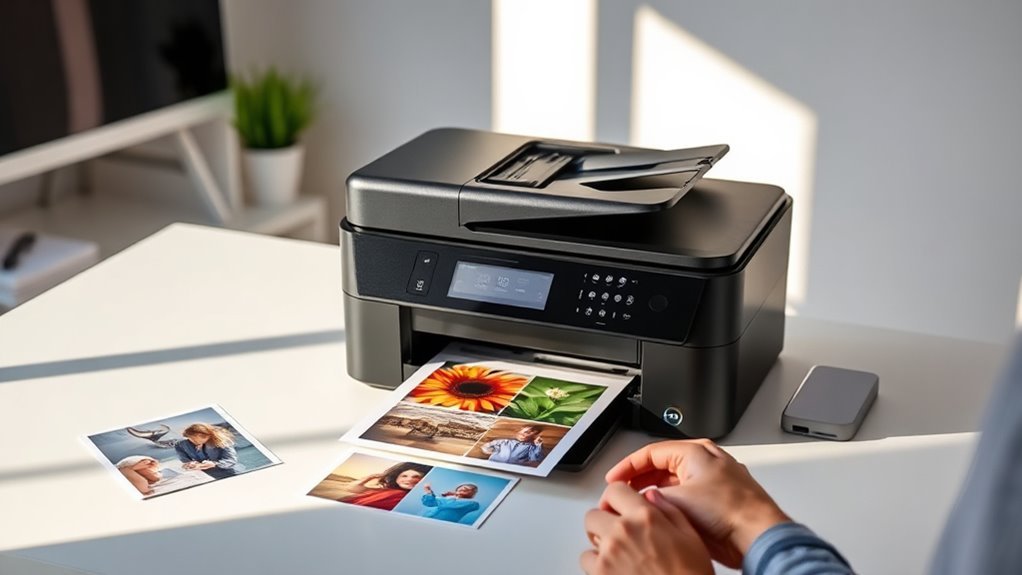
When choosing an all-in-one inkjet printer in 2026, you’ll want to focus on print quality and resolution to guarantee sharp results. Consider speed and efficiency alongside connectivity options that fit your workflow.
Don’t forget to check ink type and yield, as well as paper handling capacity, to match your printing needs. These factors can really make a difference depending on how much you print and what you print.
Print Quality And Resolution
Choosing an all-in-one inkjet printer with the right print quality and resolution can make a significant difference in your documents and photos. Aim for at least 1200 x 1200 dpi black resolution for crisp text and sharp graphics, and up to 4800 x 1200 optimized dpi for vibrant photo prints.
Pay attention to ink type—pigment black inks deliver water-resistant, clear text, while dye-based colors bring photos to life with vivid hues. Don’t overlook color depth and color-management support like 24-bit color and wide color gamut profiles to guarantee accurate, consistent reproduction.
Also, check scan and copy resolution separately since low dpi can limit usefulness. Finally, if you print double-sided often, confirm that duplex quality stays consistent without banding or color shifts at the printer’s rated speeds.
Speed And Efficiency
Print quality matters, but speed and efficiency can make or break your overall printing experience. Check the pages-per-minute (ppm) for black and color prints—modern inkjets vary from about 7 to 28 ppm for black and 6 to 26 ppm for color.
If you print a lot, choose a model with higher ppm. Don’t overlook first-page-out time; a printer that wakes up in under 20 seconds feels much more responsive for quick jobs.
Features like automatic duplexing save you from flipping pages manually, while an automatic document feeder (ADF) with a 25–50 sheet capacity speeds up multi-page scanning or copying.
Also, consider paper tray sizes and monthly duty cycles to make certain your printer handles your workload smoothly without constant refills or maintenance.
Connectivity Options Available
Since connectivity shapes how easily you access and share your printer, you’ll want a model that supports dual-band Wi-Fi (2.4 GHz and 5 GHz). This helps minimize interference and boost performance with modern routers.
Besides wireless, look for wired Ethernet and USB host or USB-B ports to guarantee reliable, high-speed connections. These are especially useful in multi-user setups.
Make sure the printer supports mobile and cloud standards like AirPrint, Mopria, and vendor cloud print APIs. That way, you can print directly from your smartphone or web apps without any fuss.
If you print off-network, Wi-Fi Direct or Wireless Direct offers secure, peer-to-peer connections. Plus, automatic troubleshooting can come in handy when things don’t go as planned.
Finally, check if a mobile app supports scanning to cloud, fax via app, and remote management. It’s also a good idea to have robust network security and automatic firmware updates to keep everything running smoothly.
Ink Type And Yield
When you pick an all-in-one inkjet printer, understanding the type of ink it uses and its yield plays a crucial role in long-term satisfaction and cost efficiency. Decide between cartridge-based dye/color with pigment black, which offers vivid photos, and refillable tank or pigment-only systems that lower cost-per-page and boost text durability.
Check if the inks are pigment—better for water- and fade-resistance—or dye-based for richer photos. Compare page yields, noting that starter supplies often print fewer pages than regular ones. And remember, manufacturer claims follow ISO standards, which might differ from your real-world use.
Also, consider whether the printer uses proprietary chips or firmware that limit third-party ink options. This impacts your running costs and convenience over time. So, it’s worth thinking about before you buy.
Paper Handling Capacity
Consider how much paper your all-in-one inkjet printer can handle before you need to refill trays, especially if you regularly print in bulk. Check the input tray capacity—ranging from 100 to 250 sheets—to match your typical printing volume and reduce interruptions.
Also, verify the output tray’s capacity and stacking reliability to avoid jams or paper spills during heavy jobs.
If you scan multi-page documents often, look for an auto document feeder (ADF) with single-pass duplex scanning to speed up the process. Automatic duplex printing helps save paper, but confirm any limits on media size or thickness when printing two-sided.
Finally, make certain your printer supports the media types and sizes you use, including plain paper, envelopes, photos, or banners. And don’t forget to check if it has separate feeders for specialty sheets.
User Interface Design
Paper handling capabilities set the stage for smooth printing, but how you interact with your all-in-one inkjet printer shapes your overall experience. Look for a responsive color touchscreen between 2.5 and 3 inches with intuitive icons and touch gestures—it speeds up printing, scanning, and copying without needing a companion app.
Clear feedback indicators like status lights, progress bars, and audible alerts help you quickly identify issues like paper jams or low ink. Customizable shortcuts and contextual menus cut down repetitive steps, saving you time on frequent tasks.
Mobile pairing and QR-based Wi-Fi setup right on the device make connecting your phone or tablet effortless. Also, consider accessibility features such as high-contrast modes, adjustable fonts, tactile buttons, and voice guidance to guarantee ease of use for everyone.
Security Features Included
Although security might not be the first feature you think of in an all-in-one inkjet printer, protecting your data and device is essential in 2026. You should make certain the printer supports modern network security protocols like WPA3 for Wi-Fi and TLS for secure printing to safeguard data in transit.
Look for built-in device hardening features such as secure boot, firmware signing, and automatic updates to block unauthorized code and patch vulnerabilities. These really help keep your device safe without you having to lift a finger.
Opt for models offering user authentication methods—PIN, LDAP, or card readers—and role-based access to control functions like scanning to email or USB. It’s a smart way to make sure only the right people can do certain tasks.
Verify encrypted storage and secure erase options for onboard memory. Plus, confirm remote management and logging capabilities so you can monitor access, detect anomalies, and enforce security policies effectively. This way, you stay in control and can catch any issues early on.
Environmental Sustainability
Security measures keep your data safe, but choosing an all-in-one inkjet printer in 2026 also means thinking about its environmental impact. Look for models with over 40–60% post-consumer recycled plastic to reduce virgin plastic use.
Opt for refillable-tank or high-yield cartridge systems—they deliver thousands of pages per refill, cutting material and packaging waste. Check energy consumption; printers using under 5 watts idle and low single-digit watts ready minimize carbon output.
Don’t forget manufacturer take-back and cartridge recycling programs plus remanufactured or third-party consumables—they help reduce landfill waste and extend material life. Finally, consider duplex printing and software features like draft mode to optimize layout, saving paper and lowering resource use per page.
These factors make your printer choice truly sustainable.
Frequently Asked Questions
How Do Inkjet Printers Compare to Laser Printers in Cost?
You’ll find inkjet printers cheaper upfront, but their ink cartridges cost more over time.
Laser printers cost more initially, yet their toner lasts longer and reduces your overall expense if you print frequently or in high volume.
Can All-In-One Inkjet Printers Print on CDS or DVDS?
Sure, your all-in-one inkjet can print on CDs or DVDs—because who doesn’t want their mixtape immortalized in ink?
Just make sure it has a dedicated disc tray; otherwise, you’re stuck with plain paper art.
What Is the Average Lifespan of an All-In-One Inkjet Printer?
You can expect an all-in-one inkjet printer to last around 3 to 5 years with regular use.
Taking care of it and using quality ink will help you get the most out of its lifespan.
It’s all about keeping it clean and avoiding cheap supplies. That way, your printer can stick around longer than you might think!
Are These Printers Compatible With macOS and Linux Systems?
Yes, many all-in-one inkjet printers are compatible with macOS and Linux. You’ll want to check the manufacturer’s website for drivers and support.
That way, you can guarantee smooth installation and operation on your specific operating system. It’s always good to double-check before you buy!
How Eco-Friendly Are Inkjet Printers Regarding Ink and Paper Waste?
Oh, inkjet printers couldn’t possibly waste more ink and paper—but you’ll find they still guzzle resources.
You’ll want to recycle cartridges and use draft mode to avoid turning your office into a mini landfill.
Conclusion
If you don’t grab one of these all-in-one inkjet printers, you might as well be living in the Stone Age! Imagine endless printing, copying, scanning, and wireless convenience all packed into one sleek machine.
These printers are so efficient, they practically do the work for you—saving you time, money, and sanity. Don’t wait—upgrade now and turn your home or office into a printing powerhouse that’s way ahead of its time!
Choosing the best all-in-one inkjet printer in 2026 means investing in convenience and reliability. With these top models, you get everything you need in one place without the hassle. Whether it’s for work or personal use, these printers deliver quality and speed that keep up with your busy life. So, why settle for less when you can have the best? Upgrade today and enjoy seamless printing, scanning, and copying with wireless ease right at your fingertips.