3 Best AirPrint Label Printers for 2027 That Boost Productivity
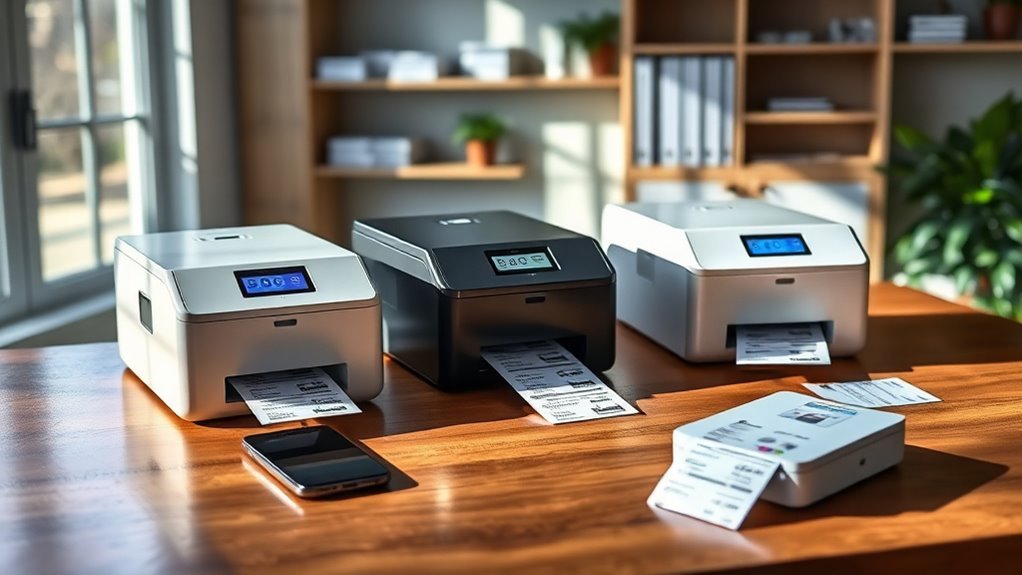
You’ll boost your productivity with top AirPrint label printers like the MUNBYN Wireless Wi-Fi Thermal Printer, which handles up to 10 devices simultaneously. This makes it perfect for busy offices or small businesses needing quick, reliable printing.
The Phomemo AirPrint Touchscreen model offers built-in AirPrint plus an easy-to-use touchscreen and label holder. It’s designed for convenience, helping you print labels faster and with less hassle.
KNAON’s Wireless Wi-Fi 4×6 printer supports major e-commerce platforms and prints swiftly at up to 150 mm/s. If you want to optimize your shipping or inventory process seamlessly, keep exploring these models’ features and advantages.
| Image | Name | Editor's Rating | Price |
|---|---|---|---|

|
|
Wireless Wi-Fi Thermal Printer Shipping Label Printer Support AirPrint
No products found.
Experience hassle-free label printing with the MUNBYN Wireless Wi-Fi Thermal Shipping Label Printer. Designed to work smoothly with Apple devices, it eliminates the need for cables and complex setups. Once configured via the Munbyn Print app, you can print directly from your iPhone, iPad, or Mac using AirPrint, streamlining your workflow.
This printer connects effortlessly over dual-band Wi-Fi, supporting up to 10 devices at once. It’s ideal for busy offices or warehouses where multiple users need quick access. The compact and lightweight design makes it easy to place anywhere without taking up much space.
Using direct thermal technology, it prints sharp 203 DPI labels quickly—no ink or toner required. This reduces maintenance and operating costs while providing clear, professional shipping and barcode labels. However, thermal labels may fade over time or when exposed to heat.
Best for: Small businesses, home offices, and warehouse teams needing fast, wireless thermal label printing compatible with Apple and other platforms.
What We Like:
- Supports AirPrint for easy printing from Apple devices after simple setup
- Dual-band Wi-Fi enables connection of up to 10 devices simultaneously
- Direct thermal printing offers crisp 203 DPI labels without ink
- Compact, lightweight design fits easily in tight spaces
Specification:
| Feature | Details |
|---|---|
| Manufacturer | MUNBYN |
| Dimensions | Compact (exact size not specified) |
| Weight | Lightweight (exact weight not specified) |
| Connectivity | Dual-band Wi-Fi, AirPrint support |
| Print Resolution | 203 DPI |
Phomemo AirPrint Touchscreen Thermal Label Printer with Label Holder
- [AirPrint Direct Printing] Print shipping labels easily with the Phomemo PM64Air wireless thermal label printer. Built-in AirPrint compatibility allow direct printing...
- [Smart Touch Screen for Easy Operation] The upgraded smart touch screen provides quick access to printer settings, WiFi connection status, printing information...
- [Ink-Free Printing with Fast & Clear Results] Enjoy convenient thermal printing without ink or toner. The PM64Air 4x6 label printer features a high-definition print head...
- [Wide Label Compatibility for Desktop Stand] Support label widths from 1" to 4.6", including 4x6 shipping labels, barcode labels, product labels, and organization tags...
- [Works with Major Shipping Platforms] Compatible with popular platforms and carriers including Amazon, Shopify, Etsy, USPS, UPS, and FedEx. Whether you manage an online...
Discover the convenience of the Phomemo AirPrint Touchscreen Thermal Label Printer, designed to simplify your labeling tasks. This printer connects effortlessly with iPhone, iPad, Android, Windows, and Mac devices, eliminating the need for extra apps thanks to its built-in AirPrint feature. It brings seamless printing right to your fingertips.
With its upgraded touchscreen, you can easily check WiFi status, adjust settings, and troubleshoot directly on the device. This intuitive interface reduces downtime and keeps your workflow smooth. The thermal printing technology produces sharp, ink-free labels up to 4.6 inches wide, ideal for shipping, inventory, or barcode needs.
The included label holder keeps your rolls neat and organized, preventing jams and wasted labels. Maintenance is straightforward since there’s no ink to replace, making it a practical choice for busy environments. However, it’s limited to black-and-white printing and may require manual setup on PCs.
Best for: Small business owners and online sellers looking for an easy, ink-free label printer compatible with multiple devices for efficient shipping and inventory management.
What We Like:
- Built-in AirPrint for direct printing without extra apps.
- User-friendly touchscreen for quick settings and troubleshooting.
- Crisp, fast thermal printing with no ink needed.
- Label holder keeps rolls organized and accessible.
Specification:
| Feature | Details |
|---|---|
| Manufacturer | Phomemo |
| Dimensions | Not specified |
| Weight | Not specified |
| Printing Width | Up to 4.6 inches (approx. 11.7 cm) |
| Connectivity | AirPrint (iOS), Android, Windows, Mac |
| Printing Type | Thermal (black & white) |
KNAON Wireless Wi-Fi 4×6 Thermal Label Printer
No products found.
Discover how the KNAON Wireless Wi-Fi 4×6 Thermal Label Printer can simplify your labeling tasks. This printer delivers fast, high-quality monochrome labels, making it ideal for busy professionals handling shipping and barcode printing.
Its wireless Wi-Fi connectivity and AirPrint support allow effortless setup with Apple devices. You can print directly from Android, Windows, or macOS systems, ensuring compatibility across platforms. The compact design fits easily into any workspace, saving you valuable room.
Maintenance is straightforward with a built-in label holder and easy media loading. While it supports up to 50 labels per sheet, frequent refills might be necessary for high-volume users. Also, it prints only in monochrome, which fits most shipping and barcode needs but limits color label options.
This printer integrates seamlessly with major e-commerce and shipping platforms like Amazon, Shopify, and USPS. It boosts your productivity by delivering crisp labels quickly and consistently, helping you stay organized and efficient.
Best for: Small business owners and busy professionals needing quick, wireless printing of shipping and barcode labels across multiple devices.
What We Like:
- Wireless printing with AirPrint for easy Apple device setup
- Fast 150 mm/s print speed with clear 203 dpi resolution
- Broad compatibility with Android, Windows, macOS, and key platforms
- Compact and portable design suitable for various workspaces
Specification:
| Feature | Details |
|---|---|
| Manufacturer | KNAON |
| Dimensions | Not specified |
| Weight | Not specified |
| Print Resolution | 203 x 203 dpi |
| Print Speed | Up to 150 mm/s |
| Media Width | Up to 4 inches |
| Connectivity | Wireless Wi-Fi, AirPrint |
| Compatibility | Android, Windows, macOS |
| Color Options | Monochrome only |
Factors to Consider When Choosing an Airprint Label Printer
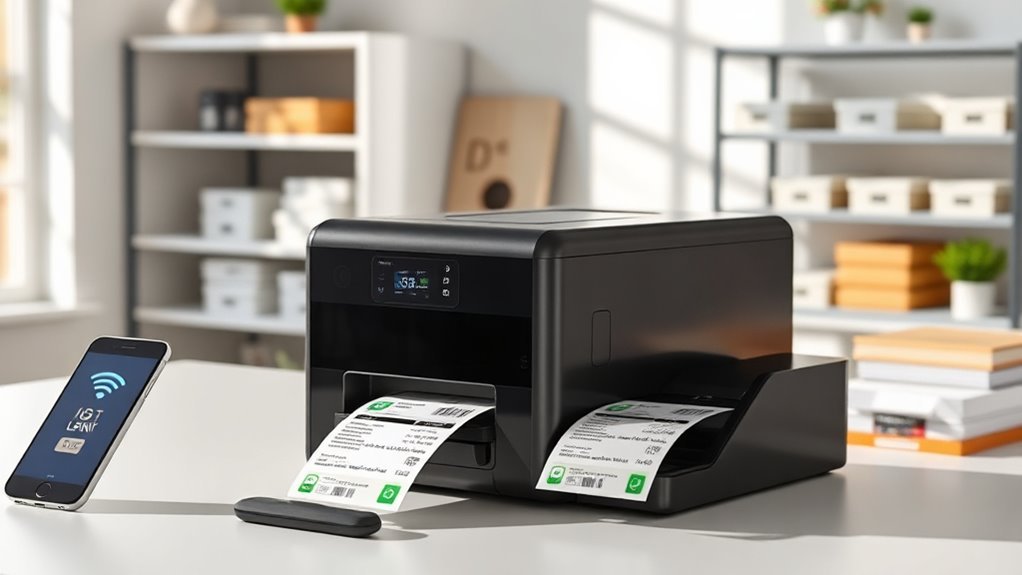
When choosing an AirPrint label printer, you’ll want to check if it’s compatible with your devices and supports the label sizes you need. Consider print quality, speed, and the connectivity options available to guarantee smooth operation.
Also, make sure it’s easy to set up and use so you can get started without any hassle. That way, you won’t have to waste time figuring things out before you can begin printing.
Compatibility With Devices
Although AirPrint simplifies wireless printing, choosing an AirPrint label printer requires careful attention to device compatibility. First, make certain the printer supports AirPrint natively or through a companion app so your iPhone, iPad, or Mac can print without extra drivers.
Confirm it’s compatible with your device’s operating system—whether iOS, macOS, Android, Windows, or others—to avoid connection issues. Check connection options like dual-band Wi-Fi, USB, or Ethernet, matching how you plan to connect and whether devices must share a network.
Also, consider how many devices can connect simultaneously to keep printing smooth in busy settings. Finally, verify that control options—touchscreen, mobile app, or AirPrint interface—align with your preferred way to manage print jobs across your devices.
Print Quality and Speed
Beyond compatibility, print quality and speed play a key role in choosing the right AirPrint label printer. You’ll want a resolution of at least 203 DPI to guarantee crisp text and barcodes, especially if you print shipping labels regularly.
If your labels include small fonts or detailed graphics, consider a higher DPI for sharper results. Print speed, measured in millimeters per second, affects how quickly you can process orders—around 150 mm/s is ideal for fast, efficient throughput.
However, faster speeds can sometimes reduce quality if the printer can’t maintain precision, so balance speed with clarity to guarantee barcodes scan reliably. Look for printers with adjustable print density and speed settings so you can optimize contrast and crispness on various direct-thermal media without swapping hardware.
Connectivity Options Available
Several connectivity options can impact how smoothly your AirPrint label printer integrates into your workflow. Since AirPrint works over Wi-Fi, make sure both your printer and device share the same network for easy discovery and direct printing.
Many thermal printers add wired USB connections, which offer reliability when wireless isn’t an option. Look for dual-band Wi-Fi support (2.4 GHz and 5 GHz) if you need stable, fast connections in busy environments with multiple devices.
Bluetooth or hotspot printing suits mobile or offline use but limits range and simultaneous connections. Also, while built-in AirPrint means no vendor apps for Apple devices, check if the printer supports Android or Windows protocols or offers a vendor app for full cross-platform flexibility.
This way, you can ensure seamless connectivity regardless of your device ecosystem.
Label Size Support
When choosing an AirPrint label printer, you’ll want to confirm it supports the label sizes you use most, whether that’s common 4×6 shipping labels or smaller address and barcode labels. Check the printer’s minimum and maximum printable widths to make sure it handles your label rolls, from narrow 1-inch widths up to wider 4.6-inch sizes.
Make sure it explicitly supports your standard label formats—like 3×2 or 2×1 inches—to avoid manual adjustments or wasted labels. If you print long or continuous labels, verify the maximum roll diameter and whether continuous feed is supported.
Finally, verify the AirPrint driver maintains proper margins and scaling, so your printouts align perfectly without clipping or distortion. This precision helps keep your labeling efficient and professional.
Ease of Setup and Use
Setting up an AirPrint label printer should be quick and hassle-free, letting you print directly from your iPhone or iPad without extra apps. Make certain the printer supports native AirPrint, so all you need is to connect it to the same Wi-Fi network as your device.
Look for built-in Wi-Fi and easy-to-use controls or a touchscreen to complete setup without relying on companion apps. Dual-band Wi-Fi and support for multiple simultaneous connections help avoid re-pairing in busy environments.
Also, prioritize printers with clear setup guides, on-device tutorials, and straightforward firmware updates to minimize downtime. Choosing models that use standard protocols and common label sizes guarantees you won’t wrestle with drivers or frequent adjustments during setup.
This way, you’ll stay productive from the start. It really makes a difference when everything just works smoothly right out of the box.
Frequently Asked Questions
Can Airprint Label Printers Connect to Multiple Devices Simultaneously?
Yes, you can connect AirPrint label printers to multiple devices simultaneously, as long as they’re on the same Wi-Fi network.
This lets you easily print from your phone, tablet, or computer without hassle. It’s super convenient when you have several devices that need to print labels quickly.
Just make sure all your gadgets are connected to the same network, and you’re good to go!
Are There Any Security Risks Using Airprint for Label Printing?
Yes, there are security risks using AirPrint for label printing. You should secure your network and printer, use strong passwords, and enable encryption to prevent unauthorized access.
This helps protect sensitive information from being intercepted during wireless printing. So, it’s really important to take these steps to keep your printing safe and secure.
How Do Airprint Label Printers Handle Different Label Sizes?
Like a skilled tailor adjusting fabric, AirPrint label printers automatically detect and accommodate various label sizes. You’ll simply select your desired size in the app, and the printer adapts seamlessly to deliver perfect prints every time.
It’s pretty straightforward. Just pick the size you want, and the printer takes care of the rest without any fuss. This makes printing labels quick and hassle-free, no matter the size.
Can Airprint Printers Integrate With Inventory Management Software?
Yes, you can integrate AirPrint printers with inventory management software. Many support seamless connectivity, letting you print labels directly from your system.
This streamlines tracking and boosts efficiency without needing extra drivers or complex setups. It’s pretty convenient and saves a lot of time in day-to-day operations.
What Maintenance Is Required for Airprint Thermal Label Printers?
When your AirPrint thermal label printer jams or fades, clean the printhead and rollers regularly. This helps prevent buildup that can mess with your prints.
You’ll also want to replace labels and ribbons promptly to keep prints crisp and avoid downtime. Staying on top of maintenance keeps your workflow smooth and reliable.
Conclusion
You might think choosing an AirPrint label printer is as simple as pressing “print,” but with options like Phomemo’s touchscreen or KNAON’s reliable 4×6, you’ll wonder how you ever survived without them.
Don’t let tangled cords or confusing setups hold you back—these wireless wonders make productivity so effortless, it’s almost suspicious.
So, go ahead, upgrade your workspace and watch your labels—and your efficiency—print themselves like magic. Investing in the best AirPrint label printers for 2027 not only boosts productivity but also simplifies your workflow. Whether you need crisp shipping labels or quick barcodes, these printers provide seamless, wireless printing that keeps your business moving. With user-friendly features and reliable performance, they’re truly game-changers for any office or small business looking to enhance efficiency and ease.