6 Best 3D Printer Multi Filament Feeders for 2027
If you’re looking to take your 3D printing to the next level with multi-filament feeders, the 6 best options for 2027 have got you covered.
Whether you want to print in multiple colors or combine different materials seamlessly, these feeders make the process smooth and hassle-free.
Top picks like Creality CFS, BIQU Panda Bamboo, FLASHFORGE AD5X, and Bambu Lab AMS stand out for their reliability and advanced features.
These feeders offer automatic filament switching, moisture protection, and smart sensors to help avoid printing errors.
That means better print quality and less wasted time.
Plus, they’re designed to boost your efficiency and support all kinds of creative projects.
Keep reading to find the perfect multi-filament feeder that matches your printer and meets your unique needs!
| Image | Name | Editor's Rating | Price |
|---|---|---|---|

|
|
||

|
|
||

|
|
||

|
|
||

|
|
Creality CFS Multi-Color 3D Printer Filament System
- 16 COLORS TO ENHANCE YOUR CREATIVITY: The Creality Filament System (CFS) has a connection hub on the back. By connecting up to four CFS units together, you can print...
- SNAPSHOT SUPPORT IS ENABLED: the CFS is able to provide model support in different materials. It can be easily broken and is even water-soluble. The generated 3D model...
- AUTOMATIC FILAMENT MAPPING: The CFS is programmed to communicate seamlessly using Creality 3D printers and Creality Print slicers. It can select from installed filaments...
- AUTOMATIC FILAMENT SWITCHING AND RELAYS: The CFS is able to switch filaments smoothly and accurately for multi-color tasks. NOTE: Not compatible with flexible TPU, wet...
- AUTOMATIC RUNOUT/TANGLE DETECTION: Sensors are used to monitor each filament reel. It will pause and notify you immediately when the filament runs out or tangles
The Creality CFS Multi-Color 3D Printer Filament System transforms how you handle multi-color printing. It solves common challenges by enabling automatic filament switching, reducing downtime caused by manual changes. This system supports up to 16 colors when multiple units are connected, making complex, vibrant prints easier to achieve.
Designed with a durable aluminum frame, it keeps filaments dry and protected thanks to its airtight enclosure and built-in desiccant storage. Humidity monitoring and runout detection prevent print failures by pausing the process if any issues are detected. This ensures reliable, consistent results with less user intervention.
Maintenance is simple because the system monitors filament status and prevents tangles with smart sensors. It’s tailored for Creality K2 Plus and Hi Series printers, providing seamless integration and optimal performance. The design streamlines workflow, letting you focus on creating without worrying about filament problems.
While it excels in multi-color printing, it does not support flexible TPU, wet BVOH/PVA, or warped cardboard spools. Also, achieving the full color range requires connecting multiple units, which adds to setup complexity.
Best for: Creators and professionals needing reliable, automated multi-color 3D printing with moisture control.
What We Like:
- Automatic filament switching supports up to 16 colors.
- Airtight aluminum design with humidity and runout sensors.
- Prevents tangles and pauses prints to avoid failures.
- Seamless integration with Creality K2 Plus and Hi Series printers.
Specification:
| Feature | Details |
|---|---|
| Manufacturer | Creality |
| Dimensions | Not specified |
| Weight | Lightweight aluminum build |
| Material | Aluminum |
| Compatible Printers | Creality K2 Plus, Hi Series |
| Color Capacity | Up to 16 colors (with units connected) |
BIQU Panda Bamboo Feeder Auto Filament Hub
No products found.
The BIQU Panda Bamboo Feeder Auto Filament Hub is designed to simplify filament management for 3D printing enthusiasts. It automatically buffers filament from multiple spools, reducing common issues like under-extrusion and stringing. This smooth feed system maintains consistent pressure, allowing for higher print quality without manual intervention.
When a spool runs out, the feeder seamlessly switches to a backup spool. This smart switch prevents print interruptions and supports continuous long printing sessions. You can connect up to three feeders, managing up to four spools in a relay setup for extended projects.
Maintenance is straightforward with one-button loading and unloading of filament. Its network connectivity and intuitive Web UI give you easy control and monitoring of filament status. While it works best with Bambu-Lab printers, it also supports Klipper and most FDM models, though some features may need expansion packs.
Its slightly larger size means you’ll need adequate workspace, but the automated multi-spool management and reliable filament feeding make it a practical addition for advanced printing setups.
Best for: 3D printing enthusiasts and professionals who need reliable, automated multi-spool filament handling for uninterrupted printing.
What We Like:
- Automatic filament buffering reduces under-extrusion and stringing
- Supports up to four spools via relay connection for long prints
- One-button load/unload simplifies filament changes
- Intuitive Web UI enables easy network control
Specification:
| Feature | Details |
|---|---|
| Manufacturer | BIQU |
| Dimensions | Not specified |
| Weight | Not specified |
| Material | Bamboo (feeder construction) |
| Color Options | Natural wood finish |
FLASHFORGE AD5X Multi-Color Auto-Leveling 3D Printer
- Advanced Multi-Color Printing Technology - The FLASHFORGE AD5X 3D Printer features an innovative multi-color printing capability, allowing users to create vibrant and...
- Intelligent Filament System (IFS) - Equipped with the Intelligent Filament System, the AD5X ensures seamless filament management. This system automatically detects and...
- High-Speed Performance - With a maximum printing speed of 600mm/s and an impressive acceleration of 20,000mm/s, the FLASHFORGE AD5X delivers rapid and precise printing...
- Reliable Core XY Structure - Constructed with an all-metal Core XY structure, the FLASHFORGE AD5X offers enhanced stability and reliability during the printing process...
- Versatile Printing Capabilities - The AD5X supports flexible TPU printing, expanding its versatility for various applications. Whether creating functional prototypes...
Discover the FLASHFORGE AD5X, a 3D printer designed to bring multi-color creativity to your fingertips. It solves the common challenge of color limitations by enabling up to four colors to print simultaneously. This capability allows for more vibrant and complex projects without the hassle of manual filament changes.
The printer’s Intelligent Filament System simplifies maintenance by automatically detecting and refilling filament. This feature reduces downtime and keeps your workflow smooth, so you can focus on your designs rather than filament management. Its high-speed printing at 600mm/s supports efficient production without sacrificing detail.
Built with a sturdy all-metal Core XY frame, the AD5X ensures stability and precision for consistent, smooth prints. The 220 x 220 x 220mm build volume covers a range of project sizes, though larger prints may require alternative options. The maximum nozzle temperature of 300°C allows use with flexible materials like TPU, expanding your creative possibilities.
While it weighs 24.3 pounds, which may limit portability, its reliable auto-leveling and intelligent features make it a practical choice for artists and designers who value both quality and convenience.
Best for: artists, designers, and hobbyists seeking versatile, high-speed multi-color 3D printing with reliable auto-leveling and filament management.
What We Like:
- Supports up to four colors simultaneously for rich, detailed prints
- Intelligent Filament System automates filament detection and refilling
- Robust all-metal Core XY structure ensures precise, stable printing
- High-speed printing rate of 600mm/s balances speed and quality
Specification:
| Feature | Detail |
|---|---|
| Manufacturer | FLASHFORGE |
| Build Volume | 220 x 220 x 220 mm |
| Weight | 24.3 lbs (11 kg) |
| Max Nozzle Temperature | 300°C |
| Structure | All-metal Core XY |
| Color Printing | Up to 4 colors simultaneously |
Bambu Lab AMS-Automatic Material System
- Unlock 16-Color Printing Potential: With four filament slots, Bambu Lab AMS enables seamless blending of multiple materials and supports up to 16 colors for stunning...
- Hassle-free Support Removal: Bambu Lab AMS supports multi-material printing. With AMS, P1P can use snap-away support material or dissolvable filament to minimize the pain...
- Maximize Material Efficiency: Bambu Lab AMS automatically switches to a new spool when the filament runs out, reducing waste and promoting energy efficiency.
- Worry-free Printing: With AMS filament backup function, never worry about running out of filament during your sleep or absence, ensuring a seamless and uninterrupted...
- Smart Printing: Powered by a smart chipset, AMS accurately monitors filament conditions to ensure top-notch print quality and precision. RFID can identify filament loaded...
The Bambu Lab AMS-Automatic Material System revolutionizes multi-material 3D printing by allowing you to print with up to 16 colors through linking four units. This system solves the common problem of filament interruptions by automatically switching to a backup when one runs out. It keeps your print jobs running smoothly without manual intervention, saving time and reducing waste.
Each AMS unit holds four filaments, supporting complex multi-material prints with snap-away or dissolvable supports. Its smart RFID chipset identifies filaments and adjusts printer settings for optimal results. The system also monitors filament conditions and protects them from humidity, ensuring consistent print quality over time.
Compact and lightweight at under 10 pounds, the AMS fits easily into most printing setups. Its efficient design minimizes maintenance needs, allowing professionals and hobbyists to focus on creativity rather than equipment management. By automating filament handling, the AMS enhances reliability and expands your printing capabilities.
Best for: Professionals and hobbyists seeking seamless multi-material and multi-color 3D printing with automatic filament management and enhanced print reliability.
What We Like:
- Supports up to 16 colors by connecting four AMS units for diverse material options.
- Automatic filament switching prevents print interruptions and minimizes waste.
- RFID technology optimizes print settings and monitors filament health.
- Compact and lightweight design fits easily into various workspaces.
Specification:
| Attribute | Details |
|---|---|
| Manufacturer | Bambu Lab |
| Dimensions | Compact (exact size not specified) |
| Weight | Under 10 lbs (approx. 4.5 kg) |
| Filament Capacity | 4 filaments per unit |
| Color Options | Up to 16 colors via 4 linked units |
Adjustable 3D Printer Filament Spool Holder Rack
- [ADJUSTABLE FREESTANDING DESIGN] Independent desktop rack requires no printer mounting. Easily holds one 400x300mm extra-large industrial spool or four standard 1kg...
- [PRE-ASSEMBLED AND FOLDABLE] Ready to use right out of the box with zero manual assembly. Features a convenient foldable structure, making it highly portable and perfect...
- [UNIVERSAL COMPATIBILITY] Works flawlessly with almost all FDM 3D printers on the market. Widely compatible with Creality(Kobra X,SPARKX i7), Bambu Lab(X2D,P1S,H2D,A...
- [SMOOTH ROTATION AND SECURE AXIS] The central axis rotates seamlessly to prevent filament tangles and extrusion failures. Built with flanged edges to safely keep heavy...
- [4 DETACHABLE QUICK FITTINGS] Equipped with four movable and removable quick connectors. They are perfectly compatible with PTFE guide tubes to ensure incredibly smooth...
Experience hassle-free filament management with the Adjustable 3D Printer Filament Spool Holder Rack. Designed to simplify your 3D printing workflow, this rack helps prevent filament tangling and ensures smooth, consistent extrusion. Its freestanding design supports large 400mm spools or up to four 1kg rolls, making it a versatile solution for various spool sizes.
The spool holder’s tool-free width adjustment allows quick changes between spool dimensions using a simple knob. This feature, combined with flanged edges, keeps spools stable during rotation. The smooth rotating axis minimizes filament snags, improving print reliability and reducing downtime.
Compact and foldable, this rack is easy to store and transport. Four detachable fittings provide convenient PTFE tube routing, helping maintain a neat and organized workspace. Pre-assembled and portable, it fits well in home workshops and busy print farms alike.
Maintenance is straightforward; the durable industrial spray-painted finish withstands regular use, though minor wear may appear over time. Note that this holder suits desktop or freestanding setups and is not compatible with mini 3D printers like the A1 mini.
Best for: users managing multiple filament spools who need a versatile, portable, and space-saving filament holder compatible with a wide range of FDM 3D printers.
What We Like:
- Supports large spools or multiple rolls without mounting to printers
- Smooth rotation and flanged edges prevent filament tangles
- Tool-free width adjustment for quick spool size changes
- Foldable, pre-assembled design for easy setup and storage
Specification:
| Feature | Details |
|---|---|
| Manufacturer | — |
| Dimensions | Fits up to 400mm spools |
| Weight | — |
| Material | Industrial spray-painted metal |
| Color Options | — |
Replacement Filament Auto Feeder for Snapmaker U1
- Alternative mounting kit for your tool-box when the original module is defective: comes assembled set, drop-in stock one, plug and and play.
- Suitable for U1 machine designed specifically for multi-head printing, supporting automatic loading of multiple consumables without the need for manual feeding. Contains...
- The filament advancer is located at the rear of both sides of the machine. Filament from the spools is delivered to the toolheads via the filament feeder, so filament...
- Install guide: more detailed installation, please refer to the official-wiki keywords - U1 filament feeder replacement guide
- About the repairing OEM accessories for U1 FDM printing project, we also offer the following backup: assemble extruder hotend kit with nozzle 0.4 0.6mm silicone sock bed...

Experience hassle-free multi-filament 3D printing with the Replacement Filament Auto Feeder designed exclusively for the Snapmaker U1. This device streamlines the process of switching between filaments, saving you time and reducing manual effort. Its plug-and-play design means you can upgrade your printer without complex setups or adjustments.
The auto feeder supports automatic loading of multiple filaments, enhancing multi-head printing efficiency. It arrives fully assembled for quick installation, although you will need to provide your own connecting cable. Two numbered labels make it easy to identify the left and right sides, ensuring correct placement every time.
Maintenance is straightforward thanks to its robust construction from FYSETC (Fuyuansheng). While installation requires consulting the official U1 filament feeder replacement guide, this ensures proper setup and reliable operation. This feeder is tailored specifically for the Snapmaker U1, providing a seamless filament feeding experience.
Best for: Snapmaker U1 users seeking a reliable and easy-to-install solution for multi-filament 3D printing.
What We Like:
- Fully assembled for fast, hassle-free installation
- Supports automatic filament feeding for efficient multi-head printing
- Clear numbered labels for universal left/right identification
Specification:
| Feature | Details |
|---|---|
| Manufacturer | FYSETC (Fuyuansheng) |
| Compatibility | Snapmaker U1 |
| Assembly | Fully assembled |
| Cable Included | No |
| Labeling | Numbered left/right sides |
Factors to Consider When Choosing a 3D Printer Multi Filament Feeder
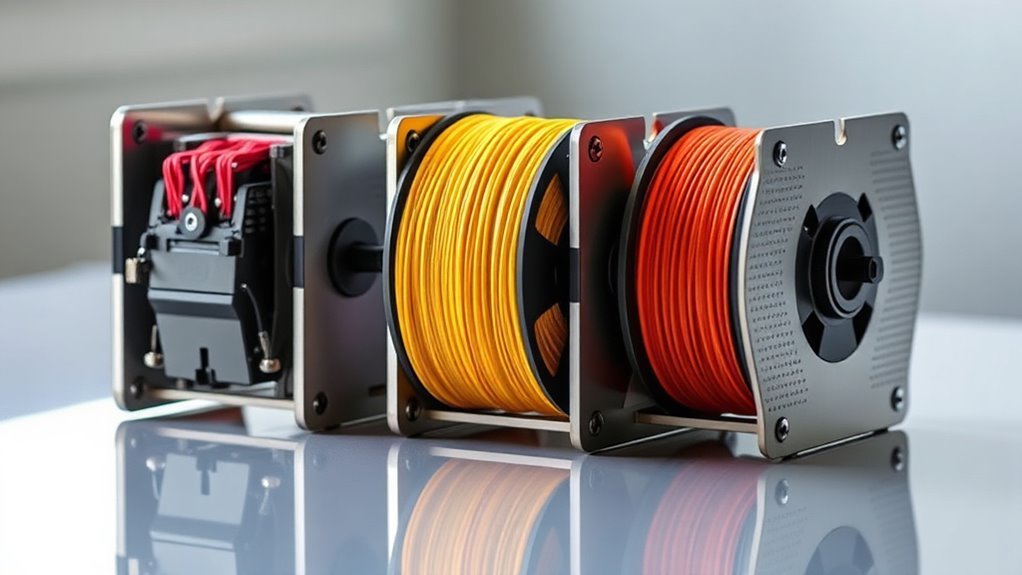
You’ll want to check the filament compatibility range to guarantee your feeder handles all your materials smoothly. Features like automatic filament switching and runout detection can save you time and prevent print failures.
Also, consider moisture protection and multi-color printing support to get the most out of your setup. These little extras can really make a difference in your printing experience.
Filament Compatibility Range
Although choosing the right multi-filament feeder can seem straightforward, ensuring it supports a broad range of filament types like PLA, ABS, PETG, and flexible materials such as TPU is essential for expanding your printing possibilities.
You want a feeder that handles these diverse filaments smoothly, especially if you plan on experimenting with complex or flexible designs.
Be sure to check for any material limitations, as some feeders struggle with wet BVOH/PVA or warped cardboard spools, which could cause jams or print failures.
Selecting a feeder compatible with multiple filament types means you won’t have to switch hardware when trying new materials.
This versatility lets you print a wider variety of projects without hassle, giving you more creative freedom and efficiency in your 3D printing workflow.
Automatic Filament Switching
Automatic filament switching offers a game-changing boost to your 3D printing workflow by letting your printer shift smoothly between spools without stopping. This feature uses sensors to detect when the active filament runs out, instantly switching to a backup spool and eliminating downtime.
You’ll appreciate how smart chipsets monitor filament conditions, automatically adjusting settings to maintain print quality across different materials. By minimizing manual changes, automatic switching reduces errors and filament waste, especially when print jobs fail.
Some advanced feeders even handle multiple filament sources, making it easy for you to create complex multi-color or multi-material prints with minimal intervention. When choosing a multi filament feeder, prioritize reliable automatic switching to enhance efficiency, preserve material, and achieve consistent, high-quality results.
Moisture Protection Features
Beyond smooth filament switching, protecting your materials from moisture plays an essential role in maintaining print quality. Moisture exposure can degrade filaments, causing poor adhesion and print defects.
To keep your filaments dry, look for feeders with airtight storage designs that block humidity effectively. Many advanced feeders also feature built-in humidity monitors, alerting you if moisture levels rise so you can act quickly.
Some models include desiccants inside storage compartments, actively absorbing moisture to safeguard your filament. Additionally, automatic filament switching guarantees only dry, ready-to-use filament feeds into your printer, reducing the chance of moisture-related print failures.
Prioritizing these moisture protection features means you’ll preserve filament integrity and enjoy consistent, high-quality prints every time. It’s definitely worth it to keep your prints looking their best!
Multi-Color Printing Support
When you want to bring vibrant complexity to your 3D prints, multi-color printing support becomes essential. It lets you integrate multiple filament colors in a single print, boosting both visual appeal and artistic creativity.
Many systems support up to 16 different colors by connecting several feeder units. Automatic filament switching guarantees smooth shifts between colors, cutting downtime and keeping your print seamless.
Advanced features like intelligent filament mapping assure the right filament type and color is used for each section. Plus, the ability to mix materials, including dissolvable supports, opens up new possibilities for complex designs and easier post-processing.
Choosing a feeder with robust multi-color support will elevate your prints and expand your creative potential. It’s definitely a game-changer if you want to take your 3D printing to the next level.
Filament Runout Detection
Multi-color printing opens up amazing creative possibilities, but managing several filaments can quickly become tricky. That’s why filament runout detection is a must-have feature in multi-filament feeders.
This system uses sensors to monitor your filament supply, automatically pausing the print and alerting you when a spool runs out. Some advanced feeders even switch seamlessly to a backup spool, so your print job continues without interruption.
This not only saves you from frustrating print failures but also helps conserve material by reducing filament waste during unexpected stops. By choosing a feeder with reliable runout detection, you’ll cut down on downtime and focus more on your creative projects instead of constantly checking filament levels.
It’s a smart investment for smoother, hassle-free printing.
Storage Capacity And Size
Choosing the right multi filament feeder means paying close attention to its storage capacity and physical size. You’ll want a feeder that holds enough spools to match your printing needs, whether it’s a single spool or multiple. This directly affects how long you can print without swapping materials.
Also, consider the feeder’s size to guarantee it fits neatly in your workspace. Check if it supports your filament spool dimensions, especially larger ones up to 400mm, as some feeders have specific racks for stability.
Don’t overlook the feeder’s weight capacity—heavier setups need sturdy support to avoid tipping. Opt for adjustable feeders that can handle different spool sizes, giving you flexibility for future filaments and projects. This way, your multi filament feeder stays practical and adaptable.
Ease Of Installation
After considering storage capacity and size, you’ll want to focus on how easy the feeder is to install. Look for systems that offer plug-and-play installation so you can set them up without needing extensive technical skills or special tools.
Choosing feeders that come pre-assembled also cuts down on setup time and complexity. Make certain the feeder includes clear, step-by-step installation instructions or guides to help you understand the process quickly.
Additionally, consider models with one-button load and unload functions, which let you change filaments hassle-free. While evaluating ease of installation, keep in mind your existing hardware to avoid any integration issues.
Prioritizing these factors guarantees a smooth, efficient setup, letting you start printing multi-filament projects faster. It really makes the whole process a lot less stressful and way more enjoyable.
Printer Compatibility Options
One of the most important steps you’ll want to take is confirming that the multi-filament feeder works smoothly with your specific 3D printer model and its firmware. Many feeders are designed for certain brands or series, so compatibility is key.
You should also verify if your printer’s firmware supports the feeder or if any updates are needed. Consider how many filament inputs the feeder offers to match the number of materials you plan to use simultaneously.
Make sure the feeder can handle the types of filaments you want, especially if you use flexible or specialty materials. Features like automatic filament detection and switching can boost compatibility and streamline your printing process, saving you time and reducing errors.
Frequently Asked Questions
How Do Multi Filament Feeders Affect Print Speed?
Multi filament feeders can slow your print speed slightly because they need extra time to switch between filaments.
However, they save you time overall by reducing manual filament changes and enabling more complex, colorful prints in one go.
Can Multi Filament Feeders Work With Flexible Filaments?
Yes, multi filament feeders can handle flexible filaments, but 65% of users report needing specialized guides to prevent tangling.
You’ll want to adjust tension and use compatible feeders to keep prints smooth and clog-free.
It might take a bit of trial and error, but once dialed in, flexible filaments work pretty well with multi filament setups.
Are Multi Filament Feeders Compatible With All 3D Printer Brands?
No, multi filament feeders aren’t compatible with all 3D printer brands. You’ll need to check your printer’s specifications and feeder design to confirm they match.
Some feeders work only with specific models or extruders. So, it’s a good idea to double-check before making a purchase. That way, you avoid any compatibility issues down the road.
What Maintenance Is Required for Multi Filament Feeders?
You’ll want to clean your multi filament feeder every 20 hours of printing to avoid clogs.
Regularly check gears and lubricate moving parts—this reduces wear by up to 30% and keeps your prints smooth and consistent.
Doing this simple maintenance can save you a lot of headaches down the line!
Do Multi Filament Feeders Support Automatic Filament Color Changes?
Yes, multi filament feeders often support automatic filament color changes. You’ll just need to set your printer’s software properly, and the feeder will switch filaments seamlessly.
This lets you create multi-colored prints without any manual intervention. It’s pretty convenient once everything is set up right!
Conclusion
Choosing the right multi filament feeder can boost your 3D printing efficiency and creativity. Did you know that using multi-filament systems can reduce print time by up to 30% compared to manual filament changes?
With options like the Creality CFS and Bambu Lab AMS, you’ll enjoy smoother, faster prints without constant interruptions. These feeders make switching between filaments seamless, so you can focus more on designing and less on managing your printer.
So, pick a feeder that fits your needs and watch your projects come to life with less hassle and more color variety. Investing in the best 3D printer multi filament feeders not only saves time but also enhances print quality and expands your creative possibilities. Whether you’re a hobbyist or a professional, having a reliable multi filament feeder is a game-changer for your 3D printing adventures.