5 best 3d printer models 2026
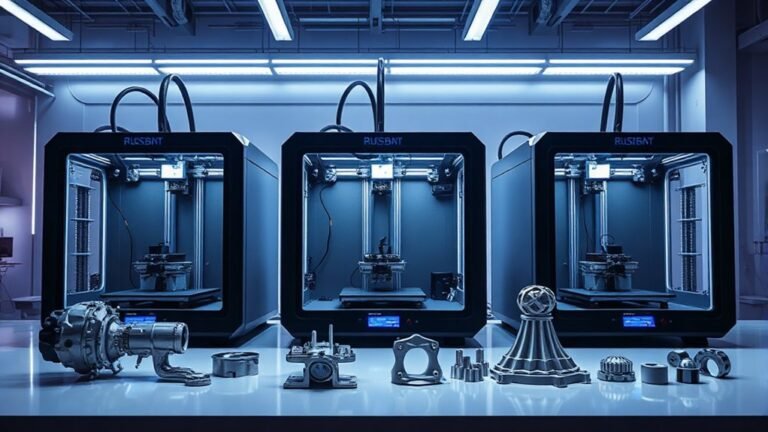
If you’re on the hunt for the best 3D printer in 2026, you’re in the right place. Whether you’re a hobbyist, a professional, or someone diving into 3D printing for the first time, finding a printer that matches your needs can be a game-changer.
From speed and multi-filament support to quiet operation and large build volumes, the options are impressive this year.
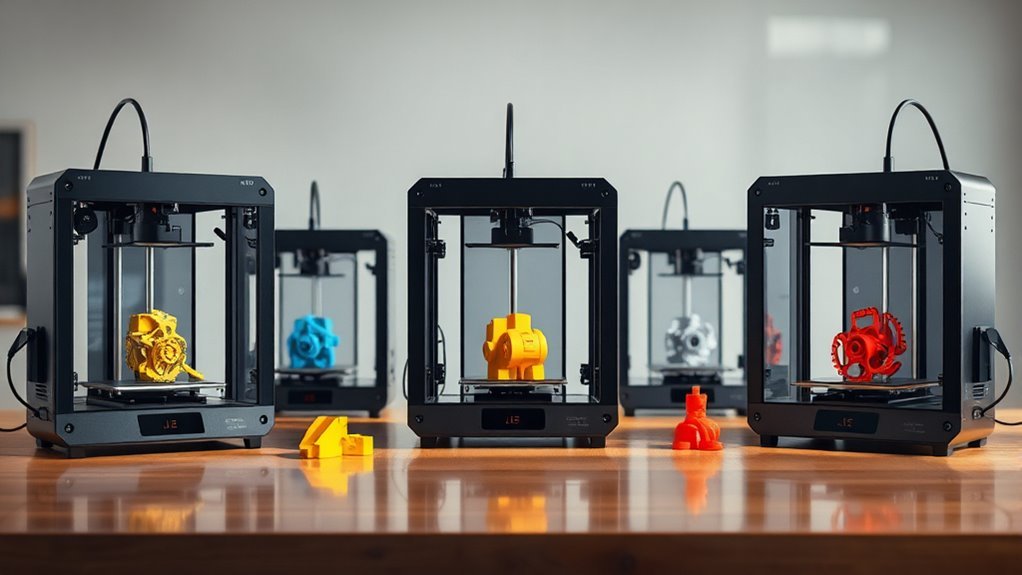
Let’s break down some top models that stand out. The Bambu Lab P1S Combo is perfect if you want blazing speed and multi-filament capabilities.
On the other hand, the ANYCUBIC Kobra X offers native 4-color printing and runs quietly, making it great for home use.
The FLASHFORGE Adventurer 5M features an all-metal CoreXY frame, which means high-speed travel and durability.
Meanwhile, the Creality Ender 3 V3 Plus is known for its reliability and large build area, ideal for bigger projects.
Lastly, the Snapmaker U1’s 4-toolhead brings versatile multi-color options to the table.
Keep exploring to find which features fit your 3D printing needs perfectly!
| Image | Name | Editor's Rating | Price |
|---|---|---|---|

|
|
||

|
|
||

|
|
||

|
|
Bambu Lab P1S Combo, P1S 3D Printer and AMS, Multi-Color 3D Printing
- Up to 16 Colors: Bring your designs to life with vibrant multi-color/multi-material printing capabilities, perfect for showcasing your creativity. Note: Connecting Bambu...
- 500mm/s and 20000 mm/s² Acceleration True High Speed: Don't wait around for your masterpieces. Lightning-fast printing speed lets you focus on creating, not waiting.
- Enclosed Design: Fully enclosed body improves print performance for advanced filaments. Automatic Bed Leveling: Say hello to high-quality, successful prints. Auto bed...
- Set Up in 15 Minutes: Spend more time printing and less time setting up. User-friendly design ensures a hassle-free assembly experience for all skill levels.
- Supported Filament: Ideal: PLA, PETG, TPU, PVA, PET ABS, ASA; Capable : PA, PC; Not Recommended: Carbon/Glass Fiber Reinforced Polymer.
The Bambu Lab P1S Combo redefines multi-color 3D printing by combining speed and precision in one compact system. Its Automatic Material System (AMS) handles up to 16 different filaments, allowing users to create vibrant, multi-hued designs without manual intervention. This feature solves the common challenge of frequent filament changes and streamlines complex color printing.
Designed with an enclosed body, the printer maintains a stable environment that improves print quality and reduces warping. Speeds reaching 500mm/s and acceleration up to 20000 mm/s² ensure fast production times. The system supports a variety of filaments such as PLA, PETG, TPU, and ABS, offering versatility for diverse projects.
Setup is straightforward and takes about 15 minutes. Automatic bed leveling guarantees consistent first layers, minimizing the need for manual adjustments. While the printer is heavier at 47.5 pounds and not suitable for carbon or glass fiber reinforced polymers, it remains a reliable choice for quality and efficiency.
Best for: hobbyists and professionals who require fast, precise multi-color 3D printing with easy setup and flexible material options.
What We Like:
- Seamless filament switching with Automatic Material System (AMS)
- High-speed printing with rapid acceleration for efficient workflows
- Enclosed design enhances print quality and reduces defects
- Quick setup paired with automatic bed leveling ensures reliable prints
Specification:
| Feature | Details |
|---|---|
| Manufacturer | Bambu Lab |
| Dimensions | Not specified |
| Weight | 47.5 lb (21.5 kg) |
| Supported Filaments | PLA, PETG, TPU, ABS |
| Color Support | Up to 16 colors via AMS |
| Max Print Speed | 500 mm/s |
| Acceleration | 20000 mm/s² |
ANYCUBIC Kobra X Fast 3D Printer, Native 4-Color, High Speed, Auto Leveling
- 【15-Min Setup & Joy from the Start】The Kobra X arrives pre-assembled with a user-friendly modular design, allowing families to go from unboxing to the first print in...
- 【Vibrant Multicolor for Creative Ideas】Native 4-color printing makes it easy to create colorful models and holiday gifts. The intuitive system handles color swaps...
- 【45dB Ultra-Quiet Home Printing】Designed for the home environment. At just 45dB, the Kobra X is quieter than a normal conversation. Print in the living room or study...
- 【Safe AI Guard for Peace of Mind】Users can relax with built-in AI safety features. The printer automatically detects foreign objects on the bed or printing errors...
- 【Smart Efficiency & Material Savings】ACE GEN 2 technology minimizes filament waste and speeds up printing. More time to enjoy their colorful creations and consistent...
Experience the ease of multi-color 3D printing with the ANYCUBIC Kobra X Fast 3D Printer. Designed to simplify complex prints, it allows users to create vibrant models with its native 4-color printing system. This capability reduces the hassle of manual filament changes and expands creative possibilities.
Setup is quick and straightforward, taking just 15 minutes thanks to its pre-assembled design. The printer operates quietly at 45dB, making it suitable for home environments where noise can be a concern. Real-time monitoring via a 720P camera adds convenience and control during printing sessions.
Maintenance is streamlined with the LeviQ 3.0 auto-leveling system, ensuring precise first layers every time. The AI safety system actively detects errors and pauses printing to prevent wasted material and time. Its stable XYZ gantry and ACE GEN 2 technology enhance printing speed while minimizing filament waste.
This 3D printer is ideal for families and beginners eager to explore multi-color projects without complexity. While it supports up to 19 colors with 4 extruders, its FDM technology and moderate build volume may limit very large or highly specialized prints.
Best for: Families and beginners seeking an easy-to-use, multi-color 3D printer with fast setup and reliable safety features for home use.
What We Like:
- Native 4-color printing with up to 19-color support using 4 extruders
- Quick, 15-minute setup with pre-assembled design
- Quiet operation at 45dB suitable for home environments
- AI safety system with real-time error detection
- Accurate first layers ensured by LeviQ 3.0 auto-leveling
Specification:
| Feature | Details |
|---|---|
| Manufacturer | ANYCUBIC |
| Dimensions (L×W×H) | Not specified |
| Weight | Not specified |
| Printing Technology | FDM |
| Color Options | Native 4-color |
| Maximum Build Volume | 260 mm³ |
| Setup Time | Approximately 15 minutes |
| Noise Level | 45 dB |
FLASHFORGE Adventurer 5M 3D Printer, All-Metal CoreXY, 600mm/s Max Travel
- One-Click Automatic Printing: Experience hassle-free 3D printing with the Adventurer 5M Series. Enjoy automatic bed leveling for flawless first layers, ensuring...
- 12X Ultra Fast Printing: Featuring a CoreXY structure with 600mm/s travel speed and 20000mm/s² acceleration, the AD5M maximizes efficiency, reduces production cycles...
- Smart and Efficient Design: Quick 3-second nozzle changes, a high-flow 32mm³/s nozzle, and fast 35-second warm-up to 200°C deliver stable high-speed printing. Its...
- Superior Print Quality & Adaptability: Combines a 280°C direct drive extruder with dual-fan cooling and vibration compensation. Includes a standard 0.4mm nozzle and...
- Real-Time App Monitoring: Monitor print progress, adjust settings, and receive instant status alerts remotely with the Flash Studio. Smart mobile control ensures a...
Experience the power of speed and precision with the FLASHFORGE Adventurer 5M 3D printer. Designed with an all-metal CoreXY frame, it reaches a max travel speed of 600mm/s, helping you complete projects faster without sacrificing accuracy. This printer is ideal for rapid prototyping where time and detail matter.
Maintenance is straightforward thanks to automatic bed leveling, which eliminates manual adjustments and ensures every print starts perfectly. The high-flow 0.4mm nozzle heats up quickly in 35 seconds and can be swapped out in just 3 seconds, allowing easy adaptation to various print requirements.
Built for professionals and hobbyists alike, this printer supports consistent quality with dual-fan cooling and vibration compensation. Its compact build volume fits small to medium projects, while the Flash Studio app lets you monitor and control prints remotely for added convenience.
Though it may be heavier and has a smaller build volume than some models, its reliability and speed make it a strong choice for fast, precise 3D printing.
Best for: professionals and hobbyists needing efficient, accurate 3D printing for rapid prototyping and small-scale production.
What We Like:
- Fast printing speeds with CoreXY design and high acceleration
- Automatic bed leveling simplifies setup and improves print quality
- Quick nozzle heating and fast swapping for versatile printing needs
- Remote print management via intuitive mobile app
- Vibration compensation enhances print accuracy
Specification:
| Feature | Details |
|---|---|
| Manufacturer | FLASHFORGE |
| Dimensions | Not specified |
| Weight | 22 lb (10 kg) |
| Frame Material | All-metal CoreXY |
| Max Travel Speed | 600 mm/s |
| Nozzle Size | 0.4 mm |
| Build Volume | 220 x 220 x 220 mm |
Creality Ender 3 V3 Plus High-Speed 3D Printer
No products found.
Experience rapid, precise 3D printing with the Creality Ender 3 V3 Plus, designed to meet the demands of designers and small manufacturers. Its large 300 x 300 x 330 mm build volume allows you to create life-size models in one go, eliminating the hassle of assembling multiple parts.
The printer achieves speeds up to 600 mm/s thanks to CoreXZ and dual Y-axis motors, solving the challenge of slow prototyping. An upgraded XZ belt and precision optical shaft maintain mechanical stability, ensuring accuracy even during fast prints.
Maintenance is straightforward with the direct drive extruder, which provides consistent, clog-free extrusion for over 1,000 hours. One-tap auto calibration and extensive pre-assembly simplify setup and reduce downtime, letting you focus on your projects without interruption.
This 3D printer is ideal for efficient prototyping and small-batch production, offering a blend of speed, precision, and reliability. However, using quality filament is essential to maximize print quality at high speeds, and regular extruder upkeep is necessary for optimal performance.
Best for: Designers and small manufacturers seeking high-speed, precise, and reliable 3D printing for life-size models and efficient prototyping.
What We Like:
- Large build volume enables printing of life-size items in one piece
- High-speed printing up to 600 mm/s improves workflow efficiency
- One-tap auto calibration streamlines setup and maintenance
- Mechanical stability ensures accuracy during rapid prints
- Direct drive extruder offers consistent extrusion for extended periods
Specification:
| Feature | Details |
|---|---|
| Manufacturer | Creality |
| Build Volume | 300 x 300 x 330 mm |
| Printing Speed | Up to 600 mm/s |
| Drive System | CoreXZ with dual Y-axis motors |
| Extruder Type | Direct drive |
| Calibration | One-tap auto calibration |
| Key Upgrades | Upgraded XZ belt, precision optical shaft |
Snapmaker U1 3D Printer,4-Toolhead with 5s Toolchanger,Multi-Color Printing
- 【4-Toolhead System with 5-Second Tool Changer】 Powered by the SnapSwap system, Snapmaker U1 multi-color 3D printer features four independent toolheads with filaments...
- 【5X Faster Printing, 5X Less Waste】 Unlike traditional filament-changing systems, Snapmaker U1 3D printer swaps toolheads instead of repeatedly loading, unloading...
- 【True Multi-Material & Mixed-Material Printing】 Snapmaker U1 3D printer combines rigid and flexible materials, water-soluble supports, and engineering materials in a...
- 【Smart Calibration】 Automatic toolhead offset calibration, vibration compensation, fine-tuned extrusion, and perfect first-layer work together to deliver smooth...
- 【Easy to Use for Beginners & Professionals】 With a built-in model library, Snapmaker Orca — custom open-source slicing software, makes it easy to get started with...
The Snapmaker U1 3D printer redefines multi-material printing with its innovative 4-toolhead system. It solves the common problem of slow tool changes by using SnapSwap technology, letting you switch tools in just 5 seconds. This feature saves time and reduces filament waste, improving your workflow efficiency.
Designed for versatility, this printer handles a wide range of materials, including PLA, TPU, and water-soluble PVA. You can create complex, multi-color, and flexible models without hassle. Automatic calibration and AI-powered monitoring ensure every print stays consistent and high-quality.
Maintenance is simplified with its user-friendly interface and reliable tool swapping. The 270 mm build volume suits most projects, though very large prints may require a different solution. Its compact design fits well in both professional studios and home workshops.
Best for: creators and professionals seeking fast, multi-material 3D printing with easy tool changes and versatile material compatibility.
What We Like:
- Rapid 5-second tool changes with SnapSwap technology
- Supports rigid, flexible, and water-soluble materials for diverse printing
- Automatic calibration and AI monitoring for reliable results
Specification:
| Feature | Description |
|---|---|
| Manufacturer | Snapmaker |
| Dimensions | 270 x 270 x 270 mm |
| Weight | Not specified |
| Material Support | PLA, TPU, PVA |
| Toolhead System | 4-toolhead with 5s toolchanger |
Factors to Consider When Choosing 3d Printer Models 2026
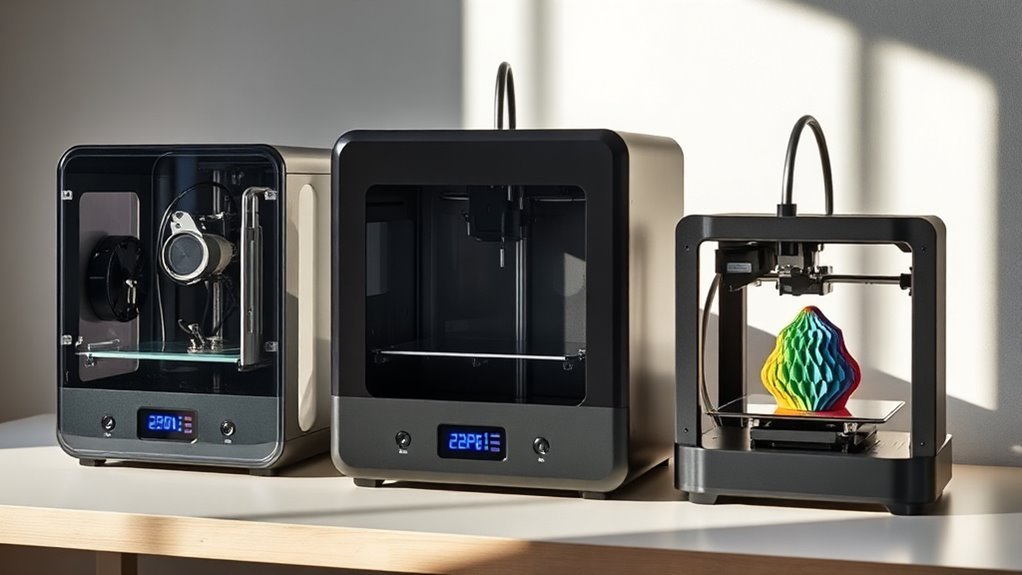
When choosing a 3D printer model in 2026, you’ll want to focus on print speed and the range of materials it supports. Consider the build volume size to guarantee it fits your project needs.
Also, look for user-friendly features like easy calibration and leveling. These factors will help you get the best performance and convenience from your printer.
It’s all about finding a balance that works for you. That way, your 3D printing experience is smooth and efficient.
Print Speed Importance
Many 3D printers now reach speeds up to 600 mm/s, letting you finish projects faster and boost overall efficiency. When choosing a 3D printer, consider how print speed impacts your workflow—high acceleration rates, like 20,000 mm/s², allow quick direction changes, producing smoother and faster prints.
Faster speeds cut down operational costs by shortening print times, which is essential if you need to handle batch production or rapid prototyping. You’ll also find that some advanced models maintain impressive detail and precision at high speeds, so you don’t have to sacrifice quality for speed.
If your projects involve intricate designs or multi-material printing, opting for a printer with faster speeds helps you complete complex jobs more efficiently. It saves time and really boosts your productivity.
Material Compatibility Range
Although print speed is essential, your choice of 3D printer should also hinge on the range of materials it supports. Look for models compatible with common filaments like PLA, ABS, and PETG. But don’t overlook specialty options like TPU and PVA if flexibility or water-soluble supports matter to you.
If your projects demand durability, verify the printer can handle advanced materials such as Nylon (PA) and Polycarbonate (PC), which require higher temperature capabilities. Multi-material compatibility lets you combine rigid and flexible parts in one print, boosting creativity.
Additionally, prioritize printers designed to minimize filament waste and improve material efficiency. This not only cuts costs but also supports sustainable printing. Always check the manufacturer’s specs for maximum temperature ratings to avoid limitations on your material choices.
Build Volume Size
Choosing a 3D printer with the right build volume size directly impacts the scale and complexity of your projects. The build volume determines the maximum dimensions of objects you can print, affecting both large items and batch production.
If you pick a larger build volume, you can create more intricate designs without cutting models into smaller parts, saving time and effort. Most consumer 3D printers range from about 200mm³ to over 300mm³, so matching the build volume to your needs helps you avoid wasting material.
Don’t forget to take into account height, width, and depth carefully, as these dimensions set the spatial limits of your prints. Picking the right size guarantees your printer handles your projects efficiently and effectively.
User-Friendly Features
Once you’ve settled on the ideal build volume for your projects, the next step is to focus on how user-friendly the 3D printer is. Choose models with pre-assembled designs so you can start printing in 15 minutes or less without hassle.
Look for intuitive touchscreens or app controls that make operation simple and let you monitor prints remotely. Automatic bed leveling is a must—it guarantees the first layer sticks perfectly and saves you from tedious adjustments.
Advanced safety features like AI error detection pause printing when issues arise, protecting your work. Also, consider printers with built-in libraries and straightforward calibration processes to get you up to speed quickly, especially if you’re new to 3D printing.
These features make your experience smoother and more enjoyable. Trust me, they really take the stress out of getting started.
Calibration And Leveling
Calibration and leveling play an essential role in achieving high-quality 3D prints, and you’ll want a printer that simplifies these tasks. Automatic bed leveling, especially advanced systems using up to 49-point measurements with 0.02mm accuracy, guarantees your first layer sticks perfectly.
Regular calibration is vital because even slight misalignment can cause defects and waste materials. Look for models offering one-tap auto calibration to save time and reduce manual adjustments.
Some printers also feature automatic toolhead offset calibration, boosting reliability and cutting setup time. Choosing a printer with effective calibration systems means fewer troubleshooting headaches and higher print success rates.
This makes your 3D printing experience smoother, letting you focus on creativity instead of constant maintenance.
Multi-Color Printing
While multi-color printing can dramatically elevate the visual impact of your 3D creations, selecting a printer that handles color changes smoothly is essential. Look for advanced systems with automatic material switching to reduce print times and avoid manual filament swaps.
Printers featuring specialized toolheads allow you to combine rigid, flexible, and water-soluble materials, expanding your creative options. You’ll also want to guarantee the printer supports up to 16 colors or more, depending on your design needs.
Precise calibration technology, such as automatic bed leveling and toolhead offset adjustments, plays a critical role in achieving crisp, consistent color placement and strong layer adhesion. Choosing a model with these features guarantees your multi-color prints come out detailed and functional, perfect for intricate prototypes or articulated models.
Noise And Safety
Because 3D printers often run for hours at a time, choosing a model with low noise levels can make a big difference in your comfort, especially in home or educational settings. Look for printers operating between 45dB and 60dB to guarantee a quieter workspace.
Safety should also be a priority. Opt for models with built-in AI that detect foreign objects and printing errors, pausing the print and alerting you to prevent damage or injury.
Monitoring cameras let you oversee prints remotely, helping you respond quickly to issues. Features like automatic bed leveling improve print reliability and reduce failures.
Finally, consider printers with enclosed designs and proper ventilation to limit exposure to harmful fumes, keeping your environment safer throughout the printing process.
Warranty And Support
When choosing a 3D printer model for 2026, you’ll want to prioritize warranty and support to protect your investment and guarantee smooth operation. Look for a thorough warranty that covers defects in materials and workmanship. This gives you peace of mind and financial protection.
Check the warranty length—some manufacturers offer extended coverage, which shows confidence in their product. Also, consider the support options available. Online resources, responsive customer service, and active community forums can make troubleshooting easier, especially if you’re new to 3D printing.
Access to firmware updates and technical support is essential for maintaining performance and resolving issues quickly. A strong support network minimizes downtime and guarantees you get the most out of your 3D printer over time. It’s definitely worth taking the time to find a brand that stands behind its products.
Frequently Asked Questions
What Materials Are Compatible With Most 3D Printers in 2026?
You’ll find most 3D printers now work with PLA, ABS, PETG, TPU, and resin. They’ve expanded compatibility to include flexible, composite, and biodegradable materials.
How Do 3D Printer Warranties Typically Work?
Warranties usually work wonders by covering defects and malfunctions for a set period, letting you request repairs or replacements.
You’ll want to watch warranty windows wisely, as coverage often varies with parts, labor, and usage conditions. It’s good to know exactly what’s included before you need it.
What Software Is Recommended for 3D Printing Design?
You should try software like Cura, PrusaSlicer, or Simplify3D for slicing. These programs help turn your 3D models into instructions your printer understands. They’re pretty user-friendly and get the job done well.
For design, Fusion 360, Tinkercad, and Blender work great. Each of these tools lets you create and prepare models efficiently for printing. Plus, they offer different features depending on how detailed or simple you want your design to be.
Are There Safety Precautions for Home 3D Printing?
Wondering why safety matters with home 3D printing? You should always guarantee proper ventilation, avoid touching hot parts, keep the area clean, and use non-toxic materials.
These steps protect you and keep your prints flawless. It’s all about staying safe while getting the best results!
How Energy-Efficient Are Modern 3D Printers?
You’ll find modern 3D printers quite energy-efficient, especially compared to older models. They use less power during printing and standby, thanks to improved components and smart features.
These features help you save electricity without sacrificing performance. It’s pretty cool how technology keeps getting better, right?
Conclusion
Choosing your 3D printer in 2026 is like picking the perfect brush for a masterpiece—you want speed, precision, and versatility all in one. Whether you crave vibrant multi-color prints or blazing-fast performance, these top models have you covered.
Trust your creative instincts, and let your ideas take flight with the right machine by your side. The future of printing is in your hands—grab it and start crafting wonders!
With the best 3D printer models of 2026, you’re not just buying a tool; you’re investing in endless creative possibilities. From detailed prototypes to colorful artistic creations, these printers offer the speed, accuracy, and reliability you need to bring your visions to life. So, dive into the world of 3D printing with confidence and make your next project truly spectacular!