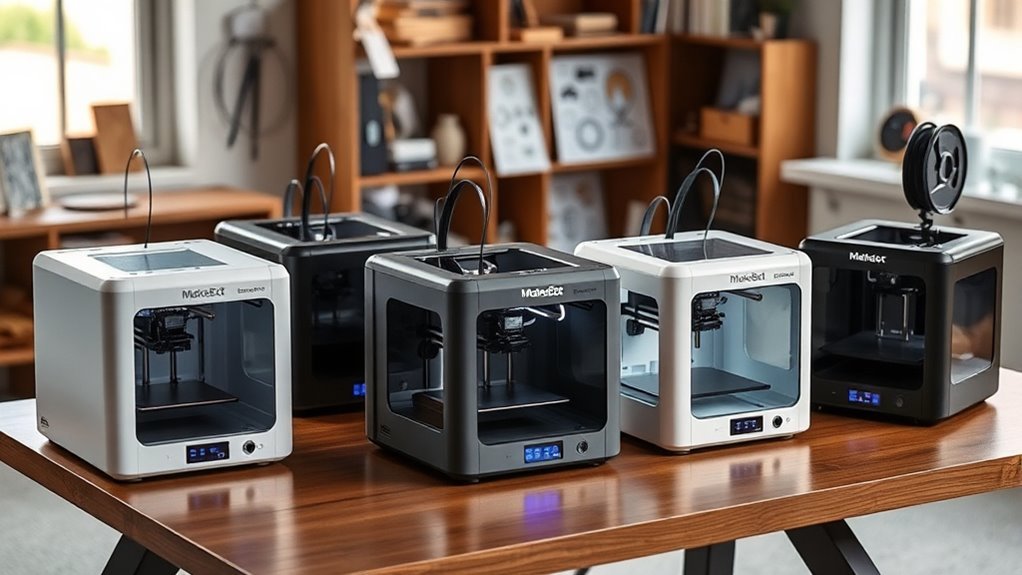
6 Best 3D Printer MakerBot Models for 2027
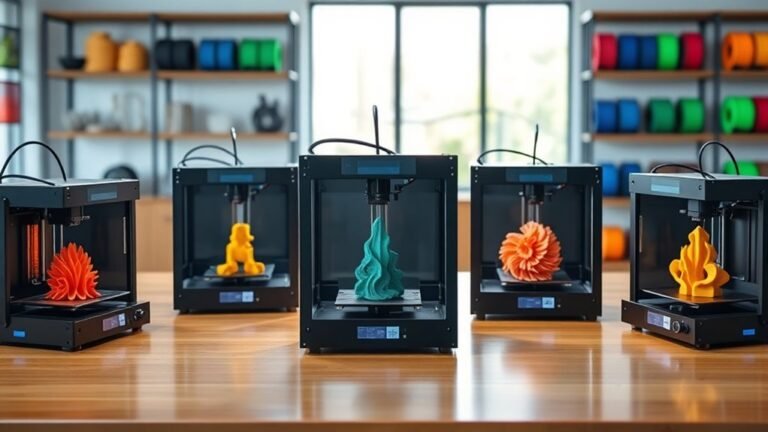
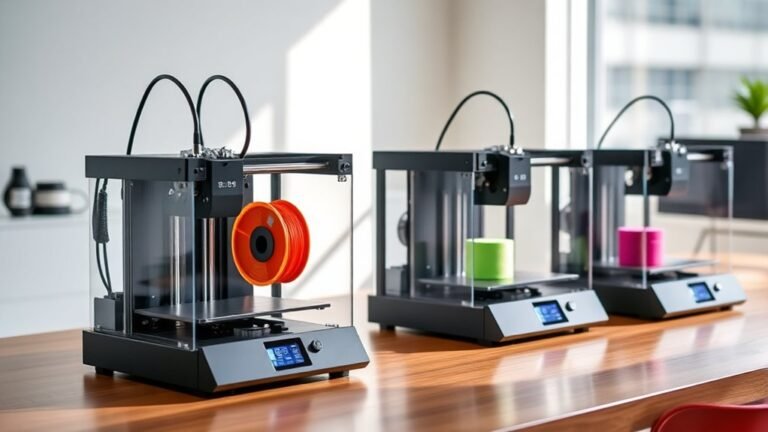
If you want fast, reliable 3D printing, the MakerBot Sketch Sprint delivers speeds up to 250 mm/s, perfect for classrooms.
It’s one of the best MakerBot models for 2027, designed to make 3D printing easy and efficient. Pair it with MakerBot’s Sketch PLA filament or eco-friendly Certified Food Grade PLA+ for great quality and safety.
Don’t miss accessories like the durable 0.8mm Brass MK8 nozzles and compatible power cords to boost performance.
With these options, you’ll easily balance speed, quality, and ease. Explore the details to see which setup fits your projects best.
| Image | Name | Editor's Rating | Price |
|---|---|---|---|

|
|
||

|
|
||

|
|
||

|
|
||

|
|
MakerBot Sketch Sprint 3D Printer
- Unbelievable Print Speed: The MakerBot Sketch Sprint 3D Printer has an impressive print speed of 250 mm per second
- Ideal Audience: It is an ideal printer for K-12 educators and administrators looking for reliable, fast, efficient, and user-friendly 3D printing solutions for their...
- Empowers Educators: Whether it’s for collaborative projects, prototypes, or demonstrations, the Sketch Sprint empowers educators to provide their students with the best
- Certification Programs: The Sprint printer includes access to the MakerBot Certification program, offering teachers professional development and students a pathway to...
- Versatility of Cloud Cura: The UltiMaker Cura integrates with any workflow through UltiMaker Marketplace plugins allowing scale production and digital distribution
The MakerBot Sketch Sprint 3D printer is designed to meet the fast-paced demands of K-12 classrooms. Its ability to print at 250 mm per second allows educators to complete projects quickly, keeping lessons dynamic and engaging. This speed helps save valuable class time and supports efficient workflow during busy school days.
Its compact and lightweight design makes it easy to move and set up in different classroom spaces. The printer supports collaborative learning by enabling multiple students to participate in hands-on demonstrations, fostering creativity and teamwork.
Maintenance is straightforward, with cloud-based software simplifying print job management. Teachers and administrators can send print tasks from any device without needing to install software, reducing technical barriers. However, the printer uses only plastic filament, which may limit the types of projects possible.
While the device offers quick setup and reliable performance, educators new to 3D printing might need time to become comfortable with its operation. Overall, the MakerBot Sketch Sprint enhances productivity and creativity in educational environments.
Best for: K-12 educators and school administrators seeking a fast, user-friendly 3D printer to support interactive classroom learning.
What We Like:
- High-speed printing at 250 mm/sec reduces project turnaround time
- Easy cloud-based software access from any device without installations
- Compact, lightweight design ideal for flexible classroom use
- Supports collaborative, hands-on learning activities
Specification:
| Feature | Details |
|---|---|
| Manufacturer | MakerBot |
| Dimensions | Not specified |
| Weight | Not specified |
| Material | Plastic filament only |
| Color Options | Not specified |
eSUN PLA Basic Filament 1.75mm 2KG Fire Engine Red+Cold White
- 【PLA Basic Filament】Improved based on ordinary PLA, eSUN PLA Basic filament not only retains the characteristics of PLA, but also has better fluidity and fast...
- 【High Compatibility】Compatible with Most of FDM 3D Printers and high speed printers, such as:Bambu Lab P1P / P1S / X1 / X1C / A1 / A1 mini, AnkerMake M5, K1 / K1 Max...
- 【Easy To Print】No bubbles, less stringing, high successful printing rate. Low Odor. No warping, low shrinkage, no deformation, no cracking. High printing precision...
- 【Tangle Free & No Plugging】2 rolls of 1KG 3D printer filament, perfect roundness and very tight diameter tolerance, good winding, does not overlap or tangle. Melt...
- 【Vacuumed Sealed Packaging】eSUN filament comes in a sealed vacuum bag with a desiccant bag, easily keep your 3D printer filaments at an optimal storage condition and...
You’ll find the eSUN PLA Basic Filament an excellent solution for consistent, hassle-free 3D printing. Its smooth feeding mechanism and high compatibility work seamlessly with most FDM 3D printers, including well-known brands like Bambu Lab and Prusa. This filament reduces common issues like clogging and uneven extrusion, helping you achieve precise results every time.
Designed with improved fluidity, this filament prints quickly while minimizing shrinkage and warping. The 1.75mm diameter spools in Fire Engine Red and Cold White maintain precise roundness, which prevents tangling and ensures steady extrusion. Vacuum-sealed packaging with a desiccant keeps the filament fresh and ready for use, reducing moisture-related print problems.
The filament’s versatility makes it ideal for creating animation props, cultural designs, or other detailed projects. It offers reliable, high-quality prints with low odor, supporting both hobbyists and professionals. However, its PLA material limits use in high-temperature or mechanically demanding applications.
Best for: hobbyists and professionals seeking dependable PLA filament with excellent print quality and ease of use for artistic and prop-making projects.
What We Like:
- Compatible with most FDM 3D printers, including Bambu Lab and Prusa
- Smooth feeding and improved fluidity reduce print failures
- Vacuum-sealed packaging keeps filament dry and fresh
- Precise 1.75mm diameter prevents tangling and ensures consistent extrusion
Specification:
| Specification | Details |
|---|---|
| Manufacturer | eSUN |
| Material | PLA |
| Diameter | 1.75 mm |
| Weight | 2 kg (total) |
| Color Options | Fire Engine Red, Cold White |
MakerBot 900-0115A Sketch PLA Filament (2.2 lb)
- Optimized Performance: The MakerBot 900 0115A Sketch PLA Filament is specifically engineered for MakerBot Sketch and MakerBot Sketch Large 3D Printers, ensuring flawless...
- High-Quality Prints: Produces rigid and glossy parts, perfect for classroom projects and early concept models
- User-Friendly Material: PLA filament is easy to use and office-friendly, ideal for educational environments
- Efficient Support: Works excellently with breakaway supports for faster printing and quick removal, streamlining your projects
- Eco-Conscious Choice: Made from corn-based plastic, PLA is biodegradable under industrial conditions, aligning with eco-friendly practices
The MakerBot 900-0115A Sketch PLA Filament delivers consistent, high-quality prints that simplify 3D printing for educators and beginners. Its 1.75 mm black filament is designed to work seamlessly with MakerBot Sketch and Sketch Large 3D Printers, ensuring precise, rigid parts with a smooth, glossy finish. This filament helps reduce print failures and supports efficient classroom workflows.
Made from corn-based PLA, this filament is biodegradable under industrial composting conditions, promoting eco-conscious printing without compromising performance. It works well with breakaway supports, making post-print cleanup faster and easier. This feature is especially useful in educational settings where time and ease of use are critical.
Maintenance is straightforward. The filament’s design minimizes clogging and printing issues, allowing users to focus more on creativity and less on troubleshooting. Its rigidity and finish make it ideal for early concept models and classroom projects that require durable, visually appealing results.
While its use is limited to MakerBot Sketch printers, this filament’s specialized compatibility ensures optimal performance and user-friendly operation. The black color suits many project styles but may not fit every aesthetic need.
Best for: Educators and beginners seeking reliable, eco-friendly filament tailored for MakerBot Sketch 3D printers in classroom environments.
What We Like:
- Produces rigid, glossy parts ideal for prototypes and educational models
- Compatible with breakaway supports for quick, clean print removal
- Made from biodegradable, corn-based PLA promoting eco-friendly printing
- Designed to minimize printer maintenance and clogging issues
Specification:
| Feature | Details |
|---|---|
| Manufacturer | MakerBot |
| Diameter | 1.75 mm |
| Weight | 2.2 lb (1 kg) |
| Material | Corn-based PLA |
| Color | Black |
| Compatible Printers | MakerBot Sketch, Sketch Large |
Certified Food Grade PLA+ 3D Printer Filament White
- This product complies with all domestic regulatory requirements. As a domestic company, we are required to meet US laws and regulations. Full documentation available.
- Certified Food Grade and Food Contact Safe: Extruded from REVODE110 Polylactic Acid Resin. Naturally derived from renewable plant resources. CARBON PLA+ Filament is Food...
- Lab Tested & FDA Listed: Most PLA Filaments are not safe for contact with food. To be considered Food Grade the Material must meet certain chemical requirements, which...
- Professional Packaging & Compatibility: All Comfy Materials products are manufactured to strict quality standards and are sealed with tamper-evident packaging. Every item...
- Smooth Printing: REVODE110 is one of the easiest resins to extrude and thermoform with. Advanced CCD diameter measuring and self-adaptive control system in the...
Certified Food Grade PLA+ filament offers a safe and eco-conscious solution for 3D printing items intended for food contact. This white PLA+ filament from Comfy Materials meets FDA standards and undergoes lab testing to ensure it is suitable for direct food use.
Made from renewable plant-based resources, it helps reduce environmental impact with a low carbon footprint. The filament prints smoothly at temperatures between 190°C and 220°C, delivering consistent dimensional accuracy and mechanical strength.
To maintain food safety, use stainless steel nozzles during printing and thoroughly sanitize finished models. Although this filament is not designed for high-heat applications like oven use, it excels in creating sustainable and safe food-related items.
Best for: Professionals and hobbyists who need FDA-compliant, eco-friendly filament for producing reliable, food-contact 3D prints.
What We Like:
- FDA compliant and certified food safe for direct contact
- Made from renewable plant resources with low environmental impact
- Smooth printing with good mechanical performance
- Requires stainless steel nozzles and proper sanitization for safety
- Not suitable for high-temperature uses like ovens
Specification:
| Feature | Details |
|---|---|
| Manufacturer | Comfy Materials |
| Material | Food Grade PLA+ |
| Color | White |
| Print Temperature | 190°C – 220°C |
| Certification | FDA Compliant |
| Weight | Standard spool sizes |
0.8mm Brass MK8 3D Printer Extruder Nozzles with Wrench, 10Pcs
- Package Include: 10 pcs 0.8mm 3D printer MK8 extruder nozzles, 1 pcs thin flat wrench
- Material: the MK8 nozzles are made of premium brass, strong and sturdy, Internal faces are rounded and smooth, avoiding blocking the filament
- Size: the MK8 nozzles - Filament Diameter: 1.75mm, Output Diameter: 0.8mm, Screw Thread: M6, Hexagon diameter: 6mm. Nozzle size is marked on the outer surface for easy...
- Compatibility: the MK8 nozzles fit for Creality Ender 3/3 Pro/3 V2, Ender 5/5 Pro, CR-10 Series, Makerbot MK8, Reprap Prusa I3, Tevo Tarantula, Anet A8, and compatible...
- Use: the MK8 nozzles with M6 out thread connect hotend, easy to install and change. If you have any questions about our products, please feel free to contact us
Experience smoother, more reliable 3D printing with this 10-pack of 0.8mm brass MK8 extruder nozzles. Designed to reduce clogs and ensure consistent filament flow, these nozzles help you achieve precise results every time. Their premium brass construction stands up to regular use without sacrificing print quality.
The nozzles’ rounded internal design promotes even extrusion, which minimizes blockages and improves print consistency. They are compatible with popular models like Creality Ender, MakerBot MK8, and Prusa i3 printers that use 1.75mm filament. Clear size markings and M6 threading make installation quick and straightforward.
Maintenance is hassle-free thanks to the included thin flat wrench, allowing for easy nozzle replacement when needed. This set provides enough nozzles to keep your printer running smoothly and reduce downtime during longer projects or frequent swapping.
While these nozzles are fixed at 0.8mm, limiting flexibility in print resolution, their durability and compatibility make them a dependable choice for many users.
Best for: 3D printing enthusiasts and professionals using 1.75mm filament printers like Creality Ender, MakerBot MK8, or Prusa i3 who need reliable, clog-resistant nozzles for consistent prints.
What We Like:
- Durable brass material ensures long-lasting performance
- Rounded internal design for smooth filament flow and fewer clogs
- Comes with a wrench for easy installation and maintenance
Specification:
| Feature | Details |
|---|---|
| Manufacturer | Not specified |
| Nozzle Size | 0.8mm |
| Thread Type | MK8 M6 |
| Material | Brass |
| Pack Quantity | 10 pieces |
| Compatible With | Creality Ender, MakerBot MK8, Prusa i3 |
| Filament Size | 1.75mm |
AC Power Cord for MakerBot Replicator Plus
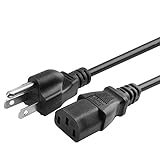
- 100% Brand New, High Quality AC Power Cord
- 3 prongs USA standard power cable design
- Cable Length: 6.5 feet == 1.8 meters
- Safety Features: Over current protection; Total power protection; Over voltage protection; Short Circuit Protection.
- Manufactured with the highest quality materials. Certification: FCC, CE and RoHS.
Experience dependable power delivery with the AC Power Cord designed for the MakerBot Replicator Plus. This high-quality 3-prong USA standard cable offers a reliable connection that keeps your 3D printer running smoothly without interruptions. Its 6.5-foot length provides enough reach for flexible workspace arrangements.
Built to protect your equipment, the cord includes safeguards against over current, over voltage, short circuits, and total power overload. These features ensure your MakerBot stays safe during operation, reducing the risk of damage caused by electrical issues.
The cord’s robust design uses quality materials that stand up to regular use, making maintenance simple and worry-free. Certified by FCC, CE, and RoHS, it complies with strict safety and environmental standards, giving you peace of mind with every print.
This power cord is a practical choice for those who value safety and reliability in their 3D printing setup. Its straightforward design is ideal for consistent performance without complications.
Best for: Users of the MakerBot Replicator Plus looking for a trustworthy, certified power cord with sufficient length for varied workspace setups.
What We Like:
- Multiple safety protections for enhanced device security
- Certification ensures compliance with safety and environmental standards
- Flexible 6.5-foot length adapts to different workspace needs
Specification:
| Feature | Description |
|---|---|
| Manufacturer | YUSTDA |
| Length | 6.5 feet (198 cm) |
| Plug Type | 3-prong USA standard |
| Safety Certifications | FCC, CE, RoHS |
| Protection Features | Over current, over voltage, short circuit, total power protection |
Factors to Consider When Choosing a 3D Printer Makerbot
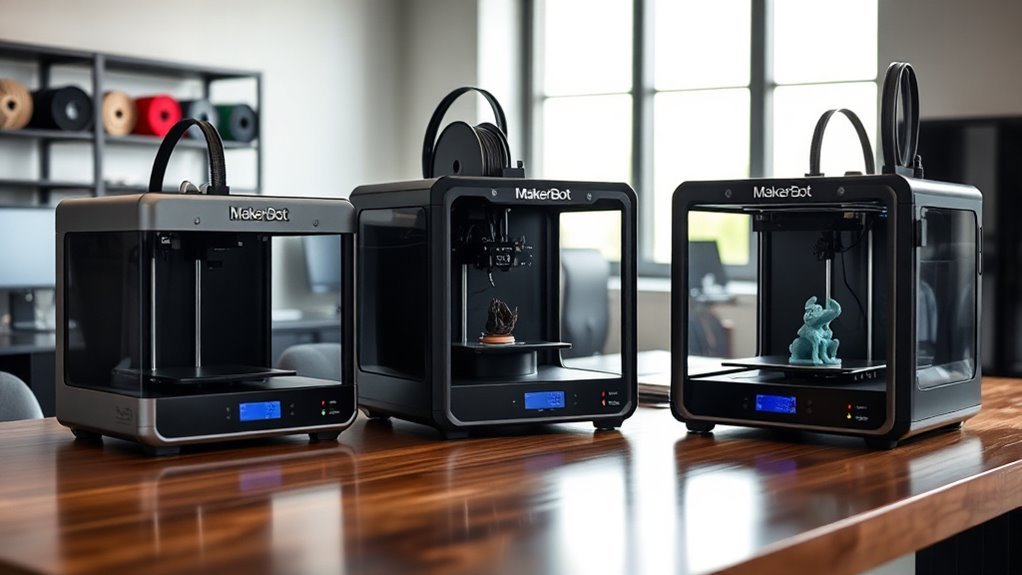
When choosing a MakerBot 3D printer, you’ll want to compare print speeds to match your project needs. Make sure the model supports the materials you plan to use and integrates well with your preferred software.
Also, don’t forget to check features that boost classroom productivity. It’s important to review warranty and support options too, for peace of mind.
Print Speed Comparison
Selecting the right print speed is one of the most important decisions you’ll make when choosing a MakerBot 3D printer. Industry standards hover around 50 mm per second, but some models can hit speeds up to 250 mm per second, boosting productivity drastically.
Faster speeds mean quicker project turnaround, perfect for busy classrooms or labs. However, pushing speed limits requires advanced cooling to prevent issues like warping or stringing.
Keep in mind, the filament you use also influences the ideal speed since certain materials perform better at specific rates. Striking the right balance between speed and quality is essential—going too fast might reduce resolution and detail.
Material Compatibility Options
Understanding material compatibility is essential for getting the most out of your MakerBot 3D printer. You need to evaluate which filament materials the printer supports, starting with PLA—favored for its ease of use and eco-friendliness.
Make sure your chosen model handles the common 1.75 mm filament diameter, ensuring broad material availability. Look for printers compatible with specialty filaments like PLA+, which improves print fluidity and overall quality.
If your projects demand stronger parts, check if the printer can work with composite filaments infused with carbon or other additives for enhanced mechanical strength. Finally, pay attention to nozzle size and type requirements, since these affect how well the printer can extrude various materials, influencing your print’s precision and finish.
Software Integration Benefits
Because efficient software integration streamlines the entire printing process, you’ll benefit from improved management of tasks like print queues and project submissions. Access to cloud-based platforms lets you handle these tasks remotely, saving time and simplifying coordination.
Using software like UltiMaker Cura guarantees compatibility across devices without extra installations, making setup hassle-free. You can monitor print jobs in real time, reducing downtime and maximizing resource use.
Additionally, integrated software often includes tutorials and guides, helping you quickly learn and teach 3D printing techniques effectively. Cloud-based solutions also support collaborative projects by allowing multiple users to share and manage designs from anywhere.
Choosing a MakerBot with strong software integration will make your 3D printing workflow more efficient and user-friendly. It’s a smart move that really pays off in the long run!
Classroom Productivity Features
When you choose a MakerBot with high print speeds—up to 250 mm per second—you’ll drastically boost classroom productivity by finishing multiple projects faster than the usual 50 mm per second printers. Streamlined printing processes let you manage several assignments simultaneously, cutting downtime considerably.
Cloud-based software simplifies handling print queues and student submissions, so you won’t waste time installing or updating software on every device. Plus, MakerBot offers extensive educational resources and certification programs that help you integrate 3D printing seamlessly into your curriculum.
These tools guarantee you and your students get the most out of the technology, turning printing time into productive learning moments. Overall, these productivity features make MakerBot an ideal choice for dynamic classroom environments.
Warranty and Support
While choosing a MakerBot 3D printer, you should pay close attention to the warranty and support options offered. Look for a thorough warranty with clear terms and a reasonable length to protect against defects.
A 30-day return policy can also be a valuable safety net if the printer doesn’t meet your expectations. Make sure the warranty documentation clearly outlines coverage limits and exclusions to avoid surprises.
Beyond the warranty, evaluate the manufacturer’s customer service access and technical support availability, as these can save you time troubleshooting. Also, consider additional resources like online guides, certification programs, and active user forums.
These can provide ongoing assistance and help you get the most from your MakerBot 3D printer. It’s always nice to know help is just a click or call away!
Frequently Asked Questions
What Software Is Best for Designing Models With Makerbot Printers?
You’ll want to use MakerBot Print software for designing models with MakerBot printers, as it’s optimized for their machines.
You can also try Fusion 360 or Tinkercad for more detailed or beginner-friendly 3D design options. They both offer great tools depending on what you need.
How Do I Maintain and Clean My Makerbot 3D Printer?
Like tending a garden, you’ll want to regularly clean your MakerBot’s nozzle, bed, and extruder. Use isopropyl alcohol for the bed, remove filament debris, and lubricate moving parts to keep prints smooth and flawless.
It might sound like a lot, but once you get into the routine, it’s pretty easy. Plus, keeping everything clean really pays off with better print quality and fewer headaches down the line.
Can Makerbot Printers Print With Materials Other Than PLA?
Yes, you can print with materials other than PLA on MakerBot printers. They support ABS, PETG, and Tough filaments.
Just make sure to adjust your settings and use compatible materials for the best results. It’s pretty straightforward once you get the hang of it!
What Is the Average Print Speed of Makerbot 3D Printers?
Wondering how fast MakerBot printers work? You can expect average print speeds around 100 millimeters per second.
That’s fast enough to keep your projects moving but precise enough to guarantee quality every time.
Are Makerbot Printers Compatible With Third-Party Filaments?
Yes, you can use third-party filaments with MakerBot printers, but you might experience varied print quality or compatibility issues.
It’s best to adjust settings and test materials to guarantee the best results for your projects. That way, you can find what works best without any surprises.
Conclusion
Choosing the right MakerBot 3D printer is like planting a seed in a garden—you need the right soil, water, and sunlight to watch your ideas bloom. With the right filament and accessories, your creative garden will flourish, producing vibrant, lasting creations.
So, nurture your tools carefully, and you’ll harvest innovation year after year. Remember, every great masterpiece starts with a single, well-chosen step in your 3D printing journey.
When it comes to MakerBot models, picking the best one for your needs sets the foundation for success. Whether you’re a beginner or a seasoned pro, the right 3D printer unlocks endless possibilities. So, invest wisely in your MakerBot 3D printer, and watch your creative projects come to life in stunning detail. Your innovation journey starts here!