5 Best 3D Printer Kit DIY Projects for 2027
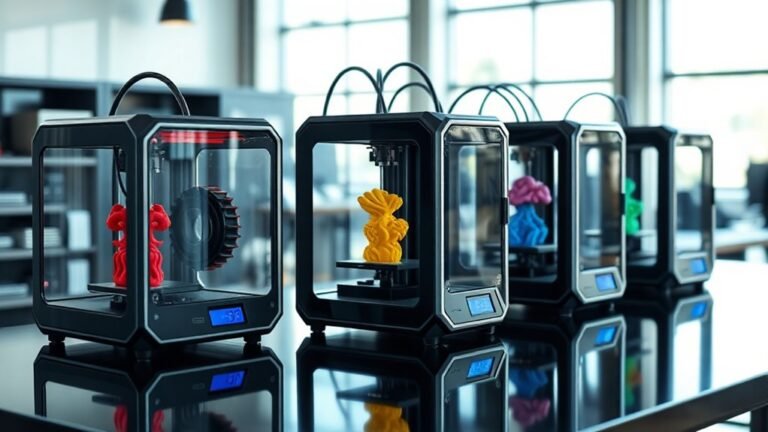
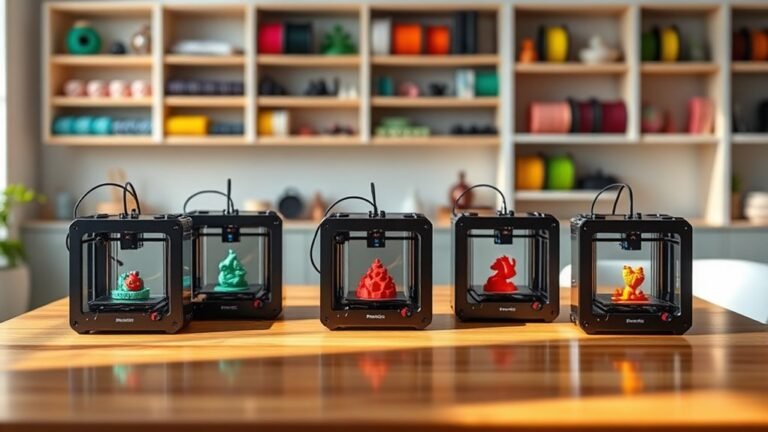
You’ll want to start with the Original Prusa CORE One+ for precise, industrial-grade prints or the Creality K2 SE Bundle for speed and multicolor capability.
These two are among the best 3D printer kit DIY projects for 2027, offering versatility whether you prioritize detail or efficiency.
Pair these with essential kits like Creality’s 74-piece tool set or the 68-piece maintenance kit to keep your printer running smoothly.
Having the right tools on hand can make all the difference when assembling and maintaining your setup.
Don’t forget to take into account print quality, assembly ease, and software options when choosing your project.
These factors play a huge role in how enjoyable and successful your 3D printing experience will be.
Explore ahead to discover how to optimize your 3D printing setup for flawless results in 2027.
With the right combination, you’ll be creating amazing prints in no time!
| Image | Name | Editor's Rating | Price |
|---|---|---|---|

|
|
||

|
|
||

|
|
||

|
|
||

|
|
Original Prusa CORE One+ DIY Enclosed High-Speed CoreXY 3D Printer Kit
- [REWARDING DIY EXPERIENCE] Master your 3D printer by building it yourself with our detailed step-by-step photographic guide. This kit includes 1:1 scale hardware...
- [PRO-GRADE SPEED & QUALITY] Elevate your workshop with this high-speed CoreXY professional 3d printer. The all-steel exoskeleton frame ensures maximum stability for...
- [SMART PLUS UPDATES] The CORE One+ features a redesigned easy-flex loading system and bayonet spool holder. Enjoy a smoother, autonomous experience with the latest...
- [ADVANCED THERMAL CONTROL] Perfect 3d printer for hobby and pros. The enclosed chamber reaches 55°C with active control. The automatic top vent regulates airflow for...
- [SECURE OFFLINE OPERATION] Protect your intellectual property with a 100% offline-capable system. Features a removable Wi-Fi module and local processing. Ideal for...

The Original Prusa CORE One+ is designed for users who demand fast, reliable 3D printing without compromising on quality. Its sturdy all-steel CoreXY frame ensures precise, industrial-grade prints while maintaining a compact size. This design tackles common issues like print instability and slow speeds, helping you achieve professional results efficiently.
An enclosed heated chamber reaches up to 55°C, enabling smooth printing with advanced materials such as Carbon Fiber and Nylon. This controlled environment reduces warping and improves layer adhesion, making it easier to work with challenging filaments.
Assembly is a hands-on process guided by clear, detailed instructions and templates. Typically completed within 15 to 20 hours, the build encourages understanding and customization. Regular maintenance is straightforward, thanks to accessible components and robust construction.
Offline operation adds a layer of privacy and security, ideal for educational institutions and businesses concerned with data protection. While the printer’s nearly 54-pound weight limits portability, its durable build suits stable workshop or classroom setups.
Best for: educators, businesses, and advanced hobbyists needing a high-speed, professional-grade 3D printer kit with hands-on assembly and secure offline functionality.
What We Like:
- Solid all-steel CoreXY frame for precise, industrial-quality prints
- Enclosed heated chamber supports diverse materials including Carbon Fiber and Nylon
- Detailed step-by-step assembly guides encourage learning and customization
- Offline capability enhances privacy and security during printing
Specification:
| Feature | Details |
|---|---|
| Manufacturer | Original Prusa |
| Dimensions | Compact footprint (exact size not specified) |
| Weight | Approximately 54 lbs (24.5 kg) |
| Frame Material | All-steel |
| Heated Chamber | Enclosed, heats up to 55°C |
Creality 74-Piece 3D Printer Tool Kit
- 【Professional Versatility & Wide Application】Disassemble, assemble, connect, grind, cut, cleaning, scrape, shovel.This 3D Printer Tool Wrap Kit Pro contains the tools...
- 【Model Handling & Processing Tools】Chamfer knife with 360° rotatable blade, for precisely refining edges of artwork. Engraving knife and files for easy handling of...
- 【3D Printer Tool Kit Package Includes】Multifunctional Wrench, Open -ended Wrench, Metal Spatula, Pointed-Nose Pliers, Nipper, Engraving Knife (5PCS Blades and...
- 【Various-sized Nozzle Cleaner】3d printing tool kit for quick cleaning of residual filaments. 150mm φ1.5mm needle allows cleaning residual filaments from various...
- 【Multi-functional Screwdriver Set】Complete Specifications, Wide Applicability. 34pcs chromium-vanadium steel nickel-plated screwdriver bits, for addressing challenges...
The Creality 74-Piece 3D Printer Tool Kit is designed to simplify your FDM printer maintenance and assembly. It helps you tackle common challenges like precise filament cutting and detailed model finishing with ease. This all-in-one kit makes routine upkeep more efficient, saving you time and frustration.
Its compact design ensures you have every essential tool at your fingertips without clutter. Tools such as the chamfer knife with a 360° rotatable blade allow for accurate edge refinement. The set’s 34-piece chromium-vanadium steel screwdriver collection and universal swivel hose enable easy access to tight or awkward spaces.
Maintenance becomes straightforward with included nozzle cleaners, tweezers, and a magnetic mat that keep your workspace organized. Lightweight and portable, this toolkit is compatible with all FDM printers, supporting both assembly and intricate model work.
While comprehensive, the kit may feel overwhelming for beginners due to its variety of specialized tools. Also, the compact size may limit tool robustness for heavy-duty use. Nonetheless, it offers reliable functionality for most standard 3D printing tasks.
Best for: FDM 3D printer users seeking a versatile, portable toolkit for assembly, maintenance, and precise model detailing.
What We Like:
- Extensive range of specialized tools for precise maintenance
- Compact, lightweight design for easy portability
- Durable chromium-vanadium steel screwdriver set
- Tools designed to access tight spaces efficiently
- Includes nozzle cleaners and magnetic mat for organized work
Specification:
| Feature | Details |
|---|---|
| Manufacturer | Creality |
| Number of Pieces | 74 |
| Screwdriver Material | Chromium-Vanadium Steel |
| Key Tools Included | Chamfer knife, metal spatula, nozzle cleaners |
| Compatibility | All FDM 3D Printers |
| Weight | Lightweight (exact weight not specified) |
Creality K2 SE 3D Printer Bundle with 74Pcs 3D Printing Tool Wrap Kit
- 【500mm/s High-Speed Fast Printing】Driven by a lightweight CoreXY motion system, the Creality K2 SE delivers up to 500mm/s high-speed printing with 20,000mm/s...
- 【Solid Metal Build—High Precision & Stable Printing】Featuring a die-cast aluminum alloy frame, corner gussets, and dual-side crossbeams, the K2 SE offers...
- 【Expandable Multicolor Printing—Compatible with Creality CFS】K2 SE is the upgrade of K1 SE 3d printer, the K2 SE is fully compatible with the Creality CFS...
- 【16 COLORS TO ENHANCE YOUR CREATIVITY】The Creality Filament System (CFS) has a connection hub on the back. By connecting up to four CFS units together, you can print...
- 【Professional Versatility & Wide Application】Disassemble, assemble, connect, grind, cut, cleaning, scrape, shovel.This 3D Printer Tool Wrap Kit Pro contains the tools...
The Creality K2 SE 3D printer redefines high-speed, precise printing for creators who demand efficiency and quality. Its lightweight CoreXY design reaches up to 500mm/s, solving common issues of vibration and uneven prints with a specialized input shaping algorithm. This means smoother, more reliable results even at top speeds.
Built with a sturdy die-cast aluminum frame, the K2 SE maintains stability and accuracy, making it ideal for producing large, detailed models. The solid frame reduces wobble, ensuring your prints come out exactly as designed. This design supports complex projects without sacrificing quality.
The printer supports advanced multicolor printing, allowing up to 16 colors using Creality’s CFS system. While multicolor setups require separate CFS units, this feature unlocks creative possibilities for intricate, colorful designs. The included 74-piece tool wrap kit makes maintenance and fine-tuning straightforward, keeping your printer running optimally.
Available since July 2024, the Creality K2 SE offers a balance of speed, precision, and versatility for professionals and serious hobbyists. Its design and accessories help streamline both printing and upkeep, enhancing your creative workflow.
Best for: Professionals and creators seeking fast, accurate, and multicolor 3D printing with convenient maintenance options.
What We Like:
- High-speed printing up to 500mm/s with reduced vibration.
- Durable die-cast aluminum frame for stable, precise prints.
- Supports up to 16-color multicolor printing with CFS system.
- Comprehensive 74-piece tool kit included for easy maintenance.
Specification:
| Feature | Details |
|---|---|
| Manufacturer | Creality |
| Dimensions | Not specified |
| Weight | Not specified |
| Frame Material | Die-cast aluminum |
| Printing Speed | Up to 500 mm/s |
| Multicolor Support | Up to 16 colors via CFS |
| Tool Kit | 74-piece wrap kit included |
68Pcs 3D Printer Tools Kit with Storage Case
- 【Upgraded 68-in-1 3D Printer Tools Kit, 1-Year Warranty】Designed by a Team of 15-Year 3D Printing Enthusiasts, the kit includes all essential tools. From wire cutters...
- 【Scrapers for Flawless Removal 3D Printed Models】One Stainless Steel removal scraper features a 15-degree angled (0.5mm thickness, 1.57-inch length), providing...
- 【1 Deburring Tool & 10 HSS BS1010 Swivel Blades】Our model polishing tools include 3 engraving knives with 9 types of blades, 5 different metal files and a...
- 【Nozzle Cleaning Needles, Brushes & Tweezers】To avoid inconsistent filament extrusion caused by a clogged nozzle, we provide 5 types of cleaning needles, (0.2mm...
- 【3D Printer Accessories Gifts Must-Have】4 cut-resistant finger cots to protect your fingers while working. A black sleeve case makes it easy to find, organize, store...
This 68-piece 3D printer tools kit is designed to tackle the challenges of detailed maintenance and repair. It helps users easily handle tasks like filament cleaning and part adjustments, reducing downtime and improving print quality. The kit’s thoughtful selection of tools ensures precise and efficient work on your 3D printer.
Every tool in this set is tailored to solve specific problems. From scrapers that clean filament residue without damage to a 360° swivel deburring tool that smooths edges, these tools make upkeep straightforward. The inclusion of specialized cleaning needles and brushes ensures compatibility with various filament types, keeping your printer running smoothly.
The kit comes in a sturdy black storage case that keeps everything organized and protected from dust and moisture. It also includes cut-resistant finger cots, offering safety during intricate repairs. While some tools require experience to use effectively, this kit supports both novices and seasoned users.
Best for: 3D printing enthusiasts and professionals needing a comprehensive, organized toolkit for precise maintenance, repair, and filament cleaning.
What We Like:
- Wide range of specialized tools designed for 3D printer upkeep
- Durable storage case for easy organization and protection
- Includes safety accessories like cut-resistant finger cots
- Cleaning tools suited for various filament types
Specification:
| Feature | Details |
|---|---|
| Manufacturer | Not specified |
| Dimensions | Not specified |
| Weight | 2.27 lb (1.03 kg) |
| Material | Metal and plastic |
| Color Options | Black storage case |
3D Printer Tools Kit with 34 Accessories
- 【3D Printer Tools Expedite Your Workflow, 1-Year Warranty】Designed and Selected by a 15-Year 3D print enthusiasts team, this kit includes all essential tools. We have...
- 【Nozzle Cleaning & Replacing One-Station Solution】To avoid filament inconsistent extrusion caused by a clogged nozzle, we prepare 5 different types of cleaning...
- 【2 Types of Removal Scrapers for Flawless Prints】To remove different-sized prints without damaging the print bed, the kit includes 2 types of removal scrapers. One...
- 【5 Shapes of Metal Files Catered to A Wide Range of Tasks】They are flat steel file, flat warding steel file, square steel file, triangular steel file, round steel...
- 【3D Printer Accessories Gift Must-Have】Black canvas storage bag with tool holder for easy finding, organizing, storing and transporting. The storage box provides...
Precision and versatility are key when working with 3D printers, and the 34-piece 3D Printer Tools Kit offers just that. This comprehensive set addresses common challenges like nozzle clogs, surface imperfections, and print removal, helping you maintain smooth and flawless prints.
Each tool is designed to improve your workflow. The MK8 brass nozzles and cleaning needles ensure your printer’s extrusion stays consistent. Meanwhile, the metal and nylon brushes, scrapers, and sharp blades make removing prints and refining details easier and more precise.
The ergonomic carbon steel files help you achieve smooth finishes without strain. All tools are neatly organized in a durable black canvas bag that protects them from dust and moisture, keeping your workspace tidy and your tools ready for use.
This kit is ideal for maintaining and enhancing 3D prints using 1.75mm PLA or ABS filaments. While it covers many needs, it does not include power tools, which may slow down some cleaning tasks. Still, it remains a valuable asset for careful, hands-on 3D printing work.
Best for: 3D printing enthusiasts and professionals seeking a reliable toolkit for nozzle upkeep, print removal, and detailed finishing.
What We Like:
- Wide range of tools tailored for nozzle maintenance and print cleanup
- Ergonomic handles on carbon steel files for comfortable finishing
- Durable storage bag keeps tools organized and protected
Specification:
| Feature | Details |
|---|---|
| Manufacturer | Not specified |
| Tool Count | 34 pieces |
| Nozzle Type | MK8 brass, 1.75mm |
| Materials | Brass, carbon steel, nylon, metal |
| Storage | Black canvas bag |
Factors to Consider When Choosing a 3D Printer Kit DIY
When choosing a 3D printer kit, you’ll want to focus on print quality and accuracy to guarantee your projects look great. It’s super important to get those details just right.
Also, think about the assembly complexity. Are you comfortable with the build process, or will it feel overwhelming?
Don’t forget to check material compatibility, build volume, and frame stability. These factors should match your specific printing needs to make sure everything runs smoothly.
Print Quality And Accuracy
Print quality and accuracy play an essential role in choosing a 3D printer kit, especially if you want your projects to come out with sharp details and reliable dimensions. Look for printers with CoreXY technology, as they offer higher speeds and improved precision in layer placement.
A stable frame, preferably an all-steel exoskeleton, helps minimize vibrations that can ruin print consistency. Also, consider kits with built-in vibration sensors and input shaping algorithms; these features reduce ringing and resonance, giving you smoother surfaces and sharper details.
If you plan to print with advanced materials, an enclosed chamber capable of reaching higher temperatures is a must. Finally, verify the printer’s design and motion system support reliable dimensional accuracy, especially for larger models or prototypes, so your prints fit perfectly every time.
Assembly Complexity Level
Achieving high print quality often depends on how well you assemble your 3D printer kit. Assembly complexity varies widely—some kits take 15–20 hours, offering you a chance to grow from hobbyist to expert.
Look for kits with detailed step-by-step photo guides and 1:1 scale hardware templates; these make the process much easier, especially if you’re a beginner. Kits that include a thorough toolset simplify your work by providing everything needed for assembly and fine-tuning.
Keep in mind the printer frame design: an all-steel exoskeleton or die-cast aluminum alloy demands precise alignment, increasing complexity. Finally, assess your technical skill level honestly. Some kits are geared toward intermediate or advanced builders, while others welcome novices.
Choose one that matches your experience to guarantee a smooth build.
Material Compatibility Range
Since your choice of materials directly affects the range and quality of your projects, you’ll want to select a 3D printer kit that supports a wide variety of filaments like PLA, ABS, PETG, Nylon, and specialty options such as Carbon Fiber and PC-Blend.
Look for printers with enclosed chambers and thermal control to handle high-temperature materials effectively. Active airflow regulation is essential for printing filaments prone to warping or needing a stable environment.
The design should include easy filament loading systems and reliable spool holders to streamline your workflow. Also, consider manufacturer software that offers intuitive interfaces and preset profiles, simplifying settings for different materials.
Choosing a kit with broad material compatibility guarantees you can tackle diverse projects without constantly upgrading your printer. It just makes your life easier in the long run.
Build Volume Size
Choosing the right build volume size is essential because it sets the limits for the largest objects you can create with your 3D printer kit. You’ll want to evaluate whether you plan to print large models or multiple smaller ones at once. A bigger build volume lets you do both efficiently.
Also, compare the print volume to the overall printer size to make sure it fits your workspace without wasting room. Keep in mind that a larger build volume doesn’t automatically mean better prints. Your printer’s resolution must match the size to maintain detail quality.
Finally, think about your specific projects, whether prototyping or crafting multiple parts. This way, you pick a build volume that truly fits your 3D printing needs and goals.
Frame Stability And Design
Three key elements define a 3D printer kit’s frame stability and design: rigidity, material quality, and space efficiency. You want a frame that minimizes flex, especially during high-speed printing, to keep dimensional accuracy and surface finish professional.
Opt for all-steel exoskeletons or die-cast aluminum alloy frames with corner gussets for exceptional rigidity and durability. These materials reduce vibrations and help maintain print quality under demanding conditions.
Space efficiency matters too—a well-designed frame maximizes print volume without taking up too much room. Features like dual-side crossbeams distribute weight evenly, further reducing frame flex during operation.
Software And Connectivity
A sturdy frame sets the stage, but the software and connectivity options truly shape your 3D printing experience. Many 3D printer kits come with intuitive software that lets you start printing with a single click. This makes it easy whether you’re a beginner or an expert.
Look for kits compatible with online platforms offering access to vast model libraries. That way, you can boost your creative potential. At the same time, offline operation is key for privacy and uninterrupted printing, especially in professional or educational settings.
Some kits even feature removable Wi-Fi modules, giving you flexible connectivity without losing offline functionality. Plus, advanced software with thermal control and active airflow regulation helps you fine-tune print quality across different materials. This ensures your projects come out just right every time.
Included Tools And Accessories
Five essential tools and accessories can make assembling and maintaining your 3D printer kit much easier. Look for specialized tools like scrapers, pliers, and nozzle cleaning needles to speed up assembly and upkeep.
Multiple file types—flat, triangular, and round—are crucial for smoothing and shaping your prints precisely. Make sure your kit includes nozzle cleaning needles in various sizes (0.2mm to 0.4mm) to prevent clogs and keep printing performance ideal.
Ergonomic handles on tools reduce hand fatigue during long sessions, improving your overall experience. Finally, a well-organized storage solution, like a canvas bag or case, keeps everything protected and easily accessible.
That way, you’re always ready for maintenance or adjustments without losing time hunting for tools.
Frequently Asked Questions
What Types of Filaments Are Best for Beginners?
You’ll want PLA filament since it’s easy to print, non-toxic, and doesn’t require a heated bed.
PETG is also beginner-friendly, offering durability and flexibility without much warping. Both help you learn without frustration.
How Long Does It Take to Assemble a 3D Printer Kit?
Assembling a 3D printer kit usually takes you about 4 to 8 hours, like piecing together a complex puzzle. You’ll want patience and focus, but you’ll feel proud once everything clicks into place perfectly.
It might sound like a long time, but trust me, the process is pretty rewarding. Plus, breaking it down step-by-step makes it way more manageable. Just take your time and enjoy the build!
Are 3D Printer Kits Compatible With Multiple Software Platforms?
Yes, you’ll find most 3D printer kits work with multiple software platforms. They usually support popular slicers like Cura, PrusaSlicer, or Simplify3D.
This gives you flexibility to choose the software that suits your workflow best. So, you’re not stuck with just one option, which is pretty handy!
Can I Upgrade Parts on a DIY 3D Printer Kit?
You can upgrade parts on a DIY 3D printer kit like swapping pieces in a puzzle.
It’s pretty flexible, so you can improve print quality or add cool new features.
As technology and your skills grow, you’ll find plenty of ways to make your printer even better.
What Safety Precautions Should I Follow During Assembly?
You should wear safety glasses, work in a well-ventilated area, and avoid loose clothing. Keep tools organized, unplug power while assembling, and double-check wiring to prevent shorts or shocks.
Don’t rush the process. Taking your time really helps avoid mistakes and keeps you safe.
Conclusion
When choosing your 3D printer kit DIY project, remember that over 60% of users find having the right tools boosts print success and reduces frustration. By picking a kit with thorough tools and easy assembly, you’re setting yourself up for smoother, faster results.
Whether you go for the Original Prusa CORE One+ or a handy Creality tool kit, investing in quality gear will make your 3D printing journey more enjoyable and rewarding in 2027. The right tools don’t just make the build easier—they help you avoid common pitfalls and improve print quality.
So, when diving into your 3D printer kit DIY project, focus on quality and ease of use. With the best tools and a reliable kit, your 3D printing experience will be smoother, faster, and way more fun. That’s how you get the best results and truly enjoy your 3D printing adventure this year.