11 Best High-Resolution 3D Printers for 2027 Precision Models
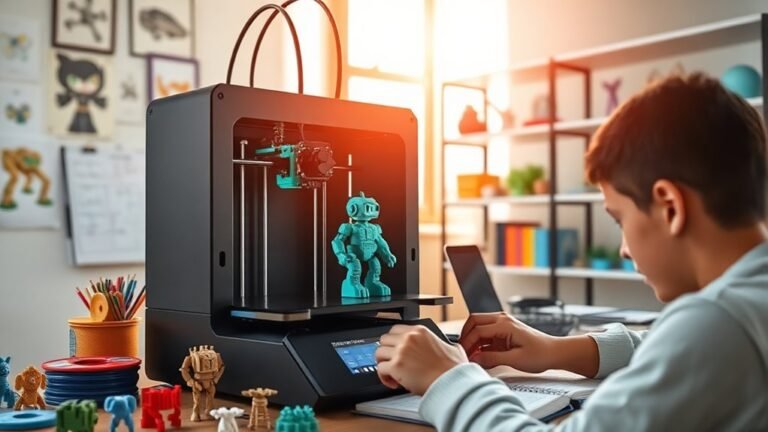
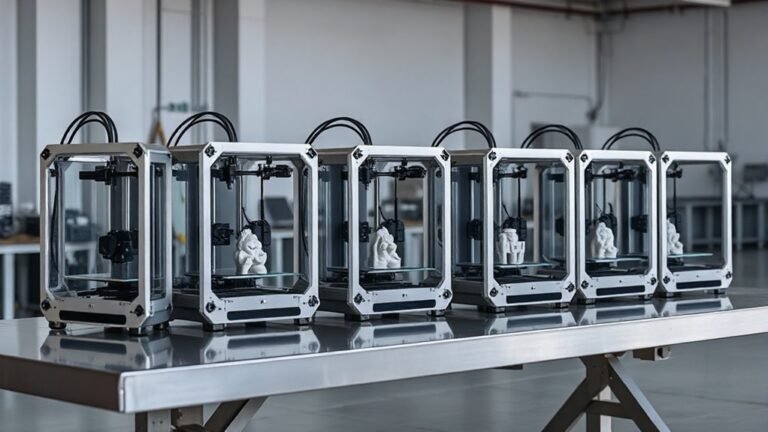
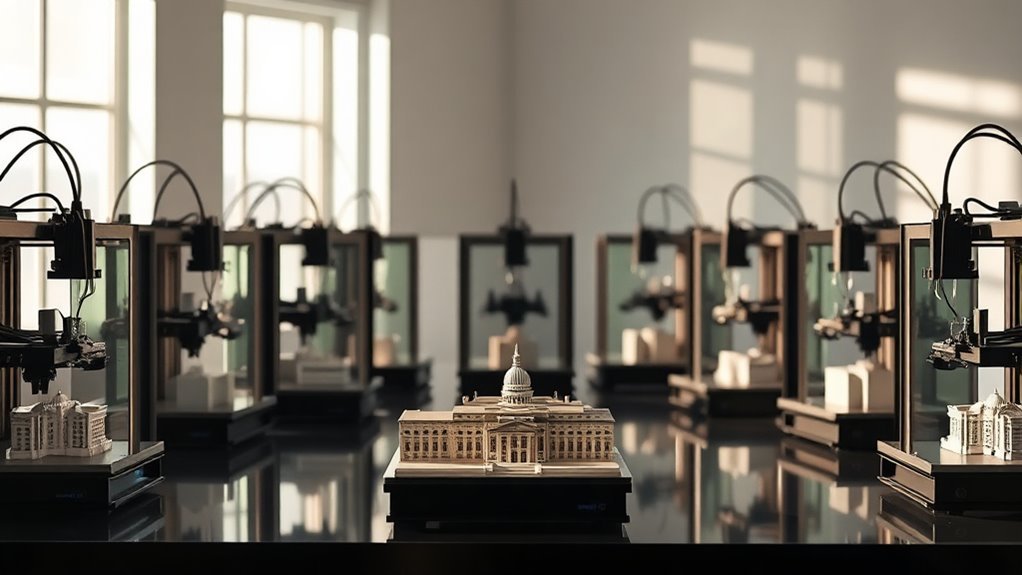
You want a high-resolution 3D printer in 2027 that perfectly balances sharp detail, speed, and reliability. Whether you’re creating intricate miniatures or precise engineering models, the right printer makes all the difference. With advances in technology, today’s options offer stunning resolution and versatile features to meet your specific needs.
Models like the ELEGOO Saturn 4 Ultra stand out with its 16K mono LCD and smart heating system, delivering ultra-fine textures that really pop. If you’re working on multi-material projects, the FLASHFORGE Creator 5 Pro shines with its four toolheads and heated chamber, making complex prints easier to manage.
For larger precise prints, the Phrozen Sonic Mega 8K is a reliable choice. And when you need exceptional 10K detail for smaller builds, the ANYCUBIC Photon Mono 4 is hard to beat. Take your time exploring these options to find the perfect fit for your precision 3D printing needs.
| Image | Name | Editor's Rating | Price |
|---|---|---|---|

|
|
||

|
|
||

|
|
||
|
|
||

|
|
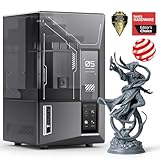
ELEGOO Saturn 4 Ultra 16K Resin 3D Printer
- 【16K Magic, Precision Redefined】Designed to capture the finest details for exquisite models, ELEGOO Saturn 4 Ultra 16K Resin 3D Printer boasts ultra-high resolution...
- 【Smart Tank Heating, Flawless Prints at 30 °C】ELEGOO Saturn 4 Ultra 16K 3D Resin Printer features an intelligent tank heating system that continues heating the resin...
- 【New AI Camera with Light for All-Day Monitoring】The AI camera offers real-time monitoring and instant alerts for empty build plates and warped models, enabling you...
- 【Auto-Leveling, Plug-N-Play】Achieve effortless precision with just a click. Saturn 4 Ultra 16K Impresora 3D Resina features automatic leveling with no manual...
- 【Tilt Release Innovation, Blazing Fast】ELEGOO Saturn 4 Ultra 16K Resin Printer features advanced tilt release technology, allowing for quick and effortless model...
Experience the next level of resin 3D printing with the ELEGOO Saturn 4 Ultra 16K, designed to deliver ultra-fine detail and smooth finishes. Its high-resolution 16K monochrome LCD ensures every print captures lifelike textures and sharp edges, perfect for detailed models. This printer answers the challenge of creating intricate designs without sacrificing speed or quality.
The spacious build volume allows you to print larger models or multiple items in one session, improving efficiency. Smart Tank heating maintains resin at a consistent 30 °C, which helps reduce print failures and ensures stable results across various resin types. This feature simplifies maintenance by minimizing resin curing issues.
Setup and monitoring are straightforward thanks to auto-leveling and an AI-powered camera. These innovations reduce manual adjustments and allow you to keep track of prints easily, even remotely. Though the printer is sizable and weighs 35.5 pounds, it provides a dedicated workspace solution for serious projects.
Best for: professionals and hobbyists who require high-resolution resin prints with large build volumes and advanced features for precise, detailed creations.
What We Like:
- 16K mono LCD for exceptional print detail
- Large build volume supports bigger or multiple prints
- Smart Tank heating ensures consistent resin temperature
- AI camera and auto-leveling simplify setup and monitoring
Specification:
| Feature | Details |
|---|---|
| Manufacturer | ELEGOO |
| Build Volume | 8.33 × 4.66 × 8.66 inches |
| Display | 10-inch 16K monochrome LCD |
| Weight | 35.5 lb (16.1 kg) |
| Resin Temperature | Maintained at 30 °C |
FLASHFORGE Creator 5 Pro Multi-Material 3D Printer
- More Savings: Featuring 4 independent toolheads and a 7-second FlashSwap changer, the Creator 5 Pro switches nozzles without flushing filament. This completely eliminates...
- More Possibilities: Designed for industrial engineering, the fully enclosed frame features an active heated chamber up to 65°C to prevent warping in advanced filaments...
- More Stability: Built on a ultra-rigid integrated architecture combining a CoreXY motion structure, precision linear rails, and 1.5GT high-torque timing belts. Delivers...
- More Safety: Prioritizing workspace safety, the dual HEPA 13 and activated carbon system effectively traps ultrafine particles and fumes from filaments. Paired with a...
- More Control: Get a flawless first layer with automated toolhead offset calibration, vibration compensation, and dynamic flow calibration. Monitor real-time progress via...
Unlock new possibilities in multi-material 3D printing with the FLASHFORGE Creator 5 Pro. This professional-grade printer tackles the challenges of multi-color and multi-material projects by offering four independent toolheads and a rapid 7-second FlashSwap nozzle changer. This system reduces filament waste and speeds up production, making your workflow more efficient.
Built with a stable CoreXY frame, the printer ensures precise movements and flawless first layers through automated calibrations. The heated chamber, reaching up to 65°C, supports industrial filaments like ABS and PC, though it may not suit the highest temperature materials. Safety is prioritized with dual HEPA and activated carbon filters that maintain clean air and continuous airflow.
Maintenance is straightforward thanks to automated processes and robust design, keeping downtime minimal. Remote monitoring through Flash Studio allows users to oversee prints from anywhere, enhancing convenience and control.
Best for: Professionals and industrial engineers needing a precise, high-speed 3D printer for complex multi-material and multi-color parts with efficient material use.
What We Like:
- Four independent toolheads with fast FlashSwap changer minimize filament waste.
- Ultra-rigid CoreXY structure ensures stability and first-layer accuracy.
- Dual HEPA and carbon filters provide a safe, odor-free printing environment.
- Heated chamber supports a wide range of industrial-grade filaments.
- Remote print monitoring enhances convenience and workflow management.
Specification:
| Feature | Details |
|---|---|
| Manufacturer | FLASHFORGE |
| Dimensions | 16 x 14 x 18 inches |
| Weight | 39 pounds |
| Frame Type | CoreXY ultra-rigid |
| Heated Chamber | Up to 65°C |
| Toolheads | Four independent |
| Filtration System | Dual HEPA 13 & carbon |
Phrozen Sonic Mega 8K Resin 3D Printer
- MASSIVE PRODUCTIVITY: 80 MODELS IN 90 MINS Maximize your production output with a spacious 33 x 18.5 x 30 cm build plate. Engineered for high-volume commercial demands...
- 10X FASTER PRINTING WITH ACF & TR300 RESIN Experience a paradigm shift in speed and reliability. By integrating our advanced ACF (All-Cutter Fluoropolymer) film and TR...
- SPACE-SAVING DESIGN: LIFT-UP LID ACCESSIBILITY Designed specifically for professional workspaces where every inch counts. The integrated lift-up lid design minimizes the...
- ZERO-WASTE WORKFLOW: BUILT-IN METAL DRIP HANGER Minimize mess and maximize your ROI with the heavy-duty built-in metal drip hanger. After printing, simply hang the build...
- INDUSTRIAL 8K PRECISION: 43µm ULTRA-FINE DETAIL Never sacrifice quality for scale. The 15-inch 8K Mono LCD delivers a staggering 43µm XY resolution, capturing the...
The Phrozen Sonic Mega 8K Resin 3D Printer transforms large-scale printing with ultra-high precision and clarity. Its 15-inch mono 8K LCD offers exceptional detail at 43-micron XY resolution, allowing users to create intricate models without sacrificing speed. This makes it ideal for professional environments where quality and efficiency are crucial.
This printer addresses common production bottlenecks by enabling fast output. You can print up to 80 miniatures in just 90 minutes using its advanced ACF film and TR300 High-Speed Resin compatibility. The combination of speed and precision helps studios meet tight deadlines without compromising on detail.
Designed with usability in mind, the compact lift-up lid saves workspace and features a metal drip hanger. This thoughtful design simplifies maintenance by recovering excess resin, reducing waste and keeping your work area cleaner during post-processing. The robust build supports demanding, high-volume projects.
While it offers many benefits, the printer’s weight of 57.3 pounds may limit portability. Its customer rating suggests some users have encountered limitations, and its current market position indicates it’s gaining traction but not yet widespread in all commercial settings.
Best for: professionals and studios seeking ultra-high-resolution, large-scale resin 3D printing with fast production speeds and efficient resin use.
What We Like:
- Ultra-high 15-inch mono 8K LCD with 43 µm XY resolution for detailed prints
- High throughput: up to 80 miniatures in 90 minutes
- Compact lift-up lid with metal drip hanger for easy resin recovery
- Compatible with TR300 High-Speed Resin for faster curing
Specification:
| Feature | Detail |
|---|---|
| Manufacturer | Phrozen |
| Build Volume | 15-inch mono 8K LCD |
| XY Resolution | 43 microns |
| Weight | 57.3 lb (26 kg) |
| Resin Compatibility | TR300 High-Speed Resin |
| Design | Compact with lift-up lid |
ELEGOO Mars 5 Ultra Resin 3D Printer
- 【9K High Precision Mono LCD】Featuring a 7-inch mono LCD with 9K ultra-high resolution and 18 μm XY resolution, ELEGOO Mars 5 Ultra 3D Printer ensures the faithful...
- 【Blazing Fast Speed with Tilt Release Innovation】Boasting a blazing fast speed of up to 150 mm/h, ELEGOO Mars 5 Ultra resin 3D printer leaves competitors in the dust...
- 【AI Camera Acts as Your Eyes, Stay in Total Control】Say goodbye to costly failures and wasted time as the AI camera detects errors in real-time, guiding you to...
- 【Print Smarter, Print Easily】With a smart mechanical sensor, ELEGOO Mars 5 Ultra impresora 3D supports residue detection to prevent damage to the LCD screen. Plus...
- 【Wi-Fi Cluster Printing, Redefining Efficiency & Productivity】Redefine efficiency and streamline your workflow with seamless control over multiple ELEGOO Mars 5 Ultra...
The ELEGOO Mars 5 Ultra Resin 3D Printer redefines precision for creators who demand ultra-high detail. Its 7-inch 9K monochrome LCD offers an exceptional 18 µm XY resolution, delivering crisp, fine details that bring intricate models to life. This level of clarity ensures your prints capture every nuance without compromise.
Designed with efficiency in mind, the printer features tilt release technology that accelerates the peeling process. This innovation allows printing speeds up to 150 mm/h while maintaining accuracy, reducing overall print time. Smart capabilities such as AI error detection and resin shortage alerts help prevent print failures and keep projects on track.
Maintenance is straightforward with the ELEGOO Mars 5 Ultra, and its compact design, weighing just 19.36 lb, fits neatly into most workspaces. Wi-Fi cluster printing enables seamless management of multiple printers, ideal for those scaling up production or prototyping complex designs.
While the build volume of 6.04 × 3.06 × 6.49 inches suits detailed miniatures and prototypes, it may limit larger creations. The AI features depend on environmental factors and resin types, so some trial and adjustment could be necessary.
Best for: hobbyists and professionals who require ultra-high resolution resin 3D printing for detailed miniatures, prototypes, and complex models.
What We Like:
- 9K 7-inch monochrome LCD with 18 µm XY resolution for sharp, detailed prints
- Tilt release technology enables faster peeling and speeds up printing
- AI error detection and resin shortage alerts reduce downtime
- Wi-Fi cluster printing supports efficient workflow management
Specification:
| Feature | Details |
|---|---|
| Manufacturer | ELEGOO |
| Print Volume | 6.04 × 3.06 × 6.49 inches |
| LCD Size | 7-inch 9K monochrome |
| XY Resolution | 18 µm |
| Print Speed | Up to 150 mm/h |
| Weight | 19.36 lb |
ANYCUBIC Photon Mono 4, Resin 3D Printer with 7” 10K Mono LCD Screen
- 【7'' 10K High Resolution】Photon Mono 4 boasts an impressive 105% increase in print precision compared to Mono 2. With a resolution of 9024x5120, each pixel measures a...
- 【Powerful Light Source】The time-tested Anycubic LighTurbo matrix light source technology delivers stable, balanced, and uniform lighting to reduce layer lines and...
- 【Sufficient Print Size】With a generous maximum build volume of 6.04'' x 3.42'' x 6.49''/153.4mm x 87mm x 165mm, you have ample print space to easily tackle your daily...
- 【Laser-engraved Print Platform 2.0】With a new design, the laser engraving platform of the photon mono 4 improves adhesion to mitigate lifting and warping of the model...
- 【User-friendly Function】The 4-point leveling method is ideal for beginners, after the first leveling and tightening the 4 screws, no need to repeat leveling. Photon...
Unlock precision and speed with the ANYCUBIC Photon Mono 4, a resin 3D printer designed for creators who demand sharp details and smooth finishes. Its 7-inch 10K monochrome LCD delivers ultra-high resolution, capturing even the finest features with 17 μm pixels. This precision helps reduce post-processing, saving you time and effort.
The innovative LighTurbo matrix light source ensures even illumination across the build plate. This balance produces consistent, smooth surfaces while enabling printing speeds up to 70 mm/h. Such performance improves workflow and productivity, especially on intricate models.
Maintenance is straightforward thanks to the laser-engraved platform and user-friendly 4-point leveling system. These features minimize warping and lifting, promoting successful prints and easy removal. A resume-on-power-loss function protects your work from unexpected interruptions.
With a moderate build volume of 6.04 x 3.42 x 6.49 inches, this printer suits detailed small to medium projects. While it lacks remote app connectivity, it excels in delivering reliability and high-quality results for precise resin 3D printing.
Best for: hobbyists and professionals seeking ultra-high precision resin 3D printing with smooth surface finishes and reliable performance.
What We Like:
- Ultra-high resolution 7″ 10K monochrome LCD for detailed, sharp prints.
- Uniform LighTurbo matrix light source enables faster print speeds and smooth finishes.
- Laser-engraved platform combined with 4-point leveling reduces warping and eases print removal.
- Resume-on-power-loss support protects prints from interruptions.
Specification:
| Feature | Details |
|---|---|
| Manufacturer | ANYCUBIC |
| Screen Size | 7 inches |
| Screen Resolution | 9024 x 5120 pixels (10K) |
| Pixel Size | 17 μm |
| Build Volume | 6.04 x 3.42 x 6.49 inches |
| Print Speed | Up to 70 mm/h |
| Platform | Laser-engraved with 4-point leveling |
| Connectivity | USB (no app connectivity) |
Snapmaker U1 3D Printer,4-Toolhead with 5s Toolchanger,Multi-Color Printing

- 【4-Toolhead System with 5-Second Tool Changer】 Powered by the SnapSwap system, Snapmaker U1 multi-color 3D printer features four independent toolheads with filaments...
- 【5X Faster Printing, 5X Less Waste】 Unlike traditional filament-changing systems, Snapmaker U1 3D printer swaps toolheads instead of repeatedly loading, unloading...
- 【True Multi-Material & Mixed-Material Printing】 Snapmaker U1 3D printer combines rigid and flexible materials, water-soluble supports, and engineering materials in a...
- 【Smart Calibration】 Automatic toolhead offset calibration, vibration compensation, fine-tuned extrusion, and perfect first-layer work together to deliver smooth...
- 【Easy to Use for Beginners & Professionals】 With a built-in model library, Snapmaker Orca — custom open-source slicing software, makes it easy to get started with...
Experience the future of 3D printing with the Snapmaker U1, engineered to transform your creative workflow. This innovative printer tackles the hassle of multi-color and multi-material projects by automatically switching between four toolheads in just five seconds. This feature helps you save filament and dramatically speeds up your printing process.
Its robust CoreXY design with carbon-fiber rails ensures smooth, precise movements at speeds up to 500 mm/s. The generous 270 mm build volume allows you to produce detailed, multi-color models or functional parts with soluble supports, perfect for complex designs.
Maintenance is straightforward thanks to automatic calibration and AI-powered monitoring, giving consistent, reliable results without constant adjustments. The intuitive software simplifies setup and operation, making the Snapmaker U1 suitable for both beginners and experienced professionals.
While its size and weight mean it requires a dedicated workspace, the advanced multi-tool system justifies this trade-off by offering unmatched versatility and efficiency in desktop 3D printing.
Best for: Creators and professionals who need fast, precise multi-material 3D printing with minimal manual intervention.
What We Like:
- Automatic 4-toolhead changer reduces filament waste and speeds up prints.
- Supports a wide range of materials including rigid, flexible, and soluble filaments.
- CoreXY motion system with carbon-fiber rails ensures high-speed, precise printing.
- User-friendly features like automatic calibration and AI monitoring simplify maintenance.
Specification:
| Feature | Details |
|---|---|
| Manufacturer | Snapmaker |
| Build Volume | 270 × 270 × 270 mm |
| Motion System | CoreXY with carbon-fiber rails |
| Toolheads | 4 with 5-second changer |
| Weight | 57.9 lb (26.3 kg) |
| Supported Materials | Rigid, flexible, soluble |
Reflex RS Turbo Resin 3D Printer with High Contrast Amber Screen

- 𝐇𝐢𝐠𝐡-𝐬𝐩𝐞𝐞𝐝 𝐩𝐫𝐢𝐧𝐭𝐢𝐧𝐠 𝐚𝐧𝐝 𝐞𝐱𝐜𝐞𝐩𝐭𝐢𝐨𝐧𝐚𝐥 𝐃𝐞𝐭𝐚𝐢𝐥: Specifically...
- 𝐀𝐮𝐭𝐨𝐦𝐚𝐭𝐞𝐝 𝐏𝐫𝐞‑𝐏𝐫𝐨𝐜𝐞𝐬𝐬𝐢𝐧𝐠 & 𝐒𝐞𝐭𝐮𝐩 Get printing in one minute with true one‑click...
- 𝐈𝐧𝐭𝐞𝐥𝐥𝐢𝐠𝐞𝐧𝐭 𝐅𝐨𝐫𝐜𝐞‑𝐌𝐨𝐧𝐢𝐭𝐨𝐫𝐢𝐧𝐠 𝐒𝐲𝐬𝐭𝐞𝐦 Our proprietary system provides...
- 𝐏𝐫𝐞𝐜𝐢𝐬𝐢𝐨𝐧 𝐙‑𝐀𝐱𝐢𝐬 & 𝐂𝐎𝐁 𝐋𝐢𝐠𝐡𝐭𝐢𝐧𝐠 Industrial‑grade C5 ball‑screw Z‑axis ensures ≤2 μm...
- 𝐀𝐝𝐚𝐩𝐭𝐢𝐯𝐞 𝐏𝐫𝐨𝐜𝐞𝐬𝐬 & 𝐃𝐲𝐧𝐚𝐦𝐢𝐜 𝐌𝐨𝐭𝐢𝐨𝐧 𝐂𝐨𝐧𝐭𝐫𝐨𝐥 Unlock any resin’s...
Experience sharper details and quicker print times with the Reflex RS Turbo Resin 3D Printer. Its high-contrast Amber Screen enhances model clarity and speeds up curing, making your printing process more efficient. This printer is designed to reduce wait times without compromising on precision.
The Reflex RS Turbo uses Dynamic Motion Algorithm 3.0, which accelerates print speeds by 33%. This technology allows you to complete projects faster while maintaining consistent quality. One-click slicing and automatic defect repair simplify setup and reduce errors, helping you focus on creativity.
Maintenance is straightforward with intelligent force monitoring that detects issues early to prevent print failures. The C5 ball-screw Z-axis ensures fine layer accuracy within 2 microns, and the floating screen auto-levels for hassle-free calibration. This combination minimizes downtime and keeps your prints reliable.
Compact yet robust, the Reflex RS Turbo is ideal for professionals and enthusiasts who need high-resolution, fast-curing resin 3D printing. While its weight and build volume may limit portability and large-scale use, its advanced features support a smooth and precise workflow.
Best for: Professionals and hobbyists seeking fast, detailed resin prints with automated controls and reliable precision.
What We Like:
- High-contrast Amber Screen delivers crisp details and faster curing.
- Dynamic Motion Algorithm 3.0 boosts print speed by 33%.
- One-click slicing and automatic defect repair streamline workflow.
- C5 ball-screw Z-axis offers precise layer accuracy (≤2 μm).
- Intelligent force monitoring prevents print failures in real time.
Specification:
| Feature | Details |
|---|---|
| Manufacturer | HEYGEARS |
| Dimensions | Compact design (exact size not specified) |
| Weight | Over 50 lb (approx. 22.7 kg) |
| Screen Contrast Ratio | 566:1 |
| Z-axis Accuracy | ≤2 microns |
| Print Technology | Resin 3D printing |
| Screen Type | High-contrast Amber |
Bambu Lab P1S 3D Printer, Ready-to-Use FDM 3D Printer

- Up to 16 Colors: Bring your designs to life with vibrant multi-color/multi-material printing capabilities, perfect for showcasing your creativity. Note: Connecting Bambu...
- 500mm/s and 20000 mm/s² Acceleration True High Speed: Don't wait around for your masterpieces. Lightning-fast printing speed lets you focus on creating, not waiting.
- Enclosed Design: Fully enclosed body improves print performance for advanced filaments. Automatic Bed Leveling: Say hello to high-quality, successful prints. Auto bed...
- Set Up in 15 Minutes: Spend more time printing and less time setting up. User-friendly design ensures a hassle-free assembly experience for all skill levels.
- Supported Filament: Ideal: PLA, PETG, TPU, PVA, PET ABS, ASA; Capable : PA, PC; Not Recommended: Carbon/Glass Fiber Reinforced Polymer.
The Bambu Lab P1S 3D Printer delivers high-speed, multi-material printing with minimal setup effort. Its CoreXY enclosed design allows for printing speeds up to 500 mm/s and acceleration as high as 20,000 mm/s², making it ideal for users who need fast, precise models without long wait times.
This printer supports up to 16 colors using the AMS accessory, expanding creative possibilities with a wide range of materials including PLA, PETG, and TPU. Its automated bed leveling and ready-to-use setup mean you can start printing quickly, reducing downtime and simplifying maintenance.
Weighing under 40 pounds, the P1S features a compact, enclosed body that protects prints and components but may restrict direct visibility during operation. While it excels in multi-material tasks, it is not designed for carbon or glass fiber reinforced polymers, which could limit certain industrial applications.
Overall, the Bambu Lab P1S is a practical solution for those who want efficient, multi-color 3D printing with straightforward operation and reliable performance.
Best for: enthusiasts and professionals seeking a fast, versatile 3D printer with easy setup and multi-material capabilities.
What We Like:
- Very fast printing speeds with high acceleration for quick production
- Supports up to 16 colors with AMS for diverse printing projects
- Simple setup with automatic bed leveling reduces user effort
- Compact enclosed design protects prints and printer components
Specification:
| Feature | Details |
|---|---|
| Manufacturer | Bambu Lab |
| Dimensions | Not specified |
| Weight | Under 40 lb (approx.) |
| Supported Materials | PLA, PETG, TPU, others |
| Color Options | Up to 16 colors with AMS |
Anycubic Kobra S1 Max Combo 3D Printer, Large Build Size 350x350x350 mm³
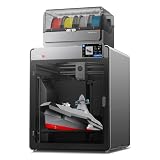
- 【Massive 350x350x350mm³ Build Volume】 Anycubic Kobra S1 Max Combo has extra-large 350x350x350mm³ workspace, provides expansive space for engineers and makers to...
- 【Fully-Enclosed CoreXY Structure】 Built with a solid all-metal frame that stays rock-steady even at top speed. Core XY design eliminates shaking and wobbling, giving...
- 【600mm/s Ultra High-Speed Printing】 Delivers up to 600mm/s print speed and 20,000mm/s² acceleration, finishing a standard Benchy in just 15 minutes. Stop wasting...
- 【Native 4-Color to Max 16-Color】 Bundled with the ACE 2 Pro for 4-color printing out of the box, expanding up to 16 colors with 4 ACE 2 Pro boxes. Say goodbye to...
- 【65°C Heated Chamber for Advanced Materials】Features a 65°C heated chamber and 350°C hotend to easily print tough engineering materials and consumer-grade...
The Anycubic Kobra S1 Max Combo stands out with its large 350 x 350 x 350 mm³ build volume, allowing you to print sizable prototypes or full enclosures without the need to split models. This spacious build area simplifies projects that demand scale and detail, reducing assembly time and errors.
Its fully enclosed all-metal CoreXY frame provides stability and precision even at high speeds of up to 600 mm/s. This design helps maintain consistent print quality and smooth surface finishes, making it suitable for demanding applications.
Maintenance is streamlined with the Smart LeviQ 3.0 system, featuring a 49-point auto-leveling process that ensures accurate first layers without manual adjustments. The heated chamber, maintained at 65°C, minimizes warping when printing with materials like ABS, ASA, and TPU, expanding your material options confidently.
The printer also supports hands-free multi-color printing with up to 16 colors through ACE 2 Pro units, enhancing the versatility for creative or functional multi-part projects. While the unit weighs 77.8 pounds, its design prioritizes stability over portability.
Best for: Professionals and advanced hobbyists requiring large build capacity and multi-color capabilities for detailed prototyping and complex 3D printing tasks.
What We Like:
- Large build volume enables printing without model splitting.
- Stable CoreXY frame supports high-speed, precise printing.
- Automated 49-point leveling reduces setup time and errors.
- Heated chamber prevents warping with advanced materials.
- Multi-color printing supports up to 16 colors hands-free.
Specification:
| Feature | Details |
|---|---|
| Manufacturer | Anycubic |
| Build Volume | 350 x 350 x 350 mm³ |
| Frame | Fully enclosed all-metal CoreXY |
| Printing Speed | Up to 600 mm/s |
| Auto-Leveling | Smart LeviQ 3.0 (49 points) |
| Heated Chamber | 65°C |
| Multi-Color Support | Up to 16 colors (ACE 2 Pro) |
| Weight | 35.3 kg (77.8 lb) |
Creality K2 Plus Combo 3D Printer, Multi Color Printing with New CFS

- 𝐄𝐧𝐣𝐨𝐲 𝐏𝐫𝐢𝐧𝐭𝐢𝐧𝐠 𝐢𝐧 𝐌𝐮𝐥𝐭𝐢𝐩𝐥𝐞 𝐂𝐨𝐥𝐨𝐫𝐬: By hooking up as many as four CFS units...
- 𝐇𝐢𝐠𝐡 𝐒𝐩𝐞𝐞𝐝 𝐏𝐫𝐢𝐧𝐭𝐢𝐧𝐠: Step-servo Motor System 30000mm/s² accelaration, 40mm³/s High-flow and quiet. For a large-format...
- 𝐌𝐮𝐥𝐭𝐢 𝐌𝐚𝐭𝐞𝐫𝐢𝐚𝐥 𝐂𝐚𝐩𝐚𝐛𝐢𝐥𝐢𝐭𝐲: K2 Plus Combo equipped with Actively Heated Chamber & High-temp Nozzle...
- 𝐃𝐮𝐚𝐥 𝐀𝐈 𝐂𝐚𝐦𝐞𝐫𝐚𝐬: K2 Plus uses an Al camera on the chamber side to watch over spaghetti failure, foreign objects, idling, etc. It...
- 𝐈𝐧𝐠𝐞𝐧𝐢𝐨𝐮𝐬 𝐀𝐧𝐭𝐢-𝐭𝐢𝐥𝐭 𝐀𝐮𝐭𝐨 𝐋𝐞𝐯𝐞𝐥𝐢𝐧𝐠: K2 Plus features dual independently motorized...

Experience the freedom of multi-color and multi-material 3D printing with the Creality K2 Plus Combo. Designed to handle complex projects, it lets you print up to 16 colors by connecting four CFS units. This feature simplifies the process of creating vibrant, intricate models without manual filament changes.
The printer’s turbocharged step-servo motors boost printing speeds up to 600 mm/s, making it ideal for large-format creations. A heated chamber and hardened steel nozzle expand your material options, supporting PLA, ABS, and carbon-fiber blends with consistent quality. This versatility helps you bring diverse design ideas to life efficiently.
Maintenance is streamlined but requires attention due to the advanced multi-filament system. Auto-leveling and AI cameras aid in real-time monitoring, improving reliability and reducing errors. The robust frame and dual Z-axes ensure stable, precise builds every time.
The K2 Plus Combo is perfect for users needing high-quality, multi-color prints with advanced automation. Its innovative design balances speed, precision, and material flexibility to enhance your creative workflow.
Best for: Professionals and enthusiasts seeking large-format, multi-color 3D printing with intelligent filament management.
What We Like:
- Supports up to 16 colors via multiple CFS units
- High-speed printing with powerful step-servo motors
- Heated chamber for diverse material compatibility
- AI cameras enable real-time print monitoring
- Sturdy frame and dual Z-axes for precise builds
Specification:
| Feature | Details |
|---|---|
| Manufacturer | Creality |
| Dimensions | Not specified |
| Weight | Not specified |
| Material Compatibility | PLA, ABS, Carbon-fiber blends |
| Color Options | Multi-color (up to 16 colors) |
ELEGOO Saturn 3 Ultra 12K MSLA 3D Printer with 10″ Monochrome LCD

- 【10" 12K LCD Screen】ELEGOO Saturn 3 Ultra features a 10-inch monochrome LCD screen (11520*5120 resolution), printing speed of 150mm/h with ELEGOO rapid resin, and a...
- 【COB+Refractive Light Source】Saturn 3 Ultra features a COB and Refractive light source for uniform light distribution, smoother surfaces, and higher printing...
- 【Laser Carved Platform】The laser carved build plate improves model adhesion and boosts printing success. With a build volume of 218.88mm122.88mm260mm, the Z-axis...
- 【Better Printing Experience】The 4-inch HD IPS touch screen is user-friendly and supports multiple languages. It features a detachable antenna and Wi-Fi file transfer...
- 【Printing Tips】To ensure successful printing and protect the LCD screen/release film: ① Correctly debug machine parameters before printing. ② Properly add model...
Experience exceptional detail and speed with the ELEGOO Saturn 3 Ultra 12K MSLA 3D Printer. Its large 10″ monochrome LCD with 12K resolution lets you create ultra-fine prints with remarkable clarity. This printer is designed to help you achieve precise, professional-quality results quickly.
The printer’s advanced cooling system with dual copper heat pipes keeps it running smoothly, preventing overheating during long print sessions. The laser-carved build plate improves adhesion, reducing print failures and ensuring every layer stays perfectly in place.
Maintenance is straightforward but requires careful calibration to maintain optimal print quality. The stable Z-axis design enhances accuracy, making it easier to produce consistent, high-detail models. The new Linux-based OS and Wi-Fi transfer add convenience for a seamless workflow.
This printer is ideal for those who need fast, detailed resin prints without compromising on quality or reliability. Its robust design balances performance with longevity for demanding hobbyists and professionals alike.
Best for: hobbyists and professionals seeking ultra-high-detail resin 3D prints with fast speeds and reliable performance.
What We Like:
- Crisp 12K resolution on a large 10″ monochrome LCD for detailed prints
- Fast printing speeds up to 150 mm/h increase productivity
- Efficient cooling system and laser-carved build plate enhance quality and durability
- Stable Z-axis ensures precision in every print
- Convenient Wi-Fi transfer and Linux OS improve usability
Specification:
| Feature | Details |
|---|---|
| Manufacturer | ELEGOO |
| Display Size | 10 inches |
| LCD Resolution | 12K monochrome |
| Printing Speed | Up to 150 mm/h |
| Weight | 26.4 lb (12 kg) |
| Cooling System | Dual copper heat pipes |
| Build Plate | Laser-carved |
| Operating System | Linux-based |
Factors to Consider When Choosing a 3D Printer High Resolution
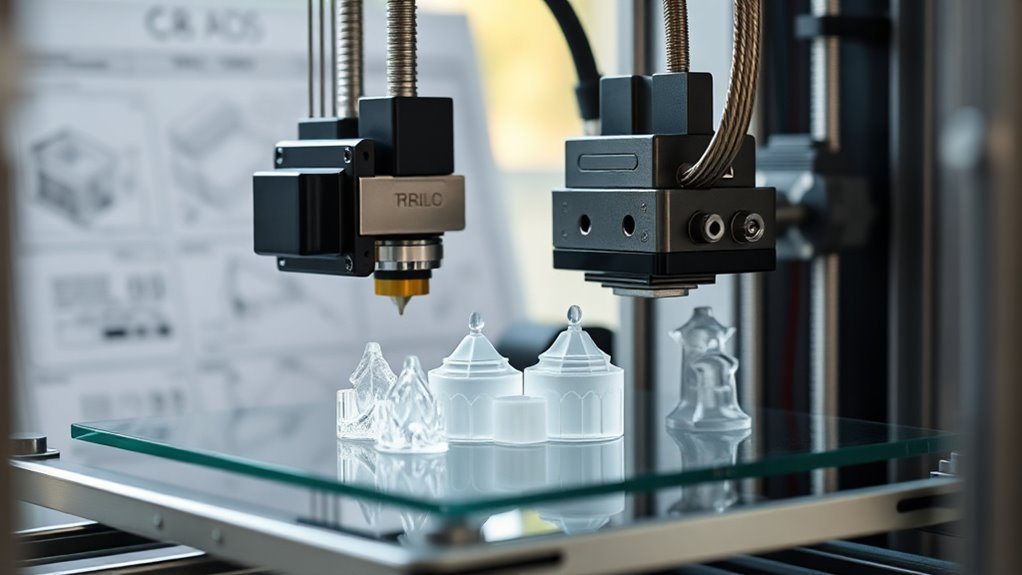
When choosing a high-resolution 3D printer, you need to balance print quality with build volume and speed to meet your project demands. It’s all about finding that sweet spot that works for what you’re creating.
Make sure the printer supports the materials you plan to use and offers easy calibration and leveling for consistent results. These features really make a difference in the long run.
These factors will help you find the right printer that fits both your technical needs and workflow. So, take your time and pick one that feels just right for your projects.
Print Resolution Importance
Although print resolution is often highlighted by pixel size or nozzle diameter, you should consider the entire system’s capability—including optics, motion control, and mechanical rigidity—to truly gauge the detail a 3D printer can achieve.
XY resolution defines the smallest surface detail, with resin MSLA/LCD printers reaching down to 10–50 µm, while fine FDM nozzles hover around 0.2–0.4 mm.
Z-layer height affects vertical smoothness; lowering from 100 µm to 25 µm reduces stair-stepping but increases print time.
Remember, material properties like resin viscosity or filament flow and post-processing can blur details, so pick materials and settings optimized for fine precision.
Finally, for functional parts, resolution alone isn’t enough—you’ll need accurate calibration to guarantee consistent tolerances and fitments.
Build Volume Needs
Considering build volume is essential to guarantee your high-resolution 3D printer can handle the size and complexity of your projects. Match the build volume to your largest expected part, including supports and orientation—tall models require attention to height, not just XY footprint.
Keep in mind that higher resolution printers often have smaller build areas, so confirm XY pixel size and maximum Z height to make certain fine details across the entire model. If you plan batch production of small parts, a larger build volume or multi-part stacking boosts throughput and cuts post-processing time.
Also, leave clearance between parts and edges to prevent warping, collisions, and print failures. Finally, consider your workspace and post-processing needs, since larger prints demand more curing and handling room beyond just fitting the printer itself.
Print Speed Impact
Build volume affects not only what you can print but also how long your projects take. When you choose high resolution, expect slower print speeds because finer details require longer exposure times or slower head movements.
For resin MSLA/LCD printers, smaller voxel sizes mean longer curing per layer. This is limited by LCD refresh rates and resin settling, so it’s not just about the printer’s power.
In FDM printing, cutting layer height and using smaller nozzles increases layers and print moves. That roughly doubles print time with each Z resolution upgrade — it adds up fast.
While faster motors and stronger acceleration can help speed things up, they might cause vibrations. If those aren’t tuned properly, detail quality can actually drop.
To get the best results, use high resolution for final or detailed parts. For bulkier, less detailed areas, try lower or mixed resolutions to balance precision with throughput.
Material Compatibility Range
When selecting a high-resolution 3D printer, you need to guarantee it supports the materials you plan to use, including their specific temperature and handling requirements. Check if the printer’s hotend or resin vat can handle high-temp filaments like PEI or PC, which often need ≥300°C hotends and heated chambers around 60–65°C.
Make sure the extruder type matches your filament flexibility—for example, direct-drive works better with flexible materials than Bowden setups. Confirm the light source wavelength and exposure settings suit your resin types if using MSLA or DLP printers.
Also, verify the build volume and bed adhesion methods fit your project needs, especially for larger engineering plastics. Finally, look for manufacturer profiles or community-tested settings to streamline printing and reduce material waste.
Calibration and Leveling
Material compatibility sets the stage for printing success, but your printer’s calibration and leveling will determine how sharply those materials take shape. You need to calibrate the Z-axis to within 0.01 mm to secure accurate layer heights and fine vertical details.
Use multi-point bed leveling or mesh compensation with 9 to 49 probe points to keep the build plate perfectly flat and prevent first-layer flaws. Don’t forget to tune extrusion rates and nozzle settings using test prints, avoiding over- or under-extrusion that blurs features.
Check gantry squareness and eliminate any Z-axis backlash over 0.02 mm to avoid mechanical artifacts. Finally, regular temperature and retraction calibration, with small increments of 0.2–0.5 mm, will reduce stringing and keep edges crisp for your high-resolution models.
Software and Connectivity
Although hardware precision is essential, your printer’s software and connectivity features play an equally indispensable role in achieving high-resolution prints. You’ll want a slicer that supports exporting multi-parameter profiles like layer height, anti-aliasing, and exposure times to capture fine details accurately.
Check if the printer offers reliable connectivity options—USB, SD card, Ethernet, or Wi-Fi—with fast transfer speeds suitable for large, multi-megabyte files. Make certain firmware compatibility and easy update methods, as firmware controls advanced settings such as Z-step tuning.
Look for support of advanced file formats, multi-part batching, and adaptive slicing in both the slicer and printer workflow. These software and connectivity aspects guarantee you can efficiently manage and produce precision models without hiccups.
Monitoring and Automation
Beyond software capabilities and connectivity, monitoring and automation features can markedly enhance your ability to achieve consistent high-resolution prints. Look for real-time monitoring tools like built-in cameras with time-lapse and live streaming, so you can catch print failures early and minimize waste.
Automated calibration systems—such as auto-leveling and first-layer tuning—ensure solid adhesion without manual tweaks. Closed-loop sensors detect filament runout, resin levels, or load changes, pausing jobs and alerting you to prevent damage.
Intelligent job management lets you remotely control multiple prints, queue tasks, and receive notifications to keep production seamless. Plus, automated thermal controls maintain ideal temperatures, reducing warping and dimensional errors.
These features combine to deliver reliable, precise results while saving you time and effort. Pretty neat, right?
Budget and Warranty
When choosing a high-resolution 3D printer, you’ll want to balance your desired print quality with your budget. Keep in mind that higher detail usually means a higher upfront cost.
Match the printer’s XY and Z resolution specs to your actual detail needs before stretching your budget. Don’t forget about recurring expenses like resin, specialty filaments, FEP or ACF films, and replacement LCDs or nozzles.
These costs can add up quickly if you print often. Check the warranty length and coverage carefully, especially if it includes wear parts. High-res use can wear optics and motion components faster, so this is important.
Also, verify authorized service availability and spare parts in your area. For professional use, consider extended warranties and the printer’s reliability ratings. This can help you avoid costly downtime and repairs.
Frequently Asked Questions
How Do I Maintain and Clean a High-Resolution 3D Printer?
You should regularly clean the build plate and resin tank, removing any cured resin residues to keep everything running smoothly.
Also, gently wipe the optics to ensure your prints come out clear and detailed.
Keep your printer covered when it’s not in use to avoid dust settling on important parts.
Don’t forget to perform routine firmware updates—they help maintain peak printing precision and overall performance.
What Software Is Best for Designing Precision 3D Models?
You’ll want to use software like Fusion 360, SolidWorks, or Rhino for designing precision 3D models. These programs offer powerful tools, high accuracy, and compatibility with most 3D printers.
They help you create detailed, precise designs without much hassle. So, if precision is your goal, these options are definitely worth checking out!
Can High-Resolution 3D Printers Use Third-Party Resins or Filaments?
You might worry about compatibility, but yes, you can use third-party resins or filaments with high-resolution 3D printers. Just make sure they match your printer’s specifications to avoid print failures and maintain premium quality.
It’s pretty important to double-check the resin or filament type recommended by your printer. That way, you keep everything running smoothly and get the best results.
How Long Does a Typical High-Resolution Print Take to Complete?
A typical high-resolution print takes several hours to complete, often ranging from 4 to 12 hours depending on size and complexity.
You’ll want to be patient since finer details require slower, precise layering. It’s all about getting those details just right.
Are There Any Safety Precautions When Using Resin 3D Printers?
Yes, you should always wear gloves and goggles when handling resin. Work in a well-ventilated area to avoid breathing in fumes.
Also, try to avoid skin contact as much as possible. Make sure to properly cure your prints to prevent any toxicity.
If you spill any resin, clean it up immediately to stay safe. Taking these precautions really helps keep the whole process safer and more enjoyable.
Conclusion
Choosing the right high-resolution 3D printer means balancing detail with size, speed with precision. You might crave the ultra-fine 16K clarity of the ELEGOO Saturn 4 Ultra, yet need the versatility of multi-materials from the FLASHFORGE Creator 5 Pro.
While some models excel at massive builds, others deliver microscopic accuracy. It really depends on what you’re aiming to create.
In the end, it’s not just about resolution—it’s about matching your unique projects with the printer that fits your creative vision perfectly. Whether you want to produce precision models or large-scale prototypes, the best high-resolution 3D printers offer the perfect blend of detail, speed, and material compatibility to bring your ideas to life.