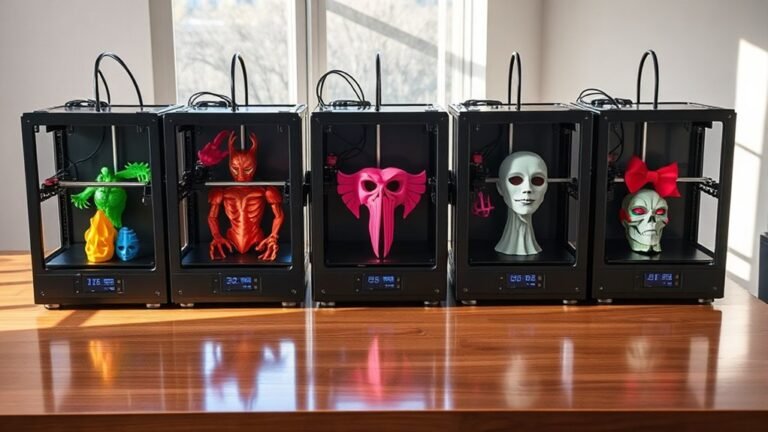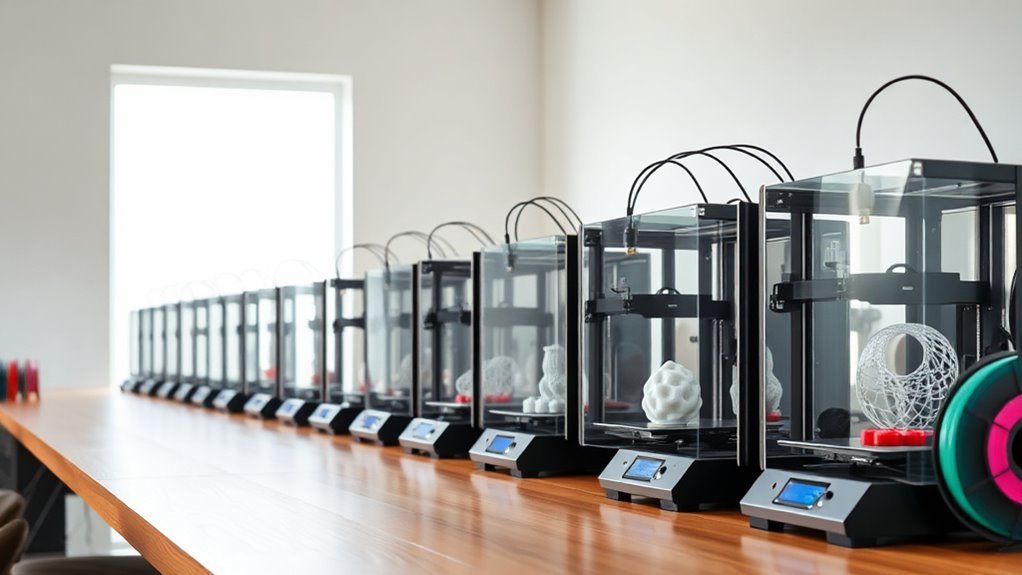
11 Best 3D Printers for TPU in 2027: Flexibility Meets Precision
If you’re looking for the best 3D printers for TPU in 2027, you want a machine that can handle TPU’s flexibility without sacrificing speed or precision. The Bambu Lab P1S Combo is a standout option. It features a CoreXY system and AMS, which makes multi-color prints a breeze while managing flexible filaments like TPU with ease.
Another fantastic choice is the FLASHFORGE Creator 5. It comes with four direct-drive extruders, which are perfect for printing with flexible materials. Both printers excel at handling TPU’s softness, ensuring strong adhesion and smooth extrusion throughout your print jobs.
Keep exploring, and you’ll discover detailed insights on the best printers, filaments, and handy tips to help you perfect your TPU prints every time.
| Image | Name | Editor's Rating | Price |
|---|---|---|---|

|
|
||

|
|
||

|
|
||

|
|
||

|
|
Bambu Lab P1S Combo, P1S 3D Printer and AMS, Multi-Color 3D Printing
- Up to 16 Colors: Bring your designs to life with vibrant multi-color/multi-material printing capabilities, perfect for showcasing your creativity. Note: Connecting Bambu...
- 500mm/s and 20000 mm/s² Acceleration True High Speed: Don't wait around for your masterpieces. Lightning-fast printing speed lets you focus on creating, not waiting.
- Enclosed Design: Fully enclosed body improves print performance for advanced filaments. Automatic Bed Leveling: Say hello to high-quality, successful prints. Auto bed...
- Set Up in 15 Minutes: Spend more time printing and less time setting up. User-friendly design ensures a hassle-free assembly experience for all skill levels.
- Supported Filament: Ideal: PLA, PETG, TPU, PVA, PET ABS, ASA; Capable : PA, PC; Not Recommended: Carbon/Glass Fiber Reinforced Polymer.
Experience the freedom of vibrant, flexible 3D prints with the Bambu Lab P1S Combo. Designed to tackle the challenges of multi-color printing, this system combines the precision of the P1S 3D printer with the advanced AMS filament system. You can create complex, colorful designs with up to 16 colors without interruption.
Its CoreXY motion system delivers fast, accurate prints at speeds reaching 500 mm/s. The fully enclosed build chamber stabilizes printing conditions, making it easier to work with flexible materials like TPU. This design also helps maintain consistent print quality and reduces external interference.
Maintenance is straightforward thanks to automatic bed leveling, which simplifies setup and ensures reliable first layers every time. Despite its 47.5-pound weight, the printer is user-friendly and can be ready to print within 15 minutes, balancing performance with convenience.
While it excels with flexible filaments, the P1S Combo is not suited for carbon or glass fiber reinforced polymers. Its premium multi-color capabilities come with a higher investment but offer unmatched versatility and quality for creative projects.
Best for: Creators and professionals who need high-speed, precise multi-color 3D printing with flexible materials like TPU.
What We Like:
- Seamless multi-color printing with up to 16 filament options via AMS
- High-speed CoreXY system ensures fast and precise production
- Fully enclosed design optimizes printing with advanced flexible filaments
- Automatic bed leveling reduces setup complexity
- Ready to print quickly, combining ease of use with professional results
Specification:
| Feature | Details |
|---|---|
| Manufacturer | Bambu Lab |
| Dimensions | Not specified |
| Weight | 47.5 lbs (21.5 kg) |
| Material Compatibility | TPU, flexible filaments (not carbon/glass fiber reinforced) |
| Color Options | Supports up to 16 colors with AMS |
Bambu Lab P2S Combo, P2S 3D Printer & AMS 2 Pro, Multi-Color 3D Printing
- High-Speed Precision: The Bambu Lab P2S 3D printer prints up to 600 mm/s while maintaining exceptional accuracy. With the PMSM Servo Extruder and Active Flowrate...
- Ready to Print in 15 Minutes: Set up your P2S FDM 3D printer and start printing in just 15 minutes. With AI failure detection, quick-swap nozzles, and automatic...
- Effortless Multi-Color Printing: The AMS 2 Pro enables seamless multi-color/multi-material 3D printing. It features built-in filament drying at up to 65 °C, keeping...
- Smart Airflow for Any Filament: The Adaptive Airflow System automatically balances cooling and heat retention—keeping overhangs crisp with cool air, or maintaining a...
- Limitless Creativity, Seamless Workflow: Explore over one million 3D models on MakerWorld and bring them to life with a smooth, unified workflow using Bambu Studio, Bambu...
The Bambu Lab P2S Combo redefines multi-color and multi-material 3D printing, especially for TPU enthusiasts. Combining the high-speed P2S 3D Printer with the AMS 2 Pro filament system, it addresses common challenges like filament switching and print durability. You can achieve fast, precise prints with speeds up to 600 mm/s, thanks to its CoreXY mechanics and advanced extruder technology.
Maintaining print quality is simpler with the 50 °C heated chamber, which ensures ideal conditions for TPU materials. The AMS 2 Pro automates filament changes and includes built-in drying, reducing manual intervention and print failures. AI-driven failure detection further enhances reliability by monitoring prints and adjusting in real-time.
Designed for both professionals and advanced hobbyists, this system supports complex multi-color designs without compromising speed or accuracy. While the P2S alone cannot print in multiple colors, the AMS 2 Pro combo unlocks this capability seamlessly. Its robust build offers stability but may limit portability due to its weight and size.
Best for: Professionals and enthusiasts needing fast, reliable multi-color TPU printing with automated filament management.
What We Like:
- High-speed CoreXY design enables rapid, smooth printing.
- Automated multi-color filament handling with integrated drying.
- AI failure detection improves print success rates.
- Heated chamber maintains optimal printing environment.
Specification:
| Feature | Details |
|---|---|
| Manufacturer | Bambu Lab |
| Dimensions (inches) | 18 x 22 x 18 |
| Weight (lb) | 46.3 |
| Printer Type | CoreXY 3D Printer |
| Heating Chamber Temp | 50 °C |
| Filament System | AMS 2 Pro with drying |
FLASHFORGE Creator 5 Multi-Color 3D Printer
- 【4 Independent Extruders – Multi-Color & Multi-Material Ready】 Bypass single-nozzle limitations with 4 fully independent direct-drive extruders. This setup supports...
- 【5X Faster Multi-Color Printing – No Filament Swap Delays】 Single-nozzle printers require repeated load/unload cycles for each color change. With 4 independent...
- 【CoreXY Motion System – 600mm/s with Auto Flow Adjustment】 Built on a rigid CoreXY frame with automatic flow compensation, this machine reaches speeds up to 600mm/s...
- 【Ready to Use & 30-Second Nozzle Swap】 Set up and begin printing within minutes out of the box. The 4-inch color touchscreen with updated interface supports...
- 【Smart Monitoring & 256mm³ Build Volume】 The 256 x 256 x 256 mm build chamber accommodates larger models. Integrated features include AI-based failure detection...
Experience the power of seamless multi-color and multi-material TPU printing with the FLASHFORGE Creator 5 Multi-Color 3D Printer. Designed for professionals, it tackles the challenge of slow, wasteful printing by delivering fast results without compromising quality. Its advanced CoreXY frame supports speeds up to 600 mm/s, making high-precision prints efficient and reliable.
This printer’s four independent direct-drive extruders improve TPU filament handling by ensuring consistent feed and reducing material waste. You can switch nozzles swiftly with a tool-free design, minimizing downtime and simplifying maintenance. The 4-inch touchscreen offers intuitive control, placing all key functions at your fingertips.
Maintenance is streamlined thanks to AI-based failure detection and automatic bed leveling. These features reduce the need for constant supervision and help maintain print quality over time. Its compact yet sturdy build fits well in studios or printer farms where space and reliability matter.
While the build volume is moderate at 256 × 256 × 256 mm, it suits most professional and creative projects. The printer balances speed, precision, and multi-material versatility, making it a practical choice for demanding environments.
Best for: professionals and studios seeking precise, high-speed multi-color TPU 3D printing with minimal oversight.
What We Like:
- Four independent direct-drive extruders for efficient multi-material printing
- AI failure detection and automatic bed leveling reduce monitoring
- Tool-free nozzle swaps speed up maintenance
- Intuitive 4-inch touchscreen enhances usability
Specification:
| Specification | Details |
|---|---|
| Manufacturer | FLASHFORGE |
| Build Volume | 256 × 256 × 256 mm |
| Print Speed | Up to 600 mm/s |
| Extruders | Four independent direct-drive |
| Interface | 4-inch touchscreen |
| Frame Type | CoreXY |
SUNLU TPU Filament 1.75mm,(1kg,Black,95a tpu)
- 【TPU for Fast Printing】- SUNLU High Speed TPU Filament can print 3 times fast as ordinary TPU filaments, strikes the ideal balance between softness and resilience...
- 【TPU 3D Printing Filament】- TPU filament is made of flexible thermoplastic polyurethane, featuring Shore hardness of 95A, and items printed with it can easily...
- 【Excellent Layer Adhesion】- Setting the standard for impeccable layer adhesion and delivering impressive results. SUNLU TPU features optimal layer bonding and a...
- 【Excellent Printed Results】- SUNLU TPU filament 1.75mm has excellent layer adhesion, very easy to print. TPU filament is wear-resistant, oil-resistant, good...
- 【TPU Recommend Settings】- We recommend printing at a nozzle temperature of 210-230°C, bed temperature of 50-60°C, printing speed of 80-120mm/s, faster and better.

Experience faster, flexible 3D printing with the SUNLU TPU Filament 1.75mm. Designed to speed up your workflow, this filament allows you to produce durable, elastic parts at up to three times the speed of standard TPU. It solves the common problem of slow printing times without compromising on quality.
This black 95A TPU strikes a balance between softness and toughness, making it ideal for creating functional, wearable items and flexible components. Its excellent layer adhesion ensures smooth, reliable prints, reducing the need for rework and maintenance.
With a precise 1.75mm diameter, this filament fits most FDM printers. Optimal printing conditions range from 210–230 °C nozzle temperatures and 50–60 °C heated beds, supporting print speeds of 80–120 mm/s. Proper temperature control is essential to maintain print quality and avoid defects.
The filament comes vacuum-sealed to protect against moisture, ensuring consistent performance and reducing filament brittleness over time. While its firmness may not suit projects requiring very soft materials, its durability makes it suitable for protective and functional parts.
Best for: users seeking a fast, reliable TPU filament for high-speed printing of flexible, durable, and wearable 3D parts.
What We Like:
- Prints up to three times faster than standard TPU
- Balanced softness with strong layer adhesion
- Compatible with most 1.75 mm FDM printers
- Vacuum-sealed packaging to prevent moisture damage
- Ideal for wearable and functional flexible parts
Specification:
| Feature | Details |
|---|---|
| Manufacturer | SUNLU |
| Diameter | 1.75 mm |
| Weight | 1 kg |
| Material | TPU (Thermoplastic Polyurethane) |
| Color | Black |
| Shore Hardness | 95A |
Bambu Lab P1S 3D Printer, Ready-to-Use FDM 3D Printer
- Up to 16 Colors: Bring your designs to life with vibrant multi-color/multi-material printing capabilities, perfect for showcasing your creativity. Note: Connecting Bambu...
- 500mm/s and 20000 mm/s² Acceleration True High Speed: Don't wait around for your masterpieces. Lightning-fast printing speed lets you focus on creating, not waiting.
- Enclosed Design: Fully enclosed body improves print performance for advanced filaments. Automatic Bed Leveling: Say hello to high-quality, successful prints. Auto bed...
- Set Up in 15 Minutes: Spend more time printing and less time setting up. User-friendly design ensures a hassle-free assembly experience for all skill levels.
- Supported Filament: Ideal: PLA, PETG, TPU, PVA, PET ABS, ASA; Capable : PA, PC; Not Recommended: Carbon/Glass Fiber Reinforced Polymer.
Experience the power of rapid and precise 3D printing with the Bambu Lab P1S, designed to handle flexible materials like TPU effortlessly. Its advanced CoreXY enclosed design enables blazing speeds up to 500 mm/s with smooth acceleration of 20,000 mm/s², cutting project times significantly. This printer solves common slow-printing frustrations, allowing you to focus on creativity rather than wait times.
Setup is straightforward and quick, taking just 15 minutes to get started. The automatic bed leveling simplifies maintenance and ensures consistent print quality without hassle. The user-friendly ecosystem supports a wide range of filaments, including PLA, PETG, and TPU, making it versatile for diverse prototyping needs.
With the AMS unit, you can print in up to 16 colors, expanding your creative possibilities for multi-material projects. While the enclosed frame adds safety and temperature control, it may limit direct access during printing. Additionally, carbon and glass fiber reinforced polymers are not supported, which could restrict use for advanced composite applications.
Weighing 38.9 pounds, the compact yet sturdy build balances portability with stability. This makes it a reliable tool for hobbyists, educators, and small businesses looking for an efficient, beginner-friendly 3D printer.
Best for: Users seeking a high-speed, flexible-material capable 3D printer with multi-color options and minimal setup.
What We Like:
- Fast printing speeds up to 500 mm/s with high acceleration
- Supports multi-color printing with up to 16 colors via AMS
- Quick 15-minute setup with automatic bed leveling
- Handles flexible filaments like TPU smoothly
- Compact and enclosed design enhances print quality and safety
Specification:
| Feature | Details |
|---|---|
| Manufacturer | Bambu Lab |
| Dimensions | Compact (exact dimensions not specified) |
| Weight | 38.9 lb (17.6 kg) |
| Supported Materials | PLA, PETG, TPU, others (excluding carbon/glass fiber reinforced) |
| Color Options | Up to 16 colors with AMS unit |
| Printing Speed | Up to 500 mm/s |
| Acceleration | 20,000 mm/s² |
| Design | CoreXY enclosed frame |
Creality TPU 95A Flexible 3D Printer Filament 1.75mm, 1kg Black

- High Resilience & Good Glossiness: Soft Adhesive Material, soft and elastic, full of toughness, with good glossiness full of elastic. Creality TPU Shore hardness of 95A...
- High Wear Resistance & Aging Resistance: The printing model is resistant to wear and scratch, offering good aging resistance. waterproof and moisture proof, keep warm and...
- Good Chemical Performance: Excellent chemical resistance (water resistance, oil resistance, solvent resistance) and environmental protection, and nontoxic
- Wide Compatible: CR-TPU is wildly used in FDM 3D printers on the market. The filament is also very easy to work with and fits most FDM printers. Widely used for making...
- Creality Support: Creality filament provides 12-month & 24 hours after-sales service. Note:Please place this product in a dry and ventilated environment, not in an...
Creality’s TPU 95A filament redefines flexibility and durability for your 3D printing projects. Its balanced Shore hardness of 95A allows you to create soft, elastic parts that maintain shape and strength. This means your prints, like phone cases or rubber seals, won’t just bend—they’ll endure daily use.
This filament stands out with excellent resistance to wear, scratches, UV rays, and water. It also offers thermal insulation, protecting your prints in various environments. Maintenance is simple, as it delivers consistent extrusion and strong layer adhesion with minimal warping.
Designed for 1.75mm FDM printers, it produces smooth surfaces and reliable bonds between layers. While flexible, it may require some fine-tuning of printer settings to achieve optimal results. Its firmness suits many applications but might be too rigid for ultra-soft parts.
With a lightweight 1kg spool, handling and storage are hassle-free. Creality’s TPU 95A helps you solve common printing challenges by offering a reliable material that adapts well to functional, flexible designs.
Best for: Makers and hobbyists needing a durable, flexible filament for elastic parts like wearable items and protective gear.
What We Like:
- Balanced flexibility and toughness for versatile 3D prints
- Strong resistance to environmental wear and UV damage
- Smooth finish and excellent interlayer adhesion
- Compatible with most 1.75mm FDM printers
- Lightweight and easy to store spool
Specification:
| Feature | Details |
|---|---|
| Manufacturer | Creality |
| Diameter | 1.75 mm |
| Weight | 1 kg |
| Material | TPU (Thermoplastic Polyurethane) |
| Shore Hardness | 95A |
| Color | Black |
ELEGOO TPU 3D Printer Filament 1.75mm Black 1KG, 95A Flexible

- EXCELLENT FLEXIBILITY & RESILIENCE: With a Shore hardness of 95A, ELEGOO TPU filament stretches up to 5 times its original size without breaking
- OUTSTANDING IMPACT RESISTANCE: ELEGOO TPU is a soft filament with outstanding impact resistance, ideal for printing parts built to withstand impacts, collisions, and...
- DIMENSIONAL ACCURACY & CONSISTENCY: Strict tolerances ensure these TPU filaments of 1.75 mm diameter, providing consistent and smooth feeding
- NO CLOGGING & NO BUBBLE: Completely dried before packaging and vacuum sealed well to protect the filament from moisture, no clogging and bubbling problems
- WIDE COMPATIBILITY: Universal compatibility with most of the common 1.75 mm FDM 3D printers on the market. It’s recommended to dry the filament before printing
ELEGOO TPU 3D Printer Filament offers a smart solution for makers who need both flexibility and toughness in their prints. This filament stretches up to five times its original length without breaking, making it ideal for parts that must endure bending and impact.
Designed with a shore hardness of 95A, it provides a balanced feel—soft enough to be flexible but firm enough to hold shape. The precise 1.75mm diameter ensures smooth, consistent extrusion, reducing the chance of clogs or print failures.
Maintenance is simplified thanks to vacuum-sealed, pre-dried packaging that protects against moisture. This keeps the filament ready to use and helps maintain print quality over time. Compatible with most FDM printers, it supports a wide range of flexible applications.
Its unique blend of elasticity and durability makes it suitable for functional prototypes, wearable parts, or any project requiring reliable flexibility. However, the firmness may not suit projects needing ultra-soft TPU, and drying before use is recommended to avoid print issues.
Best for: Makers and hobbyists who require a flexible, durable filament for producing impact-resistant 3D printed parts.
What We Like:
- High elasticity, stretches up to 5× without damage
- Consistent diameter for clog-free printing
- Moisture-resistant packaging for easy storage and maintenance
Specification:
| Specification | Details |
|---|---|
| Manufacturer | ELEGOO |
| Material | TPU (Thermoplastic Polyurethane) |
| Diameter | 1.75 mm |
| Color | Black |
| Shore Hardness | 95A |
| Weight | 1 kg |
SUNLU TPU 95A Flexible 3D Printing Filament 1.75mm, Black 1-Pack

- 【TPU 3D Printing Filament】- TPU filament is made of flexible thermoplastic polyurethane, featuring Shore hardness of 95A, and items printed with it can easily...
- 【Excellent Printed Results】- SUNLU TPU filament 1.75mm has excellent layer adhesion, very easy to print. TPU filament is wear-resistant, oil-resistant, good...
- 【95A TPU Recommend Settings】- We recommend printing at a nozzle temperature of 210-230°C, bed temperature of 50-60°C, printing speed of 80-120mm/s, faster and...
- 【TPU 1.75mm Diameter】- Dimensional Accuracy +/- 0.03mm. SUNLU filament has wide compatibility due to the small diameter error, it's suitable for almost all 1.75mm FDM...
- 【Unlock Your Creativity】- SUNLU TPU filament 1.75mm has wide applications including wear seals, plugs, gaskets, sheets, key ring cases for mobile hands-bike parts...
Discover the freedom to create with the SUNLU TPU 95A Flexible 3D Printing Filament. This filament is designed to deliver durability and flexibility simultaneously, making it ideal for parts that must withstand wear and impact. Its flexibility allows for smooth, elastic prints that maintain shape under stress.
The precise 1.75mm diameter ensures consistent feeding in most FDM 3D printers, reducing print failures. It prints best at nozzle temperatures between 210–230°C and a heated bed of 50–60°C, providing strong layer adhesion for reliable, long-lasting objects. This filament’s oil resistance also adds to its suitability for mechanical parts exposed to lubricants.
Maintenance is straightforward—store it in a dry, cool place to prevent moisture absorption, which can affect print quality. The black color offers a sleek, professional look but is limited if you need variety. Keep in mind, the shore hardness of 95A means it is firm yet flexible, suitable for parts requiring toughness rather than extreme softness.
Best for: Hobbyists and professionals creating durable, flexible parts like seals, gaskets, or wearable items.
What We Like:
- Excellent elasticity combined with wear and oil resistance
- Precise diameter tolerance for consistent printing
- Strong layer adhesion with fast print speeds up to 120 mm/s
- Suitable for high-impact, flexible applications
Specification:
| Feature | Details |
|---|---|
| Manufacturer | SUNLU |
| Diameter | 1.75 mm |
| Shore Hardness | 95A |
| Color | Black |
| Recommended Nozzle Temperature | 210–230°C |
| Recommended Bed Temperature | 50–60°C |
SUNLU TPU Filament 1.75mm,(1kg,Black,90a TPU)

- ①,【TPU 3D Printing Filament】- TPU filament is made of flexible thermoplastic polyurethane, featuring Shore hardness of 90A, and Items printed with it are...
- ②,【Excellent Layer Adhesion】- SUNLU TPU sets the standard for perfect interlayer adhesion, offering optimal layer bonding and a flawless smooth surface. It can be...
- ③,【Exceptional long-lasting cleaning performance】- SUNLU TPU filament has excellent properties, with 99.9% high-efficiency purification, ensuring that printed works...
- ④,【TPU Recommend Settings】- We recommend printing at a nozzle temperature of 220-240°C, bed temperature of 50-60°C, printing speed of 40 mm/s, faster and...
- ⑤,【TPU 1.75mm Diameter】- Dimensional Accuracy +/- 0.03mm. SUNLU filament has wide compatibility due to the small diameter error, it's suitable for almost all 1.75mm...
If you’re looking for a filament that combines flexibility with durability, the SUNLU TPU Filament 1.75mm (1kg, Black, 90A TPU) is an excellent choice. It adapts well to projects requiring elasticity, such as wearable accessories or shock-absorbing components. The 90A Shore hardness ensures your prints remain both resilient and flexible under stress.
This filament’s design promotes a smooth surface finish and strong layer adhesion, reducing common printing issues like stringing and clogging. Maintaining proper temperatures between 220–240°C for the nozzle and 50–60°C for the heated bed is key to achieving the best results. Its vacuum-sealed packaging protects against moisture, keeping the filament ready for use.
SUNLU TPU is compatible with a wide range of 3D printers, making it versatile for various flexible part applications. While it excels in elasticity, it may not suit rigid or high-temperature use cases due to its material properties. Slower print speeds around 40 mm/s help maintain optimal print quality.
Best for: Professionals and hobbyists needing a durable, flexible filament for elastic parts like gaskets, wearable items, and shock absorbers.
What We Like:
- Durable elasticity with 90A Shore hardness
- Smooth finish and reliable layer adhesion
- Moisture-protected vacuum-sealed packaging
- Wide printer compatibility for flexible parts
- Clear temperature guidelines for consistent prints
Specification:
| Feature | Details |
|---|---|
| Manufacturer | SUNLU |
| Diameter | 1.75 mm |
| Weight | 1 kg |
| Material | TPU (90A Shore Hardness) |
| Color | Black |
| Recommended Nozzle Temp | 220–240°C |
| Recommended Bed Temp | 50–60°C |
Polymaker TPU Filament 1.75mm, 95A TPU, 1kg, Black

- 【Flexible TPU 95A Filament】 Polymaker TPU 95A is a flexible thermoplastic polyurethane filament designed for a balance of flexibility, resilience, and durability...
- 【Smooth Printing & Strong Layer Adhesion】 Polymaker TPU 95A is designed for smooth extrusion, consistent printing, and strong layer adhesion. Its flexible material...
- 【1.75mm TPU Filament | ±0.02mm Accuracy】 Polymaker TPU 95A features a standard 1.75mm filament diameter with dimensional accuracy of ±0.02mm. Consistent filament...
- 【40mm-80mm/s Printing Speed | 210–230°C Nozzle】 Polymaker TPU 95A is recommended for printing at 40mm/s, with a nozzle temperature of 210–230°C and a bed...
- 【Flexible Material for Functional Applications】 Polymaker TPU 95A is suitable for a wide range of flexible 3D printed parts, including protective covers, grips...
Polymaker’s TPU filament 1.75mm, 95A brings exceptional flexibility and strength to your 3D printing projects. It’s designed to create parts that bend and stretch without losing durability, perfect for functional components that endure daily wear.
This filament maintains a precise diameter tolerance of ±0.02 mm, ensuring smooth extrusion and reliable layer adhesion. You can print confidently at nozzle temperatures between 210–230 °C and speeds from 40 to 80 mm/s for consistent results and a clean surface finish.
Its black color is ideal for producing grips, seals, flexible connectors, and wearable parts that require elasticity. While compatible with most 1.75 mm FDM printers, achieving optimal bed adhesion might require fine-tuning temperatures between 25–60 °C.
Maintenance is straightforward—store it properly to avoid moisture absorption, which can affect print quality. The material balances high-speed printing with robust flexibility, making it a practical choice for makers and professionals alike.
Best for: Users who need a durable, flexible filament for printing elastic and functional parts with precise performance.
What We Like:
- Offers excellent flexibility with 95A shore hardness for versatile use
- Tight ±0.02 mm diameter tolerance ensures smooth, consistent extrusion
- Supports high-speed printing up to 80 mm/s without sacrificing quality
- Compatible with most 1.75 mm FDM 3D printers
Specification:
| Feature | Details |
|---|---|
| Manufacturer | Polymaker |
| Diameter | 1.75 mm |
| Shore Hardness | 95A |
| Weight | 1 kg |
| Color | Black |
| Nozzle Temperature | 210–230 °C |
| Printing Speed | 40–80 mm/s |
| Bed Temperature | 25–60 °C |
Creality TPU Flexible 3D Printer Filament 1KG
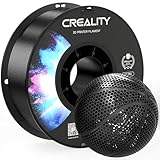
- Note:TPU Filament, it is recommended to use the direct drive extruder for printing, which can greatly improve the success rate of printing
- Soft Filaments of High Elasticity:Creality TPU Flexible Filament is a thermoplastic polyurethane (TPU) based filament specifically engineered to work on most desktop 3D...
- High Quality TPU Filament:Designed and Manufactured with Clog-Free patent to guarantee a smoother and more stable printing experience with Creality TPU Rolls. Complete...
- Flex-up Your Imagination: Creality TPU filament 1.75mm has wide applications including wear seals, plugs, gaskets, sheets, key ring cases for mobile hands-bike parts...
- Dimensional Accuracy & Consistency: Flexible filament advanced CCD diameter measuring and self-adaptive control system in the manufacturing guarantee these soft TPU...
Creality TPU Flexible 3D Printer Filament 1KG offers a smart solution for creating durable and elastic parts that stand up to daily use. Its exceptional flexibility lets you produce items that need to stretch and bend without breaking, such as phone cases or watch bands. This filament stretches up to three times its length while maintaining toughness with a 95A shore hardness.
Designed for smooth and reliable printing, Creality’s filament features advanced quality control to minimize jams and tangles. Its vacuum-sealed packaging preserves filament quality, ensuring consistent results. You’ll experience excellent bed adhesion and low warping, making it easier to print flexible parts with precision.
Maintenance is straightforward, but this filament performs best with direct drive extruders due to its flexibility. Beginners might find handling flexible filaments a bit challenging, but the benefits in finished product durability are worth the effort. Its low odor also contributes to a more comfortable printing environment.
With Creality TPU, you gain a versatile material for functional prints that need both strength and stretch. It’s ideal for users who want reliable, flexible 3D prints without compromising on quality.
Best for: Makers and hobbyists who require durable, flexible parts such as wearable accessories and functional mechanical components.
What We Like:
- High elasticity with up to 3x stretch and strong 95A shore hardness
- Vacuum-sealed and clog-resistant for smooth, consistent printing
- Excellent bed adhesion and minimal warping for reliable print quality
- Low odor for a more pleasant printing experience
Specification:
| Feature | Details |
|---|---|
| Manufacturer | Creality |
| Filament Diameter | 1.75 mm |
| Weight | 1 kg |
| Material | TPU (Thermoplastic Polyurethane) |
| Shore Hardness | 95A |
| Color Options | Various |
Factors to Consider When Choosing a 3D Printer for TPU

When choosing a 3D printer for TPU, you need to focus on key features like print bed compatibility and the type of extruder it uses.
Temperature control and the filament feeding mechanism also play vital roles in ensuring smooth printing.
Don’t forget to keep in mind print speed to balance quality and efficiency. It’s all about finding the right mix that works for your specific needs.
Print Bed Compatibility
Choosing the right print bed plays an essential role in successfully printing TPU. This flexible material demands a surface that offers strong mechanical grip rather than relying solely on heat.
TPU sticks best to textured or PEI-coated beds, which provide the grip needed for proper adhesion. While a heated bed set between 50–60 °C helps improve first-layer bonding and reduces warping, especially for larger parts, the bed surface itself is indispensable.
You should also consider removable flexible build plates or spring steel sheets to minimize stress when removing parts. This helps preserve their shape.
Keep your bed clean and oil-free by wiping it with isopropyl alcohol. Avoid sticky glues that attract debris.
Finally, precise bed leveling and Z-offset adjustments guarantee consistent first-layer compression. This is critical for TPU’s softness.
Extruder Type Importance
Mastering TPU printing starts with selecting the right extruder type, as it directly impacts filament control and print quality. You’ll want a direct-drive extruder since keeping the hot end close to the drive gears shortens the filament path, reducing buckling and improving flexible filament handling.
Avoid Bowden setups because their long PTFE tubing can cause filament compression and poor retractions at typical TPU speeds. Look for extruders with geared or high-torque stepper motors, like 3:1 reduction, to guarantee smoother feeding of viscous TPU blends.
A full metal feed path or constrained filament channel prevents jams by minimizing filament expansion. Finally, stiff extruders with low slop let you use lower retractions and faster print speeds (60–120 mm/s) with less stringing, boosting print quality and efficiency.
Temperature Control Features
Since TPU requires precise thermal conditions to print well, temperature control features become essential in your 3D printer choice. You’ll want a heated bed that reaches 50–60 °C to boost first-layer adhesion and reduce warping.
The nozzle temperature should be stable within 210–230 °C, with ±2 °C accuracy. This ensures smooth extrusion and less stringing. An enclosed or temperature-buffered build chamber helps maintain consistent ambient temperatures, preventing rapid cooling and improving layer bonding.
Adjustable active cooling is vital since TPU often needs low or finely tuned fan speeds. This avoids poor interlayer adhesion. Plus, look for firmware or software that supports temperature profiling, including multiple stages and quick recovery after retractions.
That way, you keep extrusion consistent and prevent jams when printing flexible TPU filaments.
Filament Feeding Mechanism
Temperature control sets the stage for successful TPU printing, but your filament feeding mechanism plays a big role in keeping prints consistent and smooth. Direct-drive extruders position the hotend near the filament entry, cutting filament path length and reducing bending points.
This design lowers stringing and under-extrusion risks. In contrast, Bowden setups use long PTFE tubes that increase lag and compressibility. This often forces you to slow print speeds and add specialized liners.
Choose feeders with multiple drive gear teeth and strong grip pressure to prevent slipping, especially for flexible filaments with Shore hardness around 90–95A. Minimize filament bends and keep retraction distances short—under 2–3 mm for direct drive—to avoid jams.
Finally, sensors and consistent filament diameter control help maintain smooth feeding by reducing tension spikes and filament deformation. It all adds up to better prints with fewer headaches!
Print Speed Considerations
When printing TPU, dialing in your print speed is essential to balance quality and efficiency. Moderate speeds between 40 and 120 mm/s work best since printing too fast can cause filament stretch and under-extrusion. Going too slow leads to oozing and stringing, which can be frustrating.
Keep acceleration under 5,000–10,000 mm/s² and reduce jerk to prevent filament whip and layer inconsistencies. If your printer has a direct-drive or short-path extruder, you can push speeds higher because the filament path is shorter, minimizing buckling.
At increased speeds, lower your retraction distance to about 1–3 mm and slow down retraction speed to avoid jams and filament damage. Also, boost print cooling and adjust flow rate to maintain surface quality and layer adhesion as extrusion speed rises. This way, you’ll get the best results without compromising your print.
Enclosure and Environment
Although TPU is a forgiving flexible filament, you’ll get the best prints by using an enclosed or semi-enclosed build chamber. This helps maintain a steady ambient temperature, reducing warping—especially with softer TPU grades sensitive to drafts.
Keep the chamber temperature between 25–40°C to prevent excessive softening while promoting good layer adhesion and minimizing stringing. Since TPU absorbs moisture, print in a dry environment or use a filament dryer to avoid bubbling and poor surface finish.
For long prints, make certain your enclosure has good ventilation or filtering, as heating TPU can release volatile compounds. Finally, choose an enclosure that’s easy to access for maintenance and filament changes. It should also have clear visibility or lighting so you can monitor prints without opening the chamber and causing temperature fluctuations.
Frequently Asked Questions
How Does TPU Filament Compare to Other Flexible Materials?
You’ll find TPU more durable and elastic than many flexible materials, offering excellent abrasion resistance and flexibility.
It’s easier to print with than some softer filaments, balancing flexibility and strength for versatile applications.
What Maintenance Is Required for 3D Printers Using TPU?
You’ll need to clean the nozzle regularly since TPU clogs 30% more often than PLA. Also, check your extruder tension weekly.
Lubricate moving parts to guarantee smooth TPU printing and avoid costly jams or misfeeds. Keeping up with these steps really helps your printer run smoothly!
Can TPU Prints Be Painted or Post-Processed Easily?
Yes, you can paint TPU prints, but you’ll need flexible paints to avoid cracking.
For post-processing, sanding and smoothing are tricky because TPU is elastic. So, it’s better to use gentle methods like applying heat or special coatings for the best results.
What Safety Precautions Are Needed When Printing With TPU?
You’ll want to make sure proper ventilation and wear gloves since TPU can release fumes and might irritate skin.
Also, keep your printer’s temperature settings in check to avoid overheating and potential fire hazards.
Safety first, right? It’s always better to be cautious when working with materials like TPU.
How Does Ambient Temperature Affect TPU 3D Printing Quality?
You’ll find ambient temperature affects TPU printing by influencing layer adhesion and flexibility.
If it’s too cold, your print may warp or have poor bonding; keep your environment warm and stable for the best results.
Conclusion
Choosing the right 3D printer for TPU is like finding the perfect dance partner—flexible yet precise. Whether you’re printing intricate designs or bold creations, these top picks will help you glide through every layer with ease.
Embrace the blend of strength and stretch, and watch your ideas come alive in vibrant, flexible detail. Ready to turn your visions into reality? Jump in, and let your creativity stretch beyond limits!
When it comes to 3D printing TPU, flexibility meets precision in the best way possible. The right 3D printer makes all the difference, ensuring smooth printing of TPU’s elastic properties without compromising detail.
So, whether you’re a hobbyist or a professional, choosing a reliable 3D printer designed for TPU means your flexible creations will be strong and beautifully crafted. Dive into these top 3D printers for TPU and start bringing your flexible designs to life!