4 Best Budget 3D Printers Under $300 for 2027
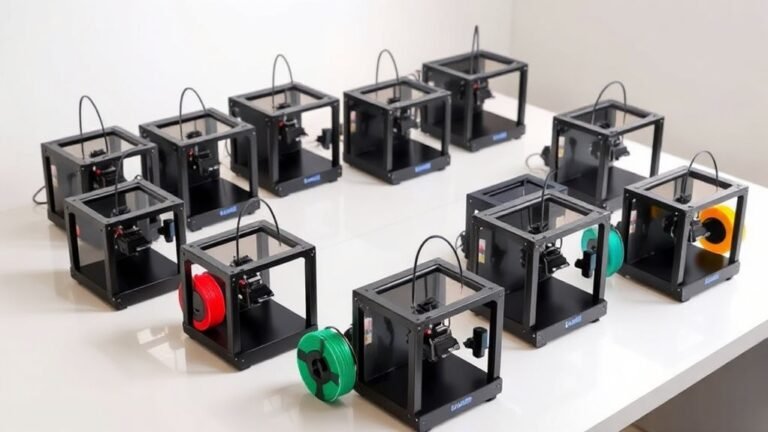
If you’re looking for a budget-friendly 3D printer under $300 in 2027, you’ve got some great options to consider. These compact models offer a mix of portability, ease of use, and solid performance without breaking the bank. Whether you’re a beginner or working on small projects, these printers deliver good value.
The Portable Compact FDM is super easy to set up and comes with a removable plate, making prints hassle-free. Then there’s the Entina Tina2 Plus, which adds fast WiFi and cloud printing to the mix—perfect if you like wireless convenience.
Malyan M320 arrives fully assembled and includes a heated bed, so you can start printing right away. Lastly, the TRONXY CRUX 1S supports multiple filament types and boasts a stable structure for consistent results. Each printer balances portability and performance nicely, so take a closer look to find your perfect fit!
| Image | Name | Editor's Rating | Price |
|---|---|---|---|

|
|
||

|
|
||

|
|
||

|
|
Portable Compact FDM 3D Printer with Removable Plate
- Foolproof Setup with Video Guides – Never get stuck! We provide a crystal-clear Quick Start Guide and step-by-step video tutorials. Watch them online to get started.
- Simple Assembly with Video Guide – Requires quick modular setup (watch our step-by-step video). Comes with 10m PLA filament, TF card, tools, and 12V Type-C power...
- Versatile Filament Compatibility – Unleash your creativity with both PLA and flexible TPU (1.75mm). The reliable 0.4mm nozzle and precise 0.05-0.3mm layer thickness...
- Reliable Performance & Compact Design – Features stable FDM technology and a removable build plate for easy model removal. The perfect 100x100x100mm build volume is...
- Complete Package – No Hidden Costs – Includes printer, 10m PLA filament, 8GB TF card + reader, tools, illustrated manual, and 12V Type-C power adapter. Plus free...
Discover the ease of 3D printing with this portable compact FDM 3D printer featuring a removable build plate. Its small footprint and lightweight design make it perfect for tight spaces and easy transport. The removable plate allows for quick and simple model removal, reducing the hassle after printing.
This printer offers precise control with its 0.4 mm nozzle and adjustable layer thickness from 0.05 to 0.3 mm. These features ensure your prints come out clean and detailed, ideal for small-scale projects. The 100 x 100 x 100 mm build volume fits most beginner and hobbyist needs without overwhelming complexity.
Designed for beginners, students, and hobbyists, it supports PLA and TPU filaments, offering versatility in material choices for various projects. Included tutorials and a quick start guide simplify setup and operation, helping you get started with minimal effort.
While it excels in ease of use and portability, its limited build volume and filament compatibility might not meet the demands of larger or more advanced prints. The layer thickness range may also be insufficient for ultra-fine or industrial applications.
Best for: beginners, students, and hobbyists seeking an affordable, easy-to-use compact 3D printer for small projects and educational use.
What We Like:
- Compact, lightweight design ideal for limited spaces and portability
- Removable build plate for effortless model removal and maintenance
- Clear tutorials and quick start guide for fast, straightforward setup
Specification:
| Feature | Details |
|---|---|
| Manufacturer | Not specified |
| Build Volume | 100 x 100 x 100 mm |
| Nozzle Diameter | 0.4 mm |
| Layer Thickness | 0.05 – 0.3 mm |
| Supported Filaments | PLA, TPU |
| Weight | Not specified |
| Color Options | Not specified |
Entina Tina2 Plus Fast WiFi 3D Printer
- 【Start Printing in Minutes – Beginner Friendly】No setup required. Tina2 Plus 3d printer comes fully assembled and ready to use out of the box. With included TF card...
- 【Fast 250mm/s Printing Performance】This Tina2 Plus high speed 3D printer print speeds up to 250 mm/s help reduce waiting time and support fast project turnaround...
- 【WiFi App Control & STEM Model Library】Powered by the Poloprint Cloud app, this WiFi-enabled 3D printer gives access to 3,500+ printable models and 25+ creative DIY...
- 【40-Second Fast Heat Ceramic Hotend】High-efficiency ceramic hotend heats up in just 40 seconds for faster start-up and less downtime. The quick-swap nozzle design...
- 【Compact 3D Printer for Home & Classroom】Designed with a space-saving footprint while maintaining practical print capacity, this compact 3D printer fits easily on...
The Entina Tina2 Plus Fast WiFi 3D Printer makes 3D printing accessible and efficient for beginners. Its fully assembled design lets you start printing quickly using the included TF card loaded with models. This eliminates the hassle of complex setup and helps users focus on creating right away.
With print speeds reaching 250 mm/s and a ceramic hotend that heats up in just 40 seconds, it significantly reduces wait times. The printer’s stable motion system and dual Z-axis provide precise, reliable results. Maintenance is simplified by the PEI spring steel build plate, which auto-levels and offers easy print removal.
Designed for home, classroom, and STEM environments, the printer’s compact, partially enclosed frame balances safety and space efficiency. WiFi connectivity and the Poloprint Cloud app allow remote control and access to thousands of designs, enhancing convenience and expanding creative possibilities.
While its size limits very large prints and requires supervision due to safety features, the Tina2 Plus is ideal for those wanting fast, dependable 3D printing without complicated setup or maintenance.
Best for: beginners, students, and educators needing a fast, user-friendly 3D printer for learning and STEM projects.
What We Like:
- Fully assembled with preloaded models for quick start
- Fast print speeds and rapid 40-second heat-up hotend
- WiFi and app control with access to extensive model libraries
- Auto-leveling PEI spring steel build plate for easy maintenance
- Stable motion system with dual Z-axis for accurate printing
Specification:
| Feature | Details |
|---|---|
| Manufacturer | Entina |
| Dimensions | Compact size (exact not provided) |
| Weight | Not specified |
| Material | PEI spring steel build plate, ceramic hotend |
| Color Options | Not specified |
Malyan M320 Fully Assembled 3D Printer
- 1. Ready to Print: Unlike most other low-cost 3D printers, this printer ships fully assembled and has already been calibrated at the factory. We even include sample PLA...
- 2. LCD Touch Screen: Touch screen interface, simply navigate through the easy to use touch screen to level the print bed, select the part you want to print, and let the...
- 3. Heated aluminum build plate nozzle cooling fan for printing all filament types. Complete kit with sample PLA filament, bed scraper, and MicroSD card with preloaded...
- 4. All Metal Hotend for Stability: The all metal hotend is capable of superior performance and prevents wear and tear, while the heat brake design allows for efficient...
- 5. Removable Magnetic Build Plate: The easy to remove magnetic build plate makes the often times messy and difficult removal of prints simple and straightforward. You can...
The Malyan M320 offers an effortless start to 3D printing with its fully assembled design, eliminating setup frustrations. Its compact 150 x 150 x 150 mm build volume makes it ideal for small-scale projects, allowing users to bring creative ideas to life quickly without bulk or complexity.
Designed for ease of use, the printer comes factory calibrated and includes a sample PLA filament, so you can start printing immediately. The removable magnetic build plate simplifies maintenance by making print removal smooth and quick, reducing downtime between jobs.
Its sturdy metal frame ensures stability during printing, while the heated aluminum bed and all-metal hotend support reliable results with common filaments. Navigation is straightforward via the LCD touchscreen, and files can be printed directly from a microSD card or USB, catering to simple workflows.
While the Malyan M320 may not accommodate larger items due to its limited build volume, it excels in providing a dependable, low-maintenance 3D printing experience for everyday users.
Best for: Beginners and hobbyists seeking a compact, ready-to-use 3D printer that simplifies setup and maintenance.
What We Like:
- Fully assembled and factory calibrated for immediate use
- Removable magnetic build plate for easy print removal
- Heated aluminum bed and all-metal hotend enable consistent printing with common filaments
- Simple navigation with LCD touchscreen and multiple file input options
Specification:
| Feature | Details |
|---|---|
| Manufacturer | Malyan |
| Build Volume | 150 x 150 x 150 mm |
| Frame Material | Metal |
| Heated Bed | Yes, aluminum |
| Hotend Material | All-metal |
| Connectivity | Micro USB, microSD |
| Display | LCD touchscreen |
TRONXY CRUX 1S Mini 3D Printer, Direct Extruder Double OSG15 Guide Rail
- 300mm/s Ultra-Speed Printing: The upgraded high-speed print head delivers travel speeds of up to 300mm/s and accelerations of up to 10,000mm/s², maximizing efficiency...
- Ceramic Heating Print Head: high temperature resistance, faster heating speed, greatly reducing printing heating time
- 95% Pre-installed: TRONXY CRUX 1S small 3D printer, in semi-assembled kit, both as an entry-level version and as a portable home office version, high adaptability, quick...
- Cantilever Structure: Lightweight structure, build a reasonable force balance, with good load capacity, improve efficiency and maintain stability during printing...
- Portable Lightweight: Small 3d printer CRUX1 weights less than 6 kg, equivalent to a small dumbbell weight. Small and lightweight suitable for students and children, big...
The TRONXY CRUX 1S Mini 3D Printer is designed to bring precision and speed to your creative projects. Its direct extruder ensures strong, consistent filament flow, making it easier to print materials like PLA, ABS, PETG, and TPU with fewer issues. This improves print reliability and reduces material waste.
With a travel speed of up to 300 mm/s and acceleration of 10,000 mm/s², the printer cuts down production time significantly. The ceramic heating print head heats quickly, minimizing warm-up delays and helping you start your prints faster. Its compact size and lightweight design make it easy to move and fit into small workspaces.
The sturdy cantilever structure paired with double OSG15 guide rails enhances stability and smooth motion. This reduces vibrations and improves print accuracy. Maintenance is straightforward thanks to its semi-assembled design, though some technical know-how is helpful for setup and calibration.
While the mini size limits print volume, it excels in rapid prototyping and educational use. Its portability and precise control make it a practical choice for hobbyists and students looking to develop skills without complicated setups.
Best for: Hobbyists, students, and educators needing a fast, precise, and compact 3D printer for prototyping and learning.
What We Like:
- High-speed travel and acceleration for quick prints
- Direct extruder with fast-heating ceramic head
- Stable cantilever structure with dual OSG15 guide rails
- Lightweight and portable design
- Supports multiple filament types with reliable extrusion
Specification:
| Feature | Details |
|---|---|
| Manufacturer | TRONXY |
| Dimensions | Compact mini size (exact size not provided) |
| Weight | Under 6 kg |
| Extruder Type | Direct extruder |
| Guide Rails | Double OSG15 |
| Heating Element | Ceramic print head |
| Compatible Filaments | PLA, ABS, PETG, TPU |
Factors to Consider When Choosing a Budget 3D Printer Under $300
When choosing a budget 3D printer under $300, you’ll want to focus on print quality and build volume to match your project needs. Consider filament compatibility and how easy the setup process is to save time and frustration.
Also, don’t forget to check the connectivity options and software support. These can make a big difference for a smoother printing experience.
Print Quality and Resolution
Although budget 3D printers under $300 come with limitations, you can still achieve impressive print quality by focusing on key factors like layer height, nozzle size, and mechanical stability. Look for printers supporting layer heights around 0.1 mm for fine details, though many offer 0.05–0.3 mm ranges.
A 0.4 mm nozzle balances speed and detail well, but smaller nozzles improve resolution at the cost of slower prints and potential clogs. Mechanical stability is essential—stiff frames, tight belts, and quality linear motion minimize wobble, ensuring smooth surfaces and accurate dimensions.
Features like heated build plates and reliable bed adhesion reduce warping and improve first-layer accuracy, which impacts overall quality. Also, consistent filament diameter, proper extrusion calibration, and suitable filament types help create smooth surfaces and strong layer bonding.
Build Volume Size
Because build volume directly limits the size of your prints, you should carefully compare the X, Y, and Z dimensions of budget 3D printers under $300 to make sure they fit your project needs. Common volumes range from about 100×100×100 mm to 200×200×200 mm.
If you’re printing large prototypes or functional parts, prioritize Z height and bed area—aim for 150–200 mm in at least one axis. Keep in mind, larger volumes mean longer print times and more filament usage.
Also, bigger printers often take up more space and might lose precision near edges. For tight spaces like classrooms or desktops, smaller volumes around 100–150 mm per axis strike a good balance between size, stability, and compactness.
Match your choice to your project scale and workspace constraints.
Filament Compatibility Options
To get the most out of a budget 3D printer under $300, you’ll want to make sure it supports common filament types and sizes. Prioritize printers compatible with 1.75 mm filament, as this is the standard offering the widest selection.
Make certain it handles PLA and TPU at minimum—PLA is beginner-friendly, while TPU adds flexibility. If you plan to print PETG or specialty filaments, check for a heated bed and a hotend that reaches at least 220–250°C.
Consider the extruder type: direct-drive extruders excel with flexible filaments like TPU, while Bowden setups work well for rigid materials but might struggle with soft ones. Finally, opt for an open filament system without proprietary cartridges, so you can use affordable third-party filaments and enjoy a broader material choice.
Ease Of Setup
When choosing a budget 3D printer under $300, you’ll often find that ease of setup makes a huge difference in how quickly you can start printing. Look for models labeled “fully assembled” or “95–100% pre-installed” to skip complex assembly.
Features like removable build plates, preinstalled firmware, and factory bed leveling save valuable time during setup. It helps if the printer comes with sample filament, preloaded print files, and clear Quick Start Guides or video tutorials to get your first print right away.
Make sure it includes all necessary tools, a power adapter, and straightforward instructions for bed leveling and filament loading. These essentials prevent delays.
While connectivity and software matter, focus here on hardware setup simplicity to enjoy faster, hassle-free printing from the start.
Connectivity And Software
Although budget 3D printers under $300 often prioritize affordability, you shouldn’t compromise on connectivity and software features that make printing convenient and efficient. Look for multiple connection options like USB, SD/TF card, and Wi-Fi or Ethernet so you can print directly, use removable media, or send jobs remotely.
Make sure the printer supports common file formats such as G-code and STL and works with popular slicers like Cura or PrusaSlicer—or offers a reliable proprietary slicer with updates. Built-in features like touchscreens, USB/SD printing, or mobile app control let you manage prints without a PC.
Also, check for network capabilities and regular firmware updates, ensuring compatibility with standard filament profiles and community-created settings for flexible, smooth printing. These little extras really make a difference when you want hassle-free 3D printing.
Printer Speed And Precision
Since print speed and precision directly impact your project’s quality and completion time, you’ll want to understand how these factors balance on budget 3D printers under $300. Travel speeds can reach 200–300 mm/s, but reliable print speeds usually range between 40–120 mm/s to maintain good quality.
Precision depends on layer height, typically 0.05–0.3 mm. Lower layers offer finer detail but increase print time.
Nozzle size matters too—standard 0.4 mm nozzles balance speed and detail, while smaller ones improve detail but slow extrusion.
Mechanical rigidity and frame stability are vital. Poor build quality can cause ringing and layer shifts at high speeds or acceleration (>5,000 mm/s²).
Portability And Footprint
How much space do you have for your 3D printer, and will you need to move it often? Check the printer’s size and weight to make certain it fits your workspace and is easy to carry.
Compact models, typically under 12 x 9 x 9 inches and weighing 6–12 lbs, offer true portability. Keep in mind the build volume relative to footprint—smaller beds around 100–150 mm cubed save space but limit part size, so pick one that suits your projects.
Look for removable build plates or modular frames to simplify transport and setup. Consider enclosure types: open-frame printers are lighter, while enclosed ones add bulk but protect prints.
Finally, prioritize USB or Type-C power and SD or Wi-Fi connectivity to print flexibly without relying on a PC.
Frequently Asked Questions
What Types of Filaments Are Compatible With Budget 3D Printers?
You’ll find budget 3D printers typically work with PLA, ABS, and PETG filaments. These materials are affordable, easy to print, and widely supported.
They’re perfect for your entry-level projects without needing advanced printer features. So, if you’re just starting out, these filaments are a great place to begin.
How Long Does It Take to Assemble a Typical Budget 3D Printer?
It usually takes you about 1 to 3 hours to assemble a typical budget 3D printer. You’ll follow step-by-step instructions, and with patience, you’ll have it ready to start printing in no time.
Don’t worry if it feels a bit tricky at first. Just take your time, and before you know it, you’ll be up and running!
Are There Any Safety Precautions to Follow When Using Budget 3D Printers?
Yes, you should always work in a well-ventilated area and avoid touching hot parts. Keeping the printer clean is also important to ensure everything runs smoothly.
Make sure to use proper protective gear, like gloves or safety glasses. And hey, never leave it unattended while printing—that’s a big no if you want to stay safe and prevent accidents.
Can Budget 3D Printers Be Used for Educational Purposes?
You’ll find budget 3D printers can be powerful seeds for learning, sparking creativity and problem-solving.
You can use them in classrooms to turn ideas into tangible projects, making education hands-on, fun, and deeply engaging.
What Maintenance Is Required to Keep a Budget 3D Printer in Good Condition?
You’ll need to regularly clean the nozzle, lubricate moving parts, and tighten belts.
Also, level the print bed before each job and update firmware to keep your budget 3D printer running smoothly and producing quality prints.
Doing these simple tasks will help you avoid bigger issues down the line and ensure your prints come out just right every time.
Conclusion
Choosing a budget 3D printer under $300 doesn’t mean you have to compromise on quality or features. With options like the Portable Compact FDM and Entina Tina2 Plus, you can enjoy reliable printing without breaking the bank.
Did you know that over 60% of beginners prefer budget-friendly models for their first printer? This shows how accessible 3D printing has become, letting you plunge into creativity without overspending.
When searching for the best budget 3D printers under $300, it’s clear that affordability and performance can go hand in hand. These printers offer great features for hobbyists and beginners alike, making 3D printing easy and fun. So, if you want a reliable, affordable 3D printer that fits your budget, there are plenty of excellent options waiting for you in 2027.