11 Best Brother Printer Hime Models for 2027 You Need to See
You’ll want to check out Brother’s top printer models for 2027 that offer a fantastic blend of speed, quality, and features. Whether you need fast black-and-white printing or vibrant color output, Brother has something to suit your workspace. These printers deliver reliable performance, smart ink management, and crisp results that keep up with your busy schedule.
The wireless monochrome DCP-L2640DW and HL-L2460DW lasers are perfect for handling high-volume black-and-white jobs efficiently. They’re built to keep your workflow smooth without sacrificing quality or speed.
For those who need sharp, vibrant color prints, the INKvestment 4355 and the compact MFC-J1170DW stand out. They shine with smart ink management systems that help you save money while producing top-notch output.
If labels are what you need, the QL-810Wc is a great choice. It delivers fast, crisp label prints that make organizing and shipping a breeze.
There really is something for every workspace—so take a look at the lineup and find your perfect match!
| Image | Name | Editor's Rating | Price |
|---|---|---|---|

|
|
||

|
|
||
|
|
||

|
|
||

|
|
Brother DCP-L2640DW Wireless Monochrome Printer
- BEST FOR SMALL BUSINESSES – Engineered for extraordinary productivity, the Brother DCP-L2640DW Monochrome (Black & White) 3-in-1 combines laser printer, scanner, copier...
- FAST PRINTER WITH EFFICIENT SCANNING – Produces documents quickly with print speeds up to 36 ppm(2) and scan speeds up to 23.6/7.9 ipm(3) (black/color). A 50-page auto...
- FLEXIBLE CONNECTION OPTIONS – Easily navigate the changing demands of your business with secure multi-device connectivity via built-in dual-band wireless (2.4GHz...
- BROTHER MOBILE CONNECT APP – Print, scan, and manage your wireless printer anytime, from almost anywhere from your mobile device. Order Brother Genuine Supplies, track...
- CHOOSE BROTHER GENUINE TONER – When it’s time to replace your toner, be sure to choose Brother Genuine TN830 or TN830XL replacement toner. And with Refresh EZ Print...

The Brother DCP-L2640DW is designed to streamline your office tasks with fast, reliable monochrome printing, copying, and scanning. It helps businesses reduce wait times and increase productivity by printing up to 36 pages per minute. This multifunction printer handles daily workloads smoothly, making it easier to manage documents without delays.
Its 50-page automatic document feeder simplifies scanning and copying multiple pages at once. The automatic duplex printing function reduces paper use, supporting cost-effective and eco-friendly office practices. Wireless connectivity options include dual-band Wi-Fi and Ethernet, offering flexible setup in various work environments.
Maintenance is straightforward with easy-to-replace toner and drum cartridges, although these supplies contribute to ongoing costs. Its compact footprint and ENERGY STAR compliance ensure it fits well in tight spaces without high energy consumption, making it suitable for busy offices with limited room.
This printer is ideal for businesses that prioritize efficient black-and-white document handling. It delivers consistent quality and speeds, helping improve office workflows while keeping operational tasks manageable.
Best for: Small businesses needing a dependable monochrome multifunction printer with fast output and versatile connectivity.
What We Like:
- Rapid printing speed of up to 36 ppm with automatic duplex to save paper.
- 50-page auto document feeder accelerates scanning and copying tasks.
- Dual-band Wi-Fi and Ethernet support for flexible network connections.
- Compact design fits easily in small office spaces.
- ENERGY STAR rated for energy-efficient operation.
Specification:
| Feature | Details |
|---|---|
| Manufacturer | Brother |
| Dimensions | Approx. 16.1 x 14.0 x 13.7 inches (WxDxH) |
| Weight | Around 15.8 lbs (7.2 kg) |
| Color Options | Monochrome (Black and White) |
| Connectivity | Dual-band Wi-Fi, Ethernet, USB |
Brother Work Smart 1360 Wireless Color Inkjet All-in-One Print, Scan, Copy
- AFFORDABLE ALL-IN-ONE FOR HOME AND HOME OFFICE: Print, copy, and scan on one compact wireless printer designed for everyday home office printing, schoolwork, documents...
- EASY TO USE WITH CLOUD APP CONNECTIONS: Print from and scan to popular Cloud apps(2), including Google Drive, Dropbox, Box, OneDrive, and more from the simple-to-use...
- FULL-SIZE FEATURES IN A COMPACT DESIGN: This printer includes automatic duplex (2-sided) printing, a 20-sheet single-sided Automatic Document Feeder (ADF)(3), and a...
- MULTIPLE CONNECTION OPTIONS: Connect your way. Interface with your printer on your wireless network or via USB.
- MOBILE PRINTING MADE EASY: Go mobile with the Brother Mobile Connect app(5) that delivers easy onscreen menu navigation for printing, copying, scanning, and device...
The Brother Work Smart 1360 Wireless Color Inkjet All-in-One is designed to streamline your daily printing tasks. It combines printing, scanning, and copying in one compact device, helping you save space and reduce clutter. Its wireless connectivity means you can print or scan directly from your smartphone or tablet, eliminating the hassle of cables.
This printer handles duplex printing automatically, which cuts your paper use in half and speeds up double-sided jobs. The 20-sheet automatic document feeder (ADF) simplifies scanning and copying multi-page documents, saving you time. With sharp print quality up to 1200 x 6000 dpi, your documents and photos come out crisp and vibrant every time.
Maintenance is straightforward thanks to its efficient ink usage and Energy Star certification, which helps reduce power consumption. While print speeds are modest—up to 16 ppm for black and 9 ppm for color—it suits home, home office, or schoolwork where moderate volume is typical.
The single 150-sheet paper tray and wireless flexibility make it a practical choice for users who value convenience and multifunctionality without sacrificing quality.
Best for: users needing a versatile wireless color inkjet printer for home, small office, or educational tasks.
What We Like:
- Automatic duplex printing reduces paper waste and saves time.
- 20-sheet ADF streamlines multi-page scanning and copying.
- Wireless options include Wi-Fi, AirPrint, and cloud printing.
- High resolution ensures sharp, detailed color prints.
Specification:
| Feature | Details |
|---|---|
| Manufacturer | Brother |
| Dimensions | Compact size (specifics not provided) |
| Weight | Not specified |
| Color Options | Not specified |
| Connectivity | Wireless (Wi-Fi, AirPrint, Cloud) |
| Print Resolution | Up to 1200 x 6000 dpi |
| Paper Tray Capacity | 150 sheets |
| ADF Capacity | 20 sheets |
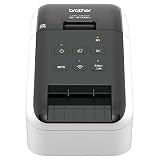
Brother QL-810Wc Professional USB WiFi Label Printer
- Easy connectivity: Print from virtually anywhere or share on a network. *Supports 2.4 GHz Wifi connection only. To avoid connectivity disruptions, please name your...
- Print amazing Black/Red labels using DK-2251
- Create cost-effective paper labels for packages, envelopes, file folders, name badges, postage and more
- Ultra-fast, up to 110 standard address labels per minute with black text at 300 dpi
- Create and print labels from your mobile device when connected to a wireless network
The Brother QL-810Wc Professional USB WiFi Label Printer delivers fast, versatile labeling with a clear focus on improving your workflow. Its ability to print both monochrome and red/black labels solves the challenge of color coding and enhances label visibility. With speeds up to 110 labels per minute at 300 dpi, it keeps your tasks moving efficiently.
This label printer connects seamlessly via USB or 2.4 GHz Wi-Fi, allowing you to control it from Android, iOS, or PC apps. Its compact design fits easily into any workspace, making it ideal for busy offices or small businesses. The use of DK Series labels and tapes, including red/black continuous tape, adds flexibility to your labeling options.
Maintenance is straightforward with included starter rolls, meaning you can begin printing right away without hassle. While it supports single-sided printing only and Wi-Fi on the 2.4 GHz band, these limitations are balanced by its reliable performance and ease of use.
Best for: Professionals and small businesses needing fast, versatile label printing with color options and flexible connectivity.
What We Like:
- Fast print speeds up to 110 labels per minute at 300 dpi
- Supports both monochrome and red/black printing with DK Series labels
- USB and 2.4 GHz Wi-Fi connectivity with multi-platform app control
- Compact and lightweight design fits small workspaces
Specification:
| Feature | Details |
|---|---|
| Manufacturer | Brother |
| Dimensions | Compact, lightweight design |
| Print Resolution | 300 dpi |
| Connectivity | USB, 2.4 GHz Wi-Fi |
| Printing Technology | Direct thermal |
| Supported Media | DK Series labels and tapes |
Brother MFC-J1360DW Wireless Color Inkjet Printer Bundle
- Brother USA AUTHORIZED - Brother Full USA Warranty | All-in-One Productivity: Versatile 3-in-1 functionality that allows you to print, copy, and scan from a single...
- Wireless & Mobile Printing: Easily print from smartphones and tablets using Wi-Fi connectivity and the Brother Mobile Connect app for convenient remote printing and...
- Efficient Paper Handling: Features a 150-sheet adjustable paper tray and 20-sheet automatic document feeder (ADF) for smooth multi-page scanning and copying.
- High-Quality & Efficient Printing: Delivers fast speeds up to 16 ppm (black) and 9 ppm (color) with automatic two-sided printing and sharp resolution up to...
- INCLUDED IN THE BOX: Brother MFC-J1360DW All-in-One Printer | Set of Starter Ink Cartridges (BK/C/M/Y) | Telephone Line Cord | Power Cord | Quick Setup Guide | Product...
Experience the convenience of a compact all-in-one printer designed to meet your everyday home office needs. The Brother MFC-J1360DW Wireless Color Inkjet Printer Bundle streamlines printing, copying, and scanning tasks with efficiency.
Its automatic duplex printing saves paper and time, while the 150-sheet adjustable tray and 20-sheet automatic document feeder handle multiple pages effortlessly. Wireless connectivity and mobile printing via Brother’s app let you print from your smartphone or tablet without hassle.
Maintenance is simple with included starter ink cartridges and accessible setup cables. The printer’s compact design fits neatly in tight workspaces, keeping your area organized and functional.
While the color print speed and quality are suitable for standard documents, this model may not meet the demands of high-resolution photo printing. The single USB 2.0 port limits wired connections, and the 50-sheet output tray requires regular clearing during heavy use.
Best for: individuals or small home offices needing a compact, affordable, and versatile wireless all-in-one printer for routine printing, copying, and scanning.
What We Like:
- Efficient automatic duplex printing for double-sided documents
- 150-sheet adjustable input tray plus 20-sheet automatic document feeder
- Wireless and mobile printing support via Brother Mobile Connect
- Compact design ideal for limited workspace
Specification:
| Feature | Details |
|---|---|
| Manufacturer | Brother |
| Dimensions (W×D×H) | Approx. 16.1 × 14.7 × 7.7 in (41 × 37.3 × 19.6 cm) |
| Weight | About 14.3 lb (6.5 kg) |
| Color | Black |
| Connectivity | Wireless, USB 2.0 |
| Paper Capacity | 150-sheet input tray, 50-sheet output tray |
| Auto Document Feeder | 20 sheets |
Brother HL-L2460DW Wireless Monochrome Laser Printer
- BEST FOR HOME OFFICES & SMALL TEAMS – Engineered for consistent, premium print quality, the Brother HL-L2460DW Monochrome (Black & White) Laser Printer produces...
- COMPACT, CONNECTED, EXCEPTIONALLY EFFICIENT– Connect with built-in dual-band wireless (2.4GHz/5GHz), Ethernet, or to a single computer via USB interface. Prints at...
- BROTHER MOBILE CONNECT APP – Manage your wireless printer remotely and print from your mobile device anytime, from almost anywhere. Order Brother Genuine Supplies...
- VERSATILE PAPER HANDLING – Tackle high-volume black & white printing with the 250-sheet capacity paper tray.(4) The manual feed slot enables printing on envelopes and...
- BROTHER IS AT YOUR SIDE – Backed by Brother with a 1-year limited warranty and free online, call, or live chat support for the life of your printer
The Brother HL-L2460DW is a dependable monochrome laser printer designed to streamline your high-volume black-and-white printing tasks. Its fast print speed of up to 36 pages per minute ensures you spend less time waiting and more time focusing on your work. The crisp 1200 x 1200 dpi resolution delivers clear, professional-quality text every time.
This printer’s automatic duplexing feature helps reduce paper usage, making it an eco-friendly choice for busy offices. Its compact design fits neatly into small spaces, ideal for home offices or small teams needing efficient performance without a large footprint.
Connectivity options are versatile, including dual-band wireless, Ethernet, and USB, which offer flexible setup and easy integration with various devices. Compatibility with Alexa and Brother’s Mobile Connect app further enhances convenience by enabling remote printing.
Maintenance is straightforward with a 250-sheet paper tray that reduces the frequency of refills, while Toner Save Mode helps lower operating costs without sacrificing print quality. Its ENERGY STAR certification confirms it operates efficiently to keep energy consumption low.
Best for: small teams or home offices needing a fast, reliable monochrome laser printer with wireless connectivity and cost-saving features.
What We Like:
- Fast printing up to 36 ppm with sharp 1200 x 1200 dpi resolution
- Automatic duplexing reduces paper waste
- Multiple connectivity options including dual-band wireless and Ethernet
- Large 250-sheet tray minimizes paper refills
- Toner Save Mode lowers running costs
Specification:
| Feature | Details |
|---|---|
| Manufacturer | Brother |
| Print Speed | Up to 36 ppm |
| Print Resolution | 1200 x 1200 dpi |
| Paper Tray Capacity | 250 sheets |
| Connectivity | Dual-band wireless, Ethernet, USB |
| Dimensions (WxDxH) | 14 x 14.2 x 7.2 inches (35.6 x 36.1 x 18.3 cm) |
| Weight | Approx. 15.7 lbs (7.1 kg) |
| Color | Monochrome (Black and White) |
Brother INKvestment 4355 Wireless Color Inkjet Printer

- UP TO 1-YEAR OF INK IN-BOX¹ – Enjoy exceptional convenience and savings with enough ink for up to 1 year of printing right out of the box¹.
- REVOLUTIONARY INKVESTMENT TANK TECHNOLOGY – Internal ink tank system works with front-loading cartridges for hassle-free, uninterrupted printing with no manual refills.
- COMPACT ALL-IN-ONE FUNCTIONALITY – Print, copy, scan, and fax with fast speeds, duplex printing, and a 20-page automatic document feeder
- WIRELESS AND CLOUD READY – Print-from and scan-to popular cloud services and mobile devices via the Brother Mobile Connect App³.
- VERSATILE PAPER HANDLING – Features a 150-sheet adjustable paper tray, bypass tray, and automatic duplex printing for letter and legal-size paper.
Experience hassle-free color printing with the Brother INKvestment 4355 Wireless Color Inkjet Printer. Designed for those who print frequently, it minimizes interruptions by including up to a year’s worth of ink with its innovative INKVESTMENT TANK TECHNOLOGY. This system blends internal tanks and front-loading cartridges to keep your workflow smooth and ink replacements rare.
Enjoy vibrant color prints at a steady speed of 19 pages per minute. The printer also offers duplex printing and a 150-sheet adjustable tray, making it ideal for both home and small office environments. Its versatile connectivity options, including Wi-Fi, Ethernet, and a dedicated mobile app, allow easy wireless printing and scanning from various devices.
Maintenance is simplified with Alexa-enabled smart ink reordering, ensuring you never run out of supplies unexpectedly. The all-in-one design also supports copying and faxing, adding to its convenience. However, note that the automatic document feeder handles only 20 sheets, which might limit use in heavy scanning tasks. It prints up to legal size, suitable for most everyday documents but not larger formats.
Best for: Individuals or small businesses seeking a reliable all-in-one color printer with high ink capacity and flexible wireless connectivity for frequent, low-maintenance printing.
What We Like:
- Includes up to one year of ink with INKVESTMENT TANK TECHNOLOGY
- Fast color printing at 19 ppm with duplex capability
- Multiple wireless options: Wi-Fi, Ethernet, mobile app, and Alexa-enabled ink reordering
- All-in-one functionality: prints, scans, copies, and faxes
Specification:
| Feature | Details |
|---|---|
| Manufacturer | Brother |
| Dimensions (W×D×H) | Approx. 16.1 × 14.7 × 7.7 in |
| Weight | Approx. 12.2 lb (5.5 kg) |
| Color Options | White |
| Maximum Print Size | Legal (8.5 × 14 inches) |
| Paper Tray Capacity | 150 sheets |
| Automatic Document Feeder | 20 sheets |
Brother Work Smart 1360 Wireless Color Inkjet Printer Bundle

- All-in-One Productivity: Versatile 3-in-1 functionality that allows you to print, copy, and scan from a single compact device—ideal for home offices and small...
- Wireless & Mobile Printing: Easily print from smartphones and tablets using Wi-Fi connectivity and the Brother Mobile Connect app for convenient remote printing and...
- Efficient Paper Handling: Features a 150-sheet adjustable paper tray and 20-sheet automatic document feeder (ADF) for smooth multi-page scanning and copying.
- High-Quality & Efficient Printing: Delivers fast speeds up to 16 ppm (black) and 9 ppm (color) with automatic two-sided printing and sharp resolution up to...
- INCLUDED IN THE BOX: Brother MFC-J1360DW All-in-One Printer | Set of Starter Ink Cartridges (BK/C/M/Y) | Telephone Line Cord | Power Cord | Quick Setup Guide | Product...
The Brother Work Smart 1360 Wireless Color Inkjet Printer Bundle offers a smart solution for small offices and home users seeking a multifunction device. It efficiently handles printing, copying, and scanning tasks, saving time and space. With wireless connectivity, you can print directly from your smartphone or laptop, reducing cable clutter.
This bundle includes starter ink cartridges, cables, and guides, making setup straightforward. The 26-month extended service plan adds extra reassurance, minimizing downtime. The printer supports automatic duplexing and offers a 150-sheet adjustable input tray, so you can manage daily printing needs with ease.
Its 1.8″ color display simplifies navigation, while the 20-sheet automatic document feeder streamlines multi-page scanning and copying. Although the paper capacity is moderate, it suits environments with regular but not heavy-duty printing. The print resolution delivers solid results for documents but may not satisfy users needing ultra-high photo quality.
Best for: Small offices or home users who require a reliable, versatile all-in-one printer with wireless features and dependable multi-page handling.
What We Like:
- Complete bundle with starter inks, cables, and extended 26-month service plan
- Fast print speeds with automatic two-sided printing to save paper
- Wireless and mobile printing via Brother Mobile Connect app
- 20-sheet automatic document feeder for efficient scanning and copying
- Compact design with easy-to-use 1.8″ color display
Specification:
| Feature | Details |
|---|---|
| Manufacturer | Brother |
| Dimensions (W x D x H) | Approx. 16.1 x 15.7 x 7.5 in |
| Weight | Around 14.3 lbs (6.5 kg) |
| Color Options | White |
| Connectivity | Wireless, USB |
| Print Speed | Up to 16 ppm (black), 9 ppm (color) |
Brother MFC-J895DW Wireless All-In-One Inkjet Printer

- Simple to connect: Versatile connection options with built in wireless, Ethernet, or connect locally to a single computer via USB interface
- Mobile printing: Print wirelessly from mobile devices(1) using AirPrint, Google Cloud Print, Brother iPrint&Scan, Mopria and Wi Fi Direct
- Cloud connectivity: Print from and scan to popular Cloud services including Google Drive, Dropbox, Box, OneDrive,(2) directly from the MFCJ895DW
- Near field communications (NFC): No network setup needed for NFC one "touch to connect" mobile device printing and scanning(4)
- For use with brother genuine inks: LC3011BK, LC3011C, LC3011M, LC3011Y, LC3013BK, LC3013C, LC3013M, LC3013Y
Experience the convenience of the Brother MFC-J895DW Wireless All-In-One Inkjet Printer, designed to fit seamlessly into home offices and dorm rooms. This compact printer addresses common space and connectivity challenges by combining print, copy, scan, and fax functions in a lightweight device. Its user-friendly 2.7″ color touchscreen makes operation straightforward, reducing time spent navigating menus.
The printer’s automatic duplex printing saves paper and effort, while the 150-sheet tray minimizes frequent refills during daily use. Connectivity options include Wi-Fi, Ethernet, and USB, enabling smooth integration with various devices. Mobile printing works effortlessly via AirPrint, Google Cloud Print, and NFC, allowing you to print from smartphones and tablets without hassle.
Maintenance is simplified with Amazon Dash Replenishment, which automatically keeps your ink stocked, preventing unexpected interruptions. Although the print speed is moderate at 12 ppm and the paper capacity limited, this model balances functionality and size for everyday tasks. Genuine cartridges ensure print quality but may increase operating costs over time.
Best for: individuals seeking a compact, versatile all-in-one wireless printer for light to moderate home office or dorm room printing needs.
What We Like:
- Intuitive 2.7″ color touchscreen enhances usability
- Automatic duplex printing reduces paper waste
- Multiple connectivity options including Wi-Fi, Ethernet, and mobile printing
- Amazon Dash Replenishment streamlines ink management
Specification:
| Feature | Details |
|---|---|
| Manufacturer | Brother |
| Dimensions | Approx. 16.1″ x 13.7″ x 7.7″ (W x D x H) |
| Weight | 18.1 lbs (8.2 kg) |
| Color Options | White |
| Print Resolution | Up to 4800 x 1200 dpi |
| Print Speed | Up to 12 pages per minute |
| Paper Capacity | 150 sheets |
Brother MFC-J1170DW Wireless Color Inkjet Printer

- DELIVERING FULL FUNCTIONALITY. There’s no sacrificing features with this compact addition to any home, home office or small office space. This inkjet all-in-one...
- PUT THE POWER OF PRINTING AT YOUR FINGERTIPS: The simple to use Brother Mobile Connect(1) App delivers easy onscreen menu navigation for printing, copying, scanning and...
- GENEROUS 2.7 INCH COLOR TOUCHSCREEN. Easy-to-read, color touchscreen display enables simple, intuitive navigation to powerful features plus print-from and scan-to popular...
- WORRY-FREE PRINTING USING PAGE GAUGE(2).Eliminate the guesswork of ink replacement when you use the Brother Mobile Connect(1) App to access Page Gauge, so you know the...
- USE ONLY BROTHER GENUINE INK: A full range of Brother Genuine ink cartridges deliver high quality prints and reliable page yields. Choose from Standard (LC401 Series) or...
The Brother MFC-J1170DW Wireless Color Inkjet Printer is designed to simplify daily printing, copying, and scanning tasks for home offices and small businesses. Its high-resolution output ensures sharp, vibrant documents, making presentations and reports stand out with professional quality. This printer helps reduce paper waste with automatic duplex printing, saving time and effort on double-sided jobs.
Maintaining this model is straightforward thanks to the Brother Mobile Connect app, which lets you monitor ink levels and manage print jobs remotely. Wireless options like Wi-Fi Direct and NFC provide flexible connectivity, allowing you to print directly from smartphones or tablets without hassle. The 2.7-inch color touchscreen enhances usability with intuitive controls.
While the print speed is suitable for moderate workloads, it may lag behind laser printers in high-volume environments. The use of proprietary ink cartridges means replacements can be more expensive, and the printer handles media sizes up to 8.5 x 14 inches, which may limit some specialized printing needs.
Overall, the Brother MFC-J1170DW balances functionality and convenience for users needing a versatile all-in-one printer with easy mobile management.
Best for: Home users and small businesses seeking a wireless all-in-one color inkjet printer with smart connectivity and duplex features.
What We Like:
- Sharp print quality with up to 6000 x 1200 dpi resolution
- Automatic duplex printing saves time and paper
- User-friendly 2.7-inch touchscreen interface
- Wireless printing via Wi-Fi Direct and NFC
- Mobile management through Brother Mobile Connect app
Specification:
| Feature | Details |
|---|---|
| Manufacturer | Brother |
| Dimensions (W x D x H) | 16.1 x 13.7 x 8.7 inches |
| Weight | Approximately 15.4 lbs (7 kg) |
| Print Resolution | Up to 6000 x 1200 dpi |
| Print Speed | Up to 17 ppm (black), 16.5 ppm (color) |
| Media Size | Up to 8.5 x 14 inches |
| Connectivity | Wi-Fi Direct, NFC, Ethernet |
| Display | 2.7-inch color touchscreen |
Brother MFC-J1360DW Wireless All-in-One Printer Bundle

- Brother USA AUTHORIZED - Includes 26 Months Extended Protection in ADDITION to the Included FULL Manufacturer Protection | Brother Work Smart 1360 Wireless Color Inkjet...
- Compact 3-in-1 Productivity: Combines printing, copying, and scanning in a space-saving design ideal for home offices and small workspaces.
- Fast Everyday Printing: Delivers print speeds up to 16 ppm in black and 9 ppm in color, ensuring efficient handling of daily tasks and documents.
- Automatic Two-Sided Printing: Built-in duplex printing saves paper and supports more eco-friendly operation.
- Easy Navigation with Color Display: Features a 1.8" color screen for simple setup, quick adjustments, and smooth device control.
The Brother MFC-J1360DW Wireless All-in-One Printer Bundle is designed to simplify your home office or small workspace printing needs. Its compact size saves space while offering essential functions like printing, copying, and scanning. This device helps you handle daily tasks efficiently without overwhelming your desk.
Enjoy reliable wireless connectivity through Brother Mobile Connect, allowing you to print from your smartphone or tablet effortlessly. The printer produces sharp documents and vibrant photos with up to 16 ppm black and 9 ppm color print speeds, suitable for moderate workloads. Automatic duplex printing reduces paper use and saves time on double-sided jobs.
Maintenance is straightforward with easy-to-replace ink cartridges, although starter cartridges might need replenishing sooner depending on usage. The included 20-sheet automatic document feeder streamlines multi-page copying and scanning, enhancing your productivity.
This all-in-one bundle includes essential accessories and an eBook to help you get the most from your printer. Its design and features make it a practical choice for small offices seeking a wireless, versatile printer with quality output.
Best for: Small home offices and workspaces needing a compact, versatile all-in-one printer with wireless capabilities and efficient color printing.
What We Like:
- Space-saving 3-in-1 design with print, copy, and scan functions
- Wireless printing via Brother Mobile Connect for on-the-go convenience
- Automatic duplex printing saves paper and time
- 20-sheet automatic document feeder enhances multi-page handling
Specification:
| Feature | Details |
|---|---|
| Manufacturer | Brother |
| Dimensions (W x D x H) | Compact footprint (exact size not specified) |
| Weight | Not specified |
| Connectivity | Wireless (Brother Mobile Connect), USB 2.0 port |
| Print Speed | Up to 16 ppm (black), 9 ppm (color) |
| Functions | Print, Copy, Scan |
| Automatic Document Feeder | 20 sheets |
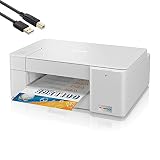
Brother MFC-J1215W Wireless All-in-One Color Printer
- Tempily The newly designed Brother MFC-J1215W INKvestment Tank Wireless Multi-Function Color Inkjet Printer is sleek, compact and very affordable. This revolutionary...
- Print, copy and scan features can be accessed from your mobile device through the Brother Mobile Connect App. Brother Mobile Connect has a user-friendly interface that...
- Brother Intelligent Page Gauge is a feature that can be accessed through the App, providing a visual, numerical way to know the amount of ink you’ve used and the amount...
- The printer is easy-to-use, features a clean, modern design, offers quick setup and convenient optional printing via AirPrint and/or Email Print. Works with Alexa; add...
The Brother MFC-J1215W Wireless All-in-One Color Printer offers a compact solution for everyday printing, copying, and scanning needs. Its small footprint fits well in home offices, saving space without sacrificing functionality. The automatic document feeder simplifies handling multiple pages, making tasks quicker and easier.
This printer’s INKvestment Tank technology reduces the hassle of frequent ink replacements by providing up to a year of printing from included cartridges. You can rely on sharp, clear prints with a resolution of 1200 dpi. While the print speed is modest—16 ppm in black and white and 5 ppm in color—it suits moderate workloads well.
Connectivity is versatile, supporting wireless, USB, and mobile device printing. Integration with Alexa voice control allows hands-free operation, adding convenience. However, the paper tray holds only 150 sheets, which may require refilling during larger jobs.
Best for: Home and personal users who want a space-saving all-in-one printer with reliable ink efficiency and flexible connectivity.
What We Like:
- INKvestment Tank technology delivers extended printing without frequent cartridge changes
- Automatic duplex printing and document feeder improve productivity
- Multiple connectivity options including wireless and Alexa voice control
Specification:
| Feature | Details |
|---|---|
| Manufacturer | Brother |
| Dimensions (W×D×H) | Compact footprint (exact size not specified) |
| Weight | Not specified |
| Color Options | White |
| Print Resolution | Up to 1200 dpi |
| Print Speed | 16 ppm (black), 5 ppm (color) |
| Paper Capacity | 150 sheets |
Factors to Consider When Choosing Brother Printer Hime

When choosing a Brother Printer Hime, you’ll want to contemplate the printer type that fits your needs and how fast you need it to print.
Think about the connectivity options available and the print quality you require for your projects. Also, don’t forget to check the paper handling capacity to guarantee it matches your workload.
Printer Type Selection
Although choosing a Brother printer might seem straightforward, understanding your primary needs will help you pick the right type.
If you print mostly black-and-white documents in high volume, a monochrome laser printer suits you best. For photos or colorful documents, a color inkjet is ideal.
If labeling is your focus, consider a label or thermal printer. Decide between multifunction models, which combine printing, scanning, and copying for efficiency, or single-function printers that often print faster and cost less per page.
Match print technology to your monthly volume: lasers have higher upfront costs but lower running expenses, while inkjets are cheaper initially but pricier over time.
Don’t forget paper handling—tray size, automatic document feeder, and supported media—to avoid frequent manual input and keep your workflow smooth.
Print Speed Needs
Consider your daily print volume carefully, as matching it to your printer’s pages-per-minute (ppm) rating can save you significant time. If you print large batches often, a higher ppm model reduces overall job time.
Also, check the first-page-out time—shorter times boost responsiveness for occasional single-page prints. Don’t overlook duplex printing speeds since two-sided jobs usually take longer, impacting throughput for reports or manuals.
If you frequently scan multi-page documents, look at the automatic document feeder’s images per minute (ipm) speed to guarantee efficiency. Finally, remember color printing typically runs slower than monochrome.
Connectivity Options
Picking the right connectivity options can make a big difference in how smoothly your Brother printer fits into your workflow. You’ll want to check if the printer supports both wired connections like Ethernet or USB and wireless options such as Wi‑Fi and Wi‑Fi Direct.
Dual‑band Wi‑Fi (2.4 GHz and 5 GHz) can help reduce interference on busy networks, improving performance. If mobile printing matters, verify compatibility with AirPrint, Mopria, or Brother’s native app for easy scanning and printing from smartphones or tablets.
For multiuser offices, look for Ethernet ports to handle large files faster and more reliably than wireless alone. NFC or Bluetooth one‑touch pairing offers quick local printing, and cloud features let you print or scan remotely, perfect for flexible, cloud-based workflows.
Print Quality Requirements
When you choose a Brother printer, understanding your print quality requirements guarantees you get the sharpness and color fidelity you need. If you mainly print text documents, aim for 300–1200 dpi for crisp characters.
For high-quality photos or graphics, look for 1200 dpi or higher to capture finer details and smoother gradients. Consider color depth and accuracy, especially for color-critical tasks; higher bit depth and accurate ICC profiles help produce true reds, blues, and natural skin tones.
Match the print technology to your needs—laser printers excel at fast, sharp black text, while inkjets deliver superior photo and color output. Don’t forget effective output resolution depends on device dpi plus driver interpolation and paper type.
Glossy media enhances print vibrancy. If you want scanning, check the scanner’s optical resolution and duplex features for faithful reproductions.
Paper Handling Capacity
Although print quality matters, your Brother printer’s paper handling capacity directly affects how smoothly your printing tasks run. Start by checking the input tray capacity—choose one that holds 150–250 sheets if you print frequently to minimize reloads.
If you handle multi-page documents, an automatic document feeder (ADF) with 20–50 sheet capacity saves you from manual feeding. Don’t overlook the output tray size; a 50–120 sheet capacity prevents jams and overflow.
Finally, if you want to save time and paper, opt for a model with automatic duplexing to print double-sided without manual intervention. These features keep your workflow efficient and hassle-free.
Ink and Toner Costs
Ink and toner costs can quickly add up, so it’s smart to break down what affects your expenses before choosing a Brother printer. Laser toner usually offers a lower cost per page for high-volume black-and-white printing, while inkjets tend to be cheaper if you print color occasionally.
Opting for high-yield or XL cartridges can slash your cost per page by 20–50% compared to standard cartridges, especially if you print frequently. Subscription plans simplify ordering and may lower unit costs but watch out for monthly fees and usage commitments.
Device Compatibility
How compatible is your chosen Brother printer with your devices and network? First, confirm it supports your operating systems—Windows, macOS, iOS, or Android—and the necessary driver versions for full functionality like printing, scanning, and faxing.
Next, match its connectivity options—Wi-Fi, Wi-Fi Direct, Ethernet, USB, NFC, or Bluetooth—to your preferred printing methods. Mobile and cloud printing require Wi-Fi and support for AirPrint or Mopria.
Also, check if the printer’s apps work with your phone or tablet OS for features like remote scanning or push notifications. Don’t forget to verify network bands (2.4 GHz vs 5 GHz) and security standards (WPA2/WPA3) to fit your router or corporate policies.
Finally, make certain it meets your peripheral needs, like USB ports and driverless printing protocols, for smooth integration with your setup.
Warranty and Support
After ensuring your Brother printer fits seamlessly with your devices and network, it’s important to take into account the warranty and support options that come with it. Check the warranty length—typically 1 or 2 years—and what defects it covers.
Also, confirm available support channels like phone, email, live chat, and an online knowledge base. Make sure they’re free for your printer’s lifetime.
Don’t forget to verify if registration or specific activation steps are required and what documentation you’ll need for claims. It’s a good idea to review exclusions carefully, especially regarding consumables like toner or accidental damage.
Finally, consider optional extended protection plans that offer benefits such as accidental damage coverage, longer warranty periods, or on-site service. These might save you money compared to out-of-warranty repairs down the line.
Frequently Asked Questions
How Long Is the Warranty Period for Brother Printer Hime Models?
You’ll typically get a one-year limited warranty on Brother Printer Hime models. That covers parts and labor for defects.
Sometimes, extended warranties are available if you register your printer or purchase additional coverage. It’s a good idea to check what options are offered when you buy your printer.
Are There Any Eco-Friendly Features in Brother Printer Hime Models?
You’ll find eco-friendly features in Brother Printer Hime models, like energy-saving modes that reduce power consumption by up to 40%. They also use recyclable materials and support duplex printing to save paper, helping you print greener.
Pretty neat, right? These features make it easier to care for the environment without sacrificing performance. So, if you’re looking to go green, Brother’s got you covered.
What Type of Ink Cartridges Do Brother Printer Hime Printers Use?
Brother Printer Hime models use Brother’s proprietary ink cartridges, typically LC or INKvestment Tank series. You’ll find these cartridges reliable and easy to replace, ensuring consistent print quality while helping you manage costs efficiently.
These cartridges are designed specifically for Brother printers, so they fit perfectly and work smoothly. Plus, swapping them out is a breeze, which means less hassle and more printing time.
Can Brother Printer Hime Models Connect to Mobile Devices?
You can easily connect Brother Printer Hime models to your mobile devices. Just picture your phone sending documents wirelessly, like magic, directly to your printer via Wi-Fi or Bluetooth.
This makes printing fast and hassle-free wherever you are. So, whether you’re at home or on the go, getting your prints done is super simple!
Are Brother Printer Hime Models Compatible With Mac and Windows?
Yes, Brother Printer Hime models are compatible with both Mac and Windows. You can easily connect and print from either operating system without hassle.
This ensures a smooth workflow whether you’re using a Mac or a Windows PC. So, no worries about switching between platforms!
Conclusion
Choosing the right Brother printer model is like picking the perfect compass for your creative journey—it guides you through tasks with precision and ease. Whether you need speed, color, or multifunctionality, these models are your trusted allies.
By understanding your needs, you’ll find a printer that’s more than just a machine; it becomes a symbol of productivity and innovation. It helps you turn everyday printing into a seamless, empowering experience. So, if you’re looking for the best Brother printer for 2027, consider what features matter most to you.
From high-speed printing to vibrant color accuracy and multifunction capabilities, the best Brother printer models cater to a variety of needs. Choosing wisely means investing in reliability and quality that supports your creative and professional goals every day.