4 Best Budget DTF Printers for 2027
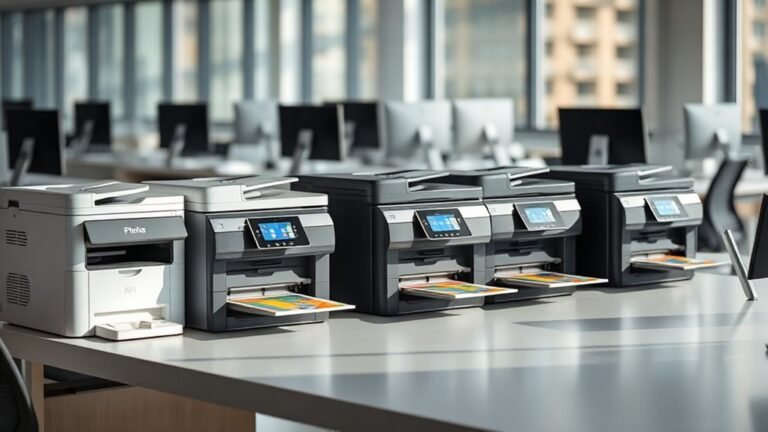
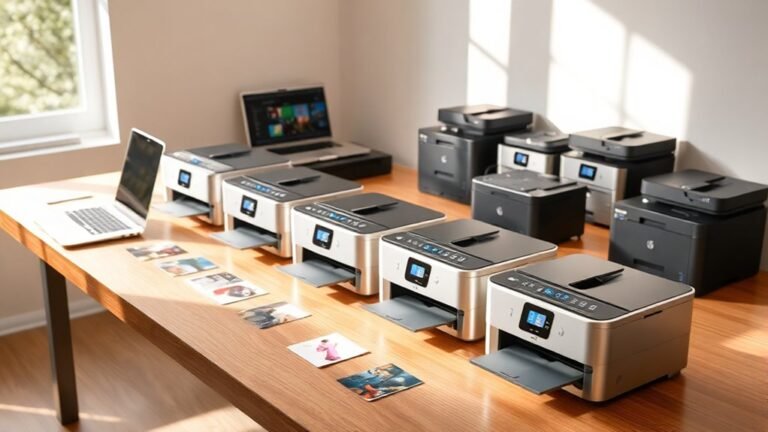
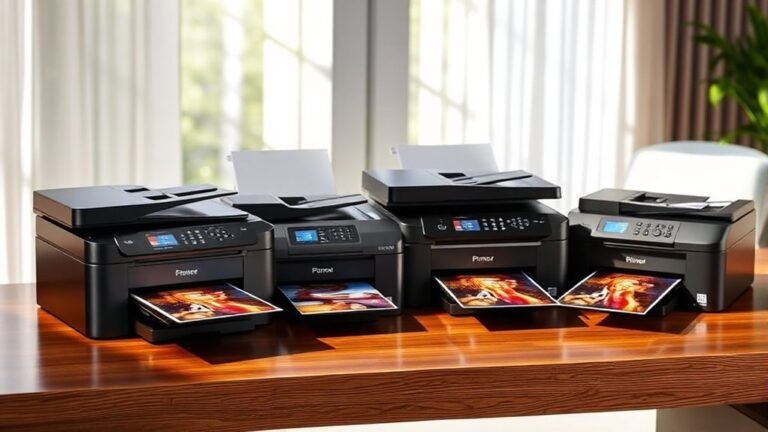
You’ll want reliable, vibrant results with budget-friendly DTF printers that don’t break the bank. Options like the Procolored K13-Lite deliver G7-certified accuracy on 13″ transfers, making it a top pick for quality prints. Then there’s the compact Fynqil A4 L805, which boasts a high-resolution printhead and an efficient white ink system for sharp designs.
The versatile Qilpho A3 Kit is another great choice, offering borderless printing with smooth gradients that really bring your artwork to life. If you’re just starting out, the A3 DTF Bundle is perfect—it’s an all-in-one starter setup designed to get your apparel business rolling quickly.
These printers strike a balance between quality, ease of maintenance, and solid software support. Take a closer look at each option to find the perfect match that fits your budget and business needs.
| Image | Name | Editor's Rating | Price |
|---|---|---|---|

|
|
||

|
|
||

|
|
||

|
|
Procolored K13-Lite 13″ DTF Apparel Printer
- 【A3 DTF Printer for Custom Apparel Production】The K13 (Lite) is an A3 DTF printer designed for larger transfer designs and multi-logo layouts. Ideal for custom...
- 【Cleaner Workspace with Optional Smokeless Oven】When paired with Procolored’s Smokeless Oven curing unit, the system helps reduce odors and fumes compared with...
- 【Beginner-Friendly A3 DTF Printing】The K13 Lite features one-touch ink pumping and an intuitive touchscreen interface, making operation simple even for first-time...
- 【LiteHead Technology for Easy Maintenance】Built with LiteHead Technology, the printer reduces maintenance complexity and helps keep daily operation smooth. The...
- 【Smart Printhead Protection System】The Infrared Printhead SafeGuard System monitors the printing area in real time and detects film warping or particles as small as...
The Procolored K13-Lite 13″ DTF Apparel Printer is designed to meet the needs of small clothing brands and startup creators. It allows you to print vibrant A3-sized transfers up to 13 x 19 inches, making it ideal for multi-logo or larger apparel designs. This printer solves the challenge of achieving consistent, high-quality prints with its G7-certified color accuracy and automatic white ink circulation system.
Maintenance is simple with the LiteHead automatic cleaning feature, which minimizes downtime and keeps the printhead in top condition. The built-in infrared safeguard protects the printhead from damage, extending the printer’s lifespan. Its user-friendly touchscreen and USB connectivity make setup and operation straightforward, especially for home studios or Etsy sellers.
While the print speed is modest at 0.5 pages per minute, this model prioritizes precision and reliability. It operates on Windows, which may limit compatibility for users on other platforms. Compatible ink sets must be sourced separately, requiring coordination with customer support.
Overall, the K13-Lite balances functionality and ease of maintenance, making it a dependable choice for growing apparel businesses.
Best for: small clothing brands, print-on-demand shops, Etsy sellers, and startup creators needing consistent A3-sized apparel transfer prints.
What We Like:
- G7-certified color accuracy ensures precise and vibrant prints
- LiteHead automatic cleaning minimizes maintenance effort
- Infrared Printhead SafeGuard prolongs hardware life
- Intuitive touchscreen with one-touch ink pumping simplifies use
- USB connectivity fits well with home studio setups
Specification:
| Feature | Details |
|---|---|
| Manufacturer | Procolored |
| Maximum Print Size | 13 x 19 inches (A3 size) |
| Print Technology | Direct-to-Film (DTF) |
| Color Accuracy | G7-certified |
| Ink Circulation System | Automatic white ink circulation |
| Maintenance Features | LiteHead automatic cleaning, infrared safeguard |
| Connectivity | USB |
| Compatible Operating System | Windows |
A4 DTF Printer with White Ink and Software
- Package Contents: 1 L805 Pink A4 DTF Printer, DTF Consumable, EraRIP Software Suite, User Guide; The customer service can remotely assist in installing the printer...
- L805 Print-head: 2280 x 1440dpi dpi Fuller, More accurate color, faster speed. more vivid colors with white ink background. transfer rate for both white and black...
- Features EraRIP software: Compatible with Windows 7/8/10/11 systems. Installation is secure, hassle-free, and virus-free. Includes a pre-loaded USB drive for quick setup
- White Ink CirculatiAutomatic Cleaning: One-click cleaning system Long press the middle button for 5 seconds, the printer will start do head cleaningon System The newly...
- Automatic Cleaning: One-click cleaning system Long press the middle button for 5 seconds, the printer will start do head cleaning
The Fynqil A4 DTF Printer L805 brings vibrant fabric printing into a compact size. Its white ink system ensures sharp, vivid colors on both light and dark materials. This makes it ideal for detailed designs on garments, caps, and bags without compromising quality.
Designed for ease of use, it supports A4 media at a resolution of 2280 x 1440 dpi, delivering clear, precise prints. The printer’s built-in white ink circulation prevents clogging, reducing downtime and ensuring consistent color output. Maintenance is simple with a one-click auto cleaning feature, keeping the printer in optimal condition.
The included EraRIP software works seamlessly on Windows platforms, streamlining your printing workflow. Its USB connectivity supports straightforward setup in most workspaces. Although it’s limited to A4 size and has a slower print speed, it excels in reliability and color accuracy.
Best for: Small business owners, hobbyists, and crafters needing a compact DTF printer for vibrant, durable fabric transfers on various items.
What We Like:
- White ink circulation system reduces clogging and maintains print quality
- EraRIP software enhances print management on Windows
- One-click auto cleaning simplifies maintenance
- High resolution prints with vivid colors on light and dark fabrics
Specification:
| Feature | Details |
|---|---|
| Manufacturer | Fynqil |
| Media Size | A4 (8.3 x 11.7 in) |
| Print Resolution | 2280 x 1440 dpi |
| Weight | 55 lb (25 kg) |
| Connectivity | USB |
A3 DTF Printer with Ink, Film, Powder Kit
- 【Multi-Application】Qilpho DTF pinter kit includes L1800 printhead A3 DTF printer, CMYKW DTF ink (250ml*5), A3 transfer film (164ft), and DTF powder (250g). Compatible...
- 【White Ink Circulation 】Equipped with an integrated stirring and circulation system to prevent pigment sedimentation and printhead clogging. The filtration system...
- 【Upgraded 1800 Printhead】Compared with the Qilpho 1390 printhead, this Qilpho 1800 printhead delivers superior color accuracy and smoother gradient performance. It...
- 【High-Quality】Premium DTF transfer output quality with 1440DPI resolution,which ensures high precision print resolution eliminates jagged edges and blurry pixels...
- 【Technical Support】Qilpho DTF printer is backed by a full 1-year warranty and complimentary lifetime technical support. We excel in product design, precision...
Experience vibrant, high-quality fabric printing with the Qilpho A3 DTF Printer kit. Designed to deliver precise and reliable results, this system handles various materials including cotton, polyester, leather, and denim with ease. It transforms your printing process by providing smooth color gradients and consistent white ink flow, essential for detailed designs.
The printer’s upgraded L1800 printhead features an integrated circulation and filtration system that keeps white ink stable and reduces clogging. This ensures longer printhead life and fewer interruptions. Borderless printing at up to 1440 DPI lets you create complex patterns without limitations.
Maintenance is straightforward with refillable ink tanks and a one-touch cleaning function, saving time and effort. The kit comes complete with inks, transfer film, DTF powder, and RIP software, enabling immediate setup and use for your projects.
Best for: Small to medium-sized businesses or hobbyists seeking versatile and dependable direct-to-film fabric printing.
What We Like:
- Vibrant colors and smooth gradients with upgraded L1800 printhead
- Integrated white ink circulation system minimizes clogging
- Complete kit including inks, film, powder, and software for quick start
- Borderless printing and high resolution up to 1440 DPI
Specification:
| Feature | Details |
|---|---|
| Manufacturer | Qilpho |
| Printhead Model | L1800 |
| Media Size | A3 (approx. 11.7″ x 16.5″) |
| Weight | 96.8 lbs (43.9 kg) |
| Ink Colors | CMYKW |
| Included Components | Printer, inks, film, powder, software |
A3 DTF Printer Bundle for Beginners Direct to Film Transfer Machine
- 📦 COMPLETE READY-TO-PRINT BUNDLE: Get everything in one box. Package Includes: A3 DTF Printer, full CMYK+White ink set, premium powder, film rolls, and RIP software...
- 🛠️ 24/7 LIVE REMOTE SUPPORT: Never worry about difficult setups. We provide comprehensive installation guides to help you get started easily. As soon as you receive...
- 🔥 ADVANCED PRINTING PERFORMANCE: Equipped with a 13.38-inch print width and a reliable 1390 printhead system, this printer delivers exceptional results. Enjoy vivid...
- "🛡️ 1-YEAR WARRANTY & DEDICATED AFTER-SALES We stand by our products with a 1-Year Warranty on core parts and a 6-Month Warranty on the printhead. Our technical...
- 🎨 UNLIMITED FABRIC COMPATIBILITY Perfect for 100% cotton, polyester, blends, canvas, leather, and more. Whether you are launching a custom apparel startup, making team...
Kickstart your custom apparel business with the A3 DTF Printer Bundle, designed for beginners seeking fast and reliable printing solutions. This all-in-one system simplifies the process of creating vibrant designs on various fabrics without the hassle of complicated setups.
The printer delivers sharp images up to 11.7 x 16.5 inches, perfect for cotton, polyester, canvas, leather, and more. Its high resolution ensures every detail pops, helping you produce professional-quality prints that stand out.
Maintenance is straightforward with included adhesive powder and film rolls, making it easy to keep your printer running smoothly. The bundle also features RIP software, streamlining your workflow from design to finished product.
Connectivity is simple with a USB 3.0 port, and 24/7 remote support means help is always within reach. While the printer focuses solely on printing and has a limited maximum size, it excels at delivering consistent, vibrant transfers ideal for small-scale projects.
Best for: Beginners and small business owners who want an easy-to-use Direct to Film transfer machine for custom apparel printing.
What We Like:
- Complete kit with all necessary materials for immediate use
- High-quality prints with vivid colors and fine details
- Easy maintenance with included adhesive powder and film rolls
- 24/7 remote support for reliable assistance
Specification:
| Feature | Details |
|---|---|
| Manufacturer | Not specified |
| Maximum Print Size | 11.7 x 16.5 inches (A3) |
| Print Resolution | 1440 x 2880 DPI |
| Ink Colors | CMYK + White |
| Connectivity | USB 3.0 |
| Included Software | RIP Software |
Factors to Consider When Choosing a Budget DTF Printer

When choosing a budget DTF printer, you’ll want to focus on print quality and resolution to guarantee sharp results. Consider ink compatibility, media size, and how easy the machine is to maintain and clean.
Don’t forget to check if the software works smoothly with your operating system. It’s also a good idea to think about how user-friendly the whole setup feels. After all, you want something that won’t slow you down.
Print Quality And Resolution
Although budget DTF printers may seem similar at first glance, print quality and resolution can vary markedly and directly impact the final transfer’s appearance. You’ll want a printer with a higher native resolution—between 720 and 1440 dpi—to capture fine details and smooth gradients, especially for photographic or small-text designs.
Consistent white-ink laydown and precise underbase control are essential for accurate colors and opacity on dark fabrics. Look for printheads with high nozzle density and stable ink circulation to avoid banding and missing-nozzle issues.
Frame stability and proper media handling guarantee sharp edges and proper registration, which is key for multi-layer prints. Finally, using color management tools like RIP software and hardware calibration helps you achieve repeatable, true-to-design colors every time.
Ink Compatibility And Colors
Since ink compatibility directly affects print quality and maintenance costs, you need to make certain your budget DTF printer supports the specific ink types you plan to use, especially pigment white inks that require proper circulation for vibrant, opaque transfers on dark fabrics.
Confirm the printer handles CMYK plus white ink with automatic stirring to prevent sedimentation and nozzle clogs. Check that the ink chemistry matches the printhead’s requirements and viscosity specs to avoid damage or warranty issues.
Also, consider the availability and cost of replacement inks—refillable tanks often reduce ongoing expenses compared to cartridges. Finally, guarantee the printer’s software supports color management with ICC profiles and calibrated curves for consistent, accurate colors.
Prioritizing these factors will save you time, money, and headaches in the long run.
Media Size And Capacity
Picking the right media size and capacity plays a pivotal role in getting the most out of your budget DTF printer. Choose a media size that fits your typical designs—A4 works well for small graphics, while A3 or 13″×19″ suits larger or multi-logo layouts. This helps cut down trimming and boosts efficiency.
Check the printer’s maximum sheet or roll capacity and daily page volume to match your workload. This way, you avoid frequent reloading or unnecessary wear.
Make sure it supports borderless or roll-to-roll media and offers adequate printable length for long designs or batch prints. Also, verify film type and thickness compatibility to prevent wasted consumables.
Finally, consider feed handling and tray design to prevent jams and accommodate thicker substrates. This ensures smooth, reliable printing every time.
Maintenance And Cleaning Features
When you invest in a budget DTF printer, maintaining consistent print quality depends heavily on its cleaning and maintenance features. Look for a reliable white-ink circulation system that stirs or recirculates pigment every 30 minutes to prevent clogging.
Automatic or one-touch printhead cleaning functions save you time and help avoid nozzle blockages that cause banding. Built-in sensors that detect film warping, large particles, or media jams protect the printhead by stopping the printer before damage occurs.
You’ll also want easy-access refillable ink tanks and simple tubing layouts to minimize spills and speed up ink replacement. Finally, automated filtration systems and clear maintenance alerts keep ink flow steady and extend your printhead’s life, reducing costly downtime and repairs.
Software And Operating System
Although hardware quality is essential, software compatibility often determines how smoothly your budget DTF printer will integrate into your workflow. First, confirm the printer’s RIP or software supports your operating system, especially since many budget DTF printers rely on Windows-only drivers.
Next, check if the included RIP handles color management features like ICC profiles and spot-color mapping for accurate, predictable prints. You’ll also want software that manages white ink effectively—offering white channel control, underbase generation, and automatic circulation to prevent banding.
Efficient workflows depend on RIPs that support correct transfer sizing, nesting, multi-up layouts, and white/CMYK separations. Finally, prioritize software with ongoing updates, remote support, easy driver installation, and flexible export options to minimize downtime and keep your printing process hassle-free.
Connectivity Options Available
Software compatibility sets the stage for seamless printing, but how you connect your budget DTF printer can impact your workflow just as much. USB remains the most common interface, offering simple plug-and-play to a single PC. However, your computer must stay connected during printing.
If you want multiple workstations to send jobs without tying up one PC, look for models with Ethernet or wired LAN support. Wi-Fi adds wireless convenience for mobile workflows but may cause latency or reliability issues compared to wired connections.
Some printers let you print offline from external USB drives or SD cards. This is handy when a dedicated computer isn’t practical. Always check supported connection protocols and OS drivers to avoid connectivity problems before you buy.
Speed And Productivity Rates
A budget DTF printer’s speed and productivity rates directly influence how efficiently you can handle your printing workload. You should check specified pages-per-minute or images-per-hour rates—entry-level units often range from 0.1 to 0.5 ppm—to estimate daily output and align capacity with your order volume.
Also, consider the maximum media size. Larger formats like A3 print more design area per pass, which really boosts productivity, especially for multi-logo or large-transfer jobs.
Pay attention to whether speeds include full-color plus white-layer jobs. White passes and multi-pass modes tend to slow things down quite a bit.
Don’t forget to factor in maintenance downtime, too. Automatic cleaning or white-ink circulation cycles can eat into your productive printing time.
Finally, remember that RIP software settings affect speed. Higher DPI and quality modes give you better detail but reduce throughput quite noticeably.
Warranty And Support Services
When choosing a budget DTF printer, you’ll want to carefully evaluate the warranty and support services to avoid unexpected costs and downtime. Check the warranty length and scope—like one year for parts and six months for printheads—to make certain it covers the components that wear out fastest.
Also, confirm what’s included: parts, labor, printheads, and consumables. Don’t forget to ask about any maintenance requirements that keep the warranty valid.
Make sure technical support is accessible through phone, email, or 24/7 remote assistance, with guaranteed response times. It’s always good to know you can reach someone when you need help.
Ask if the vendor provides ongoing software and driver updates, plus long-term support for RIP and color-management tools. Keeping your software current can save a lot of headaches down the line.
Finally, understand service logistics—whether they offer on-site repairs, spare parts availability, turnaround times, and if shipping costs for warranty repairs are covered. Knowing these details upfront helps avoid surprises later.
Frequently Asked Questions
How Long Does the Warranty Last on Budget DTF Printers?
Warranties on budget DTF printers usually last 6 to 12 months. You’ll want to check each brand carefully since coverage varies.
Some might offer extended warranties or limited support beyond that period to protect your investment. It’s always good to know exactly what’s covered before you buy.
Can DTF Printers Be Used for Printing on Non-Fabric Items?
About 70% of DTF printers can print on non-fabric items like plastics and ceramics. You’ll find they handle various surfaces well.
But keep in mind, you’ll need special adhesives and curing processes. These are important to guarantee durability and vibrant colors.
What Maintenance Is Required for Budget DTF Printers?
You’ll need to clean the print heads regularly, check ink levels, and perform nozzle checks to avoid clogs.
Also, keep the printer covered when not in use and run maintenance cycles as recommended to guarantee smooth operation. It really helps keep things running smoothly!
Are There Eco-Friendly Ink Options for DTF Printing?
Yes, you can choose eco-friendly inks that reduce environmental impact. These sustainable solutions often contain fewer harmful chemicals, helping you print with purpose while protecting the planet.
You’ll find plenty of green, guilt-free options available. It’s all about making choices that support a healthier environment without compromising on quality.
How Does DTF Printing Compare to Traditional Screen Printing?
DTF printing lets you print detailed, full-color designs faster and with less setup than traditional screen printing. You’ll save time on cleanup, too.
It’s especially great for small runs or complex images. Meanwhile, screen printing is better suited for bulk jobs.
Conclusion
Choosing the right budget DTF printer is like finding the perfect brush for your masterpiece—each stroke counts. Whether you’re dipping into the Procolored K13-Lite or the A3 bundles, you’ll want a machine that dances smoothly with your creativity and wallet.
Keep your eyes on ink quality, ease of use, and versatility. These factors ensure your prints shine bright without burning holes in your budget.
Let your passion flow, and watch your designs come alive effortlessly. When picking a budget DTF printer, prioritize printers that combine affordability with reliable performance. This way, you get vibrant, durable prints without overspending. In 2027, the best budget DTF printers will empower your creativity while keeping costs low, making them perfect for hobbyists and small businesses alike.