13 Best Brother Printers for Home Use in 2027
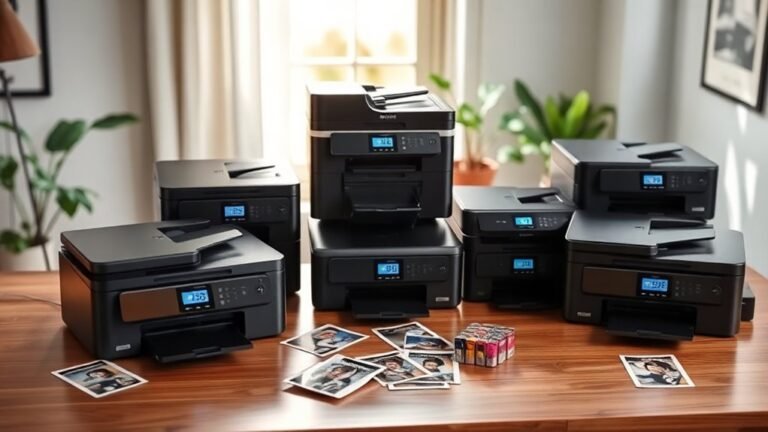
If you’re searching for the best Brother printers for home use, you want a model that balances speed, quality, and features perfectly. For fast monochrome printing, the DCP-L2640DW is a standout choice. It delivers sharp text quickly, making it ideal for everyday black-and-white documents.
Looking for vibrant color inkjet options? The Work Smart 1360 and 1410 models offer bright, vivid prints and smart app controls that make printing from your phone a breeze.
For those who prefer compact laser printers, the HL-L2405W is a reliable option that excels at monochrome printing. Many of these Brother printers come with wireless connectivity, duplex printing, and mobile-friendly features.
They’re designed to fit smoothly into your busy home office setup. Ready to dive deeper and find out which model fits your needs best? Let’s explore the top Brother printers for home use in 2027!
| Image | Name | Editor's Rating | Price |
|---|---|---|---|

|
|
||

|
|
||

|
|
||

|
|
||

|
|
Brother DCP-L2640DW Wireless Monochrome Printer
- BEST FOR SMALL BUSINESSES – Engineered for extraordinary productivity, the Brother DCP-L2640DW Monochrome (Black & White) 3-in-1 combines laser printer, scanner, copier...
- FAST PRINTER WITH EFFICIENT SCANNING – Produces documents quickly with print speeds up to 36 ppm(2) and scan speeds up to 23.6/7.9 ipm(3) (black/color). A 50-page auto...
- FLEXIBLE CONNECTION OPTIONS – Easily navigate the changing demands of your business with secure multi-device connectivity via built-in dual-band wireless (2.4GHz...
- BROTHER MOBILE CONNECT APP – Print, scan, and manage your wireless printer anytime, from almost anywhere from your mobile device. Order Brother Genuine Supplies, track...
- CHOOSE BROTHER GENUINE TONER – When it’s time to replace your toner, be sure to choose Brother Genuine TN830 or TN830XL replacement toner. And with Refresh EZ Print...

Experience efficient printing tailored for busy workspaces with the Brother DCP-L2640DW Wireless Monochrome Printer. This compact all-in-one solution is designed to streamline your workflow by combining printing, copying, and scanning in one device. Its fast output of up to 36 pages per minute helps reduce wait times, keeping productivity high.
The printer’s wireless dual-band connectivity allows seamless integration with various devices, making it easy to print from smartphones, tablets, or computers. Its automatic duplex printing feature not only saves paper but also cuts costs, supporting an eco-friendly office environment. A 50-page auto document feeder simplifies multi-page scanning and copying tasks, minimizing manual effort.
Maintenance is straightforward with a large 250-sheet input tray and a 120-sheet output capacity, reducing the frequency of paper refills. While it prints only in monochrome, this model is ideal for text-heavy documents common in small businesses or home offices. Subscription options for toner and drum cartridges help manage ongoing supply expenses conveniently.
Best for: Small businesses and home offices needing a compact, efficient monochrome all-in-one printer with versatile wireless connectivity and energy-saving features.
What We Like:
- Fast printing and copying speeds up to 36 ppm
- Wireless dual-band, Ethernet, and USB connectivity options
- ENERGY STAR® certification with automatic duplex printing
- 50-page auto document feeder for multi-page tasks
- Large paper capacity reduces refill frequency
Specification:
| Feature | Detail |
|---|---|
| Manufacturer | Brother |
| Dimensions (W×D×H) | 16.1 × 15.7 × 12.0 in |
| Weight | 15.8 lb (7.2 kg) |
| Color | White |
| Connectivity | Wireless Dual-Band, Ethernet, USB |
| Print Speed | Up to 36 ppm |
| Input Tray Capacity | 250 sheets |
| Output Tray Capacity | 120 sheets |
| Auto Document Feeder | 50 pages |
Brother Work Smart 1360 Wireless Color Inkjet All-in-One Print, Scan, Copy
- AFFORDABLE ALL-IN-ONE FOR HOME AND HOME OFFICE: Print, copy, and scan on one compact wireless printer designed for everyday home office printing, schoolwork, documents...
- EASY TO USE WITH CLOUD APP CONNECTIONS: Print from and scan to popular Cloud apps(2), including Google Drive, Dropbox, Box, OneDrive, and more from the simple-to-use...
- FULL-SIZE FEATURES IN A COMPACT DESIGN: This printer includes automatic duplex (2-sided) printing, a 20-sheet single-sided Automatic Document Feeder (ADF)(3), and a...
- MULTIPLE CONNECTION OPTIONS: Connect your way. Interface with your printer on your wireless network or via USB.
- MOBILE PRINTING MADE EASY: Go mobile with the Brother Mobile Connect app(5) that delivers easy onscreen menu navigation for printing, copying, scanning, and device...
The Brother Work Smart 1360 Wireless Color Inkjet All-in-One is designed to simplify your daily printing, scanning, and copying tasks. Its wireless capability lets you print from anywhere in your home or office, reducing clutter and boosting productivity.
This printer addresses the hassle of managing multi-page documents with its 20-sheet automatic document feeder and automatic duplex printing. You get sharp, high-quality prints with a resolution up to 1200 x 6000 dpi, suitable for professional-looking documents and colorful projects.
Maintenance is straightforward, but keep in mind the 150-sheet paper tray means you’ll need to refill more often during heavy use. The device supports various connectivity options including Wi-Fi, USB, and mobile apps, enabling easy access to cloud printing.
Compact and Energy Star certified, this all-in-one printer fits well in small spaces without sacrificing functionality. Its print speeds of 16 ppm in black and 9 ppm in color provide a good balance for moderate volume tasks.
Best for: individuals and small home offices requiring a reliable wireless all-in-one printer for everyday color printing, scanning, and copying.
What We Like:
- Fast black and color print speeds with high resolution detail.
- Wireless and mobile/cloud connectivity for versatile use.
- Automatic duplex printing and 20-sheet ADF streamline multi-page jobs.
Specification:
| Feature | Details |
|---|---|
| Manufacturer | Brother |
| Dimensions (W×D×H) | Compact size (exact size not provided) |
| Weight | Not specified |
| Printing Technology | Color Inkjet |
| Connectivity | Wi-Fi, Wi-Fi Direct, USB, Mobile Apps |
| Paper Tray Capacity | 150 sheets |
| Print Resolution | Up to 1200 x 6000 dpi |
| Print Speed | 16 ppm Black, 9 ppm Color |
Brother HL-L2405W Wireless Monochrome Laser Printer
- BEST FOR HOMES & HOME OFFICES – Engineered for consistent, premium print quality, the Brother HL-L2405W Monochrome (Black & White) Laser Printer delivers sharp, crisp...
- COMPACT, CONNECTED PRINTER – Flexible connection options make this an ideal printer for home use and at-home offices. Securely connect to multiple devices with built-in...
- BROTHER MOBILE CONNECT APP – Manage your printer remotely and print from your mobile device anytime, from almost anywhere. Order Brother Genuine Supplies, track toner...
- VERSATILE PAPER HANDLING – Enjoy seamless, reliable everyday printing with the 250-sheet paper tray(4) and a manual feed slot that enables printing on envelopes and...
- BROTHER IS AT YOUR SIDE – Backed by Brother with a 1-year limited warranty and free online, call, or live chat support for the life of your printer
Experience efficient and dependable printing with the Brother HL-L2405W Wireless Monochrome Laser Printer. Its fast output speed of up to 30 pages per minute means you spend less time waiting and more time on your tasks. The first page appears in just 8.5 seconds, helping you meet tight deadlines with ease.
Designed for flexible connectivity, this printer supports both dual-band Wi-Fi (2.4 GHz and 5 GHz) and USB connections. You can print wirelessly from multiple devices or connect directly for stable performance. The compact design fits well in home offices or small workspaces, maximizing your available space.
Maintaining the printer is straightforward with a 250-sheet tray and manual feed slot that handle varied paper types. While duplex printing requires manual intervention, the straightforward process keeps your workflow smooth. The option for toner subscription helps control running costs and ensures you’re never caught without supplies.
Security is a priority with enhanced features that protect your documents and data. This monochrome laser printer focuses on delivering sharp black-and-white prints, ideal for text-heavy documents and everyday office tasks.
Best for: Home users and small businesses looking for a compact, fast monochrome laser printer with wireless convenience.
What We Like:
- Prints crisp black-and-white pages at up to 30 ppm
- Dual-band Wi-Fi and USB connectivity for versatile use
- Easy maintenance with 250-sheet tray and manual feed slot
- Toner subscription options help manage printing costs
- Enhanced security features protect sensitive information
Specification:
| Feature | Details |
|---|---|
| Manufacturer | Brother |
| Model | HL-L2405W |
| Print Technology | Monochrome Laser |
| Print Speed | Up to 30 pages per minute |
| First Page Out Time | Approx. 8.5 seconds |
| Connectivity | Dual-band Wi-Fi (2.4/5 GHz), USB |
| Paper Capacity | 250-sheet tray + manual feed slot |
| Dimensions (W×D×H) | Approx. 14.2 × 14 × 7.2 in (36.1 × 35.6 × 18.3 cm) |
| Weight | Approx. 12.3 lb (5.6 kg) |
Brother Work Smart 1410 Wireless Color Inkjet Printer
- BEST FOR HOME OFFICE AND SMALL OFFICE: Get your work done with a multifunction printer. Print, copy, and scan on one convenient, compact printer, with quick and easy...
- EASY-TO-USE TOUCHSCREEN WITH CLOUD APP CONNECTIONS: Seamless integration with the Cloud(2). Print from and scan to popular Cloud apps(2), including Google Drive, Dropbox...
- PRODUCTIVITY-FOCUSED FEATURES: Automatic duplex (2-sided) printing, 20-sheet single-sided Automatic Document Feeder (ADF)(3), 150-sheet paper tray(3). Print at fast...
- MULTIPLE CONNECTION OPTIONS: Connect your way. Interface with your printer on your wireless network or via USB.
- THE BROTHER MOBILE CONNECT APP: Go mobile with the Brother Mobile Connect app(5) for easy onscreen menu navigation for printing, copying, scanning, and device management...
Experience seamless printing, scanning, and copying with the Brother Work Smart 1410 Wireless Color Inkjet Printer. Designed to simplify your home or small office workflow, this printer offers an intuitive 2.7” color touchscreen that makes navigation effortless. Wireless connectivity allows you to print from multiple devices without the hassle of cables.
This all-in-one printer tackles everyday tasks efficiently. Its automatic duplex printing and 20-sheet automatic document feeder (ADF) save time when handling multi-page documents. The 150-sheet paper tray minimizes interruptions, while print speeds of up to 16 ppm in black and 9 ppm in color keep your projects moving.
Maintenance is straightforward with the Brother Mobile Connect app. You can print, scan, and check ink levels right from your smartphone. The app also supports cloud services such as Google Drive, enhancing your ability to work remotely or on the go.
While ideal for moderate use, the inkjet technology may not be the most cost-effective choice for heavy printing. The paper tray capacity and print speed suit typical home or small office needs but may require frequent refills and patience with larger jobs.
Best for: Small office or home office users seeking a wireless all-in-one printer with easy mobile and cloud integration.
What We Like:
- User-friendly 2.7” color touchscreen for quick access
- Automatic duplex printing and 20-sheet ADF improve efficiency
- Mobile app support for printing, scanning, and ink monitoring
- Wireless connectivity reduces cable clutter
Specification:
| Feature | Details |
|---|---|
| Manufacturer | Brother |
| Dimensions (W×D×H) | Approx. 16.1 × 16.7 × 7.2 in |
| Weight | Approx. 14.5 lb (6.58 kg) |
| Technology | Wireless Color Inkjet |
| Paper Tray Capacity | 150 sheets |
| Automatic Document Feeder | 20 sheets |
| Print Speed (Black) | Up to 16 ppm |
| Print Speed (Color) | Up to 9 ppm |
| Display | 2.7” Color Touchscreen |
Brother INKvestment 1365 Wireless Color Inkjet Printer
- BEST FOR HOME AND HOME OFFICE: This multifunction printer makes it easy to print, copy, and scan—all in one compact printer. Includes one 1,200-page yield black...
- WIRELESS, MOBILE, AND USB CONNECTIVITY: Connect your way. Interface with your printer on your wireless network or via USB. Enhance your workflow with Wi-Fi Direct, which...
- CLOUD APP CONNECTIONS: Print from and scan to popular Cloud apps(3), including Google Drive, Dropbox, Box, OneDrive, and more, from an impressive 1.8” color display...
- PRODUCTIVITY-FOCUSED FEATURES: A 150-sheet paper tray(4), 20-page single-sided automatic document feeder (ADF)(4), and automatic duplex (2-sided) printing. Prints at fast...
- THE BROTHER MOBILE CONNECT APP: Put the power of printing at your fingertips. Go mobile with the Brother Mobile Connect app(6) that delivers easy onscreen menu navigation...
The Brother INKvestment 1365 Wireless Color Inkjet Printer is designed to simplify your printing tasks while delivering sharp, vibrant results. It handles everyday printing needs quickly, with speeds up to 16 ppm in black and 9 ppm in color. This printer also supports automatic duplex printing, helping you save paper without extra effort.
Its 150-sheet tray and 20-page automatic document feeder make managing multi-page documents easier, though frequent refills may be needed during heavy use. The high print resolution of up to 1,200 x 6,000 dpi ensures crisp images and text, ideal for professional-quality color prints at home.
Wireless connectivity paired with the Brother Mobile Connect app allows you to print and scan directly from your smartphone or tablet. Maintenance is straightforward thanks to included high-yield ink cartridges that reduce replacement frequency, though color cartridge yields are moderate.
This compact all-in-one printer fits well in home offices, offering reliable performance and a balance of speed and quality for daily printing tasks.
Best for: individuals and home offices needing a wireless all-in-one printer that handles color printing and multi-page documents efficiently.
What We Like:
- Fast print speeds with automatic duplex for convenient double-sided printing
- High-yield cartridges lower maintenance frequency
- Wireless printing and scanning via mobile app for versatile connectivity
- Sharp print resolution delivers clear, vibrant images
- Compact design fits easily in limited workspace
Specification:
| Feature | Detail |
|---|---|
| Manufacturer | Brother |
| Printing Technology | Color Inkjet |
| Print Speed | Up to 16 ppm (black), 9 ppm (color) |
| Print Resolution | Up to 1,200 x 6,000 dpi |
| Paper Tray Capacity | 150 sheets |
| Automatic Document Feeder | 20 pages |
| Connectivity | Wireless, Mobile app compatible |
| Dimensions (W x D x H) | Approx. 16.1 x 14.2 x 7.9 inches |
| Weight | Approx. 13.2 lbs (6 kg) |
Brother INKvestment Wireless Color Inkjet Printer (MCF-J5010DW)

- BEST FOR SMALL BUSINESS: Print, copy, scan, and fax with one powerful device, with advanced security features for business. Includes one 1,800-page yield black ink...
- PRODUCTIVITY-FOCUSED FEATURES: A 250-sheet paper tray, 50-page single-pass duplex (2-sided) automatic document feeder (ADF), and automatic duplex printing on paper up to...
- SUPERIOR PRINTING: Engineered with the Brother PerfectPrint Auto Detection System, which helps ensure reliable, consistent print quality and performance you can depend on...
- SEAMLESS CONNECTIONS: Simplify your workflow with Wi-Fi Direct and multiple connection options, including wireless network interfacing, Ethernet, and USB. Plus, print...
- THE BROTHER MOBILE CONNECT APP: Put the power of printing at your fingertips. Go mobile with the simple-to-use Brother Mobile Connect app, which delivers easy on-screen...
Experience seamless printing with the Brother INKvestment Wireless Color Inkjet Printer (MFC-J5010DW). This all-in-one device is designed to handle your daily tasks efficiently, including printing, scanning, copying, and faxing. It delivers sharp, vibrant color prints at up to 28 pages per minute, ensuring your projects keep up with your pace.
The printer’s automatic duplex printing and 50-page duplex automatic document feeder save you time and reduce paper waste. A 250-sheet main tray means fewer interruptions, so you can focus on what matters most. Its compact design fits comfortably in small workspaces without sacrificing functionality.
Maintenance is straightforward thanks to the INKvestment system, which extends ink life and lowers running costs. The wireless and Ethernet connectivity options allow flexible placement and easy integration into your home or office network. Control your tasks intuitively through the 2.7-inch color touchscreen or via a mobile app.
While the touchscreen is modest in size and the USB connection is limited to USB 2.0, the printer balances performance and cost-effectiveness well. This model is ideal for users who need a reliable, versatile printer with high-quality color output and smart ink management.
Best for: Small businesses and home offices seeking a fast, versatile all-in-one printer with efficient ink use and professional color printing.
What We Like:
- Fast printing speeds with high-resolution color output
- Automatic duplex printing and a large-capacity paper tray for productivity
- INKvestment system reduces ink replacement frequency and cost
- Multiple connectivity options including Wi-Fi and Ethernet
- Compact design suitable for limited office space
Specification:
| Feature | Details |
|---|---|
| Manufacturer | Brother |
| Model | MFC-J5010DW |
| Print Speed | Up to 28 ppm (black), 26 ppm (color) |
| Print Resolution | 4800 × 1200 dpi |
| Paper Capacity | 250-sheet tray |
| ADF Capacity | 50 pages (duplex) |
| Touchscreen Size | 2.7 inches (color) |
| Connectivity | Wi-Fi, Ethernet, USB 2.0 |
| Dimensions (W×D×H) | Approx. 17.7 × 15.7 × 7.5 inches |
| Weight | Approx. 15.4 lbs (7 kg) |
Brother Work Smart 1360 Wireless Color Inkjet Printer

- AFFORDABLE ALL-IN-ONE FOR HOME AND HOME OFFICE: Print, copy, and scan on one compact wireless printer designed for everyday home office printing, schoolwork, documents...
- EASY TO USE WITH CLOUD APP CONNECTIONS: Print from and scan to popular Cloud apps(2), including Google Drive, Dropbox, Box, OneDrive, and more from the simple-to-use...
- FULL-SIZE FEATURES IN A COMPACT DESIGN: This printer includes automatic duplex (2-sided) printing, a 20-sheet single-sided Automatic Document Feeder (ADF)(3), and a...
- MULTIPLE CONNECTION OPTIONS: Connect your way. Interface with your printer on your wireless network or via USB.
- MOBILE PRINTING MADE EASY: Go mobile with the Brother Mobile Connect app(5) that delivers easy onscreen menu navigation for printing, copying, scanning, and device...
The Brother Work Smart 1360 Wireless Color Inkjet Printer is designed to simplify your printing needs with all-in-one functionality. It prints, copies, scans, and faxes, making it a versatile solution for home or small office use. This helps reduce clutter and streamlines your workflow by combining multiple tasks into one device.
Its wireless connectivity and compatibility with AirPrint and cloud apps let you print directly from your smartphone or tablet. This flexibility solves common connectivity challenges and supports remote work or mobile printing. The automatic duplex printing and 20-sheet ADF save you time on multi-page documents.
Maintenance is straightforward with the Page Gauge feature that monitors ink levels, so you know when to replace cartridges. The printer also comes with a free two-month ink subscription trial, helping you manage costs without unexpected expenses.
While it handles color prints well, note that color printing speed is slower than black and white, and the 150-sheet tray capacity means you may need to refill more often in busy settings. Overall, it balances useful features with cost-effective upkeep.
Best for: Small offices and individuals seeking a reliable wireless color inkjet printer with multifunction capabilities for everyday document handling and vibrant prints.
What We Like:
- Automatic duplex printing and 20-sheet ADF enhance productivity
- Wireless and mobile printing with AirPrint and cloud app support
- Ink level monitoring with Page Gauge for easy maintenance
- Free two-month ink subscription trial reduces running costs
Specification:
| Feature | Details |
|---|---|
| Manufacturer | Brother |
| Dimensions | Not specified |
| Weight | Not specified |
| Color Options | Not specified |
| Connectivity | Wireless, AirPrint, Cloud apps |
| Paper Tray Capacity | 150 sheets |
| Automatic Duplex | Yes |
| Automatic Document Feeder (ADF) | 20 sheets |
Brother HL-L3220CDW Wireless Color Laser Printer

- Professional Quality: Brother Genuine color laser printer delivers stunning business documents with crisp text and vibrant graphics at impressive 19 PPM speed...
- Wireless Connectivity: Brother Genuine advanced wireless capabilities enable seamless printing from laptops, smartphones, and tablets, with built-in security protocols...
- High-Volume Capacity: Brother Genuine laser printer includes a generous 250-sheet paper tray minimizing refills, while the manual feed slot offers versatility for...
- Efficient Performance: Brother Genuine automatic duplex printing saves time and paper, while delivering professional-quality double-sided documents at speeds up to...
- Mobile Integration: Brother Genuine technology ensures seamless compatibility with major mobile printing platforms and cloud services, enabling effortless document...
Experience vibrant, professional-quality color prints effortlessly with the Brother HL-L3220CDW Wireless Color Laser Printer. Designed for home and small office use, it tackles your printing needs with sharp clarity and reliable speed. Print documents at up to 19 pages per minute, ensuring your tasks keep moving smoothly.
This printer simplifies your workflow with automatic duplex printing, saving paper and time. The 250-sheet paper tray reduces frequent refills, while a manual feed slot lets you handle envelopes and cardstock with ease. Wireless connectivity allows you to print directly from smartphones, tablets, or laptops without hassle.
Maintenance is straightforward with high-capacity toner options that lower your operating costs and minimize interruptions. Despite its compact weight of 24.7 pounds, it offers robust performance without occupying much space.
Though it lacks scanning and copying features and has a relatively high power consumption, its dedicated focus on printing makes it a practical choice for users prioritizing crisp, colorful output.
Best for: Small home offices or individuals needing efficient, wireless color laser printing with duplex functionality.
What We Like:
- Fast printing speed with sharp 2400 x 600 dpi resolution.
- Convenient automatic duplex printing and large paper capacity.
- Wireless and mobile printing support for versatile device connectivity.
Specification:
| Feature | Details |
|---|---|
| Manufacturer | Brother |
| Dimensions (W×D×H) | Approx. 16.1 × 18.7 × 7.2 inches |
| Weight | 24.7 lbs (11.2 kg) |
| Printing Technology | Wireless Color Laser |
| Paper Capacity | 250 sheets + manual feed slot |
| Max Print Resolution | 2400 x 600 dpi |
Brother INKvestment 4355 Wireless Color Inkjet Printer

- UP TO 1-YEAR OF INK IN-BOX¹ – Enjoy exceptional convenience and savings with enough ink for up to 1 year of printing right out of the box¹.
- REVOLUTIONARY INKVESTMENT TANK TECHNOLOGY – Internal ink tank system works with front-loading cartridges for hassle-free, uninterrupted printing with no manual refills.
- COMPACT ALL-IN-ONE FUNCTIONALITY – Print, copy, scan, and fax with fast speeds, duplex printing, and a 20-page automatic document feeder
- WIRELESS AND CLOUD READY – Print-from and scan-to popular cloud services and mobile devices via the Brother Mobile Connect App³.
- VERSATILE PAPER HANDLING – Features a 150-sheet adjustable paper tray, bypass tray, and automatic duplex printing for letter and legal-size paper.
Experience hassle-free color printing with the Brother INKvestment 4355 Wireless Color Inkjet Printer. Designed to reduce frequent cartridge changes, its INKVESTMENT TANK TECHNOLOGY cleverly combines internal ink tanks with easy-to-replace front cartridges. This means you get a longer-lasting ink supply without the mess or constant refills.
The printer includes up to a year’s worth of ink, helping you save time and money. It also features Alexa-enabled smart ink reordering, so you get automatic alerts and can reorder ink seamlessly before running out. This keeps your workflow smooth and uninterrupted.
With vibrant color printing at up to 19 pages per minute, plus copying, scanning, and faxing capabilities, it’s a versatile all-in-one device. Duplex automatic printing saves paper, while wireless and cloud connectivity allow you to print effortlessly from any device.
Its 150-sheet paper tray and 20-sheet automatic document feeder handle everyday printing tasks efficiently. While ideal for moderate use, it may not suit very low-volume users or those needing high-capacity trays.
Best for: Homeowners and small office users who want reliable, cost-effective color printing with smart maintenance features.
What We Like:
- Long-lasting ink supply with up to one year of included ink
- Alexa-enabled smart ink reordering for easy maintenance
- Fast, versatile all-in-one printing with duplex and wireless support
- Efficient 150-sheet tray and 20-sheet ADF for daily tasks
Specification:
| Feature | Details |
|---|---|
| Manufacturer | Brother |
| Dimensions (W×D×H) | Approx. 16.1 × 14.7 × 7.2 in |
| Weight | Approx. 14.3 lbs (6.5 kg) |
| Printing Technology | Wireless Color Inkjet |
| Paper Capacity | 150-sheet tray, 20-sheet ADF |
| Connectivity | Wireless, Cloud, Alexa-enabled |
Brother HL-L2460DW Wireless Monochrome Laser Printer

- BEST FOR HOME OFFICES & SMALL TEAMS – Engineered for consistent, premium print quality, the Brother HL-L2460DW Monochrome (Black & White) Laser Printer produces...
- COMPACT, CONNECTED, EXCEPTIONALLY EFFICIENT– Connect with built-in dual-band wireless (2.4GHz/5GHz), Ethernet, or to a single computer via USB interface. Prints at...
- BROTHER MOBILE CONNECT APP – Manage your wireless printer remotely and print from your mobile device anytime, from almost anywhere. Order Brother Genuine Supplies...
- VERSATILE PAPER HANDLING – Tackle high-volume black & white printing with the 250-sheet capacity paper tray.(4) The manual feed slot enables printing on envelopes and...
- BROTHER IS AT YOUR SIDE – Backed by Brother with a 1-year limited warranty and free online, call, or live chat support for the life of your printer
Experience sharp, fast printing designed to keep your workflow moving smoothly. The Brother HL-L2460DW wireless monochrome laser printer delivers crisp black-and-white documents at speeds up to 36 pages per minute. Its quick output is perfect when deadlines are tight and clarity matters most.
This compact printer fits neatly into small workspaces, making it ideal for home offices and small teams. Automatic duplex printing reduces paper waste without extra effort, supporting eco-friendly practices. Manage your print jobs easily via dual-band Wi-Fi, Ethernet, or USB connections.
Maintenance is straightforward with a 250-sheet paper tray and toner save mode that stretches consumables further. Remote printing through the Brother Mobile Connect app or Alexa integration adds convenience for busy professionals. While it handles monochrome printing only, its reliable performance meets everyday document needs efficiently.
Best for: Small offices and home workspaces needing a fast, dependable wireless monochrome laser printer with duplex capabilities.
What We Like:
- Rapid printing speed of up to 36 ppm with sharp text output
- Automatic duplex printing to save paper and reduce costs
- Multiple connectivity options including dual-band Wi-Fi and Ethernet
- Easy remote printing via mobile app and voice commands
- Toner save mode extends cartridge life for economical use
Specification:
| Feature | Details |
|---|---|
| Manufacturer | Brother |
| Dimensions | 14 x 14 x 7.2 inches (35.6 x 35.6 x 18.3 cm) |
| Weight | 15.9 lbs (7.21 kg) |
| Color | White with black accents |
| Connectivity | Dual-band Wi-Fi, Ethernet, USB |
| Paper Capacity | 250-sheet tray |
Brother MFC-L2820DW Wireless Monochrome All-in-One Printer

- BEST FOR SMALL OFFICES – Combining space-saving efficiency and premium monochrome (black & white) print quality with affordability, the Brother MFC-L2820DW delivers...
- EFFICIENT PRINTING & SCANNING – Produces black & white documents quickly with print speeds up to 36 ppm(2) and scan speeds up to 23.6/7.9 ipm(3) (bk/cl). A 50-page auto...
- FLEXIBLE CONNECTION OPTIONS – Securely connect to multiple devices with built-in dual-band wireless (2.4GHz / 5GHz), Ethernet, or connect locally to a single computer...
- 2.7" TOUCHSCREEN – The intuitive 2.7” touchscreen enables effortless navigation with the added ability to print-from and scan-to popular Cloud-based apps such as...
- BROTHER MOBILE CONNECT APP – Print, scan, and manage your wireless printer anytime, from almost anywhere from your mobile device. Order Brother Genuine Supplies, track...
The Brother MFC-L2820DW offers a compact solution for busy home offices needing reliable, high-speed printing. It tackles your daily printing, copying, scanning, and faxing tasks efficiently. With sharp monochrome prints up to 36 pages per minute, it keeps your workflow smooth and uninterrupted.
Its 50-page auto document feeder saves time by handling multi-page jobs automatically. The printer supports dual-band Wi-Fi, Ethernet, and USB connections, allowing flexible setup according to your workspace. You can print wirelessly from your devices or through cloud services like Google Drive.
Maintenance is straightforward with easy access to replaceable toner cartridges. The 2.7-inch touchscreen and Brother Mobile Connect app simplify operation and setup. While it only prints in black and white and has a scanner resolution of 300 x 300 dpi, it is designed for everyday document tasks rather than high-detail scanning.
Energy-efficient and Alexa-compatible, this model suits users who want a practical, space-saving all-in-one printer with solid performance.
Best for: Small offices and home office users needing a compact and dependable monochrome all-in-one printer with versatile connectivity.
What We Like:
- Fast printing speed of up to 36 ppm with quick first-page output
- Multiple connection options including dual-band Wi-Fi and Ethernet
- Compact design with a 50-sheet auto document feeder and automatic duplexing
- Easy maintenance with accessible toner replacement and user-friendly touchscreen
Specification:
| Feature | Details |
|---|---|
| Manufacturer | Brother |
| Dimensions (W x D x H) | 16.1 x 15.7 x 12.7 inches |
| Weight | 18.3 lbs (8.3 kg) |
| Color Options | White/Gray |
| Print Technology | Monochrome Laser |
| Connectivity | Dual-band Wi-Fi, Ethernet, USB |
| Scanner Resolution | 300 x 300 dpi |
| Auto Document Feeder | 50 pages |
Brother MFC-L3720CDW Wireless Color Laser Printer

- Professional Performance: Dominate your business printing with this Brother Genuine color laser printer delivering exceptional print speeds up to 19 ppm and stunning...
- Advanced Connectivity: Take command of your workflow with dual-band wireless networking (2.4GHz/5GHz), Wi-Fi Direct, and USB 2.0 interface, enabling multiple users to...
- Productivity Powerhouse: Maximize efficiency with the 50-sheet auto document feeder, 250-sheet adjustable paper tray, and automatic duplex printing, ensuring...
- Smart Integration: Transform your workflow with the intuitive 3.5" color touchscreen featuring 48 customizable shortcuts and direct access to popular cloud services...
- Mobile Command Center: Leverage the power of mobile printing with remote access capabilities, toner level monitoring, and complete printer management directly from your...
The Brother MFC-L3720CDW Wireless Color Laser Printer is designed to enhance productivity in busy workspaces. It tackles printing, scanning, copying, and faxing without fuss, helping you manage multiple tasks efficiently. The automatic duplex feature reduces paper use, making it ideal for eco-conscious users.
This printer delivers sharp color and black-and-white prints at speeds up to 19 pages per minute. Its 3.5-inch color touchscreen and mobile app integration simplify job control and allow you to print or scan on the go. The 250-sheet tray combined with a 50-sheet automatic document feeder supports larger workloads with ease.
Maintenance is straightforward, but keep in mind its weight of 44 pounds may limit portability within your workspace. The device consumes 500 watts during operation, which is higher than some alternatives, yet it offers energy-saving modes to help reduce overall power use. Security features protect sensitive documents and your network effectively.
Best for: small offices or individuals who need a reliable, multi-functional wireless color laser printer with solid paper handling and convenient mobile support.
What We Like:
- Fast 19 ppm printing with automatic duplexing
- Easy job management via 3.5″ touchscreen and mobile app
- Large paper capacity with 250-sheet tray and 50-sheet ADF
- Robust security features to safeguard documents
- Energy-saving modes despite relatively high power use
Specification:
| Feature | Details |
|---|---|
| Manufacturer | Brother |
| Dimensions (W×D×H) | Approx. 16.1 × 18.5 × 16.7 inches |
| Weight | 44 lb (19.96 kg) |
| Printing Technology | Wireless Color Laser |
| Paper Capacity | 250-sheet tray, 50-sheet ADF |
| Display | 3.5-inch color touchscreen |
Brother MFC-L3780CDW Wireless Digital Color All-in-One Printer

- Best for Small Businesses: The Brother MFC L3780CDW small business printer is a wireless multi-function digital color printer with copy, scan, and fax functionalities...
- AMPLIFY YOUR PROFESSIONAL DOCUMENTS. This Brother laser printer provides the consistent performance of laser-quality digital color printing
- MAXIMIZE EFFICIENCY WITH ALL-IN-ONE FUNCTIONALITY. This Brother all in one printer has print speeds up to 31 ppm(1) and scan speeds up to 29/22 ipm(2) (black/color) with...
- RELIABLE RESULTS WITH BROTHER GENUINE TONER. Choose Brother Genuine TN229 Standard Yield, TN229XL High Yield, or TN229XXL Super High Yield for your Brother printer...
- Flexible Connection Options: Brother laser color printer has built-in dual band wireless (2.4GHz / 5GHz)(5), Gigabit Ethernet, and Wi-Fi Direct connections, plus a USB...
The Brother MFC-L3780CDW Wireless Digital Color All-in-One Printer is designed to boost productivity with fast, reliable color printing. Its 31 ppm print speed ensures quick turnaround times, helping small businesses and home offices meet tight deadlines without delays. The laser-quality output stays smudge-free, maintaining professional document appearance every time.
This printer simplifies multitasking by combining print, copy, scan, and fax functions in one device. The automatic duplexing feature saves paper and time, while the single-pass duplex scanning improves workflow efficiency. A bright 3.5″ touchscreen offers intuitive control, reducing setup and operation complexity.
Connectivity is versatile and secure, with dual-band Wi-Fi, Ethernet, USB, and NFC support. This flexibility allows seamless integration with multiple devices, enhancing convenience for diverse work environments. Maintenance remains straightforward with subscription toner options that help manage costs and keep supplies ready.
While compact, the printer’s 250-sheet paper capacity may require frequent refills during heavy use. It consumes up to 660 watts, which is relatively high but reflects its multifunction capability and speed. Overall, it balances performance and practicality for daily office needs.
Best for: Small businesses and home offices needing a fast, multifunction wireless color laser printer with reliable, secure connectivity.
What We Like:
- Sharp, smudge-free color output at 31 ppm speed
- Efficient automatic duplex printing and scanning
- Multiple connectivity options including NFC for secure access
- User-friendly 3.5″ touchscreen interface
- Subscription toner options for easy maintenance
Specification:
| Feature | Details |
|---|---|
| Manufacturer | Brother |
| Dimensions (W×D×H) | Approx. 16.1 x 19.7 x 17.7 in (41 x 50 x 45 cm) |
| Weight | Approx. 33.1 lb (15 kg) |
| Color Options | White |
| Connectivity | Dual-band Wi-Fi, Ethernet, USB, NFC |
Factors to Consider When Choosing a Brother Printer for Home
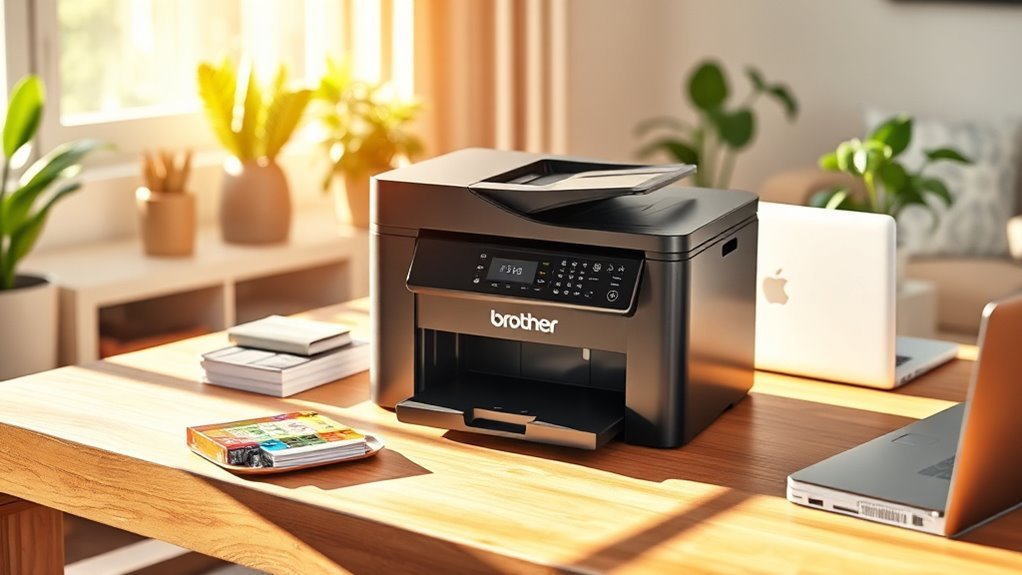
When choosing a Brother printer for your home, you’ll want to take into account your specific printing needs and how often you print.
Check the connectivity options to make sure it works seamlessly with your devices, and keep an eye on ink or toner costs to avoid surprises.
Also, think about the printer’s size, setup ease, and any extra features that could make your life easier.
Printing Needs Assessment
Although choosing the right Brother printer for your home might seem straightforward, evaluating your specific printing needs guarantees you pick a model that fits both your usage and budget. Start by estimating your average monthly page volume—under 200 pages? Between 200 and 1,000? Or more?
This helps decide between inkjet or laser and whether standard or high-yield cartridges suit you best. Next, consider what you print most: text-only, color graphics, or photos. Monochrome laser printers excel at black-and-white documents, while inkjets offer richer color.
Think about features like scanning, copying, faxing, duplex printing, and document feeder size, depending on how often you handle multi-page tasks. Finally, factor in print speed and first-page-out time to match your workflow demands.
Connectivity Options Available
How do you want to connect your Brother printer to your devices? For wireless convenience, look for dual-band Wi-Fi (2.4 GHz and 5 GHz) or Wi-Fi Direct. These options help guarantee strong connections and less interference when multiple devices share your home network.
If you prefer a wired setup, check for USB (usually USB 2.0) or Ethernet ports. They offer faster, reliable transfers or network sharing.
Make sure the printer supports mobile-printing standards like AirPrint and Mopria. This way, your smartphones and tablets can print without extra drivers.
If you work with online documents, consider cloud printing and scan-to-cloud features. These make accessing and sharing your files easier.
Finally, app-based management lets you monitor ink levels, print remotely, and scan using a companion mobile app. It adds flexibility and ease to everyday use.
Ink and Toner Costs
Understanding ink and toner costs is essential for choosing the right Brother printer for your home. Laser printers use toner cartridges that cost more upfront but print thousands of pages, lowering your cost per page compared to inkjets.
Inkjets often offer high-yield cartridges or subscription services that can cut per-page costs by about half versus standard cartridges. Always check page yield specs and divide cartridge price by yield to compare true costs.
For color inkjets, consider black and color yields separately—color cartridges may deplete even with occasional use due to maintenance cycles. Don’t forget additional consumables like drum units or maintenance kits, as well as energy use.
These factors affect long-term expenses beyond just ink or toner prices, so keep them in mind when making your decision.
Device Size and Setup
When setting up a Brother printer for your home, start by sizing up the available space carefully. Measure your desk or shelf to make sure the printer’s dimensions and weight fit comfortably, allowing proper airflow and easy user access.
Consider the footprint and height so you can open paper trays, access ink or toner cartridges, and lift the scanner lid without moving the device. Don’t forget to factor in paper tray capacity and output area to avoid blocking walkways or other equipment.
Check connectivity ports and Wi‑Fi range at your setup location to guarantee a stable network connection without long cables or router moves. Finally, leave a few inches of clearance around the printer to make routine maintenance like cartridge replacement and jam clearing hassle-free.
Additional Features Offered
Along with fitting the space and setup requirements, you’ll want to look at additional features that can make your Brother printer more convenient and efficient for home use. Automatic duplexing lets you print double-sided documents without flipping pages manually, saving paper and reducing clutter.
A built-in automatic document feeder (ADF) speeds up multi-page scanning, copying, or faxing by handling 20 to 50 pages at once. Color touchscreens or clear control panels provide quick access to settings and cloud services, simplifying your workflow.
Mobile and cloud compatibility—like AirPrint, Mopria, and Wi-Fi Direct—allows printing and scanning directly from smartphones or tablets without needing a PC. Plus, subscription-based ink or toner smart-reorder services can automate supply delivery and often save you money compared to buying cartridges individually.
Frequently Asked Questions
How Do I Troubleshoot Common Brother Printer Connectivity Issues?
You should restart your printer and router, and check your Wi-Fi connections. Make sure your drivers are updated and verify your network settings.
If problems persist, try resetting the printer’s network settings. And if that doesn’t do the trick, it’s a good idea to consult Brother’s support for detailed troubleshooting steps.
What Is the Average Lifespan of a Brother Home Printer?
You can expect your Brother home printer to last around 3 to 5 years with regular use.
Proper maintenance and timely troubleshooting will help you extend its lifespan and keep it running smoothly.
Taking good care of your printer really makes a difference in how long it lasts. So, don’t skip on cleaning and fixing small issues when they pop up!
Are Brother Printers Compatible With Mobile Printing Apps?
Yes, Brother printers are compatible with mobile printing apps. You can easily print documents and photos directly from your smartphone or tablet using apps like Brother iPrint&Scan, Apple AirPrint, or Google Cloud Print.
It’s really convenient because you don’t have to transfer files to a computer first. Just open the app, select your printer, and print away!
How Do I Perform Routine Maintenance on My Brother Printer?
Of course, your Brother printer loves being ignored, but you should clean the drum and rollers regularly. Replace ink cartridges on time, and run the cleaning cycle.
Trust me, it appreciates a little TLC to keep printing smoothly. Taking these simple steps can really extend your printer’s life and save you from headaches down the line.
Can Brother Printers Print on Specialty Media Like Labels or Cardstock?
Yes, Brother printers can print on specialty media like labels and cardstock. Just make sure to adjust your printer settings accordingly and use compatible media for the best results.
Always check your model’s manual for specifics. It’s a good idea to do that so you avoid any printing issues.
Conclusion
Choosing the right Brother printer for your home is like picking the perfect pair of shoes—they need to fit your lifestyle just right. Remember when your old printer jammed during an important project? Upgrading to a reliable model, like the MFC-L2820DW, can feel like slipping into comfort after a long day.
With wireless convenience and sharp prints, Brother printers make your daily tasks smoother. They help you stay focused on what really matters without the usual hassle.
Whether you need fast printing, scanning, or copying, Brother printers offer user-friendly features perfect for home use. Investing in one of the best Brother printers guarantees quality, efficiency, and ease, making your home office or study space a breeze to manage. So, when choosing your next printer, think about what fits your needs and enjoy the seamless experience that Brother brings to your everyday printing tasks.