5 Best Brother Laser Printer Monochrome Models for 2027
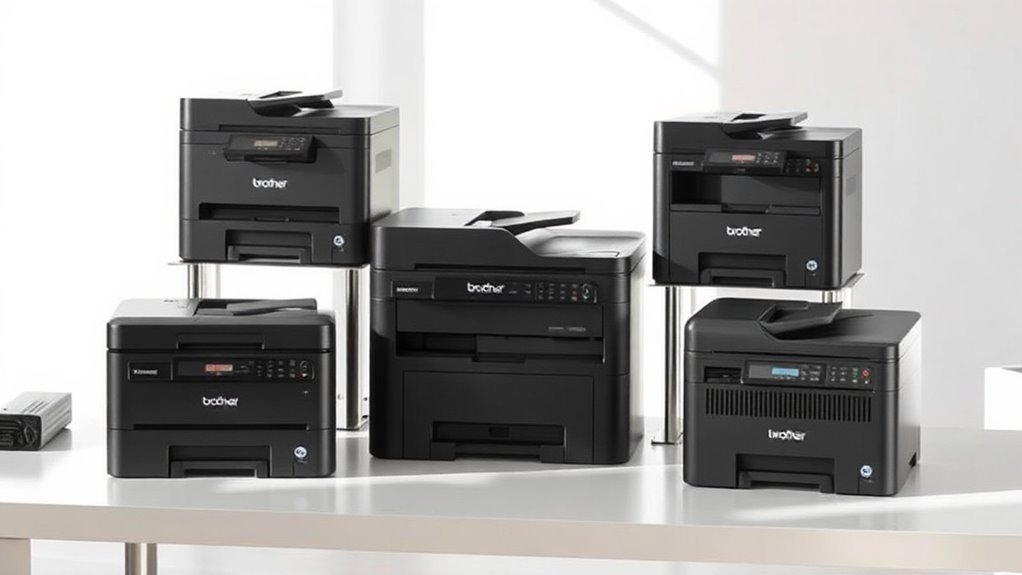
For 2027, choosing the best Brother laser printer monochrome model depends on your specific needs. Whether you want multifunction features, speed, or security, Brother has got you covered with top-notch options.
You’ll want the Brother DCP-L2640DW for affordable multifunction with duplex and ADF. Or go for the HL-L6210DW if speed and large paper capacity matter most.
The MFC-L5915DW fits professional offices needing fast print, scan, fax, and strong security.
Meanwhile, the MFC-L2900DW balances compactness with duplex scanning and energy efficiency.
Lastly, the HL-L5210DN offers solid network security and duplex printing for office productivity. Keep exploring these models to find the best fit for your workflow and budget!
| Image | Name | Editor's Rating | Price |
|---|---|---|---|

|
|
||

|
|
||

|
|
||

|
|
||

|
|
Brother DCP-L2640DW Wireless Monochrome Printer
- BEST FOR SMALL BUSINESSES – Engineered for extraordinary productivity, the Brother DCP-L2640DW Monochrome (Black & White) 3-in-1 combines laser printer, scanner, copier...
- FAST PRINTER WITH EFFICIENT SCANNING – Produces documents quickly with print speeds up to 36 ppm(2) and scan speeds up to 23.6/7.9 ipm(3) (black/color). A 50-page auto...
- FLEXIBLE CONNECTION OPTIONS – Easily navigate the changing demands of your business with secure multi-device connectivity via built-in dual-band wireless (2.4GHz...
- BROTHER MOBILE CONNECT APP – Print, scan, and manage your wireless printer anytime, from almost anywhere from your mobile device. Order Brother Genuine Supplies, track...
- CHOOSE BROTHER GENUINE TONER – When it’s time to replace your toner, be sure to choose Brother Genuine TN830 or TN830XL replacement toner. And with Refresh EZ Print...

The Brother DCP-L2640DW Wireless Monochrome Printer is a smart choice for businesses that need efficient, space-saving solutions. It handles high-volume printing, scanning, and copying with ease, helping streamline everyday tasks. Its compact design fits comfortably in tight workspaces without sacrificing performance.
This printer supports automatic duplex printing, reducing paper waste and cutting costs. The 50-sheet auto document feeder simplifies multi-page scanning and copying, so you spend less time managing documents. Connectivity options include dual-band wireless, Ethernet, and USB, offering flexible setup for various office environments.
Maintenance is straightforward with a 250-sheet paper tray that reduces refills and an energy-efficient design compliant with ENERGY STAR®. While it only prints in monochrome, it delivers sharp, professional-quality text quickly at up to 36 pages per minute. The first-page-out time is about 8.5 seconds, balancing speed and precision.
Overall, this printer improves workflow by combining reliable functions with easy upkeep. Its quiet operation and compact frame make it a practical addition to small business offices needing consistent, high-volume black-and-white printing.
Best for: Small businesses requiring a reliable and compact monochrome all-in-one printer that handles heavy printing, scanning, and copying tasks.
What We Like:
- Fast print and copy speeds up to 36 ppm with an auto document feeder.
- Flexible connectivity with dual-band wireless, Ethernet, and USB options.
- Automatic duplex printing for efficient, cost-saving paper use.
- ENERGY STAR® certified for energy efficiency.
- Compact size ideal for limited office space.
Specification:
| Feature | Detail |
|---|---|
| Manufacturer | Brother |
| Dimensions (W x D x H) | 16.1 x 15.7 x 12.7 inches |
| Weight | 15.4 lbs (7 kg) |
| Color | Monochrome (Black & White) |
| Connectivity | Dual-band wireless, Ethernet, USB |
| Paper Tray Capacity | 250 sheets |
| Auto Document Feeder | 50 sheets |
Brother Laser Printer, Monochrome Duplex Wireless Printer, HL-6210DW
- Professional Performance: Dominate your office printing tasks with this Brother Genuine laser office printer delivering an impressive 50 ppm output speed, ensuring your...
- Superior Capacity: Print business documents with this monochrome laser printer's robust 520-sheet main tray and 100-sheet multipurpose tray, expandable up to 1,660 sheets...
- Advanced Connectivity: Experience seamless integration with this Brother wireless printer's built-in Gigabit Ethernet and dual band wireless networking capabilities...
- Cost-efficient Printing: Maximize your printing budget with Brother Genuine ultra high-yield replacement toner cartridges for Brother printers delivering up to...
- Security Excellence: Safeguard your Brother Genuine business printer for daily office use with advanced Triple Layer Security features, ensuring comprehensive protection...
The Brother HL-L6210DW is designed to meet the demands of busy offices and professionals who require fast, dependable black-and-white printing. It tackles heavy workloads with speeds of up to 50 pages per minute, minimizing wait times and boosting productivity. Its automatic duplex printing helps reduce paper usage without extra effort.
This monochrome wireless printer offers sharp, clear prints at 1200 x 1200 dpi resolution, ensuring professional-quality documents every time. With a generous 520-sheet capacity, expandable to 1,660 sheets, it handles large print jobs with ease and fewer interruptions. Connectivity is flexible with Gigabit Ethernet and dual-band wireless options, supporting seamless mobile device printing.
Maintenance is straightforward thanks to the use of high-yield toner cartridges, which reduce replacement frequency and lower operating costs. While it focuses solely on monochrome printing and does not scan or fax, this specialization makes it a reliable choice for environments prioritizing fast, efficient black-and-white output.
Best for: offices or individuals needing high-speed, high-volume monochrome printing with efficient paper handling and versatile connectivity.
What We Like:
- Fast print speed of up to 50 ppm with crisp 1200 x 1200 dpi output
- Automatic duplexing saves paper and time
- Large paper capacity expandable to 1,660 sheets
- Multiple connectivity options including Gigabit Ethernet and wireless
- High-yield toner cartridges reduce maintenance frequency
Specification:
| Feature | Description |
|---|---|
| Manufacturer | Brother |
| Dimensions (WxDxH) | 16.1 x 15.7 x 7.2 inches |
| Weight | 19.4 lbs (8.8 kg) |
| Print Technology | Monochrome Laser |
| Print Speed | Up to 50 pages per minute |
| Resolution | 1200 x 1200 dpi |
| Paper Capacity | 520 sheets (expandable to 1,660) |
| Connectivity | Gigabit Ethernet, Dual-band Wireless, Mobile Printing |
Brother MFC-L5915DW Professional Laser Printer All-in-One
- FAST BUSINESS PRINTING AND COPYING: The Brother MFC-L5915DW business monochrome laser all-in-one printer delivers high-quality output and print and copy speeds of up to...
- LOW-COST OUTPUT: Help reduce operating costs by using the Brother Genuine TN920UXXL ultra high-yield 18,000-page replacement toner cartridge. Includes a Brother Genuine...
- FAST, HIGH-VOLUME SCANNING: The 70-page capacity(3) auto document feeder offers single-pass, two-sided scanning up to 56ipm(4). Features a large document glass for up to...
- FLEXIBLE CONNECTIVITY OPTIONS: Features built‐in Gigabit Ethernet and dual band wireless networking to seamlessly set up and share on your wired.
The Brother MFC-L5915DW Professional Laser Printer All-in-One is designed to meet the demands of busy offices and small businesses. It tackles high-volume printing needs with speeds up to 50 pages per minute, reducing wait times and boosting productivity. Its automatic duplex printing and 70-page automatic document feeder simplify handling double-sided documents, saving time and paper.
This all-in-one printer supports multiple functions including copying, scanning, and faxing, making it a versatile tool that consolidates essential office tasks. The 5-inch color touchscreen offers an intuitive interface, allowing easy customization of shortcuts to streamline workflows.
Connectivity is seamless with dual-band Wi-Fi, Gigabit Ethernet, and mobile/cloud printing options. The 250-sheet paper tray and starter toner cartridge capable of 3,000 pages help maintain uninterrupted operation, although frequent toner replacement may be necessary for very high-volume users.
While it prints only in monochrome, this printer excels where reliable black-and-white output is critical. Its sturdy build and integrated security features protect sensitive documents and network data, supporting a secure work environment.
Best for: Offices and small businesses requiring fast, dependable monochrome printing combined with multifunction capabilities.
What We Like:
- Impressively fast print speed up to 50 ppm for large print jobs.
- Efficient duplex printing with a large automatic document feeder.
- Strong connectivity options including dual-band Wi-Fi and Ethernet.
- Easy-to-use 5″ touchscreen for quick access and customization.
- Built-in security features safeguard documents and network access.
Specification:
| Feature | Details |
|---|---|
| Manufacturer | Brother |
| Dimensions (W×D×H) | Approx. 16.1 × 15.7 × 11.7 in |
| Weight | 38.3 lb (17.4 kg) |
| Printing Technology | Monochrome Laser |
| Connectivity | Dual-band Wi-Fi, Gigabit Ethernet, Mobile/Cloud Printing |
| Paper Capacity | 250-sheet tray, 70-page ADF |
Brother MFC-L2900DW Laser Printer All-in-One Wireless
- Professional Performance: Elevate your business efficiency with this Brother Genuine laser printer delivering lightning-fast 36 ppm output, crystal-clear monochrome...
- Versatile Connectivity: Take command of your workflow with dual-band wireless (2.4GHz/5GHz), Ethernet, or USB connectivity options, plus seamless mobile printing and...
- Advanced Document Handling: Maximize productivity with the 50-page auto document feeder, automatic duplex printing to save paper, and convenient single-pass two-sided...
- Smart Interface: Navigate effortlessly through printing, scanning, and cloud functions using the responsive 3.5 in touchscreen display, with direct access to popular...
- Energy Efficient: Benefit from an enhanced fuser design that delivers 22% reduction in electricity consumption, faster warm-up times from sleep mode, and automatic duplex...
The Brother MFC-L2900DW is a dependable solution for professionals who need a fast, efficient monochrome laser printer. It handles printing, scanning, copying, and faxing smoothly, making it ideal for busy offices. With a quick print speed of 36 pages per minute, it significantly reduces wait times for important documents.
This all-in-one machine features a 3.5″ touchscreen that simplifies operation, allowing users to navigate tasks easily. Automatic duplex printing and single-pass duplex scanning through the 50-page automatic document feeder boost productivity by cutting down manual paper handling.
Connectivity is versatile with dual-band Wi-Fi, Ethernet, and USB options, plus mobile app support for remote printing. Its compact design fits well in smaller workspaces while maintaining a 250-sheet paper tray to keep your workflow steady. The energy-efficient fuser lowers power consumption by 22%, helping reduce operating costs.
Maintenance is straightforward with high-yield toner choices available to minimize cartridge replacements. However, this model supports only monochrome printing, and the starter toner yields about 700 pages, which may require early replacement in heavy-use environments.
Best for: Professionals and small office users needing a reliable, fast monochrome all-in-one laser printer with efficient duplex functions and versatile connectivity.
What We Like:
- Fast print speed of 36 ppm for quick document output.
- Automatic duplex printing and single-pass duplex scanning save time.
- Multiple connectivity options including dual-band Wi-Fi and Ethernet.
- Energy-efficient design reduces power usage by 22%.
- Compact footprint fits small office spaces comfortably.
Specification:
| Feature | Details |
|---|---|
| Manufacturer | Brother |
| Dimensions (W×D×H) | 16.1 × 15.7 × 12.5 inches |
| Weight | 16.5 lbs (7.5 kg) |
| Color Options | White |
| Print Speed | Up to 36 pages per minute |
| Paper Tray Capacity | 250 sheets |
Brother HL-L5210DN Monochrome Laser Printer with Duplex
- FAST PRINTING FOR INCREASED EFFICIENCY: The Brother HL-L5210DN business monochrome laser printer delivers high-quality output and a print speed of up to 48ppm(1) to help...
- COST-EFFICIENT OUTPUT: Help reduce operating costs by using the Brother Genuine TN920XXL super high-yield 11,000-page replacement toner cartridge. Includes a Brother...
- EXPANDABLE PAPER CAPACITY: 250-sheet capacity paper tray is adjustable for letter or legal-sized paper and 100-sheet capacity multipurpose tray is ideal for printing on...
- BUILT-IN NETWORKING:Features a Gigabit Ethernet interface to seamlessly set up and share with multiple users on your wired network and print from a wide variety of mobile...
- ADVANCED SECURITY FEATURES: Equipped with Triple Layer Security features to help safeguard your network, keep your devices secure, and protect documents in transit to and...
The Brother HL-L5210DN is a dependable monochrome laser printer designed to boost office productivity. Its fast printing speed of up to 48 pages per minute helps tackle large tasks efficiently. Automatic duplex printing reduces paper use, making it ideal for busy environments focused on sustainability.
This printer handles various media sizes with a 250-sheet adjustable tray plus a 100-sheet multipurpose tray. It supports legal-size paper, accommodating diverse printing needs without frequent reloading. The sharp 1200 x 1200 dpi output ensures clear, professional documents every time.
Maintenance is straightforward, with optional high-yield toner cartridges extending print runs and minimizing interruptions. Gigabit Ethernet connectivity and strong security features protect sensitive data and support seamless network integration. Mobile printing and Alexa compatibility add modern convenience for today’s workflows.
The HL-L5210DN is crafted for offices requiring reliable, high-volume black-and-white printing. Its combination of speed, capacity, and security makes it a practical choice for professional environments.
Best for: offices needing a fast, secure monochrome laser printer with duplex capability and robust network features.
What We Like:
- Rapid printing speed up to 48 ppm with automatic duplexing
- Large paper capacity supporting legal-size media
- ENERGY STAR certified for energy efficiency
- Strong security features and Gigabit Ethernet connectivity
- Mobile and Alexa printing support for added convenience
Specification:
| Feature | Description |
|---|---|
| Manufacturer | Brother |
| Dimensions (W x D x H) | 16.1 x 15.7 x 8.7 inches |
| Weight | Approximately 22.6 lbs |
| Paper Capacity | 250-sheet adjustable tray, 100-sheet multipurpose tray |
| Print Speed | Up to 48 ppm |
| Print Resolution | 1200 x 1200 dpi |
| Connectivity | Gigabit Ethernet, USB |
| Duplex Printing | Automatic |
| Color | Monochrome (Black and White) |
Factors to Consider When Choosing Brother Laser Printer Monochrome
When choosing a Brother monochrome laser printer, you’ll want to compare print speeds to match your workload. Check connectivity options and paper handling capacity to fit your office setup.
Also, consider energy efficiency and the cost of consumables to keep running expenses low. These factors really help in making a smart choice for your needs.
Print Speed Comparison
Consider print speed as a key factor when choosing a Brother monochrome laser printer, since it directly impacts how quickly your documents are ready. Print speed, measured in pages per minute (ppm), shows how fast the printer produces single-sided pages, which is vital to match your office workload.
Don’t just rely on the rated ppm—this often reflects ideal conditions. Duplex printing and higher resolution settings usually slow down actual output. Also, pay attention to first page out time for quick jobs; it affects your printer’s responsiveness.
If you use multi-function devices, compare scan and copy speeds along with automatic document feeder capacity to gauge overall efficiency. Look for real-world metrics, not just manufacturer claims, to estimate your daily print performance accurately.
Connectivity Options
Choosing the right connectivity options can make or break your experience with a Brother monochrome laser printer. You’ll want one that supports both wired connections like Gigabit Ethernet and USB for fast, reliable printing in busy offices.
Dual-band Wi-Fi (2.4 GHz and 5 GHz) is essential if you prefer wireless printing over your local network. Don’t forget to check compatibility with mobile and cloud printing solutions such as AirPrint, Mopria, or dedicated apps to print directly from your smartphone or tablet.
Also, look for USB Type-B or Type-A ports for easy local printing, firmware updates, or USB flash drive printing. Finally, if your printer connects to shared or public networks, prioritize built-in security features like encrypted transmission and user authentication to keep your documents safe.
Paper Handling Capacity
A reliable Brother laser printer handles your printing needs smoothly by offering ample paper capacity. Start by checking the standard paper tray, usually holding around 250 sheets, to make certain it fits your daily print volume and reduces refills.
Don’t overlook multipurpose or bypass trays, often supporting about 100 sheets. These let you print envelopes, labels, or cardstock without interrupting your regular jobs. Handy, right?
If you print in large batches or use varied media sizes, consider models with expandable paper capacity and optional additional trays. Also, verify the output tray capacity—typically 120 to 150 sheets—to prevent jams during high-volume runs.
Finally, confirm supported media sizes, such as legal (8.5″ x 14″). And check whether the ADF or duplex features handle two-sided and mixed-size originals efficiently for scanning and copying. Makes your workflow that much easier!
Energy Efficiency Ratings
When selecting a Brother monochrome laser printer, you’ll want to focus on energy efficiency ratings like ENERGY STAR and EPEAT Silver certifications. These show the device meets strict environmental and power-saving standards.
Compare power consumption during active printing versus idle and sleep modes. Aim for models with idle power under 15 watts to save energy in the long run.
Look for features like automatic duplex printing and toner-save modes that help reduce waste and energy use. Fast warm-up times also help lower energy draw during operation.
Match the printer’s monthly duty cycle to your expected print volume. This guarantees energy efficiency per page.
Finally, consider high-yield toner and replaceable drum units. These extend supply life and minimize your environmental impact over time.
Consumables and Cost
Keep an eye on toner yield and cost-per-page to get the best value from your Brother monochrome laser printer. Higher-yield cartridges often cost more upfront but reduce your per-page expense markedly.
Don’t overlook the drum unit’s lifespan and replacement cost, as some models require separate drum changes that add to ongoing expenses. Compare starter cartridge yields with standard or XL versions since starters usually offer fewer pages, which can mislead your short-term cost assessment.
Consider enrolling in toner subscription programs only if their pricing and terms truly lower your total supply costs. Also, use toner save, duplex, and eco modes wisely—they can extend cartridge life and trim your printing costs without compromising quality.
Security Features
Managing consumables efficiently is important, but protecting your printed data and device access takes equal priority.
When choosing a Brother monochrome laser printer, look for multi-layer network security like device firewalls, TLS/SSL support, and IP filtering. These features help safeguard data in transit and block unauthorized users.
Make sure the printer supports user authentication methods such as PIN codes, LDAP/Active Directory integration, or card access. This helps control printing and document retrieval effectively.
Secure print or pull-printing features are great because they keep sensitive jobs from sitting unattended on output trays. Also, check for encrypted storage and automatic data overwrite on internal memory to prevent data leaks.
Finally, confirm the printer offers signed firmware updates, secure update channels, and role-based admin controls. These keep your device’s security current and well-managed.
Frequently Asked Questions
How Energy-Efficient Are Brother Monochrome Laser Printers?
Brother monochrome laser printers are quite energy-efficient, using advanced sleep modes and low power consumption during operation. You’ll save on electricity without sacrificing performance.
Makes them a smart choice for eco-conscious printing needs. So, if you’re looking to cut down on your energy bills while staying green, Brother printers have got you covered.
What Is the Average Lifespan of Brother Monochrome Laser Printers?
You can expect Brother monochrome laser printers to last around 5 to 7 years with regular use. Proper maintenance and timely replacement of parts will help you extend their lifespan even further.
Keeping up with routine care really makes a difference. So, if you want your printer to stick around longer, don’t skip those check-ups!
Are Brother Monochrome Laser Printers Compatible With Macos?
Yes, Brother monochrome laser printers are compatible with macOS. You’ll find drivers on Brother’s website, making setup easy.
Just download, install, and you’re ready to print smoothly from your Mac without hassle. It’s pretty straightforward!
Can Brother Printers Print From Mobile Devices Without an App?
Like sending a text, you can print from Brother printers without an app using AirPrint or Mopria.
Just connect your mobile device to the same network, and you’ll print effortlessly, no downloads required.
What Warranty Options Are Available for Brother Monochrome Laser Printers?
You’ll get a standard one-year limited warranty with Brother monochrome laser printers. Plus, you can purchase extended warranty plans for extra coverage, giving you peace of mind beyond the initial period.
It’s a nice way to protect your investment just in case anything unexpected happens after that first year. So, if you want a little extra security, those extended plans are definitely worth considering.
Conclusion
Choosing the right Brother monochrome laser printer is like finding the perfect compass in a sea of options—it guides your work smoothly and reliably. Whether you need speed, wireless freedom, or all-in-one convenience, these models light the way with precision and efficiency.
Trust your choice to be the steady anchor in your office, turning every print into a clear, crisp message. With Brother, your printing journey sails confidently toward success.
When you pick a Brother laser printer monochrome model, you’re investing in durability and quality. These printers deliver sharp text and fast output, perfect for busy workspaces. The wireless features give you the freedom to print from anywhere, making your workflow seamless.
So, for anyone looking for the best Brother monochrome laser printer in 2027, these models offer the perfect balance of speed, reliability, and convenience. Let Brother be your partner in printing excellence, ensuring every document stands out with clarity and professionalism.