6 Best Brother Label Printers for 2027 That Boost Productivity
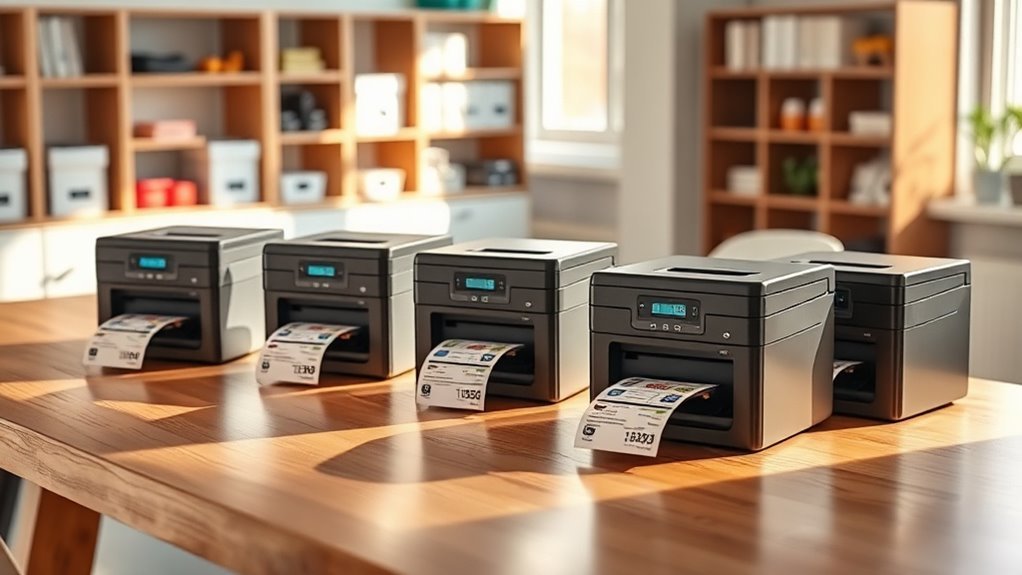
If you’re looking to boost productivity with Brother label printers in 2027, you’ve got some great options to consider. Brother offers a range of label printers designed to meet different needs, from office use to portable and industrial applications. These printers help you create fast, high-quality labels that keep your workflow smooth and efficient.
For example, the QL-800 is perfect for fast, Office-integrated labels, making it easy to label files and packages quickly. Then there’s the PTD210 bundle, which is portable and durable—great for labeling on the go. The PTD220 offers versatile home use options, while the QL-1100c handles wide-format shipping labels with ease. If convenience is key, the PTH110BP is a solid choice for on-the-go labeling, and the PT-P900WC supports industrial Wi-Fi needs.
Each model balances speed, quality, and durability to fit different workflows. Keep exploring to find which suits your specific tasks best.
| Image | Name | Editor's Rating | Price |
|---|---|---|---|

|
|
||
|
|
||

|
|
||

|
|
||

|
|
Brother QL-800 High-Speed Professional Label Printer
- Lightning Speed: Transform your labeling efficiency with this professional thermal label printer, delivering an impressive 93 labels per minute at crystal-clear 300 dpi...
- Dual-Color Innovation: Elevate your labeling with Brother Genuine technology that enables both black and red printing capabilities, allowing you to create eye-catching...
- Versatile Applications: Dominate your organization needs with this powerful label maker machine, perfect for creating professional shipping labels, file folders, name...
- Advanced Integration: Experience seamless connectivity with Windows and Mac systems, featuring Brother Genuine Plug & Label technology that enables instant printing from...
- Professional Design: Maximize productivity with the built-in auto-cutter for precise label finishing, compatible with Brother Genuine DK pre-sized labels and...

The Brother QL-800 High-Speed Professional Label Printer is designed to streamline your labeling tasks with impressive speed and precision. It prints up to 93 labels per minute at 300 dpi, producing clear black and red labels without the need for ink or toner. This makes it ideal for businesses that require fast, reliable labeling without frequent maintenance.
Its direct thermal technology simplifies upkeep since you don’t have to worry about replacing cartridges. The printer supports continuous tape lengths up to 3 feet, allowing you to create banners or long labels efficiently. An automatic cutter enhances productivity by delivering clean, ready-to-use labels every time.
Integration is straightforward with the plug-and-label feature, which lets you print directly from Microsoft Office applications like Word and Excel without installing additional software. Compatible with Windows, Mac, and Android devices via USB, this label printer fits seamlessly into diverse work environments.
While it offers sharp black and red printing, it does not support full-color labels and requires Brother Genuine DK labels to maintain print quality and warranty. It also connects only through USB 2.0, lacking wireless options.
Best for: businesses or professionals needing a fast, high-volume label printer with easy Microsoft Office integration and reliable direct thermal printing.
What We Like:
- High-speed printing of up to 93 labels per minute at 300 dpi
- Plug-and-label functionality for direct printing from Microsoft Office
- Supports continuous tape up to 3 feet with an automatic cutter
- Low maintenance with ink-free direct thermal printing
Specification:
| Feature | Details |
|---|---|
| Manufacturer | Brother |
| Dimensions | Compact design (exact size not provided) |
| Weight | Not specified |
| Printing Technology | Direct thermal |
| Resolution | 300 dpi |
| Print Speed | Up to 93 labels per minute |
| Color Options | Black and red |
| Connectivity | USB 2.0 |
| Tape Support | Continuous tape up to 3 feet |
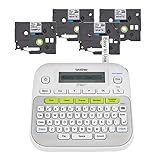
Brother P-Touch PTD210 Label Maker Bundle White
- So many uses. There's no end to the ways you can use your P-touch PT-D210. This label maker has you covered, from file folders or organizing your supplies to clothes...
- Portable, Use it on the go or at your desk. Thanks to its lightweight and portable design, the Brother PT-D210 label maker is an excellent option for when you're on the...
- Genuine tapes from Brother for the home and office. Labels made with Brother Genuine TZe Laminated Tape are strong and durable. Brother TZe laminated tapes can go from...
- Add your personal touch. The PT-D210 makes personalizing labels faster and easier than ever before. It includes 10 unique styles, 14 fonts, 98 frames, and over...
- Your Complete Labeling Solution. The Brother P-touch PT-D210BP Label Maker Bundle comes with 1 sample of black on white label tape and 3 full-length black on white label...
The Brother P-Touch PTD210 Label Maker Bundle White offers a compact and portable solution for organizing your space with ease. Its lightweight design and battery power make it perfect for on-the-go use, allowing you to create labels wherever needed. The device simplifies labeling tasks with one-touch keys and a clear LCD preview, helping you avoid errors before printing.
This label maker uses durable, water-resistant laminated tapes that stand up to tough conditions. Whether you’re labeling files, cables, or storage boxes, the printed labels remain clear and long-lasting. The variety of fonts, frames, and symbols lets you customize labels to fit any project or environment.
Maintenance is straightforward—simply replace the six AAA batteries when needed or use the optional AC adapter for continuous power. The thermal printing technology requires no ink, reducing upkeep and making it a reliable tool for daily use.
The bundle includes multiple tape cartridges and a user guide to get started quickly. While the print is monochrome and limited to 180 dpi, it meets most standard labeling needs efficiently. Print up to nine copies at once, ideal for small to medium labeling jobs.
Best for: users needing a portable, easy-to-use label maker with versatile printing options for home, office, or fieldwork.
What We Like:
- Compact and lightweight for easy portability
- Wide selection of fonts, frames, and symbols for customization
- Durable, water-resistant tapes suitable for various environments
- Simple maintenance with battery or AC adapter options
- Thermal printing eliminates the need for ink replacement
Specification:
| Feature | Details |
|---|---|
| Manufacturer | Brother |
| Dimensions | Compact, handheld size |
| Weight | Lightweight |
| Power Source | 6 AAA batteries or AC adapter |
| Print Technology | Thermal printing |
| Print Resolution | 180 dpi, monochrome |
| Tape Types Included | Laminated, water-resistant |
Brother P-Touch PTD220 Home Label Maker
- Ideal For Small Office, Home Office, and Home Organization: a mobile label maker to keep homes, small offices, and workspaces tidy and organized. Powered by 6 AAA...
- Prints on Brother Genuine TZe Label Tapes: Create labels that are approximately 1/2 inch (12mm) wide. Easy to peel, durable and laminated labels are ideal for a variety...
- Personalize Your Labels: Choose from 14 different fonts, 11 font styles, 99 designer frames, and over 600 symbols and use the familiar QWERTY style keyboard for ease of...
- Built-in Memory: Save up to 30 frequently used labels Create them, save them, find them, and reprint them as many times as needed
- Create and Print Quickly and Easily: Use the 25 pre-set label templates to create and print professional-looking labels in an instant with a variety of templates for home...
The Brother P-Touch PTD220 Home Label Maker offers an easy way to organize your home or office. Its compact and lightweight design makes it convenient to carry and use anywhere. The built-in 15-character display and QWERTY keyboard simplify creating clear labels quickly.
This label maker prints on durable, laminated TZe tapes that resist water and wear, ensuring your labels stay legible over time. With a tape width of up to 12 mm, it fits perfectly on files, shelves, and cabinets, helping keep spaces neat and orderly.
Customization is straightforward with 14 fonts, 11 styles, and over 600 symbols, letting you tailor labels to your needs. It also stores up to 30 labels for easy reprinting, saving time on frequent tasks. Powered by 6 AAA batteries or USB, it offers flexible options for use.
While it prints only monochrome labels and requires batteries or an AC adapter (sold separately), its reliable performance and portability make it a practical tool for everyday labeling needs.
Best for: individuals and small business users needing a portable, user-friendly label maker to organize home or office items efficiently.
What We Like:
- Easy label creation with QWERTY keyboard and clear display.
- Prints durable, waterproof laminated TZe tapes up to 12 mm wide.
- Extensive customization with fonts, styles, and symbols.
- Stores 30 labels for quick reprinting.
- Flexible power options with batteries or USB.
Specification:
| Feature | Details |
|---|---|
| Manufacturer | Brother |
| Dimensions | Compact, lightweight |
| Tape Width | Up to 12 mm (approx. 1/2 inch) |
| Display | Built-in 15-character LCD |
| Keyboard | QWERTY |
| Fonts | 14 |
| Styles | 11 |
| Symbols | 600+ |
| Templates | 25 |
| Power Source | 6 AAA batteries or USB |
Brother QL-1100c Wide Format Label Printer
- Wide format printing; Prints on wide format labels up to 4" wide; capable of printing shipping postage labels for packages
- Automatic crop function; Lets online sellers easily print product and other barcode labels from A4/Letter size label sheet templates (Windows only)
- High-Speed Printing; Up to 69 standard address labels per minute with black text at 300 dpi
- Brother Genuine DK Rolls; Print consistent, high-quality professional labels with Brother DK pre-sized, easy-peel labels and continuous-length paper and film tapes. Auto...
- Direct Thermal Printing; No inks or toners to replace
Experience efficient wide-format label printing with the Brother QL-1100c, designed to streamline your shipping, barcode, and signage tasks. This printer handles large labels up to 4 inches wide, delivering crisp, monochrome prints at 300 dpi. Its fast printing speed of up to 69 labels per minute helps businesses keep up with high-volume demands without delays.
The QL-1100c uses direct thermal technology, which means no ink or toner is required, reducing maintenance and ongoing costs. Its built-in heavy-duty cutter allows you to produce banners up to 3 feet long, perfect for versatile labeling needs. Automatic tape-size detection simplifies operation, saving time and minimizing errors.
Compatible with Windows and Mac, this printer integrates smoothly with popular software like Word and Excel. Connect via USB for reliable data transfer and easy setup. Despite its bulkier design, it offers a robust build meant for stationary use in busy environments.
Best for: Businesses and professionals needing fast, reliable wide-format label printing for shipping, barcodes, and signage without the hassle of ink or toner.
What We Like:
- Fast printing of wide 4-inch labels at 300 dpi resolution
- No ink or toner needed thanks to direct thermal printing
- Built-in cutter supports banners up to 3 feet long
- Automatic tape detection for user convenience
- Seamless integration with Windows and Mac software
Specification:
| Feature | Details |
|---|---|
| Manufacturer | Brother |
| Maximum Label Width | 4 inches (approx. 10 cm) |
| Print Resolution | 300 dpi |
| Printing Speed | Up to 69 labels/min |
| Connectivity | USB |
| Operating Systems | Windows, Mac OS |
| Cutter | Built-in heavy-duty cutter |
| Banner Length | Up to 3 feet (approx. 91 cm) |
| Color | Monochrome (black) |
| Weight | Bulkier design (not specified) |
Brother P-Touch PTH110BP Portable Label Maker Bundle
- Professional Performance: Transform your organization with this Brother P-Touch label maker machine, featuring an intuitive QWERTY keyboard and preview display for...
- Versatile Design: Your Brother P-Touch label maker delivers 3 professional fonts, 14 decorative frames, and over 250 symbols - perfect for small business organization...
- Superior Durability: Experience exceptional label quality with Brother P-Touch TZe tapes, featuring laminated, water-resistant construction that withstands fading...
- Complete Label Solution: This Brother P-Touch bundle includes four label tapes - one sample black-on-white tape and three full-length black-on-white tapes (12 mm width...
- Smart Features: Maximize efficiency with one-touch keys, built-in memory storing up to 15 labels for quick reprinting, and versatile power options - use 6 AAA batteries...
The Brother P-Touch PTH110BP Portable Label Maker Bundle is designed to simplify your organization tasks at home or in small businesses. Its lightweight and compact design lets you carry it anywhere, making labeling quick and hassle-free. The easy-to-use QWERTY keyboard and preview display help you create precise labels without confusion.
This label maker supports laminated tapes ranging from 3.5 to 12 mm in width. These tapes are durable and water-resistant, allowing you to label items indoors or outdoors confidently. The included four tapes mean you can start labeling immediately, saving you time and effort.
Powered by six AAA batteries, this device offers true portability without the need for a power outlet. It stores up to 15 labels in memory, letting you reprint frequently used labels quickly. Regular maintenance mainly involves replacing batteries and tapes, keeping it ready for continuous use.
While it prints only in monochrome and lacks advanced connectivity, its straightforward functionality meets most everyday labeling demands efficiently. Its compact design and durable tapes make it a practical tool for organizing diverse spaces.
Best for: individuals and small business owners needing a portable, reliable label maker with versatile laminated tape options for indoor and outdoor use.
What We Like:
- Lightweight and compact for easy portability
- Includes four durable, water-resistant laminated tapes
- User-friendly QWERTY keyboard and preview display
- Supports multiple tape widths from 3.5 to 12 mm
- Stores up to 15 labels for quick reprinting
Specification:
| Feature | Details |
|---|---|
| Manufacturer | Brother |
| Dimensions | Compact (specific size not provided) |
| Weight | Lightweight (exact weight not specified) |
| Tape Widths | 3.5 – 12 mm |
| Power Source | 6 AAA batteries |
| Tape Type | Laminated, water-resistant |
Brother PT-P900WC Industrial Desktop Label Printer Wi-Fi
- Print the volumes of labels you need in 7 label sizes from 3.5mm to 36mm
- Connect to import databases and design labels wirelessly from apps like Pro Label Tool, Transfer Express, and iPrint&Label using Wi-Fi connectivity
- Produce easy-peel labels on strips with a half-cut automatic cutter
- Design your own custom labels including barcodes and QR codes with the included P-touch Editor software and PC connectivity
- Customize your printer functionality with optional accessories like a Li-ion battery or Bluetooth wireless technology
The Brother PT-P900WC Industrial Desktop Label Printer Wi-Fi delivers precise, high-quality labels for industrial and office environments. Its 360 dpi print resolution ensures sharp, clear text and graphics, perfect for detailed inventory and asset tracking labels. With color and black-and-white printing, it helps you create professional-looking labels that improve organization and efficiency.
This label printer supports wireless Wi-Fi and USB connections, allowing easy integration into your workflow. You can design and control your labels through user-friendly apps like P-touch Editor or iPrint&Label. The automatic half-cut cutter simplifies label removal, reducing waste and speeding up your labeling tasks.
Maintenance is straightforward thanks to its thermal printing technology, which requires no ink or toner. The device handles label widths from 3.5 mm to 36 mm, suitable for most standard labeling needs, though it may not cover wider applications. While print speeds reach up to 3.1 inches per second, very high-volume environments might find it somewhat slow.
Best for: Industrial and office professionals who need clear, customizable labels for inventory management and workplace organization.
What We Like:
- High 360 dpi resolution for crisp, detailed labels
- Flexible connectivity via Wi-Fi and USB with intuitive app control
- Automatic half-cut cutter for easy label peeling and handling
Specification:
| Feature | Details |
|---|---|
| Manufacturer | Brother |
| Print Resolution | 360 dpi |
| Print Speed | Up to 3.1 inches/second |
| Label Width Range | 3.5 mm to 36 mm |
| Connectivity | Wi-Fi, USB |
| Printing Technology | Thermal |
| Cutter Type | Automatic half-cut |
Factors to Consider When Choosing a Brother Label Printer
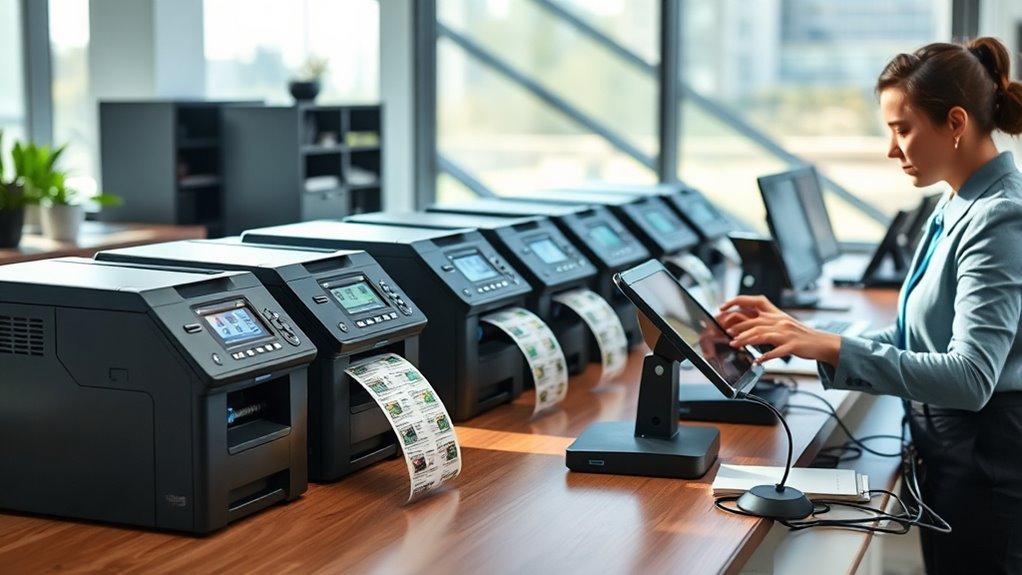
When choosing a Brother label printer, you’ll want to contemplate how fast it prints and the sizes of labels it supports. Check the connectivity options to make sure it fits your setup.
Also, think about the types of tape and media it can handle. Don’t forget to evaluate its durability and material quality to guarantee it meets your long-term needs.
These factors will help you pick the right printer that works smoothly and lasts a long time. It’s all about matching the printer to your specific labeling tasks and environment.
Print Speed Importance
Consider how print speed directly impacts your workflow efficiency when choosing a Brother label printer. If you handle large volumes, a faster printer reduces wait times and boosts throughput during busy periods.
However, if your labeling needs are occasional or low volume, opting for a high-speed model might add unnecessary cost and noise. Remember, print speed often trades off with resolution—very fast printers may struggle with fine details or dense barcodes.
When integrating your printer into automated lines, match its speed to your conveyor or operator pace to avoid bottlenecks. Also, keep in mind that label length and media type affect effective speed; longer or thicker labels can slow down feed and cutting cycles, lowering your net labels per minute.
Choose a printer speed that fits your daily demands precisely.
Label Size Compatibility
Balancing print speed with label size compatibility guarantees your Brother label printer meets all operational demands. First, check the maximum label width the printer supports—whether you need narrow tapes around 3.5–12 mm for asset tags or wider formats up to 4 inches for shipping labels.
Also, confirm if the printer handles both die-cut labels and continuous rolls, especially if custom or long labels are essential. It’s good to verify the minimum and maximum printable lengths too. Some printers handle short ID tags, while others print banners several feet long.
Make sure the media handling features, like auto-cutters or peel functions, align with your label types. And don’t forget to check the tape roll core and outer diameter. You want to avoid any compatibility issues with your preferred label supplies.
Connectivity Options Available
How do you connect your Brother label printer to fit your workflow best? If you want a straightforward, wired setup for one PC or laptop, USB 2.0 is reliable and low-latency.
For wireless freedom, Wi-Fi lets you print from multiple devices, including smartphones and tablets. Plus, it supports mobile apps and cloud printing.
Bluetooth works great for quick, short-range printing directly from mobile devices—perfect if you’re on the go.
If several people need access, consider Ethernet or network-ready models for shared use and centralized control.
Always check that the printer supports your preferred control methods, like native apps, desktop software, or SDKs. And make sure drivers work with your operating systems, whether Windows, macOS, iOS, or Android.
This guarantees smooth, hassle-free printing.
Tape and Media Types
Once you’ve settled on the right connection method for your Brother label printer, it’s time to think about the tape and media types that suit your labeling needs. First, check the tape width range the printer supports, from narrow 3.5 mm tapes to wide-format 36 mm media. This assures your label sizes are printable.
Decide between die-cut pre-sized labels for consistent sizing or continuous-length tapes if you want custom-length banners. Match tape adhesive and finish to your application. For example, you might need strong adhesive for rough surfaces or tamper-evident tapes for security.
Also, consider the printer’s print technology and color capabilities. This guarantees compatible media types like paper, film, or laminated tapes are available. Balancing quality and longevity without compromising your labeling goals is key.
Durability and Material Quality
When choosing a Brother label printer, you should prioritize durability and material quality to make certain it withstands your daily demands. Look for printers with metal or reinforced plastic housings, as they resist drops and heavy use better than thin plastics.
Also, check if the printer supports laminated or specialty tapes. These offer superior water, heat, and abrasion resistance for long-lasting labels.
Make sure the print mechanism and cutter use durable materials like metal gears or reinforced blades. Don’t forget to verify duty cycles to ensure the printer can handle heavy workloads without a hitch.
Consider environmental tolerances too—things like operating temperature, humidity, and label adhesives suitable for freezer or outdoor use. This helps maintain label adhesion and clarity no matter where you use the printer.
Finally, review warranty length, service options, and availability of genuine consumables. This guarantees reliable long-term performance and peace of mind.
Software and App Support
Durability and material quality matter, but the software and app support behind your Brother label printer can make or break your labeling experience. You’ll want desktop software and mobile apps compatible with your operating systems, whether Windows, macOS, iOS, or Android. This enables seamless label creation and remote printing.
Check if the software imports data formats like CSV, Excel, or address books and supports variable data merging for batch jobs. It’s important that it handles common label templates, fonts, barcodes, QR codes, and image imports without layout issues.
Features like built-in template libraries, WYSIWYG previews, and auto-crop tools help speed setup and reduce waste. Finally, confirm driver availability, SDK or API access for integration, and the vendor’s update policy. This ensures your printer stays compatible long term.
Warranty and Service Coverage
Although choosing a Brother label printer with strong features is important, you should also carefully review its warranty and service coverage to protect your investment. Check the length and type of the limited warranty—knowing if parts and labor are covered for one or two years makes a big difference.
Confirm whether the service includes exchange or repair, and if it’s onsite, mail-in, or carry-in. Be aware of conditions that might void your warranty, like using third-party media.
Also, find out if phone or online technical support is free throughout the product’s life or only during the warranty period. Finally, ask about return policies and any fees for restocking or shipping, so you’re prepared if you need to replace or return your printer.
Frequently Asked Questions
Are Brother Label Printers Compatible With Mac and Windows Operating Systems?
Yes, Brother label printers are compatible with both Mac and Windows operating systems. You can easily connect them to your computer.
Brother provides drivers and software to guarantee smooth printing on either platform. So, whether you’re using a Mac or a PC, you should have no trouble getting your labels printed quickly and efficiently.
Can I Use Third-Party Label Tapes With Brother Label Printers?
You can use third-party label tapes with Brother label printers, but it’s a double-edged sword. While it might save money, you risk print quality issues or voiding the warranty.
What Is the Average Lifespan of a Brother Label Printer?
You can expect a Brother label printer to last about 3 to 5 years with regular use.
Proper maintenance and using quality supplies will help you extend its lifespan and keep it running smoothly.
Taking good care of your printer really makes a difference over time. So, it’s worth investing a little effort to keep it in top shape!
Do Brother Label Printers Support Wireless Printing via Smartphone Apps?
Yes, Brother label printers often support wireless printing via smartphone apps. You can easily connect your phone and print labels on the go,
making your labeling tasks more convenient and efficient wherever you are. It’s pretty straightforward to set up, too. Just download the app, pair your device, and you’re ready to roll.
How Easy Is It to Replace the Ink or Ribbon in Brother Label Printers?
You’ll find replacing ink or ribbon in Brother label printers straightforward. They’re designed for quick, hassle-free swaps, often with clear guides or snaps.
This means you can get back to printing without any frustrating delays. It’s really that simple!
Conclusion
Choosing the right Brother label printer can seriously boost your productivity, whether you need high-speed printing like the QL-800 or portability with the PTH110BP. These printers are designed to fit different needs, making your labeling tasks easier and faster.
Imagine Sarah, a small business owner, who switched to the PT-P900WC for its Wi-Fi capability. Her labeling process became faster and more efficient, saving hours weekly. That kind of improvement can make a big difference in daily operations.
By matching your specific needs to the features of these printers, you’ll streamline tasks and keep your workflow running smoothly. Brother label printers offer versatility and reliability, helping you stay organized and productive. So, choosing the right Brother label printer is a smart move to boost productivity and keep your business or personal projects on track.