12 Best Brother Inkjet Printers for 2027 That Impress Every User
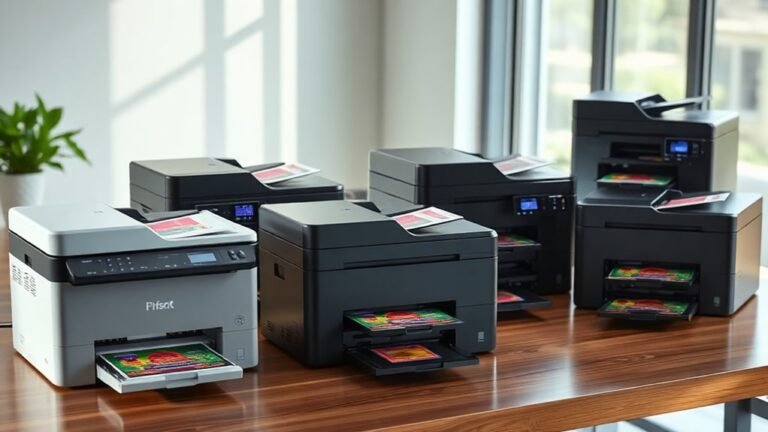
You’ll find Brother’s 2027 inkjet lineup impresses with wireless all-in-ones like the Work Smart 1360 and 1410. These models offer duplex printing, mobile app support, and cloud connectivity, making your printing tasks seamless and efficient.
The INKvestment series, including models like the 4355 and 1365, stands out for long-lasting ink and high-quality output. They’re ideal for home offices or small businesses looking for reliability and value.
With features like automatic duplexing, touchscreen interfaces, and versatile paper handling, these printers deliver consistent, reliable performance. Explore further to discover the perfect fit for your needs and enjoy hassle-free printing every day.
| Image | Name | Editor's Rating | Price |
|---|---|---|---|

|
|
||

|
|
||

|
|
||

|
|
||

|
|
Brother Work Smart 1360 Wireless Color Inkjet All-in-One Print, Scan, Copy
- AFFORDABLE ALL-IN-ONE FOR HOME AND HOME OFFICE: Print, copy, and scan on one compact wireless printer designed for everyday home office printing, schoolwork, documents...
- EASY TO USE WITH CLOUD APP CONNECTIONS: Print from and scan to popular Cloud apps(2), including Google Drive, Dropbox, Box, OneDrive, and more from the simple-to-use...
- FULL-SIZE FEATURES IN A COMPACT DESIGN: This printer includes automatic duplex (2-sided) printing, a 20-sheet single-sided Automatic Document Feeder (ADF)(3), and a...
- MULTIPLE CONNECTION OPTIONS: Connect your way. Interface with your printer on your wireless network or via USB.
- MOBILE PRINTING MADE EASY: Go mobile with the Brother Mobile Connect app(5) that delivers easy onscreen menu navigation for printing, copying, scanning, and device...

Experience seamless productivity with the Brother Work Smart 1360 Wireless Color Inkjet All-in-One. This printer is designed to simplify your daily printing, scanning, and copying tasks, making it ideal for busy home offices or small businesses. Its automatic duplex printing reduces paper waste and saves time by printing on both sides without manual intervention.
The 20-sheet automatic document feeder (ADF) streamlines multitasking, letting you handle multiple pages quickly and efficiently. Wireless connectivity options, including Wi-Fi, AirPrint, and the Brother Mobile Connect app, enable effortless mobile printing from various devices, enhancing convenience and flexibility in your workflow.
Compact and Energy Star certified, this model fits comfortably in tight spaces while being energy-efficient. With sharp print resolution and speeds up to 16 pages per minute in black, it delivers clear documents and vivid photos. Regular maintenance is straightforward, though frequent paper refills may be needed due to its 150-sheet tray capacity.
Best for: small businesses or individuals needing a versatile, wireless all-in-one printer that supports duplex printing and mobile connectivity for everyday tasks.
What We Like:
- Automatic duplex printing with a 20-sheet ADF for efficient multitasking
- Multiple wireless options including Wi-Fi, AirPrint, and mobile app
- Compact design with fast black print speeds and sharp resolution
Specification:
| Feature | Details |
|---|---|
| Manufacturer | Brother |
| Dimensions (W×D×H) | Compact size (exact dimensions not specified) |
| Weight | Not specified |
| Connectivity | Wireless (Wi-Fi, AirPrint, Mobile app) |
| Paper Tray Capacity | 150 sheets |
| Print Speed | Up to 16 ppm (black), 9 ppm (color) |
Brother Work Smart 1410 Wireless Color Inkjet Printer
- BEST FOR HOME OFFICE AND SMALL OFFICE: Get your work done with a multifunction printer. Print, copy, and scan on one convenient, compact printer, with quick and easy...
- EASY-TO-USE TOUCHSCREEN WITH CLOUD APP CONNECTIONS: Seamless integration with the Cloud(2). Print from and scan to popular Cloud apps(2), including Google Drive, Dropbox...
- PRODUCTIVITY-FOCUSED FEATURES: Automatic duplex (2-sided) printing, 20-sheet single-sided Automatic Document Feeder (ADF)(3), 150-sheet paper tray(3). Print at fast...
- MULTIPLE CONNECTION OPTIONS: Connect your way. Interface with your printer on your wireless network or via USB.
- THE BROTHER MOBILE CONNECT APP: Go mobile with the Brother Mobile Connect app(5) for easy onscreen menu navigation for printing, copying, scanning, and device management...
The Brother Work Smart 1410 Wireless Color Inkjet Printer is designed to simplify your printing, copying, and scanning tasks at home or in a small office. Its user-friendly 2.7” color touchscreen makes navigating functions straightforward, reducing frustration and saving time. With automatic duplex printing, it helps you save paper and effort on double-sided jobs.
This printer includes a 20-sheet automatic document feeder (ADF), which boosts efficiency when handling multi-page documents. The 150-sheet paper tray supports larger print runs, minimizing interruptions during busy workdays. Wireless and USB connectivity options allow easy setup and versatile use across devices.
Maintenance is straightforward with genuine Brother LC501 ink cartridges, ensuring consistent print quality and reliable performance. The Brother Mobile Connect app adds convenience by enabling mobile printing and scanning, while cloud service integration with Google Drive and Dropbox supports seamless document management.
Though print speeds are moderate, this all-in-one printer balances functionality and ease of use, making it a dependable choice for everyday printing needs.
Best for: Home users, home offices, and small office environments seeking a versatile, all-in-one wireless color inkjet printer with easy mobile and cloud connectivity.
What We Like:
- Automatic duplex printing and 20-sheet ADF improve workflow efficiency.
- Intuitive 2.7” color touchscreen paired with Brother Mobile Connect app.
- Supports cloud services like Google Drive and Dropbox for easy document access.
- Wireless and USB connectivity offer flexible setup options.
Specification:
| Feature | Details |
|---|---|
| Manufacturer | Brother |
| Model | Work Smart 1410 |
| Printer Type | Wireless Color Inkjet |
| Touchscreen Size | 2.7 inches (color) |
| Paper Tray Capacity | 150 sheets |
| ADF Capacity | 20 sheets |
| Connectivity | Wireless, USB |
| Ink Cartridge | Brother Genuine LC501 |
Brother INKvestment 4355 Wireless Color Inkjet Printer
- UP TO 1-YEAR OF INK IN-BOX¹ – Enjoy exceptional convenience and savings with enough ink for up to 1 year of printing right out of the box¹.
- REVOLUTIONARY INKVESTMENT TANK TECHNOLOGY – Internal ink tank system works with front-loading cartridges for hassle-free, uninterrupted printing with no manual refills.
- COMPACT ALL-IN-ONE FUNCTIONALITY – Print, copy, scan, and fax with fast speeds, duplex printing, and a 20-page automatic document feeder
- WIRELESS AND CLOUD READY – Print-from and scan-to popular cloud services and mobile devices via the Brother Mobile Connect App³.
- VERSATILE PAPER HANDLING – Features a 150-sheet adjustable paper tray, bypass tray, and automatic duplex printing for letter and legal-size paper.
Experience hassle-free printing with the Brother INKvestment 4355 Wireless Color Inkjet Printer. This versatile all-in-one device is designed to simplify your daily tasks by combining printing, copying, scanning, and faxing into one compact machine. It delivers sharp, high-resolution prints at speeds up to 20 pages per minute, making it ideal for busy environments.
Maintenance is straightforward thanks to the innovative INKvestment Tank system. It uses internal ink tanks paired with front-loading cartridges, reducing the need for frequent replacements and messy refills. You’ll enjoy up to a year of ink right out of the box, which keeps your workflow uninterrupted.
Connectivity options are flexible, allowing you to print wirelessly via Wi-Fi or use Ethernet and USB connections for stable performance. The Brother Mobile Connect app lets you print and scan directly from your smartphone or tablet, adding convenience to your daily routine.
While the automatic document feeder handles only single-sided scanning with a 20-sheet capacity, the printer’s overall design balances functionality and ease of use. Its size and weight are suitable for most home offices and small workspaces.
Best for: Busy homes and small offices needing a reliable all-in-one color inkjet printer with long-lasting ink and versatile wireless connectivity.
What We Like:
- Up to one year of ink included, reducing cartridge changes.
- Clean, efficient INKvestment Tank system minimizes refills.
- Multiple connectivity options including Wi-Fi, Ethernet, USB, and mobile app.
- High-quality prints with sharp 1200 x 4800 dpi resolution.
- Supports printing, scanning, copying, and faxing in one device.
Specification:
| Feature | Details |
|---|---|
| Manufacturer | Brother |
| Dimensions (W x D x H) | Approx. 16.1 x 14.2 x 7.5 inches |
| Weight | 19.6 lb (8.9 kg) |
| Ink System | INKvestment Tank (internal tanks + cartridges) |
| Connectivity | Wi-Fi, Ethernet, USB, Mobile App |
Brother INKvestment 1365 Wireless Color Printer (MFC-J1365DW)
- BEST FOR HOME AND HOME OFFICE: This multifunction printer makes it easy to print, copy, and scan—all in one compact printer. Includes one 1,200-page yield black...
- WIRELESS, MOBILE, AND USB CONNECTIVITY: Connect your way. Interface with your printer on your wireless network or via USB. Enhance your workflow with Wi-Fi Direct, which...
- CLOUD APP CONNECTIONS: Print from and scan to popular Cloud apps(3), including Google Drive, Dropbox, Box, OneDrive, and more, from an impressive 1.8” color display...
- PRODUCTIVITY-FOCUSED FEATURES: A 150-sheet paper tray(4), 20-page single-sided automatic document feeder (ADF)(4), and automatic duplex (2-sided) printing. Prints at fast...
- THE BROTHER MOBILE CONNECT APP: Put the power of printing at your fingertips. Go mobile with the Brother Mobile Connect app(6) that delivers easy onscreen menu navigation...
Step into a more efficient home or small office workflow with the Brother INKvestment 1365 Wireless Color Printer (MFC-J1365DW). This all-in-one device simplifies printing, copying, and scanning tasks, saving you time and effort every day. Its automatic duplex printing helps reduce paper use and speeds up double-sided jobs.
Handling multi-page documents is easy thanks to the 20-page automatic document feeder and a 150-sheet input tray. The printer delivers sharp prints with a resolution up to 1,200 x 6,000 dpi, making your color and black-and-white documents look crisp and professional.
Maintenance is straightforward with included ink cartridges that produce up to 1,200 black and 500 color pages. You also get a 2-month trial for an ink subscription service, helping manage running costs. Wireless connectivity and mobile app support offer flexible printing options from various devices.
While print speeds are moderate—16 ppm black and 9 ppm color—the printer balances quality and efficiency well. Note that wired connections are limited to USB 2.0, with no Ethernet port available.
Best for: users needing a reliable all-in-one color printer with wireless connectivity and efficient multi-page handling for home or small office use.
What We Like:
- Automatic duplex printing and 20-page ADF streamline document handling.
- High print resolution delivers vibrant, sharp prints.
- Includes high-yield ink cartridges and an ink subscription trial for cost efficiency.
- Wireless and mobile app support enhance connectivity options.
Specification:
| Feature | Details |
|---|---|
| Manufacturer | Brother |
| Model | MFC-J1365DW |
| Dimensions (W×D×H) | Approx. 16.1 × 13.7 × 7.5 in (41 × 34.8 × 19 cm) |
| Weight | Approx. 14.3 lbs (6.5 kg) |
| Color Options | White |
| Connectivity | Wi-Fi, USB 2.0 |
| Paper Capacity | 150-sheet tray, 20-page ADF |
| Print Resolution | Up to 1,200 × 6,000 dpi |
| Print Speed | 16 ppm black, 9 ppm color |
Brother Work Smart 1360 Wireless Color Inkjet Printer
- AFFORDABLE ALL-IN-ONE FOR HOME AND HOME OFFICE: Print, copy, and scan on one compact wireless printer designed for everyday home office printing, schoolwork, documents...
- EASY TO USE WITH CLOUD APP CONNECTIONS: Print from and scan to popular Cloud apps(2), including Google Drive, Dropbox, Box, OneDrive, and more from the simple-to-use...
- FULL-SIZE FEATURES IN A COMPACT DESIGN: This printer includes automatic duplex (2-sided) printing, a 20-sheet single-sided Automatic Document Feeder (ADF)(3), and a...
- MULTIPLE CONNECTION OPTIONS: Connect your way. Interface with your printer on your wireless network or via USB.
- MOBILE PRINTING MADE EASY: Go mobile with the Brother Mobile Connect app(5) that delivers easy onscreen menu navigation for printing, copying, scanning, and device...
The Brother Work Smart 1360 Wireless Color Inkjet Printer is designed to simplify your home office tasks. It combines printing, copying, scanning, and faxing into one reliable device. This printer helps you handle documents efficiently, saving time with features like automatic duplex printing that cuts paper use in half.
Its 20-sheet automatic document feeder (ADF) and 150-sheet input tray accommodate various media sizes, making multi-page jobs easier. Wireless and USB connectivity options, along with mobile app support, enable seamless printing from multiple devices. You can print directly from the cloud, enhancing convenience and flexibility.
Maintenance is streamlined with the included 2-month free Refresh EZ Print subscription trial. This service manages your ink supply smartly, reducing the hassle of running out unexpectedly. However, keep in mind the print speeds—16 ppm black and 9 ppm color—may be moderate for heavy users, and starter ink cartridges have limited yields.
Overall, the Brother Work Smart 1360 fits well in environments where reliable, versatile printing with wireless convenience is essential.
Best for: Home offices and everyday users needing an all-in-one wireless color inkjet printer with efficient document handling.
What We Like:
- Automatic duplex printing and 20-sheet ADF for efficient two-sided and multi-page tasks
- Wireless, USB, and mobile app connectivity for versatile device access
- Includes a 2-month free Refresh EZ Print subscription for convenient ink management
Specification:
| Feature | Details |
|---|---|
| Manufacturer | Brother |
| Dimensions (W×D×H) | Approx. 17.1 × 14.7 × 7.7 in |
| Weight | Approx. 15.2 lb |
| Color Options | Black |
| Connectivity | Wi-Fi, USB, Mobile App |
Brother INKvestment 6960 Wireless Color Inkjet Printer

- BEST FOR SMALL BUSINESS: This multifunction printer makes it easy to print, copy, scan, and fax on up to 11”x17” paper. Includes one 1,800-page yield black ink...
- PRODUCTIVITY-FOCUSED FEATURES: 500-sheet capacity with two trays(3), 100-sheet multipurpose tray(3), up to 50-page single-pass duplex copy & scan via ADF(3), and...
- SPEED & QUALITY: Engineered with MAXIDRIVE Technology with print speeds of up to 31 pages per minute (ppm) in black and up to 30 ppm in color(5). The PerfectPrint Auto...
- INNOVATIVE TECHNOLOGY: With Wi-Fi Direct, print wirelessly without an external network connection. Print from and scan to Cloud apps(6), including Google Drive, Dropbox...
- THE BROTHER MOBILE CONNECT APP: The power of printing at your fingertips. Go mobile with the simple-to-use Brother Mobile Connect app(7) that delivers onscreen menu...
Experience seamless productivity with the Brother INKvestment 6960 Wireless Color Inkjet Printer. Designed for busy offices, this all-in-one printer handles large-format documents up to 11” x 17” with ease, making it ideal for presentations and detailed reports. Its automatic duplex printing and 50-sheet duplex ADF save you time and reduce manual handling.
Maintenance is straightforward with high-yield ink cartridges that reduce frequent replacements. The printer supports Brother’s Refresh subscription, helping you manage ink costs efficiently. Connectivity is flexible with dual-band Wi-Fi, Ethernet, and cloud app support, letting you print from multiple devices without hassle.
The intuitive 3.5” touchscreen simplifies navigation, while dual paper trays allow you to switch between different media types quickly. This printer covers all your office needs, including scanning, copying, and faxing, streamlining daily tasks with reliable performance.
Though it is robust and slightly heavy, its functionality and cost-saving features make it a valuable addition to any small business environment.
Best for: Small businesses and offices needing a versatile, fast all-in-one printer that handles large-format printing and efficient multitasking.
What We Like:
- Large-format printing up to 11” x 17” with automatic duplexing and a 50-sheet duplex ADF
- Fast print speeds of 31 ppm (black) and 30 ppm (color) for high productivity
- Dual-band Wi-Fi, Ethernet, and cloud app connectivity for flexible printing options
- High-yield ink cartridges with Refresh subscription support for cost-effective maintenance
- User-friendly 3.5” color touchscreen and dual paper trays for easy operation
Specification:
| Feature | Details |
|---|---|
| Manufacturer | Brother |
| Dimensions | Not specified |
| Weight | Over 51 lb (approx. 23.1 kg) |
| Ink Type | High-yield ink cartridges |
| Connectivity | Dual-band Wi-Fi, Ethernet, Cloud apps |
| Media Size | Up to 11” x 17” |
| Display | 3.5” color touchscreen |
| Paper Handling | Dual trays, 50-sheet duplex ADF |
Brother INKvestment 5010 Wireless Color Inkjet Printer

- BEST FOR SMALL BUSINESS: Print, copy, scan, and fax with one powerful device, with advanced security features for business. Includes one 1,800-page yield black ink...
- PRODUCTIVITY-FOCUSED FEATURES: A 250-sheet paper tray, 50-page single-pass duplex (2-sided) automatic document feeder (ADF), and automatic duplex printing on paper up to...
- SUPERIOR PRINTING: Engineered with the Brother PerfectPrint Auto Detection System, which helps ensure reliable, consistent print quality and performance you can depend on...
- SEAMLESS CONNECTIONS: Simplify your workflow with Wi-Fi Direct and multiple connection options, including wireless network interfacing, Ethernet, and USB. Plus, print...
- THE BROTHER MOBILE CONNECT APP: Put the power of printing at your fingertips. Go mobile with the simple-to-use Brother Mobile Connect app, which delivers easy on-screen...
The Brother INKvestment 5010 Wireless Color Inkjet Printer is designed to ease the demands of small businesses handling large print volumes. It delivers fast printing speeds up to 28 ppm for black and 26 ppm for color, helping you complete jobs quickly. Automatic duplexing and a spacious 250-sheet tray reduce interruptions and keep your workflow smooth.
Maintenance is simplified with the INKvestment system, which uses high-yield cartridges to minimize frequent ink replacements and lower running costs. The 2.7” color touchscreen offers straightforward navigation, making operations quick and efficient without unnecessary complexity.
This printer supports multiple connectivity options, including dual-band Wi-Fi, Ethernet, and mobile app access, allowing flexible placement and easy integration into your office network. The 50-page duplex automatic document feeder (ADF) enhances scanning and copying efficiency, saving time on multi-page documents.
While it offers robust functionality, the printer weighs 30.9 pounds, which might limit portability. The color touchscreen could feel small compared to other models, and initial color cartridge yields are lower, requiring more frequent early replacements.
Best for: Small businesses needing a fast, reliable all-in-one printer with high-yield ink capacity and versatile connectivity for heavy print, scan, copy, and fax tasks.
What We Like:
- Fast print speeds with automatic duplexing for efficient output
- Cost-effective INKvestment cartridges reduce ink replacement frequency
- Multiple connectivity options including dual-band Wi-Fi and Ethernet
- 50-page duplex ADF streamlines scanning and copying tasks
Specification:
| Feature | Details |
|---|---|
| Manufacturer | Brother |
| Dimensions (W×D×H) | Approx. 16.1 × 15.7 × 11.7 inches (40.9 × 39.9 × 29.7 cm) |
| Weight | 30.9 pounds (14.0 kg) |
| Connectivity | Wireless (dual-band Wi-Fi), Ethernet, Mobile app support |
| Display | 2.7-inch color touchscreen |
| Paper Capacity | 250-sheet main tray, 100-sheet multipurpose tray |
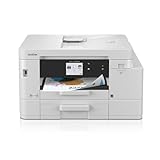
Brother INKvestment 4555 Wireless Color Inkjet Printer
- BEST FOR SMALL OFFICE AND SMALL BUSINESS: This multifunction printer makes it easy to print, copy, scan, and fax —all in one compact printer. Includes one 1,800-page...
- INNOVATIVE CONNECTIVITY TECHNOLOGY: Connect your way via ethernet, wireless network, or USB connection. Wi-Fi Direct enables convenient wireless printing, even without an...
- CLOUD APP CONNECTIONS: Print from and scan to popular Cloud apps(4), including Google Drive, Dropbox, Box, OneDrive, and more with an impressive 2.7” color touchscreen...
- PRODUCTIVITY-FOCUSED FEATURES: Automatic duplex (2-sided) printing, 400-sheet paper capacity between 2 trays, 20-page single-sided auto document feeder (ADF), 1-sheet...
- THE BROTHER MOBILE CONNECT APP: Put the power of printing at your fingertips. Go mobile with the Brother Mobile Connect app(7) that delivers easy onscreen menu navigation...
The Brother INKvestment 4555 Wireless Color Inkjet Printer brings convenience and efficiency to your home or small office. It combines printing, copying, scanning, and faxing into one device, helping you manage daily tasks without clutter. The 2.7″ color touchscreen makes navigation simple and keeps operations smooth.
Designed to handle busy workloads, this printer supports two paper trays with a total capacity of 400 sheets. Automatic duplex printing saves paper and time, while a 20-sheet automatic document feeder allows quick scanning or copying of multi-page documents. Its sharp print quality at 1,200 x 4,800 dpi ensures professional results.
Maintenance is straightforward with easy-to-replace ink cartridges, though heavy users should expect to change them regularly due to moderate yields. Connectivity options like Wi-Fi, Ethernet, USB, and cloud app access provide flexibility to print or scan from various devices without hassle.
This model is ideal for those needing a reliable, versatile all-in-one printer that fits well in small workspaces and supports multitasking efficiently.
Best for: Small offices and home offices requiring an all-in-one wireless color inkjet printer with dependable functionality.
What We Like:
- Dual paper trays with 400-sheet capacity for high-volume printing.
- Fast print speeds up to 20 ppm black and 19 ppm color.
- Multiple connectivity options including Wi-Fi, Ethernet, and cloud integration.
- Sharp, high-resolution output suitable for professional documents.
- User-friendly 2.7″ color touchscreen interface.
Specification:
| Feature | Details |
|---|---|
| Manufacturer | Brother |
| Dimensions (W x D x H) | 16.1 x 16.7 x 7.9 inches (41 x 42.5 x 20 cm) |
| Weight | 15.2 lbs (6.9 kg) |
| Color Options | White |
| Print Resolution | Up to 1,200 x 4,800 dpi |
| Paper Capacity | 2 trays, total 400 sheets |
| Automatic Document Feeder | 20 sheets |
Brother INKvestment 6560 Wireless Color Inkjet Printer
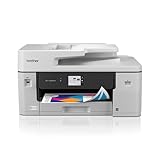
- BEST FOR SMALL BUSINESS: This multifunction printer makes it easy to print, copy, scan, and fax, and includes one 1,800-page yield black ink cartridge and one 750-page...
- PRODUCTIVITY-FOCUSED FEATURES: A 250-sheet paper tray(3), 50-page single-sided ADF(3), and automatic duplex (2-sided) printing for media-handling capabilities on paper up...
- SPEED & QUALITY: Engineered with MAXIDRIVE Technology with print speeds of up to 31 pages per minute (ppm) in black and up to 30 ppm in color(5). The Brother PerfectPrint...
- INNOVATIVE TECHNOLOGY: With Wi-Fi Direct, print wirelessly without an external network connection. Print from and scan to Cloud apps(6), including Google Drive, Dropbox...
- THE BROTHER MOBILE CONNECT APP: The power of printing at your fingertips. Go mobile with the simple-to-use Brother Mobile Connect app(7) that delivers onscreen menu...
The Brother INKvestment 6560 Wireless Color Inkjet Printer is designed to simplify busy office workflows. It handles a variety of printing tasks with speed and precision, producing sharp documents and vibrant graphics up to ledger size. This makes it a practical solution for businesses needing dependable, high-quality output.
Its large 250-sheet paper tray and 50-page automatic document feeder reduce the need for frequent paper refills. Automatic duplex printing enhances productivity by allowing double-sided prints without manual intervention. These features help streamline everyday tasks with minimal effort.
Connectivity options include dual-band Wi-Fi, Ethernet, and USB, offering flexible setups for any workspace. Users can also manage printing jobs easily through the 2.7” touchscreen or Brother’s Mobile Connect app. This wireless functionality supports efficient remote printing and device management.
Maintenance is straightforward, though the printer is somewhat heavy at 44.1 lb, requiring a solid surface. Color cartridges yield around 750 pages, which may necessitate timely replacement in high-volume environments. USB direct printing supports JPEG files only, which limits some media options.
Best for: Small businesses and office settings needing a versatile, fast color inkjet printer with robust wireless and network connectivity.
What We Like:
- Fast print speeds with sharp 1,200 x 4,800 dpi resolution.
- Large paper capacity and automatic duplexing for efficiency.
- Multiple connectivity choices including dual-band Wi-Fi and Ethernet.
- Easy mobile printing and device control via touchscreen and app.
Specification:
| Feature | Details |
|---|---|
| Manufacturer | Brother |
| Dimensions | Not specified |
| Weight | 44.1 lb (20 kg) |
| Printer Type | Wireless Color Inkjet |
| Paper Capacity | 250 sheets |
| Automatic Document Feeder | 50 pages |
| Print Resolution | 1,200 x 4,800 dpi |
| Connectivity | Dual-band Wi-Fi, Ethernet, USB |
| Display | 2.7” touchscreen |
Brother INKvestment Tank 780 Wireless Color Printer
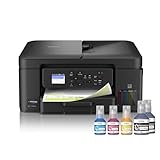
- INNOVATIVE REFILLABLE INK TANK TECHNOLOGY: Brother Genuine no-spill bottles quickly refill the tank in 30 seconds for color, 65 seconds for black. The design prevents...
- BEST FOR HOME OFFICE AND SMALL OFFICE: This does-it-all multifunction printer enables you to print, copy, and scan on one convenient, compact printer. Brother inkjet...
- WIRELESS AND USB CONNECTIONS: Connect your way. Interface with your printer on your wireless network or via USB.
- CLOUD APP CONNECTIONS: Print from and scan to popular Cloud apps(3), including Google Drive, Dropbox, Box, OneDrive, and more from the convenient 1.8” color display on...
- THE BROTHER MOBILE CONNECT APP: Put the power of printing at your fingertips. Go mobile with the Brother Mobile Connect app(4) that delivers easy onscreen menu navigation...
The Brother INKvestment Tank 780 Wireless Color Printer is designed to ease your printing, copying, and scanning tasks while keeping ink expenses low. Its refillable ink tank system uses genuine no-spill bottles, reducing waste and providing up to three years of ink right out of the box. This means fewer interruptions and less hassle refilling ink.
Automatic duplex printing helps you save paper by printing on both sides without manual effort. The printer also handles everyday office needs with a 150-sheet paper tray and a 20-page automatic document feeder, which streamlines multi-page scanning and copying.
Wireless printing is fast and flexible, supported by the Brother Mobile Connect app for easy printing and scanning from smartphones or tablets. This connectivity simplifies workflows, especially for remote or mobile users. However, the compact 1.8-inch color display may limit navigation ease, and print speeds are moderate compared to some laser models.
Overall, this all-in-one printer offers a practical balance of efficiency, low running costs, and convenience, making daily document management straightforward and cost-effective.
Best for: Small offices or individuals who need an affordable, low-maintenance color printer with wireless and mobile connectivity.
What We Like:
- Up to three years of ink included with refillable, no-spill ink tanks
- Automatic duplex printing and multi-page document feeder for productivity
- Wireless printing and scanning via Brother Mobile Connect app
- Compact design with a space-saving footprint
Specification:
| Feature | Details |
|---|---|
| Manufacturer | Brother |
| Dimensions | Not specified |
| Weight | Not specified |
| Ink System | Refillable INKvestment Tank |
| Paper Tray Capacity | 150 sheets |
| Automatic Document Feeder | 20 pages |
| Display | 1.8″ Color LCD |
| Connectivity | Wireless (Wi-Fi), Mobile App |
Brother INKvestment 5110 Wireless Color Inkjet Printer

- BEST FOR SMALL BUSINESS: Print, copy, scan, and fax with one powerful device, with advanced security features for business. Includes one 1,800-page yield black ink...
- PRODUCTIVE PRINTING FEATURES: A 500-sheet capacity between two trays, a 100-sheet multipurpose tray, single-pass duplex copy & scan for up to 50 pages via ADF, automatic...
- SUPERIOR PRINTING: Engineered with the PerfectPrint Auto Detection System, which helps ensure reliable, consistent print quality and performance you can depend on for all...
- SEAMLESS CONNECTIONS: Simplify your workflow with Wi-Fi Direct and multiple connection options, including wireless network interfacing, Ethernet, and USB. Plus, print...
- THE BROTHER MOBILE CONNECT APP: Put the power of printing at your fingertips. Go mobile with the Brother Mobile Connect app that delivers easy onscreen navigation for...
Experience vibrant, high-quality color printing with the Brother INKvestment 5110 Wireless Color Inkjet Printer. This all-in-one device simplifies your workflow by combining printing, copying, scanning, and faxing into one compact machine. It’s designed to keep up with the demands of busy home offices and small businesses.
With print speeds up to 28 pages per minute in black and 26 in color, you can complete tasks quickly without sacrificing sharp detail at 4800 x 1200 dpi resolution. The automatic duplex printing feature helps reduce paper waste and saves time on double-sided documents.
Maintenance is straightforward, thanks to the INKvestment ink system that offers larger cartridge capacities for fewer replacements. The printer supports easy connectivity through dual-band Wi-Fi, Ethernet, USB, and the Brother Mobile Connect app, allowing you to manage tasks remotely and efficiently.
While the printer is versatile and productive, it is relatively heavy at 37.7 pounds and requires sufficient desk space. Starter ink cartridges may need replacing sooner for color prints, which is worth considering for ongoing use.
Best for: small businesses and home offices needing a reliable, fast all-in-one printer with vivid color output and flexible connectivity.
What We Like:
- Fast print speeds with sharp, vibrant color quality
- Large 500-sheet paper capacity and automatic duplex printing
- Multiple connectivity options including dual-band Wi-Fi and mobile app
- INKvestment ink system reduces frequency of cartridge replacements
Specification:
| Feature | Details |
|---|---|
| Manufacturer | Brother |
| Dimensions | Not specified |
| Weight | 37.7 lb (17.1 kg) |
| Print Resolution | Up to 4800 x 1200 dpi |
| Print Speed | Up to 28 ppm (black), 26 ppm (color) |
| Paper Capacity | 500 sheets |
| Connectivity | Dual-band Wi-Fi, Ethernet, USB, Mobile app |
Brother MFC-J1360DW Wireless Color Inkjet Printer Bundle

- Brother USA AUTHORIZED - Brother Full USA Warranty | All-in-One Productivity: Versatile 3-in-1 functionality that allows you to print, copy, and scan from a single...
- Wireless & Mobile Printing: Easily print from smartphones and tablets using Wi-Fi connectivity and the Brother Mobile Connect app for convenient remote printing and...
- Efficient Paper Handling: Features a 150-sheet adjustable paper tray and 20-sheet automatic document feeder (ADF) for smooth multi-page scanning and copying.
- High-Quality & Efficient Printing: Delivers fast speeds up to 16 ppm (black) and 9 ppm (color) with automatic two-sided printing and sharp resolution up to...
- INCLUDED IN THE BOX: Brother MFC-J1360DW All-in-One Printer | Set of Starter Ink Cartridges (BK/C/M/Y) | Telephone Line Cord | Power Cord | Quick Setup Guide | Product...
Experience smooth and efficient printing with the Brother MFC-J1360DW Wireless Color Inkjet Printer Bundle. Designed to handle everyday printing, copying, and scanning tasks, this all-in-one printer simplifies your workflow and reduces clutter. Its automatic duplex feature helps you save paper by printing on both sides without manual effort.
The compact design fits well in small offices or home workspaces. Maintenance is straightforward with included starter ink cartridges and a simple setup guide. The 150-sheet tray and 20-sheet automatic document feeder keep your tasks moving without constant interruptions.
Connectivity options include Wi-Fi and USB, allowing you to print wirelessly or directly from your smartphone using the Brother Mobile Connect app. This flexibility supports various work styles and helps keep your office organized.
While the print speed is moderate, it handles typical office volumes efficiently. The limited output tray capacity means you’ll want to monitor large print jobs to avoid interruptions. Overall, it offers a balanced mix of features and convenience.
Best for: Small offices and individuals needing a compact, versatile all-in-one printer with wireless connectivity and automatic duplex printing.
What We Like:
- Wireless and USB connectivity with mobile printing support
- Automatic duplex printing saves paper effortlessly
- 20-sheet automatic document feeder enhances multitasking
- Includes starter inks and setup guide for easy installation
Specification:
| Feature | Details |
|---|---|
| Manufacturer | Brother |
| Dimensions (W x D x H) | Approx. 16.1 x 14.7 x 7.2 in |
| Weight | Approx. 12.6 lb (5.7 kg) |
| Connectivity | Wi-Fi, USB 2.0 |
| Paper Tray Capacity | 150 sheets |
| Automatic Document Feeder | 20 sheets |
| Output Tray Capacity | 50 sheets |
Factors to Consider When Choosing a Brother Inkjet Printer
When choosing a Brother inkjet printer, you’ll want to focus on print quality and resolution to guarantee sharp results. Consider printing speed and efficiency to match your workload without delays.
Don’t forget to check paper handling capacity, connectivity options, and ink system costs to find the best fit for your needs. It’s all about balancing features with what works best for you.
Print Quality and Resolution
Choosing a Brother inkjet printer means paying close attention to print quality and resolution, as these factors directly impact how your photos and documents turn out. Look for a high maximum print resolution—1200 x 4800 dpi or greater—to guarantee finer details and smoother gradients in your images.
Consider color depth, too; a 30-bit printer offers richer colors and more subtle tonal shifts than a 24-bit one. The printer’s engine technology, like nozzle count and droplet size, plays a big role in sharpness, especially for small text and thin lines.
Also, make sure the printer supports color management tools such as ICC profiles and calibration for accurate color reproduction. Finally, match your print mode and paper type to get the best results every time.
Printing Speed and Efficiency
Although print quality matters, you’ll also want to take into account printing speed and efficiency to keep your workflow smooth. Start by checking ISO/IEC print speed ratings, which typically range from 9 to 31 ppm for inkjets.
Faster first-page-out times, around 4 to 6 seconds, help when you need quick single prints. Look for automatic duplex printing and a speedy ADF to handle multi-page documents efficiently, saving you time and paper.
Also, consider monthly duty cycles and paper tray sizes that match your print volume to minimize interruptions. Keep in mind, black-and-white prints usually run faster than color or high-resolution photo modes, which take longer due to warm-up and processing.
Choosing a Brother printer with these factors balanced guarantees you get both speed and efficiency.
Paper Handling Capacity
Printing speed and efficiency matter, but they’re only part of the equation. When choosing a Brother inkjet printer, you should focus on paper handling capacity to match your workload.
Check the input tray capacity—whether it’s 150, 250, or 500 sheets—to avoid frequent refills. Also, look for printers with multiple trays or a multipurpose tray so you can load various paper types like envelopes or photo paper simultaneously.
Automatic duplex printing is a must if you want to save paper and handle double-sided jobs effortlessly. If you scan or copy multi-page documents often, make sure the printer has an automatic document feeder (ADF) with sufficient capacity and supports double-sided feeding.
Finally, confirm the maximum media size and check for a bypass or manual feed slot for specialty or heavy paper. These features will help you handle all kinds of printing tasks with ease.
Connectivity and Mobile Features
How easily you connect your Brother inkjet printer to various devices can make a big difference in your printing experience. Make sure your printer supports both Wi-Fi and Wi-Fi Direct, so you can print over your home network or connect directly from your mobile device without a router.
Look for compatibility with AirPrint and Mopria to print natively from iOS and Android without extra drivers. A dedicated mobile app that handles printing, scanning, ink monitoring, and remote setup simplifies daily use.
Cloud integration is a plus, allowing you to print from or scan to cloud storage with ease. Also, check for a color display or touchscreen to access cloud apps right on the device.
Finally, verify wired options like USB or Ethernet and support for USB thumb drives for reliable offline printing. These features help ensure you can print anytime, no matter what device you’re using or where you’re printing from.
Ink System and Cost
When choosing a Brother inkjet printer, understanding the ink system and its cost is essential to managing your long-term expenses. Start by examining the included ink yields and ISO/IEC page counts to see how many pages both starter and replacement cartridges or bottles can print.
Calculate the cost per page by dividing the replacement ink price or subscription fee by the cartridge or bottle yield to estimate ongoing printing costs. This gives you a clearer idea of what you’ll spend over time.
Decide if cartridge-based, high-yield XL/XXL cartridges, or integrated tank systems suit your volume. Tank or large-yield options usually offer lower per-page costs if you print a lot.
Also, consider refill or subscription plans, including any auto-renewal terms. These plans can save money but make sure you understand how they work.
Finally, look for ink monitoring features and compatibility restrictions. These affect how easily you’ll manage and replenish your ink supplies, so it’s good to know before you buy.
Frequently Asked Questions
How Do Brother Inkjet Printers Compare to Laser Printers in Print Quality?
Brother inkjet printers usually offer better color accuracy and photo quality, while laser printers excel at sharp text and faster output.
You’ll find inkjets ideal for images, but lasers beat them in speed and text clarity. It really depends on what you need most from your printer.
Are Brother Inkjet Printers Compatible With Macos and Linux Systems?
You connect, you print, you create—Brother inkjet printers work smoothly with macOS and Linux.
You’ll find drivers and support readily available, ensuring you won’t hit compatibility snags when you switch between these systems.
What Is the Average Lifespan of Brother Inkjet Printer Cartridges?
Brother inkjet printer cartridges typically last for about 200 to 400 pages, depending on usage and print quality.
You’ll want to replace them once printouts fade or colors look dull to keep your prints sharp.
It’s pretty simple to tell when it’s time for a new cartridge—just keep an eye on the quality of your prints.
Can Brother Inkjet Printers Connect to Multiple Devices Simultaneously?
Yes, Brother inkjet printers can connect to multiple devices simultaneously through Wi-Fi or Bluetooth. You can easily print from your smartphone, tablet, or computer without hassle.
This makes sharing convenient and efficient for your needs. So, whether you’re at home or in the office, connecting several devices is no problem at all.
Do Brother Inkjet Printers Support Mobile Printing Apps Like Airprint or Google Cloud Print?
Imagine printing from your phone as easy as a tap—Brother inkjet printers do support mobile apps like AirPrint and Google Cloud Print.
Conclusion
Choosing your perfect Brother printer means prioritizing performance, portability, and price. Whether you want wireless wonders or workhorse wonders, these models deliver dependable, dynamic designs.
Don’t delay—decide on a device that dovetails with your daily demands, delivering crisp color and consistent convenience. By balancing budget and brilliance, you’ll bring home a Brother that brilliantly boosts your printing experience, making every task a total triumph.
With the best Brother inkjet printers for 2027, you’re not just getting a printer—you’re getting a reliable print partner. These models offer impressive features like fast printing speeds, excellent color accuracy, and user-friendly interfaces. So, whether for home or office use, this lineup has something to suit every need. Your perfect print partner awaits, ready to elevate your printing game with quality and ease.