9 Best Beginner 3D Printers Under $500 for 2027
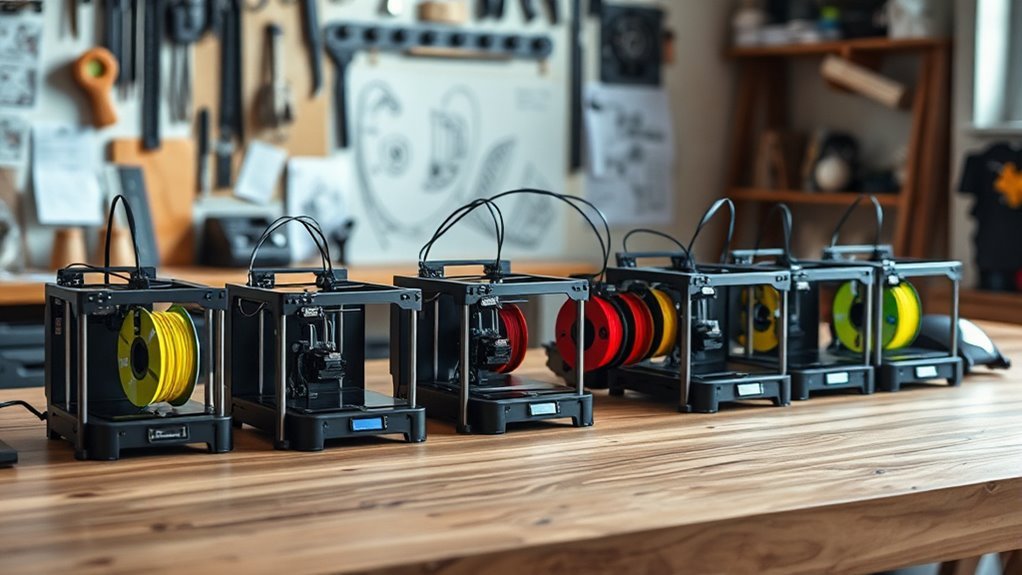
If you’re searching for the best beginner 3D printers under $500 in 2027, you’ve got some great options to consider.
Printers like the Entina Tina2 Plus and Geeetech Mini are known for their easy setup and reliable performance, making them perfect for newbies.
Then, there’s the Creality Ender 3 V3 SE and Bambu Lab A1, which bring advanced features such as auto-leveling and multi-color printing to the table.
These models stand out for their blend of simplicity and capability.
Compact and user-friendly, these 3D printers are designed with beginners and kids in mind.
They make diving into 3D printing straightforward and fun.
Keep exploring to find the perfect model that matches your needs perfectly!
| Image | Name | Editor's Rating | Price |
|---|---|---|---|

|
|
||

|
|
||

|
|
||
|
|
||

|
|
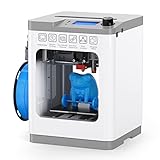
Entina Tina2 Plus Fast 3D Printer with WiFi
- 【Start Printing in Minutes – Beginner Friendly】No setup required. Tina2 Plus 3d printer comes fully assembled and ready to use out of the box. With included TF card...
- 【Fast 250mm/s Printing Performance】This Tina2 Plus high speed 3D printer print speeds up to 250 mm/s help reduce waiting time and support fast project turnaround...
- 【WiFi App Control & STEM Model Library】Powered by the Poloprint Cloud app, this WiFi-enabled 3D printer gives access to 3,500+ printable models and 25+ creative DIY...
- 【40-Second Fast Heat Ceramic Hotend】High-efficiency ceramic hotend heats up in just 40 seconds for faster start-up and less downtime. The quick-swap nozzle design...
- 【Compact 3D Printer for Home & Classroom】Designed with a space-saving footprint while maintaining practical print capacity, this compact 3D printer fits easily on...
Experience the ease of 3D printing with the Entina Tina2 Plus Fast 3D Printer with WiFi, designed to simplify your creative projects. This printer arrives fully assembled, allowing you to start printing quickly without any setup hassle. With preloaded models on the included TF card, you can jump right into making detailed prints.
The compact design fits perfectly on any desk, making it ideal for small spaces at home or in classrooms. Weighing just 8.25 pounds, it is easy to move and store. The printer’s WiFi connectivity and app control provide seamless access to over 3,500 models and online slicing through the Poloprint Cloud app, removing technical barriers for beginners.
Maintenance is straightforward thanks to its efficient fast-heating ceramic hotend, which reduces downtime. While the mini size limits build volume, it offers a balance of portability and performance. The partially enclosed frame protects your prints but may not fully shield from external elements.
This printer is a practical solution for newcomers and educators seeking a reliable, user-friendly 3D printer that combines convenience with quality printing results.
Best for: Beginners and educators needing a compact, easy-to-use 3D printer with WiFi and extensive model access for home or school projects.
What We Like:
- Fully assembled for quick, hassle-free printing start
- WiFi and app control with 3,500+ models and cloud slicing access
- Fast printing speeds up to 250 mm/s and quick-heating ceramic hotend
- Compact, lightweight design ideal for limited workspaces
Specification:
| Feature | Details |
|---|---|
| Manufacturer | Entina |
| Dimensions | Compact (exact size not specified) |
| Weight | 8.25 lb (3.74 kg) |
| Connectivity | WiFi, App Control |
| Included Storage | TF Card with preloaded models |
| Frame Type | Partially enclosed |
Geeetech Mini 3D Printer for Kids and Beginners
No products found.
The Geeetech Mini 3D Printer is designed to make 3D printing accessible and hassle-free for kids and beginners. Its compact size and fully assembled setup mean you can start printing without delays or complicated assembly.
This printer features a 16-point full-auto leveling system that keeps prints accurate and consistent. The dual-drive metal gear extruder provides smooth filament feeding, helping to avoid jams and improve print quality. Its robust design supports speeds up to 250 mm/s, balancing efficiency and reliability.
Maintenance is straightforward with a flexible magnetic build plate that allows easy model removal without damage. The intuitive 2.4” LCD screen and one-button filament loading simplify daily operation, reducing the learning curve for new users.
While the print area is limited to 3.94 x 4.33 x 3.94 inches, it suits small projects perfectly. Weighing 9.8 pounds, it is stable but less portable for frequent transport. This printer offers a practical solution for those starting with 3D printing at home or school.
Best for: Kids and beginners seeking a compact, easy-to-use 3D printer with reliable performance and quick setup.
What We Like:
- Fully assembled for instant use
- Precise 16-point auto leveling
- Smooth filament feeding with dual-drive metal gears
- Flexible magnetic build plate for easy model removal
- Simple controls with 2.4” LCD and one-button filament loading
Specification:
| Feature | Description |
|---|---|
| Manufacturer | Geeetech |
| Print Area | 3.94 x 4.33 x 3.94 inches |
| Weight | 9.8 pounds |
| Build Plate | Flexible magnetic |
| Display | 2.4” LCD screen |
Creality Ender 3 V3 SE 3D Printer Upgrade
- 【250mm/s High-speed Printing】Creality Ender 3 V3 SE 3d printer supports a maximum printing speed of 250mm/s, 2500mm/s² acceleration.The speed has been greatly...
- 【Powerful ""Sprite"" Direct Extruder】Ender 3 V3 SE is the upgrade of ender 3, ender 3 v2, ender 3 pro, ender 3 neo, ender 3 v2 neo, ender 3 s1, ender 3 s1 pro etc 3d...
- 【Worry-free CR Touch Auto Leveling & Strain Sensor】Creality Ender 3 upgraded 3d printer features a CR Touch sensor for auto leveling and a strain sensor for auto...
- 【Stable Dual Z-axis & Y-axis Linear Shafts】High-precision dual Z-axis lead screws reduce Z wobbling effectively, avoid printing deviation in single-axis printing...
- 【Quick Assembly & Easy to Use】Preassembly has solved those hassles and worries of parts assembly, It only takes 3 steps to complete the assemble the ender-3 v3 se 3d...

Experience effortless 3D printing with the Creality Ender 3 V3 SE, designed to save time and reduce frustration. Its automatic leveling feature ensures prints start perfectly every time, eliminating manual adjustments. With speeds up to 250mm/s, this printer cuts project durations significantly, letting you complete more prints in less time.
The upgraded full metal dual-gear extruder provides consistent filament feeding across materials like PLA and PETG. This versatility helps you explore various projects without worrying about print quality or clogging. Setup is straightforward, taking around 20 minutes, thanks to preassembled components and automatic filament loading.
Built for stability, the Ender 3 V3 SE includes dual Z-axis lead screws and dual 8mm linear shafts on the Y-axis. These enhancements reduce vibrations and improve precision, resulting in cleaner, more reliable prints. Routine maintenance is simple due to its accessible design and robust build.
Best for: hobbyists and small business owners seeking a fast, stable 3D printer that supports diverse filament types and hassle-free operation.
What We Like:
- Fast printing speeds up to 250mm/s for efficient workflow
- Automatic leveling and filament loading simplify setup
- Dual Z-axis lead screws and sturdy Y-axis shafts enhance print accuracy
- Compatible with multiple filament types for versatile printing
Specification:
| Feature | Details |
|---|---|
| Manufacturer | Creality |
| Print Speed | Up to 250 mm/s |
| Extruder Type | Full metal dual-gear |
| Build Volume | Standard (not large-scale) |
| Setup Time | Approximately 20 minutes |
| Stability Features | Dual Z-axis screws, dual 8mm Y-axis shafts |
Bambu Lab A1 3D Printer, Ready-to-Use FDM 3D Printer for Beginners and Kids
- High-Speed Precision: Experience unparalleled speed and precision with the Bambu Lab A1 3D Printer. With an impressive acceleration of 10,000 mm/s², the A1 delivers...
- Multi-Color Printing with AMS lite: Unlock your creativity with vibrant and multi-colored 3D prints. The Bambu Lab A1 3D printers make multi-color printing accessible and...
- Full-Auto Calibration: Say goodbye to manual calibration hassles. The A1 3D printer takes care of all the calibration processes automatically, ensuring optimal...
- Active Flow Rate Compensation: Achieve consistently smooth prints with active flow rate compensation. The algorithm actively compensates the flow rate according to the...
- Easy and Quiet 3D Printing: Experience effortless printing with the Bambu Lab A1 FDM 3D printer. Its user-friendly interface and simplified touchscreen make it easy to...
The Bambu Lab A1 3D Printer transforms how beginners and kids approach 3D printing by making it simple and accessible. Its full-auto calibration takes the hassle out of setup, adjusting bed-leveling and Z-offset automatically for smooth starts every time. This means less frustration and more time creating.
The intuitive touchscreen lets users control prints effortlessly, while the 1-clip quick swap nozzle allows fast changes to printing options. Its design supports high-speed printing with precise motion control, delivering detailed results without delays. You can explore vibrant designs thanks to AMS Lite compatibility, enabling multi-color printing to expand creative possibilities.
Maintenance is straightforward, with features that reduce manual adjustments and keep the printer running quietly at ≤48 dB. Its compact and lightweight frame fits comfortably in small spaces, making it ideal for home or classroom environments. While limited to FDM technology and a moderate build volume, it offers a balanced entry point for new users.
Best for: Beginners and kids seeking a user-friendly, fast, and accurate 3D printer with multi-color capabilities.
What We Like:
- Full-auto calibration simplifies setup and operation
- Touchscreen interface enhances ease of use
- High-speed printing with active flow rate compensation
- Compatible with AMS Lite for multi-color prints
- Quiet operation suitable for any setting
Specification:
| Feature | Details |
|---|---|
| Manufacturer | Bambu Lab |
| Dimensions | Compact and lightweight |
| Weight | Lightweight |
| Printing Technology | FDM |
| Noise Level | ≤48 dB |
| Acceleration | 10,000 mm/s² |
| Color Options | Supports multi-color with AMS Lite |
Entina Tina2 Mini 3D Printer for Beginners
- 3D Printer for Beginners and Kids: Out of the box, fully assembled, Speedy Printing –TINA2 BASIC 3d printer is super easy to use and does not require a complex setup...
- Ready to Print: Equipped with 2.4" LCD screen and Wiibulider slicer software makes it easy to conduct offline printing using the MicroSD Card. The 3-d printer supports...
- Fully Open-Source: Entina TINA2 BASIC Mini 3D printer adopts a safety-first design philosophy, featuring complete open-source compatibility for enhanced flexibility and a...
- Auto Leveling & Magnetic Platform: The small 3d printer does not need manual leveling, the intelligent leveling system can automatically adjust the uneven bed, thus...
- Compact Design:This is light weight and minimalist desktop 3D printers, the mini 3D printer size is 8.3''x8.3''x11.4'', weight is 3kg. Light weight and portable design...
The Entina Tina2 Mini 3D Printer is designed to make 3D printing simple and accessible for beginners and kids. Its fully assembled design means you can start printing in just five minutes, eliminating complicated setup steps. This ease of use helps users focus on creativity instead of technical challenges.
Its intelligent auto-leveling system and magnetic build plate reduce common printing issues, ensuring consistent, high-quality results. The compact size and dual Z-axis rails provide stability and precision, even with detailed prints. This makes it ideal for small-scale projects at home or school.
Maintenance is straightforward, with offline printing supported by the included TF card and Wiibuilder slicer software. This allows users to print without a constant computer connection, adding convenience and flexibility. The open-frame design offers clear visibility of the printing process but requires supervision for younger users due to exposed moving parts.
While the 100x105x100 mm build volume limits larger projects, this printer’s focus on safety, simplicity, and reliable performance makes it an excellent starting point for new 3D printing enthusiasts.
Best for: Beginners and children looking for a safe, easy-to-use, and compact 3D printer for educational or home use.
What We Like:
- Ready to print in 5 minutes with auto-leveling for hassle-free use
- Stable, precise prints thanks to dual Z-axis rails
- Offline printing capability with included TF card and slicer software
- Compact design ideal for small spaces
- Safety-conscious design suitable for supervised young users
Specification:
| Feature | Details |
|---|---|
| Manufacturer | Entina |
| Build Volume | 100 x 105 x 100 mm |
| Dimensions | Compact size (exact size not specified) |
| Weight | Not specified |
| Print Bed | Magnetic build plate |
| Printing Mode | Offline via TF card |
| Software | Wiibuilder slicer software |
Creality SPARKX i7 3D Printer with AI Monitoring
- Easy 3D Printing with Auto Leveling: The Creality SPARKX i7 features automatic bed leveling, quick setup, and streamlined calibration for a smoother desktop 3D printing...
- Smart Camera Monitoring for Reliable Printing: Built-in smart camera monitoring supports remote viewing, time-lapse recording, and print status detection to help improve...
- Quiet High-Speed Desktop 3D Printer: With an optimized motion system and low-noise operation, the SPARKX i7 delivers stable high-speed 3D printing with reduced vibration...
- Large Build Volume for Bigger Creative Projects: Featuring a 260×260×255mm build volume and flexible PEI build plate, the SPARKX i7 supports larger models, props...
- 5-Second Quick-Swap Hotend for Easy Maintenance: The tool-free quick-swap hotend design allows faster nozzle replacement and simplified maintenance, helping reduce...
The Creality SPARKX i7 redefines ease and precision in 3D printing with its advanced AI camera monitoring. This feature lets you remotely track your print progress and captures time-lapse videos, making supervision seamless and stress-free. The built-in auto-leveling ensures every print starts perfectly, reducing setup time and errors.
Designed for quiet, high-speed operation, this printer delivers consistent results whether you’re working on a quick prototype or a lengthy project. Its spacious 260×260×255mm build volume opens opportunities for larger models or multiple prints in one go. Removing finished prints is effortless thanks to the flexible PEI build plate.
Maintenance is straightforward with the quick-swap hotend, minimizing downtime and keeping your workflow smooth. For users looking to expand their creative options, the printer supports an optional multi-color system, allowing more complex designs.
Best for: Beginners and hobbyists seeking a reliable, user-friendly 3D printer with smart monitoring and versatile capabilities.
What We Like:
- AI camera monitoring and auto-leveling streamline printing and supervision
- Quiet operation with a large build area supports diverse projects
- Easy maintenance via quick-swap hotend enhances uptime
- Optional multi-color upgrade expands creative potential
Specification:
| Feature | Details |
|---|---|
| Manufacturer | Creality |
| Build Volume | 260 × 260 × 255 mm |
| Weight | 29.5 lbs (13.4 kg) |
| Build Plate | Flexible PEI |
| Special Features | AI camera monitoring, auto-leveling, quick-swap hotend |
Flashforge Adventurer 5M Beginner 3D Printer

- 600mm/s Hyper-Speed Printing with Klipper Engine. Industry-leading 20,000mm/s² Acceleration - Equipped with 32mm³/s high-flow nozzle and 50W ceramic heater reaching...
- Auto Bed Leveling. 0.01mm Precision Calibration - Features 25-point detecting and pressure-sensor compensation, achieving perfect first-layer adhesion.
- Industrial-Grade CoreXY Frame with Anti-Vibration. Dual linear rails & aluminium frame reduces resonance by 63% compared to bed-slingers. 24/7 continuous printing capable...
- Smart Workshop Ecosystem. MagSwitch PEI plate (removal in 3s) + Nozzle X quick-change system (swap <15s). Built-in filament sensor & remote monitoring via Flashforge App...
- Multi-Material Pro Configuration. 0.25-0.8mm nozzles for miniature models to architectural prints. Optional enclosure with your own printing plate offers a cost-effective...
The Flashforge Adventurer 5M offers a streamlined 3D printing experience designed for ease and speed. Its fast printing capability, reaching up to 600mm/s, helps reduce project times significantly. This means you can move from concept to prototype faster without complicated setup procedures.
Maintenance is simplified with features like auto bed leveling and a quick-change nozzle system. These reduce downtime and ensure consistent print quality. The sturdy CoreXY frame minimizes vibration, supporting reliable 24/7 operation for uninterrupted printing.
This printer is well-suited for beginners who want precise results with minimal hassle. The built-in filament sensor and remote monitoring enhance usability, allowing you to manage prints efficiently even when away from the machine. Multi-material compatibility expands creative possibilities.
One limitation to consider is the nozzle temperature cap of 200°C, which restricts some advanced filament options. The optional enclosure is available separately, which may be necessary for controlled printing environments.
Best for: Beginners and hobbyists needing a fast, precise, and easy-to-maintain 3D printer with smart features for reliable continuous use.
What We Like:
- Fast printing speeds up to 600mm/s reduce project turnaround.
- Auto bed leveling and quick nozzle changes simplify maintenance.
- Stable CoreXY frame supports vibration-free, long-duration printing.
- Filament sensor and remote monitoring improve print management.
- Multi-material capability enhances versatility.
Specification:
| Feature | Details |
|---|---|
| Manufacturer | Flashforge |
| Dimensions | Not specified |
| Weight | Not specified |
| Material | Not specified |
| Color Options | Not specified |
FLASHFORGE AD5M 3D Printer with Auto Calibration

- Unleash Your Creativity: The Perfect Companion for Beginners and Experts Alike. The AD5M combines brand-new technology and superior craftsmanship to meet the needs of all...
- Achieve Perfect Prints with Ease: The AD5M is equipped with a fully automatic one-click leveling system that precisely measures the nozzle-to-build plate distance to set...
- Core XY All-Metal Motion Structure: The AD5M features a durable, innovative design that ensures high-speed printing without compromising quality. Its stable and smooth...
- Patent Quick-Release Nozzle: With multiple nozzle diameters available (0.25/0.4/0.6/0.8 mm), the AD5M caters to both high-precision and high-efficiency printing needs...
- Enhanced Control and Efficiency: The Orca-flashforge slicer enables one-click batch file transmission and multi-printer network monitoring. Additionally, the Flash Maker...
Experience hassle-free 3D printing with the FLASHFORGE AD5M, designed to simplify setup and deliver precise results. Its fully automatic one-click leveling system removes the guesswork, saving time and reducing errors for a smoother start every time.
Built with a sturdy all-metal CoreXY frame, this printer offers fast, stable printing speeds up to 600 mm/s without compromising quality. The design ensures quiet operation and consistent performance, ideal for both home and workshop environments.
Maintenance is straightforward thanks to tool-free nozzle swapping and a flexible, double-sided PEI steel plate. This setup supports a variety of materials like PETG and makes model removal quick and easy, minimizing downtime.
The AD5M’s power recovery feature lets you pick up exactly where you left off after a power outage, preventing wasted prints. Remote management via the Orca-flashforge slicer and Flash Maker app also allows you to monitor multiple devices, enhancing convenience.
Best for: hobbyists and beginners seeking a reliable, fast, and easy-to-use 3D printer with advanced features such as auto calibration and remote print management.
What We Like:
- Automatic one-click leveling for effortless setup
- CoreXY all-metal design for high-speed, stable printing
- Tool-free nozzle changes and versatile PEI steel plate
- Power recovery to resume prints after outages
- Remote control and monitoring via dedicated apps
Specification:
| Feature | Details |
|---|---|
| Manufacturer | FLASHFORGE |
| Print Volume | 220 x 220 x 220 mm |
| Print Speed | Up to 600 mm/s |
| Weight | 22 lb (10 kg) |
| Frame Material | All-metal CoreXY design |
| Build Surface | Double-sided flexible PEI steel plate |
Creality SPARKX i7 Nano Combo Multi‑Color 3D Printer for Beginners

- Compact Multi-Color Printing for Every Workspace: The Creality SPARKX i7 Nano Combo combines a compact desktop design with intelligent multi-color printing, making it...
- Auto Feed & Retract for Simplified Printing: Load filament once and let the printer handle the rest. The intelligent Auto Feed & Retract system automatically loads and...
- Auto Refill for Longer Print Jobs: When a filament spool runs out, the Creality SPARKX i7 Nano Combo automatically switches to a backup spool to help keep long prints...
- Easy to Start with Auto Leveling & AI Monitoring: Automatic bed leveling helps simplify printer setup and improve first-layer consistency, while the built-in AI camera...
- Quick-Swap Modular Design: Tool-free replacement of the hotend, extruder, and cutter makes routine maintenance faster and easier, helping minimize downtime between...
The Creality SPARKX i7 Nano Combo transforms multi-color 3D printing into a straightforward and enjoyable experience. Its intelligent filament system solves the common challenge of seamless color transitions, allowing users to create vibrant, detailed models without frequent manual adjustments.
This compact desktop 3D printer fits neatly into homes, studios, or classrooms, making it ideal for beginners and makers with limited space. The quiet operation and fast print speeds up to 500 mm/s help maintain a productive environment without distractions.
Maintenance is simplified through its quick-swap modular design, reducing downtime and hassle. Auto feed, retract, and refill functions ensure continuous printing, minimizing interruptions and improving overall workflow.
Setup is stress-free with auto leveling, while AI monitoring lets users track print progress remotely, adding convenience and peace of mind. Although the printer balances ease of use with functionality, users seeking extensive customization might find it less flexible than professional-grade options.
Best for: Beginners and makers wanting a compact, user-friendly multi-color 3D printer suited for small spaces and creative projects.
What We Like:
- Intelligent multi-color filament system for smooth color changes
- Auto feed, retract, and refill features reduce print interruptions
- Quiet operation with fast printing speeds up to 500 mm/s
- Quick-swap modular design for easy maintenance
- Auto leveling and AI monitoring for hassle-free setup and remote tracking
Specification:
| Feature | Details |
|---|---|
| Manufacturer | Creality |
| Dimensions | Compact desktop size |
| Weight | Moderate |
| Color Options | Multi-color printing |
| Intended Use | Beginner and maker projects |
Factors to Consider When Choosing a Beginner 3D Printer Under 500
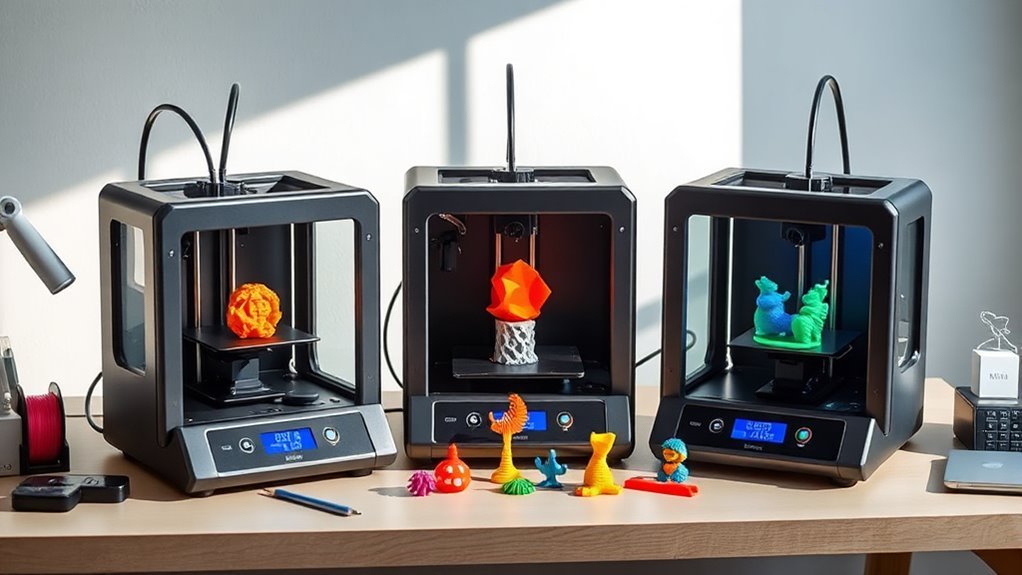
When choosing a beginner 3D printer under $500, you’ll want to take into account printing speed and precision to get quality results quickly.
Make sure the printer is easy to set up and has a build volume that fits your project needs. That way, you won’t run into surprises down the line.
Also, check for material compatibility and safety features. These help guarantee a smooth and secure printing experience.
Printing Speed And Precision
Although speed and precision might seem like competing priorities, both play an essential role in choosing a beginner 3D printer under $500. You want a printer that can reach speeds between 250 mm/s and 600 mm/s to finish your models quickly without sacrificing quality.
Precision matters too—look for printers with dimensional accuracy around ±0.1 mm to capture fine details. Features like auto bed leveling help maintain consistent nozzle distance, boosting print accuracy.
Acceleration rates near 2500 mm/s² improve print quality by enabling smoother, faster movements. Faster printing can cut your wait time by 40-60%, letting you experiment and iterate without frustration.
Balancing speed and precision guarantees your beginner 3D printer delivers reliable, high-quality results while keeping projects moving efficiently. It’s all about finding that sweet spot to make your printing experience enjoyable and productive.
Ease Of Setup
Since getting started quickly is essential for beginners, choosing a 3D printer that requires minimal setup will save you time and frustration. Look for models that come fully assembled or need just a few steps before you can print.
Features like auto-leveling simplify calibration, ensuring better print quality from the start. Printers that include preloaded models or slicing software on an SD card let you skip complicated installations and start printing right away.
A straightforward control interface, whether knobs or a touchscreen, reduces your learning curve and makes operation easier. Also, check for compatibility with your operating system and options like WiFi or USB connectivity to keep setup smooth and hassle-free.
These factors make your first printing experience enjoyable and efficient. So, it’s worth picking a printer that’s easy to get up and running!
Build Volume Size
Choosing the right build volume size plays an essential role in determining the scope of projects you can tackle with a beginner 3D printer under $500. Build volume refers to the maximum dimensions of an object you can print, usually measured in millimeters.
If you want to create larger models, like functional parts or artistic designs, you’ll need a printer with a bigger build volume. Common beginner printers offer sizes ranging from about 100x100x100 mm up to 200x200x200 mm or more.
Remember to assess your available space too—larger build volumes often mean bigger printers that need more room. Balancing size with your project needs and workspace will help you pick the best printer for your goals without compromising convenience.
Material Compatibility Options
When you select a beginner 3D printer under $500, material compatibility plays an essential role in what you can create and how easy it will be to print. Most entry-level printers support common filaments like PLA and TPU, which are user-friendly and perfect for a variety of projects.
Some models also handle PETG and ASA, giving you more options for durable prints. Remember, softer materials like TPU need a direct drive extruder for smooth feeding.
Check the printer’s nozzle size and temperature range because these affect which materials you can use successfully. Many beginner printers come with preset profiles for popular filaments, making it easier to get started without tweaking settings extensively.
Choosing a printer with good material compatibility guarantees your creativity isn’t limited early on. So, it’s worth paying attention to these details before making your choice!
Safety Features Included
Safety features play an essential role in ensuring your 3D printing experience stays accident-free and stress-free. When choosing a beginner 3D printer under $500, look for models with a partially enclosed frame to shield you from hot components and reduce burn risks.
Automatic bed leveling systems are a smart addition, cutting down manual adjustments that might cause accidents. Prioritize printers with quick-swap nozzles or easy maintenance designs so you rarely handle heated parts.
Check for built-in safety mechanisms like thermal runaway protection, which stops overheating and potential fire hazards. Finally, pick a printer with a stable structure to minimize wobbling, lowering the chance of failed prints that could produce sharp or hot debris.
These features keep your workspace safer and your printing smoother. It’s all about making your 3D printing journey as safe and hassle-free as possible!
Connectivity And Control
Beyond guaranteeing safe operation, having reliable connectivity and intuitive control options can greatly enhance your 3D printing experience. Many beginner 3D printers under $500 offer WiFi connectivity, letting you control prints remotely and access large libraries of models through dedicated apps.
Mobile app support is pretty common too, so you can manage print jobs, slice models, and monitor progress right from your smartphone or tablet. If you prefer offline printing, options like TF cards and USB connections make sure you’re not tied to internet access.
Automatic bed leveling simplifies setup and improves initial layer accuracy, making your prints more consistent. With a variety of connectivity choices, you can pick the setup that best fits your workflow and environment, boosting both convenience and flexibility.
Warranty And Support
Choosing a beginner 3D printer under $500 means you’ll want solid warranty and support to back your investment. Look for printers offering at least a 12-month warranty covering parts and labor to guarantee peace of mind.
A 30-day return or replacement policy also helps you buy risk-free, especially when you’re just starting out. Access to lifetime technical support can be a game-changer, guiding you through troubleshooting and learning curves.
Make certain customer service responds quickly—ideally within 24 hours—to keep your experience smooth and frustration-free. Don’t overlook thorough user manuals or online resources; they provide essential help during setup and operation.
These resources make your 3D printing journey much easier and more enjoyable from day one.
Frequently Asked Questions
What Materials Can Beginner 3D Printers Typically Use?
You can typically use PLA and ABS with beginner 3D printers, as they’re easy to print and widely available.
Some also handle PETG or TPU, but sticking to PLA helps you avoid warping and print failures early on. It’s a good way to keep things simple when you’re just starting out.
How Much Maintenance Do Beginner 3D Printers Require?
You’ll need to do regular maintenance like cleaning the nozzle, leveling the bed, and lubricating moving parts. Fortunately, beginner printers require minimal upkeep.
With routine care, you’ll keep prints consistent and your machine running smoothly. It’s not as complicated as it sounds, really! Just a little attention here and there goes a long way.
Are There Any Safety Tips for Using 3D Printers at Home?
Think of 3D printing like cooking—never leave it unattended. You should always ventilate your workspace, avoid touching hot parts, and keep flammable materials away.
These simple steps keep your home safe and your prints perfect. It’s really about being aware and careful while you work.
Can Beginner 3D Printers Create Multi-Color Prints?
Yes, some beginner 3D printers can create multi-color prints, but usually by pausing for filament changes or using dual extruders.
You’ll want to check your model’s capabilities and maybe experiment with manual color swaps for best results.
What Software Is Best for Beginners Learning 3D Printing?
Imagine turning your ideas into reality—TinkerCAD is perfect for beginners because it’s simple and free.
You’ll love how it guides you step-by-step, making 3D printing feel like a fun, creative adventure you won’t want to stop.
Conclusion
Choosing the right beginner 3D printer under $500 is like picking the perfect paintbrush for your first masterpiece—it sets the tone for your creative journey. Whether you want speedy WiFi connectivity, multi-color options, or easy calibration, there’s a model here that fits your needs.
Immerse yourself confidently, knowing these printers are designed to make your 3D printing experience smooth, fun, and inspiring from the very first print. With affordable options that don’t compromise on quality, you can explore the exciting world of 3D printing without breaking the bank.
Finding the best beginner 3D printer under $500 means you get reliable performance, user-friendly features, and great value. So, whether you’re just starting out or looking to upgrade, these models offer the perfect blend of simplicity and capability to fuel your creativity. Dive in and start creating amazing 3D projects today!