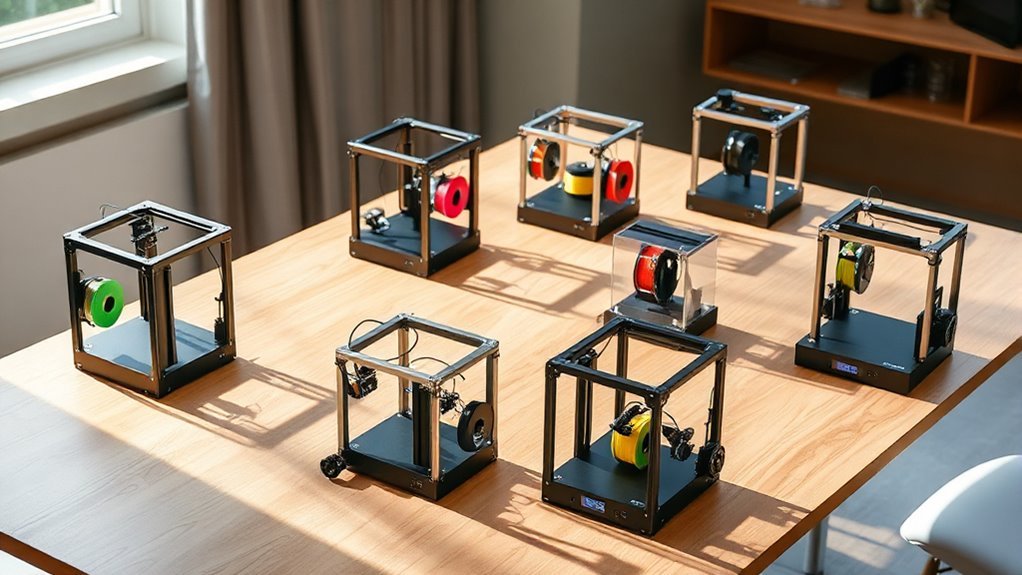
10 Best Beginner 3D Printer Kits for 2027
You’re looking for a beginner-friendly 3D printer kit that’s easy to set up and reliable, right? Finding the best beginner 3D printer kits for 2027 can feel overwhelming with so many options out there.
But don’t worry, we’ve got you covered with models that offer great features, easy assembly, and dependable performance.
The Entina Tina2C Mini and Creality K2 SE offer quick starts and versatile features.
Kids will love compact kits like the Mini 3D Printer Starter Kit or AOSEED AI model with safe enclosures.
Tool kits and high-speed options like FLASHFORGE Adventurer 5M enhance your experience.
With options for size, speed, and maintenance, you’ll find the perfect fit to grow your skills smoothly.
Explore what suits your creative goals best.
| Image | Name | Editor's Rating | Price |
|---|---|---|---|

|
|
||

|
|
||

|
|
||

|
|
||

|
|
Entina Tina2C Mini 3D Printer Starter Bundle
- Complete Starter Bundle with 1kg PLA: Includes four 250g rolls of PLA filament in different colors. Start creating colorful toys, decorations, and DIY projects without...
- Fully Assembled & Ready in 5 Minutes: No complicated assembly required. The Tina2C mini 3D printer comes ready for guided setup through the Poloprint Cloud app, helping...
- 3500+ Models, New Designs Added Daily: Explore over 3500 printable models and 25+ DIY modules through the app. Discover fresh creative projects and hands-on STEM...
- Auto Leveling & Power-Loss Recovery: Automatic bed leveling improves first-layer setup and reduces manual adjustments. Power-loss recovery helps resume interrupted...
- Magnetic Build Plate & Quick-Swap Nozzle: The flexible magnetic plate helps release finished prints with a gentle bend, while the quick-swap nozzle design makes routine...
The Entina Tina2C Mini 3D Printer Starter Bundle offers a compact and user-friendly solution for beginners and young users eager to explore 3D printing. Its fully assembled frame and guided setup mean you can start printing within just five minutes, eliminating the usual frustrations of complex assembly.
This mini printer features an auto-leveling bed and a magnetic build plate, which make maintaining the printer simple and ensure smooth first layers on every print. The quick-swap nozzle further reduces downtime, helping you keep projects moving without hassle.
Connectivity options include 2.4GHz WiFi and TF card support, enabling flexible printing both online and offline. Its quiet operation is ideal for home or classroom environments, where noise can be a distraction.
The bundle includes 1kg of colorful PLA filament plus access to over 3,500 models and STEM projects, encouraging creativity and learning. Keep in mind the smaller build volume may limit larger projects, and it lacks advanced features for experienced users.
Best for: Kids and beginners seeking an easy-to-use, compact 3D printer with educational resources and straightforward maintenance.
What We Like:
- Fully assembled frame with a guided setup for quick start
- Auto-leveling bed and magnetic build plate simplify use and upkeep
- Includes colorful PLA filament and a large library of models and STEM projects
- Quiet operation suitable for classrooms and homes
Specification:
| Feature | Details |
|---|---|
| Manufacturer | Entina |
| Build Volume | 3.9 x 3.9 x 3.9 inches |
| Connectivity | 2.4GHz WiFi, TF card |
| Filament Included | 1kg colorful PLA |
| Operation Noise | Quiet |
| Frame | Fully assembled |
Creality K2 SE 3D Printer Bundle with 74Pcs 3D Printing Tool Wrap Kit
- 【500mm/s High-Speed Fast Printing】Driven by a lightweight CoreXY motion system, the Creality K2 SE delivers up to 500mm/s high-speed printing with 20,000mm/s...
- 【Solid Metal Build—High Precision & Stable Printing】Featuring a die-cast aluminum alloy frame, corner gussets, and dual-side crossbeams, the K2 SE offers...
- 【Expandable Multicolor Printing—Compatible with Creality CFS】K2 SE is the upgrade of K1 SE 3d printer, the K2 SE is fully compatible with the Creality CFS...
- 【16 COLORS TO ENHANCE YOUR CREATIVITY】The Creality Filament System (CFS) has a connection hub on the back. By connecting up to four CFS units together, you can print...
- 【Professional Versatility & Wide Application】Disassemble, assemble, connect, grind, cut, cleaning, scrape, shovel.This 3D Printer Tool Wrap Kit Pro contains the tools...
Experience fast, precise 3D printing with the Creality K2 SE, designed to deliver quality results without compromise. Its CoreXY motion system and advanced vibration sensors work together to produce smooth, detailed models at speeds up to 500mm/s, saving time on every project.
The printer’s robust die-cast aluminum alloy frame, reinforced with corner gussets, ensures strong stability. This design keeps prints accurate and consistent, even for larger or more complex models. Maintenance and setup are made easy with the included 74-piece tool wrap kit, providing all necessary tools in one organized package.
For those looking to expand creativity, the Creality K2 SE supports multicolor printing through the optional CFS system, allowing up to 16 colors in a single print. While the CFS system is sold separately, it offers a unique way to enhance your projects with vibrant, multi-hued designs.
This 3D printer bundle meets the needs of both beginners and professionals who want a reliable, high-speed machine with versatile capabilities and comprehensive maintenance tools.
Best for: Users seeking a fast, stable 3D printer with multicolor options and a complete tool kit for varied printing tasks.
What We Like:
- High-speed printing up to 500mm/s with smooth motion control
- Durable die-cast aluminum frame for precision and stability
- 74-piece tool kit included for easy setup and upkeep
- Supports up to 16-color multicolor printing with optional CFS system
Specification:
| Feature | Details |
|---|---|
| Manufacturer | Creality |
| Dimensions | Not specified |
| Weight | Not specified |
| Frame Material | Die-cast aluminum alloy |
| Print Speed | Up to 500mm/s |
| Multicolor Support | Up to 16 colors (CFS sold separately) |
| Tool Kit | 74-piece wrap kit included |
AOSEED AI 3D Printer for Kids, Fast 400mm/s, 20,000+ Models, Enclosed Safe
- [NOTE] PLA comes in multiple colors, but this printer supports single-color printing only. Multi-color designs can be created by printing separate parts and assembling...
- A Home Toy Factory with Endless DIY Fun: This mini 3D printer brings a toy factory home, helping families make new toys without extra store trips. With access to...
- AI-Powered Creativity Made Simple: This AI 3D printer lets kids bring their imagination to life. With AI Doodle, children can create custom 3D models using voice, text...
- Easy, Safe One-Tap Printing: Designed as a 3D printer for kids, it makes every project simple. Kids can print with one tap in the app, while parents can feel confident...
- Fast, Precise Printing with Smart Detection: This 3D printer delivers precision up to 0.05 mm and upgraded speeds of 220–250 mm/s, with peaks up to 400 mm/s. Small toy...

Kids and beginners often struggle to find a 3D printer that is both safe and easy to use. The AOSEED AI 3D Printer addresses these challenges with its enclosed, pinch-resistant design, keeping little hands safe during operation. Its fast printing speed of up to 400 mm/s means projects complete quickly, helping young users stay engaged without long waits.
This printer offers access to over 20,000 human-reviewed models, with more added weekly. Integrated AI tools like AI Doodle and AI MiniMe let kids create custom designs effortlessly, turning imagination into reality. The one-tap printing and leveling-free platform simplify setup, reducing frustration and making 3D printing more accessible.
Maintenance is straightforward with quick filament changes and included materials that ensure continuous creativity. Real-time smartphone monitoring and time-lapse video creation keep users connected to their projects from start to finish. While limited to PLA filament and moderately sized, this printer balances safety, speed, and convenience.
Best for: Kids and beginners seeking a safe, fast, and user-friendly 3D printer equipped with creative AI features and extensive model libraries.
What We Like:
- Enclosed, pinch-resistant frame prioritizes child safety.
- Access to 20,000+ models with AI-powered design tools.
- Easy one-tap printing and leveling-free platform.
- Real-time print monitoring via smartphone.
- Quick filament changes with included materials.
Specification:
| Feature | Details |
|---|---|
| Manufacturer | AOSEED |
| Printing Speed | Up to 400 mm/s |
| Model Library | 20,000+ human-reviewed models |
| Filament Type | PLA only |
| Frame Design | Enclosed, pinch-resistant |
| Connectivity | Smartphone real-time monitoring |
| Included Materials | Yes |
3D Printer Tools Kit with 34 Accessories
- 【3D Printer Tools Expedite Your Workflow, 1-Year Warranty】Designed and Selected by a 15-Year 3D print enthusiasts team, this kit includes all essential tools. We have...
- 【Nozzle Cleaning & Replacing One-Station Solution】To avoid filament inconsistent extrusion caused by a clogged nozzle, we prepare 5 different types of cleaning...
- 【2 Types of Removal Scrapers for Flawless Prints】To remove different-sized prints without damaging the print bed, the kit includes 2 types of removal scrapers. One...
- 【5 Shapes of Metal Files Catered to A Wide Range of Tasks】They are flat steel file, flat warding steel file, square steel file, triangular steel file, round steel...
- 【3D Printer Accessories Gift Must-Have】Black canvas storage bag with tool holder for easy finding, organizing, storing and transporting. The storage box provides...
Maintain your 3D printer with ease using the 3D Printer Tools Kit with 34 Accessories. This kit helps you tackle common issues like clogged nozzles and rough print finishes. It offers a practical solution to keep your printer running smoothly and your projects looking professional.
Designed for precise maintenance, the kit includes MK8 brass nozzles and multiple cleaning needles to clear blockages quickly. Two scrapers adapt to different print sizes, while ergonomic metal files refine and smooth your models. These tools help you save time and improve print quality.
All accessories are organized in a durable black canvas bag, protecting them from dust and moisture. The compact design makes it simple to carry and store your essential tools. This kit is ideal for those who want reliable upkeep and finishing options in one set.
Best for: 3D printing enthusiasts and professionals seeking a versatile toolkit for detailed maintenance and print finishing.
What We Like:
- Wide range of specialized tools for cleaning and finishing prints
- Includes MK8 brass nozzles tailored for common 3D printers
- Portable storage bag with dust and moisture protection
- Ergonomic handles on files for comfortable use
- Two scraper sizes for various print removal needs
Specification:
| Feature | Details |
|---|---|
| Manufacturer | Not specified |
| Dimensions | Not specified |
| Weight | Not specified |
| Material | Brass (nozzles), metal, canvas (bag) |
| Color Options | Black (storage bag) |
68Pcs 3D Printer Tools Kit with Storage Case
- 【Upgraded 68-in-1 3D Printer Tools Kit, 1-Year Warranty】Designed by a Team of 15-Year 3D Printing Enthusiasts, the kit includes all essential tools. From wire cutters...
- 【Scrapers for Flawless Removal 3D Printed Models】One Stainless Steel removal scraper features a 15-degree angled (0.5mm thickness, 1.57-inch length), providing...
- 【1 Deburring Tool & 10 HSS BS1010 Swivel Blades】Our model polishing tools include 3 engraving knives with 9 types of blades, 5 different metal files and a...
- 【Nozzle Cleaning Needles, Brushes & Tweezers】To avoid inconsistent filament extrusion caused by a clogged nozzle, we provide 5 types of cleaning needles, (0.2mm...
- 【3D Printer Accessories Gifts Must-Have】4 cut-resistant finger cots to protect your fingers while working. A black sleeve case makes it easy to find, organize, store...
The 68Pcs 3D Printer Tools Kit with Storage Case is designed to simplify maintenance and repair for 3D printing enthusiasts. This comprehensive kit addresses the common challenges of nozzle clogging and part cleaning, helping you keep your printer running smoothly.
Each tool is crafted to perform specific tasks, such as precise scraping, deburring, and detailed cleaning. The inclusion of cleaning needles and brushes ensures easy removal of debris from nozzles, preventing printing errors and improving print quality.
Organized within a durable black sleeve case, the tools stay protected from dust and moisture, making storage and transport hassle-free. Cut-resistant finger cots add a layer of safety, allowing you to handle small parts securely.
This kit suits both beginners and hobbyists who want an all-in-one solution for routine 3D printer upkeep. Its expert design streamlines maintenance, reducing downtime and enhancing print results.
Best for: Beginners and hobbyists looking for a comprehensive, organized, and expert-designed 3D printer tool kit for maintenance and repair.
What We Like:
- Wide range of specialized tools tailored for 3D printer maintenance
- Protective storage case keeps tools organized and safe
- Cut-resistant finger cots enhance user safety
- Includes cleaning needles and brushes for effective nozzle upkeep
Specification:
| Feature | Details |
|---|---|
| Manufacturer | Not specified |
| Dimensions | Not specified |
| Weight | Not specified |
| Material | Metal and plastic tools |
| Color Options | Black storage case |
MakeBuddy Smart5 AI 3D Printer for Beginners, Plug & Play, High Speed

- 【Designed for Beginners】 MakeBuddy Smart5 3d printer arrives fully assembled and enclosed, so there is no kit to build. Guided app setup and automatic bed leveling...
- 【Easy to Start – Beginner Friendly 3D Printer】From unboxing to your first print in just 15 minutes. Features the leveling technology inherited from QIDI’s...
- 【Safe & Low-Noise Home 3D Printer】The QIDI Smart5 features a sealed enclosure that covers the hot end and moving gantry while lowering operating noise, so the printer...
- 【AI 3D Printer with One-Tap Printing】 The MakeBuddy Smart5 AI 3D printer turns a photo into a printable model: capture an object with a phone or tablet, let the AI...
- 【Complete Starter Kit with Filament and Course Access】 Smart5 ships with 4 PLA filaments, LED and clock DIY build kits, and access to a regularly updated STEAM...
The MakeBuddy Smart5 AI 3D Printer transforms the way beginners approach 3D printing. It arrives fully assembled and ready to use, removing the usual technical hurdles. Within 15 minutes, you can start printing your first project thanks to its guided app setup and simple one-tap WiFi control, even without any CAD experience.
Designed for a safe and comfortable workspace, this printer features a sealed enclosure and an active HEPA and carbon filtration system. These elements keep the air clean and free of odors, while its quiet operation ensures minimal noise disruption in your home or studio environment.
Its CoreXY motion system enhances printing speed and precision, while advanced AI technology allows you to create 3D models directly from photos. This feature expands your creative possibilities without requiring complex design skills. Maintenance is straightforward, with included filaments and easy access to DIY kits and STEAM courses to support learning.
The compact build volume fits most beginner projects but may limit larger prints, and its weight of 31.6 pounds offers stability over portability. Filament options are initially focused on PLA, with additional supplies needed for other materials. Overall, the Smart5 AI offers a balanced blend of ease, safety, and innovation for new users.
Best for: Beginners and hobbyists seeking a fast, safe, and user-friendly 3D printer with AI-powered design tools.
What We Like:
- Fully assembled with quick, guided app setup for immediate printing
- Sealed enclosure and advanced filtration ensure a clean, odor-free workspace
- High-speed CoreXY system combined with AI photo-to-3D model conversion
- Includes starter filaments, DIY kits, and educational STEAM resources
Specification:
| Feature | Details |
|---|---|
| Manufacturer | MakeBuddy |
| Build Volume | 180 x 180 x 180 mm |
| Weight | 31.6 lb (14.3 kg) |
| Filament Type | PLA (included) |
| Enclosure | Sealed with HEPA/carbon filter |
Creality SPARKX i7 Nano Combo 3D Printer

- 𝐌𝐮𝐥𝐭𝐢-𝐜𝐨𝐥𝐨𝐫 𝐏𝐫𝐢𝐧𝐭𝐢𝐧𝐠: Supports automatic filament switching for up to 4 colors, no frequent manual...
- 𝐋𝐚𝐫𝐠𝐞 𝟐𝟔𝟎×𝟐𝟔𝟎×𝟐𝟓𝟓𝐦𝐦 𝐁𝐮𝐢𝐥𝐝 𝐒𝐢𝐳𝐞: Break free from size restrictions to complete diverse...
- 𝐂𝐨𝐦𝐩𝐚𝐜𝐭 𝐒𝐩𝐚𝐜𝐞‑𝐒𝐚𝐯𝐢𝐧𝐠 𝐃𝐞𝐬𝐢𝐠𝐧: Features a tiny footprint for easy desk placement. Optimized...
- ...
- 𝐄𝐦𝐩𝐭𝐲 𝐑𝐮𝐧 𝐃𝐞𝐭𝐞𝐜𝐭𝐢𝐨𝐧: Real‑time filament monitoring on all channels. Automatically halts printing upon detecting...
The Creality SPARKX i7 Nano Combo 3D Printer transforms multi-color printing into a seamless experience. Its automatic filament switching eliminates the hassle of manual changes, letting you focus on creativity. With the ability to print up to four colors, this printer simplifies complex projects.
Its generous 260×260×255 mm build volume supports both large-scale designs and intricate miniatures. The compact frame fits neatly on your desk, offering stability without taking up too much space. This makes it ideal for small workspaces or home studios.
Maintenance is straightforward thanks to features like auto feed, retract, and filament monitoring. These functions help prevent failed prints caused by filament breaks or running out, ensuring a smooth workflow. Spool changes are also easier, saving time and effort.
Designed for new makers and hobbyists, the SPARKX i7 Nano balances user-friendly operation with reliable results. It addresses common printing challenges, making multi-color 3D printing more accessible and efficient.
Best for: Creative beginners and hobbyists seeking a reliable, multi-color 3D printer with automated filament management for detailed and large projects.
What We Like:
- Automatic filament switching supports up to 4 colors without manual intervention
- Large build size accommodates diverse project scales
- Auto feed and filament monitoring reduce print failures
- Compact design fits easily in limited spaces
Specification:
| Feature | Details |
|---|---|
| Manufacturer | Creality |
| Build Volume | 260 × 260 × 255 mm |
| Max Colors | 4 |
| Weight | 21.4 lb (9.7 kg) |
| Design | Compact, stable |
Mini 3D Printer Starter Kit for Kids & Beginners

- High Precision and Speed: Our 3d printer for kids achieves a top speed of 250mm/s, significantly reducing printing time while maintaining professional-grade precision at...
- Ideal for Kids and Beginners: This toybox 3d printer was fully assembled and ready to use out of the box. This complete starter kit includes a mini 3d printer, a roll of...
- Outstanding Design: Automatic Nozzle Cleaning: Ensures a clean nozzle for consistent print quality;One-Button Auto-Leveling: Simplifies the setup process for...
- Friendly Warranty: We offer a 30-day worry-free return/replacement policy, 12-month free repair service, and lifetime professional technical support. If you have any...
- 【Notes & Tips】To use 1kg filament, simply print a 1kg-capable holder compatible with our mini printer. A pre-sliced file named 1kgFilamentSpoolHolder_1h30m.gcode is...
This mini 3D printer starter kit is designed to make 3D printing accessible for kids and beginners. It solves common challenges like complicated setup and maintenance with its fully assembled design and user-friendly operation. You can start printing projects quickly without technical hurdles.
The printer features one-button auto-leveling and one-touch filament loading, reducing the learning curve and ensuring consistent print quality. Automatic nozzle cleaning helps keep the machine running smoothly, minimizing downtime and maintenance effort.
With a printing speed of up to 250mm/s and precision of 0.01mm, it delivers sharp, detailed prints fast. The PEI heated bed allows for easy removal of finished prints, preventing damage and frustration. Its compact, lightweight design fits well in home or school environments.
While the build volume is limited due to its size, it is ideal for small projects. Users should note that a filament holder for 1kg spools requires printing, adding a small setup task. The return policy is limited to 30 days, which may affect long-term flexibility.
Best for: Kids and beginners seeking an easy-to-use, quick-setup 3D printer for educational or home creative projects.
What We Like:
- Fully assembled for immediate use
- One-button auto-leveling and one-touch filament loading simplify operation
- Fast printing speed with high precision
- Automatic nozzle cleaning reduces maintenance
- PEI heated bed ensures easy print removal
Specification:
| Feature | Details |
|---|---|
| Manufacturer | Not specified |
| Dimensions | Compact (exact size not provided) |
| Weight | Lightweight (exact weight not provided) |
| Material | Not specified |
| Color Options | Not specified |
FLASHFORGE Adventurer 5M High-Speed 3D Printer

- 【Succeed with a Perfect First Layer】Full-auto one-click leveling calibrates and levels the bed properly, making you a perfect first layer for every 3D print. It...
- 【Ultra-Fast and Exceptional Quality】Core XY up to 20000 mm/s² Acceleration, Maximum speed 600mm/s, the acceleration from zero to 600 mm/s takes just 0.025 seconds...
- 【Vibration Compensation&Less Waiting Time】Vibration compensation, eliminating ghosting in prints. Nozzle with a flow of 32mm³/s, 50w heating power, 200℃ heating up...
- 【Filament Run-out Sensor & Power Loss Recovery】Eliminate the problem of empty spools during printing. Change filament when empty and Resume. Worry-free from a power...
- 【Robust designs for superior quality】Open 3D printer, Suitable for use in open and, well-ventilated environments, Flexible removable PEI steel plate support...
The FLASHFORGE Adventurer 5M redefines fast and precise 3D printing with its advanced Core XY technology. It reaches speeds up to 600 mm/s and accelerates to full power in just 0.025 seconds, allowing you to complete projects quickly without compromising detail. This printer is designed to help beginners and hobbyists bring ideas to life efficiently.
Maintenance is straightforward with the full-auto one-click leveling system, ensuring a perfect first layer every time. The flexible removable PEI steel plate supports various filament types, making model removal and bed upkeep simple. Vibration compensation enhances print sharpness, reducing errors and improving overall quality.
The printer’s quick 10-minute setup and smart safety features, like filament run-out detection and power loss recovery, minimize interruptions and lost prints. While the open design requires a ventilated space and the nozzle temperature caps at 200°C, it remains a reliable choice for standard filament use.
Best for: Beginners and hobbyists seeking a high-speed, user-friendly 3D printer that balances speed with reliable, quality output.
What We Like:
- High-speed printing with rapid acceleration for quick project turnaround
- Full-auto one-click leveling simplifies setup and improves consistency
- Removable PEI steel plate supports easy maintenance and diverse filaments
- Filament run-out and power loss recovery features reduce print failures
Specification:
| Feature | Details |
|---|---|
| Manufacturer | FLASHFORGE |
| Printing Speed | Up to 600 mm/s |
| Acceleration Time | 0.025 seconds |
| Nozzle Temperature | Max 200°C (heats in 35 seconds) |
| Bed Plate | Removable PEI steel plate |
| Setup Time | Approx. 10 minutes |
| Design | Open frame |
Mini 3D Printer Kit with 8 Colors PLA Filament
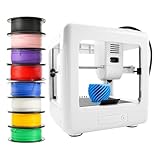
- 🎨 All-in-One Starter 3D Printer Kit – Comes with 8 vibrant PLA filament colors (200g each), a fully equipped printing kit, and user-friendly instructions—perfect...
- 🖨️ Compact & Portable FDM Design – This mini desktop 3D printer uses FDM technology and is compact enough for any desk or workspace. Great for school, home, or...
- 🧠 Effortless Setup, Plug & Print – No complex calibration needed. Supports TF Card and USB connections, compatible with Windows and macOS using CURA, Easyware, or...
- 💡 Precise & Smooth Printing – Achieve detailed prints with 0.05-0.2mm accuracy. Features a 0.4mm nozzle, supports 1.75mm PLA, and even WOOD filament.
- 📦 Full Accessories Included – Package includes the printer components, 8-color filaments, TF card and reader, US power adapter, filament holder, screwdriver, and a...
Experience the convenience of 3D printing with this compact mini 3D printer kit that fits perfectly in small spaces. Designed for ease of use, it solves the challenge of bulky, complicated printers by offering a portable and lightweight solution. Its small footprint makes it ideal for home, classroom, or hobby workspaces without sacrificing functionality.
This all-in-one starter kit includes eight vibrant PLA filament colors, allowing users to explore creativity right away. Setup is simple and fast, with plug-and-print capability via USB or TF card. The printer supports popular slicing software on Windows and macOS, making integration into most workflows seamless.
Maintenance is straightforward with included tools and a clear manual, helping users keep the printer running smoothly. The device supports PLA and wood filaments, offering decent printing accuracy between 0.05 and 0.2 mm, which suits beginners and hobbyists focused on smaller projects.
While the build volume is limited and filament choices are specific, this printer balances portability and versatility for casual 3D printing needs. It’s a practical option for those seeking an accessible entry point into 3D printing.
Best for: beginners and hobbyists who want a compact, easy-to-use 3D printer kit with multiple filament colors.
What We Like:
- Compact and lightweight for easy portability
- Includes eight vibrant PLA filament colors and essential accessories
- Simple plug-and-print setup with wide software compatibility
- Supports PLA and wood filaments with decent accuracy
- Clear manual and included tools simplify maintenance
Specification:
| Feature | Details |
|---|---|
| Manufacturer | Not specified |
| Dimensions | 7.4 x 7.4 x 7.8 inches |
| Weight | 3.3 pounds (1.5 kg) |
| Material | PLA and wood filaments supported |
| Color Options | 8 vibrant PLA filament colors |
Factors to Consider When Choosing a Beginner 3D Printer Kit
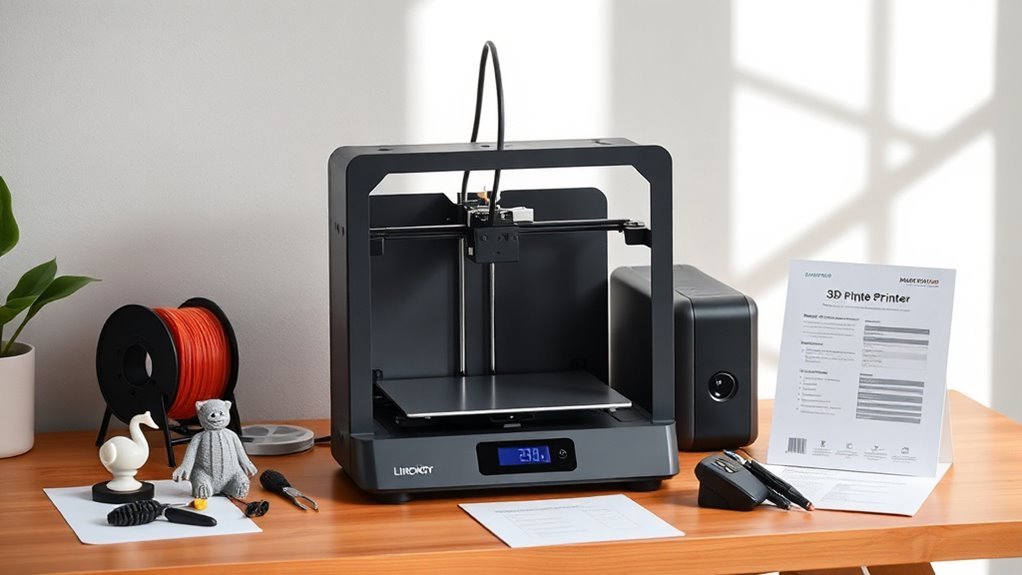
When choosing your first 3D printer kit, you’ll want to focus on how easy it is to set up and use. It should be straightforward enough so you’re not stuck figuring things out for hours.
Also, pay attention to printing speed and quality. You want your prints to look good without waiting forever.
Safety features are important too—they keep you protected while you’re printing. Don’t forget to check the connectivity options.
It’s handy if the printer connects easily to your devices. Plus, see if it’s compatible with different filaments.
And finally, look at what accessories come included. Having the right extras can make your whole experience much better.
Ease Of Setup
Although assembling a 3D printer from scratch might seem challenging, choosing a beginner kit with ease of setup in mind can save you time and frustration. Opt for a fully assembled printer that gets you printing in as little as 5 to 15 minutes without confusing instructions.
Look for features like automatic bed leveling to simplify first-layer setup, so you won’t need manual tweaks to get great results. Plug-and-play functionality with one-touch printing helps you start your first project effortlessly, even if you lack technical or CAD skills.
Companion apps offering guided step-by-step setup make the process intuitive. Plus, automatic nozzle cleaning and easy filament loading let you focus on your prints, not maintenance.
Prioritizing these features means a smoother, faster start to 3D printing. It’s all about making things easy and fun right from the get-go.
Printing Speed And Quality
Once your 3D printer is set up and ready, the next focus is how fast and accurately it can bring your designs to life. Printing speed, usually measured in millimeters per second (mm/s), ranges from 250 to 600 mm/s for beginner kits. This influences how quickly you finish projects.
Quality depends on precision, often between 0.01 mm and 0.2 mm—lower numbers mean finer detail and smoother surfaces. Advanced printers may use CoreXY motion systems, achieving accelerations up to 20,000 mm/s². This helps speed up prints without compromising quality.
Pay attention to the first layer since good adhesion is key. Features like automatic leveling and heated beds boost this, making success more likely. Also, nozzle flow rate affects filament extrusion, balancing speed and detail for peak results.
Safety Features Included
Since safety is essential for beginners, you’ll want a 3D printer kit that includes protective features to keep you and others secure during use. Look for models with enclosed designs to minimize burn risks, especially if children will be around.
Pinch-resistant components help prevent finger injuries while the printer operates. Automatic bed leveling is another key feature—it reduces manual adjustments, cutting down on potential mishaps.
You should also consider printers with low-noise operation to maintain a comfortable environment at home or in educational settings. Additionally, built-in safety functions like filament run-out detection and power-loss recovery protect your prints and prevent hazards during unexpected interruptions.
Prioritizing these safety features guarantees a secure and worry-free 3D printing experience. It’s all about making sure you can focus on creating without any stress.
Connectivity And Compatibility
Connectivity and compatibility play an essential role when choosing a beginner 3D printer kit, as they directly impact how easily you can prepare and manage your prints. Look for printers with WiFi and TF card support, so you can transfer files and print without being tethered to your computer.
Also, make sure the printer works seamlessly with popular slicing software like Cura or Simplify3D. This makes preparing your 3D models way simpler and less frustrating.
Some kits even offer automatic filament identification, which makes multicolor printing hassle-free. Plus, a guided app setup can help you connect your printer quickly and smoothly—super helpful if you’re new to 3D printing.
On top of that, real-time monitoring features let you check print progress remotely. This gives you the flexibility to manage prints from anywhere.
All these connectivity and compatibility features really make your printing experience more convenient and efficient.
Included Accessories And Filaments
Beyond how your printer connects and works with software, the accessories and filaments included in a beginner 3D printer kit can make a big difference in your early printing experience.
Look for kits that offer a variety of filament colors, often up to 1kg of PLA in multiple shades, so you can start creating right away. Essential tools like screwdrivers, TF cards, and power adapters simplify setup and maintenance.
Features such as automatic nozzle cleaning and one-button filament loading help you avoid common hassles. Also, check if the kit includes a user manual and access to online design resources, so you’re never stuck without guidance.
Some kits even support specialty filaments alongside standard PLA, giving you more options as you explore different projects. It’s always nice to have choices, especially when you’re just getting started!
Build Volume And Size
Choosing the right build volume and size for your beginner 3D printer kit is essential because it directly impacts what you can create and where you can place your printer. Build volume defines the maximum size of objects you can print—smaller volumes like 3.9 x 3.9 x 3.9 inches are perfect for detailed, small projects, while larger ones around 260 x 260 x 255 mm suit bigger prints or prototypes.
Also, consider the printer’s physical size; compact models near 11.4 x 8.6 x 8.6 inches fit easily on desks with limited space. If you plan to move your printer often, a lighter model under 6 pounds improves portability. Knowing these dimensions helps you pick a printer that matches your workspace and printing goals efficiently.
Frequently Asked Questions
What Maintenance Is Required for Beginner 3D Printers?
You’ll need to regularly clean the nozzle, lubricate moving parts, and level the bed. Also, check for firmware updates and inspect belts or wires for wear.
These steps keep your printer running smoothly and reliably. It’s not too hard once you get the hang of it!
Can I Use Third-Party Filaments With These Kits?
Yes, you can use third-party filaments with most beginner 3D printer kits, but make sure they match your printer’s specifications.
Using quality filaments helps avoid jams and improves print results, so choose trusted brands whenever possible. It’s always better to be safe than sorry when it comes to your prints!
How Do I Troubleshoot Common 3D Printing Errors?
You troubleshoot common 3D printing errors by checking bed leveling, cleaning nozzles, and adjusting print temperature. It’s also important to ensure proper filament feeding so your printer doesn’t jam or skip.
You can review slicer settings too, just to make sure everything is set up right. And don’t forget to update your firmware — it can help keep your prints flawless.
Are These Kits Compatible With macOS and Linux?
Just like the harmony of a well-tuned orchestra, these kits are designed to play nicely with macOS and Linux. You’ll find open-source software and drivers that guarantee smooth printing without the usual compatibility headaches.
It’s all about making your experience seamless and hassle-free. So, whether you’re on a Mac or running Linux, you’re covered.
What Safety Precautions Should Beginners Follow?
You should always work in a well-ventilated area and avoid touching hot parts. Keeping your workspace clean is super important too.
Also, never leave the printer unattended while it’s printing. And don’t forget to wear safety glasses to protect your eyes from any debris or filament splashes.
Conclusion
Choosing your first 3D printer kit is like planting a seed—you need the right tools and care to watch your creativity bloom. Just like the Entina Tina2C Mini Starter Bundle helps beginners grow their skills with ease, these kits set you up for success.
Remember, 85% of newbies say a good starter kit boosted their confidence. So jump in, experiment, and watch your ideas take shape layer by layer.
Your 3D printing journey starts now! With the best beginner 3D printer kits for 2027, you’ll find everything you need to learn, create, and innovate effortlessly. Whether it’s for hobby projects or learning the basics, these starter kits make 3D printing fun and accessible. So grab your kit, and let your imagination take flight!