7 Best Barcode Printers for Small Distribution Teams in 2027
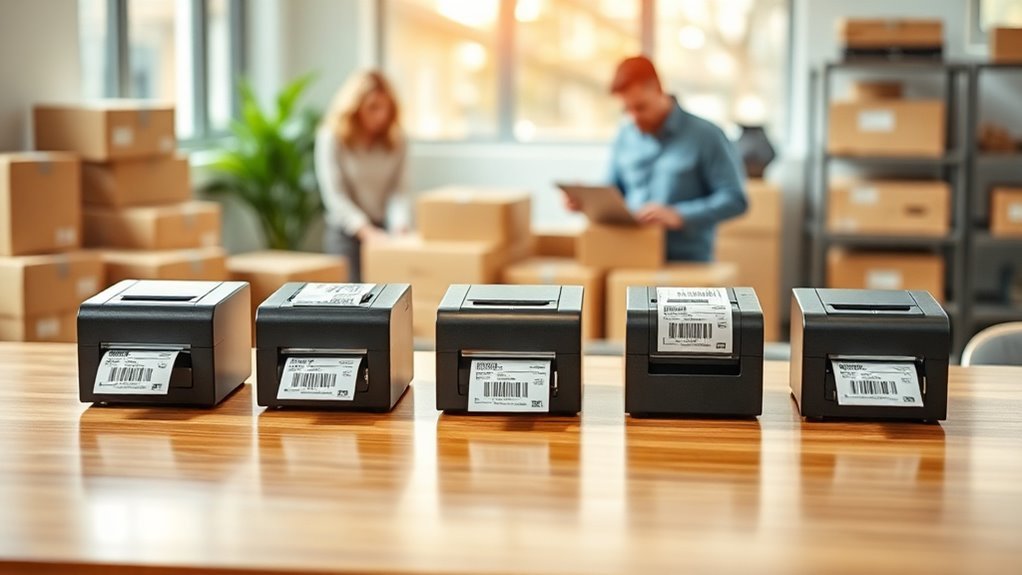
You’ll want reliable barcode printers like the Zebra ZP450 for easy desktop use with USB and legacy ports. It’s perfect if you’re looking for something straightforward that just works right out of the box.
Or maybe you need a mobile-friendly option? The ZQ630 offers wireless Bluetooth and Wi-Fi, making on-the-go labeling a breeze. It’s great for teams that are always moving around.
The Rongta 4×6 Bluetooth printer pairs well with smartphones, which is super handy if you prefer working from your mobile device. For heavier tasks, the industrial Zebra ZT230 and ZT23142 models handle high-volume, durable printing without breaking a sweat.
If wide-format labels are what you need, Brother’s QL-1100c has you covered. These choices balance speed, connectivity, and durability to fit your team’s workflow—explore how each fits your setup.
| Image | Name | Editor's Rating | Price |
|---|---|---|---|

|
|
||

|
|
||
|
|
||

|
|
||

|
|
ZP450 Zebra Direct Thermal Label Barcode Printer – USB, Serial & Parallel
- [Efficient Label Printing] The Zebra ZP 450 is purpose-built for label printing, offering direct thermal technology with a max print speed 5 ips & max print resolution...
- [Plug-and-Play Connectivity] With Parallel, USB, and Serial connectivity options, this printer easily integrates into various low-volume printing environments, such as...
- [Cost-Effective Labeling] No need for toner or ribbons, reducing operational costs and provide monochrome color output. The fixed media width optimizes label printing...
- [Compact and Durable Design] The double-walled construction and sleek design make this desktop printer robust enough for busy work environments, ensuring it can withstand...
- [Versatile Label Compatibility] The printer can handle a variety of label types, including UPS, FedEx, labels, making it a versatile choice for businesses that require...
The ZP450 Zebra Direct Thermal Label Barcode Printer delivers reliable, straightforward label printing for busy workspaces. It uses direct thermal technology, meaning you don’t need toner or ribbons. This simplifies maintenance and cuts ongoing costs.
With versatile connectivity options like USB, serial, and parallel ports, integration into existing setups is easy. The compact and durable design fits well in small distribution centers and office environments. It prints clearly at 203 dpi, ideal for standard shipping and inventory labels.
Print speed reaches up to 5 inches per second, balancing efficiency with consistent quality. While the fixed media width focuses on labels only, it ensures smooth handling without frequent adjustments. Setup is quick thanks to plug-and-play functionality, reducing downtime.
This printer is designed for users who need dependable, cost-effective label printing with minimal hassle. Its simplicity and durability help streamline labeling tasks without complicated upkeep.
Best for: Small distribution teams and offices needing a cost-effective, easy-to-maintain label printer with versatile connectivity.
What We Like:
- Multiple connection options including USB, serial, and parallel ports
- Direct thermal printing means no toner or ribbons required
- Compact and sturdy design fits limited workspace
- Quick setup with plug-and-play integration
Specification:
| Feature | Details |
|---|---|
| Manufacturer | Zebra Technologies |
| Dimensions | Approx. 8.7 x 6.5 x 6.9 inches |
| Weight | Around 3.5 lbs (1.6 kg) |
| Printing Technology | Direct Thermal |
| Print Resolution | 203 dpi |
| Max Print Speed | 5 inches per second |
| Connectivity | USB, Serial, Parallel |
| Media Width | Fixed, label-specific |
ZQ630 Wireless Mobile Barcode Label Printer (Renewed)
- Communication Methods: Bluetooth, Wi-Fi
- Printing Method: Thermal
- Key Feature: Wireless
- Suggested Use: Office
- Print Width: 4 inch mobile barcode label printer designed for on-the-go printing applications
Experience the convenience of on-the-go barcode label printing with the ZQ630 Wireless Mobile Barcode Label Printer (Renewed). This compact device is designed to keep pace with fast-moving distribution teams, delivering sharp and precise prints every time.
The printer’s 600 x 600 dpi thermal printing on 4-inch labels ensures clear, professional-quality output that improves scanning accuracy. Its dual connectivity options, including Wi-Fi and Bluetooth, allow seamless integration with various mobile devices and systems.
Designed for mobility, the ZQ630 features a portable form factor with a belt clip, making it easy to carry throughout long shifts. The advanced battery supports extended use, reducing downtime and increasing productivity. Maintenance is straightforward, thanks to Zebra’s Link-OS and Print DNA technologies, which simplify device management and troubleshooting.
As a renewed product, it offers reliable performance comparable to new models, though with a limited 90-day warranty. This makes it an affordable choice for teams needing durable and efficient mobile printing solutions.
Best for: Small distribution teams and mobile workers requiring fast, high-resolution barcode label printing in office or warehouse environments.
What We Like:
- Sharp 600 x 600 dpi thermal printing for clear labels
- Flexible connectivity via Wi-Fi and Bluetooth
- Portable design with belt clip for easy mobility
- Advanced battery supports long operational shifts
- Simplified device management with Link-OS and Print DNA
Specification:
| Feature | Details |
|---|---|
| Manufacturer | Zebra Technologies |
| Print Resolution | 600 x 600 dpi |
| Label Width | 4 inches |
| Connectivity | Wi-Fi, Bluetooth |
| Dimensions | Compact, belt-clip design |
| Product Type | Wireless Mobile Barcode Printer |
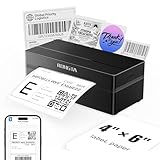
Rongta Bluetooth 4×6 Wireless Thermal Label Printer
- Wireless Bluetooth Connectivity for Flexible Use: The RONGTA RP425 Bluetooth thermal shipping label printer is fully compatible with iOS and Android phones/tablets...
- Automatic Label Identification: Rongta shipping label printer automatically detects, grabs, and feeds labels, eliminating manual adjustment hassle. It supports all direct...
- Easy Installation for Multiple Systems: The Windows and Mac driver software is available on Rongta official website for easy setup. Compatible with Windows 7 and newer...
- Compact and Portable Design: The Rongta thermal label printer features a space-saving compact build with dimensions of 10.2 x 7.4 x 5.3 inches, making it easy to store...
- High-Speed Printing Performance: Features fast printing speed of up to 150 mm/s with 203dpi resolution and thermal printing method, ensuring efficient label production...
The Rongta Bluetooth 4×6 Wireless Thermal Label Printer offers a practical solution for printing shipping labels quickly and wirelessly. Its Bluetooth connectivity allows you to print directly from smartphones, tablets, or computers without the hassle of cables. This makes label printing more flexible and efficient in fast-paced environments.
Designed for convenience, this compact printer supports 4×6-inch labels with clear 203 dpi resolution. It feeds labels automatically, reducing manual handling and saving time. The lightweight build and USB Type-C port enhance portability and easy connections.
Maintenance is straightforward with simple label loading and compatibility with the Rongta app, helping users set up and operate the printer without complications. While it prints in monochrome only, it meets the needs of most shipping and inventory labeling tasks.
The printer’s speed of up to 150 mm/s boosts productivity, but its 100-label capacity means regular refills are necessary in high-volume settings. This device is well-suited for teams needing reliable, wireless label printing from multiple device types.
Best for: Small distribution teams and businesses needing fast, wireless 4×6 shipping label printing directly from smartphones, tablets, or computers.
What We Like:
- Wireless Bluetooth works with iOS, Android, Windows, Mac, and Chrome OS.
- Fast printing at 150 mm/s with automatic label feeding.
- Compact and lightweight with USB Type-C connectivity.
- Easy setup and control through the Rongta mobile app.
Specification:
| Feature | Details |
|---|---|
| Manufacturer | Rongta |
| Label Size | 4 x 6 inches |
| Print Resolution | 203 dpi |
| Print Speed | Up to 150 mm/s |
| Connectivity | Bluetooth, USB Type-C |
| Compatible OS | iOS, Android, Windows, Mac, Chrome OS |
| Weight | Lightweight (exact not provided) |
Zebra ZT23142-D01000FZ Direct Thermal Industrial Printer
- The Zebra ZT23142-D01000FZ is an upgraded version of the ZT230 model, featuring direct thermal printing technology with 203 dpi resolution and 4-inch print width for...
- Offers versatile connectivity options including Bluetooth, Ethernet, USB, and Serial interfaces, allowing for flexible integration with various systems and networks in...
- Comes equipped with a user-friendly touch display and tear bar, supporting multiple media sizes including 4x6 and 8.5x11 inch labels for diverse labeling applications.
Experience efficient label printing with the Zebra ZT23142-D01000FZ, designed to meet the demands of busy industrial and warehouse environments. This direct thermal industrial printer offers sharp 203 dpi resolution, delivering clear barcodes and labels that improve scanning accuracy and reduce errors.
Its fast print speed of up to 85 pages per minute helps teams keep up with high-volume labeling tasks. The compact, rugged design fits well in tight spaces and withstands harsh conditions, ensuring reliable operation without frequent maintenance interruptions.
The large color touchscreen and multiple connectivity options, including Bluetooth and Ethernet, simplify printer control and integration with various devices. While it supports only direct thermal printing, this reduces the need for extra supplies like ink or ribbons, minimizing upkeep.
Though resolution limits detailed graphics and label longevity, the printer excels in producing durable and easy-to-read barcode labels quickly. Its optional RFID and wireless features add flexibility for growing or changing labeling needs.
Best for: Small distribution teams and industrial settings requiring fast, dependable barcode label printing.
What We Like:
- High-speed printing at up to 85 pages per minute
- Durable, space-saving industrial design
- User-friendly touchscreen with versatile connectivity
- Low maintenance with direct thermal technology
- Expandable with optional RFID and wireless capabilities
Specification:
| Feature | Details |
|---|---|
| Manufacturer | Zebra Technologies |
| Print Technology | Direct Thermal |
| Resolution | 203 x 203 dpi |
| Maximum Print Width | Up to 4 inches (10.16 cm) |
| Print Speed | Up to 85 pages per minute |
| Connectivity | Bluetooth, Ethernet, USB |
| Dimensions | Compact footprint (exact size not specified) |
| Color | Industrial gray/black |
Zebra ZQ630 4″ Mobile Printer USB Bluetooth WiFi Direct Thermal
- Mobile Printing Solution: The Zebra ZQ630 delivers professional 4-inch wide format printing capabilities in a portable design, enabling on-the-go label and receipt...
- Advanced Wireless Connectivity: Features dual-band 802.11AC WiFi and Bluetooth 4.X technology, providing flexible wireless connection options to smartphones, tablets, and...
- Direct Thermal Technology: Utilizes direct thermal printing method with a 104mm print width, eliminating the need for ink, toner, or ribbons, reducing operational costs...
- Versatile Interface Options: Equipped with USB connectivity alongside wireless capabilities, offering multiple connection methods to accommodate various workplace...
- Linered Platen Design: Incorporates a linered platen configuration that facilitates easy media loading and consistent print quality, supporting efficient label printing...
Experience on-the-go printing made effortless with the Zebra ZQ630 mobile printer. Designed for small distribution teams, this device ensures dependable printing wherever your work takes you. Its multiple wireless connections, including USB, Bluetooth, and dual-band Wi-Fi, provide seamless integration with smartphones, tablets, and other devices.
The ZQ630 uses fast direct thermal printing technology, producing sharp 4-inch-wide monochrome labels at 203 dpi without the hassle of ink or ribbons. Its compact, ergonomic design features an easy-to-load linered platen that helps maintain consistent print quality while minimizing downtime.
Ideal for mobile workers, this printer balances portability with performance. Although it prints only in black and white and has a moderate speed of up to 6 pages per minute, its connectivity options and user-friendly interface make it a practical solution for dynamic distribution environments. Regular maintenance is straightforward, focusing mainly on media replacement and occasional cleaning to ensure reliability.
Best for: Small distribution teams and mobile workers needing a reliable, portable, and fast direct thermal printer with versatile connectivity.
What We Like:
- Multiple connectivity options: USB, Bluetooth, and dual-band Wi-Fi
- Compact design with easy media loading for consistent print quality
- Crisp 4-inch-wide monochrome labels at 203 dpi without ink or ribbons
Specification:
| Feature | Details |
|---|---|
| Manufacturer | Zebra |
| Print Technology | Direct Thermal |
| Print Width | 4 inches (approx. 10.16 cm) |
| Resolution | 203 dpi |
| Connectivity | USB, Bluetooth, Dual-band Wi-Fi |
| Print Speed | Up to 6 pages per minute |
| Color Printing | Monochrome only |
| Dimensions | Compact (exact size not specified) |
| Media Loading | Linered platen |
Brother QL-1100c Wide Format Label Printer

- Wide format printing; Prints on wide format labels up to 4" wide; capable of printing shipping postage labels for packages
- Automatic crop function; Lets online sellers easily print product and other barcode labels from A4/Letter size label sheet templates (Windows only)
- High-Speed Printing; Up to 69 standard address labels per minute with black text at 300 dpi
- Brother Genuine DK Rolls; Print consistent, high-quality professional labels with Brother DK pre-sized, easy-peel labels and continuous-length paper and film tapes. Auto...
- Direct Thermal Printing; No inks or toners to replace

The Brother QL-1100c Wide Format Label Printer is designed to simplify the production of wide-format labels, ideal for busy small distribution teams. It delivers crisp, 4-inch wide labels at 300 dpi, ensuring clear shipping and barcode labels as well as banners. This printer addresses the need for fast, reliable label printing without the hassle of ink or toner.
Thanks to its direct thermal printing technology, maintenance is minimal since no ink or toner cartridges are required. The built-in heavy-duty cutter enables you to produce signs up to 3 feet long, adding flexibility for various labeling tasks. Its compact design fits easily into tight workspaces.
Connectivity is straightforward with a USB interface compatible with Windows and Mac systems. The included label design software streamlines creating custom labels, though some features like automatic cropping are Windows-only. This makes it a practical choice for efficient, daily label production in small business environments.
Best for: Small distribution teams and businesses needing fast, high-quality wide-format label printing for shipping, barcodes, and signage without the hassle of ink or toner.
What We Like:
- Produces sharp 4-inch-wide labels at 300 dpi for clear, professional results
- Direct thermal printing removes need for ink or toner, reducing upkeep
- Heavy-duty cutter supports long signs up to 3 feet for versatile uses
- Compact and lightweight, fitting well in limited workspaces
- Compatible with Windows and Mac for flexible operation
Specification:
| Feature | Details |
|---|---|
| Manufacturer | Brother |
| Dimensions | Compact size (exact dimensions not specified) |
| Weight | Lightweight (exact weight not specified) |
| Printing Width | Up to 4 inches (wide-format) |
| Print Resolution | 300 dpi |
| Connectivity | USB |
| Compatibility | Windows, Mac |
| Cutter | Built-in heavy-duty cutter |
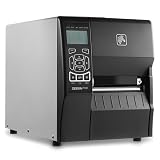
Zebra ZT230 4″ Thermal Industrial Printer
- INK FREE PRINTING: The Zebra ZT230 uses thermal transfer technology with a ribbon, eliminating ink or toner costs, perfect for affordable label printing in warehouses or...
- SHARP LABELS WITH HIGH CLARITY: With a 203 DPI resolution and 4-inch print width, this industrial printer delivers crisp barcodes and labels, ideal for shipping...
- FAST PRINTING FOR BUSY WORK SPACES: Printing at 4 inches per second, the ZT230 handles high-volume tasks quickly, keeping your logistics or production lines moving...
- VERSATILE CONNECTIONS FOR EASY SETUP: Featuring USB, Serial, and Parallel ports, this printer connects effortlessly to your systems, making integration simple for any...
- RUGGED BUILD WITH CLEAR LCD SCREEN: Designed with a durable all-metal frame and a user-friendly LCD screen, the ZT230Z ensures long-lasting use and easy operation in...
The Zebra ZT230 4″ Thermal Industrial Printer is designed to meet the demanding needs of small distribution teams. It delivers high-clarity barcode and label printing that improves accuracy and efficiency in fast-paced environments. Its thermal transfer technology ensures labels are sharp and durable, reducing errors and reprints.
This printer’s all-metal frame offers long-lasting reliability, standing up to industrial wear and tear. Maintenance is straightforward, thanks to its simple design and user-friendly LCD touchscreen. This helps minimize downtime and keeps your workflow smooth.
With a print speed of 4 inches per second and a 4-inch print width, the ZT230 handles a variety of media types efficiently. Its compact size fits well in tight spaces, while versatile connectivity options like USB, serial, and Ethernet make integration into existing systems easy.
Though it weighs nearly 60 pounds, limiting portability, its robust build and consistent performance make it ideal for dedicated workstations. It prints only in monochrome, which suits most barcode and label applications but is not intended for color printing.
Best for: Small distribution teams and businesses needing reliable, durable, and precise thermal transfer printing in constrained workspaces.
What We Like:
- Durable all-metal frame built for industrial use
- Sharp, smudge-resistant labels without ink or toner
- Versatile connectivity: USB, serial, and Ethernet
- User-friendly LCD touchscreen for easy operation
Specification:
| Feature | Details |
|---|---|
| Manufacturer | Zebra Technologies |
| Dimensions | Compact design (exact size not specified) |
| Weight | Nearly 60 pounds (approx. 27 kg) |
| Material | All-metal frame |
| Print Width | 4 inches (102 mm) |
| Print Speed | 4 inches per second |
| Connectivity | USB, Serial, Ethernet |
Factors to Consider When Choosing a Barcode Printer for Small Distribution Teams
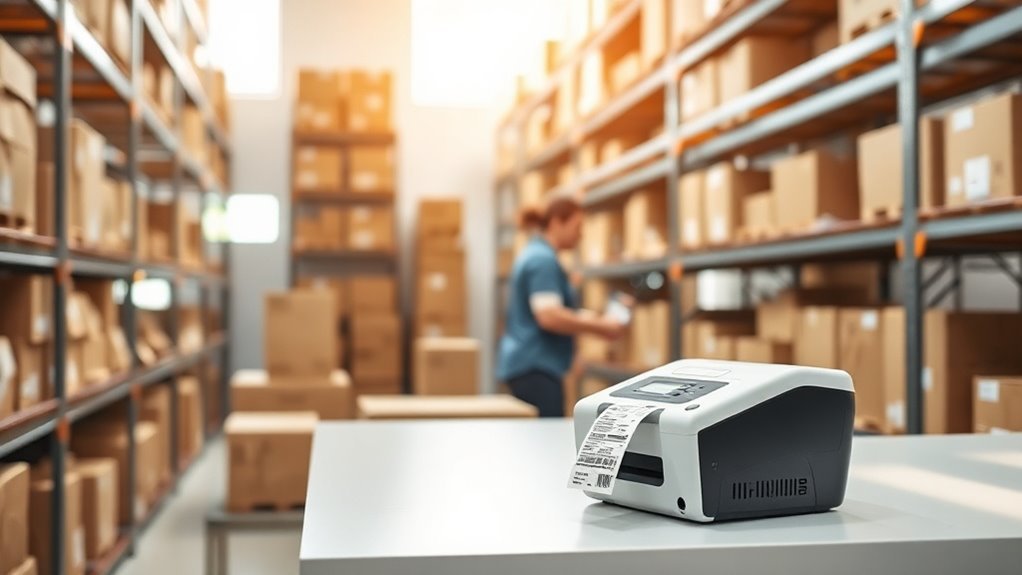
When choosing a barcode printer for your small distribution team, you’ll want to contemplate print technology, connectivity options, and how fast you need labels printed.
Make sure the printer supports the media types you use and can handle your workload’s demands. Also, check its durability to guarantee it lasts in your work environment.
Print Technology Types
Choosing the right print technology can make a big difference in your barcode printing efficiency and label durability. Direct thermal printers use heat-sensitive paper, requiring no ink or ribbon. This makes them low-maintenance and cost-effective for short-lived labels.
However, these prints fade over time and are vulnerable to heat and sunlight. Thermal transfer printers, on the other hand, use a ribbon to produce durable, long-lasting labels. They’re ideal for outdoor exposure and chemical resistance.
When selecting, consider print resolution: 203 dpi works for standard barcodes. But if you need fine graphics or dense text, 300–600 dpi is better. Also, balance print speed with your throughput needs—higher speeds boost capacity but may reduce sharpness and increase costs.
It’s a good idea to weigh consumable costs and environmental impact too. That way, you can find what fits your team’s demands best.
Connectivity Options
How do you guarantee your barcode printer fits seamlessly into your distribution workflow? Start by ensuring it supports the interfaces you use—USB suits single stations, Ethernet offers stable network access, and serial or parallel ports handle legacy gear.
If your team needs mobility, opt for wireless options like dual-band Wi‑Fi for broader range and multiuser access, or Bluetooth for simple device pairing. Look for printers with simultaneous multi-interface support so you can switch between docked workstations and mobile setups effortlessly.
Don’t forget to check OS compatibility (Windows, Mac, Linux), network protocols, and available drivers or SDKs for your apps. For Wi‑Fi models, prioritize security features like WPA2/WPA3, 802.1X, and firmware update support to protect sensitive label data and prevent unauthorized access on shared networks.
Print Speed Requirements
Optimize your distribution workflow by selecting a barcode printer whose print speed meets or exceeds your peak label demand. First, calculate how many labels you print per hour during busy shifts and pick a printer rated above that threshold to prevent bottlenecks.
Keep in mind that longer labels or frequent media changes will reduce effective throughput, even if the printer’s top speed looks impressive. Also, check the printer’s sustained speed; some achieve high burst speeds but slow down during continuous runs due to cooling or processor limits.
Don’t forget to factor in connection delays from wireless or network setups, which can add latency. Finally, balance speed with quality—higher dpi or dense barcodes often require slower printing to assure scannability and reduce costly reprints.
Media Compatibility
After making sure your printer can handle the speed demands of your busiest shifts, it’s equally important to confirm it works seamlessly with the media types your team uses. Make sure the printer supports your common label widths and formats—like 2″, 3″, 4″, or 4×6 shipping labels—so you avoid wasting media or trimming.
Check if direct thermal or thermal transfer printing matches your label longevity needs: direct thermal suits short-term shipping, while thermal transfer with ribbons offers durable, long-lasting labels. Also, verify the maximum roll diameter, core size, and sheet capacity fit your supply sizes to minimize reloads.
Confirm the printer handles your required media materials and adhesives, such as coated paper or polypropylene with removable or permanent adhesive, for your specific storage or environmental conditions. Features like gap or black mark sensing guarantee consistent label alignment.
Durability and Build
When selecting a barcode printer for your small distribution team, durability and build quality play a crucial role in ensuring consistent performance. Choose printers with metal or reinforced polymer housings that can withstand drops, vibration, and continuous use.
Also, check the rated duty cycles and MTBF specs to match your daily label volumes and workload. If your environment is dusty or wet, prioritize sealed or IP-rated components and easy-to-clean surfaces.
It’s a smart move to opt for models with user-replaceable wear parts like platen rollers and printheads. This helps reduce downtime and repair costs.
Don’t forget to consider mounting and mobility options—desk, wall, vehicle, or even belt-mounted. And if you need reliable performance during transit or fieldwork, make sure the printer has ruggedized shock and battery protections.
These choices go a long way in maintaining printer longevity and efficiency.
Software Integration Compatibility
Durability and build matter, but your barcode printer also has to work seamlessly with your existing software and devices. Make sure it supports the label formats your software uses, like ZPL, EPL, or PPL. This helps you avoid costly middleware or redesign.
Check that drivers and SDKs are available for your operating systems—whether Windows, macOS, iOS, Android, or Chrome OS. That way, all your devices can print without hassle.
Confirm the printer supports the connectivity options and network protocols your IT infrastructure relies on, such as USB, Ethernet, Wi‑Fi, or Bluetooth. Look for integration with backend systems via APIs or cloud services. This lets you automate label creation from your order management or ERP software.
Finally, guarantee firmware updates and developer resources are available to keep your printer compatible as your software evolves. It’s all about making sure your setup works smoothly now and down the road.
Frequently Asked Questions
How Do Barcode Printers Integrate With Existing Inventory Management Software?
You connect barcode printers to your inventory software via USB, Ethernet, or Wi-Fi. Most printers support standard protocols and drivers.
This means you can print labels directly from your system without extra steps. It really helps streamline your workflow efficiently.
What Are the Environmental Impacts of Using Thermal vs. Inkjet Barcode Printers?
Thermal printers use less energy, produce less waste, and need no ink. That means fewer supplies to buy and less stuff to throw away.
Inkjet printers, on the other hand, consume more power, require ink cartridges, and generate more waste. So, when it comes to being eco-friendly, thermal printing is usually the greener choice.
Plus, thermal printing is simpler and more cost-effective overall. It’s a win-win if you want to save money and help the environment.
Can Barcode Printers Be Used for Printing Non-Label Materials?
Yes, you can use barcode printers to print non-label materials like receipts or tags, but you’ll need the right media and settings.
Thermal printers work best for heat-sensitive materials, while inkjets handle diverse surfaces better.
What Maintenance Routines Extend the Lifespan of Barcode Printers?
You’ll want to clean printheads weekly, replace worn parts promptly, and keep the printer dust-free—like guarding a treasure chest.
Regular calibration and using quality labels will guarantee your barcode printer lasts forever in your hands. It’s all about staying on top of maintenance. That way, your printer keeps working smoothly without unexpected hiccups.
Are There Security Concerns With Wireless Barcode Printers?
Yes, you should worry about security with wireless barcode printers. They can be vulnerable to hacking, unauthorized access, and data interception.
Always use strong passwords, encrypted connections, and keep firmware updated to protect your devices. It’s really important to stay on top of these things to keep your information safe.
Conclusion
Choosing the right barcode printer for your small distribution team can be the difference between smooth sailing and rough seas. Whether you need wireless mobility, industrial strength, or wide-format versatility, there’s a perfect fit waiting for you from our top picks.
Keep your team efficient and your labels sharp. Because in the fast-paced world of distribution, your printer isn’t just a tool; it’s the captain steering your success.
When selecting a barcode printer, consider factors like print speed, durability, connectivity options, and ease of use. These elements ensure your small distribution team stays productive and error-free.
Remember, the best barcode printers for small distribution teams combine reliability with features tailored to your workflow. Investing in the right printer will streamline your operations and enhance accuracy, making it an indispensable asset in your distribution process.