4 Best Black Inkjet Printers for Text Documents in 2027
You’ll want the Canon PIXMA TR4720 for crisp text and wireless convenience, or the TR8620a for duplex printing and an automatic document feeder.
Both are great choices if you need sharp black inkjet printing for text documents with easy connectivity options.
The MegaTank G3270 offers high-volume printing with refillable inks, making it perfect for heavy users.
Meanwhile, the HP Smart Tank Plus 570 delivers cost-effective, two-year ink supply performance, saving you money in the long run.
All these printers excel at producing sharp black text with efficient ink usage.
They combine solid connectivity with features that suit different printing needs.
Keep exploring to discover which fits your printing needs best.
| Image | Name | Editor's Rating | Price |
|---|---|---|---|

|
|
||

|
|
||

|
|
||

|
|
Canon PIXMA TR4720 Wireless All-in-One Printer
- Wireless 4-in-1 (print | copy | scan | fax)..Power Consumption: 7W (0.8W Standby / 0.3W Off)
- Print speed up to: 4" x 6" Borderless Photo (PP-201): Approx. 65.0 Seconds / Black Document (Letter/Simplex): Approx. 8.8 ipm / Color Document (Letter/Simplex): Approx...
- Designed for easy ink cartridge installation and replacement.
- Auto 2-sided printing and auto document feeder.
- Produce quality documents, photos and boarderless prints up to 8.5" x 11".

The Canon PIXMA TR4720 Wireless All-in-One Printer is designed to simplify your printing needs. It handles everything from crisp text documents to vibrant color photos, making it a versatile addition to any home or small office. Wireless connectivity lets you print and scan easily from your smartphone or computer, reducing clutter and enhancing convenience.
This printer includes a built-in fax and an automatic two-sided printing feature, which helps save paper and time. Its 100-sheet front paper tray is straightforward to refill, supporting continuous printing without frequent interruptions. The device also delivers borderless photos up to 8.5 x 11 inches, perfect for high-quality prints.
Maintenance is straightforward thanks to the hybrid ink system that ensures sharp text and vivid colors while reducing ink waste. The PIXMA Print Plan subscription offers ink delivery, although shipping restrictions may apply in some areas. Its single USB port limits wired connections, which is a consideration for multi-device setups.
Best for: Individuals and small offices needing an affordable, compact all-in-one printer with wireless capabilities, fax, and duplex printing for everyday document and photo tasks.
What We Like:
- Wireless printing and scanning with mobile app and Alexa integration
- Automatic two-sided printing saves paper and time
- Supports borderless photo printing up to 8.5 x 11 inches
- Easy-to-load 100-sheet front paper tray
Specification:
| Feature | Details |
|---|---|
| Manufacturer | Canon |
| Dimensions | Approx. 17.7 x 12.1 x 7.5 in |
| Weight | Approx. 11.5 lbs |
| Color Options | Black |
| Connectivity | Wireless, USB |
Canon PIXMA TR8620a All-in-One Printer Black
- Never run out of ink. Connect your printer to Alexa and receive notifications when you’re running low. Alexa can even place a smart reorder from Amazon on your behalf...
- Enrolling in Smart Reorders with Alexa ensures that you never have too much or too little ink supplies. No subscription needed.
- Wireless 4-in-1 (Print | Copy | Scan | Fax)
- 15 / 10 ipm Print Speed
- 200 Sheet Capacity (100 Cassette, 100 Rear Feed)
The Canon PIXMA TR8620a is designed to streamline your home office tasks with its versatile 4-in-1 functionality. It handles printing, copying, scanning, and faxing efficiently, reducing the need for multiple devices. This all-in-one printer helps save space and simplifies your workflow.
Maintenance is straightforward thanks to its auto document feeder and automatic two-sided printing features. These reduce manual intervention and help manage large documents smoothly. The 200-sheet paper capacity means fewer refills during busy periods.
Wireless connectivity lets you print from almost any device, including smartphones and tablets via AirPrint or Android compatibility. Integration with Alexa offers smart reordering and low-ink alerts, making upkeep easier and preventing downtime.
While the print speed is moderate, it suits typical home office needs with clear black text output. Its ENERGY STAR certification and EPEAT Silver rating highlight its energy-efficient and eco-friendly design. The printer balances functionality with environmental responsibility.
Best for: busy home office users who require reliable 4-in-1 functionality combined with wireless and voice-enabled printing.
What We Like:
- Combines print, copy, scan, and fax in one compact device
- Auto document feeder and automatic duplex printing reduce manual tasks
- Wireless and mobile printing options with Alexa integration
- ENERGY STAR certified and EPEAT Silver rated for eco-conscious use
Specification:
| Feature | Details |
|---|---|
| Manufacturer | Canon |
| Dimensions (W×D×H) | Approx. 15.0 × 12.0 × 7.5 in (38.1 × 30.5 × 19.1 cm) |
| Weight | Approx. 16.5 lb (7.5 kg) |
| Color Options | Black |
| Paper Capacity | 200 sheets |
Canon MegaTank G3270 All-in-One Wireless Color Printer
- Wireless Print/Copy/Scan
- Up to 2 years of ink included (2)
- Print up to 6,000 black & white / 7,700 color pages using a single set of inks! (1)
- Save up to $1,000 on ink (1)
- 1.35” Square LCD display
Experience reliable, high-volume printing with the Canon MegaTank G3270 All-in-One Wireless Color Printer. This versatile device is designed to handle everyday printing tasks with ease, making it ideal for both home and office use. Its refillable MegaTank system significantly reduces the hassle of frequent ink replacements, supporting up to 6,000 black pages per ink set.
The G3270 offers seamless wireless connectivity, allowing you to print, scan, and copy directly from your smartphone or computer. Its compact design includes a simple 1.35″ LCD screen for straightforward operation, though the smaller display limits detailed navigation options. While it prints single-sided pages at a steady pace of 11 pages per minute, it accommodates a variety of paper sizes and types, including borderless photo printing.
Maintenance is simplified by the included ink bottles, which can last up to two years, providing a cost-effective solution for high-volume printing needs. The printer’s copy speed is moderate, especially for color copies, which may require patience during busy tasks.
Best for: Home and home office users needing an affordable, efficient color printer with wireless capabilities and scanning functions.
What We Like:
- High ink yield reduces frequent refills and lowers running costs
- Wireless and smartphone app support enable convenient remote printing
- Supports multiple paper sizes and types, including borderless photos
- Compact design fits easily in small workspaces
Specification:
| Feature | Details |
|---|---|
| Manufacturer | Canon |
| Dimensions (W×D×H) | Approx. 17.7 × 13.7 × 7.7 in |
| Weight | Approx. 8.6 lb |
| Color Options | Black |
| Ink System | Refillable MegaTank |
| Print Speed | Up to 11 ppm (black) |
| Copy Speed (Color) | Up to 6 ppm |
| Connectivity | Wireless (Wi-Fi) |
| Display | 1.35″ LCD |
HP Smart Tank Plus 570 Tank Printer | 2 Years of Ink Included | All-in-One
- SET IT UP ONCE AND PRINT WITH CONFIDENCE. No complicated maintenance. Just easy, reliable printing you can count on.
- INK FOR YEARS. NOT MONTHS. Up to 2 years of ink included. Get thousands of pages of cartridge-free printing. More pages, less hassle
- KEEPS PRINTING WELL AFTER COMPETITORS HAVE QUIT. No complex maintenance. Sharper text, richer colors.[2] Only with HP Smart Tank
- INNOVATION YOU CAN TRUST. Cartridge-free printing that keeps you printing longer with fewer interruptions, powered by the trusted HP innovation you rely on today
- THE LAST PRINTER YOU'LL EVER NEED. Enjoy years of refillable, cartridge-free printing.[
Experience hassle-free, high-volume printing with the HP Smart Tank Plus 570, designed to keep your workflow smooth and uninterrupted. This all-in-one printer offers a cartridge-free refillable tank system, which means fewer interruptions and less mess during ink refills.
With up to two years of original HP ink included, you can print thousands of pages right away—up to 6,000 black or 8,000 color pages. The wireless connectivity and multiple ports ensure easy connection to laptops, tablets, or smartphones for flexible use in any setting.
The printer handles copying and scanning tasks efficiently, making it ideal for home offices, students, or everyday printing needs. While the print speed for color documents is moderate, the crisp black text output at 11 pages per minute meets typical daily demands.
Maintenance is simple with the mess-free tank design, although manual duplexing requires turning pages for double-sided printing. Its compact size fits well in small spaces, though the 100-sheet capacity means you may need to reload paper frequently.
Best for: users seeking a reliable, cost-effective all-in-one printer with high ink yield and versatile connectivity for home or student use.
What We Like:
- Up to 2 years of original HP ink included for high-volume printing
- Cartridge-free refillable tanks reduce mess and maintenance
- Wireless and wired connectivity options for flexible device use
- Crisp black text printing at 11 ppm for everyday documents
- Compact design fits small spaces easily
Specification:
| Feature | Details |
|---|---|
| Manufacturer | HP |
| Dimensions | Approx. 17.5 x 14.3 x 7.5 in (44.5 x 36.3 x 19 cm) |
| Weight | Approx. 10.6 lb (4.8 kg) |
| Color Options | White with black accents |
Factors to Consider When Choosing a Black Inkjet Printer for Text Documents
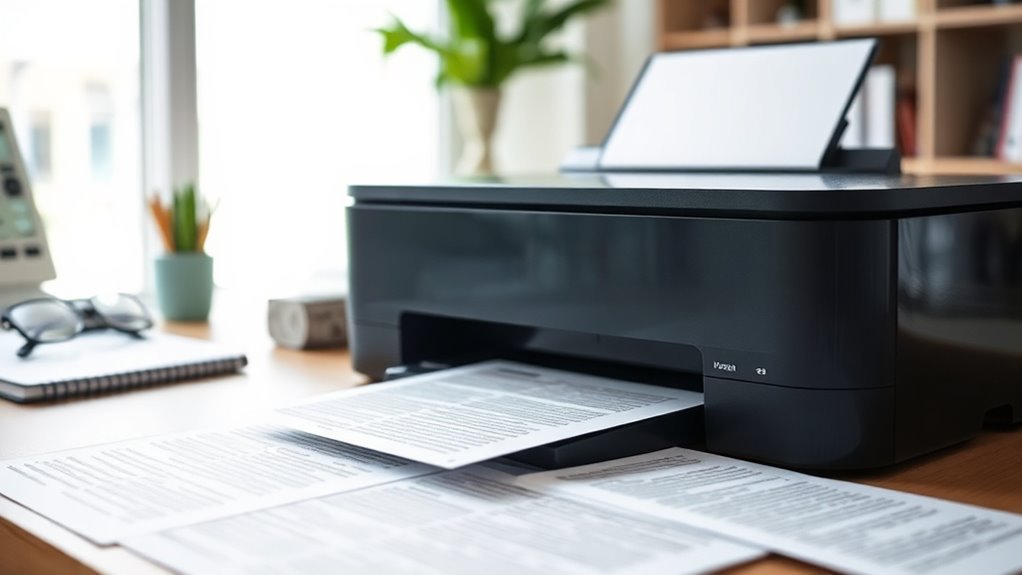
When choosing a black inkjet printer for text documents, you’ll want to focus on print quality metrics to guarantee sharp, clear text. It’s all about making sure your documents look professional and easy to read.
Consider ink efficiency and cost to keep your expenses down without sacrificing output. Nobody wants to spend a fortune on ink every time they print.
Also, check the printer’s speed, connectivity options, and paper handling capabilities to match your workflow needs. Finding a printer that fits how you work can make a big difference.
Print Quality Metrics
Although many factors influence your choice of a black inkjet printer, print quality metrics play a vital role in guaranteeing crisp, legible text documents. You should look for high print resolution, such as 4800 x 1200 dpi, which guarantees finer detail and sharp text edges.
Pay attention to minimum droplet size, as smaller picoliter droplets produce cleaner fonts and smoother halftones. Consider printers using black pigment ink, since pigment formulations offer better text contrast, water resistance, and durability compared to dye inks.
Line acuity—measured by smallest readable font size and edge raggedness—reveals how well thin strokes reproduce at typical reading sizes. Finally, use printers with text-optimized driver modes and proper ICC profiles, which enhance grayscale accuracy and boost black density, giving you sharper, more readable black text every time.
Ink Efficiency And Cost
Maximize your printing budget by choosing black inkjet printers with high-yield consumables like XL cartridges or refillable ink tanks. These options deliver thousands of pages per refill and can really bring down your cost per page.
To get the best value, calculate cost per page by dividing the cartridge price by its rated yield. Small differences add up quickly, especially if you do a lot of text printing.
Opt for pigment-based or hybrid black inks for sharper text that needs less ink coverage. Also, consider models with duplexing and automatic document feeders—they help cut paper waste and indirectly reduce ink use.
Don’t forget about standby and maintenance ink consumption. Frequent nozzle cleanings can inflate ink use, especially when you’re working with smaller cartridges.
Balancing all these factors will help you keep ink expenses low without giving up print quality. It’s all about finding the right mix that works for your printing needs.
Speed And Productivity
Boost your workflow by choosing a black inkjet printer with fast black text speeds—aim for at least 10 to 15 pages per minute to keep your print jobs moving smoothly. Check if the speed rating applies to simplex or duplex printing, as duplex generally slows throughput.
Also, consider the printer’s duty cycle and recommended monthly volume; pick one that exceeds your expected page count to prevent wear and slowdowns. Look for productivity features like an automatic document feeder (ADF) for multi-page jobs and a large input tray to cut down on refills.
Don’t overlook warm-up and first-page-out times—quick starts matter, especially for short print runs. Prioritizing these factors guarantees your printer delivers steady, efficient performance tailored to your needs.
Connectivity Options Available
Once you’ve settled on print speed and productivity features, turn your attention to connectivity options. Wi‑Fi (802.11) is great if you want to print and scan wirelessly from multiple devices, supporting mobile protocols like AirPrint and Mopria for easy smartphone or tablet use.
Ethernet offers a stable, secure wired connection, ideal for shared office printers needing consistent throughput. For a reliable, single-user setup, USB Type‑B or USB Type‑C direct connections deliver low latency without any network hassle.
Bluetooth or Wi‑Fi Direct lets you quickly print from nearby devices without joining a network, perfect for guests or portable printing. Cloud and app-based connectivity add remote printing, status alerts, and automated ink reordering but require internet access and account setup.
Choose based on your environment and how you plan to print. It’s all about what fits your needs best!
Paper Handling Capabilities
When choosing a black inkjet printer for text documents, you’ll want to take into account its paper handling capabilities carefully. Start by checking the input tray capacity—ideally between 50 and 200 sheets—to match your typical print volume and reduce frequent refills.
If you often scan or copy multi-page documents, an automatic document feeder (ADF) with a decent capacity can save you time. Make sure the printer supports automatic duplex printing to save paper and simplify double-sided tasks.
Also, confirm the supported paper sizes and types, from letter and legal to envelopes and cardstock. This way, you ensure compatibility with your documents.
Don’t forget to factor in the output tray’s capacity and the paper path design. This is especially important if you print thick media or large volumes, so you can avoid jams and constant emptying.
Warranty And Support
Although choosing the right printer model is essential, you shouldn’t overlook warranty and support, as they protect your investment and keep your printer running smoothly. Check the length and scope of the manufacturer warranty—does it cover defects and hardware failures for a year or offer extended options?
Confirm which parts are covered, like printheads or electronics, and whether consumables such as ink cartridges are excluded. Also, verify spare parts availability and service timelines to make certain long-term repairs.
Be sure to meet warranty conditions like registration and using recommended supplies. Finally, assess customer support channels—phone, email, live chat—and their repair options, whether on-site service, mail-in, or replacements.
This guarantees you get timely help when you need it most.
Frequently Asked Questions
How Do Black Inkjet Printers Compare to Laser Printers for Text Quality?
You’ll find black inkjet printers produce sharper text with richer blacks, but laser printers deliver faster, smudge-free prints.
If you want crisp text quickly, laser’s better; for detailed, high-quality text, inkjets can impress.
What Is the Average Cost per Page for Black Inkjet Printers?
You’ll pay around 5 to 10 cents per page on average with black inkjet printers. That cost varies by model and ink type, but knowing this helps you budget smartly for everyday printing needs.
It’s good to keep in mind that some printers might be a bit cheaper or more expensive depending on the brand and ink quality. So, it’s always worth checking before you buy!
Can Black Inkjet Printers Handle High-Volume Printing Efficiently?
You can handle high-volume printing with some black inkjet printers, but they often aren’t as efficient as laser printers. You’ll face slower speeds and higher ink costs.
Are There Eco-Friendly Black Ink Options for Inkjet Printers?
Yes, you can find eco-friendly black ink options for inkjet printers. They use plant-based or recycled materials, which is a big plus.
These inks also reduce harmful chemicals, making them safer for the environment. Plus, they often come in refillable cartridges.
This means you can print responsibly without sacrificing quality or performance. It’s a win-win!
How Often Should I Clean My Black Inkjet Printer to Avoid Clogs?
You should clean your black inkjet printer every two weeks if you use it regularly.
If it sits idle longer, clean it before use to prevent clogs. This helps maintain sharp text quality for your documents.
Conclusion
If you want your text documents to look sharper than a million-dollar contract, these black inkjet printers are your ultimate sidekicks. Whether you pick the Canon PIXMA TR4720 or the HP Smart Tank Plus 570, you’ll never worry about blurry pages again.
Choosing the right printer isn’t just smart—it’s like giving your words superpowers. So, gear up and get ready to print like a pro, because your documents deserve nothing less than perfection!
When it comes to black inkjet printers for text documents, clarity and precision are key. These top models deliver crisp, clean prints every time, making your important papers stand out. Investing in a reliable printer not only saves time but also ensures your text looks professional and polished.
In 2027, having the best black inkjet printer means more than just printing—it means enhancing your communication. So, whether for work or personal use, these printers are designed to keep your text documents sharp, clear, and impressive. Don’t settle for less when you can print with confidence and quality.