7 Best Big Printers for 2027
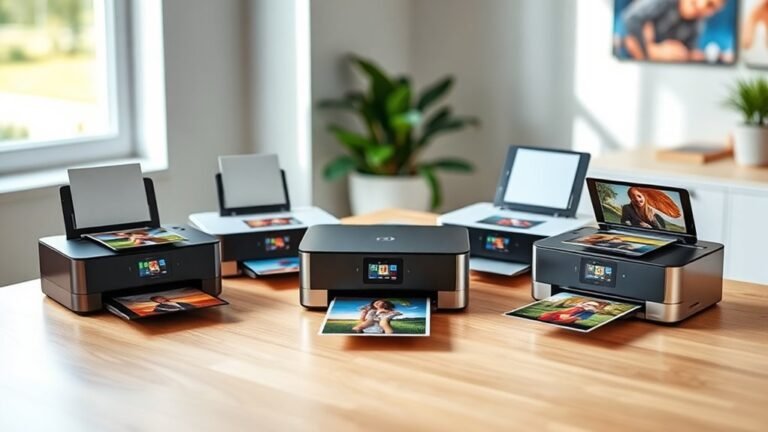
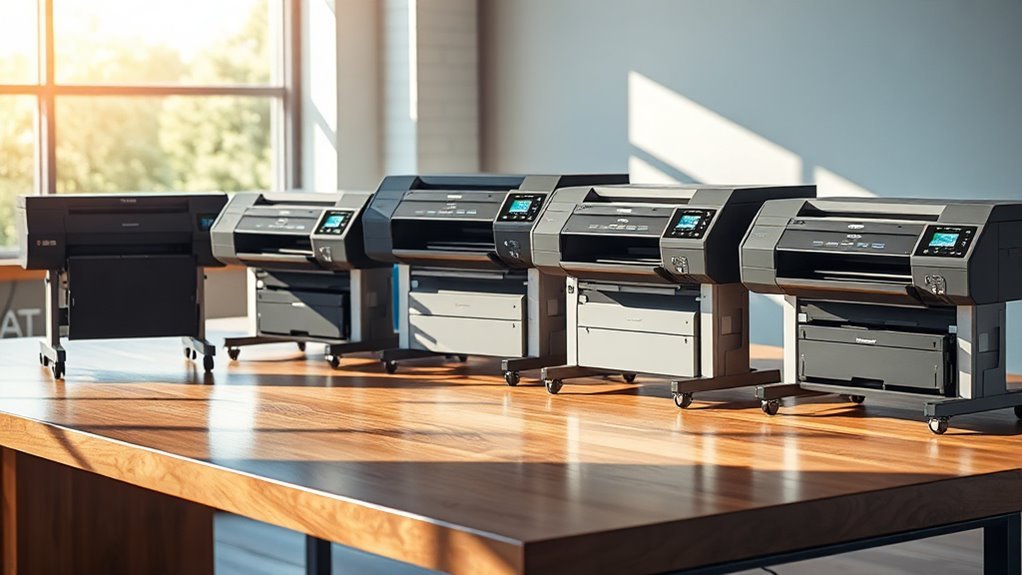
You need a big printer that matches your professional or creative needs, and these seven stand out for 2027. Whether you’re tackling large-format technical drawings, high-quality photo prints, or versatile office tasks, choosing the right big printer is key to getting the job done right. From precision and speed to vibrant color and media flexibility, these models cover all the bases.
The HP DesignJet T210 and T630 excel in precise, large-format technical prints, making them perfect for architects and engineers. Meanwhile, the Epson EcoTank Photo ET-8550 and Expression Photo HD XP-15000 deliver rich, vibrant photos with wide-format options that photographers will love.
Brother’s MFC-L5915DW offers speedy monochrome output for busy offices. And Canon’s imagePROGRAF TC-21 plus Epson Workforce Pro WF-7310 handle versatile media types with smooth workflow. Keep exploring to find which fits you best.
| Image | Name | Editor's Rating | Price |
|---|---|---|---|

|
|
||

|
|
||

|
|
||

|
|
||
|
|
HP DesignJet T210 24-inch Large Format Printer
- Ideal for: Technical line drawings, renders requiring precise, accurate line-quality and crisp text, posters, maps, and professional sewing patterns.
- Media Sizes: Up to 24-inch wide media rolls (large format), and up to 13-inch by 19-inch sheets (wide format) using the optional automatic sheet feeder accessory.
- Media Handling: Sheet feed, roll feed, automatic horizontal cutter.
- Simple & Cost Effective: Print multi-size projects automatically, without needing to manually switching the media source. Cost saving efficiencies like using 95% less ink...
- Simplify Printing with Included HP Click Software: Save time, ink, and paper waste with PDF error checking, alerts, and auto-nesting. Predefine your print settings and...

The HP DesignJet T210 24-inch Large Format Printer is designed to tackle the demands of professionals who require precision and clarity. It delivers sharp line drawings and crisp text, making it ideal for architects, engineers, and educators. This printer handles technical prints and posters with ease, accommodating media up to 24 inches wide.
Its automatic sheet and roll feeding simplify media handling, reducing downtime and improving workflow. The built-in cutter helps maintain clean edges on every print. With a high print resolution of 2400 x 1200 dpi, your detailed CAD prints and sewing patterns come out clear and professional.
Connectivity options such as Wi-Fi, Ethernet, and USB ensure smooth integration into your workplace. The printer supports mobile printing, allowing for flexible operation. Maintenance is straightforward, but note that the sheet capacity maxes out at 50, so frequent reloading is necessary for large jobs.
While the print speed is moderate at about 1.3 pages per minute, the HP DesignJet T210 balances quality and efficiency. Its eco-conscious design uses recycled plastics and reduces ink usage, contributing to a greener workspace.
Best for: architects, engineers, and educators who need accurate technical prints and reliable media handling for large-format projects.
What We Like:
- Crisp, high-resolution printing at 2400 x 1200 dpi
- Automatic sheet and roll feeding with built-in cutter
- Multiple connectivity options including Wi-Fi and Ethernet
- Supports mobile printing for increased flexibility
- Eco-friendly design with reduced ink consumption
Specification:
| Feature | Details |
|---|---|
| Manufacturer | HP |
| Model | DesignJet T210 |
| Maximum Media Width | 24 inches (61 cm) |
| Print Resolution | Up to 2400 x 1200 dpi |
| Print Speed | Up to 59 A1/D pages/hour |
| Connectivity Options | Wi-Fi, Ethernet, USB |
| Sheet Capacity | 50 sheets |
HP DesignJet T630 36-inch Large Format Printer
- Ideal for: Technical line-drawings, renders requiring precise, accurate line-quality and crisp text, posters, and maps. This printer is popular among architects...
- Media Sizes: Up to 36-inch wide media rolls (large format), and up to 13-inch by 19-inch sheets (wide format) using the included automatic sheet feeder accessory.
- Media Handling: Sheet feed, roll feed, automatic sheet/roll switch, media bin, automatic horizontal cutter.
- Connectivity: Gigabit Ethernet (1000Base-T), Hi-Speed USB 2.0, Wi-Fi 802.11 b/g/n.
- Simplify Printing with Included HP Click Software: Save time, ink, and paper waste with PDF error checking, alerts, and auto-nesting. Predefine your print settings and...
The HP DesignJet T630 36-inch large format printer offers precise and reliable printing designed for professionals. It tackles complex technical drawings, posters, and maps with sharp lines and clear text. This printer handles media up to 36 inches wide on rolls or 13 x 19-inch sheets, making it versatile for various project sizes.
Its automatic sheet and roll switching, combined with a built-in cutter, streamlines media handling and reduces manual intervention. Connectivity options like Gigabit Ethernet, USB 2.0, and Wi-Fi allow smooth integration into busy workflows. HP Click software simplifies printing by enabling drag-and-drop commands and PDF error checks, helping prevent costly mistakes.
Maintenance is straightforward, with the printer designed for easy media loading and minimal downtime. While ideal for most large-format needs, the 36-inch width limit may not suit those requiring very large prints. Also, USB 2.0 connectivity is slower than newer standards, which could affect data transfer speed.
Best for: Architects, engineers, and construction professionals who need accurate large-format prints with efficient media handling and workflow flexibility.
What We Like:
- Supports wide media rolls and sheets with automatic switching
- Multiple connectivity options including Wi-Fi and Ethernet
- HP Click software enhances ease of use and reduces errors
- Built-in cutter for clean, precise media finishing
Specification:
| Feature | Details |
|---|---|
| Manufacturer | HP |
| Maximum Media Width | 36 inches (rolls) |
| Sheet Size Support | Up to 13 x 19 inches |
| Connectivity | Gigabit Ethernet, USB 2.0, Wi-Fi |
| Cutter | Built-in automatic cutter |
Epson EcoTank Photo ET-8550 Wireless Wide-Format All-in-One Tank Printer
- CARTRIDGE-FREE PRINTING — Print lab-quality photos, graphics and creative projects; Get vibrant colors and sharp text with Epson's high-accuracy printhead and Claria ET...
- INK BOTTLES — Save on photos1 and creative projects with affordable in-house printing; All-in-one printer allows you to print 4" x 6" photos for about 4 cents each vs...
- LESS FREQUENT INK REPLACEMENT — Replacement ink bottles don't have to be changed nearly as often as ink cartridges¹; Printer, scanner and copier lets you print up to...
- PRINT FOR LONGER — Up to 2 years of ink in the box² (and with every replacement ink set) for fewer out-of-ink frustrations with this wireless printer
- ZERO CARTRIDGE WASTE — Epson EcoTank printer helps reduce the amount of cartridge waste ending up in landfills; Cartridge-free printer uses high-yield ink bottles; Each...
Experience vibrant, lab-quality photos without the hassle of frequent cartridge changes with the Epson EcoTank Photo ET-8550. This wireless, wide-format all-in-one printer simplifies your workflow by combining printing, scanning, and copying in one device. Its cartridge-free system uses Claria ET Premium 6-color inks to produce sharp, vivid images that bring your creative projects to life.
Maintenance is easy and cost-effective thanks to high-capacity ink bottles. Each set can print up to 6,200 color pages, reducing your per-photo cost and minimizing environmental waste. This means fewer interruptions for refills and a longer uninterrupted printing experience—up to two years of ink per purchase.
Designed for photo enthusiasts and creative professionals, the ET-8550 supports a variety of print sizes, including popular 4 x 6 photos. Its wide-format capability allows you to explore larger projects without sacrificing quality. However, its size requires adequate workspace, and handling ink bottles carefully helps avoid spills during refills.
Best for: photographers, creative professionals, and home users seeking high-quality photo printing with low ink costs and reduced environmental impact.
What We Like:
- Cartridge-free design with high-capacity ink bottles lowers refill frequency and waste
- Produces sharp, vivid photos using Claria ET Premium 6-color inks
- Wireless all-in-one functionality with print, scan, and copy features
- Supports wide-format and standard photo sizes, including 4 x 6 prints
Specification:
| Feature | Details |
|---|---|
| Manufacturer | Epson |
| Dimensions | Wide-format size (exact size not specified) |
| Weight | Not specified |
| Ink System | Claria ET Premium 6-color ink bottles |
| Connectivity | Wireless |
| Functions | Print, Scan, Copy |
Brother MFC-L5915DW Professional Wireless Laser Printer
- FAST BUSINESS PRINTING AND COPYING: The Brother MFC-L5915DW business monochrome laser all-in-one printer delivers high-quality output and print and copy speeds of up to...
- LOW-COST OUTPUT: Help reduce operating costs by using the Brother Genuine TN920UXXL ultra high-yield 18,000-page replacement toner cartridge. Includes a Brother Genuine...
- FAST, HIGH-VOLUME SCANNING: The 70-page capacity(3) auto document feeder offers single-pass, two-sided scanning up to 56ipm(4). Features a large document glass for up to...
- FLEXIBLE CONNECTIVITY OPTIONS: Features built‐in Gigabit Ethernet and dual band wireless networking to seamlessly set up and share on your wired.
Experience efficient monochrome printing and scanning designed to keep your office productive and organized. The Brother MFC-L5915DW delivers sharp black-and-white prints and copies at speeds up to 50 pages per minute. Its fast scanning capability with a 70-page auto document feeder reduces manual effort, handling two-sided documents swiftly.
This all-in-one printer offers flexible connectivity with built-in Gigabit Ethernet and dual-band Wi-Fi, ensuring smooth integration into wired or wireless office networks. The large document glass accommodates legal-size originals, making it ideal for diverse document needs.
Maintenance is straightforward with a 3,000-page toner cartridge included, and options for an ultra high-yield 18,000-page replacement help lower running costs. Its robust design supports high-volume workloads, making it a dependable choice for busy professionals.
While it prints in monochrome only and has a larger footprint, the MFC-L5915DW balances performance and ease of use. Some advanced features may require a short adjustment period for new users.
Best for: Busy offices and professionals needing reliable, high-speed monochrome printing, scanning, and copying with versatile connectivity.
What We Like:
- Fast printing and copying at up to 50 ppm for enhanced productivity
- Efficient two-sided scanning with a 70-page auto document feeder
- Cost-effective toner options for lower maintenance expenses
- Dual connectivity via Gigabit Ethernet and dual-band Wi-Fi
- Large document glass supports legal-size originals
Specification:
| Feature | Details |
|---|---|
| Manufacturer | Brother |
| Dimensions (W x D x H) | 16.4 x 15.7 x 12.7 in (41.6 x 39.9 x 32.3 cm) |
| Weight | 27.3 lb (12.4 kg) |
| Color Options | Monochrome (Black and White) |
| Connectivity | Gigabit Ethernet, Dual-band Wi-Fi |
Epson Expression Photo HD XP-15000 Wireless Wide-Format Inkjet Printer
- Epson printing system is designed to be used exclusively with Epson Genuine Cartridges. Use of non-genuine ink could cause damage not covered under the printer’s ltd...
- Professional ultra HD photo quality get brilliant border less prints upto 13 inches X 19 inches
- Individual 6 color Claria photo HD ink includes red and gray inks for an ultra wide color gamut and enhanced black and white prints. Sound pressure level: Pressure...
- Professional projects: Made easy features a 50 sheet rear tray for specialty media, including cardstock (1); Accommodates a variety of paper finishes and border less...
- Ultra compact wide format A3 plus printer 30 percent smaller than its predecessor (2); Easily fits on your desktop
Capture professional-quality photos with the Epson Expression Photo HD XP-15000, designed to deliver vibrant, borderless wide-format prints up to 13 x 19 inches. This printer helps photographers and creatives produce stunning images with rich color depth and sharp black-and-white details. Its 6-color Claria Photo HD ink system ensures every print is vivid and true to life.
The wireless inkjet printer supports various media types, including cardstock and specialty papers, making it versatile for different projects. Its dual trays hold up to 50 sheets in the rear and 200 sheets in the front, reducing interruptions during print jobs. Connectivity options include USB, Ethernet, and wireless, providing flexible setup for home studios or small professional spaces.
Maintenance is straightforward but requires genuine Epson cartridges, which might raise ink costs and limit third-party alternatives. The printer delivers up to 20 pages per minute, suitable for moderate volume tasks but less ideal for heavy printing needs. Its compact design fits neatly in limited workspace without sacrificing print quality.
Best for: photographers and home studio users seeking high-quality, borderless wide-format photo prints with vibrant color and sharp black-and-white detail.
What We Like:
- Produces large borderless prints up to 13 x 19 inches with a 6-color ink system
- Handles multiple media types with dual trays and automatic duplex printing
- Compact footprint with versatile connectivity options for flexible placement
- Sharp detail and color accuracy for both color and black-and-white photos
- Easy setup and wireless printing ideal for creative professionals
Specification:
| Feature | Details |
|---|---|
| Manufacturer | Epson |
| Dimensions | Approx. 23 x 12 x 8 inches |
| Weight | Approx. 15 lbs (6.8 kg) |
| Ink System | 6-color Claria Photo HD |
| Max Print Size | 13 x 19 inches |
| Connectivity | USB, Ethernet, Wireless |
Canon imagePROGRAF TC-21 24″ Large Format Printer

- Quality Prints: The 4-color ink printer delivers crisp text and vibrant images for attention grabbing posters on a wide variety of cut sheet and roll media.
- Ships with a full set of ink: The imagePROGRAF TC-21 ships with 280 ml (70 ml of each color), the most in its class.
- 24" desktop roll printer with automatic sheet feeder: The imagePROGRAF TC-21 can print up to 24" wide on a variety of roll media or sheet media from the automatic sheet...
- Easy Setup and Maintenance: imagePROGRAF TC-21 printers have an intuitive tiltable touchscreen control panel and animated installation guides to provide quick-and-easy...
- Wired and Wireless Productivity: High-speed USB and Ethernet connectivity lets you connect to your network for fast, reliable printing - Print wirelessly from your...
The Canon imagePROGRAF TC-21 is designed to simplify large format printing without sacrificing quality. This 24-inch printer produces sharp, vibrant images at a resolution of 1200 x 1200 dpi, making it ideal for detailed graphics and colorful prints. Its ability to handle both roll and cut-sheet media adds versatility for various print jobs like banners and labels.
Maintenance is straightforward with top and front access, allowing quick ink changes and cleaning. The automatic roll feed reduces manual effort, while the tiltable touchscreen with animated guides helps users navigate settings efficiently. These features minimize downtime and keep the workflow smooth.
Connectivity options include USB, Ethernet, and built-in Wi-Fi, enabling easy printing from multiple devices. Despite moderate print speeds of up to 15 ppm in color, the printer balances performance with energy efficiency, holding ENERGY STAR and EPEAT Gold certifications.
This model suits professionals and small businesses needing reliable large format prints with straightforward operation and flexible media handling.
Best for: professionals and small businesses needing high-quality large format prints with easy setup, versatile media handling, and wireless connectivity.
What We Like:
- Sharp 1200 x 1200 dpi color output for vibrant prints
- Supports roll and cut-sheet media, including banners and labels
- Easy maintenance with top/front access and automatic roll feed
- Tiltable touchscreen with animated guides for user-friendly operation
- Built-in Wi-Fi, USB, and Ethernet connectivity for versatile printing
Specification:
| Feature | Details |
|---|---|
| Manufacturer | Canon |
| Dimensions (D x W x H) | 44″ x 29″ x 16″ (111.8 x 73.7 x 40.6 cm) |
| Weight | 71 lb (32.2 kg) |
| Color Resolution | 1200 x 1200 dpi |
| Media Types | Roll and cut-sheet, banners, labels |
| Connectivity | USB, Ethernet, Wi-Fi |
Epson Workforce Pro WF-7310 Wireless All-in-One Wide-Format Inkjet Printer

- Epson printing system is designed to be used exclusively with Epson Genuine Cartridges. Use of non-genuine ink could cause damage not covered under the printer’s ltd...
- High-performance wide-format printing — accomplish more with fast wide-format printing up to 13" x 19"
- High-speed printing — PrecisionCore Heat-Free Technology streamlines workflow with 25 black/12 color ISO ppm and fast first-page-out
- Print-shop quality — DURABrite Ultra instant-dry pigment inks deliver sharp text and vivid colors
- Designed for productivity — engineered for durability, reliability and heavy workloads
The Epson Workforce Pro WF-7310 is designed to meet the demands of busy professionals needing reliable wide-format printing. It handles large documents up to 13 x 19 inches, delivering sharp and vivid prints with DURABrite Ultra pigment inks that dry instantly. This means less waiting and more productivity for your heavy workload.
Its PrecisionCore Heat-Free Technology eliminates warmup time and reduces energy use, making printing faster and more efficient. With a 500-sheet capacity spread across two trays plus a rear feed, you can run large print jobs with minimal interruptions. Wireless options like Wi-Fi 5 and Wi-Fi Direct ensure seamless connectivity in any office environment.
Maintenance is straightforward, but it’s important to use only genuine Epson cartridges to maintain print quality and protect your investment. The 2.4-inch color display and Epson Smart Panel App provide easy control over settings and monitoring, though the smaller screen may limit navigation compared to larger interfaces.
Best for: Professionals and businesses that require fast, high-quality wide-format printing with durable output and dependable performance.
What We Like:
- Prints sharp, vivid images up to 13 x 19 inches with instant-dry pigment inks
- Zero warmup time and energy-efficient PrecisionCore Heat-Free Technology
- Large 500-sheet paper capacity for uninterrupted workflow
- Versatile wireless connectivity including Wi-Fi 5 and Wi-Fi Direct
- Easy management via color display and Epson Smart Panel App
Specification:
| Feature | Details |
|---|---|
| Manufacturer | Epson |
| Maximum Print Size | 13 x 19 inches |
| Ink Type | DURABrite Ultra pigment inks |
| Connectivity | Wi-Fi 5, Wi-Fi Direct |
| Paper Capacity | 500 sheets (two trays + rear feed) |
| Display | 2.4-inch color screen |
| Technology | PrecisionCore Heat-Free |
Factors to Consider When Choosing a Big Printer
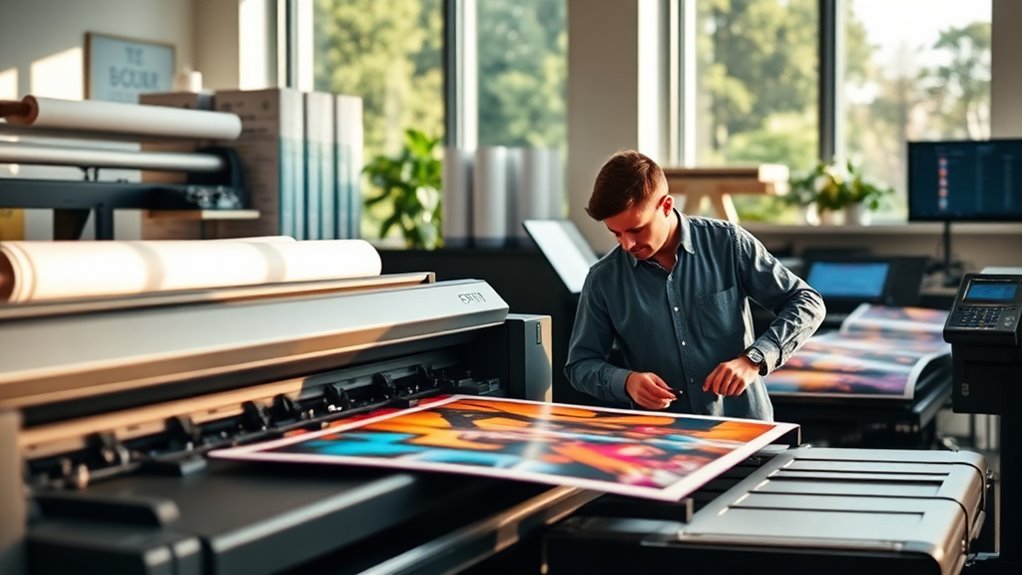
When choosing a big printer, you’ll want to focus on print quality and resolution to guarantee sharp results. Consider the media sizes it supports and how fast it can handle your workload.
Also, don’t forget to check its connectivity options. It’s important to factor in ink and consumable costs for long-term efficiency.
Print Quality and Resolution
Although choosing a big printer can feel overwhelming, focusing on print quality and resolution will guide you to the right model. Aim for a native resolution of at least 1200 x 1200 dpi for sharp technical line work, and up to 2400 x 1200 dpi if you need photo-quality gradients and fine text.
Pay attention to color depth and channels—24-bit color offers smooth gradations, while extra inks like light cyan or gray boost photo realism. Check printhead technology and droplet size; smaller droplets mean finer detail.
For precise lines, ensure the printer supports vector formats and true printer languages like HP-GL/2. Finally, confirm the driver and RIP software handle color management with ICC profiles and high-res PDFs or TIFFs to keep colors accurate and prints sharp.
Media Size Compatibility
Since your printing projects vary in size, you’ll want a big printer that handles all the media widths and formats you need. Start by checking the maximum media width the printer supports—whether it’s 24″ or 36″—to match your largest roll or sheet sizes.
Make sure it accepts both roll-fed media and cut sheets, ideally with automatic roll-to-sheet switching and built-in cutters for convenience. Verify supported sheet dimensions and borderless printing options, especially if you work with posters, photos, or CAD prints.
Also, consider the printer’s media handling features like automatic feeders, media bins, and spindle compatibility to fit your workflow. Finally, confirm it supports your specific media types—glossy photo paper, heavyweight stock, labels—and handles the thickness and weight you require.
Speed and Efficiency
If you need to handle large volumes or tight deadlines, choosing a big printer with fast print speeds and efficient processing is essential. Check print speeds measured in pages per minute or seconds per large-format page to match your throughput needs.
Don’t forget to compare simplex and duplex speeds, plus first-page-out times for quick short runs. Processor speed and onboard memory greatly influence how fast complex files print.
Automated media handling features like roll-to-sheet switching, auto-cutters, and large input/output trays reduce manual work and boost efficiency. Also, consider downtime caused by consumable changes and maintenance.
Printers with longer maintenance cycles and high-yield consumables keep productivity steady. Prioritizing these factors guarantees you get a printer that works fast and keeps you moving.
Connectivity Options Available
How you connect your big printer can make a huge difference in workflow speed and convenience. You’ll want a model that supports Gigabit Ethernet (1000Base-T) for stable, high-throughput network printing, especially when handling large files.
Dual-band Wi-Fi (2.4/5 GHz) and Wi-Fi Direct are essential for fast wireless printing, mobile device connectivity, and network redundancy. These features make it super easy to print from your phone or tablet without any hassle.
Make sure the printer is compatible with common protocols like AirPrint, IPP, and drivers for Windows/macOS. Plus, if you work with CAD or GIS files, look for support for HP-GL/2 or PostScript.
USB 2.0/3.0 host ports and USB-to-PC options allow direct high-speed transfers and printing from thumb drives without needing a computer. This can save you time when you want to print on the go.
Finally, consider remote and cloud printing support. That way, you can submit jobs, manage queues, and update firmware from anywhere — pretty handy if you’re not always at your desk.
Ink and Consumable Costs
When choosing a big printer, you’ll want to nail down the true ink and consumable costs, as they can quickly add up and impact your bottom line. Look beyond sticker prices—compare cost per milliliter or per A1/A0 page to understand running expenses.
Remember, some models need separate printheads or maintenance cartridges, which add replacement costs and downtime. Your typical print jobs matter; high-coverage photo prints use considerably more ink than draft or line drawings.
Also, consider consumable formats—bottles versus cartridges—and whether third-party supplies are compatible, as this affects availability and expenses. Don’t forget ancillary costs like paper, cutters, and cleaning kits, which all factor into your total cost of ownership.
Accurately evaluating these elements helps you avoid surprises and choose a printer that fits your budget. It’s definitely worth taking the time to get this right!
Software and Workflow Integration
Although hardware specs are essential, software and workflow integration often make or break your printing experience. You need a printer that natively supports your main file types—PDF, JPEG, TIFF, and vendor-neutral formats like HP‑GL/2—to avoid conversion errors and maintain vector quality.
Check that drivers and workflow tools include features like PDF error checking, auto-nesting, one-click remote printing, and print preview. These can save you time and reduce failed prints.
Make sure the printer supports network protocols and mobile printing standards like Gigabit Ethernet, Wi‑Fi, and AirPrint. It should also work smoothly with your OS fleet.
Also, confirm it has enough memory, processing power, and compatible RIP software to handle large CAD or high-res files efficiently. You don’t want your printer slowing you down.
Finally, verify remote management and firmware updates are available. These help streamline maintenance and secure access control, keeping everything running smoothly.
Environmental and Energy Features
Beyond software and workflow capabilities, you’ll want to weigh how a big printer impacts your energy use and environmental footprint. Check energy consumption during typical operation and idle to estimate running costs, favoring models with low standby and active power ratings.
Look for ENERGY STAR, EPEAT, or similar certifications—they guarantee verified energy efficiency and a smaller environmental impact. Evaluate consumable efficiency by comparing ink or toner yield per cartridge and maintenance-ink use to reduce waste and refills.
Choose printers using recycled plastics or offering take-back programs for cartridges and printheads to minimize landfill waste. Finally, consider cartridge-free or high-yield ink systems and duplex or auto-nesting software, which help cut consumable use and paper waste per print job, saving you money and resources long-term.
Frequently Asked Questions
How Do Large Format Printers Handle Different Types of Paper Finishes?
Large format printers adjust ink settings and drying times to handle different paper finishes. You’ll find they use specific profiles for glossy, matte, or textured surfaces, ensuring vibrant colors and sharp details without smudging or bleeding.
It’s pretty clever how they manage that. By tweaking these settings, the printer makes sure the ink sits just right on each type of paper. That way, the final print looks great, no matter the finish.
What Is the Typical Lifespan of a Big Printer’s Print Head?
You’ll find a big printer’s print head lasts about 1 to 3 years, depending on use. It’s like a marathon runner—constant action wears it down, but proper care can stretch its life markedly.
Can Big Printers Be Used for 3D Printing Applications?
You can’t use traditional big printers for 3D printing since they’re designed for ink or toner on paper.
Instead, you’ll need specialized large-format 3D printers that build objects layer by layer with materials like plastic or resin.
How Energy-Efficient Are Wide-Format Printers Compared to Standard Printers?
You’ll find wide-format printers use about 20% more energy than standard printers due to their size and power needs.
However, newer models often include energy-saving modes, so you can still keep your costs and footprint lower. It’s pretty handy when you want to be eco-friendly without giving up performance.
Are There Any Special Maintenance Tools Required for Big Printers?
Yes, you’ll need special maintenance tools like cleaning kits, printhead aligners, and replacement parts designed for big printers.
Regular calibration and cleaning help keep your printer running smoothly and avoid costly downtime. It’s really worth staying on top of these tasks to save headaches later.
Conclusion
When choosing your next big printer, you’re not just picking a machine—you’re investing in a creative partner that’ll quietly elevate your work. Each option here offers a unique blend of power and precision, ensuring you won’t be left grappling with limitations.
So, take your time to weigh what matters most—whether it’s size, speed, or quality. Trust that the perfect fit is waiting to bring your boldest ideas to life with ease and finesse.
Finding the right big printer means balancing your needs with the features available. From impressive print size to outstanding speed and top-notch quality, the best big printers for 2027 are designed to meet every creative challenge. With so many options, you can confidently choose a printer that will support your projects for years to come. Remember, the ideal big printer combines reliability, efficiency, and exceptional output to make your work stand out effortlessly.