12 best beginner 3d printer 2026 under $400
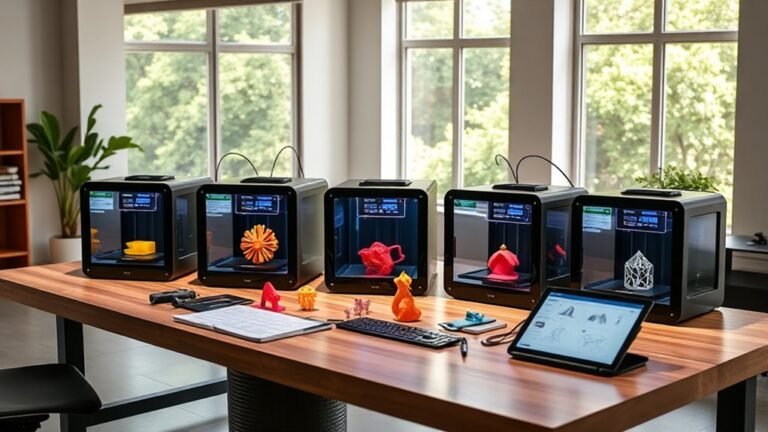
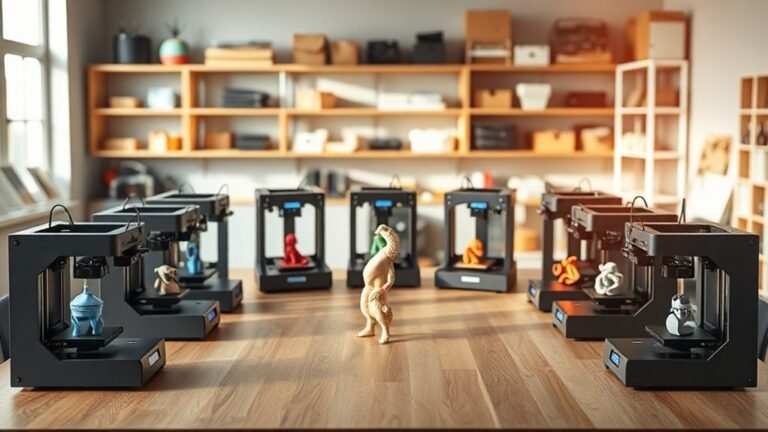
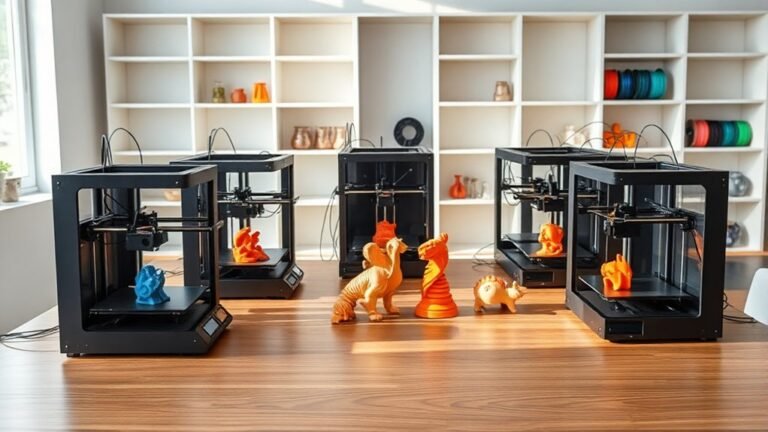
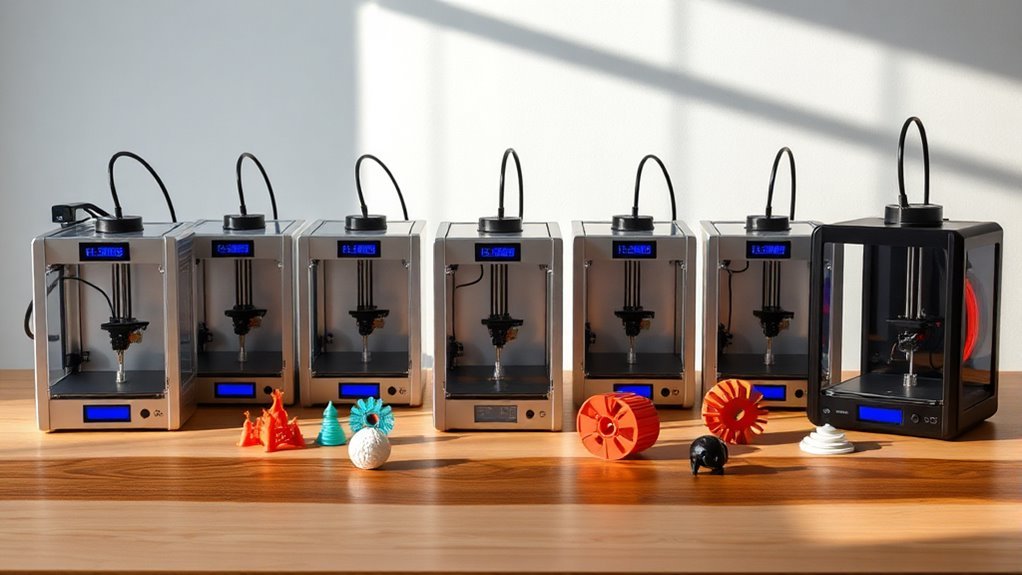
If you’re looking for the 12 best beginner 3D printers under $400 in 2026, you’re in the right place.
Budget-friendly options like the Spark AI and AOSEED AI stand out with their fully enclosed, kid-safe designs. They also offer easy setup and tons of ready-to-print models, perfect for newcomers.
Then you have models like the Entina Tina2 and Creality Ender 3 V3 SE, which balance ease of use with quality printing speeds and handy features.
These compact, user-friendly printers make starting your 3D printing journey both simple and safe.
Keep exploring to discover all the key features you should consider before buying. There’s a lot to know, but don’t worry—it’s easier than you think!
| Image | Name | Editor's Rating | Price |
|---|---|---|---|

|
|
||

|
|
||
|
|
||

|
|
||

|
|
Spark AI 3D Printer for Kids, 20,000+ Models, Enclosed Safe
- [NOTE] This printer prints one filament at a time, so each print is a single color. PLA comes in many colors, including gradient. For multi-color models, print parts...
- Fully enclosed child-safe design: The enclosed printing chamber keeps all hot components and moving parts away from children at all times. Non-toxic PLA filament only...
- Fully assembled and ready to use out of the box: No tools, no manual assembly required. Connect to WiFi, load the included white PLA filament, and start printing. Once...
- 20,000+ toy models and creative design tools: Browse a growing library of toys, animals, vehicles, and STEM projects on iOS, Android, or Windows. New models added...
- Fast printing at up to 400mm/s with built-in camera: Small models complete in as little as 20 minutes. Most library models print in 1 to 3 hours. The built-in camera...

The Spark AI 3D Printer offers a safe and easy introduction to 3D printing for kids and beginners. Its fully enclosed design protects young users while providing a clean printing environment. With over 20,000 ready-to-print models, creativity is encouraged without the need for complex setup.
This printer uses non-toxic PLA filament, ensuring safe use at home or school. The cool-touch exterior prevents burns, and the magnetic build plate simplifies print removal. Maintenance is straightforward, requiring only filament loading and occasional cleaning.
Compact and lightweight, the Spark AI fits conveniently on desks or small workspaces. It arrives fully assembled, so users can connect to WiFi and start printing immediately. While it prints in a single color, this design choice keeps operation simple for young users.
The printer supports educational exploration by combining AI-powered design tools with a vast model library. However, it is limited to PLA filament and may not suit advanced printing needs or multi-color projects without additional finishing.
Best for: children and beginners seeking a safe, user-friendly 3D printer that fosters creativity and learning.
What We Like:
- Fully assembled with easy WiFi connectivity
- Large library of 20,000+ print-ready models
- Safe, non-toxic filament and cool-touch exterior
- Magnetic build plate for easy print removal
- Compact design suitable for small spaces
Specification:
| Feature | Details |
|---|---|
| Manufacturer | Spark AI |
| Dimensions | 13.7 x 13.15 x 15.47 inches |
| Weight | 8.8 pounds |
| Filament Material | Non-toxic PLA |
| Color Options | Single color per print |
AOSEED AI 3D Printer for Kids, Fast 400mm/s, 20,000+ Models, Enclosed Safe
- [NOTE] PLA comes in multiple colors, but this printer supports single-color printing only. Multi-color designs can be created by printing separate parts and assembling...
- A Home Toy Factory with Endless DIY Fun: This mini 3D printer brings a toy factory home, helping families make new toys without extra store trips. With access to...
- AI-Powered Creativity Made Simple: This AI 3D printer lets kids bring their imagination to life. With AI Doodle, children can create custom 3D models using voice, text...
- Easy, Safe One-Tap Printing: Designed as a 3D printer for kids, it makes every project simple. Kids can print with one tap in the app, while parents can feel confident...
- Fast, Precise Printing with Smart Detection: This 3D printer delivers precision up to 0.05 mm and upgraded speeds of 220–250 mm/s, with peaks up to 400 mm/s. Small toy...
The AOSEED AI 3D Printer offers a safe and fast way for kids to dive into creative 3D printing. It solves common challenges by combining an enclosed, pinch-resistant design with speedy printing up to 400 mm/s. This means children can explore projects confidently without safety concerns or long wait times.
Its user-friendly interface and one-tap printing simplify operation, while the leveling-free platform reduces setup hassle. The built-in camera lets users monitor prints live and capture time-lapse videos, enhancing the creative experience. Maintenance is straightforward with included essential tools and 8 PLA filament rolls to get started immediately.
Unique AI tools like Doodle, MiniMe, and MINIMAKIE enable custom designs and avatars, providing an engaging way for kids to personalize their creations. Access to over 20,000 human-reviewed models, with new ones added weekly, keeps inspiration flowing. However, the printer is limited to PLA filament, which may restrict advanced material options, and some features may require adult guidance for younger users.
Best for: Parents and children seeking a safe, fast, and easy-to-use 3D printer that fosters creativity through AI design tools and an extensive model library.
What We Like:
- Fast printing speed up to 400 mm/s with fine details (0.05 mm accuracy)
- Enclosed, pinch-resistant design ensures safe use by kids
- Innovative AI design tools for personalized creations
- Large library of 20,000+ human-reviewed models
- Simple operation with one-tap printing and no leveling required
Specification:
| Feature | Details |
|---|---|
| Manufacturer | AOSEED |
| Printing Speed | Up to 400 mm/s |
| Layer Resolution | Up to 0.05 mm |
| Filament Type | PLA |
| Included Filament | 8 PLA rolls |
| Safety Features | Enclosed, pinch-resistant |
| Camera | Built-in for monitoring |
| Dimensions | Not specified |
| Weight | Not specified |
Entina Tina2 Mini 3D Printer for Beginners
- 3D Printer for Beginners and Kids: Out of the box, fully assembled, Speedy Printing –TINA2 BASIC 3d printer is super easy to use and does not require a complex setup...
- Ready to Print: Equipped with 2.4" LCD screen and Wiibulider slicer software makes it easy to conduct offline printing using the MicroSD Card. The 3-d printer supports...
- Fully Open-Source: Entina TINA2 BASIC Mini 3D printer adopts a safety-first design philosophy, featuring complete open-source compatibility for enhanced flexibility and a...
- Auto Leveling & Magnetic Platform: The small 3d printer does not need manual leveling, the intelligent leveling system can automatically adjust the uneven bed, thus...
- Compact Design:This is light weight and minimalist desktop 3D printers, the mini 3D printer size is 8.3''x8.3''x11.4'', weight is 3kg. Light weight and portable design...
The Entina Tina2 Mini 3D Printer is designed to make 3D printing easy and accessible. Its auto-leveling system ensures fast setup, so you can start printing without hassle. This compact printer arrives fully assembled and ready to use in just five minutes.
Its small footprint fits neatly in any workspace, making it ideal for classrooms, homes, or small studios. The magnetic build plate allows for simple print removal, reducing maintenance time and effort. You can print offline using the 2.4-inch LCD screen paired with a MicroSD card and Wiibuilder slicer, adding convenience when a computer is not nearby.
Dual Z-axis rails provide stable and precise printing within the 100x105x100 mm build volume. While the open-frame design lets you monitor prints easily, it requires supervision for younger users due to exposed hot components. This printer suits beginners or educators who want a straightforward, safe introduction to 3D printing.
Best for: Beginners, kids, and educators seeking a compact, easy-to-use 3D printer for learning and small projects.
What We Like:
- Fully assembled with quick auto-leveling setup
- Compact design with magnetic build plate for easy print removal
- Offline printing via 2.4-inch LCD and MicroSD card
- Stable dual Z-axis rails for consistent print quality
Specification:
| Feature | Details |
|---|---|
| Manufacturer | Entina |
| Build Volume | 100 x 105 x 100 mm |
| Control Screen | 2.4-inch LCD |
| Printing Method | FDM (Fused Deposition Modeling) |
| Setup | Fully assembled, auto-leveling |
| Weight | Not specified |
| Color Options | Not specified |
Creality Ender 3 V3 SE 3D Printer Upgrade
- 【250mm/s High-speed Printing】Creality Ender 3 V3 SE 3d printer supports a maximum printing speed of 250mm/s, 2500mm/s² acceleration.The speed has been greatly...
- 【Powerful ""Sprite"" Direct Extruder】Ender 3 V3 SE is the upgrade of ender 3, ender 3 v2, ender 3 pro, ender 3 neo, ender 3 v2 neo, ender 3 s1, ender 3 s1 pro etc 3d...
- 【Worry-free CR Touch Auto Leveling & Strain Sensor】Creality Ender 3 upgraded 3d printer features a CR Touch sensor for auto leveling and a strain sensor for auto...
- 【Stable Dual Z-axis & Y-axis Linear Shafts】High-precision dual Z-axis lead screws reduce Z wobbling effectively, avoid printing deviation in single-axis printing...
- 【Quick Assembly & Easy to Use】Preassembly has solved those hassles and worries of parts assembly, It only takes 3 steps to complete the assemble the ender-3 v3 se 3d...
Experience faster and more precise 3D printing with the Creality Ender 3 V3 SE. Designed for speed enthusiasts, it can print up to 250mm/s, cutting your project time by over 70%. This upgrade improves your workflow without compromising print quality.
The printer features a robust Sprite full metal dual-gear extruder that ensures smooth and reliable filament feeding. It supports a variety of materials like PLA, TPU, and PETG, making it versatile for different projects. Maintenance is simplified with automatic leveling via the CR Touch sensor and a strain sensor for accurate Z-offset adjustment.
Stability and accuracy are enhanced by dual Z-axis lead screws and dual 8mm linear shafts on the Y-axis. These upgrades reduce vibrations and improve print consistency, especially during longer prints. Setup is straightforward, taking about 20 minutes thanks to preassembled parts and automatic filament loading.
While its build volume may not suit those needing larger prints, this machine balances speed and precision effectively. Automatic features simplify operation but may offer limited customization for advanced users. Basic 3D printing knowledge helps maximize the benefits of this upgrade.
Best for: Speed-focused 3D printing enthusiasts and hobbyists seeking reliable, precise, and easy-to-use upgrades with broad filament compatibility.
What We Like:
- Fast printing speed up to 250mm/s with significant time savings
- Enhanced print stability from dual Z-axis lead screws and sturdy linear shafts
- Smooth filament feeding with a full metal dual-gear extruder
- Automatic leveling and filament loading for ease of use
- Quick setup with preassembled components
Specification:
| Feature | Details |
|---|---|
| Manufacturer | Creality |
| Maximum Print Speed | 250 mm/s |
| Extruder | Sprite full metal dual-gear |
| Supported Filaments | PLA, TPU, PETG |
| Z-axis Mechanism | Dual lead screws |
| Y-axis Linear Shafts | Dual 8mm |
| Setup Time | Approximately 20 minutes |
| Leveling System | CR Touch sensor with strain sensor |
Entina Tina2 Plus 3D Printer for Beginners
- 【Start Printing in Minutes – Beginner Friendly】No setup required. Tina2 Plus 3d printer comes fully assembled and ready to use out of the box. With included TF card...
- 【Fast 250mm/s Printing Performance】This Tina2 Plus high speed 3D printer print speeds up to 250 mm/s help reduce waiting time and support fast project turnaround...
- 【WiFi App Control & STEM Model Library】Powered by the Poloprint Cloud app, this WiFi-enabled 3D printer gives access to 3,500+ printable models and 25+ creative DIY...
- 【40-Second Fast Heat Ceramic Hotend】High-efficiency ceramic hotend heats up in just 40 seconds for faster start-up and less downtime. The quick-swap nozzle design...
- 【Compact 3D Printer for Home & Classroom】Designed with a space-saving footprint while maintaining practical print capacity, this compact 3D printer fits easily on...
Entina Tina2 Plus is designed to make 3D printing simple and accessible for beginners. With no setup required, you can start printing immediately, eliminating the common frustration of complicated assembly. Its compact size fits neatly on a desk at home or in a classroom, making it ideal for small spaces.
This mini 3D printer delivers fast and efficient printing with speeds up to 250 mm/s. The ceramic hotend heats up in just 40 seconds, so you spend less time waiting and more time creating. Maintenance is straightforward thanks to a quick-swap nozzle, which reduces downtime and simplifies upkeep.
Controlling prints is easy via WiFi and the Poloprint Cloud app, giving you access to thousands of models and remote management. The partially enclosed frame, auto-leveling bed, and dual Z-axis provide stable and safe printing, ensuring consistent results with every use.
While its compact design limits larger project sizes and the enclosure doesn’t fully block fumes, the Entina Tina2 Plus balances convenience and safety for everyday 3D printing needs. It’s a reliable choice for those new to the technology.
Best for: Beginners and educators seeking a compact, user-friendly 3D printer with fast performance and dependable safety features for home or school use.
What We Like:
- Fully assembled for immediate use with no setup hassles
- Fast printing and quick-heating ceramic hotend for efficient workflow
- WiFi connectivity with Poloprint Cloud app access to extensive model library
- Easy maintenance via quick-swap nozzle
- Stable printing ensured by auto-leveling and dual Z-axis design
Specification:
| Feature | Details |
|---|---|
| Manufacturer | Entina |
| Dimensions | 11.4 x 8.6 x 8.6 inches |
| Weight | 8.25 pounds |
| Frame | Partially enclosed |
| Connectivity | WiFi |
| Print Speed | Up to 250 mm/s |
| Hotend | Ceramic, quick heating |
Geeetech Mini 3D Printer for Kids and Beginners
No products found.
Step into the world of 3D printing with the Geeetech Mini 3D Printer, designed specifically for kids and beginners. This compact printer takes the stress out of setup with its fully assembled body and simple knob controls. The one-button filament system makes loading materials straightforward, allowing users to focus on creativity rather than technical hurdles.
Its 16-point auto-leveling feature and flexible magnetic build plate work together to deliver precise prints without warping. This ensures consistent quality, helping users achieve professional-looking results every time. The dual-drive metal gear extruder provides strong, reliable filament feeding, reducing print failures and maintenance needs.
With a print volume of 3.94 x 4.33 x 3.94 inches, it is ideal for small projects and educational purposes. Although it supports only TPU and PLA filaments, these materials cover a wide range of beginner-friendly applications. Weighing 9.8 pounds, the printer is portable enough for home or classroom use but may not suit frequent travel.
Best for: Kids and beginners seeking a user-friendly, reliable, and compact 3D printer to explore their creativity.
What We Like:
- Fully assembled design with easy knob controls and one-button filament loading
- 16-point auto-leveling and magnetic build plate for accurate, warp-free printing
- Dual-drive metal gear extruder ensures strong, consistent filament feeding
- Compact size and lightweight for easy placement and moderate portability
Specification:
| Feature | Details |
|---|---|
| Manufacturer | Geeetech |
| Print Volume | 3.94 x 4.33 x 3.94 inches |
| Supported Materials | TPU, PLA |
| Weight | 9.8 pounds |
| Screen | 2.4-inch LCD |
Anycubic Kobra X Multicolor 3D Printer, Easy One-Click Printing

- 【Vivid 19-Color and Versatile Materials】Unleash creativity beyond limits. The Kobra X supports 4-color standard and expands up to 19 colors with 4 ACE 2 Pro for...
- 【600mm/s High Speed Performance】Don't let slow speeds limit your creativity. This high-speed FDM 3D printer reaches up to 600mm/s, completing tasks significantly...
- 【True Plug & Play Experience】Start your first project in as little as 15 minutes. The Kobra X arrives with a user-friendly setup and LeviQ 3.0 automatic bed leveling...
- 【LeviQ 3.0 Perfect First Layer】Forget the frustration of manual bed leveling that plagues beginner machines. The LeviQ 3.0 system utilizes 49-point full-auto leveling...
- 【Quiet & Reliable for Home】The ultra-quiet ≤48 dB operation ensures the living or learning space remains peaceful. Combined with power loss recovery and filament...
The Anycubic Kobra X Multicolor 3D Printer delivers easy, vibrant multicolor printing for users looking to bring their creative ideas to life with minimal hassle. Its intuitive design solves the common challenge of complex setups, allowing you to start printing quickly with one click.
This printer supports up to 4 colors standard, with an option to expand to 19 colors using the ACE 2 Pro, accommodating detailed and colorful projects. It handles a variety of materials like TPU, PLA, PETG, and ASA, making it versatile for different applications and user needs.
Maintenance is straightforward with the LeviQ 3.0 automatic bed leveling system, ensuring smooth prints without manual adjustments. The Kobra X features quiet operation and power loss recovery to keep your prints uninterrupted and high quality.
With a build volume of 260x260x260mm and a steel nozzle reaching 300°C, it balances size and performance for hobbyists and professionals alike. Its high printing speed, boosted by vibration compensation and Kobra OS, reduces wait times without sacrificing detail.
Best for: hobbyists, educators, and professionals seeking an easy-to-use, high-speed multicolor 3D printer with versatile material compatibility.
What We Like:
- Supports up to 4 colors standard, expandable to 19 colors.
- Fast printing speeds up to 600mm/s with vibration compensation.
- Automatic bed leveling with LeviQ 3.0 for hassle-free setup.
- Quiet operation and power loss recovery for reliable printing.
- Compatible with flexible and rigid materials like TPU and ASA.
Specification:
| Feature | Details |
|---|---|
| Manufacturer | Anycubic |
| Build Volume | 260 x 260 x 260 mm |
| Max Nozzle Temperature | 300°C |
| Supported Colors | 4 standard, expandable to 19 |
| Supported Materials | TPU, PLA, PETG, ASA |
| Weight | Not specified |
Bambu Lab A1 3D Printer, Ready-to-Use FDM 3D Printer for Beginners and Kids

- High-Speed Precision: Experience unparalleled speed and precision with the Bambu Lab A1 3D Printer. With an impressive acceleration of 10,000 mm/s², the A1 delivers...
- Multi-Color Printing with AMS lite: Unlock your creativity with vibrant and multi-colored 3D prints. The Bambu Lab A1 3D printers make multi-color printing accessible and...
- Full-Auto Calibration: Say goodbye to manual calibration hassles. The A1 3D printer takes care of all the calibration processes automatically, ensuring optimal...
- Active Flow Rate Compensation: Achieve consistently smooth prints with active flow rate compensation. The algorithm actively compensates the flow rate according to the...
- Easy and Quiet 3D Printing: Experience effortless printing with the Bambu Lab A1 FDM 3D printer. Its user-friendly interface and simplified touchscreen make it easy to...
The Bambu Lab A1 3D printer is designed to make 3D printing accessible and enjoyable for beginners and kids. It solves common challenges by delivering fast, accurate prints with minimal setup. The printer’s high acceleration and flow rate compensation ensure smooth, consistent results every time.
Maintenance is simple thanks to the 1-clip quick swap nozzle, which streamlines nozzle changes and reduces downtime. The full-auto calibration and intuitive touchscreen make it easy to get started without technical hassle. Its quiet operation and compact design fit well in home or classroom settings.
This ready-to-use FDM printer supports multi-color projects when paired with the optional AMS Lite accessory, expanding creative possibilities. Its lightweight build allows easy placement on desks, making it perfect for young creators and beginners focused on learning and experimenting.
While it offers excellent ease of use, it is limited to FDM technology and may not suit users seeking resin or advanced printing options. Adding multi-color capability requires extra investment, and advanced customization features are limited compared to professional models.
Best for: Beginners and kids looking for a reliable, easy-to-use 3D printer that delivers quick, high-quality prints with optional multi-color functionality.
What We Like:
- Fast, precise printing with active flow rate control
- Easy setup via full-auto calibration and touchscreen
- Quick nozzle swaps simplify maintenance
- Quiet and compact, ideal for small spaces
- Supports multi-color printing with AMS Lite accessory
Specification:
| Feature | Details |
|---|---|
| Manufacturer | Bambu Lab |
| Dimensions | Compact size (exact dimensions not provided) |
| Weight | 22 lb (10 kg) |
| Printing Technology | FDM |
| Noise Level | ≤48 dB |
| Color Options | Multi-color with AMS Lite |
TINA2C 3D Printer Beginner Friendly, Easy-Ready to Print in 5 Mins

- 【BEGINNER FRIENDLY-READY TO PRINT】Hephi3d Tina2C 3d printer friendly for home, fully assembled, factory preset, auto leveling, ready to print right out of the box, no...
- 【EASY TO USE-ONE TAP PRINTING】Tina2C mini 3d printer provides 3500+ online massive ready to print model library, new designs update every day. You can print in one...
- 【UNLIMITED CREATIVITY-EASY DIY】Tina2C beginner friendly 3d printer with APP provides STEM Learning Module and 25+ design modules for simply customizing. AIGC & Photo...
- 【FULLY OPEN SOURCE-NO LIMITS】Tina2C beginner 3d printer is no software lock-In. Print you way freely with Wiibuilder or Cura on PC and laptops, one-click wifi upload...
- 【FAMILY & BEGINNER FRIENDLY】 Tina2c compact 3d printer for home can print anytime anywhere, space save. Silent Printing and Auto Detect Bed function give more safe...
The TINA2C 3D printer is designed to get you started quickly with minimal effort. Its easy setup and fully assembled design mean you can begin printing in just five minutes. This reduces the usual frustration of complex assembly and calibration, making it ideal for beginners.
With auto-leveling and silent printing, the printer ensures smooth, reliable operation with minimal maintenance. You won’t need to constantly adjust settings or worry about noise, allowing you to focus on your creative projects. The system also features auto bed detection and a resume function after power outages to protect your prints.
The TINA2C supports multiple upload methods, including Wi-Fi, TF card, and USB-C, providing flexible connectivity options. Its one-tap access to a vast library of over 3,500 daily-updated models and AI-generated 3D design tools enables users to explore and create without needing advanced design skills.
While its compact size limits build volume, this printer’s user-friendly interface and app control make it a practical choice for home, classroom, or hobby use. It balances functionality with ease of use, addressing common barriers to entry in 3D printing.
Best for: Beginners and educators seeking a straightforward, fast setup 3D printer that encourages learning and creativity.
What We Like:
- Fully assembled with quick, five-minute setup
- Auto-leveling and silent printing for hassle-free use
- Wide connectivity options: Wi-Fi, TF card, USB-C
- One-tap access to thousands of models and AI design tools
Specification:
| Feature | Details |
|---|---|
| Manufacturer | TINA2C |
| Dimensions | Compact (exact size not specified) |
| Weight | Not specified |
| Material | Not specified |
| Color Options | Not specified |
M1 Mini 3D Printer for Kids & Beginners
No products found.
The M1 Mini 3D Printer is designed to make 3D printing easy and accessible for kids and beginners. Its quick setup and intuitive operation mean you can start printing in just 15 minutes using the pre-sliced models on the included SD card. This helps users avoid the usual hassle of complicated preparation and calibration.
With a 16-point fully automatic leveling system, the M1 Mini ensures accurate prints every time without manual adjustment. Its direct drive extruder supports both PLA and flexible TPU filaments, allowing for smooth printing of toys, phone cases, and other creative projects. This versatility encourages learning and creativity.
Maintenance is straightforward thanks to the PEI spring steel plate, which makes model removal quick and reduces the risk of damage. Safety features like filament break detection provide extra peace of mind during printing sessions. The compact and lightweight design fits neatly into any home workspace.
Best for: Kids and beginners looking for an easy, reliable 3D printer to support STEM education and creative projects.
What We Like:
- Fast setup with pre-sliced models ready to print
- Automatic 16-point leveling for precise results
- Supports PLA and flexible TPU filaments
- Safety features including filament break detection
- Easy model removal with PEI spring steel plate
Specification:
| Feature | Details |
|---|---|
| Manufacturer | M1 Mini |
| Dimensions | Compact size (exact size not specified) |
| Weight | Lightweight (exact weight not specified) |
| Supported Materials | PLA, Flexible TPU |
| Color Options | Not specified |
FLASHFORGE Adventurer 5M 3D Printer for Kids & Beginners, 220x220x220mm

- Fully One-click Automatic Leveling: Adventurer 5M features an advanced auto leveing system without any operation or attention that ensures perfect first layer and great...
- 600mm/s Fast Print: Travel speed 600 mm/s, Acceleration 20000 mm/s²; With powerful Klipper firmware and lightweight Core XY structure, AD5M allows for greater precision...
- Efficient Print experience: With 32 mm³/s large flow hot end,rapid nozzle changes in 3s,direct drives,and a filament sensor, Flashforge 5M support high precise printing...
- Impressive Print Quality: FLASHFORGE Adventurer 5M 3D printer incorporates vibration compensation tech to ensure stable printing under high-frequency vibrations.Features...
- Smart App Control: Flash Maker support real-time monitoring(Need add 5M Camera Kit),parameter adjustments,message alerts,etc.Flashforge adventurer 5m offers intelligent...
If you’re looking for a 3D printer that makes printing simple and accessible, the FLASHFORGE Adventurer 5M is an excellent choice. It tackles common setup challenges with one-click auto leveling, ensuring your prints start perfectly without hassle. The compact 220x220x220mm build volume fits most beginner projects, ideal for kids and hobbyists.
This printer heats up quickly, reaching 200°C in just 35 seconds, which cuts downtime and lets you focus on creating. Its vibration compensation technology helps produce smooth and accurate prints, improving overall quality. The dual-sided PEI platform simplifies model removal, reducing the risk of damage during cleanup.
Designed for convenience, the Adventurer 5M supports smart app control, allowing you to monitor and adjust prints remotely. While the printer is lightweight and efficient, the maximum build size may restrict larger projects, and some smart features need an additional camera kit. Maintenance is straightforward, making it a practical option for new users.
Best for: Kids and beginners seeking an easy-to-use 3D printer with smart features and reliable performance.
What We Like:
- One-click auto leveling for easy setup and better print adhesion
- Fast 200°C warm-up reduces waiting time
- Vibration compensation enhances print precision
- Smart app control enables remote monitoring and adjustments
Specification:
| Feature | Details |
|---|---|
| Manufacturer | FLASHFORGE |
| Build Volume | 220 x 220 x 220 mm |
| Warm-up Time | 35 seconds to 200°C |
| Weight | 23.8 lb (10.8 kg) |
| Platform | Dual-sided PEI |
MALYAN M320 Mini 3D Printer for Beginners

- Compact Build Volume 3D Printer for Everyday Projects:With a 150×150×150 mm compact build volume, the M320 is perfect for daily creative projects. Featuring a heated...
- Fully Assembled 3D Printer with Touchscreen for Easy Use:The M320 comes fully assembled and factory-calibrated, ready to print out of the box. Thanks to the intuitive...
- Magnetic Removable Build Plate :The detachable magnetic platform ensures strong adhesion during printing, while allowing you to remove models effortlessly by bending...
- Compact, Sturdy, and Stable Metal Frame 3D Printer:Featuring a full-metal frame in a lightweight, space-saving design, the M320 stays stable during printing while...
- Ideal for Learning, Creating, and Prototyping:Whether for educational projects, family DIY fun, cosplay miniatures, or professional prototyping, the M320 brings your...
The MALYAN M320 Mini 3D Printer is designed to make 3D printing accessible and straightforward, especially for beginners. Its intuitive touchscreen interface removes the guesswork, allowing users to start printing quickly and confidently. This compact printer fits easily on any desk, making it ideal for daily creative projects or small prototypes.
With a build volume of 150 x 150 x 150 mm, it handles most standard prints without taking up too much space. The heated bed ensures better adhesion and reduces warping, which enhances print quality. Its magnetic removable build plate simplifies the process of taking models off without damage.
Maintenance is hassle-free thanks to the full-metal frame, which provides stability and durability. Lightweight yet sturdy, this printer is built to last while remaining easy to move. It supports popular 1.75 mm filaments like PLA and PETG, offering versatility in material choices.
Whether used for education, hobby projects, or prototyping, this fully assembled printer helps users achieve reliable results with minimal setup and ongoing effort.
Best for: Beginners, students, and hobbyists seeking a compact, easy-to-use 3D printer for educational and everyday prototyping needs.
What We Like:
- Easy-to-use touchscreen interface perfect for beginners
- Heated bed and magnetic build plate for improved print quality and model removal
- Durable full-metal frame with a compact footprint for small workspaces
Specification:
| Specification | Details |
|---|---|
| Manufacturer | MALYAN |
| Build Volume | 150 x 150 x 150 mm |
| Supported Filaments | PLA, PETG (1.75 mm) |
| Frame Material | Full metal |
| Interface | Touchscreen |
| Weight | Lightweight (exact weight not specified) |
| Color Options | Not specified |
Factors to Consider When Choosing a Beginner 3D Printer 2026 Under $400
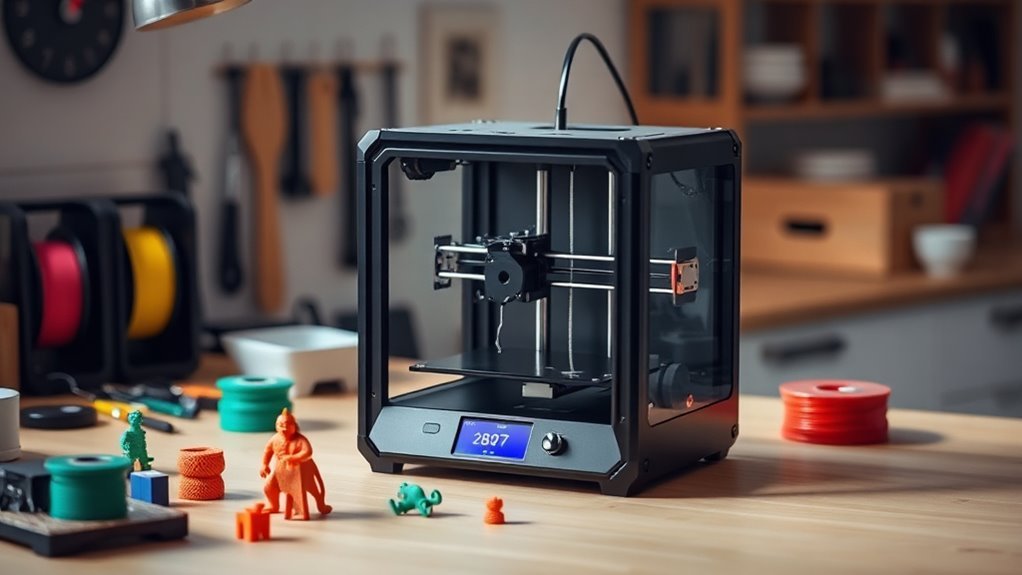
When choosing a beginner 3D printer under $400, you’ll want to focus on print quality and precision to get the best results. Think about how easy it is to set up, too, since you don’t want to get stuck on complicated steps.
Also, check if it includes safety features to protect you during use. Those little things can make a big difference.
Don’t forget to consider printing speed—it can save you time. And having access to a good model library helps make your experience smoother and more fun.
Print Quality and Precision
Choosing a beginner 3D printer under $400 means paying close attention to print quality and precision, as these factors directly impact your finished models. Look for printers offering layer resolutions up to 0.05 mm, which deliver detailed, smooth surfaces.
Stability plays a key role, so features like dual Z-axis lead screws or auto-leveling systems help minimize wobble and improve accuracy. While faster print speeds around 250-400 mm/s save time, they can reduce detail unless the printer is well-calibrated and uses advanced tech.
Material compatibility with common filaments like PLA also matters because it affects adhesion and layer bonding. Finally, a heated bed guarantees better first-layer adhesion, reducing warping and boosting overall model stability during printing.
These factors together guarantee you get crisp, reliable prints every time.
Ease Of Setup
Setting up your beginner 3D printer shouldn’t take more than 15 minutes, especially if you pick a fully assembled model. Look for printers that arrive ready to print, cutting down your wait time to as little as 5 minutes.
One-click or one-tap printing features simplify operation, letting you start your first project without fuss. Automatic leveling systems take the guesswork out of bed calibration, so you won’t need to adjust anything manually.
Printers that include preloaded test prints or starter kits let you dive straight into printing, making your first experience smoother. Also, compact designs make it easier to fit your printer in tight spaces without complicated setup.
Choosing these features guarantees you spend less time setting up and more time creating. It’s all about making the process as easy and enjoyable as possible!
Safety Features Included
Getting your beginner 3D printer up and running quickly is important, but keeping safety in mind is just as essential. Choose fully enclosed designs to protect you from hot components and moving parts during printing.
If children will use the printer, look for pinch-resistant features to prevent injuries. Opt for models that use non-toxic materials like TÜV Rheinland ISO 16000-tested PLA, ensuring safe prints for everyone.
Automatic shut-off and filament run-out detection help prevent overheating and failed prints, adding peace of mind. Also, select printers with auto-leveling systems to reduce user error and maintain stable, safe printing without manual adjustments.
Prioritizing these safety features helps you create without worry, making your 3D printing experience both enjoyable and secure.
Printing Speed Capabilities
One key factor that can greatly impact your 3D printing experience is the printer’s speed capabilities. Speeds vary widely among beginner 3D printers, with some reaching up to 400 mm/s, letting you finish projects faster.
Smaller models might take only 20 minutes, while complex prints can last 1 to 3 hours depending on speed and settings. Pay attention to acceleration rates, usually measured in mm/s², as higher acceleration improves responsiveness and cuts down print times.
Printers with optimized extruders and advanced acceleration systems not only print faster but also maintain consistent quality. This consistency is essential for detailed or intricate designs, ensuring your prints come out precise without sacrificing speed.
Choosing a printer with balanced speed and quality will enhance your overall printing experience. It’s all about finding that sweet spot where speed meets accuracy.
Model Library Accessibility
While choosing a beginner 3D printer under $400, consider how easily you can access a diverse model library. A strong library offers thousands of printable designs, boosting your creativity and making the learning curve smoother.
Look for printers that regularly update their libraries, keeping fresh projects at your fingertips. It’s also helpful if the printer supports importing STL files from popular community sites, expanding your options beyond the default collection.
Some printers feature integrated design tools, including AI-powered customization, letting you tweak models directly. Make sure the platform works across multiple devices—iOS, Android, and Windows—so you can browse and download designs wherever you are.
This accessibility really enhances your experience and keeps you motivated to explore new projects.
Material Compatibility Range
Because material compatibility shapes what you can create, choosing a beginner 3D printer under $400 means ensuring it supports a variety of filaments like PLA, PETG, and TPU. These common materials let you explore flexible prints, sturdy prototypes, and detailed models.
Look for printers with specialized hotends—they handle higher temperature filaments, broadening your options beyond basic PLA. Filament diameter matters too; most beginner models use 1.75 mm filament, which is widely available and easy to find.
Also, consider whether the printer can handle composite filaments mixed with wood or metal, so you can produce unique textures and finishes. By prioritizing material compatibility, you’ll reveal greater creativity and versatility in your 3D printing projects right from the start.
User Interface Simplicity
Material compatibility opens up creative possibilities, but how you interact with your 3D printer shapes the ease of turning ideas into physical objects. A user-friendly interface simplifies the entire printing process, so you can start projects with minimal technical knowledge.
Look for printers with touchscreens and intuitive controls; these eliminate complex setups, letting you navigate settings quickly. Features like one-tap printing and smart control apps give you easy access to preloaded models and design tools, enhancing your experience.
Automatic leveling systems save you from manual adjustments, helping you achieve successful prints right away. Clear visual displays and step-by-step guides help you understand operations and troubleshoot without frustration.
Choosing a printer with a simple interface guarantees you spend more time creating and less time struggling with the machine. It really makes a difference when you want to focus on your creativity instead of the technical stuff.
Size And Portability
When choosing a beginner 3D printer under $400, size and portability play key roles in how easily you can use and store your device. Compact models fit neatly on desks or in small spaces, making them perfect for home or school environments.
If you plan to move your printer between locations, lightweight designs enhance portability without compromising stability. Keep in mind smaller printers usually have reduced build volumes, which limits the size of your creations and the projects you can tackle.
Consider the printer’s dimensions alongside your intended use to guarantee it fits your space and needs without overwhelming your setup. Striking a balance between portability and sturdiness guarantees smooth operation and reliable results, making your beginner 3D printing experience more enjoyable and efficient.
Frequently Asked Questions
What Types of Filament Materials Are Compatible With Beginner 3D Printers?
You’ll find beginner 3D printers usually work with PLA, ABS, and PETG filaments. These materials are affordable, easy to print with, and offer good strength and flexibility.
That’s what makes them perfect for your first projects. Plus, they’re pretty forgiving if you’re just starting out.
How Much Maintenance Do Beginner 3D Printers Typically Require?
You’ll typically spend a little time cleaning the nozzle, leveling the bed, and lubricating moving parts. Regular maintenance won’t take long, but staying consistent helps keep your prints smooth and your printer running reliably.
It’s not a huge time commitment, honestly. Just a few minutes here and there, and you’ll save yourself headaches down the road. Plus, it makes the whole printing experience way more enjoyable!
Can Beginner 3D Printers Connect to Mobile Devices or Apps?
Ever dreamed of printing from your palm? You can! Many beginner 3D printers connect to mobile devices or apps, letting you control prints wirelessly.
You can monitor progress and tweak settings right from your phone or tablet. It’s super convenient and makes 3D printing even more accessible.
Are Replacement Parts Readily Available for These 3D Printers?
Yes, you’ll find replacement parts for most beginner 3D printers easily available online or through the manufacturer.
This guarantees you can keep printing smoothly without long downtime or expensive repairs.
What Safety Precautions Should Beginners Follow When Using 3D Printers?
You should always work in a well-ventilated area and avoid touching hot parts. Keep the printer clean to make sure everything runs smoothly.
Also, it’s a good idea to use safety glasses to protect your eyes. And never leave the printer unattended while it’s printing.
Following these precautions will help keep you safe and make sure your prints come out great.
Conclusion
Choosing your first 3D printer can feel frustrating, but finding the perfect pick under $400 doesn’t have to be. From safe, speedy setups like the Spark AI to sturdy, smart selections like the Creality Ender 3 V3 SE, you’ll discover dependable devices designed for delightful designs.
Immerse yourself in diverse details, consider vital criteria, and confidently create. Your creative journey starts smoothly with these beginner-friendly, budget-conscious beauties!
If you’re just starting out, these 3D printers offer the ideal balance of ease and performance without breaking the bank. Whether you want fast assembly, reliable printing, or smart features, the best beginner 3D printers under $400 have got you covered. Dive into your first projects with confidence and make the most of your investment. These models ensure you get quality, value, and user-friendly experiences, setting you up for success in the exciting world of 3D printing.