10 best beginner 3d printer 2026 recommendation
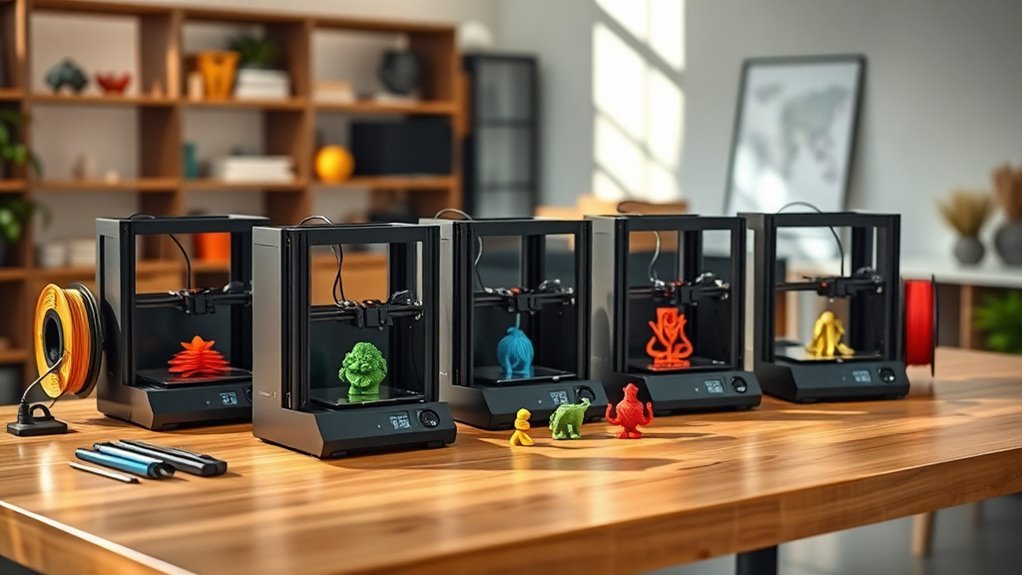
If you’re starting with 3D printing in 2026, you’ll want beginner-friendly, easy-to-use, and reliable 3D printers that make the learning curve smooth.
Models like the Bambu Lab P2S Combo are perfect for those interested in multi-color printing without the hassle.
The FLASHFORGE Adventurer 5M is another great pick, known for its high speeds and automatic leveling, which saves you time and effort.
If you’re looking to experiment with native 4-color printing, the Anycubic Kobra X has you covered.
For those who want simplicity and smart features, the Entina Tina2 Plus and MakeBuddy Smart5 offer easy setup and excellent app control.
Choosing a 3D printer that balances quality, safety, and convenience will really help you enjoy the printing journey.
Take a look at these top picks to find the perfect fit for your needs!
| Image | Name | Editor's Rating | Price |
|---|---|---|---|

|
|
||

|
|
||

|
|
||

|
|
||

|
|
Bambu Lab P2S Combo, P2S 3D Printer & AMS 2 Pro, Multi-Color 3D Printing
- High-Speed Precision: The Bambu Lab P2S 3D printer prints up to 600 mm/s while maintaining exceptional accuracy. With the PMSM Servo Extruder and Active Flowrate...
- Ready to Print in 15 Minutes: Set up your P2S FDM 3D printer and start printing in just 15 minutes. With AI failure detection, quick-swap nozzles, and automatic...
- Effortless Multi-Color Printing: The AMS 2 Pro enables seamless multi-color/multi-material 3D printing. It features built-in filament drying at up to 65 °C, keeping...
- Smart Airflow for Any Filament: The Adaptive Airflow System automatically balances cooling and heat retention—keeping overhangs crisp with cool air, or maintaining a...
- Limitless Creativity, Seamless Workflow: Explore over one million 3D models on MakerWorld and bring them to life with a smooth, unified workflow using Bambu Studio, Bambu...
Discover the power of professional-grade 3D printing made simple with the Bambu Lab P2S Combo. Designed to tackle the challenge of multi-color and multi-material projects, this combo brings versatility to your workspace. The integrated AMS 2 Pro system ensures smooth color transitions and keeps filament perfectly dry, preventing common printing issues.
The P2S printer’s compact design fits comfortably on most desks, making it easy to incorporate into any setup. Maintenance is straightforward with features like automatic calibration and quick-swap nozzles, reducing downtime and simplifying routine care. This combo is built to help users focus on creativity rather than troubleshooting.
While the P2S alone offers impressive speed and precision, it does not support multi-color printing without the AMS 2 Pro. Weighing 46.3 pounds, the unit is stable but less portable. Available starting mid-2026, it is ideal for those planning ahead for advanced printing needs.
Best for: Users seeking a compact, reliable 3D printing system capable of handling complex, multi-material projects with ease.
What We Like:
- Fast, precise printing speeds up to 600 mm/s
- Seamless multi-color printing with filament drying
- Easy setup with AI failure detection and automatic calibration
- Quick nozzle swaps streamline maintenance
Specification:
| Feature | Details |
|---|---|
| Manufacturer | Bambu Lab |
| Dimensions | 18 x 22 x 18 inches |
| Weight | 46.3 lb |
| Included Components | P2S 3D Printer, AMS 2 Pro |
| Color Options | Multi-color printing enabled |
FLASHFORGE Adventurer 5M 3D Printer, All-Metal CoreXY, 600mm/s Max Travel
- One-Click Automatic Printing: Experience hassle-free 3D printing with the Adventurer 5M Series. Enjoy automatic bed leveling for flawless first layers, ensuring...
- 12X Ultra Fast Printing: Featuring a CoreXY structure with 600mm/s travel speed and 20000mm/s² acceleration, the AD5M maximizes efficiency, reduces production cycles...
- Smart and Efficient Design: Quick 3-second nozzle changes, a high-flow 32mm³/s nozzle, and fast 35-second warm-up to 200°C deliver stable high-speed printing. Its...
- Superior Print Quality & Adaptability: Combines a 280°C direct drive extruder with dual-fan cooling and vibration compensation. Includes a standard 0.4mm nozzle and...
- Real-Time App Monitoring: Monitor print progress, adjust settings, and receive instant status alerts remotely with the Flash Studio. Smart mobile control ensures a...
Experience fast and precise 3D printing with the FLASHFORGE Adventurer 5M, designed to simplify your workflow and boost productivity. Its all-metal CoreXY structure enables travel speeds up to 600mm/s, helping you complete prototypes quickly without sacrificing accuracy.
Maintenance is hassle-free thanks to features like automatic bed leveling, which ensures consistent first layers without manual adjustments. Nozzle swaps are effortless, taking just 3 seconds, while the 35-second warm-up time minimizes waiting and keeps your projects moving.
The dual-fan cooling system and vibration compensation work together to improve print quality, reducing defects and enhancing detail. Real-time app monitoring lets you control and track prints remotely, making it easier to manage jobs from anywhere.
Compact yet powerful, the Adventurer 5M fits well in professional or home environments. Its 220 x 220 x 220 mm build volume suits small to medium projects, though larger prints may require alternative options.
Best for: Professionals and enthusiasts seeking a fast, precise 3D printer designed for rapid prototyping and efficient, low-maintenance operation.
What We Like:
- High-speed CoreXY design with up to 600mm/s travel for rapid printing
- Automatic bed leveling and quick 3-second nozzle changes simplify maintenance
- Real-time app monitoring enables seamless remote print management
Specification:
| Specification | Details |
|---|---|
| Manufacturer | FLASHFORGE |
| Dimensions | Not specified |
| Weight | 22 lb (10 kg) |
| Material | All-metal frame |
| Max Travel Speed | 600 mm/s |
| Build Volume | 220 x 220 x 220 mm |
Bambu Lab A1 mini 3D Printer + LED Lamp Kit, Ready-to-Use for Beginners
- A1 mini + LED Lamp Kit for Creative Light Projects: Bring your ideas to life with the included LED Lamp Kit. Simply print compatible lamp models and turn your 3D...
- The Perfect 3D Printer for Beginners: A1 mini 3D Printer is designed to make 3D printing easy from day one with automatic calibration, simple setup, and a smooth printing...
- Experience the Bambu Lab Ecosystem: Access MakerWorld’s huge library of ready-to-print models, manage prints through the Bambu Handy app, and enjoy a connected...
- Fast, Quiet, and Reliable Printing: Compact and beginner-friendly, A1 mini delivers high-speed, high-quality printing with quiet operation that fits naturally into your...
- Made for Everyday Creativity: From toys and home décor to functional tools and personalized gifts, A1 mini makes it easy to turn ideas into real-life creations with a...
Experience creativity made simple with the Bambu Lab A1 mini 3D Printer + LED Lamp Kit. Designed for beginners, this compact printer offers quick setup and automatic calibration to eliminate common startup frustrations. Its quiet operation keeps your workspace peaceful while delivering fast, high-quality prints.
The printer’s small footprint fits easily on any desk or shelf, making it ideal for home or office use. Maintenance is straightforward, helping you focus on your projects instead of complicated upkeep. The Bambu Handy app connects you to the MakerWorld library, giving you instant access to a variety of ready-to-print models that get your ideas flowing.
Beyond printing, the included LED lamp kit adds a unique touch by transforming your creations into functional lights. This combination broadens your creative possibilities, whether you’re crafting toys, décor, or personalized gifts. Keep in mind, the compact size limits build volume, and more advanced users may need extra materials for complex prints.
Best for: Beginners and hobbyists seeking an easy-to-use, space-saving 3D printer with creative lighting options for small home projects and gifts.
What We Like:
- Automatic calibration and user-friendly setup
- Quiet operation with fast, quality printing
- Access to a wide range of ready-to-print models via app
- Compact design fits neatly in small spaces
- LED lamp kit adds functional, decorative lighting
Specification:
| Feature | Details |
|---|---|
| Manufacturer | Bambu Lab |
| Dimensions | Compact size (exact size not provided) |
| Weight | Lightweight (exact weight not provided) |
| Material | Not specified |
| Color Options | Not specified |
Anycubic Kobra X Multicolor 3D Printer, Easy Setup, Native 4-Color
- 【 Newest Level - 19-Color with 4 ACE 2 Pro】Why settle for one color when you can have multicolor? The Kobra X comes born with 4 colors built-in. It is innovative 3D...
- 【 Savings 2X Time】Stop wasting hours and filament on purging! Kobra X impresora 3D reduces the filament and machine travel path by 81.25%, so 2X the Speed, and...
- 【Hardened Precision & High Speed 】 Equipped with a high-durability hardened steel nozzle and vibration compensation, the Kobra X ensures every layer remains smooth...
- 【Flawless First Layer with LeviQ 3.0】The LeviQ 3.0 and auto bed leveling system uses a 49-point calibration and advanced leveling algorithm to ensure 100% bed...
- 【Smart AI Monitoring & Large Model Library】APP remote control, features Spaghetti detection and foreign object detection. The innovative top-mount spool holder...

The Anycubic Kobra X Multicolor transforms 3D printing for creative beginners by offering native 4-color printing with simple setup. This printer makes it easy to bring complex, multicolor designs to life without complicated assembly or extensive experience. Its ability to expand up to 19 colors adds versatility for more advanced projects.
Speed is a major advantage, as the Kobra X Multicolor completes prints twice as fast, finishing a detailed Benchy model in just 14 minutes. The LeviQ 3.0 auto bed leveling system ensures flawless first layers, reducing manual adjustments and print errors. You’ll be ready to print within 15 minutes of setup, making the process smooth and efficient.
Maintenance is straightforward, with AI monitoring that detects issues early to prevent failed prints. Dual-band Wi-Fi lets you manage and control your prints remotely, adding convenience to your workflow. The printer supports a wide range of filaments, making it adaptable to various creative needs.
With a build volume of 260mm³, it strikes a balance between workspace size and compact design, ideal for home or educational settings. While the maximum nozzle temperature of 300℃ covers most materials, it may limit use with specialty high-temperature filaments.
Best for: Creative beginners and hobbyists seeking an easy-to-use, fast, and versatile multicolor 3D printer with smart features for home or classroom use.
What We Like:
- Native 4-color printing with up to 19-color expansion for intricate designs
- Fast print speeds, completing models in half the usual time
- LeviQ 3.0 auto bed leveling ensures reliable first layers
- AI monitoring reduces print failures and simplifies maintenance
- Dual-band Wi-Fi enables remote print control
Specification:
| Feature | Details |
|---|---|
| Manufacturer | Anycubic |
| Build Volume | 260mm³ |
| Maximum Nozzle Temp. | 300℃ |
| Color Printing Modes | Native 4-color, expandable to 19 colors |
| Connectivity | Dual-band Wi-Fi |
| Setup Time | Around 15 minutes |
Entina Tina2 Plus Fast WiFi 3D Printer
- 【Start Printing in Minutes – Beginner Friendly】No setup required. Tina2 Plus 3d printer comes fully assembled and ready to use out of the box. With included TF card...
- 【Fast 250mm/s Printing Performance】This Tina2 Plus high speed 3D printer print speeds up to 250 mm/s help reduce waiting time and support fast project turnaround...
- 【WiFi App Control & STEM Model Library】Powered by the Poloprint Cloud app, this WiFi-enabled 3D printer gives access to 3,500+ printable models and 25+ creative DIY...
- 【40-Second Fast Heat Ceramic Hotend】High-efficiency ceramic hotend heats up in just 40 seconds for faster start-up and less downtime. The quick-swap nozzle design...
- 【Compact 3D Printer for Home & Classroom】Designed with a space-saving footprint while maintaining practical print capacity, this compact 3D printer fits easily on...
The Entina Tina2 Plus Fast WiFi 3D Printer redefines ease and efficiency in desktop 3D printing. Designed to start printing right away, this compact machine arrives fully assembled, eliminating setup frustration. Its quick 40-second ceramic hotend heat-up ensures minimal wait time, helping you move swiftly from design to physical model.
This printer’s dual Z-axis and PEI spring steel build plate deliver stable and reliable prints, reducing errors and improving overall quality. The partially enclosed frame balances safety and accessibility, making it a safe choice for home or workshop environments without sacrificing ease of use.
Maintenance is straightforward thanks to its durable components and user-friendly design. The Entina Tina2 Plus supports multiple operating systems and includes a TF card for immediate offline printing. With WiFi and app control via Poloprint Cloud, you can access over 3,500 models and perform easy online slicing, streamlining your creative workflow.
While the compact build size limits larger projects, this printer excels in speed and convenience for smaller to medium-sized prints. It’s ideal for users who want a fast, reliable machine without complex features.
Best for: Beginners and hobbyists seeking a fast, easy-to-use 3D printer with WiFi connectivity and a broad library of ready-to-print models.
What We Like:
- Fully assembled and ready to print with no setup required
- Fast printing speeds up to 250 mm/s and rapid hotend heating
- WiFi and app connectivity with access to 3,500+ models and online slicing
- Stable prints ensured by dual Z-axis and PEI spring steel plate
Specification:
| Feature | Details |
|---|---|
| Manufacturer | Entina |
| Dimensions | Compact size (exact size not specified) |
| Weight | Not specified |
| Frame | Partially enclosed |
| Build Plate | PEI spring steel |
| Max Printing Speed | Up to 250 mm/s |
| Hotend Heat-up Time | 40 seconds |
| Connectivity | WiFi, TF card |
| Control | Poloprint Cloud app |
| Supported OS | Multiple OS (unspecified) |
MakeBuddy Smart5 AI 3D Printer for Beginners, Plug & Play, High Speed

- 【Designed for Beginners】 MakeBuddy Smart5 3d printer arrives fully assembled and enclosed, so there is no kit to build. Guided app setup and automatic bed leveling...
- 【Easy to Start – Beginner Friendly 3D Printer】From unboxing to your first print in just 15 minutes. Features the leveling technology inherited from QIDI’s...
- 【Safe & Low-Noise Home 3D Printer】The QIDI Smart5 features a sealed enclosure that covers the hot end and moving gantry while lowering operating noise, so the printer...
- 【AI 3D Printer with One-Tap Printing】 The MakeBuddy Smart5 AI 3D printer turns a photo into a printable model: capture an object with a phone or tablet, let the AI...
- 【Complete Starter Kit with Filament and Course Access】 Smart5 ships with 4 PLA filaments, LED and clock DIY build kits, and access to a regularly updated STEAM...
The MakeBuddy Smart5 AI 3D Printer transforms complex 3D printing into an accessible and efficient experience. Its plug-and-play design means you can start printing in just 15 minutes, without needing any CAD skills. This ease of use removes common setup frustrations and gets your creative projects underway quickly.
Maintenance is simplified with automatic bed leveling, ensuring the first layer is perfect every time. The printer’s sealed enclosure not only keeps prints safe but also reduces noise and filters the air using an active HEPA and carbon system. This makes it ideal for home or classroom environments.
Powered by AI, the Smart5 converts photos into 3D models, opening new creative possibilities without complicated software. The high-speed CoreXY motion system ensures fast, precise printing, helping you finish projects sooner without sacrificing quality.
While its build volume is moderate at 180 x 180 x 180 mm, it suits most beginner and hobbyist needs. The included PLA filaments cover basic materials, though you may want additional types for more advanced projects. Weighing 31.6 pounds, it balances stability with portability.
Best for: Beginners and hobbyists seeking an easy, safe, and smart 3D printing solution with AI capabilities and comprehensive starter resources.
What We Like:
- Fully assembled for quick setup and guided app control
- Advanced safety with a sealed enclosure and active HEPA/carbon filtration
- AI-powered photo-to-3D model conversion for creative ease
- High-speed CoreXY system for efficient printing
Specification:
| Feature | Details |
|---|---|
| Manufacturer | MakeBuddy |
| Build Volume | 180 x 180 x 180 mm |
| Weight | 31.6 lb (14.3 kg) |
| Filament Type | PLA (included) |
| Safety Features | Sealed enclosure, HEPA & carbon filter |
Creality Ender 3 V3 SE 3D Printer

- 【250mm/s High-speed Printing】Creality Ender 3 V3 SE 3d printer supports a maximum printing speed of 250mm/s, 2500mm/s² acceleration.The speed has been greatly...
- 【Powerful ""Sprite"" Direct Extruder】Ender 3 V3 SE is the upgrade of ender 3, ender 3 v2, ender 3 pro, ender 3 neo, ender 3 v2 neo, ender 3 s1, ender 3 s1 pro etc 3d...
- 【Worry-free CR Touch Auto Leveling & Strain Sensor】Creality Ender 3 upgraded 3d printer features a CR Touch sensor for auto leveling and a strain sensor for auto...
- 【Stable Dual Z-axis & Y-axis Linear Shafts】High-precision dual Z-axis lead screws reduce Z wobbling effectively, avoid printing deviation in single-axis printing...
- 【Quick Assembly & Easy to Use】Preassembly has solved those hassles and worries of parts assembly, It only takes 3 steps to complete the assemble the ender-3 v3 se 3d...
Experience faster 3D printing with the Creality Ender 3 V3 SE, designed to enhance your productivity and simplify your workflow. Its high-speed capability of up to 250mm/s significantly reduces print times, saving you up to 73% compared to other models. This makes it ideal for users who want efficient output without sacrificing quality.
The printer’s upgraded Sprite full metal dual-gear direct extruder ensures smooth and reliable filament feeding, supporting popular materials like PLA, TPU, and PETG. This versatility helps you tackle a wide range of projects with consistent results. Automatic leveling with CR Touch and strain sensors removes the hassle of manual calibration, making setup straightforward.
Stability and precision are enhanced by dual Z-axis screws and dual Y-axis shafts, which minimize vibrations and improve print accuracy. Assembly is quick and user-friendly, taking about 20 minutes, and features like automatic filament loading further reduce maintenance time.
Best for: Beginners and hobbyists seeking a fast, precise, and easy-to-use 3D printer with broad filament compatibility.
What We Like:
- High-speed printing with significant time savings
- Smooth filament feeding with advanced extruder design
- Automatic leveling for easy setup and accurate prints
- Stable frame with dual-axis support for consistent quality
- Quick assembly and automatic filament loading
Specification:
| Feature | Details |
|---|---|
| Manufacturer | Creality |
| Print Speed | Up to 250 mm/s |
| Build Volume | 8.66 x 8.66 x 9.84 inches |
| Extruder Type | Sprite full metal dual-gear |
| Supported Filaments | PLA, TPU, PETG |
| Leveling System | CR Touch automatic leveling |
| Frame Stability | Dual Z-axis screws, dual Y-axis shafts |
TINA2C 3D Printer Beginner Friendly, Easy-Ready to Print in 5 Mins

- 【BEGINNER FRIENDLY-READY TO PRINT】Hephi3d Tina2C 3d printer friendly for home, fully assembled, factory preset, auto leveling, ready to print right out of the box, no...
- 【EASY TO USE-ONE TAP PRINTING】Tina2C mini 3d printer provides 3500+ online massive ready to print model library, new designs update every day. You can print in one...
- 【UNLIMITED CREATIVITY-EASY DIY】Tina2C beginner friendly 3d printer with APP provides STEM Learning Module and 25+ design modules for simply customizing. AIGC & Photo...
- 【FULLY OPEN SOURCE-NO LIMITS】Tina2C beginner 3d printer is no software lock-In. Print you way freely with Wiibuilder or Cura on PC and laptops, one-click wifi upload...
- 【FAMILY & BEGINNER FRIENDLY】 Tina2c compact 3d printer for home can print anytime anywhere, space save. Silent Printing and Auto Detect Bed function give more safe...
Experience hassle-free 3D printing with the TINA2C 3D Printer, designed to get you started in just five minutes. Its fully assembled build and automatic leveling remove common setup frustrations, letting you focus on creating. This printer simplifies the 3D printing process for beginners and educators alike.
Control your projects effortlessly through a smartphone or tablet app. Access over 3,500 ready-to-print models, including AI-generated designs, updated daily. This flexibility ensures you always have fresh ideas and templates at your fingertips.
The TINA2C offers versatile upload options via Wi-Fi, TF card, or USB-C, adapting to your preferred workflow. Its silent printing operation and resume-after-power-outage feature enhance reliability and reduce maintenance interruptions. Fast hotend release makes nozzle changes quick and straightforward.
Compact and user-friendly, this printer encourages learning and creativity with included STEM modules and a starter kit. While its build volume suits smaller projects, the TINA2C meets the needs of beginners without overwhelming complexity.
Best for: Beginners and educators seeking a straightforward, ready-to-use 3D printer with STEM learning support and creative versatility.
What We Like:
- Fully assembled with automatic leveling, ready in five minutes
- Intuitive app control featuring 3,500+ printable models and AI designs
- Multiple connectivity options: Wi-Fi, TF card, USB-C
- Silent printing with resume-after-power-outage for reliability
- Quick hotend release for easy maintenance
Specification:
| Feature | Details |
|---|---|
| Manufacturer | TINA |
| Dimensions | 8.27 x 6.7 x 9.84 inches |
| Weight | Not specified |
| Material | Not specified |
| Connectivity | Wi-Fi, TF card, USB-C |
| Build Volume | Compact size, suitable for small projects |
Entina Tina2 Mini 3D Printer for Beginners
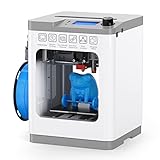
- 3D Printer for Beginners and Kids: Out of the box, fully assembled, Speedy Printing –TINA2 BASIC 3d printer is super easy to use and does not require a complex setup...
- Ready to Print: Equipped with 2.4" LCD screen and Wiibulider slicer software makes it easy to conduct offline printing using the MicroSD Card. The 3-d printer supports...
- Fully Open-Source: Entina TINA2 BASIC Mini 3D printer adopts a safety-first design philosophy, featuring complete open-source compatibility for enhanced flexibility and a...
- Auto Leveling & Magnetic Platform: The small 3d printer does not need manual leveling, the intelligent leveling system can automatically adjust the uneven bed, thus...
- Compact Design:This is light weight and minimalist desktop 3D printers, the mini 3D printer size is 8.3''x8.3''x11.4'', weight is 3kg. Light weight and portable design...
The Entina Tina2 Mini 3D Printer is designed to help beginners dive into 3D printing with ease. Its quick five-minute setup and fully assembled design eliminate the usual hassle, so users can start creating faster. The intelligent auto-leveling system ensures accurate printing without manual calibration, simplifying the process for first-time users.
This compact printer fits comfortably in small spaces like homes or classrooms, prioritizing safety with its sturdy build. The magnetic build plate allows for effortless removal of finished prints, reducing the risk of damage. Dual Z-axis rails contribute to producing precise and detailed models, enhancing the quality of every project.
Maintenance is straightforward thanks to its offline printing capability via the included TF card and Wiibuilder slicer. User-friendly controls, including a responsive knob and one-button filament loading, make the Entina Tina2 ideal for kids and beginners. This printer turns creative ideas into tangible projects without technical complications.
While the build volume is limited to 100x105x100 mm, it suits small-scale prints perfectly. The open-frame design requires supervision for younger users due to exposed moving parts. Its simplicity may not meet the needs of advanced users seeking extensive customization.
Best for: Beginners, kids, and hobbyists looking for an easy-to-use, compact 3D printer for home or school projects.
What We Like:
- Fully assembled with smart auto-leveling for quick start-up
- Compact, safe design with a flexible magnetic build plate
- Offline printing via included TF card and simple controls
Specification:
| Feature | Details |
|---|---|
| Manufacturer | Entina |
| Dimensions | Compact size (exact size not specified) |
| Build Volume | 100 x 105 x 100 mm |
| Weight | Not specified |
| Material | Not specified |
| Color Options | Not specified |
Flashforge Adventurer 5M 3D Printer for Beginners

- 600mm/s Hyper-Speed Printing with Klipper Engine. Industry-leading 20,000mm/s² Acceleration - Equipped with 32mm³/s high-flow nozzle and 50W ceramic heater reaching...
- Auto Bed Leveling. 0.01mm Precision Calibration - Features 25-point detecting and pressure-sensor compensation, achieving perfect first-layer adhesion.
- Industrial-Grade CoreXY Frame with Anti-Vibration. Dual linear rails & aluminium frame reduces resonance by 63% compared to bed-slingers. 24/7 continuous printing capable...
- Smart Workshop Ecosystem. MagSwitch PEI plate (removal in 3s) + Nozzle X quick-change system (swap <15s). Built-in filament sensor & remote monitoring via Flashforge App...
- Multi-Material Pro Configuration. 0.25-0.8mm nozzles for miniature models to architectural prints. Optional enclosure with your own printing plate offers a cost-effective...
Experience rapid and precise 3D printing with the Flashforge Adventurer 5M, designed to meet the needs of beginners and hobbyists. Its impressive 600mm/s print speed and Klipper engine significantly reduce wait times, helping you complete projects faster without sacrificing quality.
This printer features auto bed leveling with 0.01mm precision and ±0.1 mm accuracy to ensure your prototypes come out reliable every time. The sturdy CoreXY frame and dual linear rails minimize vibrations, allowing for consistent results even during extended 24/7 printing sessions.
Maintenance is straightforward thanks to smart additions like a filament sensor and a quick-change nozzle system. These features simplify operation and reduce downtime, so you can focus more on creating and less on troubleshooting. Its modular design also allows for easy upgrades and customization as your skills develop.
While the Adventurer 5M offers optional multi-material support and an enclosure, these require additional investment. The maximum nozzle temperature of 200°C may limit use with some high-temperature filaments, which is worth considering depending on your material needs.
Best for: Beginners and hobbyists seeking a fast, precise, and adaptable 3D printer with user-friendly features and room to grow.
What We Like:
- Fast print speeds up to 600mm/s for quick project turnaround
- High precision with auto bed leveling and ±0.1 mm accuracy
- Durable CoreXY frame reduces vibration for stable printing
- Easy maintenance with filament sensor and quick-change nozzle
- Modular design supports future upgrades and customization
Specification:
| Feature | Details |
|---|---|
| Manufacturer | Flashforge |
| Print Speed | Up to 600 mm/s |
| Accuracy | ±0.1 mm |
| Auto Bed Leveling | 0.01 mm precision |
| Frame Type | CoreXY with dual linear rails |
| Max Nozzle Temp | 200°C |
| Heater | 50W ceramic heater |
Factors to Consider When Choosing a Beginner 3D Printer: 2026 Recommendation
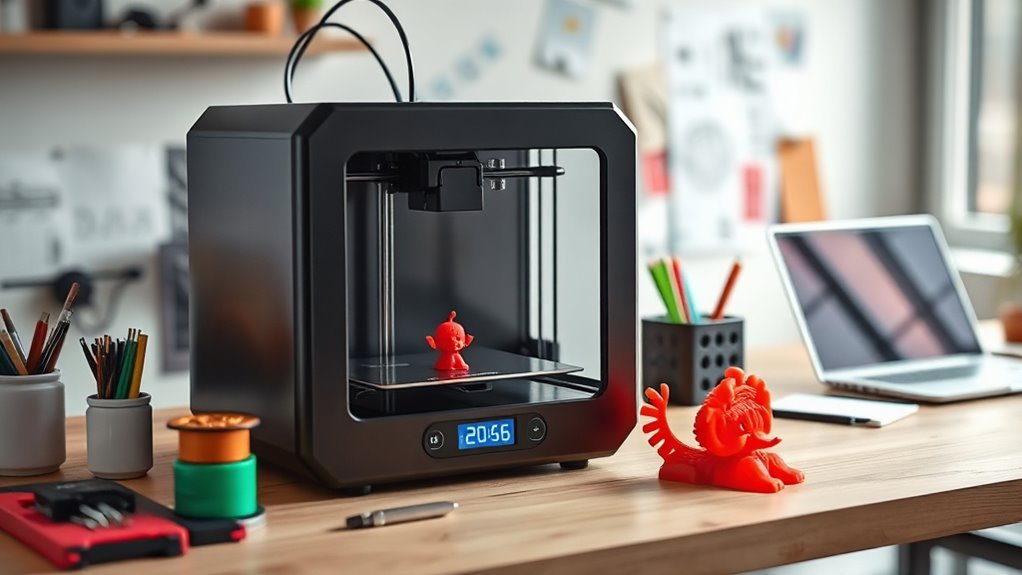
When choosing a beginner 3D printer in 2026, you’ll want to focus on print quality and precision to guarantee your projects look great. Ease of setup and software compatibility matter too, so you can start printing without frustration.
Also, don’t forget to take into account speed, multi-color options, and connectivity features that fit your creative needs. These little extras can make a big difference in your overall experience.
Print Quality And Precision
Three key factors determine the print quality and precision of a beginner 3D printer: calibration accuracy, extrusion consistency, and material compatibility. Automatic bed leveling and high-resolution calibration guarantee your prints have consistent layer adhesion and precise dimensions.
You’ll want a printer with advanced extruder technology, like a dual-gear direct extruder, which improves filament feeding for smoother results. Active flowrate compensation also helps maintain steady extrusion, giving you flawless corners and detailed prints.
While speed is important, high-speed printing up to 600 mm/s shouldn’t sacrifice sharpness or smoothness. Finally, check the printer’s material compatibility. Supporting various filament types means you can choose the best material for your project, with settings tailored to produce superior results.
Focusing on these factors guarantees impressive print quality from your first print onward.
Ease Of Setup
Although 3D printing can seem complex, choosing a beginner printer that’s easy to set up will save you time and frustration. Look for models that are fully assembled or require minimal assembly so you can start printing within 5 to 15 minutes.
Automatic bed leveling is a must—it guarantees your first layer sticks well without manual fiddling. User-friendly interfaces and guided app setups make steering through the process straightforward, even if you’re new to 3D printing.
Features like quick-swap nozzles and simple maintenance options further reduce hassle, letting you focus on creating rather than troubleshooting. By prioritizing ease of setup, you’ll enjoy a smoother start and spend more time bringing your ideas to life.
Speed And Efficiency
Choosing a beginner 3D printer that offers high speed and efficiency can dramatically cut down your project turnaround times. Look for models boasting maximum printing speeds up to 600 mm/s, which excel at rapid prototyping.
Accelerations reaching 20,000 mm/s² boost responsiveness, letting you finish prints faster without losing quality. Quick warm-up times—some as low as 35 seconds—mean you’ll spend less waiting and more printing.
Automatic bed leveling guarantees your first layer sticks perfectly, minimizing failed prints and wasted time on manual adjustments. Plus, dual-fan cooling systems with optimized airflow enhance print stability and quality, keeping your projects smooth and consistent.
Prioritizing these features will help you work efficiently and achieve great results right from the start.
Multi-Color Capabilities
When you want to bring vibrant, detailed designs to life, multi-color capabilities in a beginner 3D printer can make all the difference. Look for printers with advanced systems like AMS (Automatic Material System), which integrate multiple filaments seamlessly, boosting your creativity.
Some models support native multi-color printing or let you add modules to expand color options, making your projects truly stand out. These printers often include precise calibration for accurate layering and smooth color shifts, so your prints look professional right off the bed.
Plus, built-in filament drying systems help maintain quality by preventing moisture issues. Choosing a multi-color printer reduces post-processing time, letting you produce intricate, colorful models more efficiently and enjoy a more rewarding printing experience.
Software And Connectivity
Multi-color printing opens up exciting possibilities, but having the right software and connectivity features can make your 3D printing experience smoother and more enjoyable. Look for printers with mobile app connectivity so you can monitor and control prints in real time, adding convenience.
Choose models supporting multiple file formats and slicing software for compatibility with various designs. Built-in Wi-Fi or cloud access lets you manage prints remotely and tap into vast libraries of ready-to-print models.
An intuitive user interface is a must, helping you navigate menus and select designs easily, even without advanced CAD skills. And finally, pick printers that offer software updates and open-source frameworks to keep your machine flexible and ready for future enhancements.
Safety And Noise Levels
Although 3D printing can involve high temperatures and moving parts, many beginner printers feature enclosed designs that keep you safe during operation. These enclosures protect you from hot components and reduce the risk of accidents.
Look for models with active filtration systems to capture ultrafine particles and minimize odors, improving your workspace’s air quality. Noise levels vary, but some printers run as quietly as 48 dB, perfect for home or office use.
Automatic bed leveling not only boosts print quality but also reduces manual adjustments, making the process safer and easier. Plus, compact, lightweight designs let you move and set up your printer effortlessly, which is great for safety and convenience.
Prioritizing these features helps guarantee a secure and pleasant 3D printing experience. It’s all about making the process smooth and worry-free!
Frequently Asked Questions
What Materials Are Best for Beginner 3D Printing Projects?
You’ll want to start with PLA since it’s easy to print, non-toxic, and doesn’t warp much.
PETG is also beginner-friendly, offering durability and flexibility.
Avoid ABS initially, as it needs higher temperatures and ventilation.
How Much Maintenance Does a Beginner 3D Printer Require?
You’ll need to perform basic maintenance like cleaning the print bed, lubricating moving parts, and occasionally replacing the nozzle.
With regular care, your beginner 3D printer will run smoothly and produce high-quality prints consistently.
It’s not too much work, really. Just a little attention here and there keeps everything running great!
Can Beginner 3D Printers Be Used for Educational Purposes?
You can definitely use beginner 3D printers for educational purposes. Imagine students bringing concepts to life, experimenting hands-on, and sparking creativity.
These printers make learning interactive, helping you teach STEM skills in an exciting, practical way. It’s a great way to keep students engaged and curious.
What Safety Precautions Should Beginners Follow When 3D Printing?
You should always work in a well-ventilated area and avoid touching hot parts. Wearing safety glasses is a smart move to protect your eyes.
Keep your workspace clean and tidy. It helps prevent accidents and makes your printing process smoother.
Also, never leave the printer unattended while it’s running. Always supervise it closely.
And of course, make sure to follow the manufacturer’s safety guidelines—they’re there for a reason!
Are There Any Recommended Software Programs for Novice 3D Printers?
You should try Cura or PrusaSlicer; they’re user-friendly and free. TinkerCAD’s great for designing simple models.
These programs help you get started quickly without overwhelming you, making your 3D printing experience smoother and more enjoyable.
Conclusion
Choosing the right beginner 3D printer can really transform your creative journey. With options like the Bambu Lab P2S Combo or Flashforge Adventurer 5M, you’re set for success.
Did you know that 65% of beginners report faster project completion using printers with multi-color capabilities? It’s true! So, pick a model that matches your needs and dive into 3D printing confidently.
Your perfect print awaits. Start creating with ease in 2026 and enjoy the exciting world of 3D printing. Whether you want to build prototypes, toys, or custom designs, the best beginner 3D printer will make the process smoother and more fun. Don’t wait—embrace the future of making today!