7 Best Black and White Laser Printers with Cheap Toner in 2027
If you’re on the hunt for reliable black and white laser printers with cheap toner, you’ve come to the right place. These printers not only save you money on cartridges but also deliver crisp, professional-quality prints. Whether you need a printer for home use, small office tasks, or something more robust, there are great options out there to fit your budget and printing volume.
Consider models like the HP LaserJet M234sdw or Canon imageCLASS MF273dw. Both are efficient all-in-one printers with affordable cartridge options, making them perfect for everyday use without breaking the bank.
The Canon LBP122dw is a solid choice if you want something compact for home use. Meanwhile, the Brother HL-L2405W works well with high-yield TN830XL toner, which helps cut costs in the long run.
If speed and expandability are what you need, the Canon MF462dw II really stands out. Picking the right printer depends on your volume and connectivity needs. Don’t worry—you’ll find plenty of insights ahead to help you decide.
| Image | Name | Editor's Rating | Price |
|---|---|---|---|

|
|
||

|
|
||

|
|
||

|
|
||
|
|
HP LaserJet M234sdw Monochrome Laser Printer | All-in-One
No products found.
The HP LaserJet M234sdw Monochrome Laser Printer is built to streamline office tasks for small teams. Its fast printing speed of up to 30 pages per minute helps reduce wait times and keeps your workflow steady. Automatic duplex printing cuts paper use and boosts efficiency for everyday document handling.
This all-in-one machine simplifies scanning and copying with a 40-page auto document feeder, allowing hands-free operation. Flexible connectivity options include dual-band Wi-Fi, Ethernet, and mobile printing through the HP Smart app. This makes setup and sharing effortless across Windows, macOS, and Android devices.
Maintenance is straightforward with a 150-sheet input capacity, though high-volume users may need to refill more often. The printer’s 600 x 600 dpi resolution suits clear text and standard graphics but may not meet needs requiring high-detail images. Built-in security features protect sensitive data, helping keep your office network safe.
Its compact design saves space while delivering reliable performance. The HP LaserJet M234sdw is a practical solution for small offices looking for a secure, efficient, and easy-to-manage monochrome printer.
Best for: Small teams of 1–5 users needing a reliable, fast, and secure monochrome all-in-one printer for general office tasks.
What We Like:
- Fast print speed with automatic duplex printing
- Multiple connectivity options including dual-band Wi-Fi and Ethernet
- Easy hands-free scanning and copying with a 40-page auto document feeder
- Built-in security features for data protection
- Compact design suitable for limited office space
Specification:
| Feature | Details |
|---|---|
| Manufacturer | HP |
| Dimensions (W×D×H) | Approx. 16.5 × 14.6 × 11.5 in (41.9 × 37.1 × 29.2 cm) |
| Weight | Approx. 18.5 lb (8.4 kg) |
| Printing Technology | Monochrome Laser |
| Print Speed | Up to 30 ppm |
| Print Resolution | 600 x 600 dpi |
| Auto Document Feeder | 40 pages |
| Input Capacity | 150 sheets |
| Connectivity | Dual-band Wi-Fi, Ethernet, Mobile (HP Smart app) |
Canon imageCLASS MF273dw Wireless Monochrome Laser Printer
- Wireless 3-in-1: Print | Copy | Scan
- Print up to 30 Pages Per Minute (BW, Letter)
- First Print Out in Approximately 5.3 Seconds (Letter)
- Auto 2-sided Printing
- Uses Toner 071 / 071 High-Capacity Toner
The Canon imageCLASS MF273dw is designed to streamline your printing tasks with speed and precision. Its fast monochrome printing at up to 30 pages per minute helps reduce wait times, making it ideal for busy work environments. The sharp 2400 x 600 dpi resolution ensures clear, professional documents every time.
This wireless monochrome laser printer also simplifies copying and scanning with an automatic document feeder and duplex printing. These features save time and reduce paper waste, enhancing overall efficiency. Compact in size, it fits comfortably on most desks without sacrificing functionality.
Connectivity is flexible, offering Wi-Fi, USB, and Wi-Fi Direct options for easy remote printing from various devices. Maintenance is straightforward, though the starter 071 Black cartridge yield of about 700 pages means heavy users may need to replace toner relatively soon. The 150-sheet input tray is suitable for everyday use but may require frequent refills in high-volume settings.
With its focus on reliable, fast monochrome printing and multifunction capabilities, this model is a practical choice for those needing efficient document handling without color printing.
Best for: Small offices or home users requiring a dependable monochrome laser printer with wireless and multifunction features.
What We Like:
- Fast print speed of up to 30 ppm with high-resolution output
- Automatic duplex printing and document feeder improve workflow
- Multiple connectivity options including Wi-Fi Direct for versatile use
- Compact design fits well in limited workspace
Specification:
| Feature | Specification |
|---|---|
| Manufacturer | Canon |
| Dimensions (W x D x H) | 16.1 x 15.7 x 12.6 inches |
| Weight | 23.4 lb (10.6 kg) |
| Print Technology | Monochrome Laser |
| Print Resolution | 2400 x 600 dpi |
| Print Speed | Up to 30 ppm |
| Paper Capacity | 150 sheets |
| Connectivity | Wi-Fi, USB, Wi-Fi Direct |
Canon imageCLASS LBP122dw – Wireless Monochrome Duplex Laser Printer
- Wireless, duplex printer (print-only)
- Fast print speeds up to 30 pages per minute (black and white)
- Print on-the-go with Canon PRINT app and more.
- Uses Canon GENUINE Toner 071 / 071 high-capacity
- Compact design fits almost anywhere in your home, great for home use and personal printing

Experience efficient, wireless printing with the Canon imageCLASS LBP122dw. This monochrome laser printer helps you tackle everyday printing tasks quickly and reliably. Its fast print speed of up to 30 pages per minute means less waiting and more productivity.
The printer’s automatic duplex feature saves you time and reduces paper waste by printing on both sides. Its compact design fits smoothly into small or home office spaces without clutter. Wireless connectivity allows seamless printing from your computer or mobile device through the Canon PRINT app, making remote printing simple.
Maintenance is straightforward with Canon GENUINE Toner 071 or high-capacity cartridges, ensuring consistent print quality and reducing replacement frequency. Although it is a print-only device without scanning or faxing, it delivers sharp, professional black-and-white documents ideal for personal or small business use.
Best for: home users or individuals needing a fast, wireless monochrome printer that fits into tight spaces and supports mobile printing.
What We Like:
- Fast printing at 30 pages per minute with duplex capability
- Easy wireless setup with mobile printing via Canon PRINT app
- Compact size, perfect for small or home offices
- Reliable print quality with genuine Canon toner cartridges
Specification:
| Feature | Details |
|---|---|
| Manufacturer | Canon |
| Dimensions | Compact (exact size not specified) |
| Weight | Not specified |
| Printing Type | Monochrome Laser |
| Connectivity | Wireless (Wi-Fi) |
| Duplex Printing | Automatic duplex |
| Mobile Printing | Canon PRINT app supported |
Canon imageCLASS MF3010 Wired Monochrome Laser Printer
No products found.
The Canon imageCLASS MF3010 is designed to make monochrome printing straightforward and efficient. Its fast print speeds of 19 pages per minute help reduce wait times, making it ideal for busy small offices or home workspaces. The crisp 600 x 600 dpi resolution ensures every document looks professional and clear.
This wired multifunction printer combines printing, scanning, and copying in one compact device. It supports a 150-sheet paper tray, providing enough capacity for everyday tasks. Automatic duplex printing helps save paper without extra effort, supporting sustainable office practices.
Maintenance is simple with the included starter toner and an additional cartridge that together yield up to 2,300 pages. This reduces downtime and frequent toner replacements, helping keep your operating costs low. USB connectivity ensures quick setup and compatibility with Windows, Mac, and Linux systems.
Though it lacks wireless features and is limited to black-and-white printing, the MF3010 offers reliable performance and energy-efficient operation. Its compact design fits well in tight spaces without sacrificing functionality.
Best for: Small offices and home users needing a dependable monochrome multifunction printer with wired USB connectivity and low running costs.
What We Like:
- Fast 19 ppm print and copy speeds with sharp 600 x 600 dpi quality
- Combined starter and additional toner yields up to 2,300 pages
- Automatic duplex printing to save paper and reduce waste
- Easy USB setup compatible with Windows, Mac, and Linux
Specification:
| Feature | Details |
|---|---|
| Manufacturer | Canon |
| Dimensions (W×D×H) | 13.4 × 9.8 × 8.7 inches |
| Weight | 14.3 lbs (6.5 kg) |
| Color | White |
| Connectivity | USB (wired) |
| Print Speed | 19 pages per minute |
| Print Resolution | 600 x 600 dpi |
| Paper Capacity | 150 sheets |
HP Laserjet Pro 3001dw Wireless Printer (3G65OF)
- FROM AMERICA'S MOST TRUSTED PRINTER BRAND – Perfect for small teams printing professional-quality black & white documents and reports plus auto 2-sided printing...
- SUPER-FAST PRINT SPEEDS – Up to 35 black-and-white pages per minute single-sided
- STAYS CONNECTED – Intelligent Wi-Fi looks for the best connection to stay online and ready to print
- PROTECTS YOUR DATA – Includes HP Wolf Pro Security with customizable settings so your printer and information are always secure
- PRINT FROM ANY DEVICE – Wireless printing from any mobile device, PC or tablet. Ethernet and Bluetooth included. Works with Microsoft, Mac, AirPrint, Android...
The HP LaserJet Pro 3001dw is designed to meet the demands of small teams needing fast and dependable monochrome printing. It produces sharp prints at a resolution of 1200 x 1200 dpi and delivers up to 35 pages per minute, helping you keep up with tight deadlines. Automatic duplex printing reduces paper waste, making it an eco-friendly choice.
This printer supports up to seven users with versatile connectivity options including wireless, Ethernet, Bluetooth, and USB. You can easily print from laptops, smartphones, or tablets, streamlining the workflow in busy offices. Its compact design fits well in small workspaces without sacrificing performance.
Maintenance is straightforward with HP’s Instant Ink subscription service, which automatically delivers toner before you run out, reducing downtime. Security is enhanced with HP Wolf Pro and PIN release, protecting sensitive documents from unauthorized access. However, it only prints in black and white and has a single 250-sheet tray, which may require frequent refills in high-volume settings.
Best for: Small teams or offices requiring efficient, secure monochrome printing with flexible connectivity and simple maintenance.
What We Like:
- Fast print speed with clear 1200 x 1200 dpi output
- Automatic duplex printing reduces paper usage
- Multiple connectivity options for easy device integration
- Enhanced security features protect sensitive documents
- Convenient toner management via HP Instant Ink subscription
Specification:
| Feature | Details |
|---|---|
| Manufacturer | HP |
| Model | LaserJet Pro 3001dw |
| Print Speed | Up to 35 pages per minute |
| Resolution | 1200 x 1200 dpi |
| Connectivity | Wireless, Ethernet, Bluetooth, USB |
| Tray Capacity | 250 sheets |
| Color | Monochrome (Black & White) |
| Dimensions (W x D x H) | Not specified |
| Weight | Not specified |
Brother HLL2405W Printer and TN830XL High Yield Toner
- BEST FOR HOMES & HOME OFFICES – Engineered for consistent, premium print quality, the Brother HL-L2405W Monochrome (Black & White) Laser Printer delivers sharp, crisp...
- HIGH YIELDS, SUPERIOR QUALITY – Brother Genuine TN830XL High Yield Black Toner is formulated to deliver yields up to 3,000 pages.(1) Enjoy lower per page print costs...
The Brother HL-L2405W delivers fast, sharp black-and-white printing tailored for home offices and small teams. It tackles everyday document needs with speeds up to 30 ppm and crisp 1200 x 1200 dpi resolution. This printer helps you save time while producing professional-quality pages.
Designed for simplicity, it supports up to A3 paper sizes and handles various media like card stock. With a 250-sheet capacity, it reduces frequent paper refills during moderate print jobs. Connecting via USB or network, it fits easily into most office setups.
Maintenance is straightforward with the TN830XL High Yield Toner, which prints up to 3,000 pages. This reduces the hassle of frequent replacements and lowers your overall printing costs. The monochrome laser technology ensures consistent output without compromising speed or clarity.
While it lacks duplex printing and color options, this printer excels in reliable, cost-effective monochrome output. Its compact design and efficient toner make it ideal for users who prioritize sharp, quick prints without extra features.
Best for: Small home offices and individuals needing fast, cost-effective black-and-white printing with minimal maintenance.
What We Like:
- Rapid printing speed up to 30 ppm for quick document turnaround.
- High-resolution 1200 x 1200 dpi output ensures clear, professional text.
- TN830XL toner yields up to 3,000 pages, cutting replacement frequency.
- Supports a variety of paper types and sizes up to A3 for versatile use.
- Simple connectivity with USB and network options for flexible setup.
Specification:
| Feature | Details |
|---|---|
| Manufacturer | Brother |
| Dimensions (W×D×H) | 14.2 × 14.2 × 7.2 inches |
| Weight | 12.3 lb (5.6 kg) |
| Print Technology | Monochrome Laser |
| Max Print Speed | 30 ppm |
| Max Resolution | 1200 x 1200 dpi |
| Paper Capacity | 250 sheets |
| Connectivity | USB, Network |
| Toner Model | TN830XL High Yield |
Canon imageCLASS MF462dw II – Wireless, Monochrome Duplex Laser Printer
- Monochrome, Wireless, Duplex 4-in-1: Print, scan, copy, fax.
- Fast Print Speeds: Print up to 37 pages per minute and spend less time waiting with a quick first print time of approximately 5 seconds.
- Easy Wireless Setup: Setup your wireless connection and get up and running in just a few steps2
- 5-inch Color Touchscreen: Get the job done quickly with Application Library - an intuitive and easy to use customizable access to the features you use most.
- Mobile Device Printing: Print from your compatible mobile devices using the free Canon PRINT app, Apple AirPrint and Mopria Print Service.
Experience efficient monochrome printing designed to boost productivity in small or home office settings with the Canon imageCLASS MF462dw II. This wireless all-in-one laser printer delivers sharp, clear prints at speeds up to 37 pages per minute, helping you meet tight deadlines with ease.
Its intuitive 5-inch touchscreen offers customizable apps, simplifying daily tasks like copying, scanning, and faxing. The duplex one-pass automatic document feeder (ADF) saves time by scanning both sides of documents simultaneously, streamlining workflow.
Maintenance is straightforward with affordable, high-yield toner cartridges that minimize interruptions and reduce overall running costs. The printer’s expandable paper capacity of up to 900 sheets keeps you focused on work without frequent refills.
While it only supports monochrome printing and has a single USB port, its wireless capabilities include mobile printing via Canon PRINT, Apple AirPrint, and Mopria, making it convenient for hybrid work environments.
Best for: Small or home offices and hybrid workspaces that require reliable, fast black-and-white printing with versatile multifunction features.
What We Like:
- Fast printing speed of up to 37 ppm with crisp 1200 x 1200 dpi resolution
- Wireless and mobile printing options for flexible connectivity
- Duplex one-pass ADF enhances efficiency for double-sided scans and copies
- Expandable paper capacity up to 900 sheets reduces interruptions
- User-friendly 5-inch touchscreen with customizable apps
Specification:
| Feature | Details |
|---|---|
| Manufacturer | Canon |
| Dimensions | Not specified |
| Weight | 44 lb (20 kg) |
| Printing Technology | Monochrome Duplex Laser |
| Connectivity | Wireless, USB (single port) |
| Display | 5-inch touchscreen |
| Paper Capacity | 250-sheet tray, expandable to 900 sheets |
Factors to Consider When Choosing a Black and White Laser Printer With Cheap Toner
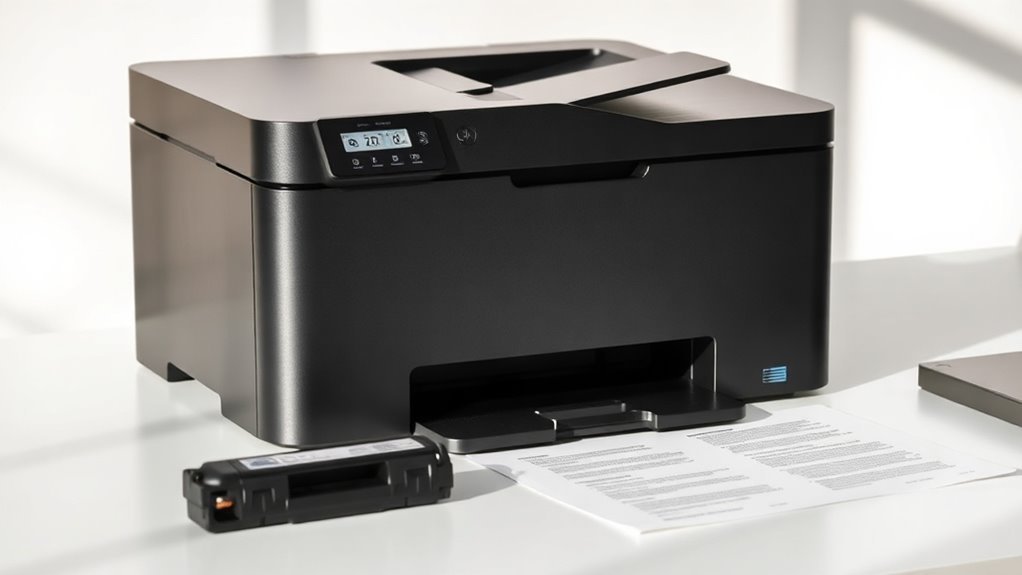
When choosing a black and white laser printer with cheap toner, you’ll want to focus on toner cost efficiency and cartridge yield to keep expenses low. Don’t forget to check print speed and connectivity options to match your workflow needs.
Also, consider the printer’s durability to make certain it holds up over time. It’s all about finding the right balance between cost and performance for your specific needs.
Toner Cost Efficiency
Calculate your toner cost per page by dividing the cartridge price by its rated page yield. This gives you a clear picture of your true running expenses.
For example, a $40 cartridge rated for 2,000 pages costs you $0.02 per page. Always check ISO/IEC standardized page yields instead of vendor “up to” claims for realistic comparisons.
Opt for high-yield or extra-high-yield cartridges. These often provide 2 to 5 times the standard yield, lowering your cost per page despite a higher upfront price.
Match cartridge yield to your typical monthly page volume to avoid frequent replacements that spike costs. Also, consider whether your printer supports remanufactured or third-party cartridges without voiding warranties or triggering firmware blocks.
These options can markedly reduce long-term toner expenses. It’s a smart way to save without sacrificing quality.
Print Speed Performance
Consider how print speed affects both your waiting time and toner use when choosing a black and white laser printer with cheap toner. Higher speeds, like 30–37 ppm, cut down wait time for big jobs but can increase toner use per minute. So, balance your speed needs with toner cost-per-page.
Pay attention to first-page-out time if you print in short bursts. Faster warm-up and print times improve responsiveness.
If you frequently print double-sided, check duplex speed ratings to avoid slowdowns. Also, make sure the printer’s rated monthly duty cycle matches your workload to maintain performance and reduce maintenance.
Finally, a powerful processor and ample RAM help sustain speed when printing complex or high-resolution documents. This keeps your printer efficient in real-world use.
Cartridge Yield Capacity
Focus on cartridge yield capacity to slash your toner costs and printing interruptions. A higher cartridge yield means the fixed price spreads over more pages, lowering your per-page expense.
Always check toner yield ratings based on ISO/IEC 19752 standards for realistic comparisons. Don’t overlook the difference between starter and replacement cartridges—starters usually offer fewer pages.
Opt for high-yield or XL cartridges if you print frequently; though pricier upfront, they reduce replacements and costs over time. Remember, quoted yields typically assume 5% page coverage, but your actual usage might differ based on document type and print density.
Connectivity Options Available
Saving money on toner won’t matter much if your printer can’t easily connect to your devices or network. Make sure the printer supports wired Ethernet and USB 2.0/3.0 ports for reliable office integration and direct PC connections.
Dual-band Wi-Fi (2.4 GHz and 5 GHz) or Wi-Fi Direct enhances wireless speed, reduces interference, and lets you print from mobile devices without a router. It’s super handy when you want quick, hassle-free printing on the go.
Check for compatibility with mobile printing standards like AirPrint and Mopria or a dedicated app for seamless smartphone and tablet printing. This way, you won’t have to fuss with complicated setups every time.
Bluetooth or NFC offers quick local print jobs and easy pairing when secure network access isn’t available. Plus, verify cloud-printing and voice-assistant support if you want to send jobs remotely or use voice commands for convenience.
Printer Durability Features
Although cheap toner can lower your printing costs, choosing a durable black and white laser printer is essential to avoid frequent repairs and replacements. Look for models with metal or reinforced plastic chassis and a high monthly duty cycle, like 10,000 to 50,000 pages, to guarantee durability under your workload.
Check the rated life of key parts such as the imaging drum, fuser, and rollers—longer lifespans mean fewer maintenance headaches. Also, opt for printers with user-replaceable modular components, which make repairs easier and extend the printer’s life.
It’s a good idea to review the mean time between failures (MTBF) and manufacturer support policies so you know the printer has reliable service and replacement parts. Finally, make sure your printer supports firmware updates and provides clear maintenance procedures to keep it running smoothly over time.
Energy Consumption Ratings
Durability isn’t the only factor to weigh when choosing a black and white laser printer with cheap toner—energy consumption plays a big role in your overall cost and environmental impact. Look for Energy Star or similar certifications to make certain the printer uses less power in both active and idle states.
Compare power consumption figures: active printing wattage can be high, but idle or sleep modes usually drop to 1–10 watts. Consider printers with higher duty cycles, as they often use energy more efficiently per page.
Features like automatic duplexing and eco print modes help cut down page usage and energy per job. Also, check how quickly the printer enters low-power states and if network standby keeps it partially awake, since frequent wake-ups can waste energy and increase costs.
Frequently Asked Questions
How Long Does the Toner Typically Last in These Printers?
Toner typically lasts between 2,000 to 5,000 pages, depending on your printer model and usage. You’ll want to keep an eye on how much you’re printing to get a sense of when it might run out.
When you notice the print quality dropping or the colors starting to fade, that’s usually a good sign it’s time to replace the toner. Keeping an eye on these signs helps make sure your output stays sharp and clear.
Are These Printers Compatible With macOS and Linux Systems?
Like a universal key, these printers usually play well with macOS and Linux. You’ll find most offer drivers or support, so you won’t be locked out.
Just double-check compatibility before you buy to avoid surprises.
Can These Printers Handle High-Volume Printing Efficiently?
Yes, these printers can handle high-volume printing efficiently. You’ll experience fast print speeds, robust duty cycles, and reliable performance.
This means your large print jobs finish quickly without frequent toner replacements or downtime. It’s all about keeping things moving smoothly so you’re not stuck waiting.
What Is the Average Print Speed for Draft Quality Documents?
You’ll typically get draft quality print speeds around 30 to 40 pages per minute.
For example, many models hit 35 ppm, letting you breeze through large jobs quickly without sacrificing too much clarity.
Do These Printers Support Mobile and Cloud Printing Options?
Yes, these printers support mobile and cloud printing options, so you can easily print from your smartphone or tablet. They often include Wi-Fi Direct, AirPrint, and Google Cloud Print compatibility for seamless wireless printing wherever you are.
This means you don’t have to be tied to a computer or cables. Just connect your device and print away, no matter where you are in your home or office.
Conclusion
Choosing the perfect black and white laser printer with affordable toner is like finding that reliable friend who never lets you down. Imagine your crisp documents flowing seamlessly, toner lasting longer than expected, and your wallet smiling with every refill.
Whether you’re printing reports or creative projects, these printers combine efficiency and economy. They make your workdays smoother and your budget happier.
So, pick one that fits your pace and watch your printing worries fade away. With the best black and white laser printers and cheap toner options, you get quality output without breaking the bank.
These printers are designed to deliver high performance while keeping running costs low, making them ideal for both home offices and busy workplaces. When you choose a model with affordable toner, you’re investing in reliability and savings that truly add up over time.